


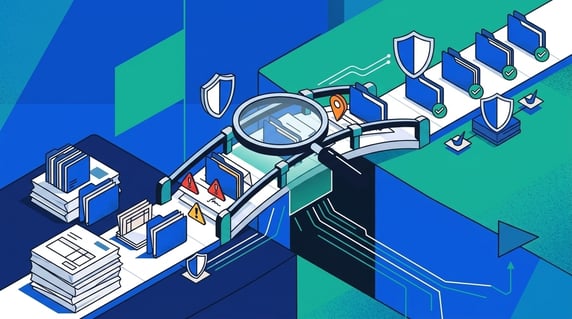
AI contract workflows are repeatable ways legal teams use AI-powered contract management software to search signed agreements, extract key fields, verify sources, clean up records, and act on dates, owners, terms, and obligations.
That sounds simple until you picture the contracts AI is supposed to help with.
Imagine hiring a brilliant assistant and dropping them into a records room with no labels on the boxes.
Some contracts are scans. Some are amendments. Some are order forms that quietly change the parent agreement. Some are sitting in a folder created by someone who left the company before the pandemic.
AI can be helpful there, but only if it behaves less like a magician and more like a very fast assistant with a highlighter, a filing cart, and the humility to show its work.
The question isn’t “Can AI write a confident summary?”
The question is “Can AI help legal and finance find the right contract, verify the source, respect permissions, and take the next step?”
Key Takeaways
- AI-powered contract management should live inside the contract system of record, not in a side tool with no source trail.
- The first workflows to test are search, renewal tracking, metadata extraction, owner cleanup, restricted access, reporting, and obligation lookup. Once those hold up, automating contract approvals is the natural next step.
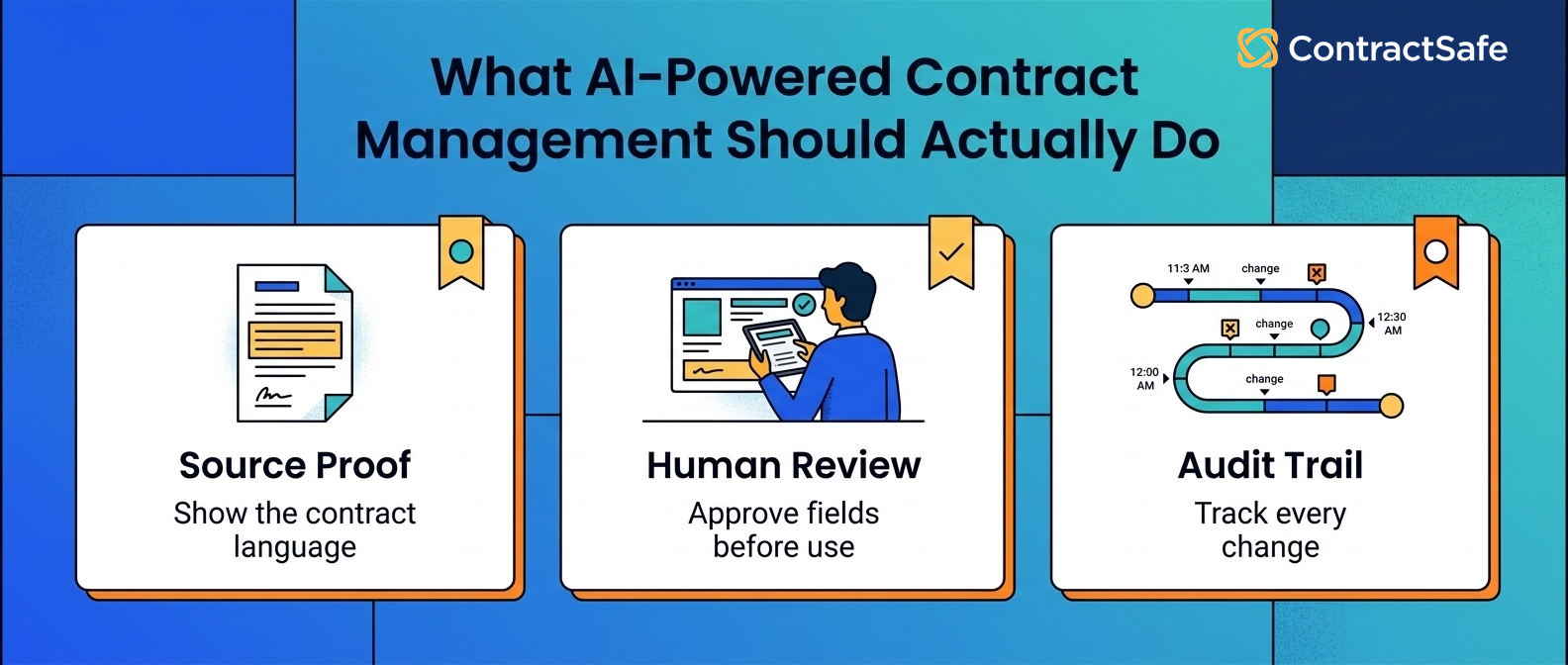
- Every important AI answer should point back to the contract language, field, page, or record it came from.
- Legal should treat AI extraction as a review queue before using the fields in alerts, reports, or decisions.
- ContractSafe fits teams that want practical AI connected to a searchable repository, permissions, alerts, and reporting.
Choose your next step:
-
If you’re still organizing signed contracts, start with source-linked search and metadata review.
-
If renewals are the pain, focus on renewal tracking and decision reports.
-
If you’re comparing AI vendors, use the demo test before trusting a polished sample.
What Are AI Contract Workflows?
AI-powered contract management should help teams find, understand, organize, report on, and act on signed agreements without separating the answer from the contract record.
An AI contract workflow is one repeatable job inside that system, such as source-linked search, renewal-date review, owner cleanup, or permission-aware reporting.
The second half of that sentence is the part that matters.
An AI answer isn't useful just because it sounds tidy. A contract answer needs a source.
If AI says a vendor agreement renews automatically, legal needs to see the clause.
If AI says the notice period is tucked into an amendment, finance needs to know which amendment.
If AI says a contract belongs to sales, someone needs to know whether that owner has been reviewed.
Otherwise, you haven’t created contract intelligence.
You’ve created a very polished guessing machine.
Use this gut check before any demo:
-
Can AI answer a question and show the contract record behind the answer?
-
Can AI respect permissions for restricted records and fields?
-
Can users tell which extracted fields have been reviewed?
-
Can AI output become an alert, report, owner cleanup task, or next decision?
-
Can the system handle your messy contracts, not just vendor samples?
If the answer is no, the workflow may still be interesting. It just isn’t ready to carry legal work.
AI Contract Management vs. AI Contract Review
AI contract review helps before signature. AI contract management helps after signature, when the team has to live with the signed agreement.
That difference gets blurry in demos because both categories use similar words.
Review. Analyze. Extract. Summarize. Redline. Search. Assist. Wonderful. Everyone has a verbs budget.
The operational difference is simpler.
| AI category | Best fit | Demo test |
|---|---|---|
| AI contract review | Drafts, redlines, clause checks, and playbook comparisons before signature | Compare a draft to your preferred language and explain the risk. |
| AI contract repository | Signed agreements that need better search, fields, source links, and owner cleanup | Find a scanned contract and pull the renewal date with source evidence. |
| AI contract management | Post-signature workflows around dates, owners, permissions, reports, obligations, and alerts | Turn reviewed fields into a renewal report or owner cleanup queue. |
If your biggest problem is draft negotiation, start with AI contract review software.
If your biggest problem is signed-contract chaos, start with AI contract management inside a repository.
That’s where most lean legal teams feel the pain first: the deal is signed, the contract exists somewhere, and everyone still asks legal where to find it.
Buyer checklist: before you trust any AI contract workflow with real work, run it through the same messy tasks your team faces every week. A polished demo proves the software can sound smart. It doesn't prove the workflow can take in a scan, pull the right field, show who reviewed it, and route the next step to a real person. Test each stage below, watch where it guesses, and watch where it hands work back to legal.
- Intake: upload a scan, an amendment, and an order form together. Check whether the workflow reads all three, keeps them linked, and flags the ones it can't read cleanly instead of pretending they are perfect.
- Extraction: ask for parties, dates, value, and contract type on a real agreement. Confirm each field points back to the clause or page it came from, not a tidy guess with no source behind it.
- Review status: look for a clear label on every field showing extracted, reviewed, corrected, or approved. If you can't tell which fields a person checked, treat none of them as ready for reports or alerts.
- Owner routing: pick a contract with a stale or missing owner. Confirm the workflow can assign the right owner, queue the cleanup, and tell you who now holds the record instead of leaving it blank.
- Renewal alerts: take a reviewed expiration date and notice window, then turn it into an alert. Check that the alert carries an owner, a reminder path, and a link back to the contract, not just a date on a screen.
- Permissions: log in as a restricted user and ask about a sensitive agreement. The workflow should hide records and fields that user can't see, and it should never leak them inside an AI answer or report.
- Reporting: build a renewal or owner report from reviewed fields only. Confirm the report excludes unreviewed guesses, so a leadership summary never quietly runs on data nobody checked.
- Stop for legal review: watch for the moments the workflow should pause. Conflicting dates across an amendment, unusual renewal language, restricted records, or a low-confidence field should route to a person, not resolve themselves silently.
Use this as a scorecard, not a wish list. Run one real contract through every stage in order and mark where the workflow shows its source, where it asks a person to confirm, and where it quietly decides on its own. The stages that hand work back to legal at the right moment are the ones worth buying. The stages that guess without a source trail are the ones that will cost you later.
1. Source-Linked Contract Search
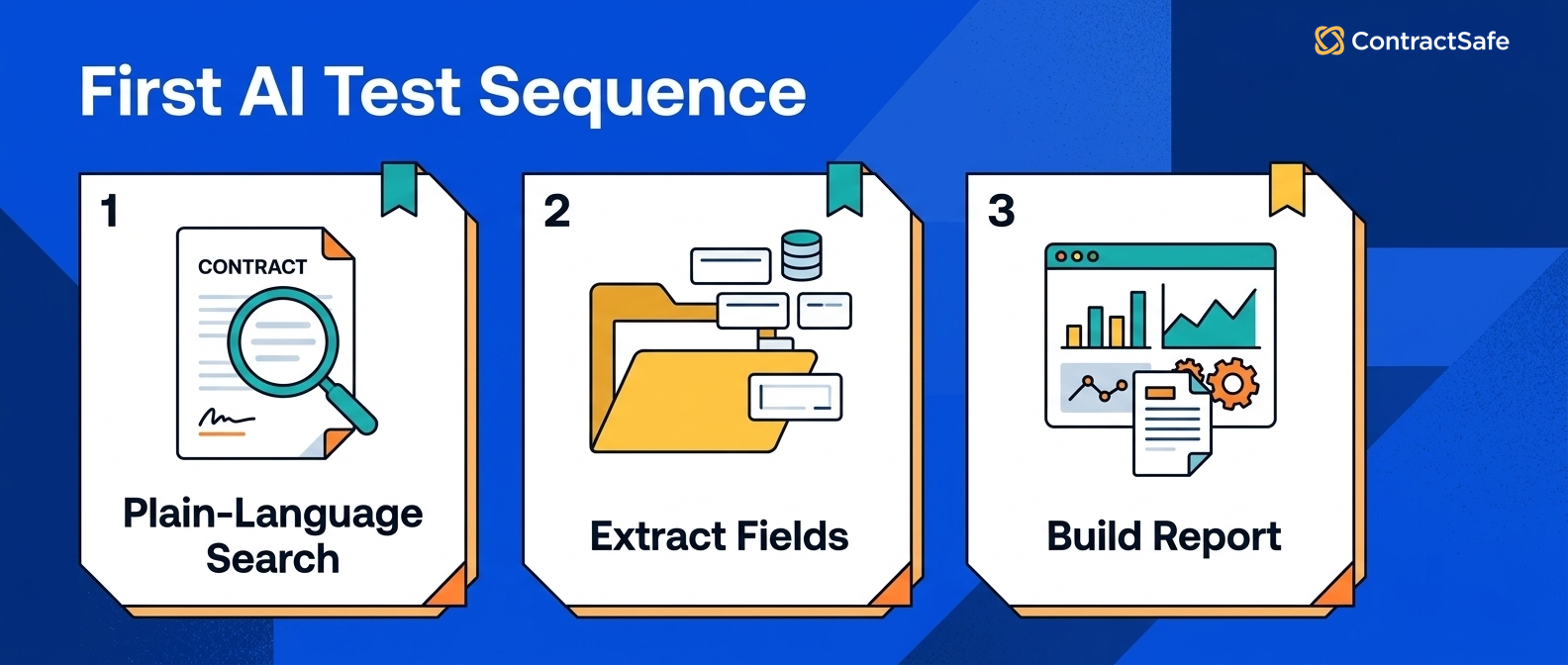
Source-linked contract search lets users ask contract questions in plain English and trace the answer back to the source agreement.
This is the first AI workflow to test because search is the front door.
If people can’t find the contract, nothing else matters much. Not the dashboard. Not the reporting. Not the shiny AI summary with all the confidence of a weather app on a cloudy day.
Test search with questions your team actually asks:
-
Which vendor agreement has the unusual renewal clause?
-
Where is the latest amendment for this customer?
-
Which contracts mention price increases?
-
Which agreements have confidentiality language tied to a specific project?
-
Which contracts are expiring but still marked active?
Good AI search should return the contract, the relevant passage, and the record context.
Bad AI search gives you a paragraph that sounds plausible and then leaves you to go prove it yourself.
For example, if AI says the vendor MSA has a notice period, the answer should show the clause or page. If it can’t, legal still has to do the same verification work by hand.
That’s why source-linked answers matter more than eloquent answers.
There’s also a behavior change hiding inside this workflow.
If search gets better, legal stops being the first stop for every contract lookup. Finance, procurement, and business owners can answer ordinary questions themselves, while legal stays involved for interpretation and risk.
That's the real productivity gain.
Not fewer clicks. Fewer avoidable legal tickets.
2. Renewal and Notice-Date Tracking
AI renewal tracking should help extract key dates, identify notice windows, and turn those dates into reviewed alerts.
Renewals are where contract data stops being theoretical.
A missed notice window can turn into an unwanted renewal, a surprise price increase, or a rushed negotiation where nobody has time to prepare.
AI can help by finding expiration dates, renewal terms, notice periods, and cancellation language. But the workflow isn't finished when AI finds a date.
The workflow is finished when the date has a source, review status, owner, alert path, and next decision.
Use a simple test:
-
Upload a vendor agreement with renewal language.
-
Ask AI for the expiration date and notice period.
-
Check whether the answer links to the source clause.
-
Correct the field if needed.
-
Turn the reviewed field into an alert.
-
Confirm the alert has an owner.
ContractSafe alerts are built for this kind of deadline work: the date, owner, and reminder path stay tied to the contract record.
AI helps with the first pass. The system still needs to make the deadline actionable.
For example, AI may find an expiration date in the main agreement and a different notice period in an amendment.
The workflow shouldn't pick one silently.
It should show the sources, let a person review the fields, and preserve the reviewed version that drives the alert.
That's slower than pretending the first extraction is perfect.
It's also the difference between useful AI and a renewal surprise wearing a nicer hat.
3. Metadata Extraction and Review
AI metadata extraction should create a review queue for contract fields like parties, dates, values, owners, status, and contract type.
Metadata isn't glamorous.
It’s the sock drawer of contract management. Nobody brags about it, but when it’s a mess, every morning starts badly.
AI can help pull field candidates from signed agreements:
-
Counterparty.
-
Contract type.
-
Effective date.
-
Expiration date.
-
Renewal notice period.
-
Contract value.
-
Business owner.
-
Department.
-
Status.
The best workflow marks fields as extracted, reviewed, corrected, or approved for reports.
That status matters because an unreviewed field shouldn't quietly power a leadership report.
Contract metadata works only when people know which fields are reliable enough to use.
AI can speed up the queue. It shouldn’t erase the queue.
This is especially important during migration.
When a team uploads a large archive, AI extraction can make the first cleanup pass less painful. It can group likely contract types, suggest dates, and find missing fields faster than a person opening every PDF one at a time.
But migration is also when bad fields multiply quickly.
If an unreviewed AI guess gets treated as official, the mistake can spread into reports, alerts, dashboards, and renewal workflows before anyone notices.
The safe pattern is simple: AI suggests, a person reviews, and only reviewed fields feed business decisions.
4. Owner Cleanup
AI owner cleanup should help find contracts with missing, stale, or unclear owners so renewal and reporting work has someone accountable.
A contract without an owner is a tiny office mystery.
Everyone assumes someone else is handling it, which is how the renewal reminder becomes a group email nobody answers.
AI can help identify owner candidates from departments, counterparties, uploaded folders, account names, or agreement context. That can be useful during repository cleanup.
But owner suggestions need review.
A good workflow separates the guess from the decision:
-
AI suggests a likely department or owner.
-
Legal or an admin reviews the suggestion.
-
The approved owner gets the renewal and obligation alerts.
-
Reports show records still missing owners.
This is a practical place to look for early AI value because owner cleanup is repetitive and easy to inspect.
If the AI suggestion is wrong, you can see it. If the owner field stays blank, the report can show it.
For example, AI might see that a contract lives in a sales folder and suggest the account owner. That's useful context, not a final answer.
Legal still needs a process for approving the owner and routing future alerts.
The workflow works when the owner field becomes more reliable over time.
It fails when AI produces a tidy-looking owner column nobody trusts.
5. Permission-Aware AI Answers
Permission-aware AI answers follow the same access rules as the contracts, fields, reports, and source records behind the answer.
This one can’t be optional.
AI shouldn't become a side door around repository permissions.
NIST’s least-privilege principle says users should have only the access they need for authorized work. Contract AI needs the same discipline.
Test this with a restricted agreement.
Put a sensitive contract in a restricted group. Ask AI a question that could only be answered from that agreement. Then try the same question as a user without access.
A blocked user shouldn't receive the answer, a snippet, a summary, or a hint that exposes sensitive terms.
Then log in as an authorized user and confirm the answer points back to the contract language.
That test is more useful than asking whether a vendor “supports permissions.”
Everyone supports permissions in the abstract. The question is whether permissions survive contact with AI answers.
Ask the vendor to show three views of the same question:
-
A legal admin who can see the full record.
-
A finance user who can see approved fields but not restricted terms.
-
A general business user who should not know the restricted agreement exists.
The answer should change by role.
If it doesn’t, the AI layer isn't respecting the repository.
6. Obligation and Clause Lookup
AI obligation lookup should help teams find duties, deadlines, restrictions, and commitments inside signed contracts without losing the source context.
This is where AI can feel magical in a good way.
Someone asks, “Which customer contracts require a security review before subcontracting?”
Instead of searching five terms and opening every PDF, AI can find likely clauses and show the related contracts.
But the answer still needs human handling.
An obligation isn't just a sentence. It may have conditions, exceptions, dates, notice requirements, or related documents.
Use AI to find the clause. Use legal judgment to decide what the clause means and what the business should do next.
This workflow connects naturally to contract obligation management.
AI can help surface the obligation. The management system still needs an owner, task, due date, and report.
For example, AI can help find contracts that mention audit rights, insurance certificates, support response times, or data-processing obligations.
That's useful because those obligations often live in different places across different agreement types.
But the next step isn't “AI found something.”
The next step is deciding who owns the obligation, whether it's active, and how the team will know it was handled.
7. AI-Assisted Decision Reports
AI-assisted reports should show contract work that needs action, not just summarize the number of documents in the repository.
A report that says “lots of contracts uploaded” is fine for migration day.
After that, it starts to lose its charm.
Legal and finance need reports that answer decision questions:
-
Which renewals need review this month?
-
Which high-value agreements are missing owners?
-
Which AI-extracted fields still need review?
-
Which restricted contracts had access changes?
-
Which obligations need follow-up?
-
Which contracts have incomplete metadata?
WorldCC’s contracting research is a useful reminder that contract value depends on records, ownership, and follow-through after signature.
AI-assisted reports should make that follow-through easier to see.
The best report tells the team what changed, what needs a decision, and who owns the next action.
A good AI-assisted report should also show confidence in the underlying fields.
Reviewed fields can drive decisions. Unreviewed fields should be flagged. Missing fields should become cleanup work.
That way, leadership isn't looking at a polished dashboard built on contract data nobody has checked.
The report should make uncertainty visible.
That sounds less impressive in a demo, but it's far more useful in a real legal department.
8. Real-Contract Demo Testing
A real-contract AI demo should use your messy contracts, visible source links, restricted records, and corrected fields instead of relying on vendor samples.
Vendor samples are the showroom kitchen.
Everything is clean. The drawers glide nicely. Nobody has left a sticky note that says “DON'T DELETE, probably important.”
Your contracts are the real kitchen after a team lunch.
Bring those to the demo.
Use a simple demo scorecard:
| Demo task | What you’re testing | Pass condition |
|---|---|---|
| Ask where a renewal date came from | Source traceability | The answer points to contract language. |
| Correct an extracted field | Review workflow | The system keeps the corrected field and review status. |
| Log in as finance | Permission behavior | Finance sees allowed fields, not restricted records. |
| Build a renewal report | Actionability | Each row has a contract, owner, date, and next step. |
After the demo, mark each workflow as worked with our contracts, worked only with vendor samples, required manual cleanup, or wasn’t shown.
That prevents the demo from becoming a good feeling with no evidence attached.
One more test is worth adding.
Ask the vendor to show what happens when AI is wrong.
Correct an extracted date. Change an owner. Reject a suggested contract type. Then see whether the system keeps the correction, shows the review history, and uses the corrected field later.
Every AI tool will make mistakes.
The serious question is whether the workflow can recover cleanly.
9. Red-Flag Detection
AI red flags show up when answers drift away from the contract record, permission model, review process, or business action.
Watch for these problems:
-
Answers without source links.
-
Summaries that don’t show the clause or page.
-
Restricted information appearing for users who shouldn’t see it.
-
Extracted fields with no review status.
-
Reports built from unreviewed AI output.
-
No bulk cleanup workflow for missing owners or fields.
-
No path from extracted dates to alerts.
-
No audit trail for corrected fields.
Think about the library again.
A librarian who can’t show you the shelf, book, or page isn’t helping you make a decision. They’re asking you to trust a guess.
AI contract management should reduce that guesswork, not make it sound nicer.
The other red flag is a workflow that ends at the answer.
Legal work rarely ends at the answer.
If AI finds a renewal date, someone still has to decide what to do. If AI finds an obligation, someone has to own it. If AI extracts a value, someone has to decide whether finance can use it in a report.
Useful AI keeps moving toward that next step.
Weak AI stops at a paragraph and calls it progress.
Related Reading
-
AI contract management software evaluation: Use this when you’re comparing AI systems.
-
Best AI contract management software: Use this when you need vendor comparison criteria.
-
AI contract repository software: Use this when repository quality is the main blocker.
-
AI contract review software: Use this when the pain is pre-signature review.
-
Contract metadata: Use this when extracted fields need a clean operating model.
How ContractSafe Helps Legal Teams Use AI Without Losing the Contract Record
ContractSafe helps legal teams use AI inside the contract workflow instead of floating AI answers outside the repository.
That matters because signed agreements don’t become easier to manage just because a chatbot can summarize one document.
ContractSafe gives teams a searchable repository, OCR, metadata, alerts, reports, permissions, audit history, and practical AI contract management features.
The repository keeps the agreement and fields in one place. ContractSafe AI helps extract and search contract data. ContractSafe’s repository keeps source records, permissions, and reporting around that work.
For lean legal teams, that combination is the point.
AI should help people find the contract, check the source, clean the field, assign the owner, and act before the deadline.
That’s useful AI.
Everything else is a demo trick until it survives contact with your actual contracts.






.svg)







.svg)




