


An AI contract software comparison is a structured process for testing what a vendor’s AI actually does with your contracts, not what its marketing page says it does. Compare search quality, extraction accuracy, source traceability, key-date alerts, and first-year cost. The goal is a defensible recommendation, not a longer feature checklist.
Quick answer: An AI contract software comparison is best evaluated by the work it helps legal, finance, procurement, and operations teams complete: finding the right contract, trusting the attached data, and turning that data into the next action. The benefit of that test is a shortlist grounded in evidence instead of feature counts.
Think about a new paralegal joining your team. You wouldn’t extend an offer based on a resume bullet that says “reviews contracts.” You’d hand them a stack of messy, badly named, crookedly scanned agreements, ask them to find every auto-renewal clause, and check their work.
AI contract management software deserves the same treatment. ContractSafe is built around a searchable repository, AI-assisted search and extraction, and key-date alerts, and you should test it the same way you test every other product.
Key Takeaways
- An AI contract software comparison should test AI on your own contracts, including scanned files, rather than on vendor-prepared demo documents.
- Every AI answer needs a path back to the source language in the actual contract, so a lawyer can verify it before relying on it.
- AI features change the first-year cost conversation because pricing, seat counts, and review time all shift together.
- Human review of AI results is a requirement, not a limitation. Software that extracts data still needs a person confirming what matters.
- Key-date tracking is easy to overlook while AI claims take center stage, so test the path from an extracted date to human follow-up.
Choose your next step:
Compare the proof questions.
Check first-year cost.
Use the demo questions with real contracts.
What Legal Teams Should Learn From an AI Contract Software Comparison
A useful AI contract software comparison answers a core set of questions: Can the software find the right contract? Can it pull out the right data? Can you trace every answer to source language? Will it warn you before a date passes? What does the whole thing cost in year one?
Everything else is decoration. Legal teams get into trouble when the evaluation quietly becomes a feature inventory. Vendor A has 40 checkboxes, Vendor B has 52, so Vendor B wins on points and everyone goes to lunch.
That math falls apart the second you load your actual contract set, the one that includes a 2014 master services agreement that exists only as a photocopy somebody scanned crooked. Feature counts don’t survive contact with real documents. Behavior on your documents does. Here’s the framing that works better. Split the comparison into two buckets: what the software does with contracts you already have, and what it does with contracts you sign next quarter.
Most AI marketing lives in that second bucket, because new documents are clean and structured and wonderfully easy to demo. Most of your legal risk lives in the first bucket, buried in agreements nobody has opened since the person who negotiated them left the company.
So your comparison should force both. Ask each vendor to work your backlog, not their sample set. That single move separates the products that handle messy reality from the products that handle press releases.
Decision Check: Keep a vendor off the shortlist if it can’t show source-backed results on your documents.
| Evaluation question | What weak answers sound like | What a strong answer looks like |
|---|---|---|
| Can it find the contract? | “Our search is AI-powered.” | Full-text search that hits scanned files, not just titles and metadata |
| Can it extract the data? | “We extract 60+ field types.” | Extracted values on your contracts, with a confidence path to review |
| Can you trace the answer? | “The AI is highly accurate.” | Every answer links to the clause in the source document |
| Will it warn you in time? | “We have notifications.” | Renewal, expiration, and payment-date reminders you configure |
| What does year one cost? | “Contact sales.” | Published pricing options you can evaluate before a call |
That last row matters more than legal teams expect. If you can’t get a pricing conversation started without three discovery calls, that’s information about how the rest of the relationship goes.
The AI Claims Legal Teams Should Test First
AI vendor claims fall into a few predictable buckets, and legal teams should test the ones that touch daily work first: search that finds the right clause, extraction that pulls the right dates and parties, source language you can see without leaving the tool, and human review of anything the model produced.
A common mistake happens on demo day. The vendor loads a clean, tidy, freshly typed contract, asks the AI a question, and the AI answers beautifully. Of course it does. That contract is the software equivalent of a hand model.
It has never been faxed, scanned at an angle, or signed in blue pen over a wet coffee ring. Your actual contract library isn’t a hand model. Your actual contract library has been through some things.
So the first claim to test is search. Don’t just confirm that a search box exists, because they all have one. Ask whether search returns the clause you meant when the contract uses completely different words for it. If you search for “termination for convenience” and the agreement grants a broad written-notice right instead, does the tool find it?
That gap between how lawyers talk and how contracts get drafted is where AI search either earns its keep or quietly becomes a slower version of Ctrl+F.
The second claim is extraction. Every vendor will tell you their system pulls key terms automatically, which is fine as far as it goes. The real question is which terms, from which documents, and what happens when the document is ugly. Ask what the tool does with a scanned amendment.
Ask what happens when a contract has three different dates on the first page and only one of them is the effective date, or when the counterparty name in the signature block doesn’t match the name in the preamble.
Third, source language, and this one matters more than people expect. When the AI tells you the notice period is sixty days, can you click through to the actual sentence, in the actual document, on the actual page? If the answer is “the AI summarizes it for you,” that isn’t the same thing at all. A summary you can’t verify is a rumor with better formatting.
Legal teams live and die by the underlying text, and any tool that puts a layer of narration between you and the paper has added a step, not removed one. Fourth, key dates. Extraction and alerting are cousins, not twins, and a tool can find a renewal date while doing absolutely nothing useful with it.
Ask how a date the AI extracted turns into a reminder that reaches a human being before the auto-renewal fires. That path from “the system knows” to “a person was told in time” is the entire point of the exercise.
Fifth, and this is the one everybody skips: human review. Ask directly what the workflow looks like when the AI gets something wrong. Not whether it gets things wrong, because everything does, including the paralegal in our opening story.
What’s the correction path, and who sees the AI’s output before it becomes the record? ContractSafe AI contract management is built around AI-extracted data and plain-English questions that a person reviews, which is the posture you should be looking for generally.
AI proposes, a human confirms, the record reflects the human.
What you’re not testing, and shouldn’t be, is whether the AI can exercise legal judgment. No tool in this category should be asked whether a limitation of liability fits your risk tolerance or whether an indemnity clause is market. That’s your job, and any vendor implying otherwise is selling something they can’t deliver.
How AI Changes the First-Year Cost Conversation
AI features change the first-year cost conversation because buyers have to separate four things that vendors like to blend together: the base platform, the AI modules, usage limits, and human review time.
A demo can show capabilities that aren’t included in the quoted tier, so always compare the product demonstrated against the product priced. Start with the software line itself. Pricing models in this category vary by seats, contract volume, storage, and which AI capabilities come bundled versus sold separately. That last one is where the surprises live.
A base tier that includes repository and search may treat AI extraction as an upgrade, which means the demo you loved and the quote you received are describing two different products. Ask which specific AI capabilities sit in the tier you’re actually pricing, and get the answer in writing.
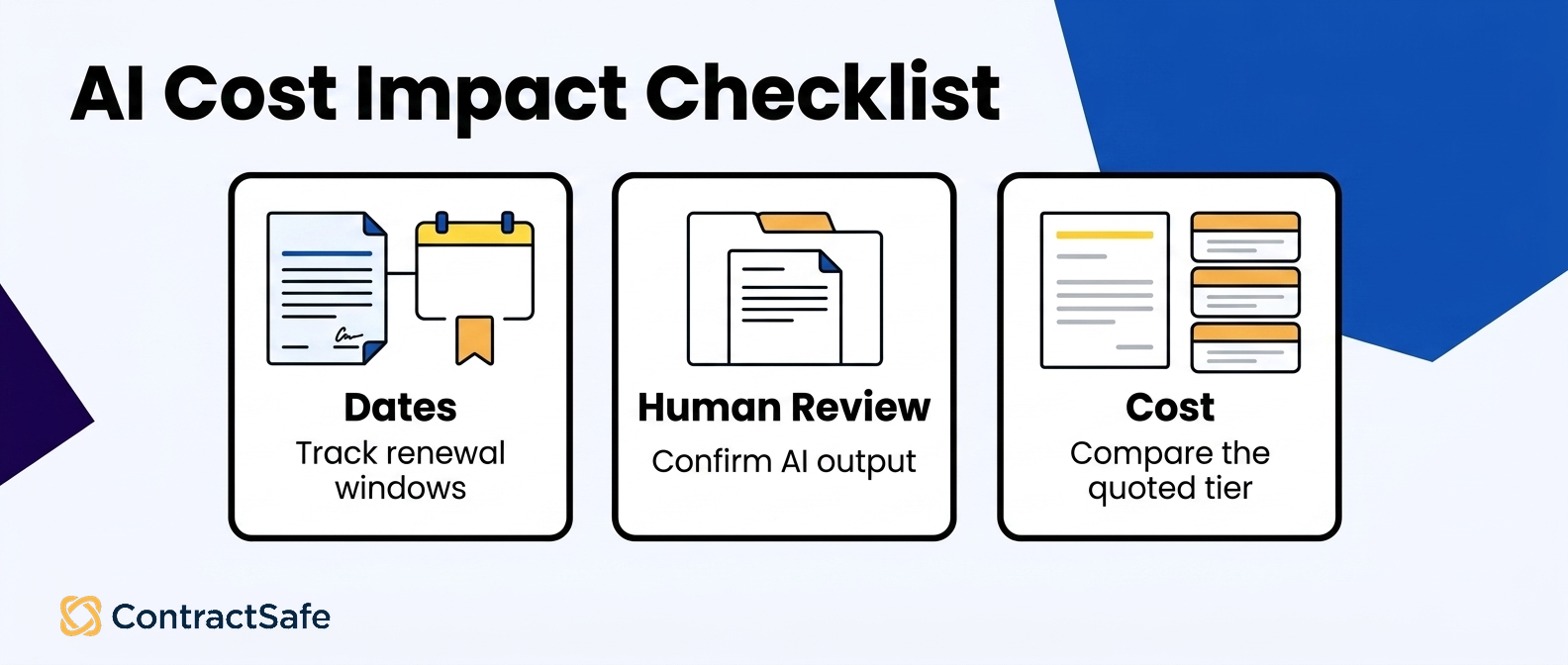
Then there’s the review time the quote never shows. If search time or field confirmation is part of your business case, measure it during the pilot on your own files instead of borrowing the vendor’s assumptions.
A few practical budgeting moves for legal teams evaluating AI contract software pricing:
Price the tier you’d actually deploy, not the entry tier, then compare vendors at that same functional level.
Separate one-time costs from recurring costs so the year-one number doesn’t distort your three-year view.
Ask what happens as contract volume grows, since a repository only gets bigger and pricing that scales steeply becomes a renegotiation you didn’t plan.
Account for review time, not just license fees. AI that requires heavy human review of every output still costs your team hours, and those hours belong in the model.
Check whether AI is metered. If usage is capped or billed per query, your heaviest users will hit that ceiling first.
For a deeper breakdown of how these variables interact across the category, the contract management software cost guide walks through the structures you’ll run into.
Pair it with the best contract management software guide while you’re still building the shortlist, because the cost conversation gets a lot easier once you’ve narrowed to products that genuinely fit your use case.
One more thing about cost, and it’s the part spreadsheets miss. A low license price doesn’t settle total cost if your team struggles to use the product, so weight adoption and ordinary-user access right alongside the quote. If someone in finance needs one contract a few times a year, their experience belongs in the evaluation too.
Scorecard: Search, Extraction, Source Language, Dates, Human Review, and Pricing
A useful AI contract software comparison scorecard has five rows: search, extraction, source language, dates, and cost. Human review runs across the extraction, source-language, and date tests rather than sitting in its own row.
| Decision area | Buyer question | Good answer | Red flag | Next step |
|---|---|---|---|---|
| Search | Can the tool find real language inside PDFs, scans, and third-party contracts? | The demo uses messy contracts, scanned files, and actual clauses. | The demo only searches clean samples or filenames. | Test repository search and OCR. |
| Extraction | Which fields does AI extract, and who reviews them? | Fields have human review before they drive reminders or become trusted record data. | AI fields appear final without review status. | Ask for the extraction review workflow. |
| Source language | Can every AI answer point back to the contract text? | Answers link to source language a human reviewer can check. | The answer sounds plausible but cannot be traced. | Ask for source-backed AI answers. |
| Dates | Can the system surface renewal and notice dates without creating false confidence? | Dates connect to reminders and owner review. | Dates are summarized but not operationalized. | Test a renewal-heavy contract. |
| Cost | Is AI included, optional, usage-based, or tied to a higher tier? | The buyer can see how AI changes year-one cost. | AI appears in the demo but not in the quote. | Use pricing and cost guidance before shortlisting. |
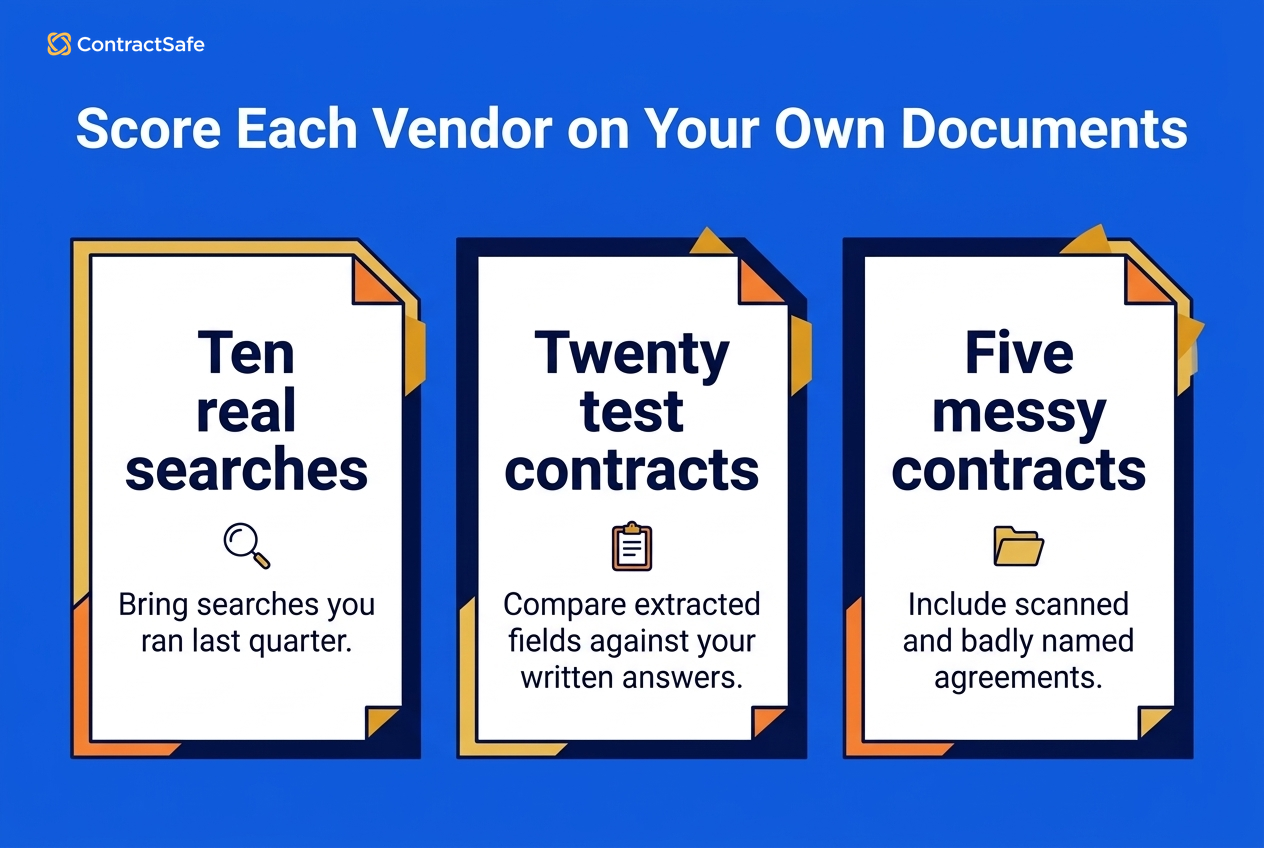
Score each vendor on your own documents, never on theirs.
Search quality. Bring ten searches you actually ran last quarter.
Use real searches, including the vague one where you couldn’t remember the vendor name and only knew it was “the data processing thing from the Chicago office.” Score whether the tool found it, how many results it buried the answer under, and whether it handled a scanned document at all. Search across a ContractSafe repository includes OCR for scanned files, and that’s a fair baseline to hold every vendor to, because the alternative is a searchable library with an invisible hole in it shaped like your oldest agreements.
Extraction accuracy. Pick twenty contracts, including at least five genuinely messy ones. Have someone on your team write down the correct effective date, expiration date, counterparty, and notice period by hand, then compare.
This takes an afternoon and tells you more than any vendor-supplied accuracy number ever could.
Source language access. This one’s binary. Click an extracted field. Does it take you to the sentence? If yes, one point.
If you get a summary, a citation with no link, or a “view document” button that dumps you on page one of a ninety-page master agreement, zero points and no partial credit.
Key-date handling. Ask each vendor to show a renewal date traveling from extraction all the way to a reminder in someone’s inbox.
ContractSafe alerts cover renewal, expiration, payment dates, and other key dates, which is the specific shape of thing to look for. Score whether the reminder is configurable, who receives it, and how far ahead it fires.
Human review across the scorecard. Ask what a reviewer actually sees, how a correction gets made, and whether AI output is marked as AI output before someone confirms it.
A tool that treats model output and human-verified output as identical entries in the record is asking you to trust something you haven’t checked.
Published pricing. Score whether you can see pricing before a sales call at all. ContractSafe publishes pricing options for businesses of different sizes, which lets you do arithmetic early instead of after three discovery calls.
If a vendor won’t discuss cost until you’ve been fully qualified, note it on the scorecard, because that pattern usually holds right through renewal season. Weight these however your team wants. A small legal department drowning in renewals probably weights dates and alerts heaviest. A team that just inherited twelve thousand PDFs from an acquisition weights search and OCR.
Nobody should weight “AI-powered” as its own row, because that isn’t a capability, that’s a category.
Questions to Ask in a Vendor Demo
Vendor demos reward specific questions tied to real work. Ask each vendor to run your documents live, show the source language behind an extracted field, explain the human review path when AI output is wrong, walk a key date from extraction to reminder, and state pricing at your user count and document volume.
Start by taking the wheel. “Can we upload three of our contracts right now?” is one of the most useful questions in a software demo, and the reaction tells you something before the upload even finishes. Bring one clean digital contract, one scanned document, and one genuinely awful one. You know the file. The 2009 amendment with the handwritten interlineation in the margin. Everyone has one.
Then ask the questions that don’t have marketing answers. What happens when the AI can’t find a field? Does it leave the field blank, guess, or flag it for a human? Show me a contract where extraction failed.
That last one is a great question, because a vendor who has never seen their own product fail hasn’t looked very hard. And a vendor who can walk you through the failure state calmly is telling you they’ve thought about the unhappy path. Ask about your own review burden too. If a person has to confirm AI-extracted fields, how long does confirming one contract take, and what does the reviewer see on screen while they do it?
You’re not fishing for a number from the vendor here. You want them to show you the screen so you can estimate the number yourself. Ask what the AI doesn’t do. Good vendors answer this crisply. The boundary should sound something like: it finds language, pulls data, answers plain-English questions about what documents say, and a human reviews the output.
If the boundary sounds like “it handles contract risk for you,” slow the room down and ask what “handles” means in a sentence with an actual verb in it. On money, ask three things. What does year one cost at our user count and document volume, what changes in year two, and what triggers a price increase mid-term?
Then check those answers against the contract management software cost guide so you know which line items should exist.
Finally, ask them to leave you alone with it. A trial where your team runs its own searches on its own documents, with no sales engineer narrating from the passenger seat, can tell you more than a scripted demo. If that isn’t possible, ask why, and listen carefully to the answer.
Related Reading
Best contract management software guide for a broader look at how the category sorts out beyond AI features
CLM checklist to structure your requirements before the first vendor call
Book a ContractSafe demo and bring your own messy contracts to test
How ContractSafe Helps With Verifying AI Contract Claims
ContractSafe helps teams search contracts, extract key data, and ask plain-English questions about agreements. ContractSafe keeps a human reviewer in the loop before anyone relies on AI output. That bounded approach makes the product straightforward to test against the scorecard above.
ContractSafe provides document search and OCR across a central repository, so scanned agreements remain findable. It also provides reminders for renewal, expiration, payment, and other key dates. During a demo, trace one scan from search result to source clause and one extracted date to a human reminder.
ContractSafe publishes pricing options for businesses of different sizes, so teams can start the year-one math while building a shortlist. Use the cost guide to compare included capabilities with possible line items.
To run the scorecard, bring three of your own contracts, including the ugly one, and test search, extraction, source language, and alerts in a single sitting.









.svg)







.svg)




