


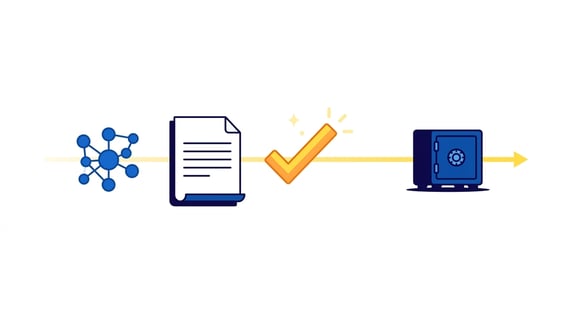
AI contract lifecycle management, or AI CLM, means using AI to help legal teams move contract work from request to signature to renewal without losing the contract record, the owner, the source language, or the next action.
That definition matters because AI can sound useful in a demo and still fail the lifecycle.
A lifecycle is a handoff system. Someone requests a contract. Someone reviews it. Someone approves it. Someone signs it. Then someone has to store it, find it, track dates, manage obligations, report on it, and decide what happens next.
Think of it like a relay race where the baton is the contract record. AI can help the runners move faster, but it can't help if the baton gets dropped between legal, finance, sales, procurement, and the person who owns the renewal.
AI helps when it makes those handoffs clearer. It creates problems when it gives a polished answer without showing the source contract, the owner, the permission rule, or the review status behind that answer.
Key Takeaways
- AI CLM is useful only when it improves a real contract lifecycle handoff: intake, review, approval, signature, storage, renewal, obligation tracking, or reporting.
- Before signature, AI is mostly about triage, clause review, routing, and keeping the deal moving without replacing legal judgment.
- After signature, AI is mostly about making signed agreements searchable, extracting key fields, tracking dates, controlling access, and turning records into decisions.
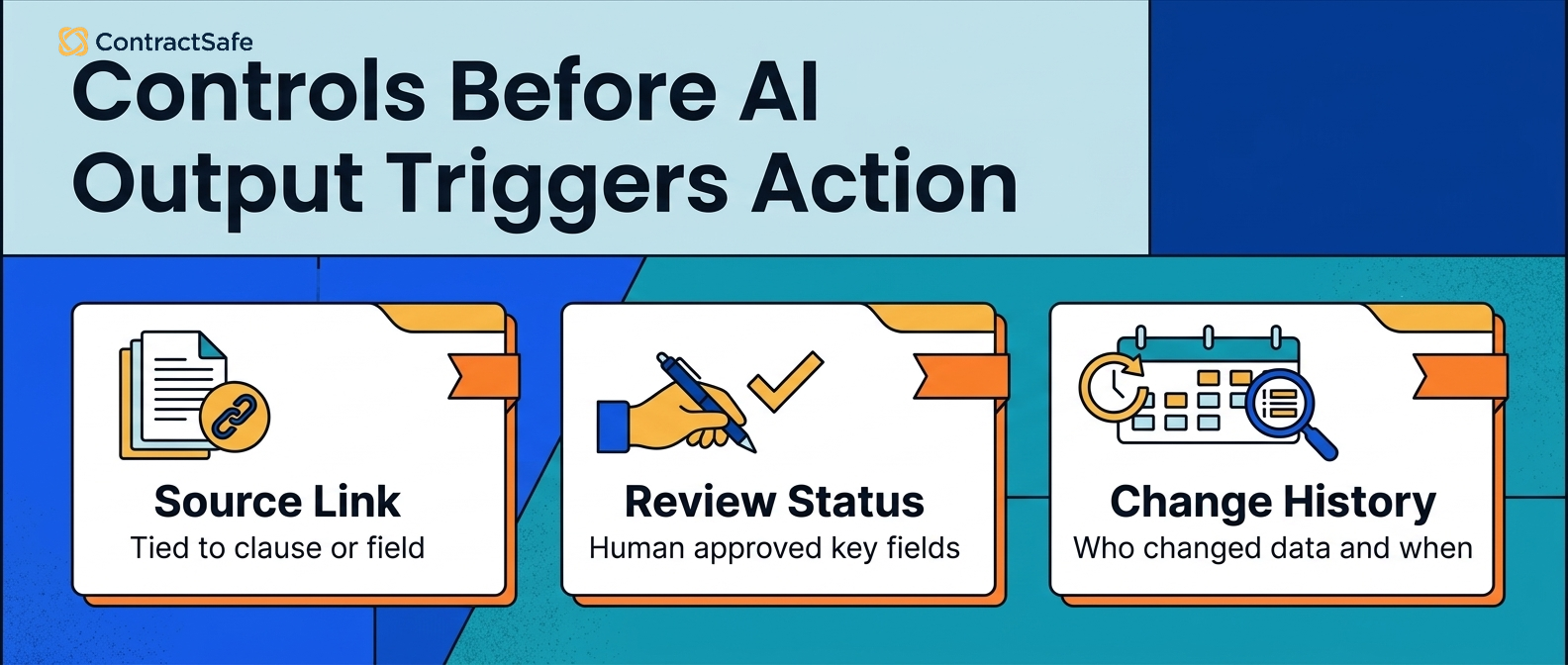
- Every AI answer that affects a contract decision needs a source link, a permission check, review status, and a correction path.
- ContractSafe is strongest for teams that want practical AI connected to one full-lifecycle system, covering signature, repository, alerts, permissions, and reports, that the whole org actually uses.
Choose Your Next Step
Choose your next step based on the lifecycle problem you're trying to fix.
-
If you need the plain-English definition first, start with what AI contract lifecycle management means.
-
If you're deciding where AI belongs, jump to the eight lifecycle jobs AI can help with.
-
If you're comparing vendors, use the demo checklist.
What AI Contract Lifecycle Management Means
AI contract lifecycle management uses AI inside contract workflows so legal and business teams can move contracts from one stage to the next with less manual searching, copying, chasing, and cleanup.
That includes work before signature and after signature.
Before signature, AI may help classify a request, compare a clause to a playbook, suggest fallback language, summarize a redline, or route an approval.
After signature, AI may help read signed agreements, extract dates and terms, find contract language, answer business questions, flag missing owners, and build reports.
Those are related jobs, but they're not the same job.
Pre-signature AI usually lives close to drafting, redlining, negotiation, and approval. Post-signature AI usually lives close to the repository, metadata, alerts, renewal reviews, reporting, and permissions.
The problem is that vendor demos often collapse those jobs into one big AI story.
That makes the buying decision harder than it needs to be.
If your biggest problem is that legal can't find signed agreements, a pre-signature review tool won't fix that. If your biggest problem is slow clause review, a repository-only tool may not fix that either.
Start with the lifecycle handoff that's actually breaking.
| Lifecycle problem | AI can help by | What still needs control |
|---|---|---|
| Requests are incomplete | Classifying intake and missing fields | Business owner and urgency |
| Reviews take too long | Comparing clauses to approved positions | Legal approval of risk treatment |
| Signed contracts disappear | Reading, tagging, and searching contract records | Repository structure and permissions |
| Renewals get missed | Extracting dates and notice windows | Owner assignment and alert workflow |
The NIST AI Risk Management Framework is useful background because it keeps the focus on trustworthy systems instead of exciting outputs.
That's the right lens for AI CLM. The output matters, but the system around the output matters more.

The AI CLM Map: 8 Places AI Can Help
A good AI CLM evaluation should walk through the lifecycle one job at a time.
Don't let the demo stay at the level of "AI can summarize contracts." That's too broad to be useful.
Ask what lifecycle job the tool improves and what proof remains after the answer is generated.
1. Intake Triage
Intake triage is the first place AI can help before signature.
Business users often send legal partial information: "We need an NDA," "Can you review this vendor agreement," or "Sales needs this customer contract today."
AI can help classify the request, identify missing fields, suggest the right template, and route the request to the correct queue.
The control is simple: the request owner still needs to confirm the purpose, urgency, counterparty, contract type, and business value.
If AI routes work based on incomplete intake, it can move the wrong contract faster.
For example, ask the system to handle a vendor request that's missing the data category and renewal expectation. A useful result should flag the missing fields instead of pretending the request is ready for legal review.
2. Template and Playbook Matching
Template matching helps when legal has approved language but business users do not know which form applies.
For example, a vendor onboarding request may need an NDA, data processing agreement, order form, security exhibit, or service agreement.
AI can suggest the likely starting point and explain why it chose that template.
That explanation matters. Legal needs to know whether the suggestion came from the request type, contract value, geography, data category, or counterparty.
A good tool should also show when it's unsure.
False confidence is worse than a manual choice because the team may not realize it needs to check.
3. Clause Review
Clause review is where pre-signature AI gets the most attention.
AI can compare a clause to a playbook, flag a fallback position, summarize non-standard language, and point reviewers to the parts that need attention.
That can save time, but it doesn't remove the legal decision.
The reviewer still needs to decide whether the clause is acceptable in context.
An indemnity clause may look fine in isolation and still be wrong for a high-risk customer deal. A limitation of liability clause may be acceptable for one vendor and unacceptable for another.
Ask the vendor to show the source clause, the playbook position, the fallback language, and the review history.
For example, test a limitation-of-liability clause with an exception buried two paragraphs later. The tool should show the clause, the exception, and the reason the issue needs legal review.
4. Approval and Signature Handoff
Approval routing is a practical AI use case when contracts need different approvals based on value, risk, department, data access, or non-standard language.
AI can help identify the signal that triggers an approval.
It shouldn't quietly invent the approval policy.
Ask whether the system can show why finance, security, legal, or an executive approver was added to the route.
Then ask what happens when the contract is signed.
The lifecycle doesn't end at signature. The signed contract needs to become a searchable, controlled record.
5. Repository Cleanup After Signature
Post-signature AI starts with the repository.
If signed contracts land in email, shared drives, or scattered department folders, AI has no stable record to work from.
Contract repository cleanup means turning signed contracts into organized records with consistent names, searchable text, contract types, owners, and access rules.
AI can help read uploaded files, suggest contract types, identify counterparties, and make scanned PDFs searchable.
That work sounds basic. It's also the foundation for every better AI answer later.
Our guide to contract repository best practices covers the operating side of this problem.
ContractSafe's repository gives this work a home: the document, searchable text, fields, owner, and access rule live together instead of becoming another cleanup spreadsheet.
6. Metadata Extraction and Review
Metadata extraction is useful when AI pulls important fields from the signed agreement and keeps those fields tied to the source text.
Useful fields include effective date, expiration date, renewal notice window, contract value, contract type, governing law, counterparty, owner, and restricted-access flag.
But extracted data is not approved data.
Legal needs a review step for fields that drive alerts, reports, approvals, or business decisions.
If AI extracts the wrong notice deadline and the team treats it as final, the company can miss a cancellation window.
That's why contract metadata isn't just data cleanup. It's operational control.
7. Renewal and Obligation Tracking
Renewal and obligation tracking is where AI CLM starts affecting real money and risk.
AI can find renewal language, notice periods, termination rights, insurance obligations, reporting duties, audit rights, service commitments, and other post-signature obligations.
The useful question is not "Can the AI summarize this?"
The useful question is "Can the system turn the answer into a tracked record with an owner and a due date?"
If the answer stays in a chat window, legal still has to rebuild the workflow.
ContractSafe Alerts are built for the part that matters after extraction: getting the right person notified before a date becomes urgent.
8. Portfolio Reporting
Portfolio reporting is the management layer.
Legal needs to see which contracts are missing owners, which high-value agreements have incomplete fields, which renewals are coming up, which restricted records need cleanup, and which contract types create the most follow-up work.
AI can help identify patterns, but the report still needs to point back to real contracts.
A report that can't show its source records is just another summary to verify.
For reporting workflows, start with the contract questions leadership actually asks: What renewals are coming? Which vendors are risky? Where are we missing owners? Which contracts need legal review this week?
Then test whether AI makes those answers faster and more reliable.
For example, ask for all vendor agreements expiring next quarter that are missing an owner or notice-review status. A useful report should link back to the agreements and show what legal should do next.
ContractSafe reporting is useful here because the report can sit on top of the same repository fields, alerts, and permissions legal already uses.
AI CLM Comparison: Before Signature Versus After Signature
An AI CLM comparison should separate before-signature review work from after-signature contract management work because each side uses different source records, controls, and proof.
The biggest AI CLM buying mistake is lumping before-signature and after-signature work into one product category.
They share a lifecycle, but they use different source records and create different risks.
| Decision point | Before signature | After signature |
|---|---|---|
| Main object | Draft, redline, template, playbook | Signed agreement, amendment, renewal notice |
| Main question | Can we approve this language? | What does the signed record require next? |
| AI output | Review note, fallback, routing signal | Field, alert, report, source-linked answer |
| Primary risk | Approving bad language too quickly | Missing a date, owner, obligation, or access restriction |
| Best first test | Clause review against your playbook | Renewal tracking from messy signed contracts |
If legal is drowning in review requests, pre-signature AI may be the first place to test.
If legal is drowning in missing agreements, missed dates, and unanswered business questions, repository AI may create more immediate value.
Many teams eventually need both. They don't need to buy both first.
Quick Gut Check: Is AI Fixing a Lifecycle Handoff?
Next time a demo shows AI moving a contract from one stage to the next, stop and make it prove the handoff. Take one answer it gives you and ask where it came from, who owns that record, and what happens next. Run it through the checks below.
-
Can the tool name the contract record behind the answer?
-
Can the user click back to the exact source language?
-
Can legal tell whether the answer is AI-suggested or human-reviewed?
-
Can the system assign or update the next owner?
-
Can the answer become an alert, task, report, or approval instead of staying in a chat response?
-
Can the same question respect different permissions for different users?
If the answer is no, the tool may still be useful for exploration. It hasn't proved lifecycle control yet.
Where AI CLM Can Create Legal Risk
AI contract lifecycle management creates legal risk when a contract answer drives a decision before the source record, permission rule, owner, and review status are clear.
That risk shows up in ordinary contract work.
A renewal date may trigger a notice requirement. An indemnity obligation may affect remedies and damages. A data security clause may affect what the company must do after an incident. A termination right may affect revenue, vendor continuity, or customer commitments.
If AI gets one of those answers wrong, the issue is not just an inaccurate summary.
The issue is that someone may make the next business decision from a bad record.
The FTC guidance on protecting personal information is a useful reminder that access and handling rules still matter when information becomes easier to find.
The National Archives records management policy is also useful context because contract operations depend on ownership, retention, and records people can trust.
For AI CLM, the safe pattern is straightforward:
-
Show the source contract and source clause behind important answers.
-
Respect the same permissions in AI answers that apply to the underlying contract.
-
Separate AI-suggested fields from human-reviewed fields.
-
Keep correction history when a date, value, owner, or obligation changes.
-
Make sure reports point back to the records they summarize.
If a vendor can't show those controls, don't let the demo move on.
The tool may still be useful, but it's not ready to drive lifecycle decisions without a tighter rollout.
What to Test in an AI CLM Demo
An AI CLM demo should use your lifecycle mess, not the vendor's clean sample files.
Bring a small test set that looks like the work legal actually handles.
Include a scanned vendor agreement, a customer agreement with an amendment, a contract with unusual renewal language, a restricted agreement, a missing owner, and one contract that has both pre-signature review history and post-signature obligations.
Then make the vendor show each test from source document to next action.
| Demo test | What a good result proves |
|---|---|
| Upload a messy scanned agreement | OCR becomes searchable repository text, not a temporary answer |
| Ask for a renewal deadline | The answer links to the source clause and creates a reviewable alert |
| Correct a wrong extracted date | The system keeps history and updates reports or alerts |
| Run the same AI question as two users | Restricted information stays restricted |
| Build a missing-owner report | AI improves the contract record instead of creating another summary |
| Route one clause issue | The next reviewer can see why they were pulled in |
Score each test as shown, partly shown, not shown, or failed.
"Partly shown" is not a pass. It means the vendor proved one piece of the lifecycle, not the full handoff.
For more vendor-evaluation detail, use our AI contract management software evaluation framework and the more tactical guide to AI contract workflows.
Roll Out AI CLM in the Right Order
The safest AI CLM rollout usually starts with the contract record before it moves into more judgment-heavy work.
That may sound less exciting than launching an AI review bot first, but it's usually more useful.
If the repository is messy, AI will spend too much time answering from incomplete records. If permissions are loose, AI may expose information to the wrong people. If metadata is unreviewed, reports and alerts may inherit bad data.
A practical rollout sequence looks like this:
Step 1. Centralize Signed Agreements
Move signed agreements into one controlled repository. Include amendments, exhibits, statements of work, order forms, and renewal notices where they belong.
Don't start by asking AI broad questions across scattered files.
Start by making sure the system knows which documents are contract records.
Step 2. Make Text Searchable
Use OCR and search to make older scanned PDFs usable.
This is one of the easiest places to catch weak tools. If AI can't read ordinary archived contracts, it will only help with the cleanest files.
Step 3. Extract the Fields That Drive Work
Focus on fields that change behavior: expiration dates, notice windows, owners, values, contract types, restricted-access flags, and obligation categories.
Don't extract fields just because the tool can.
Extract fields that support alerts, reports, renewals, audits, or business decisions.
Step 4. Review High-Risk Fields
Require human review for fields that trigger action.
A low-risk tag may not need much oversight. A renewal notice deadline does.
Review rules should be clear before the system uses extracted data in reports or alerts.
Step 5. Add Plain-English Contract Q&A
Once the record is under control, plain-English Q&A becomes safer and more useful.
Business users can ask whether a vendor agreement renews automatically, which contracts are expiring this quarter, or where a security obligation appears.
The system should answer from records the user is allowed to see and link back to the source.
Step 6. Expand Into Review and Routing
After the repository, metadata, alerts, and permissions are working, it's easier to expand AI into intake, review routing, and approval workflows.
At that point, the post-signature record isn't an afterthought, and the lifecycle stays connected.
Which AI Do You Need First?
The answer depends on where contract work actually breaks for your team: before signature, or after agreements are signed and scattered.
The difference isn't maturity theater. It's about where work breaks.
If contracts are slow before signature, look closely at intake, review, approval, and negotiation tools. If signed agreements are hard to find after signature, start with repository AI, metadata, alerts, and reporting. With a full-lifecycle CLM like ContractSafe, both sides run in the same system, so starting where it hurts first does not mean buying twice.
Our guide to contract repositories vs. CLM walks through that growth path in more detail.
| If this is the pain | Start here |
|---|---|
| Nobody can find signed agreements | AI-enabled repository search and OCR |
| Renewal data is unreliable | Extraction, review status, alerts, and owner cleanup |
| Review queues are too slow | Clause review, playbook comparison, and routing |
| Approvals stall across departments | Workflow routing with clear approval reasons |
| Leadership wants contract clarity | Portfolio reports tied to source records |
A full CLM platform may be right if pre-signature workflow is the biggest bottleneck.
A repository-first AI rollout may be right if post-signature control is the bigger problem.
The point isn't to buy the most expansive AI story. The point is to fix the handoff that's costing the team time, money, or control.
Related Reading
-
Contract Workflow Automation in 7 Stages That Keep Work Moving
-
AI Contract Management Software: A Practical Evaluation Framework
-
AI contract workflows
How ContractSafe Helps Legal Teams Use AI Across the Contract Lifecycle
ContractSafe helps legal teams use AI where many lifecycle problems start: the signed contract record.
That matters because the lifecycle only works if the final agreement stays findable, searchable, permissioned, and connected to the next action.
ContractSafe's AI contract management features help teams extract key terms, improve search, ask contract questions, and work from source-linked contract records.
The repository keeps agreements organized. Alerts help teams act before renewal and notice dates become emergencies. Permissions keep contract answers practical without opening every agreement to every user.
That doesn't mean every team should automate every lifecycle stage on day one.
It means legal can start with the records, dates, owners, and reports that already decide whether contract work stays under control.
The FAQ below covers the AI CLM questions legal teams usually need answered before they choose a rollout path.
If your team is comparing AI CLM tools, request a ContractSafe demo and test it with your real signed agreements, real renewal language, and real permission rules.






.svg)







.svg)




