



Contract repository best practices are the operating rules that keep signed agreements searchable, trustworthy, secure, and tied to the next action after upload.
Think of a contract repository like a shared kitchen in an office.
Putting everything in one room is a good start. At least the mugs, coffee, forks, and mystery Tupperware all live in the same general place.
But if nobody labels the drawers, the good scissors vanish by Tuesday, and three people keep buying the same coffee filters, the kitchen isn’t really organized.
It’s just centralized chaos with better lighting.
Contracts work the same way. A repository helps only if the records inside it are easy to find, easy to trust, and connected to the person who needs to do something next.
That’s the difference between “we uploaded everything” and “the business can actually use this.”
Key Takeaways
- A contract repository needs rules for metadata, permissions, ownership, alerts, reporting, and cleanup.
- The best practices that matter most are the ones that help legal and finance answer real weekly questions.
- Clean up contracts by risk, not by folder order or alphabetical order.
- AI extraction should create a review queue, not quietly turn guesses into official contract data.
- ContractSafe helps lean teams keep signed agreements searchable, controlled, and tied to renewal work.
Choose your next step:
If your contracts are still scattered, start with the metadata standard and risk-ordered cleanup.
If you already have a repository, use the monthly quality review and decision reports.
If you’re comparing tools, bring the demo tests to every vendor conversation.
What Are Contract Repository Best Practices?
Contract repository best practices are the repeatable rules a team uses to store, tag, secure, search, report on, and maintain signed agreements.
The phrase sounds tidy, which is a little dangerous.
It can make the work sound like a checklist someone can finish during implementation, then file away forever.
In real life, repository best practices are closer to household rules. Shoes by the door. Dishes in the dishwasher. Don’t put an empty milk carton back in the fridge and pretend nobody will notice.
The rules only matter if people keep following them.
For contracts, those rules answer practical questions:
Where does the current signed agreement live?
Which fields have to be filled in before a record is trusted?
Who owns the renewal decision?
Who can see sensitive terms?
Which reports tell leadership what needs attention?
How does the team know whether AI-extracted data has been reviewed?
If your repository can answer those questions, it’s becoming a contract management tool.
If it can’t, it may still be useful storage. But legal will keep getting the same “can you find this?” messages it got before.
Quick gut check:
Can a non-legal user find the current signed agreement without asking legal?
Can finance see renewal timing without opening records it shouldn’t see?
Can legal tell which records have missing owners, stale dates, or unreviewed AI fields?
Can leadership see what needs a decision this month?
If the answer is no, the repository may be organized. It isn’t managed yet.
1. Start With the Questions Legal and Finance Ask Every Week
A contract repository should be designed around the questions legal, finance, procurement, and business owners need answered every week.
That may sound obvious, but a lot of repository projects start in the wrong place.
Teams begin with folders because folders are visible. Vendor contracts here. Customer contracts there. NDAs in another folder. Old agreements in a folder with a name everyone is afraid to open.
Folders feel like progress because they look organized.
But the business rarely asks folder-shaped questions.
Finance asks, “Which vendor agreements renew soon enough that we can still do something about them?”
For example, a finance team may not care which folder holds the vendor agreement. It cares whether the contract renews before budget planning finishes.
Procurement asks, “Which contracts have price increases this year?”
Legal asks, “Which active agreements are missing owners?”
Operations asks, “Can we find the latest amendment without reading the whole archive?”
Those questions need fields, owners, alerts, permissions, and reports. A folder structure alone won’t get you there.
Write the weekly questions first. Then map each question to the data needed to answer it.
| Weekly question | Repository data needed | Why it matters |
|---|---|---|
| What renews soon? | Expiration date, notice period, owner, renewal type | The business has time to renew, renegotiate, or cancel. |
| Who owns this agreement? | Business owner, department, escalation contact | Alerts turn into decisions instead of inbox noise. |
| Is this the current version? | Status, related documents, amendment links, superseded flag | People stop acting on old terms by accident. |
| Who can see sensitive terms? | Permission group, folder or tag access, download rights | The repository can be useful without becoming too open. |
| Which records need cleanup? | Missing fields, failed OCR, duplicate candidates, stale owners | Cleanup becomes visible work, not vague housekeeping. |
This is the first best practice because it keeps the repository honest.
A repository is not successful because it has a lot of contracts in it. It’s successful when the team can answer the questions that used to send everyone digging through email.
2. Define a Small Metadata Standard Before Cleanup Starts
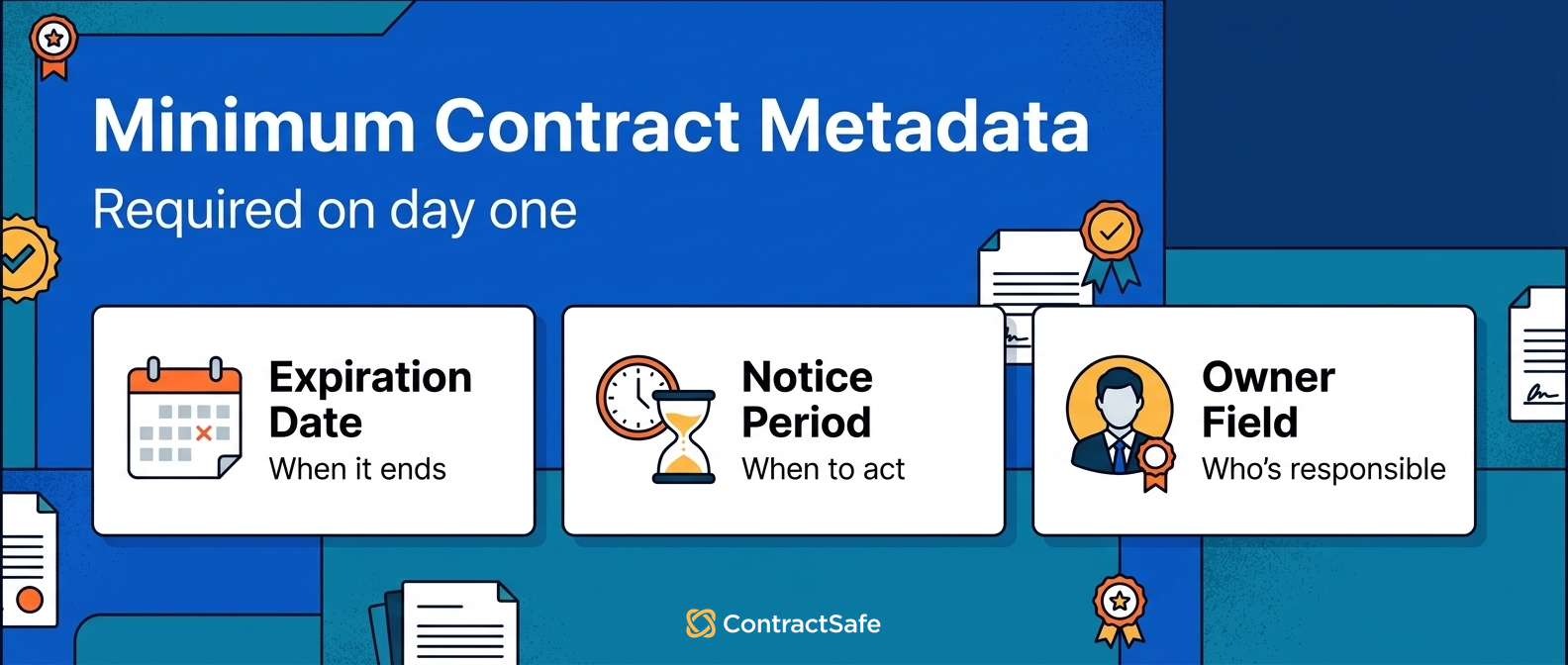
A contract repository needs a minimum metadata standard before anyone starts cleaning old records.
Metadata is the label on the pantry shelf.
Without it, you can still technically find the paprika. You just have to open every jar and smell your way through the cabinet like a detective with dinner plans.
That gets old fast.
In a repository, metadata is what makes the contract usable after upload. It tells the system what the agreement is, who it belongs to, when it matters, and what needs attention.
For example, “vendor MSA” is more useful than “signed agreement,” and “auto-renews unless notice is sent” is more useful than a blank renewal field.
Start with a small required field set:
Counterparty.
Contract type.
Effective date.
Expiration date.
Renewal notice period.
Business owner.
Department.
Status.
Contract value, if finance uses it for reporting.
Related documents, such as amendments and order forms.
The field list can grow later. It shouldn’t start as a 72-field form that makes every upload feel like tax season.
Purdue University Libraries’ data management guidance makes a simple point that fits contract records too: data is easier to reuse when people understand what it means and how it’s organized.
That’s the job of contract metadata.
If two people would classify the same agreement differently, pause and define the field before migration continues.
It’s annoying to fix field rules early. It’s much worse to fix them after 800 contracts have already been tagged three different ways.
3. Clean Up Contracts in Risk Order
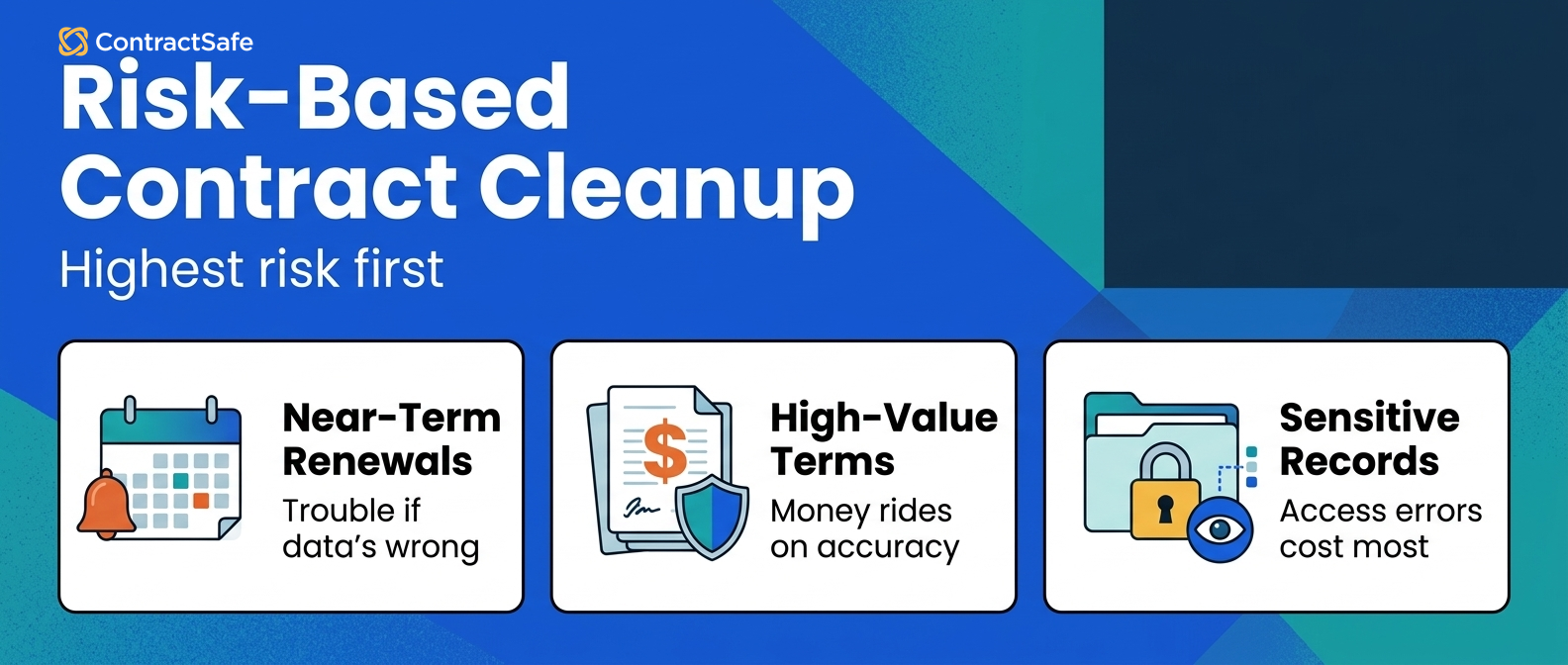
Contract cleanup should follow business risk, not alphabetical order, upload order, or whoever complains loudest.
Alphabetical cleanup has a certain neat charm.
You start with Acme, move through Beta, and feel like a reasonable person making reasonable progress.
Unfortunately, the contract named Zeta Services may be inside a live notice window, while Acme is a harmless expired NDA from years ago.
The alphabet doesn’t care about your renewal notice window.
Start with contracts that can create near-term problems if the record is wrong:
Agreements already inside a practical planning window for renewal decisions.
High-value customer and vendor contracts.
Sensitive records, including HR, executive, privacy, and security agreements.
Active amendments and order forms tied to live parent agreements.
Contracts tied to current obligations, audits, insurance, or compliance work.
Historical agreements that matter only after the active records are under control.
This gives the team a sane launch path.
The repository can become useful before the archive becomes perfect. Legal and finance can start acting on the records that matter now, while older low-risk records move through cleanup later.
Risk order also helps with leadership communication.
“We cleaned 400 files” sounds busy. “We verified every contract renewing this quarter and assigned each one an owner” sounds like work the business can understand.
4. Make Permissions Part of the Repository Design
Repository permissions should control which contracts people can see and what actions they can take before broad access opens.
This is where a lot of teams get nervous, which is fair.
The whole point of a repository is to help people find contracts. The whole point of legal is to make sure the wrong people don’t find the wrong contracts.
Those goals can live together, but only if permissions are designed into the system.
NIST defines least privilege as giving users only the access they need for authorized work. In contract terms, finance may need renewal dates and payment terms without seeing every HR agreement.
Procurement may need vendor terms without seeing sensitive customer pricing. Operations may need service commitments without editing legal fields.
Map permissions by job, not by vague seniority.
Who can view the document?
Who can view the record without opening the document?
Who can edit metadata?
Who can change owners?
Who can download contracts?
Who can run reports?
Who can export reports?
Who can see AI answers based on restricted records?
Then test those rules with real examples.
Log in as a legal admin, a finance user, a department owner, and a general business user. Search for the same restricted record from each role.
If each user sees the same thing, the repository probably isn’t ready for broad access.
5. Connect Renewal Alerts to Owners and Decisions
Renewal alerts work only when each alert has a contract, an owner, a deadline, and a decision attached to it.
A reminder without an owner is like a smoke alarm in an empty building.
Very dramatic. Not especially useful.
Each active contract should have a business owner, renewal notice period, expiration date, alert recipient, escalation path, and decision status.
The decision status matters because “renewal alert sent” is not the same as “renewal decision made.”
Use three reminder types:
An early planning reminder so the owner has time to review usage, pricing, and performance.
A notice-window reminder so the team doesn’t miss the right to cancel or renegotiate.
An escalation reminder when nobody has made a decision.
ContractSafe’s contract alerts are built for that kind of deadline work.
The practical goal is not to admire a calendar full of dates. It’s to make sure someone decides whether to renew, renegotiate, terminate, assign a new owner, or confirm no action is needed.
That’s why owner fields and alert rules belong together.
If the owner changes but the alert path doesn’t, the repository slowly becomes a very confident liar.
6. Build Reports That Show Decisions, Not File Counts
Contract repository reports should show the work that needs attention, not just the number of files stored.
File counts are tempting because they’re easy.
“We uploaded a lot of contracts” sounds impressive for about twelve seconds.
Then the CFO asks which vendor agreements renew next quarter, and everyone gets very quiet.
Useful reports answer decision questions:
Which contracts renew in the next quarter?
Which renewals are missing owners?
Which active agreements are missing required fields?
Which high-value contracts need business review?
Which restricted records were accessed or changed?
Which expired contracts are still marked active?
Which AI-extracted fields haven’t been reviewed yet?
WorldCC’s contracting research is a useful reminder that contract value depends on ownership, records, and follow-through after signature.
A repository report should make that follow-through easier to see.
The best leadership view is short. It shows what changed, what needs a decision, who owns the next step, and which records need cleanup before the next review.
If a report can’t support a decision, it’s probably inventory.
Inventory has its place. It just shouldn’t masquerade as management.
Proof to ask for in the demo:
Show a renewal report where every row has a contract, owner, notice date, and next decision.
Show a missing-fields report and explain how an admin fixes the records.
Show a restricted-record report as legal, finance, and a general business user.
Show whether AI-extracted fields are marked as reviewed before they feed reports.
Those four checks tell you whether reporting is connected to repository discipline or just dressed-up storage.
7. Use AI Extraction as a Review Queue
AI extraction should help create clean contract records faster, but it shouldn’t turn unreviewed suggestions into official repository data.
This is the toaster setting problem.
A toaster can make breakfast easier, but if it starts deciding that every slice needs the “charcoal hockey puck” setting, someone still has to step in.
AI can suggest dates, parties, renewal terms, values, clauses, contract types, and related documents. That’s useful, especially when the archive is large.
But fields that drive renewals, payments, obligations, reports, or permissions need review before the business acts on them.
Use a simple field status model:
Extracted.
Reviewed.
Corrected if needed.
Approved for alerts and reports.
That model keeps everyone honest about which fields are ready for business decisions.
It also keeps AI useful. The point isn’t to pretend AI never makes a mistake. The point is to use AI where it helps, then keep a human review step around the fields that matter most.
ContractSafe’s AI contract management features are designed for that practical middle ground: extract and find contract data, then keep the source record available for review.
8. Keep Search Practical, Not Magical
Contract repository search should help users find the current agreement, the right clause, and the right record without asking legal to perform a rescue mission.
Search is where adoption either clicks or collapses.
For example, a department owner may search for a vendor name, while legal searches for a clause and finance filters by renewal date.
If people can find what they need, they come back. If they search once, get five confusing duplicates, and still have to message legal, the repository becomes a place people avoid politely.
Good search depends on three things:
OCR, so scanned PDFs are searchable.
Metadata, so users can filter by owner, type, date, department, and status.
Version discipline, so the current agreement doesn’t compete with three stale copies.
Test search with ordinary business questions.
Can a finance user find the vendor MSA, latest amendment, renewal date, and payment terms? Can a business owner find a customer agreement without opening restricted records? Can legal find every active agreement with a specific clause?
If search works only when an admin already knows the exact file name, it doesn’t really work.
ContractSafe’s repository combines OCR, search, filters, metadata, and permissions so the contract record is easier to find after signature.
9. Review Repository Quality Every Month
Repository quality decays when owners, fields, permissions, alerts, and duplicate records aren’t reviewed after launch.
This isn’t because people are careless.
It’s because companies keep moving. Owners change roles. Vendors merge. Departments reorganize. Contracts get amended. Someone uploads a scan sideways because Monday was already enough of a problem.
The repository needs a monthly checkup.
Keep the scorecard simple:
Contracts missing owners.
Contracts missing renewal dates.
Contracts with failed OCR.
Duplicate records.
Expired agreements still marked active.
Restricted records with broad permissions.
Alerts with no responsible owner.
AI-extracted fields still waiting for review.
That review doesn’t have to become a giant project. It can be a standing monthly habit.
The important thing is that repository quality becomes visible before legal is stuck cleaning up a surprise mess during an audit, renewal, or leadership request.
A practical monthly review should end with assignments, not just observations.
If a group of contracts is missing owners, someone should own the cleanup. If an alert has no recipient, someone should fix the alert path. If AI fields are waiting for review, someone should decide which fields matter first.
That’s how repository maintenance stays small.
The team catches little messes while they’re still little.
10. Write the Repository Rules Where People Can Find Them
Repository rules should be documented in plain language so admins, owners, and business users know how the system is supposed to work.
This doesn’t need to become a policy novel.
In fact, please don’t make it one.
The best repository rules are boring in the useful way. They tell people what to enter, who owns the record, when cleanup happens, and where to ask questions.
Write down rules for:
Required fields for active agreements.
How amendments and order forms connect to parent contracts.
Who can change owners, dates, permissions, and status.
When AI-extracted fields are ready for reports.
How duplicate records get merged or retired.
Who reviews missing fields and stale owners each month.
For example, “every active vendor agreement needs an owner and renewal notice period” is a useful rule. “Keep records updated” is a bumper sticker.
Documented rules also help when someone new joins the team.
Instead of inheriting a repository full of tribal knowledge, the new owner can see how the system is meant to behave.
11. Set a Demo Test Before You Compare Repository Tools
A contract repository demo should prove real repository work, not just show a polished search screen.
Demo environments are usually beautiful.
The sample contracts have friendly names. The fields are clean. The dashboard looks like nobody has ever uploaded “final_final_vendor_agreement_USE_THIS_ONE.pdf.”
Your real archive is less charming.
Bring that reality into the demo. Ask the vendor to show these workflows:
Upload a scanned agreement and find text inside it with OCR.
Connect an amendment to the parent agreement.
Restrict a sensitive contract and test search as a blocked user.
Assign an owner and set a renewal alert.
Run a report for contracts renewing in the next quarter.
Show which fields came from AI extraction and which have been reviewed.
Export a report and show who is allowed to download it.
This turns the demo into a practical test instead of a feature tour. For the setup, automation, and ROI side of the same decision, see our complete contract repository guide.
It also helps legal and finance agree on what “good enough to launch” means before the buying decision gets wrapped in vague optimism.
Here’s the rule of thumb: ask vendors to show the thing you’ll actually do after launch.
If the team’s biggest pain is renewals, don’t spend the whole demo on a beautiful dashboard nobody will use. Make the vendor create a contract record, set the owner, configure the notice window, send the reminder, and show the report.
If the biggest pain is sensitive records, don’t accept a generic “yes, we have permissions.” Make the vendor log in as different users and show what each person can see.
That’s not being difficult. That’s buying software for the real job.
12. Know What Not to Compromise On
Don’t compromise on required fields, owners, permissions, renewal alerts, reporting, search, audit history, or reviewed AI data.
Those are the bones of the repository.
Plenty of features can wait. Fancy dashboards can wait. Perfect historical cleanup can wait. A naming convention for every weird legacy folder can wait until everyone has had coffee.
The core controls can’t wait.
If the repository can’t show the current contract, owner, key dates, permissions, and next decision, it won’t solve the problem legal and finance actually have.
If the repository can’t keep sensitive records restricted, it may create a new problem while trying to fix the old one.
If reports are built from fields nobody trusts, leadership will stop trusting the repository too.
So keep the bar simple.
The right repository lets the right people find the right contract, trust the right fields, and act before the right deadline.
Everything else is support work.
It’s okay to phase the work.
Maybe historical cleanup takes longer. Maybe some low-risk contract types wait until the second pass. Maybe the first report is simple because the team is still learning what leadership needs.
Phasing is healthy. Pretending the basics can wait is not.
The repository can grow up over time, but it needs a solid skeleton from the beginning.
Related Reading
Contract repository requirements: Use this when you’re turning best practices into a buying checklist.
Contract repository implementation: Use this when you’re ready to plan the rollout.
Secure contract repository: Use this when permissions and sensitive records are the main concern.
Contract repository management: Use this when the repository is live and needs upkeep.
Contract obligation management: Use this when post-signature duties need tracking.
How ContractSafe Helps Legal and Finance Keep the Repository Useful
ContractSafe helps legal and finance teams keep signed agreements searchable, controlled, and tied to the next action.
That matters because a repository project usually starts with storage, but it succeeds through daily use.
ContractSafe gives teams OCR, metadata, permissions, reports, alerts, audit history, practical AI, and unlimited users in one contract repository.
Legal can keep sensitive records controlled. Finance can see the dates and fields it needs. Business owners can get renewal reminders before the notice window turns into an expensive surprise.
Because ContractSafe includes unlimited users on every plan, teams don’t have to ration repository access like it’s the last slice of office birthday cake.
If your current problem is post-signature contract control, start with the repository.
Make the records searchable. Name the owners. Lock down the sensitive records. Turn renewal dates into decisions.
That’s where the best practices become real.









.svg)







.svg)




