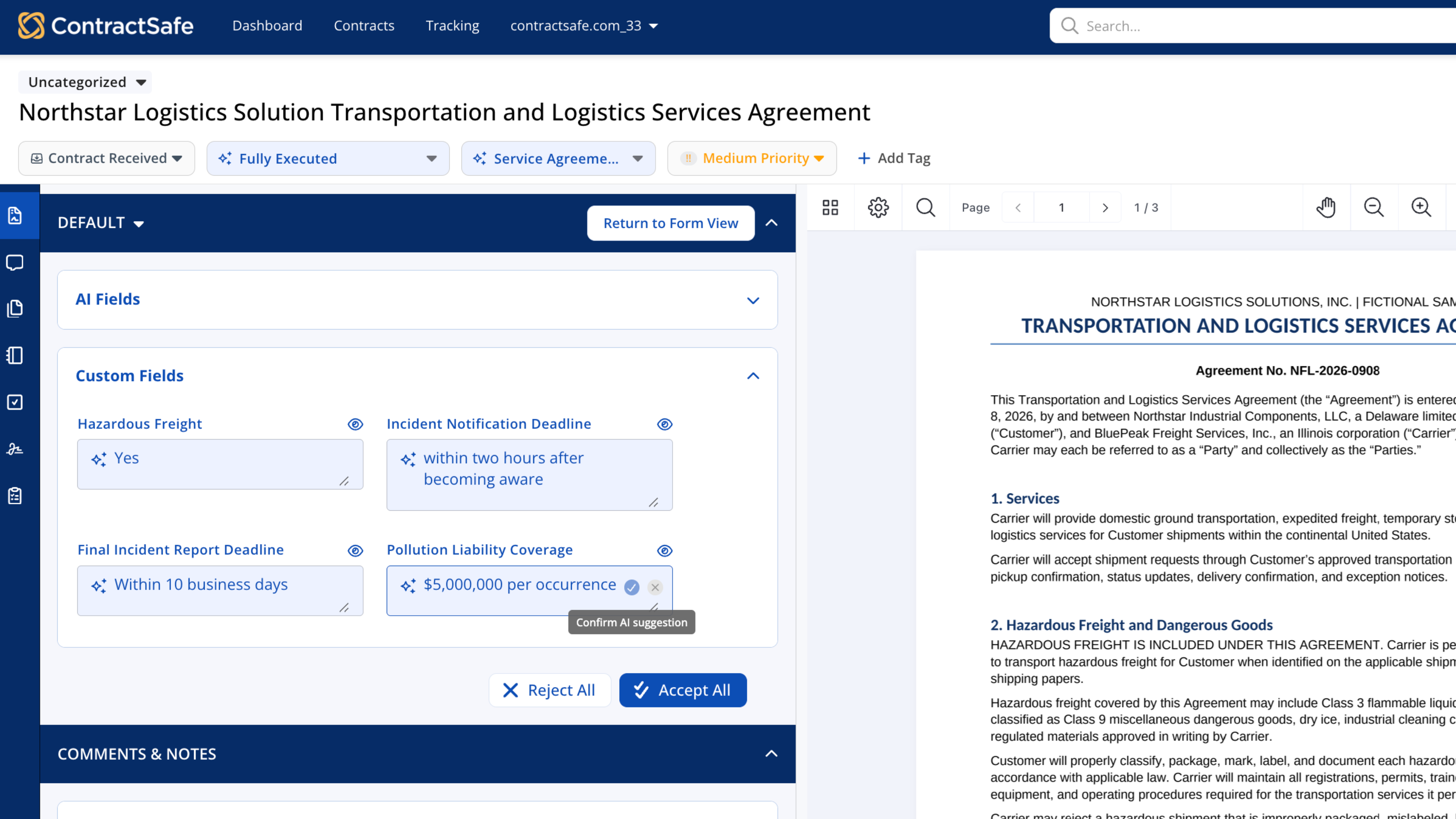
ContractSafe already extracts 29 standard fields from your contracts. With AI Extraction for Custom Fields, you define what else to look for, based on the information specific to your business, teams, and workflows.
The result is more useful contract data, built around the way your business works.
Get more from the information in your contracts
Every business tracks different information in its contracts. AI Extraction for Custom Fields brings that information into the same view as your standard contract data, so your team can:
- Track information unique to your business. Capture specialized terms, reporting deadlines, insurance requirements, and more.
- Build a more complete picture of every contract. Combine standard fields with the information specific to your teams and workflows.
- Spend less time searching manually. Find the information you need without opening every contract and searching line by line.
Tell AI what to look for
You can describe the information you need in your own words. Whether you are tracking a specialized business term or a department-specific requirement, AI Extraction for Custom Fields helps AI find it in your contracts.
This gives your team more flexibility to work with the information that matters to your business, without relying on a one-size-fits-all list of fields.
Review suggestions with context
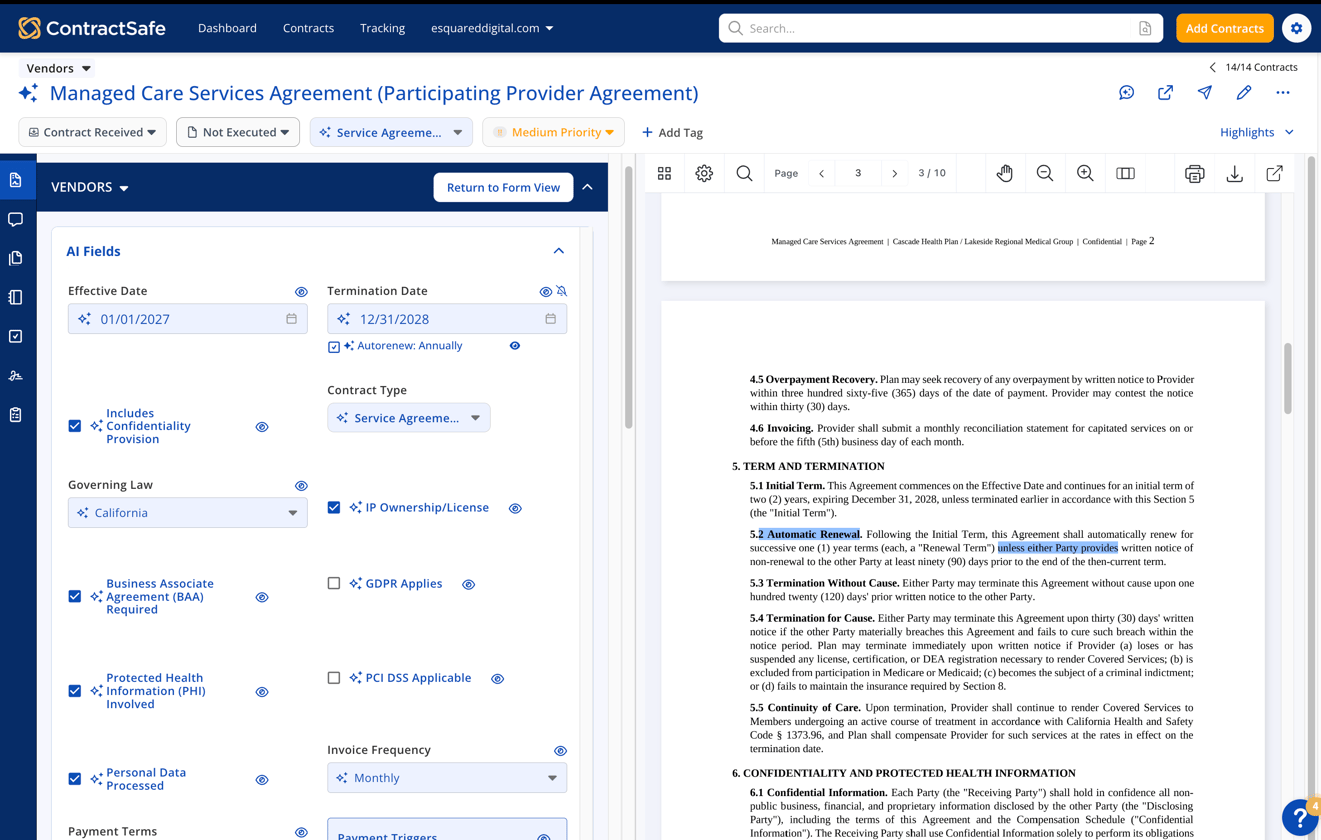
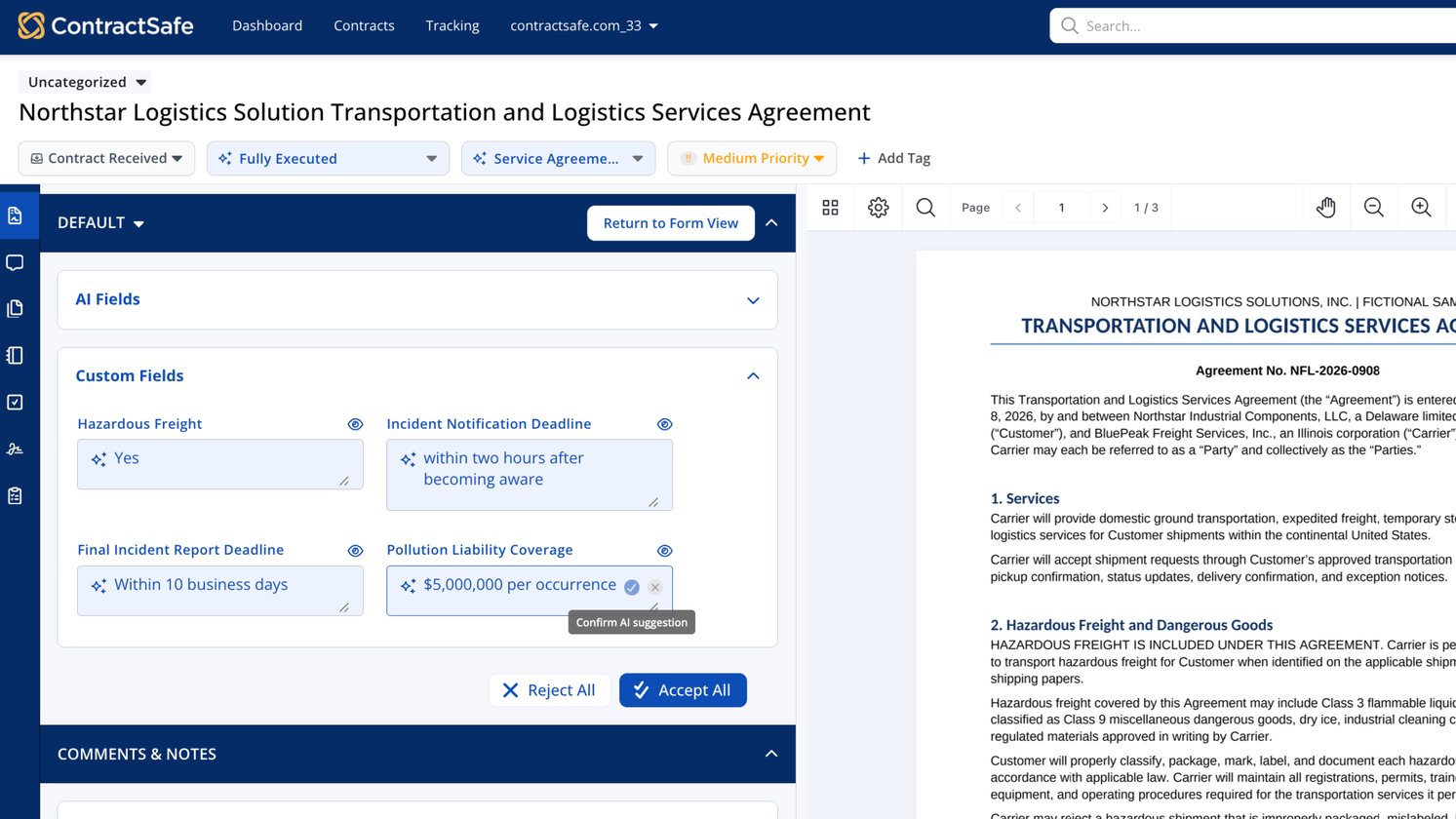
AI suggestions appear alongside the contract, so you can see the information it found and where it came from.
Review the related contract language before deciding whether to accept or reject a suggestion. Your team stays in control of what becomes part of your contract data.
AI Extraction for Custom Fields helps reduce manual searching and data entry while making it easier to keep important information consistent across your contracts.
Customers on the Maximize plan can use AI Extraction for Custom Fields.