


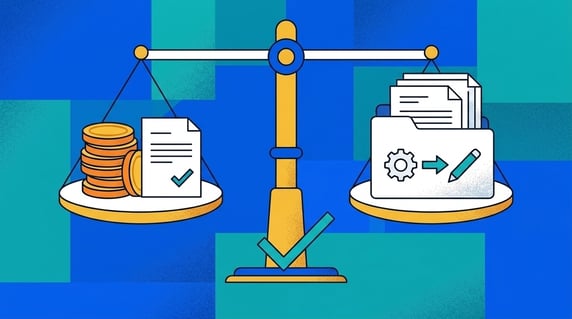
Affordable contract management software is a tool that gives your team contract search, alerts, owners, permissions, reporting, and real adoption, without turning implementation or user access into a second budget problem.
Think of it like buying a practical car. The sticker price matters, but so do insurance, maintenance, fuel, repairs, and whether everyone who needs to drive can actually use it.
The cheapest quote isn't always the affordable choice. A tool can look inexpensive until implementation, seat limits, add-ons, support, and cleanup work show up.
Key Takeaways
- Affordable contract management software should be judged by total cost, not just subscription price.
- Watch for user limits, implementation fees, migration work, support tiers, and paid add-ons. ContractSafe's support and implementation come included, with unlimited users.
- Unlimited users matter because contracts touch legal, finance, procurement, sales, HR, and operations.
- A focused system that launches in days often costs less than a heavyweight suite that needs months of configuration.
- ContractSafe is built for teams that need contract control without enterprise software overhead.
Choose Your Next Step
Affordable contract software decisions go faster when you start from your sharpest cost question: the quote, the hidden fees, or the shortlist. Jump to the part that answers yours.
- Comparing quotes? Start with the hidden cost categories and price the whole first year.
- Building a shortlist? Use the shortlist guide and the seven affordability tests.
- Worried cheap means weak? Read what affordable still has to include.
- Whichever path you take, write the owner and renewal date question into every vendor conversation. Pricing surprises hide at renewal time.
- Want the full selection process? Our guide to evaluating contract management software covers the complete evaluation.
- And before any demo, assign one owner to run the evaluation and set a decision date. Purchases without owners drift for quarters.
What Makes Contract Management Software Affordable?
Affordable contract management software keeps the full cost predictable. The bill should make sense after your team adds users, uploads contracts, sets alerts, and starts reporting.
For contract teams, affordability isn't only about price. It's also about adoption. A low-cost tool that nobody uses is expensive in a different way.
You need the system to answer basic questions: Where is the contract? When does it renew? Who owns it? What fields are missing? Who can see it? If those answers still take manual spreadsheet work, the software isn't doing enough.
WorldCC treats contract management as an operating discipline, which is the right lens for cost. A cheaper tool that leaves the work manual isn't really cheaper.
And the agreements themselves are enforceable obligations with real money attached, as Cornell’s legal overview of contracts lays out. Losing track of one is rarely cheap.
The Cost Categories Buyers Miss
The cost of contract software often hides outside the monthly subscription. Ask for the full operating picture before you choose.
| Cost category | What to ask |
|---|---|
| Users | Does the price change when finance, procurement, HR, or sales need access? |
| Implementation | Is setup included, self-service, or a separate project? |
| Migration | Who cleans old folders, duplicates, and missing metadata? |
| Support | Is real help included, or does it require a higher tier? |
| AI and extraction | Are contract data features included or sold separately? |
| Reporting | Can business users run reports without custom services? |
| Renewal terms | How does pricing change at renewal? |
That list is where "affordable" gets tested.
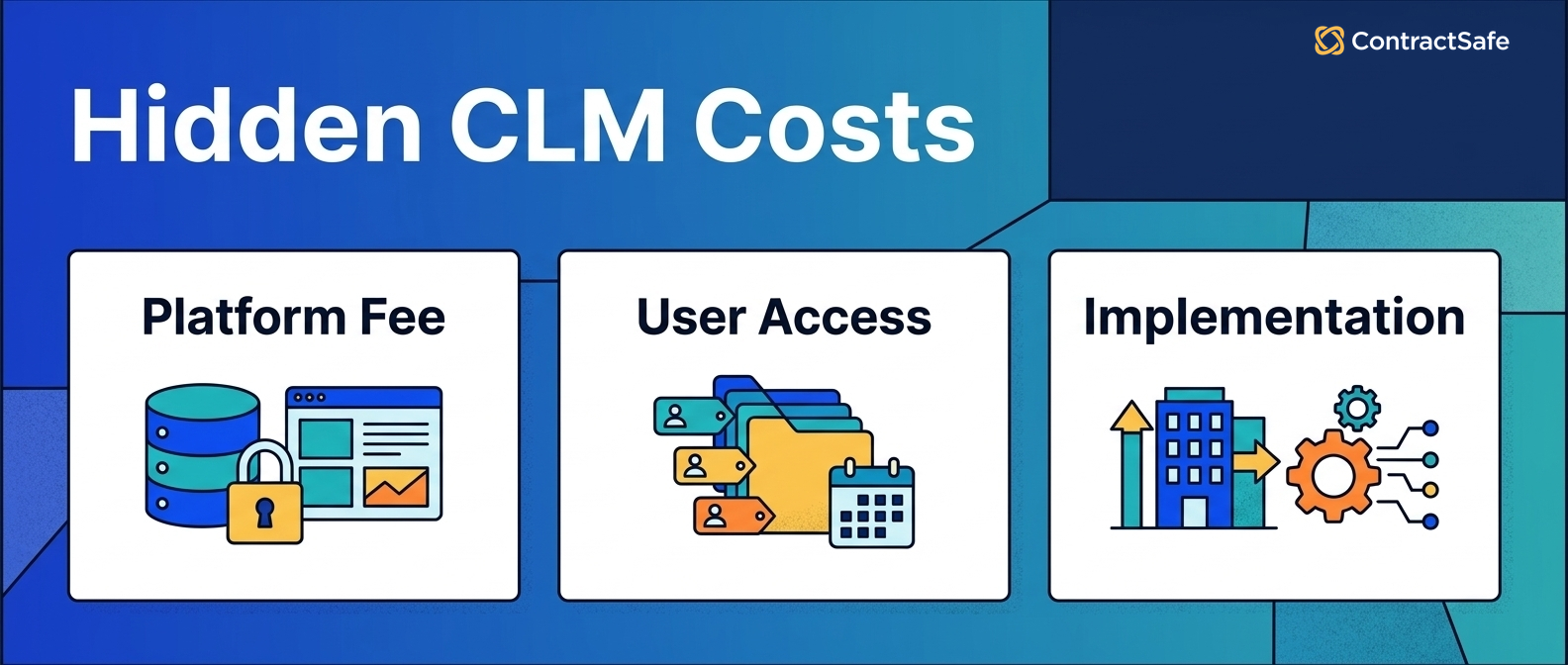
Price each category for year one and year two separately. Vendors discount the first year; the renewal quote is the real price. Our 2026 vendor comparison lists both numbers where vendors publish them.
What Affordable Looks Like in Practice
An affordable rollout, in practice, means contracts searchable in the first week, alerts on the top renewals in the first month, and no invoice surprises at the first anniversary.
Picture the comparison concretely. Team A buys the cheaper-looking quote: five seats, paid implementation, extraction as an add-on. By month six, finance still emails legal for renewal dates, because seats ran out before adoption started.
Team B pays slightly more per month for unlimited users and included setup. By month six, procurement runs its own vendor renewal report, and legal answers contract questions with a link instead of an afternoon.
The second bill is larger on one line and smaller everywhere else: fewer missed renewals, fewer interruptions, no second purchase to fix adoption.
That's the difference between an affordable quote and affordable software. The rest of this guide is how to test for the second one before you sign.
Use the Team B outcomes as your acceptance list: assign owners to the renewals, set the alerts, and confirm a business user can run the report, all before the pilot ends.
Buyer checklist: before you sign, walk this affordable contract software list top to bottom and mark each line pass or fail with your own contracts open. It sorts the cost drivers that decide whether a cheap quote stays cheap: total first-year cost, included users, implementation, migration, alerts, reporting, and support. Each line also names the tradeoff you can live with and the one that quietly costs you later.
- Total first-year cost: Add license, setup, migration help, training, support, and any add-on the demo used, then total year two with no discount. Acceptable tradeoff: a slightly higher monthly line. Not acceptable: a "starting at" price that only holds until renewal.
- Included users: Confirm everyone who touches contracts gets a login without a price jump. Acceptable: view-only limits on a few outside roles. Not acceptable: renewal alerts that only reach paid seats, so finance still emails legal for dates.
- Implementation: Ask whether setup is included, self-service, or a separate project with its own invoice. Acceptable: a short guided onboarding. Not acceptable: months of paid configuration before your team searches a single contract.
- Migration: Get names against who moves old agreements, cleans duplicates, and fills missing fields. Acceptable: you tidy metadata after upload. Not acceptable: a vague "we will help" that turns into a billable cleanup project.
- Alerts: Set renewal and notice reminders on your worst files and try to break them. Acceptable: you build the alert rules yourself. Not acceptable: alerts that skip owners or fire too late to renegotiate.
- Reporting: Have a business user, not IT, run a renewal report during the demo. Acceptable: a short learning curve. Not acceptable: every report routed through a paid services request.
- Support: Find out if real help is included or gated behind a higher tier. Acceptable: email support with clear hours. Not acceptable: paying more just to reach a human when an alert breaks.
Run the whole list against every tool on your shortlist in one sitting, with the same evaluator and the same contracts, so the scores compare cleanly. Any line marked fail is a cost that shows up after you sign, so make the vendor fix it in writing or drop the tool. Keep the marked list on the contract record with the date, because renewal terms and owner answers age fast. When a quote passes every line, it is affordable, not just cheap.
Affordable Does Not Mean Basic
Affordable contract management software still needs to manage real contract work. Cheap storage isn't enough.
At minimum, look for:
- Searchable repository.
- OCR for scanned contracts.
- Renewal and expiration alerts.
- Custom fields.
- Role-based permissions.
- Reports.
- Audit history.
- E-signature support.
- AI-assisted data extraction.
- Unlimited or practical user access.
A shared drive may look cheap, but it won't reliably remind you about notice dates, owner gaps, or obligations.
Cut from that list only with a written reason. Every dropped capability becomes manual work, and manual contract work is the cost that started this search.
Check the list against your actual agreements too. A team with hundreds of scanned vendor contracts needs OCR more than e-signature; a sales-heavy team reverses that. Rank the list by your portfolio, then shop.
The Cost of Doing Nothing
The most expensive contract management option is usually the current one: shared drives, spreadsheets, and memory.
The costs are real, just unbudgeted. One auto-renewal that slips past its notice window can exceed a year of software subscription by itself.
Add the quieter losses: hours spent hunting agreements, audits that turn into scrambles, owner gaps after departures, and the deals where nobody could check the current terms quickly.
Run that math for your own team before comparing vendor quotes. Count last quarter’s missed dates, the hours legal spent as a search engine, and the renewals nobody renegotiated.
The result is your affordability baseline. Software only has to beat the cost of the status quo, and the status quo is rarely free.
The Seven Affordability Tests
Affordable contract management software passes seven tests that quotes alone never answer. Run each one against every tool on your shortlist, with your own contracts.
The tests are ordered by when the costs appear: the quote, the users, the migration, then daily work, and finally the renewal. Score each vendor per test and keep the notes on the evaluation record.
One afternoon per vendor covers all seven, which is cheap insurance against a multi-year agreement that prices wrong.
Assign the same evaluator to every vendor so the scores compare cleanly, and have them record one sentence of evidence per test on the contract record. Renewal terms and owner answers age fast, so date the notes too.
1. Price the Whole First Year
The first-year price includes the license, implementation, migration help, training, support tier, and any add-ons the demo quietly used.
Ask for every line in writing. For example, an AI extraction feature that starred in the demo but bills separately changes the math by itself.
- Watch for: implementation quoted as a range that only ever lands at the top.
- Watch for: training sold per session for software that claims to be simple.
Then total the year-two line with no discounts applied. The agreement you sign should make sense at the renewal price, not just the promotional one.
Ask the vendor to initial the total. A number someone signed travels through procurement much better than a number someone remembered, and it anchors the renewal conversation a year later.
2. Test the User Math
The user math test asks what happens to the price when everyone who touches contracts gets a login: legal, finance, procurement, HR, sales, and operations.
Count the people who asked legal a contract question last month. That number, not the legal team’s headcount, is your real user count.
For example, a company with a five-person legal team usually has thirty contract askers across finance, procurement, HR, and sales. Quote both numbers and watch which one the vendor prices.
Per-seat pricing that looks fine for five users often triples when the business actually adopts the system, which is exactly when you least want a budget fight.
- Watch for: per-seat plans where renewal alerts only go to license holders.
- Watch for: view-only seats that still cost money but can’t run reports.
3. Demand the Migration Plan
The migration test asks who moves your existing agreements in, who cleans the duplicates and missing fields, and what that costs.
Say you have nine hundred contracts across two shared drives and an inbox archive. The affordable tool has a concrete answer for that pile; the expensive one has a services proposal.
- Watch for: migration help that means “we give you a template spreadsheet.”
- Watch for: AI extraction that runs only on new uploads, leaving the backlog manual.
Assign your own migration owner too. Vendor help moves files; your owner decides which fields are required and which agreements get verified first.
Set the verification order by value and renewal date: top-spend vendor agreements first, soonest renewals second, the long tail on a cleanup schedule.
4. Run Search on Your Worst Files
The search test uses your messiest real documents: a scanned amendment, a faxed signature page, a contract with a useless filename.
Upload them in the demo and search for a clause phrase, a counterparty, and a date buried in the text. OCR plus full-text search is what separates a contract system from a folder.
For example, say the scanned amendment changes a renewal date. If search can’t surface that amendment by its clause text, the repository will happily alert the owner about the wrong date forever.
If the vendor hesitates to load your files live, the test has already returned its answer.
- Watch for: search that finds filenames but not clause language inside the repository.
- Watch for: OCR billed as an add-on, which quietly excludes your scanned archive.
Score the search test pass or fail per file, and keep the failing files handy. They make the second demo honest, and they tell you which part of your contract archive needs cleanup regardless of the vendor you pick.
5. Set Alerts and Try to Break Them
The alerts test sets a renewal reminder with a notice window, assigns an owner, then asks the hard questions: who gets the alert when that owner leaves, and can reminders escalate?
An affordable system makes alerts trustworthy, because every missed renewal is a year of pricing you didn’t choose.
- Watch for: alerts tied only to one date field, when your agreements need notice-window math.
- Watch for: alert defaults that fire on the due date, which is a notification of failure.
Set one real alert during the demo, on a real vendor agreement, with a real owner. Then ask to see exactly what the owner receives and when, and what the escalation looks like if the alert goes unread.
6. Make a Business User Run a Report
The reporting test hands the keyboard to a finance or procurement teammate and asks for renewals next quarter by owner and value.
If that report needs an admin, a consultant, or an export to a spreadsheet, the system’s reporting line is a decoration, and the manual work stays.
The same teammate should also find a specific vendor agreement without help. Adoption is the affordability feature nobody quotes.
Time both tasks. Five minutes is a pass; a screen-share with support is a fail, whatever the salesperson says about training.
7. Read the Renewal Terms Before You Sign
The renewal test reads the price-change language in the order form: caps on increases, what happens to discounts, and whether your data exports cleanly if you leave.
For example, a quote with a first-year discount and uncapped renewal pricing isn't an affordable contract; it's an introductory rate.
Negotiate the renewal cap while you can still walk away, and confirm in writing that your contracts and metadata export in usable form.
Put the renewal date and the cap on your own contract record the day you sign, with an owner and a ninety-day alert attached.
Quick gut check before you shortlist anything. Can you state, in one sentence, the contract problem that costs your team the most hours each month?
Every test above gets sharper once that sentence exists. The proof to ask of every vendor is a live fix for exactly that problem.
Building Your Shortlist
A contract software shortlist works best with three candidates: one focused repository-first system, one mid-market platform, and one incumbent your company already pays.
That mix forces the real comparison: does the bigger platform earn its overhead, and does the incumbent actually do contract work, or just store files?
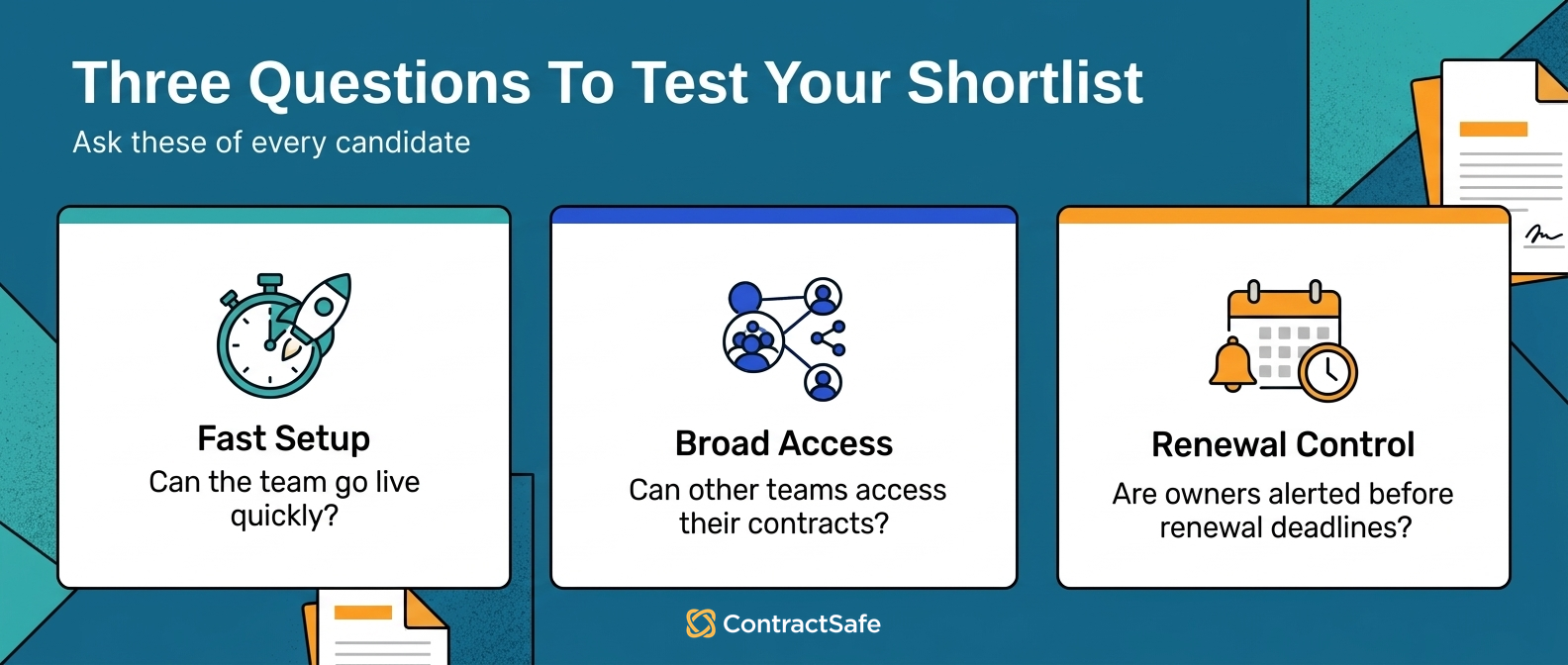
Use a simple comparison:
| Buyer need | Best-fit question |
|---|---|
| Fast setup | Can the team go live without a long services project? |
| Broad access | Can non-legal users access the records they need? |
| Renewal control | Can alerts be tied to dates and owners? |
| Search | Can users find scanned agreements and clause language? |
| Reporting | Can teams report on renewals, owners, values, and missing data? |
| Governance | Can permissions and audit history support sensitive contracts? |
If you're comparing named vendors, use ContractSafe's comparison pages for Juro, DocuSign CLM, LinkSquares, Concord, and ContractWorks.
How ContractSafe Compares on Cost
ContractSafe is built for teams that want practical contract management without a heavy rollout or seat-by-seat adoption friction.
ContractSafe offers searchable storage, OCR, alerts, custom fields, reporting, permissions, e-signature support, AI-assisted extraction, and unlimited users on every plan.
That unlimited-user model matters. Contracts aren't a legal-only asset. Finance, procurement, HR, sales, and operations all need answers at different points.
If those teams can't get access, contract management turns back into email requests and manual lookups.
Run the seven tests on it like any other candidate. Bring your worst scanned files, your real user count, and your renewal questions, and judge the answers, not the pitch.
A 30-Day Affordable Rollout
An affordable rollout fits in thirty days for a repository-sized problem: contracts in, fields verified, alerts on, reports running.
- Week one: upload everything, messy names included, and let OCR plus AI extraction make the first pass on dates, parties, and values.
- Week two: verify the extracted fields on your top agreements by value, and assign a business owner to each.
- Week three: turn on renewal and notice alerts for the verified contracts, with escalation paths set.
- Week four: build the two reports leadership actually asks for, renewals by quarter and agreements by owner, and grant access to the teams that need answers.
If a vendor’s rollout plan can’t fit that shape, ask what the extra time buys. Sometimes the answer is real; often the answer is the services invoice.
Questions to Ask Before Buying
The best buying questions expose whether the system will stay affordable after rollout.
Ask:
- What is included in the base plan?
- Are users unlimited or metered?
- Are alerts, reports, OCR, AI extraction, and permissions included?
- What work is required before launch?
- Who handles migration cleanup?
- What support is included?
- What happens to pricing at renewal?
- Can business users run the reports they need?
If the answers are vague, slow down. Ambiguous software pricing usually gets clearer only after you're locked in.
Negotiating the Affordable Deal
Affordable pricing is negotiated before signature, with the renewal terms doing most of the work. Three asks earn back the most money.
- Cap the renewal increase in the order form, in writing, with a number.
- Lock the included features. A feature list referenced “as of the demo” prevents the quiet move to a higher tier at renewal.
- Get the exit terms: your contracts, fields, owners, and alert history export in usable form at no fee.
Trade volume for the cap if you have it: a longer term or an annual prepay is worth giving when the renewal math is bounded.
And put the negotiated terms on the contract record with an owner and an alert ninety days before renewal. The affordable deal stays affordable only if someone re-reads it in time.
Where to Start
Start with the contract problem that is costing the team the most time. For many teams, that is renewals, missing dates, scattered files, or business users asking legal to find contracts.
Then test each tool against that problem. Upload real contracts. Search scanned documents. Set renewal alerts. Assign owners. Run a report.
That test is more useful than a feature checklist because it shows whether the system works for your team.
For cost planning beyond the quote, use the guide to contract management software pricing.
And set a thirty-day check-in after going live: review the alerts that fired, the searches that failed, and the users who never logged in.
The first month of real usage shows whether the affordable choice is performing for your contracts and owners.
Fix the rollout then, with vendor attention still warm. Discovering the gaps at renewal time means a weaker negotiating position, alerts that already missed their dates, and cleanup work that nobody budgeted for this year.
Related Reading
- Evaluating contract management software, for the full selection process around these affordability tests.
- Contract management software pricing, for budgeting the categories this guide prices.
- Choosing contract repository software, for the repository-first buying tests behind the shortlist.
How ContractSafe Helps Teams Buy Affordably
ContractSafe helps teams keep contract management affordable by including the working features, search, OCR, alerts, custom fields, permissions, reports, and AI extraction, with unlimited users on every plan.
The affordability case is operational: contracts go in fast, business users get access without seat negotiations, and renewals get owners and alerts before the notice windows close.
The seven tests above are the honest way to check that claim. Bring a stack of your own agreements to a free demo and run them live.







.svg)







.svg)




