


Quick answer: The best contract management software is the system everyone who touches a contract actually uses, not only legal: it handles requests and approvals before signature, keeps every signed contract in one searchable repository, extracts the key dates, and alerts you before renewal and expiration deadlines.
A ten-person company that lets sales, finance and the office manager look up renewal dates pays for every one of those seats on a per-seat tool. On a flat plan such as ContractSafe, starting at $450/month with unlimited users, the tenth person costs nothing. A free seat is only worth something, of course, if the person in it can get their work done, from request to renewal, in the same system.
Choose your next step:
-
If you're buying for a small team, read small business contract management software.
-
If you're building the budget, see the contract management price comparison.
-
If you're ready to compare, open ContractSafe pricing and bring your own contracts to a demo.
Key Takeaways
- Of the sixteen platforms, five publish a price (ContractSafe, Concord, ContractWorks, ContractZen, Nomio) and eleven are quote only, so you can price five of them before the first sales call.
- AI is table stakes now, so the real question is whether people trust the output enough to act on it.
- Ease of use beats feature count, because a tool people log into wins over a do-everything system that sits unused outside legal.
- Judge every vendor on time to first value, full-team adoption after six months, and total three-year cost.
- Match the tool to your contract mix: if most of what you sign is NDAs, MSAs and vendor agreements, an enterprise suite is overkill.
Best Contract Management Software by Need
- Best for mid-sized organizations that need the full lifecycle without an implementation project: ContractSafe (intake, approvals, built-in eSignature, renewal alerts and reporting; unlimited users; pricing starting at $450/month).
- Best for e-signature built into the contract system: ContractSafe (unlimited signatures on Finalize and Maximize, with no envelope limits). Concord, Gatekeeper, Juro and SpotDraft also include unlimited signing; the comparison table shows how each vendor handles it.
- Best for enterprise legal teams with complex cross-functional workflows: Ironclad.
- Best for highly customized or unusual workflows with a dedicated admin: Agiloft.
- Best for large organizations with multi-step approvals and deep Salesforce integration: DocuSign CLM.
- Best for procurement teams managing vendors and suppliers: Gatekeeper.
- Best for legal teams that want contract analytics and reporting: LinkSquares.
- Best for enterprise AI contract intelligence across departments: Workday (formerly Evisort).
One thing the demos never tell you is how your own team performs today. A team whose answer to "when does this renew?" is "it depends who filed it" needs a different tool than one that already has a repository and wants better alerts. The assessment below scores how you store, find, and track contracts now, and the gaps it flags are the features to shortlist on.
What Contract Management Software Does
Contract management software holds every contract you sign in one searchable place, reminds you before renewal and notice dates, lets you search the full text (scans included) in plain English, and controls who can see what.
At a minimum, modern contract management software handles five core jobs:
-
Centralized storage: A secure repository that replaces scattered folders, email attachments, and shared drives with one place everyone checks.
-
Search and find: Full-text search and, increasingly, AI-powered natural-language search that lets users ask plain-English questions of their contract library.
-
Automated reminders: Date tracking for renewals, terminations, notice periods, and deliverables, so no deadline depends on someone remembering it.
-
Access control: Role-based permissions, plus an audit trail that logs every view, edit, and approval.
-
Workflow automation: Configurable approvals, intake forms, templates, and routing rules that move contracts through the lifecycle without manual chasing.
More full-featured tools, called contract lifecycle management (CLM), go further. They handle the work before a contract is signed, like drafting, redlining, negotiation, and e-signature, and the work after, like tracking obligations and reporting on what's in your agreements. The line between "contract management software" and "CLM" has mostly faded. Most tools today do at least some of this, and people use the two terms to mean the same thing.
Best Contract Management Software for Small Business
For most teams under 50 people, the best fit is a flat-priced, unlimited-user CLM such as ContractSafe, starting at $450/month. Here's how that plays out by size:
-
Under 5 people, under 200 contracts: don't assume you're too small. Teams with fewer than 200 contracts and one account owner buy contract management software so that owner isn't the only thing standing between them and a missed auto-renewal. A light per-seat repository like ContractZen, from $9.50 per user per month, is cheaper on paper, but it's built for storage and governance, not renewal tracking. ContractSafe gives that one owner one system from request and signature to OCR search and renewal alerts.
-
5 to 50 people, a few hundred to a few thousand contracts, and people outside legal who need access: ContractSafe again, because the seventh person who needs a renewal date doesn't cost you anything.
-
A small team that drafts and signs as much as it files: ContractSafe's Finalize plan adds approval workflows, built-in e-signature and redlining on the same unlimited-user model. If you'd rather pay per seat, Concord starts at $499/month for five users, but price it at your real headcount, not five seats. If you want simple CLM without workflow sprawl, ContractWorks starts at $425/month, billed annually, with unlimited users. All three are in the comparison table.
-
Ceiling under $100 a month: a per-seat tool like ContractZen is the only thing that fits; put a renewal review on the calendar so the first auto-renewal doesn't catch you.
Best Contract Management Software for Mid-Sized Companies
For a mid-sized company (roughly 50 to 1,000 employees), the best fit is a full-lifecycle CLM that people outside legal can use without per-seat costs or an implementation project, with permissions, SSO and audit trails that satisfy finance and auditors. ContractSafe fits when one contracts owner supports many departments; Agiloft or Ironclad fit when a dedicated administrator will build branching workflows across business units.
Here's how that plays out as the company grows:
-
50 to 250 employees, one contracts owner: this is where most mid-sized buyers start. A GC, finance lead or contracts manager owns a few hundred to a few thousand agreements and answers everyone else's questions about them. ContractSafe fits because users are unlimited, so department heads, finance and sales can find their own contracts without a seat fee, and onboarding, training and migration of your existing contracts are included with no implementation charge. The median new ContractSafe customer has its first contract in the system within a week of buying.
-
250 to 1,000 employees, several departments signing: now permissions and sign-in matter as much as search. You'll want permission groups by team, folder or tag access so HR doesn't see sales agreements, and SSO so nobody manages another password. In ContractSafe, SSO comes with the Finalize and Maximize plans, and the Salesforce integration and API come with Maximize. If you'd rather pay per seat, price Concord at your real headcount: each plan includes five users and adds $49 to $89 a month for every extra one. If legal mainly wants analytics across the portfolio, LinkSquares is aimed at mid-market legal teams and quotes on contract volume, users and modules.
-
Multi-entity or multi-site organizations: folder and tag permissions let each site or entity see only its own contracts inside one ContractSafe account. Two things to check before you commit: an account keeps its data in one region (US, Canada, EU or Australia), and access is set per contract, not field by field. If each business unit needs its own approval logic, built and maintained by an administrator, Agiloft and Ironclad are designed for that, with longer rollouts to match.
Shortlist two or three, then compare pricing model, sign-in and onboarding side by side in the comparison table.
When to Consider Contract Management Software
Consider contract management software the moment a second person starts signing agreements or the first renewal slips.
Score yourself on the six signs below; each one you hit is a cost you're already paying:
-
You're past a few hundred contracts. Search by memory fails, duplicates appear, and finding a signed copy takes hours instead of seconds.
-
You've missed an auto-renewal. You paid for a year of something nobody wanted, and nobody could say whose job it was to catch it.
-
An audit or insurance request landed. You needed every executed copy with dates and owners in hours, and it took days.
-
Contracts live in three places. Email threads, personal folders, and a shared drive with three naming conventions.
-
More than one team signs things. Sales, procurement, HR and finance each own agreements nobody else can see.
-
Renewal tracking lives in a spreadsheet. Your tracker is only as current as the last person who remembered to update it.
Here's the arithmetic that usually settles it: one unwanted auto-renewal on a $2,000-a-month vendor costs $24,000, more than four years of ContractSafe starting at $450/month. One sign and you should be pricing options. Two or more and you're already losing more than the software costs.
When you're ready to make the case internally, our guide to choosing a CLM system covers the business case format, and the proof tests for contract lifecycle management software keep the evaluation honest.
Contract Management Software Comparison (2026)
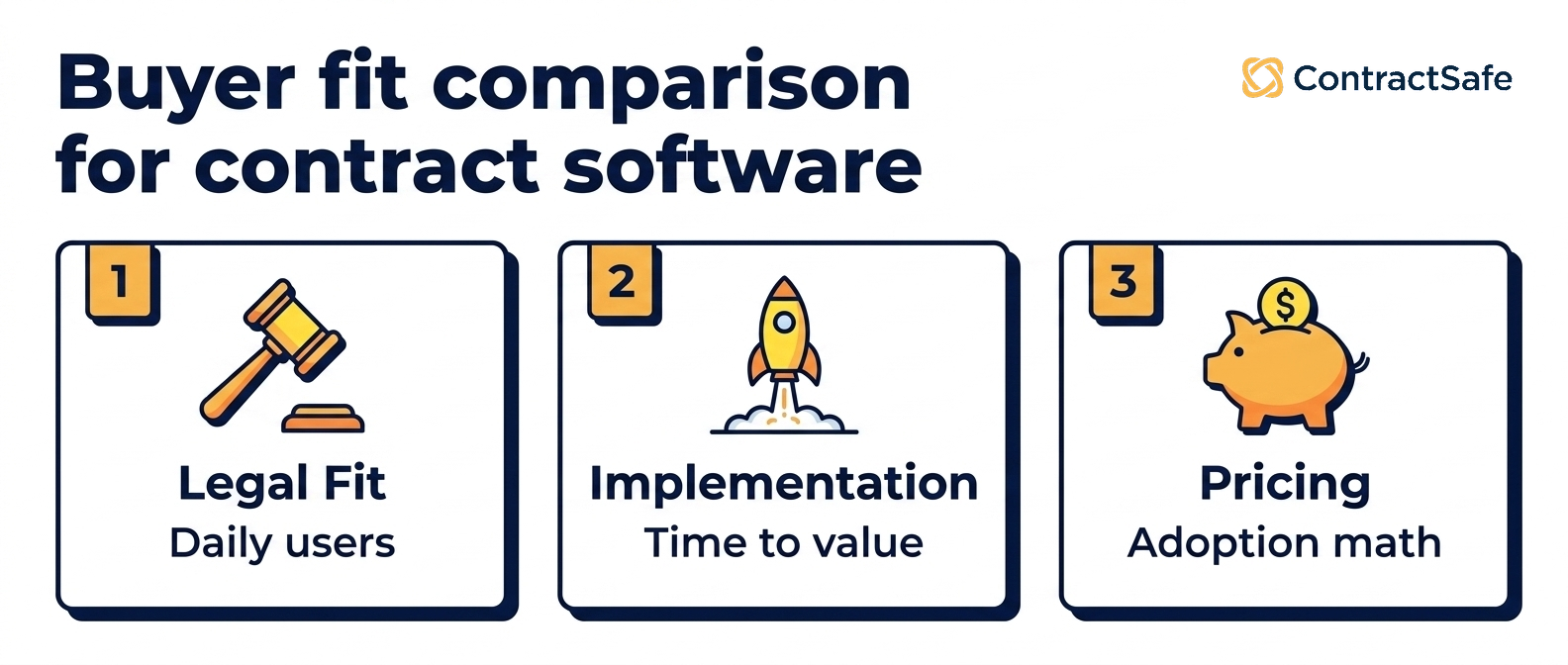
Five of the sixteen publish a starting price (ContractSafe, Concord, ContractWorks, ContractZen, Nomio); the other eleven are quote only. The table gives each vendor's price and best fit; the full reviews further down carry the detail.
| Vendor | Starting price | E-signature | Fits mid-sized teams when… |
|---|---|---|---|
| ContractSafe Teams that want one full-lifecycle CLM the whole company uses |
Starting at $450/month, unlimited users | Built in, unlimited, on Finalize and Maximize | One owner supports many departments: unlimited users, onboarding and migration included, SSO on Finalize and Maximize |
| Agiloft Highly specialized teams with unusual workflows |
Quote only | Integrates with DocuSign and Adobe Sign | A dedicated admin will build and maintain custom workflows; pricing and implementation by quote |
| Contractbook Startups and SMBs needing browser-based workflows |
Quote only | Built in; signed-contract limits by plan | Most contracts start from your own templates; price it on next year's seats and signed volume |
| ContractWorks SMB to mid-market teams wanting simple CLM |
From $425/mo (billed annually), unlimited users | Built in; signer licenses by plan | You want simple storage and e-signature for unlimited users and won't need deep automation soon |
| CobbleStone Enterprise environments needing heavy customization |
Quote only | Built in (IntelliSign), plus DocuSign and Adobe Sign | Procurement drives contracting and an admin can own configuration and reports |
| Concord Small teams needing AI-native simplicity |
From $499/mo (5 users) | Built in, unlimited on all plans | Drafting leads and you've priced it at real headcount: five users included, $49 to $89 a month per extra user |
| ContractZen Small teams needing simple storage and governance |
From $9.50/user/mo | Integrates with DocuSign, Adobe Sign and Nordic tools | The main job is governance and board documents, not renewal workflows; plans over 50 users are custom |
| SpotDraft Legal teams prioritizing drafting and approval workflows |
Quote only | Built in, unlimited | Legal drafts template-heavy agreements and can staff template and approval setup |
| DocuSign CLM Enterprises with sophisticated approval needs |
Quote only | DocuSign eSignature, licensed separately | Approvals already run through Salesforce and you have admins for a long implementation |
| Gatekeeper Procurement and vendor management teams |
Quote only | Built in, unlimited | Procurement owns vendor contracts and supplier onboarding |
| Ironclad Enterprise legal ops with advanced workflow needs |
Quote only | Built in, sold as an add-on to CLM seats | A legal ops team will configure complex workflows and budget for implementation fees |
| Juro Legal teams wanting collaborative browser-based drafting |
Quote only | Built in, unlimited, no extra cost | Sales and legal collaborate on template contracts in the browser; test your longest contracts before you commit |
| LinkSquares Mid-market legal teams needing analytics |
Quote only | Built in; included allotment, more purchased | Legal wants AI analytics across the portfolio; quoted on contract volume, users and modules |
| Outlaw (Filevine) Filevine users needing contract workflows |
Quote only | Not stated on Filevine’s site | You already run matters in Filevine |
| Nomio Teams needing a "done-for-you" accurate repository |
From £12,400/yr (up to 200 contracts) | No signing; imports contracts signed in DocuSign | You want the repository built and checked for you rather than a full CLM |
| Workday (Evisort) Enterprise teams needing deep AI ingestion |
Quote only | Integrates with DocuSign and Adobe Sign | You're on Workday and need bulk AI ingestion; budget for admins and migration planning |
The Matchups Buyers Actually Run
Most shortlists come down to two names, not sixteen. Here's how the pairs we hear most often actually differ.
Ironclad vs. DocuSign CLM. Both are enterprise workflow engines. Ironclad wins on redlining and the workflow builder. DocuSign CLM wins if your approvals already live in Salesforce and you're on DocuSign eSignature.
Agiloft vs. CobbleStone. Both are configurable, and both need an admin who owns the system. Choose Agiloft for unusual legal workflows, CobbleStone when procurement and sourcing need to sit in the same system.
Juro vs. Concord. Both are browser-first and aimed at small teams. Juro for the editor, Concord for AI-assisted drafting and Copilot summaries.
ContractSafe vs. any of them. Pick ContractSafe when you want the whole company on one CLM, from requests and approvals through signature, search and renewal alerts, with unlimited users and published pricing. Pick Ironclad or DocuSign CLM when you need a fifteen-step conditional approval engine.
How to Choose Contract Management Software
The right platform depends less on feature counts and more on which problems your team is actually trying to solve. The real work is getting contracts approved and signed, finding them again, staying ahead of renewals, and controlling who sees what. Check these first.
1. Start with the everyday features your team will actually use
Everybody shopping for a platform wants the long feature list. The CLM software features that earn their keep are the boring ones your team touches on a random Tuesday, not the exotic ones. Picture a paralegal minutes before a client call, trying to find one renewal clause buried deep in a long MSA. Whether that moment feels instant or maddening is what decides if the tool becomes muscle memory or quietly turns into shelfware. So start here, and be honest about which problem is yours:
-
Finding contracts: If your top problem is “we can’t find anything,” prioritize search quality, OCR, and tagging and filtering. Hand each vendor one of your own scanned, slightly-crooked PDFs during the demo and ask them to find a specific clause in it. A tool that only searches clean, text-native files will fold the moment you feed it the real world.
-
Date tracking and alerts: If missed renewals and deadlines are your biggest risk, prioritize alerts you fully control. Ask whether you can set a reminder for any date in a contract (renewal, notice deadline, insurance expiration, price-increase trigger) or only the standard ones. Also ask whether you set the lead time or it’s locked to fixed windows you can’t change. The scenario you’re guarding against is the auto-renewal that fires because the notice window closed while everyone assumed someone else was watching it.
-
AI metadata extraction and organization: If you’re loading a large backlog or need the extracted data to hold up in an audit, look for AI contract management tools with extraction you can review and correct. The system should show you what it pulled, link back to where in the document it found it, and let a person accept or fix each field before anyone relies on it. Extraction you can't verify is a liability, not a shortcut.
-
Amendments and attachments: If your agreements collect amendments, addenda, SOWs, and supporting documents over time, prioritize a platform that keeps them linked to the original contract, so the full history sits in one place instead of scattered across files you have to reassemble by memory. A vendor MSA that’s been amended four times over three years should open as one connected story, not a scavenger hunt.
-
User roles and permissions: If different teams or outside parties need different levels of access, prioritize granular control over who can view, edit, and approve, with every action logged for audit, the kind of trail a SOC 2 review asks for. For example, your finance team might need the vendor folder without seeing employment agreements, and an outside auditor might need read-only access to one folder and nothing else.
2. Weigh adoption risk over feature breadth
Most contract management projects that fail don’t fail because a feature was missing. They fail because people stopped logging in. A platform with most of the features and near-universal adoption beats a fully loaded system that only legal ever touches, every single time. That’s why ease of use tends to be the quiet deciding factor for buyers: you should be able to find a contract fast, learn the tool without booking a training session, and change a workflow without opening a support ticket.
Imagine two companies that bought on the same day. One picked the tool with the deepest feature set and spent eight weeks configuring it; six months later only three lawyers use it and the rest of the company still emails PDFs around. The other picked something simpler, had sales, finance, and ops in the system within a week, and now every contract lives in one place. The second company “won,” and it wasn’t close.
So treat adoption as the risk you’re actually managing, not an afterthought. Ask each vendor how quickly new customers reach first value, and check how many of their accounts run full-team rollouts versus legal-only ones. Compare that against the configuration hours a heavier suite demands, and choose the option your non-legal users will still open unprompted. Put two people from sales or finance in the trial and watch whether they get stuck. If they need hand-holding to file one contract, that’s the adoption cliff showing up early, while you can still walk away.
3. Pricing transparency is itself a signal
Vendors that publish list prices (ContractSafe, Concord, ContractWorks, ContractZen, Nomio) tend to scale predictably, because the number on the page is the number you plan around. Vendors that are quote-only, which is most of the enterprise tier, tend to negotiate per-deal, which means budgeting is guesswork up front and your negotiating room is smallest exactly when you need it most, at renewal, once your contracts already live inside their walls.
Treat the pricing page like a personality test, and sort each vendor into one of the four pricing models before the call. A vendor that shows you tiers, per-user costs, and what’s included before you’ve talked to a salesperson is telling you how the renewal conversation will feel too. For example, ask any quote-only vendor to put their year-two and year-three pricing in writing during the first call. How they react to that simple request often predicts the whole relationship more accurately than any feature demo will.
4. Plan for integrations early
The integrations most contract management software buyers underestimate are the plumbing kind: SSO and identity (Okta, Azure AD), eSignature from DocuSign or Adobe Sign, and CRM (Salesforce, HubSpot). They feel like afterthoughts right up until the day they aren’t. Confirm each one is supported natively and not bolted on through a paid add-on or a brittle third-party connector you’ll be babysitting forever.
A sales-heavy team that lives inside its CRM wants a signed agreement to sync back automatically the moment it’s executed, so nobody re-keys data or wonders which copy is current. For example, if your reps close in the CRM but your contracts sit in a separate silo with no live connection, you’ve just invented a second full-time job called “copying things between two systems.” Map your real workflow first, then ask each vendor to walk that exact path in the demo instead of showing you a logo wall of integrations that technically exist.
5. Budget for implementation as well as license
Enterprise CLMs (Ironclad, DocuSign CLM, Workday) often cost as much in implementation services as the first year of license fees, and that bill tends to arrive as a surprise rather than a line item. Mid-market platforms (ContractSafe, ContractWorks, Concord) typically include onboarding in the subscription, so the price you agree to is close to the price you actually pay. Ask each vendor for a written contract management implementation scope before signing, not a friendly verbal “don’t worry, we’ll take care of you.”
For example, imagine two quotes that look identical on the surface. One is all license, with onboarding folded in. The other is license plus a separate services engagement that lands months later, once you’re too committed to walk away. Same sticker, wildly different scenario. The benefit of pinning implementation down in writing early is simple: you find out the real total cost while you still have the room to negotiate it, instead of after the ink is dry.
6. Ask what happens to obligations after signature
A renewal alert is the easy half. The harder question is whether a reporting duty, an insurance requirement, or a price-increase trigger becomes a task with an owner and a due date, linked back to the clause it came from.
The enterprise platforms model obligations natively. The mid-market CLMs, ContractSafe included, handle them as dated alerts routed to the right person, which is enough for most teams. If you're a regulated team that must audit each obligation to closure, ask each vendor to show you one obligation from clause to closed task.
Ask the same question about renewals as a report, not just an alert: can a finance lead pull every contract renewing next quarter without asking legal? In ContractSafe that's a custom report of upcoming renewal dates, exported to .xls or .csv or auto-emailed to any address on a schedule, and the relevant contract attaches to each date notification. Reminders can go to anyone, including people outside the organization, and once Autorenew is on, an auto-renewing contract's renewal date and deadline roll forward each cycle on their own. Across paying ContractSafe accounts, 86% have date reminders set.
7. Check whether e-signature is included, metered, or an add-on
E-signature is where "included" needs a follow-up question: is it native, is it limited by envelopes or signer seats, and does the signer need an account? Ask each vendor for the answer in writing, because a per-envelope meter changes the real price for a team that signs every week.
In ContractSafe, the Finalize and Maximize plans include unlimited native e-signatures, powered by Dropbox Sign, with no per-user charge or envelope limit for that built-in feature. Signers sign from the emailed request without a ContractSafe account, download, or plug-in. Contracts sent for signature are fully signed a median of about six hours after they're sent, and 65% within a day.
8. Check that permissions, SSO and audit trails hold up when ten departments are in the system
A tool that works for legal alone can come apart once finance, HR, sales and facilities all log in. Ask each vendor to show you three things: how a department gets access to its own contracts and nothing else, which plan includes SSO and whether user provisioning is automated, and what the audit trail records when someone views, edits or shares a contract.
In ContractSafe, permission groups and folder or tag access control what each team sees, contract views, downloads and changes are recorded in an audit trail on every plan, and SSO through Okta or SAML 2.0 comes with the Finalize and Maximize plans. Access is set per contract, not field by field, so if you need to hide one field from someone who can open the contract, raise that early.
How We Evaluated These 16 Platforms
We screened the contract management platforms that appear most often in buyer shortlists and analyst coverage, then kept the 16 that publish enough about their product to be evaluated on the same criteria: repository search quality (including OCR on scanned files), renewal and deadline alerting, pricing transparency, typical implementation length, integration coverage, and adoption risk for non-legal users. Pricing comes from each vendor’s public pricing page or, where none exists, from quote structures customers have reported; features come from product documentation and demos. Tools that only handle e-signature or only drafting were excluded. ContractSafe is our product and is held to the same criteria; twelve of the fifteen competitor reviews link to a head-to-head comparison so you can check our claims against a direct match-up. The mid-sized fit column draws on the same reviews plus vendors' published pricing pages where they exist, as checked in October 2026.
Full Vendor Reviews
The reviews are numbered for reference, not ranked.
1. ContractSafe
At a glance: ContractSafe is a full-lifecycle CLM built so people outside legal use it too. It runs approvals and e-signature on Finalize and Maximize, files every contract in one searchable contract repository, automates reminders, and adds AI search, chat and data extraction on every plan, with AI Contract Review on Maximize, without enterprise implementation overhead. Unlimited users on every plan removes the per-seat math that limits rollout.
Price range: Starting at $450/month with unlimited users; transparent published pricing.
What you'll get with ContractSafe:
-
Unlimited users: Every plan includes the whole team (legal, procurement, sales and ops), so adoption isn't gated by license cost.
-
Unlimited, customizable date alerts: Set a reminder for any date in any contract (renewal, notice deadline, insurance expiration, price-increase trigger), and choose your own lead time so alerts match how your team actually works.
-
AI extraction you can review: ContractSafe's AI pulls key terms and dates, shows what it found and where it found it, and lets you accept or correct each field before you rely on it.
-
AI-powered search and chat: Ask plain-English questions of your contract and get answers with citations back to the source document in seconds.
-
Amendments/attachments linked to the original: Keep amendments, addenda, and supporting documents connected to the parent contract, so the full history sits in one place.
-
Roles and permissions: Control who can view and edit each contract at the level your policies require, with every action logged for audit.
-
Fast onboarding: First upload takes minutes; most customers are fully live within a few weeks, with a dedicated customer success manager on every account.
-
Data residency: US, Canada, EU, and Australia options for compliance-sensitive teams.
What customers are saying: The praise centers on how fast onboarding goes and how readily non-legal teams start using it on their own. The trade-off is fit: ContractSafe is built for fast, company-wide adoption across the whole lifecycle, not for heavily customized enterprise workflows.
"I couldn't believe we were already up and running in just 30 minutes."
Teresa J., Billing and Contracts
Pros
-
Unlimited users on all plans
-
Transparent pricing starting at $450/month
-
AI search, chat and data extraction on every plan
-
Automated date alerts
-
Version control and audit trails
-
Approvals, redlining and built-in eSignature (Finalize and Maximize)
-
Intake forms, templates and AI Contract Review (Maximize)
-
Choice of US, Canada, EU or Australia data residency
-
Dedicated CSM
-
Fast time to value
Cons
-
No dedicated clause library
-
Built for adoption, not for the most complex enterprise customization
2. Agiloft
At a glance: Agiloft is one of the most customizable CLM platforms available, chosen by organizations with unusual or highly specific workflows. It can handle full contract processes alongside related procurement and vendor management. The flexibility comes with a steep learning curve and typically requires a dedicated admin to maintain.
Price range: Quote-based; historically mid-to-high enterprise range.
What you'll get with Agiloft:
-
Deep workflow customization: Tailor every lifecycle stage to match exact policies and processes.
-
Extensive integrations: Connect contract data to finance, CRM, and procurement systems.
-
Strong automation engine: Trigger notifications, tasks, and approvals based on contract data or status.
-
Template and clause tools: Standardize contract creation and reduce drafting time.
-
Reporting and dashboards: A view into contract volumes, cycle times, and compliance metrics.
-
Procurement options: Vendor and PO modules broaden use cases beyond pure legal contracting.
What customers are saying: Customers praise flexibility but consistently mention complexity, training needs, and ongoing admin involvement.
"Unless you have a proficient dedicated IT in-house support who can set up the system, you will have to invest in some time at the start along with Agiloft to customize to your liking. I think most companies do not use even 50% of Agiloft's capabilities."
Damian C., Consultant
Pros
-
Vendor and compliance management
-
Custom analytics
-
Microsoft contract assistant
-
Employee portal
-
Strong workflow automations
Cons
-
Dated user interface
-
Non-technical users may struggle
-
Lengthy implementation
-
Lacks common integrations (HubSpot, Zapier, Slack)
-
No published pricing
-
No dedicated CSM
3. Contractbook
At a glance: Contractbook focuses on contract generation in the browser, with a clean modern UI and integrations across the startup tooling stack. It struggles with limited reporting, opaque pricing, and complications around third-party contracts.
Price range: Three tiers (Entry, Centralize, Accelerate) with add-ons; quote-based, varying with user count and contracts signed.
What you’ll get with Contractbook:
-
Modern browser-based drafting: Contracts feel like any cloud document your team already uses.
-
Customizable templates: Standardize NDAs, MSAs, sales agreements, and other recurring contracts.
-
Workflow automation: Approvals, send-for-signature, and stage transitions handled automatically.
-
Integrated eSignature: No separate signing tool required.
-
Collaboration features: Comments, changes, and status updates all in one place.
-
Startup-stack integrations: Connects naturally to the rest of a modern SaaS workflow.
What customers are saying: Users like the clean UI and modern drafting. Limitations come up around redlining and scaling into more complex workflows.
"Bugs and stuff that requires manual or extra work, having to refresh contracts before sending them, pop-ups about using the same email twice (even when not doing that), overall lagginess of the page, customers having trouble signing."
Kasper H.
Here’s where a buyer should slow down. Contractbook shines when you’re generating your own agreements from templates, so if most of your contracts land in your inbox from the other side’s lawyers, ask directly how third-party paper gets imported, tagged, and searched, because that’s where users report friction.
Check what reporting you actually get before you sign, and since pricing shifts with both seats and signed volume, ask for a quote modeled on next year’s numbers, not today’s. Picture your busiest quarter: if a spike in signed contracts bumps you into a higher tier, you want that priced in ahead of time, not discovered on the renewal invoice.
Pros
-
Approval workflows
-
Unlimited digital signatures
-
Template library
-
14-day free trial
Cons
-
Limited reporting and analytics
-
Pricing climbs with seats and signed volume
-
No published pricing
-
Implementation services capped by tier
4. ContractWorks
At a glance: ContractWorks offers simple contract storage, eSignature, and basic workflows for teams that want a straightforward CLM. It has added AI-driven Smart Tagging and GPT drafting recently. Now part of Onit via the SecureDocs acquisition, it remains approachable but increasingly sits inside a broader enterprise portfolio.
Price range: Flat-fee pricing: the Repository plan is $425/month, billed annually, with unlimited users; Premium is quote-based.
What you’ll get with ContractWorks:
-
Quick implementation: Centralize contracts and start tracking dates without a long IT project.
-
Integrated eSignature: Signing and storage in one place.
-
AI Smart Tagging: Reduces manual data entry on key dates and clauses.
-
GPT-assisted drafting: Language suggestions for template standardization.
-
Folder and metadata organization: Find contracts by customer, vendor, or project.
-
Free onboarding support: Helpful for smaller teams without internal admin expertise.
What customers are saying: Buyers like the simplicity and the flat-fee model. Some express concern about the future roadmap now that it’s part of Onit, and others note workflow depth limitations.
"It created a centralized database for our contracts. However, some users wanted the next-level functions or automated processes."
Craig S., IT Project Manager
The buyer’s move here is to manage the acquisition risk head-on. ContractWorks is easy to adopt, which is the whole point, but now that it lives inside Onit’s enterprise portfolio, ask the sales team where it sits on the roadmap, whether pricing and support stay steady, and how upgrades work if you ever outgrow the flat-fee tier. Check the eSignature license limits against your real signer count, since that’s a common surprise.
And if you're the team in that quote, happy to have a central database, be honest about whether you’ll want deeper automation in a year. If you will, compare ContractWorks against a platform that can grow with you before you commit, rather than migrating twice.
Pros
-
Contract drafting
-
Easy reporting
-
Unlimited users
Cons
-
Difficult attachment management
-
Restricted eSignature licenses
-
Reliant on folders for tagging
-
Pricing may not suit smaller budgets
5. CobbleStone
At a glance: CobbleStone offers a highly customizable CLM that includes procurement, vendor management, and compliance modules. Organizations needing detailed structured workflows and tight contracting-procurement alignment gravitate toward it.
Price range: Broad range depending on modules; quote-based; mid-market to enterprise, especially procurement-heavy organizations.
What you'll get with CobbleStone:
-
Extensive workflow customization: Mirror complex approval paths and multi-step processes.
-
Procurement plus contract lifecycle: Keep vendor contracts, sourcing, and obligations connected.
-
Vendor and supplier management: Track relationships, performance, and documents in one place.
-
Strong reporting and audit features: Reports and audit history for procurement, legal, and compliance teams.
-
Clause library and template management: Standardized drafting for high-volume agreements.
What customers are saying: Customers cite power and configurability as strengths, but mention dated UI, steep learning curve, and heavier admin lift than modern CLMs. Here's how a ContractSafe customer describes daily use:
"ContractSafe has been a wonderful system to use on a daily basis. The platform is intuitive and easy to navigate, making the entire process smooth and stress-free."
Cathy C., Paralegal, Capterra review of ContractSafe
Pros
-
Template creation in base tier
-
Vendor management
-
OCR for data extraction
Cons
-
Dedicated support is an additional fee
-
Navigation challenges
-
Report builder needs admin skills
-
Native eSignature only at Enterprise tier
-
No bulk imports in base tier
-
No transparent pricing
6. Concord
At a glance: Concord recently launched Concord Horizon, a fully AI-native redesign. The new experience layers conversational AI ("Copilot"), natural language search, and integrations with ChatGPT and Claude on top of existing CLM features. The UI now offers light and dark mode and improved navigation. Concord still leans toward small and mid-sized teams with simpler workflows.
Price range: Published pricing starting at $499/month for the 5-user entry plan, with tiered upgrades; additional users $49-89/month.
What you'll get with Concord:
-
AI-native Copilot: Summaries, comparisons, and insights on renewal exposure and standard-term deviations.
-
Natural-language search: Ask questions in plain English and jump straight to clause-level citations.
-
Concord MCP: Secure ChatGPT and Claude querying of contract data.
-
Refreshed UX: Light/dark mode, new layouts, smoother navigation.
-
Templating and workflows: Smoother creation and approval for SMB teams.
-
Real-time collaboration: Comment, negotiate, and iterate in one shared environment.
What customers are saying: Early feedback praises Horizon's modern feel and fast AI search. Some note that advanced workflows still aren't as deep as enterprise CLMs. A ContractSafe customer who evaluated several alternatives put it this way:
"ContractSafe is extremely user-friendly. I evaluated several alternative companies, and it offered the best value at the most competitive price."
Neka R., Compliance Coordinator, Capterra review of ContractSafe
Pros
-
Intuitive pre-signature capabilities
-
Templates for contract creation
-
Strong contract editing
Cons
-
Post-signature repository tools lag the drafting side
-
Formatting inconsistencies on upload
-
Time-consuming user setup
-
Per-user pricing can be costly for large teams
7. ContractZen
At a glance: ContractZen blends contract storage with governance tools, board meeting management and virtual data rooms. It targets organizations that want a simple, secure hub for important documents rather than a full lifecycle CLM.
Price range: $9.50/user/month basic; $27/user/month advanced; custom for 50+ users, as listed on the vendor's own pricing page.
What you’ll get with ContractZen:
-
Secure contract repository: Centralized, accessible storage.
-
Meeting management tools: Board and leadership governance support.
-
Virtual data room: Secure external document sharing.
-
Metadata tagging: Categorize and filter documents.
-
Simple search: Effective for smaller repositories.
-
Affordable pricing: Attractive for small organizations and nonprofits.
What customers are saying: Customers value simplicity and governance features. Most note it’s not built for full lifecycle automation.
"All our documents are in a single location, and it’s easy to find information. Sometimes the UI could be more cleaner, there are a lot of features always visible."
Mikko L.
So decide up front what job you’re hiring this tool for. ContractZen makes the most sense when governance is the real need: a board that shares sensitive papers, a nonprofit prepping for a data-room review, a small team that wants everything locked in one secure place. If that’s you, the pricing is genuinely friendly. But ask honestly whether you’ll need lifecycle automation like renewal alerts and approval routing at scale, because that’s not the core here.
Check how the search holds up once your repository grows past its first few crowded folders, and given the everything-visible UI, run a quick trial with a non-technical colleague to see whether the busy screen slows them down before you roll it out to the whole team.
Pros
-
Cloud storage and encryption
-
Collaboration tools
-
Very affordable for small businesses
Cons
-
Buggy eSignature integration
-
Limited field customization
-
Limited search
-
Overwhelming UI
-
Limited storage
8. SpotDraft
At a glance: SpotDraft is strongest when legal teams draft, redline, approve, and sign template-heavy agreements in one contract workspace. Its AI helps inside the editor and review flow. The trade-off is setup: the more approval paths and templates you add, the more admin work the system asks for.
Price range: Flexible quote-based pricing tied to users or contract volume; no public list prices.
What you'll get with SpotDraft:
-
Modern drafting experience: Clean and built for frequent legal-team use.
-
Strong approval workflows: Routes contracts through the right reviewers and signers.
-
AI clause extraction: Surfaces key terms for faster review.
-
Template standardization: Legal keeps language consistent while business self-serves.
-
Versioning and comparisons: Track changes over time and see what's different.
-
Salesforce integration: Ties contracts into sales processes.
What customers are saying: Users like the editor and AI tools. Some cite setup complexity and effort to scale workflows.
"The user interface is very simple, however, because the product overall requires data and information to be input, sometimes it can be frustrating to have to go through multiple screens to make sure everything needed has been captured."
Priscilla C., Contracts Supervisor
Pros
-
Good for large contract volumes
-
Natural language processing
-
Lots of integrations
Cons
-
Laggy UI
-
Document storage not intuitive
-
Rigid templating and process mapping
-
No transparent pricing
-
CSM available only year one
-
No free trial
9. DocuSign CLM
At a glance: DocuSign CLM builds on the company's market-leading eSignature brand, offering strong workflow automation and deep Salesforce integration. It's designed for large organizations with structured, multi-step approvals and heavy cross-functional contract volume. Powerful, but works best for enterprises with the technical resources to handle complex configurations.
Price range: Quote-based; eSignature plans publish list prices but CLM is sold separately. Typically high-end enterprise.
What you'll get with DocuSign CLM:
-
Advanced workflow designer: Multi-step approvals, routing rules, and conditional logic.
-
Deep Salesforce alignment: Routes approvals through existing Salesforce processes.
-
Metadata management and search: Query key fields across large contract volumes.
-
Strong reporting: Track status, cycle times, bottlenecks, and renewal pipelines.
-
DocuSign eSignature connection: Connects to CLM once configured.
-
Role-based access: Edit and approval permissions by role.
What customers are saying: Praised for powerful workflows and Salesforce alignment, but customers report long implementations, weak repository search, heavy reliance on Salesforce admins, and the friction of CLM and eSignature being separate products. Here's how a ContractSafe customer describes reporting:
"I really like the date tracking and reporting features, as well as how clearly organized and customizable the system is."
Claire R., Project/Contract Coordinator, Capterra review of ContractSafe
Pros
-
Wide software integrations
-
Trusted name in eSignature
Cons
-
Pricing escalates quickly
-
Limited features for legal teams
-
Poor contract editing
-
Weak repository search outside Salesforce
-
Lengthy implementation
10. Gatekeeper
At a glance: Gatekeeper blends CLM with vendor lifecycle management, onboarding, and GRC workflows. Built primarily for procurement and supplier management. Its strength is unifying vendor and contract data in one system.
Price range: Tiered, contract-volume-based pricing (Pro, Enterprise, Enterprise Plus); quote-based.
What you'll get with Gatekeeper:
-
Vendor and supplier lifecycle management: Onboarding, performance, and compliance in one place.
-
Structured onboarding workflows: Questionnaires, approvals, and risk reviews.
-
Vendor-linked contract repository: Every agreement stays attached to the correct supplier.
-
Compliance and risk tracking: Certificates, policies, audits, and due diligence.
-
Automated renewal reminders: Prevent missed dates and surprise renewals.
-
Procurement dashboards: Spend, vendor status, renewal timelines, upcoming actions.
What customers are saying: Customers appreciate vendor lifecycle and onboarding workflows, but note the platform feels more procurement-first than legal-first, making it less intuitive for heavy drafting or negotiation work.
"There is an abundance of data in Gatekeeper, but at times it can be difficult to extract or visualise data sets to compare. Overall, the reporting capabilities and real-time use of the product far outweigh this."
Daniel B., Supplier Contracts Lead
Pros
-
CRM and ERP integrations
-
Automation capabilities
-
Built for procurement teams
Cons
-
Clunky workflows
-
Some features require costly upgrades
-
Rigid pre-made reports
-
Expensive
11. Ironclad
At a glance: Ironclad is an enterprise-focused CLM for legal teams that need deep workflow automation, structured redlining, and strong integrations. It handles complex cross-functional contracting at scale and is especially popular with tech-forward and larger organizations. The trade-off is complexity: long implementations, complex configuration, and training burden for non-legal users.
Price range: Quote-based; typically high-end enterprise.
What you'll get with Ironclad:
-
Powerful workflow builder: Multi-step processes with approvals, conditions, and exception routing.
-
Structured redlining: Negotiations stay organized across internal and external people involved.
-
Strong integrations: Salesforce, Slack, and other enterprise systems.
-
Centralized clause library: Supports playbooks, standard positions, and consistent drafting.
-
AI-assisted review (Jurist): Summaries, clause generation, playbook assembly, prompt-based revision suggestions.
-
Lifecycle analytics: A view into bottlenecks, cycle times, and where deals slow down.
What customers are saying: Praised for workflow capabilities, integrations, and negotiation tools. Common complaints: long implementations, high cost, ongoing admin overhead, and limitations in search, reporting, and obligation management. Here's how a ContractSafe customer describes the cost:
"Contract management ease, signing ability, and a reasonable cost factor have significantly benefited our organization. We reviewed several other contract management platforms, and ContractSafe was a clear winner in both ease and cost."
Charlene A., National Director of Operations, Capterra review of ContractSafe
Pros
-
Powerful redlining and negotiation features
-
AI contract analysis
-
Strong integrations
Cons
-
High price point and extra implementation fees
-
Setup complexity
-
Difficult for non-legal users
-
Complex workflow and trigger configuration
-
Limited user permissions
12. Juro
At a glance: Juro is known for its sleek browser-based editor and collaborative design. Contracts feel like live, interactive documents rather than static files. Trade-offs: performance with very long contracts and lighter advanced automation than heavyweight CLMs.
Price range: Quote-based; typically scales with contract volume and integrations rather than per-user seats.
What you'll get with Juro:
-
Beautiful collaborative editor: Familiar to anyone used to modern web docs.
-
Template-driven drafting: Legal locks in language while business self-serves common contracts.
-
Approval workflows: Keep deals moving without email threads.
-
Real-time comments and versioning: Changes, discussions, and history in one place.
-
Salesforce integration: Helps sales generate and manage contracts efficiently.
-
Browser-based negotiation: Counterparties stay engaged without heavy downloads.
What customers are saying: Praised for the modern collaborative editor. Reviewers note performance issues with long or complex contracts and limits on advanced automation as needs scale. Here's how a ContractSafe customer describes ease of use and cost:
"ContractSafe has an intuitive platform that is very easy to use for non-tech people. It is very customizable, which made it perfect for our organization. On top of all of that it was cheaper than our previous contract management software that no one liked."
Chris G., Chief of Staff, G2 review of ContractSafe
Pros
-
Intuitive modern editor
-
Strong template automation
-
Simple approvals and collaboration
Cons
-
Limited customization for complex workflows
-
Performance issues on large contracts
-
Difficult for non-legal users
-
Basic reporting and analytics
-
Restrictive redlining and formatting
-
Pricing hard to justify at scale
13. LinkSquares
At a glance: LinkSquares combines AI-powered repository search with analytics, lifecycle tools, and drafting via its Finalize module. Geared toward legal teams that want a deeper view into contract data and strong reporting.
Price range: Quote-based; mid-market to enterprise.
What you'll get with LinkSquares:
-
AI-powered data extraction: Pulls 100+ fields from every contract, with each value linked back to its source document.
-
AI search and in-document chat: Ask plain-English questions and get answers with citations to the source.
-
Real-time dashboards: High-level views of status, risk, and exposure.
-
Date reminders: Set reminders on standard key fields (effective, termination, renewal, auto-renewal opt-out). Reminders are configured by admins at the date-type level.
-
AI-built reporting: Use prompts to report on any slice of the portfolio ("everything renewing soon"), and schedule reports to run and email out on a cadence.
-
User permissions: Folders with access controlled by user group.
What customers are saying: Users praise the depth of the AI extraction. The common adjustment is comfort with the prompt-driven interface. Teams expecting a traditional point-and-click tool face a learning curve.
"One area for improvement is the contract upload process."
Karina M.
Pros
-
AI tagging and insights
-
Metadata extraction at scale
-
AI search and per-document chat
-
Folders with group-based access control
Cons
-
Heavily prompt-driven: getting full value depends on users being comfortable writing and refining prompts and building a prompt library
-
Date reminders center on standard date types and are admin-configured
-
Pricing varies by module, seat count and contract volume, so it's hard to predict as you grow
-
Lengthy implementation
-
Pricing not transparent
14. Outlaw (Filevine)
At a glance: Outlaw now sits inside Filevine, so buyers should treat it as Filevine-connected contract workflow rather than a standalone CLM bet. It's strongest for template-driven agreements that move from draft to signature with comments, redlines, and status tracking in one place. The standalone roadmap is more limited than it used to be.
Price range: Quote-based.
What you'll get with Outlaw:
-
Clean drafting experience: Template-based agreements are easy to create and send.
-
Template automation: Generate contracts from standardized language.
-
Collaboration tools: Comments, redlines, and context in one place.
-
Filevine-native integrations: Connect contracts to case or matter workflows.
-
Negotiation workflows: Move deals from draft to signature without manual tracking.
What customers are saying: Customers appreciate the editor but note limited standalone growth since the Filevine acquisition. Here's how a ContractSafe customer describes finding contracts:
"Ease of use and simplicity is excellent - so easy to access, download and upload even direct from email. Filter functions works very well and make it easy to find what you need straight away."
Jessica V., Head of Sales Operations, Capterra review of ContractSafe
Pros
-
Clean editor UI
-
“Deal Room” feature
-
High-volume templated contracts
Cons
-
External sharing is difficult
-
Rigid editing process
-
Limited customization
-
No published pricing
15. Nomio
At a glance: Nomio is a contract repository service, not a full CLM. You upload contracts and Nomio's team plus AI build and maintain a highly accurate searchable database. Aimed at legal and procurement teams that want better access and data quality without owning manual tagging.
Price range: Starts at £12,400 a year for up to 200 contracts, plus an implementation fee on one- and two-year terms; scales with volume and data field requirements.
What you'll get with Nomio:
-
Fully searchable repository: Rich filters and metadata.
-
Human-validated extraction: Nomio's team reviews every data point.
-
Captured key dates and obligations: Renewals, notice periods, payments, with citations back to source.
-
Automated reminders and dashboards: Self-serve answers to date and obligation questions.
-
Integrations: Sits alongside existing Salesforce/HubSpot-style workflows.
What customers are saying: Users appreciate simplicity and value. Some note it's newer and still building out deeper functionality compared to long-standing CLMs. Here's how a ContractSafe customer describes ContractSafe's AI:
"We are very happy with ContractSafe, It's easy to use and manage, keeps a great overview of your contracts. I appreciate how well the system works, their AI tool is amazing and can detect the specifics very easily."
Demi R., Office Manager, Capterra review of ContractSafe
Pros
-
Accurate human-validated extraction
-
Fast clean search
-
Automated date and obligation reminders
-
Easy onboarding, minimal admin
Cons
-
Not a full CLM (no drafting, workflows, negotiation)
-
Limited functionality vs. established CLMs
-
Still maturing
-
Integrations may need additional tools
16. Workday (formerly Evisort)
At a glance: Workday delivers some of the strongest AI contract-intelligence capabilities on the market: OCR, metadata extraction, clause identification and bulk ingestion. The technology that made Evisort a leader now sits inside Workday's broader enterprise suite. A strong fit for enterprise environments needing deep analytics and cross-department integrations, though implementations are typically complex and resource-heavy.
Price range: Enterprise pricing, fully quote-based.
What you'll get with Workday:
-
AI ingestion at scale: Turns PDFs, scans, and legacy documents into structured searchable data with high accuracy.
-
Automatic clause and obligation identification: Supports obligations management, risk analysis, and reporting.
-
Bulk legacy ingestion: Load and classify thousands or millions of historical documents with AI assistance.
-
Enterprise-grade analytics: Cross-functional questions on risk, financial commitments, renewals, vendor obligations.
-
Workday-suite integrations: Connects contract data into broader financial and operational workflows.
-
Repository intelligence: Multi-department search and compliance tracking for large organizations.
What customers are saying: Praised for unmatched AI extraction quality, especially on legacy ingestion. Since the acquisition, buyers should budget for heavier rollout work: admins, integrations, migration planning, and workflow setup before legal can rely on the contract data every day.
"Evisort is great for finding contracts and automating review. It is super helpful at finding key aspects like effective date and term provisions. It can seem complicated if you aren't familiar with the platform, especially when building workflows."
Rachel S.
Pros
-
Powerful contract data extraction
-
AI-powered tagging
-
Enterprise drafting
-
Wide integrations
Cons
-
Heavy rollout: admins, integrations and migration planning before legal can rely on it
-
No price transparency
-
Designed for enterprise, not everyday contract management
Contract Management Software Pricing
Pricing for contract management software ranges from under $10 per user per month at the smallest end (ContractZen) to six-figure annual contracts at the enterprise tier (Ironclad, DocuSign CLM, Workday). Four pricing models cover the market.
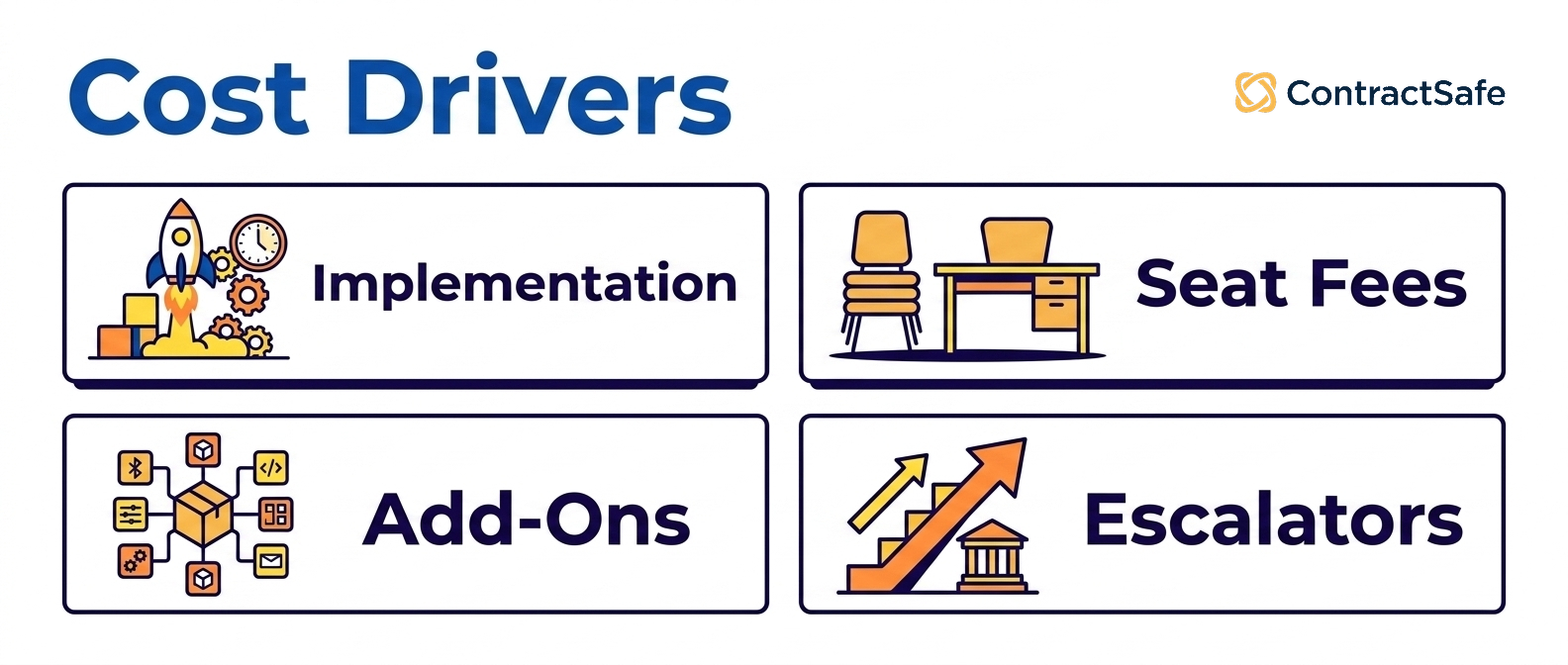
Per-user (per-seat) pricing
The most common model historically. Costs scale linearly with the number of people who need access. Concord and ContractZen use this approach. The risk: per-seat pricing creates a hard ceiling on adoption, teams limit who gets a license, and the platform never reaches the cross-functional usage that drives ROI.
Unlimited-user (flat) pricing
Used by ContractSafe and ContractWorks. The whole organization works under one subscription, so nobody rations logins. ContractSafe's price depends on the plan you choose and your contract volume, never on headcount.
Contract-volume or tiered pricing
Used by Nomio and Gatekeeper. Pricing scales with the number of contracts under management, the number of vendors, or the data fields extracted. Predictable for stable contract volumes; can escalate quickly during M&A or rapid growth.
Quote-only enterprise pricing
The default at the enterprise tier (Ironclad, DocuSign CLM, Workday, Agiloft, CobbleStone, SpotDraft). Negotiated per-customer, often with multi-year commitments, and typically includes substantial implementation services as a separate line item.
Quote-only doesn't mean unknowable. Buyer-reported data puts the median Ironclad contract near $40,000 a year through a sales process. ContractSafe publishes its price, starting at $450/month with unlimited users, so there's no quote process to budget for. When a vendor won't name a range, budget for the quote process itself: expect two to six weeks of demos and procurement before you see a figure.
What Budget-Friendly Contract Management Software Costs
Budget-friendly contract management software exists at every tier, but “affordable” means different things depending on how many people need access. The cheapest entry point in this list is a per-seat plan; the most affordable option for a whole company is usually a flat, unlimited-user plan. Here's what the published starting prices look like side by side:
| Platform | Pricing model | Published starting price |
|---|---|---|
| ContractZen | Per user | $9.50 per user per month |
| ContractWorks | Flat, unlimited users | $425 per month, billed annually |
| ContractSafe | Flat, unlimited users | Starting at $450/month |
| Concord | Per user (bundled seats) | $499 per month for 5 users |
| Nomio | Contract volume | £12,400 per year for up to 200 contracts |
Per-seat pricing grows with the team: Concord's five-user plan ($499 a month) already costs more than ContractSafe starting at $450/month and adds $49 to $89 a month for each extra user, and even ContractZen's $27 advanced tier overtakes ContractSafe's starting price at the seventeenth user. For a full breakdown of what affordable looks like at each company size, see affordable contract management software.
Hidden costs to budget for
-
Implementation services: Enterprise rollouts often add a large share of year-one license cost in services; ask for the services quote in writing.
-
Premium integrations: Salesforce, ERP, or SSO connectors are sometimes priced separately.
-
Additional admin or technical support: Required for platforms with deep configurability (Agiloft, CobbleStone, Ironclad).
-
AI features as upsells: Some vendors gate AI behind higher tiers.
-
Renewal escalation: Quote-only vendors usually build in an annual increase unless it's capped in the original contract.
Implementation and Rollout
Implementation timelines vary from a few weeks for modern cloud platforms to twelve months or more for enterprise CLMs. The drivers are predictable.
What determines implementation length
-
Platform complexity: Highly configurable CLMs (Agiloft, CobbleStone, Ironclad) require workflow design, role mapping, and clause-library setup before go-live.
-
Workflow complexity: Multi-step approvals across legal, procurement, and finance take longer to model than single-team flows.
-
Integration scope: Salesforce, ERP, SSO, and document storage integrations each add weeks. Native connectors are faster than custom API work.
-
Data migration volume: Importing 50,000 legacy contracts with metadata extraction and quality review is a project in itself.
-
Training and change management: Larger teams need structured rollout with role-based training; this is typically the most underestimated cost.
At mid-size, three of those drivers usually set the pace: connecting SSO, building permission groups department by department, and migrating several teams' contracts at once, so ask each vendor who does each one and whether it's in the price.
Typical timelines by tier
-
Lightweight repository tools (ContractZen, Nomio): 1-2 weeks to live use.
-
SMB/mid-market CLMs (ContractSafe, ContractWorks, Concord): 2-6 weeks.
-
Enterprise CLMs (Ironclad, DocuSign CLM, Workday, Agiloft): 3-12 months, sometimes longer.
Common Misconceptions About CLM
Four myths come up in almost every evaluation.
"AI features are the main differentiator in 2026"
Every serious vendor now offers AI search, extraction, and review. The differentiator is no longer "do you have AI" but "do users actually trust the AI's output enough to act on it", which depends on accuracy, citation quality, and workflow integration, not feature checklists.
"Enterprise platforms are always the safer choice"
Enterprise CLMs have the deepest features but are built mainly for legal teams. If 90% of your contract volume is standard NDAs, MSAs, and vendor agreements, an enterprise platform is overkill, and the unused features create UI complexity that suppresses adoption.
"You need a separate eSignature tool"
Most modern contract management tools have signing built in: ContractSafe on its Finalize and Maximize plans (with a DocuSign integration if you'd rather keep your own account), and Concord, Contractbook, ContractWorks and SpotDraft. Standalone DocuSign or Adobe Sign is only necessary for very specific compliance or counterparty requirements; the E-Sign Act gives a signature made inside the platform the same legal effect as one on paper.
"Spreadsheets work fine until we scale"
Spreadsheets fail before scale: at compliance, audit, security and version control. The cost of a missed renewal or an unauthorized contract change typically exceeds the first year of CLM subscription.
Choosing the Right CLM Comes Down to Adoption, Usability, and Time-to-Value
The best contract management software is simply the one your team keeps using.
Buyers who prioritize adoption, flat pricing, and quick onboarding tend to land on mid-market CLMs. Buyers who need deep workflow configuration lean toward heavier suites and accept longer rollouts and higher cost.
Before you sign anything, run each shortlisted vendor through a quick checklist so you’re comparing the same things:
-
Time to first value: Ask how fast a typical customer files and finds their first contract, in days rather than months.
-
Real adoption: Check what share of accounts run full-team rollouts versus legal-only, and put a non-legal colleague in the trial to confirm.
-
Third-party paper: Test how contracts you didn’t draft get imported, tagged, and searched, since that’s where many tools stumble.
-
Total three-year cost: Add license, implementation, integrations, and training, and ask how pricing moves as seats or signed volume grow.
-
Exit and roadmap risk: Confirm you can export your data cleanly, and ask where the product is headed if it sits inside a larger portfolio.
Score every option against those five, and the tool your whole team will still be using next year usually rises to the top on its own.
Related Reading
How ContractSafe Helps Teams Manage Contracts Across the Whole Company
ContractSafe is a full-lifecycle CLM the whole company can use. Pricing starts at $450/month, with unlimited users on every plan. Organize covers the searchable repository with OCR, AI data extraction and AI contract chat, renewal and notice alerts on any date you set, reports, roles and permissions, and audit trails. Finalize adds approval workflows, built-in e-signature, redlining, and DocuSign and Word integrations; Maximize adds intake forms, templates, AI Contract Review, APIs and Salesforce.
Every plan includes onboarding, migration and a customer success manager, so there's no services project to buy, and because users are unlimited, sales, finance and procurement can look up their own contracts without a seat fee. Prices are published by plan and contract volume, so the three-year number the checklist above asks for is roughly your plan's annual price times three at your current contract volume.






.svg)







.svg)




