


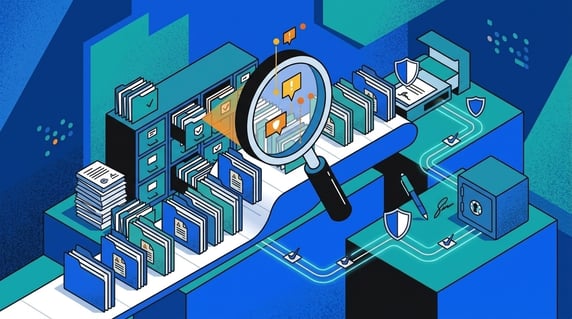
A CLM software checklist is a buyer test for whether contract management software can handle the contract work your team actually does.
Think of it like opening the filing cabinet before you buy the cabinet. The drawers may look neat in the showroom.
Your job is to find out how that cabinet handles PDFs, amendments, missing owners, renewal dates, and restricted files.
The decision isn’t about the longest feature list. It’s about whether the next contract question gets easier after launch.
ContractSafe belongs in that evaluation when the team needs searchable agreements, alerts, reporting, permissions, AI extraction, and practical contract workflows without turning the first project into a giant CLM rollout.
- A useful CLM software checklist scores proof shown in the demo, not claims from a sales deck.
- The checklist should test the same contract mess your team already has: scans, amendments, owners, dates, access rules, and reports.
- Pricing, implementation, support, user access, and AI should be scored beside product features.
- Legal, finance, procurement, IT, and business owners need different proof from the same system.
- The final score should tell you which vendor risk is acceptable and which one blocks the purchase.
Choose your next step:
Building the shortlist? Start with the twelve checklist tests below.
Still unsure what to ask for? Use the requirements step after you narrow the feature list.
Comparing vendors next? Jump to the vendor decision step.
What Is a CLM Software Checklist?
A CLM software checklist is a structured vendor-evaluation tool that turns contract management needs into proof requests.
It should not be a giant feature inventory. The checklist should make a vendor show whether the software can find contracts, extract and correct data, protect sensitive records, send useful reminders, produce reports, and launch without creating a second cleanup project.
Use it before the demo, during the demo, and after the demo.
Before the demo, it tells the vendor what to prove. During the demo, it keeps the room honest. After the demo, it gives the buying team a decision record.
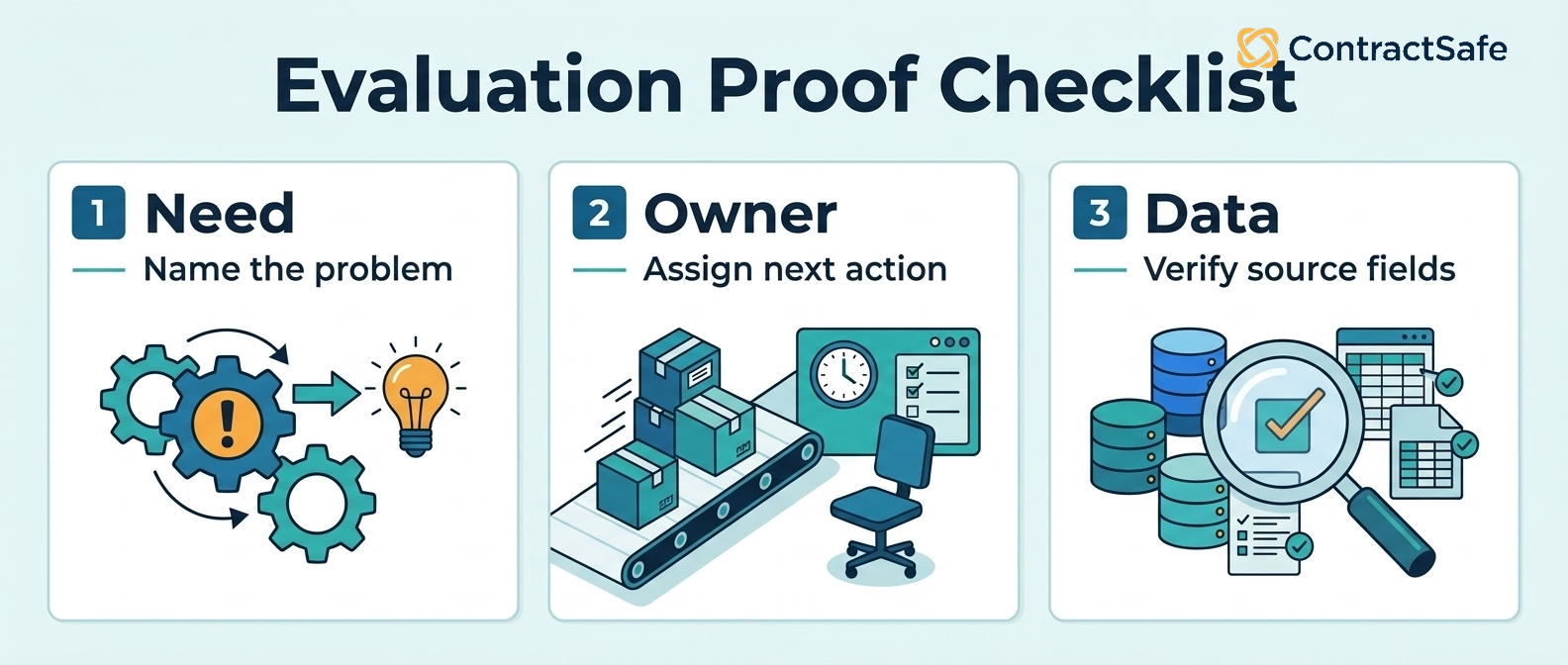
Use the checklist as a scorecard. Every requirement needs an owner, proof, a score, and a blocker decision.
Score every row as Proven / unproven / failed. Proven means the vendor showed the work with real contract examples. Unproven means the vendor talked around it. Failed means the workflow didn’t work.
| Checklist criterion | Proof required | Owner | Score | Blocker test |
|---|---|---|---|---|
| Search and OCR | Find messy PDFs, scans, amendments, and third-party paper live | Legal ops | Proven / unproven / failed | Blocks if users still need filenames |
| Metadata and reporting | Correct a field, then run the report that depends on it | Legal and finance | Proven / unproven / failed | Blocks if reports need spreadsheet cleanup |
| Alerts and ownership | Route a notice-window reminder to the right owner and backup | Legal and owner | Proven / unproven / failed | Blocks if reminders lack owners |
| Permissions and audit trail | Show legal, finance, procurement, and restricted roles | IT and legal | Proven / unproven / failed | Blocks if records are exposed or unusable |
| Implementation and migration | Name first contract set, migration help, training path, and first report | Project owner | Proven / unproven / failed | Blocks if launch work is undefined |
| Pricing and access | Show platform, users, implementation, support, AI, integrations, renewal cap, and overages | Finance and procurement | Proven / unproven / failed | Blocks if year-one cost is unknowable |
| AI and source traceability | Extract terms, show source language, review status, and correction history | Legal | Proven / unproven / failed | Blocks if answers lack source proof |
1. Decide What Kind of Contract System You Are Buying
A CLM software checklist should start by naming the job the system has to do. The jobs line up with the stages of the contract lifecycle, so that is the natural frame for the checklist.
Some teams need a searchable post-signature repository. Some need intake, drafting, approvals, and redlining. Some need both, but not all at once.
Example: a lean legal team with scattered signed contracts should not let a vendor demo turn that problem into a full workflow rebuild unless the workflow work is already blocking the business.
| Buying path | Use it when | Proof to ask for |
|---|---|---|
| Repository first | Contracts are scattered across folders and inboxes | Search, OCR, fields, owners, permissions, alerts, and reports |
| Legal workflow | Legal needs request intake, review paths, approvals, or templates | A real request moving from intake to approved contract work |
| Broader CLM | Multiple teams need intake-to-renewal process control | A phased rollout plan that doesn’t bury the first value moment |
This keeps the buying team focused on the operating problem before vendor preference takes over.
Write the buying path at the top of the scorecard before the first demo. That one sentence keeps the team from grading every shiny feature as if it were equally important.
The sentence can be blunt: we are buying a repository-first system, or we are buying legal workflow, or we are buying broader CLM. If the team can’t agree on that sentence, the checklist isn’t ready yet.
2. Test Search and OCR With Real Contract Files
Search is the first proof point because a contract system fails quickly if people still need filenames, folders, and memory to find the current agreement.
Bring real files to the demo. Use a scanned vendor agreement, a third-party customer paper, an amendment, and one file with a bad name. Ask the vendor to search inside the documents, filter by contract type, and find the current version.
The passing answer isn’t a polished search bar. The passing answer is the right agreement showing up when the file is messy.
Ask for these proof points:
Full-text search across PDFs and scans.
Filters for party, type, owner, date, and status.
A clear way to connect amendments to the governing agreement.
Search results normal users can understand without legal translating them.
The ContractSafe repository is relevant when the main pain is finding signed agreements and the data attached to them.
Record the failed searches too. If the system misses a scan, an amendment, or a non-standard name, that isn’t a small demo hiccup. It’s a preview of the weekly questions legal will still have to answer by hand.
3. Check Metadata Fields Before You Trust Reports
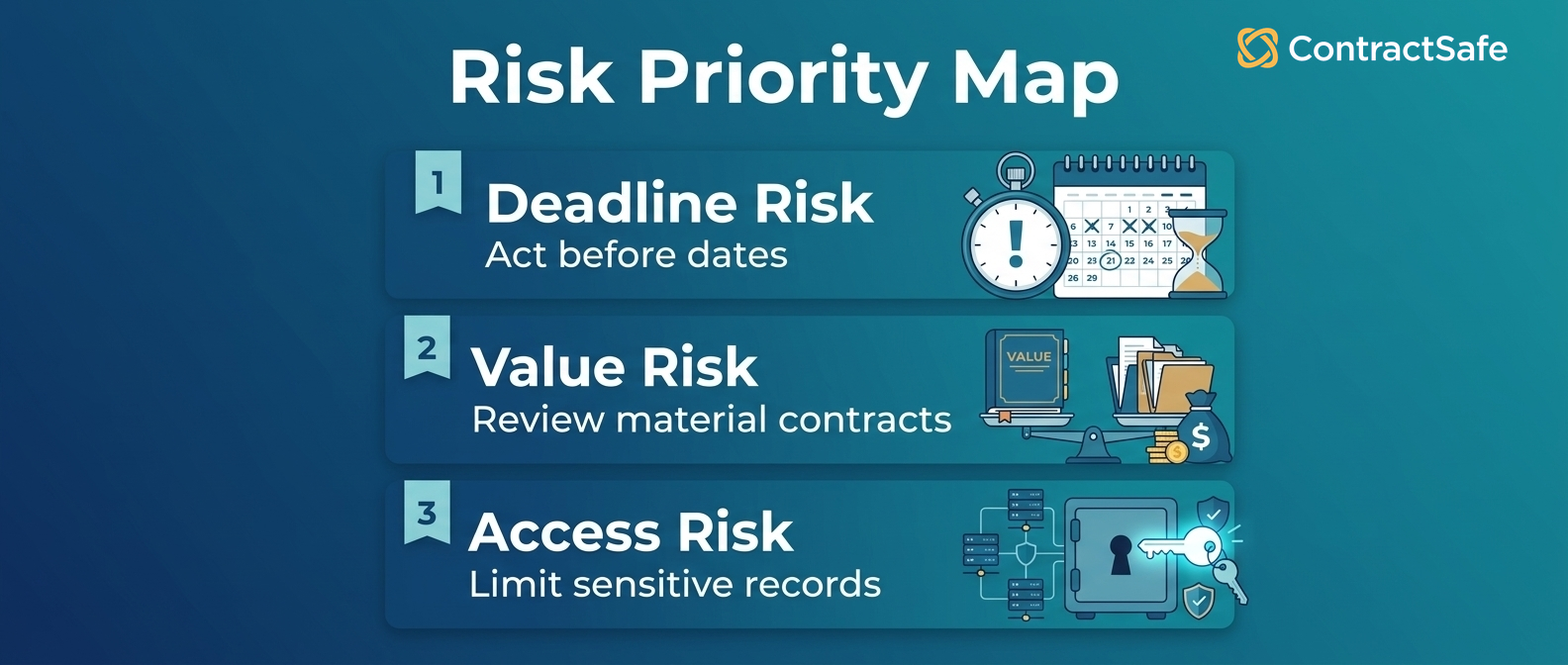
Contract metadata fields are the labels that make a CLM software checklist useful: party, owner, renewal date, value, status, department, and contract type.
A demo can look strong while the fields behind it are a mess. If dates, owners, values, departments, and statuses are missing or hard to maintain, reporting becomes spreadsheet theater.
Use a simple field test. Upload a contract, extract the fields, correct one field, then run a report that depends on the corrected value.
That test should start with an ugly record, not a clean sample file. Use a contract with an amendment, an unclear owner, and a renewal date that depends on notice language.
If the report works only after the vendor cleans the record by hand, the buyer has learned something important.
| Field | Why it matters | What to test |
|---|---|---|
| Counterparty | Users need to know who the agreement is with | Search by party and related agreements |
| Owner | Every contract action needs a person | Assign and change the business owner |
| Renewal date | Missed notice windows create avoidable risk | Build an upcoming-renewal report |
| Status | Teams need the current record | Separate active, expired, amended, and superseded files |
Thomson Reuters contract management criteria gives a useful outside frame: contract systems should make contract information easier to control and act on, not just easier to store.
Don’t let the vendor hide field maintenance inside admin settings. Ask who can edit fields, who approves corrections, and whether a corrected value changes the report immediately.
Also ask what happens when the business owner changes roles. A good metadata model keeps the contract usable after the first admin leaves, because the field, owner, report, and reminder all stay connected.
That’s the difference between a real contract record and a pretty label on a drawer.
4. Score Renewal Alerts Against Real Deadlines
Contract renewal alerts matter only if they reach the person who can make the decision.
Don’t score alerts by whether the feature exists. Score the route from contract language to reminder to owner to decision.
Example: use a contract with a notice window and ask the vendor to show the alert setup, the recipient, the backup owner, and the report that proves the deadline is being handled.
A useful alert test asks:
Can the notice date be captured from the contract record?
Can the alert go to legal and the business owner?
Can ownership change without rebuilding the alert?
Can a report show which deadlines still need decisions?
If the alert depends on a separate spreadsheet, the software has not solved the problem. It has only decorated it.
The scorecard should also capture alert noise. A reminder that arrives without context trains people to ignore the system. A useful reminder names the contract, owner, date, decision, and next step.
5. Test Permissions With Legal, Finance, and Procurement
Permissions decide whether the system becomes useful across the business or stays trapped inside legal.
Legal may need full document access. Finance may need value, dates, and renewal terms. Procurement may need vendor terms and owners. Those are different needs, and the checklist should test them separately.
Run the demo from more than one role. A legal admin should see sensitive records. A finance user should see approved fields. A procurement user should see vendor details without opening every restricted file.
| Role | What they should see | What should stay controlled |
|---|---|---|
| Legal | Source documents, amendments, permissions, audit history | Nothing relevant to legal control |
| Finance | Renewal dates, values, owners, exports | Sensitive notes and privileged records |
| Procurement | Vendor terms, notice periods, owner fields | HR records, privileged material, unrelated customer files |
Unlimited access can change adoption. If teams ration seats, they often rebuild the old email-and-spreadsheet habit outside the system.
Ask the vendor to show the same contract from different roles during the demo. If the answer is a promise to configure it later, score that as unproven until someone shows the actual permission behavior.
Add two more permission tests before IT signs off: audit history and export rights. The buyer should know who opened, changed, exported, or corrected a record.
If SSO is required, ask which plan includes it and whether it changes the price or rollout timeline.
6. Ask What Implementation Support Actually Includes
Implementation isn’t a side issue. It’s the moment where the checklist turns into actual contract work.
The system needs to absorb messy files, map fields, train users, and get the first reports working. If that help is vague or separately scoped, the buying team needs to know before the recommendation goes to leadership.
Ask vendors to answer these questions in writing:
Which contract types should migrate first?
Who cleans duplicate records and missing owners?
What onboarding help is included?
What support is available after launch?
Which report should work first?
Thomson Reuters implementation guidance is useful because it treats implementation as a cross-department operating change, not just software setup.
ContractSafe is strongest when buyers want implementation to start with a practical repository, not a long consulting project.
The buying team should also ask what work remains on its side. Some cleanup is normal. What matters is whether the vendor can name it plainly instead of making launch sound effortless.
A believable plan names the first contract set, the required fields, the training path, and the first report. A vague plan says the team can configure anything after purchase.
Treat weak implementation answers as buying risks, not loose ends. If the vendor can’t name the first report, the first contract set, the field-cleanup owner, and the post-launch support path, the recommendation isn’t ready for leadership.
Use those answers as meeting notes, not side comments. Implementation risk is still buying risk because it decides whether the system becomes useful after the contract is signed.
The buyer also needs a responsibility map: vendor-owned work, customer-owned cleanup, IT tasks, and post-launch support. If nobody owns duplicate cleanup, missing owners, file naming, or first-report setup, the risk is still hiding in the quote.
7. Build a First-Year Pricing Comparison Before Vendor Shortlisting
Pricing belongs inside the CLM software checklist because the buying team isn’t choosing a demo. It’s choosing the operating cost after launch.
Compare the quote the way finance will see it: platform, user access, implementation, migration, support, AI, integrations, and renewal terms.
For example, a platform fee can look reasonable until the team adds users from finance, procurement, and operations or discovers that migration help sits in a separate services line.
Use this price checklist:
What is included in the platform fee?
Are users unlimited or seat-based?
Is implementation included or separately scoped?
Is migration support included?
Is AI included or sold as a module?
What changes at renewal?
If pricing is the open question, use ContractSafe pricing before the buying team treats any quote as comparable.
The pricing page is proof for the access model, not just a number. ContractSafe publishes plan pricing and includes unlimited users, so buyers can compare the system against real cross-team use.
Don’t punish a vendor for costing more if the added cost buys work your team truly needs. Do punish a quote that hides the parts of the project the team already knows it will need.
That’s why the checklist should compare the working system, not the smallest possible package in the proposal.
8. Check AI Extraction Against Source Language
AI should make contract data easier to verify, not harder to trust.
Ask the vendor to extract dates, parties, values, renewal terms, and a risky clause from a real document. Then ask where each answer came from.
The answer should point back to source language. It should also respect permissions, show review status, and let a human correct the field.
A practical AI test is simple:
Upload a messy contract.
Ask for the renewal term and notice deadline.
Open the source clause behind the answer.
Correct a field.
Confirm the correction carries into reports and alerts.
Score ContractSafe AI contract management the same way: not as magic, but as extraction, review, source traceability, and controlled use inside the repository.
That’s the proof to ask from every vendor: source clause, correction path, permissions, and whether the answer can drive alerts or reports.
AI should make the filing cabinet easier to label. It should not create a second cabinet full of confident answers nobody can trace back to the document.
If the system can’t show the source clause, treat the answer as a draft note, not contract data.
9. Separate Repository Needs From Full CLM Workflow
A checklist should stop the buyer from buying workflow just because the demo makes workflow look impressive.
Repository work starts after signature: find, organize, track, report, alert, and control access. CLM workflow can start earlier: intake, drafting, approvals, redlines, and signature.
For example, if the business keeps asking where signed vendor agreements live, the first job is probably repository control. If the business keeps sending legal messy contract requests with no intake path, workflow may matter sooner.
| If the pain is... | Start with... | Why |
|---|---|---|
| Lost signed contracts | Repository | Search and fields solve the weekly question |
| Missed renewals | Repository plus alerts | Dates and owners need control first |
| Slow legal requests | Intake workflow | The problem begins before drafting |
| Approval confusion | Workflow rules | Authority and handoffs need structure |
This fork keeps the buying decision honest. A bigger system isn’t better if the team isn’t ready to use the extra scope.
A good checklist lets the buyer say no to features without feeling irresponsible. Not needed now is a legitimate score when the team has a narrower first job.
That restraint protects the launch. A smaller system people use is better than a larger system everyone agrees to revisit later.
10. Test Reporting With the Questions Leadership Asks
Reports should answer the questions leadership already asks legal, finance, and procurement.
A dashboard full of file counts doesn’t help much if the real question is which vendor contracts renew soon, which agreements are missing owners, or which high-value records need cleanup.
During the demo, ask for one report built from the sample contracts you provided. Don’t accept a generic dashboard with clean demo data.
The report should show:
Upcoming renewals or notice windows.
Contracts missing owners.
Restricted records that need review.
High-value agreements with incomplete fields.
Next action and owner for each row.
If the report still needs manual spreadsheet cleanup, put that risk in the scorecard.
Also ask who can build the report after the consultant leaves or the admin changes roles. A report that only one person can maintain becomes another private spreadsheet with a nicer interface.
The best report is boring in the right way. It should make the next decision obvious.
Also test exports. Finance, audit, and procurement may still need a clean spreadsheet. If the export breaks field names, drops owners, or hides status, the report isn’t ready.
11. Decide Which ContractSafe Fit Signals Matter
ContractSafe is a strong fit when the buyer needs practical contract control before a heavy CLM rebuild.
That doesn’t mean ContractSafe is the answer for every CLM buyer. It means the checklist should make the fit clear.
Use these fit signals:
The team needs searchable signed agreements before complex workflow.
Finance and procurement need access without seat-count negotiations.
Renewal tracking, alerts, reporting, permissions, and AI extraction matter more than a months-long workflow redesign.
The buyer wants published pricing and included implementation support to keep the first rollout understandable.
ContractSafe gives teams a practical repository path: upload contracts, extract useful fields, set reminders, control access, and report on the work that needs attention.
That’s the filing cabinet test again. Does the system help real people find the file, trust the label, and act before the deadline?
If the answer is yes, the checklist has found a practical fit signal. If the answer is no, the team should keep asking whether it’s buying features for the roadmap instead of help for the work in front of it.
Also check the negative fit signal. If the team truly needs deep pre-signature routing, heavy redlining rules, or a large workflow rebuild on day one, say that clearly.
The checklist should not force every buyer toward ContractSafe. It should make the fit honest enough that the next sales call starts in the right place.
| Choose ContractSafe when... | Choose a heavier CLM when... |
|---|---|
| The urgent job is searchable signed agreements, reliable fields, ContractSafe alerts, reporting, permissions, AI extraction, broad access, and clear pricing. | The first rollout must redesign intake, drafting, redlining, approval routing, and enterprise workflow across many departments. |
| ContractSafe integrations matter, but the first value moment is still finding, tracking, and reporting on existing contracts. | Integrations are the center of deployment and require custom systems work before users see value. |
12. Turn the CLM Software Checklist Into a Vendor Decision
The final checklist should create a decision, not a giant spreadsheet nobody wants to defend.
Separate each requirement into proven, unproven, failed, or not needed. Then decide which failures block the purchase and which ones can be handled with rollout scope.
| Score | Meaning | Next action |
|---|---|---|
| Proven | The vendor showed the work with your sample contracts | Keep it in the recommendation |
| Unproven | The vendor described it but didn’t show it | Require a follow-up demo or mark the risk |
| Failed | The vendor could not support the task | Decide whether the failure blocks the purchase |
| Not needed | The feature is real but not part of the first buying job | Keep it out of the decision unless scope changes |
Write one sentence for each finalist: choose this vendor if we prioritize this kind of contract work and accept this kind of risk.
If the team can’t write that sentence, the shortlist isn’t ready.
The final page of the checklist should be short enough to use in a meeting. List the finalists, the proven strengths, the unproven risks, the failed requirements, and the reason each vendor is still in the conversation. It also helps to compare contract lifecycle management software against an outside roundup before that meeting, so the finalists, proven strengths, and unproven risks on the final page of your checklist reflect the wider vendor field rather than only the demos you happened to see.
That makes the decision defensible. The team isn’t saying a product felt better. It’s saying which contract work the product proved and which tradeoffs the team accepts.
Related Reading
contract management software cost: Use this when pricing and first-year operating cost are still open questions.
best contract management software: Use this when the shortlist is ready for vendor-level comparison.
CLM checklist: Use this when the team needs a more detailed requirements list before vendor demos.
How ContractSafe Helps With CLM Software Selection
ContractSafe helps teams test the part of contract management that tends to break first: finding signed agreements and trusting the data attached to them.
Use the ContractSafe repository to test search, OCR, metadata, owners, permissions, alerts, and reports with the same sample contracts you would bring to any vendor demo.
Use ContractSafe AI contract management to check whether extracted dates, terms, parties, and contract answers can be reviewed against the source document before they drive reports or reminders.
Then use ContractSafe pricing to compare the access model against the way your team actually works. Unlimited users matter when legal, finance, procurement, auditors, and business owners all need contract answers.
If the checklist points toward practical repository control instead of a giant workflow rebuild, book a ContractSafe demo with the messy documents that would make any contract system prove itself.






.svg)







.svg)




