Quick answer: GDPR-compliant contract management software is a contract system whose hosting, access controls and vendor chain let you meet your own GDPR duties. In ContractSafe, that means choosing your hosting region (the United States, the European Union, Canada or Australia), checking where each integration sends contract data, and keeping the data processing agreement and your records of processing in your own hands.
Say your company hosts its ContractSafe account in the EU, so everything from logins to contracts stays there. Then someone links the team's Docusign account to send a supplier agreement for signature, and a copy of that contract now goes somewhere else. Picking the hosting region was the easy part. Every connection after it is a new data path.
Key Takeaways
- Choose your hosting region before the first contract goes in.
- Every integration you switch on is another place a copy of a contract can go, so check its data path and sub-processor.
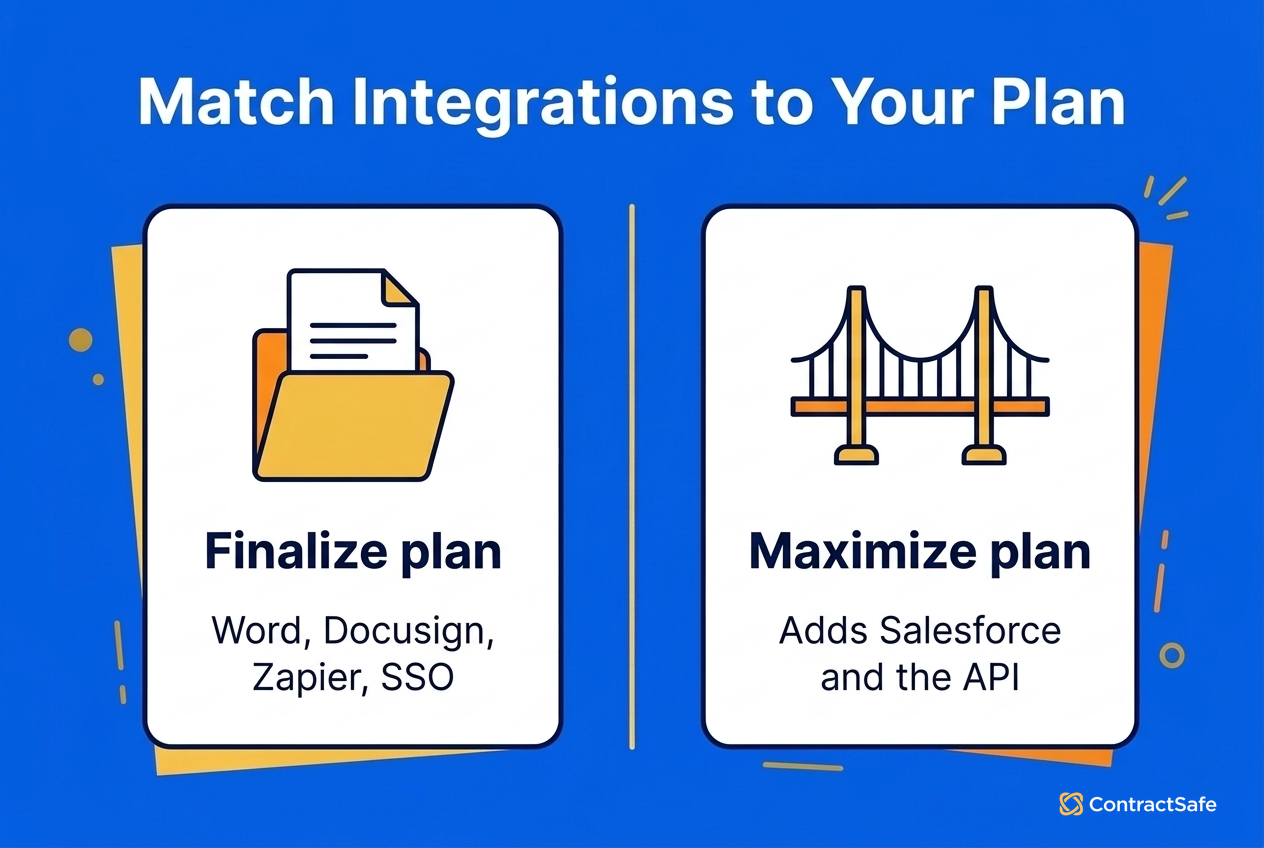
- Your plan decides your integrations: Word, Docusign and built-in e-signature come with Finalize and Maximize.
- The DPA, your records of processing and your retention rules stay with you.
Choose your next step:
For DPOs and security reviewers: Start on our security page for hosting, encryption and certifications.
For buyers running a vendor review: Use the six-step review in how to tell if you're buying GDPR-compliant contract management software on every vendor you shortlist.
For teams planning integrations: See what each plan connects to on the integrations page.
What Makes Contract Management Software GDPR-Compliant
No contract management software is GDPR compliant on its own. When you compare vendors, compare the controls:
- a choice of hosting region
- a named sub-processor list
- a DPA and Data Transfer Impact Assessment you can review
- an independent SOC 2 Type II attestation and ISO 27001 certification
- encryption and role permissions
- an audit trail
- deletion and export when you leave
- a clear data path for every integration
ContractSafe sends its form DPA on request and publishes its sub-processor list and Data Transfer Impact Assessment on its privacy and GDPR page.
Regulators enforce these rules, and not only against the companies that own the data. European regulators issued EUR7.1 billion in GDPR fines between 25 May 2018 and 10 January 2026, according to DLA Piper's January 2026 GDPR fines survey. Several of the latest year's fines were imposed directly on processors. Your contract system processes personal data for you, and so may every tool it sends data to. That's why the vendor chain matters as much as the hosting region when you buy, though the region is the first control you'll set.
Where ContractSafe Hosts Your Contracts
ContractSafe hosts each account in one region: the United States, the European Union, Canada or Australia. Because an account belongs to a single region, pick yours before your first upload.
ContractSafe runs on AWS, encrypts data with AES-256 at rest and in transit, keeps continuous offsite backups, holds a SOC 2 Type II attestation, audited every year, and is ISO 27001 certified. If your DPO needs to know where backups sit for your region, ask us and get the answer in writing.
If you'd rather have us enter your backlog, you can choose the Europe-based provider for the Jump Start data-entry service, so those contracts stay in Europe during data entry too.
Which Integrations ContractSafe Supports
ContractSafe connects with Microsoft Word, Docusign, Zapier, Salesforce, single sign-on providers and its own API, and includes built-in e-signature powered by Dropbox Sign. What you get depends on your plan.
| Integration | What it does | Organize | Finalize | Maximize |
|---|---|---|---|---|
| Microsoft Word (Online and desktop) | Open a contract in Word, use changes and comments, and save the new version back to ContractSafe | No | Yes | Yes |
| Docusign | Link your own Docusign account if you prefer it | No | Yes | Yes |
| Built-in e-signature (powered by Dropbox Sign) | Send contracts for signature from ContractSafe | No | Yes | Yes |
| Zapier | Connect ContractSafe to other apps | No | Yes | Yes |
| Single sign-on (Okta, Active Directory or any SAML 2.0 identity provider) | Sign in through your company's identity provider | No | Yes | Yes |
| Salesforce | Work with contracts alongside your CRM records | No | No | Yes |
| ContractSafe API | Build your own connections | No | No | Yes |
Admins can also let people sign in with their Google or Microsoft account instead of single sign-on.
For GDPR, the table splits in two. Single sign-on only checks who someone is. Every other tool in the table receives contract data, so add each one you switch on to your records of processing.
Questions to Ask Before You Connect Each Integration
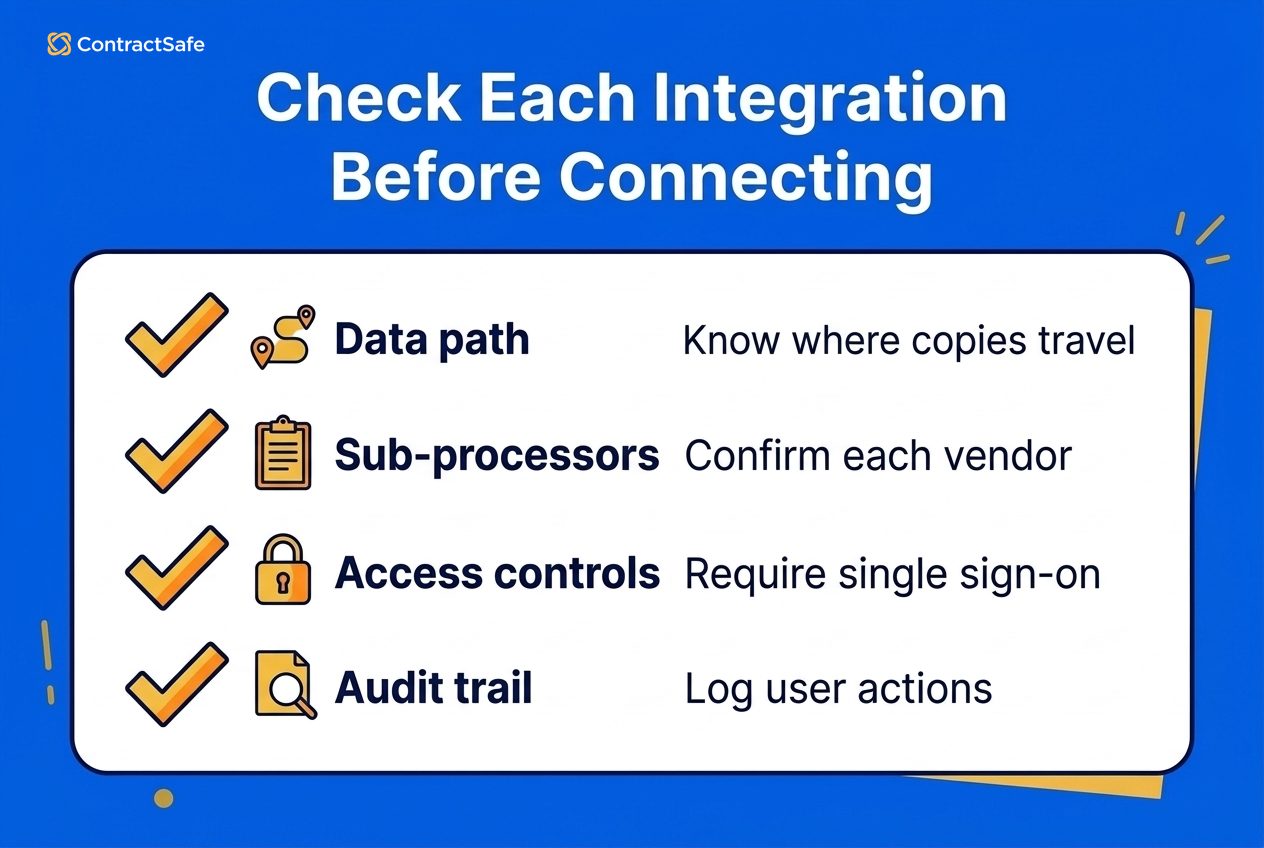
Check each integration the way you'd check a new vendor: where its copy of the contract goes, who processes it and how you get it back. Before you switch one on for an EU account, get answers to these:
- Where does the copy of the contract go, and in which region is it stored?
- Is that vendor named on the sub-processor list in your DPA?
- Can you require single sign-on and two-factor authentication so only approved users connect?
- Is there a record of what was sent and by whom? ContractSafe logs contract views, downloads and changes, so check whether the connected tool keeps its own log of what it received.
- What happens to the synced data when you disconnect the integration?
Transfers deserve their own look. Zapier, Salesforce and e-signature providers may process data outside the EU, so read each one's own DPA and the transfer basis it relies on. If a tool can't answer these questions, leave it switched off until it can.
How AI Features Handle Contracts in an EU Account
We don't use your contracts to train AI models, and AI search only returns the contracts a user is allowed to see. You can also choose to use some AI features or none, which helps if your DPO wants AI off until the review is done.
When AI is on, it reads each contract on upload and pulls out key dates such as renewals, notice periods and expirations, and a person confirms or edits each one.
Before you switch AI on, put one more question to us in writing: where AI processing runs for your region, and which model providers act as sub-processors.
Paperwork to Request From ContractSafe
Ask for the signed DPA and the SOC 2 Type II report, and save copies of the published sub-processor list and Data Transfer Impact Assessment as they stand on the day you sign. Then bring your DPO's questionnaire and get every answer in writing, so your records of processing rest on documents rather than a sales call.
Related Reading
How ContractSafe Helps Once the GDPR Review Clears
ContractSafe is built for the one person who owns the contracts at a company without a full legal department. It supports contract creation, review, approval, signature, storage, date management and reporting, and Maximize includes the complete feature set.
ContractSafe pricing starts at $450/month (Organize plan, billed annually; $540 month-to-month), with unlimited users on every plan. No annual commitment is required, and you can book a demo before you decide.