



Healthcare contract lifecycle management is the work of creating, signing, storing, tracking, and acting on every agreement a healthcare organization runs on: provider and physician contracts, payer and managed-care agreements, vendor and supply deals, equipment leases, service contracts, and business associate agreements from first draft through renewal or termination.
Now picture the version most healthcare teams actually live in. The payer amendment is sitting in someone's inbox. The signed physician agreement is on a shared drive, in a folder named after whoever set it up years ago. The BAA for the new telehealth vendor is... somewhere. Finance asks which managed-care contracts renew before the fiscal year closes, and legal spends days rebuilding the answer from a spreadsheet nobody fully trusts.
Meanwhile an equipment lease auto-renews because the notice window quietly closed while everyone assumed someone else was watching it. None of this is a crisis on any given day. It's friction, risk, and wasted hours stacking up in the background.
That's the problem a real healthcare contract lifecycle management system is supposed to solve. This guide is written for the legal, procurement, and operations people who have to pick one, and it's organized around what the software should have to prove before you sign, not a feature list you'll never touch. The six stages of the contract lifecycle are the frame that keeps that proof list honest.
Key Takeaways
- Healthcare CLM isn't one kind of contract. Provider, payer, vendor, and business associate agreements each carry different dates, obligations, and access rules, and your system has to hold all of them in one searchable place.
- The renewal you miss is almost always the one nobody owned. Notice windows on payer and vendor contracts close quietly, so date tracking you fully control matters more than any long feature list.
- Don't take compliance claims on faith. Ask every vendor to show you how access, logging, and data handling work. Treat "we're HIPAA compliant" as the start of a conversation, not the end of one.
- AI should speed up review, not replace judgment. Extraction and answers are only useful if a person can see the source clause and correct it before anyone acts.
- Match the tool to your contract mix and your actual team. Pricing and rollout that fit a lean healthcare department beat a heavy suite that only legal ever opens.
Choose Your Next Step
Pick the line that matches where you are right now and jump straight there.
Still figuring out what to get under control first? Start with what healthcare CLM has to cover.
Already deep in demos? Skip to the demo proof checklist and make each vendor show you, not tell you.
Worried a renewal is about to slip? Go straight to renewals and notice windows.
The goal isn't a longer feature checklist. It's knowing whether the system will answer your real contract questions once the sales call ends.
What Is Healthcare Contract Lifecycle Management?
Healthcare contract lifecycle management is the system healthcare teams use to keep provider, payer, vendor, equipment, service, and business associate agreements searchable, controlled, and connected to the next action after signature.
That includes the familiar contract-management work: getting agreements signed, storing the final version, finding the current file, tracking renewal and termination dates, and reporting on what the organization has already committed to. In healthcare, it also means keeping amendments, fee schedules, credentialing documents, certificates, and BAAs tied to the contracts they support.
Why Healthcare CLM Matters Before a Contract Gets Missed
Healthcare contract lifecycle management matters because a single missed renewal, expired credential, or auto-renewing vendor deal can stall reimbursement, break compliance, or lock your organization into terms it never meant to keep. When provider, payer, and vendor agreements live in scattered folders, the deadline that hurts you is the one nobody was watching.
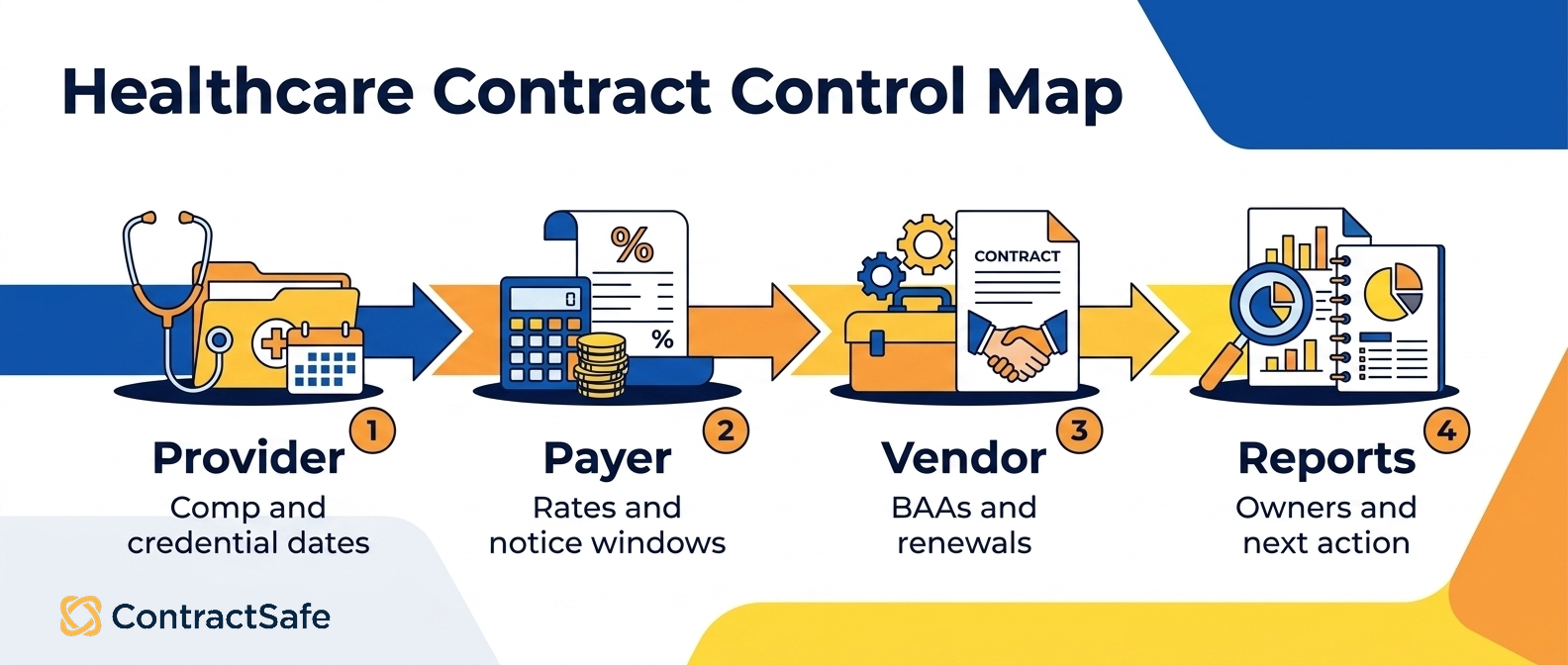
Healthcare runs on three kinds of contracts that fail in different ways. Payer agreements set your reimbursement rates and quietly roll over at the old rates if you miss the renegotiation window. Provider agreements carry credentialing dates, exclusivity clauses, and notice periods that affect coverage. Vendor agreements, from EHR platforms to supply contracts, bury auto-renewals and price escalators in language nobody rereads. Tracking all three in one place keeps each set of dates in front of the people who own them.
A healthcare CLM system earns its keep by surfacing the things that go wrong when a contract sits unread:
Renewal and termination dates for every payer, provider, and vendor agreement, with reminders that reach someone before the notice window closes.
Credentialing and licensure dates tied to provider agreements, so a lapsed credential doesn't put billing or coverage at risk.
Rate schedules and escalator clauses in payer and vendor deals, so you renegotiate on purpose instead of accepting last year's terms by default.
Compliance language like BAAs and HIPAA terms, stored where legal and auditors can find it without a folder hunt.
The payoff isn't just avoiding a missed date. When every agreement lives in one searchable place with the key terms tagged, your compliance, finance, and clinical teams stop chasing PDFs over email and start answering questions in minutes. That's the difference between learning about a problem during an audit and handling it months earlier, on your own schedule.
What Healthcare Contract Lifecycle Management Has to Cover
Before you compare tools, get honest about your mix. A hospital system, a physician group, a payer, and a home-health agency all "do healthcare contracts," but the agreements that dominate their day are different, and the dates that bite are different too. The fastest way to waste a demo is to evaluate a system against a generic contract library instead of yours.
Here's the practical spread most healthcare organizations are managing, and what a CLM has to prove for each.
| Contract type | Dates and terms that bite | What the system has to prove |
|---|---|---|
| Provider / physician agreements | Term, renewal, compensation and bonus changes, credentialing tie-ins, restrictive covenants | It keeps compensation terms and every amendment linked to the base agreement, and tracks renewal and notice dates by owner |
| Payer / managed-care contracts | Fee schedules, rate escalators, evergreen renewals, short notice windows, amendment stacks | It can surface which plans renew when, what the current rates are, and where a specific term actually lives |
| Vendor, equipment, supply, and service | Warranties, maintenance SLAs, price-increase triggers, auto-renewal, termination-for-convenience | It tracks non-standard dates, links SOWs and amendments, and alerts you before an auto-renewal fires |
| Business associate agreements (BAAs) | Tied to the underlying vendor deal; security and breach-notice obligations | It keeps the BAA connected to its parent contract and easy to pull on demand |
| IT, software, and telehealth | License renewals, data-handling terms, uptime commitments, security addenda | It stores the security exhibits with the contract and flags renewals before they lock in |
| Temporary and seasonal staffing | End dates, rate re-negotiation windows, department or site tags | It reminds you to renegotiate before the term rolls, and filters by site or department |
The point of the table isn't to memorize categories. It's to notice that a system built only for clean, single-document sales agreements will struggle the moment you feed it a managed-care contract with four amendments and a scanned signature page. Your evaluation should start from the contracts you actually sign the most.
The Decision Check Before You Commit to Healthcare CLM
Before you sign anything, run your healthcare contract lifecycle management shortlist through this list. If a vendor can't answer these in plain terms, that's your answer. Each item maps to real work your provider, payer, and vendor agreements demand every single day.
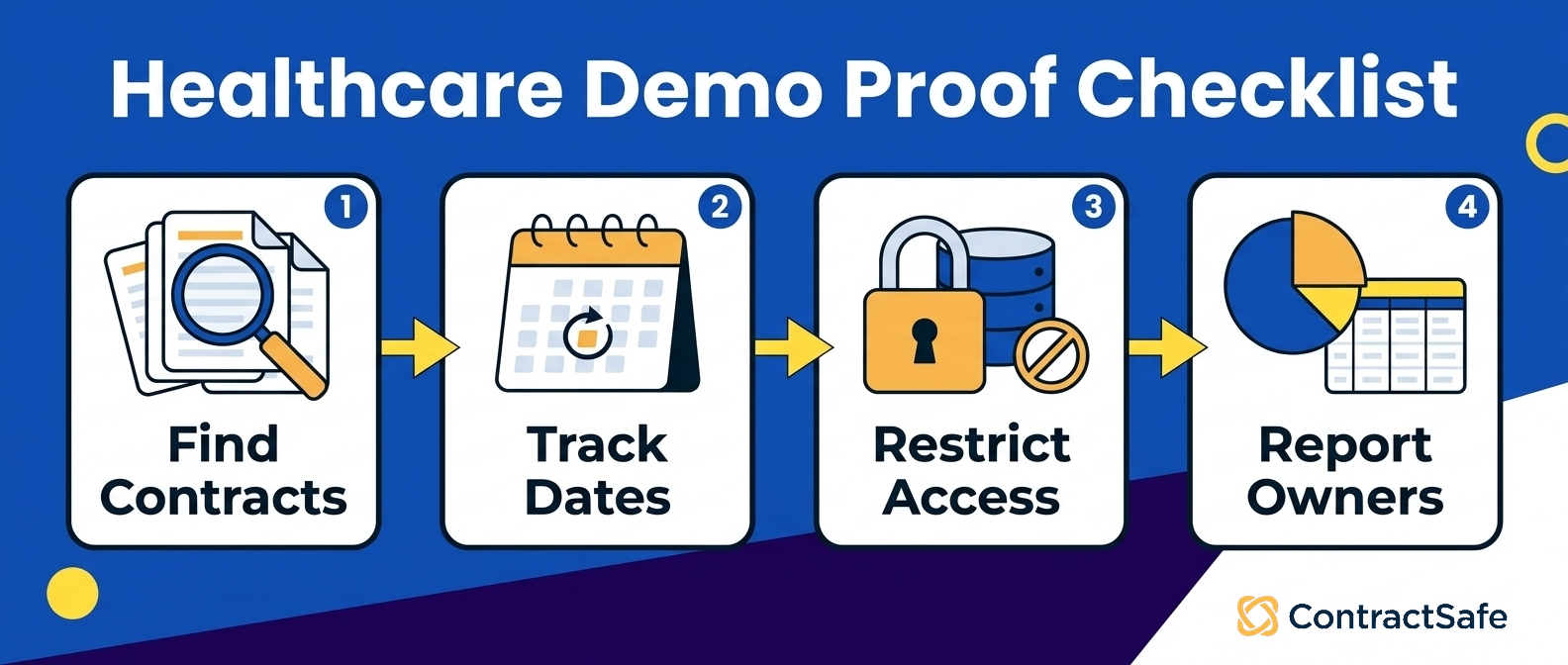
[ ] Find any agreement fast. Can you pull up a specific provider, payer, or vendor contract in under a minute, including the ones still buried in someone's inbox?
[ ] Never miss a date. Does it track renewal, termination, and notice windows so an auto-renewal or rate change can't slip past you?
[ ] Keep the whole file together. Can it store BAAs, credentialing records, licensure docs, and insurance certificates next to the contract they belong to?
[ ] Catch the gaps before an auditor does. Does it flag missing signatures, expired certificates, and stale rate exhibits on its own?
[ ] Lock down PHI. Can you control who sees protected health information and log every view, so a HIPAA request doesn't turn into a scramble?
[ ] Assign the obligations. Does it show commitments by owner, so nobody's sitting on an unclaimed rebate or an SLA credit?
[ ] Report in plain English. Can you export something your legal, finance, and compliance teams will actually read, without a data project?
If your current process fails several of these, you're not managing healthcare contracts. You're just storing them and hoping.
Healthcare CLM vs. A Shared Drive or Basic Repository
A shared drive stores files. Healthcare contract lifecycle management tracks obligations, dates, and access across every provider, payer, and vendor agreement you hold. The difference matters most when a Business Associate Agreement is missing, a payer contract auto-renews, or compliance asks who signed what and when.
Think about what actually lives in a healthcare contract portfolio. You have provider employment and coverage agreements, payer contracts with negotiated rates and effective dates, and vendor deals that often carry a BAA because the vendor touches protected health information. A folder full of PDFs holds all of that, but it does not tell you which vendor is missing a signed BAA, or which payer contract renews in ninety days at terms you meant to renegotiate.
Here is where the day to day breaks down on a basic repository:
Renewals. A shared drive will not warn you that a payer agreement auto-renews or that a provider contract lapses next month. Someone has to remember, and eventually someone forgets. CLM is built to surface those dates before they surprise you.
BAAs and compliance. When an auditor asks for proof that every vendor handling PHI has an executed BAA, digging through folders is slow and error prone. Organizing agreements by type and status makes that question answerable instead of nerve wracking.
Access. Provider comp terms, payer rates, and settlement details are sensitive. A shared drive tends toward all or nothing access. CLM lets you decide who sees which contracts, so your revenue cycle team, legal, and department leads each see what they need and nothing they should not.
Reporting. Leadership wants to know total payer exposure, upcoming provider renewals, or how many vendor BAAs are outstanding. A repository gives you files. CLM gives you the fields behind those files, so you can report on counts, values, and dates instead of opening documents one by one.
The short version: a shared drive answers "where is the document." Healthcare CLM answers "what do we owe, to whom, by when, and who can see it." For a portfolio spread across providers, payers, and vendors, with BAAs and renewal dates attached to real compliance risk, that second set of questions is the one that keeps you out of trouble. Storage is the floor, not the goal.
Provider and Physician Agreements: What to Prove
Provider agreements are where small tracking gaps turn expensive. Compensation terms change through amendments, bonus structures reference exhibits, and a single physician's file might collect three or four documents over a few years. When someone asks "what is this doctor's current comp arrangement?" the answer has to be one connected record, not a scavenger hunt across a base contract and a stack of loose addenda.
So test that directly. Bring a real provider agreement that's been amended at least once, load it, and ask the vendor to show you the current terms with the amendment linked to the original. The pass condition is that the file opens as one story, and that the effective, renewal, and notice dates are attached to the record so a report can find them later.
A few things worth confirming in the demo:
Can you track compensation terms, renewal dates, and credentialing-related dates as fields you can filter and report on, not just text buried in the document?
When a contract is amended, does the amendment stay linked to the parent, or does it become a separate file someone has to remember exists?
Can you assign an owner to each agreement so there's a name attached when a renewal comes up?
This is squarely a legal-and-operations problem, which is why it helps to look at how a platform handles legal team workflows generally, not just healthcare-labeled features. The mechanics that keep an MSA and its amendments together are the same ones that keep a physician agreement clean.
Payer and Managed-Care Contracts: What to Prove
Payer and managed-care agreements are the hardest contracts most healthcare teams handle, and the ones where a missed date has the biggest revenue consequences. They tend to be long, heavily amended, and evergreen, with notice windows that require you to act months before a renewal you might not be thinking about. Fee schedules live in exhibits. Rate escalators hide in a subsection.
The obligation to give notice of a material change might sit three amendments deep.
Federal rules can add more review pressure here than a normal vendor deal. Federal managed-care contract requirements explain how contracts are reviewed and approved, and MACPAC explains the federal authorities behind Medicaid managed care.
You don't need every regulation memorized before a software demo, but you do need to know whether the platform can follow the contracts that govern reimbursement, amendments, and renewal timing.
Start with the question regulators and states care about too: can you prove which contract is current, what changed, and when the next review or renewal event hits? If your team needs a deeper primer, the managed care contract guide is the better next read.
The proof test here is a reporting question, not a document-opening question. Ask the vendor to build a list of every managed-care agreement that renews in the next two quarters, with the notice deadline, the current fee schedule reference, and the assigned owner, using contracts you brought. If that report needs spreadsheet cleanup before anyone trusts it, the system is storage with a nicer front door.
Watch specifically for:
Whether you can track any date in a payer contract, including a notice deadline long before the anniversary, or only standard renewal fields.
Whether amendments and fee-schedule exhibits stay attached to the master agreement.
Whether a business owner in finance can see rate and renewal timing without being handed the entire legal file.
For a deeper walk through this contract category on its own, the managed care contract guide covers the terms that most often cause trouble.
Vendor, Equipment, Supply, and Service Agreements: What to Prove
This is usually the largest pile by volume: pharmaceutical and medical-supply agreements, device and equipment leases, maintenance and service contracts, IT and software licenses, and telehealth vendors. Each one carries dates that don't fit a tidy "renewal" field. A device lease has warranty and inspection dates. A supply agreement has a price-increase trigger. A software license auto-renews unless you give notice.
A maintenance SLA has uptime commitments you'll want to reference when service slips.
The failure mode is predictable: an agreement auto-renews at an unfavorable rate because no one was tracking the specific trigger date. So the test is whether the system lets you set a reminder on any date in the contract, with a lead time you choose, and route it to a real owner. Ask each vendor to set a price-increase reminder on a sample supply contract, and to link a warranty exhibit to the equipment lease it belongs to.
The daily promise you're buying is simple to describe and easy to check in a demo: renewal and date reminders that you control, on the dates that actually matter to your agreements. That's exactly what to press on when you evaluate an alerts and reminders capability, whether it's ours or anyone else's. If the lead times are locked to fixed windows you can't change, that's a real limitation for healthcare contracts, which rarely use the standard 30-60-90 rhythm.
Business Associate Agreements: Where They Fit in the Lifecycle
Business associate agreements sit right in your contract lifecycle alongside every other vendor deal, not in a separate filing system. Whenever a vendor touches PHI, the BAA needs to be findable, connected to that relationship, and restricted to the people who should see it, from signature through renewal.
Federal rules make the same point in a more formal way: the business associate contract controls permitted uses and disclosures, safeguards, reporting, subcontractors, return or destruction of PHI, and access by HHS. Your software doesn't have to interpret all of that for you. It does need to keep the BAA in the right place, tied to the right vendor, and locked down to the right people. If your team works with vendors that touch PHI, keep the CFR provisions for business associate contracts and the HIPAA Security Rule handy during the requirements conversation.
That's the legal backdrop. The lifecycle question is narrower and more practical: can you find every BAA fast, and is each one connected to the vendor contract it supports?
The moment this matters is when a security review or a breach inquiry lands and someone asks you to produce the BAA for a specific vendor. If the BAA is a loose PDF that isn't linked to the parent agreement, you're back to hunting. So in the demo, load a vendor contract and its BAA, and confirm the two stay associated and both surface when you search the vendor's name.
Here's where the buying discipline really counts. A lot of contract software will tell you it's built for HIPAA. That's not the same as proof. Instead of taking the claim at face value, turn it into questions the vendor has to answer on the record:
Where is our contract data stored and hosted, and what security certifications can you document for that environment?
Can access be restricted so only named roles see BAAs and other sensitive agreements?
Is every view, edit, and download logged, and can you show me that log in the product?
Will you sign a BAA with us, and what does yours cover?
Those are buyer proof questions, and you should ask them of every vendor you consider , including us. A confident marketing sentence is not evidence. For related reading on the compliance side of these agreements, the healthcare contract compliance piece goes deeper on what to watch for.
Can Your Team Actually Find a Contract?
Everything above depends on one boring capability: can a normal person find the right contract quickly, without knowing which folder it lives in? This is where most "we have a repository now" projects quietly fail. The files got uploaded, the demo looked clean, and finance still pings legal to ask where the renewal date lives.
The test that separates real search from feature theater is your own messy files. Hand the vendor one of your actual scanned, slightly-crooked contracts during the demo and ask them to find a specific clause inside it. A tool that only searches clean, text-native documents will fold the moment you feed it the real world, and healthcare libraries are full of scanned signature pages and faxed amendments.
Then push on the imperfect searches, because that's where weak systems show their seams:
Search by an old vendor name a contract was signed under.
Search a clause phrase with a typo in it.
Search a date that appears in a different format across contracts.
Confirm that the right contract appears in results, not just that some document opens.
The whole reason to centralize is to end the hunt, so evaluate a contract repository and search capability against your own worst files, not the vendor's tidy samples. For a fuller checklist to bring into these conversations, the contract repository requirements guide lays out what a repository should prove before you commit.
Who Can See What, and Can You Prove It?
Healthcare contract libraries hold information that shouldn't be visible to everyone: physician compensation, settlement terms, sensitive BAAs. But routine details like a renewal date, a vendor name, or a contract value usually need to reach finance and operations so work gets done. A good access model does both. It locks down what's sensitive without hiding what's ordinary.
Test it with real roles in the room. Put a legal user, a finance user, a procurement user, and a read-only user into the demo, run the same search from each, and watch what changes. A restricted physician agreement should stay restricted for the finance user, while the renewal date and value can still support their work if your policy allows it.
Two questions people forget to ask, and both are worth writing down:
Do permissions apply to reports, alerts, and AI answers too, not just the document itself? If AI can summarize a contract a user isn't allowed to open, the permission model has a hole in it.
Can you grant an outside auditor temporary read-only access to one folder without turning them into a permanent paid seat?
And this is where the audit-trail question comes back. Don't assume the system logs activity, and don't accept "yes, it's all tracked" as an answer. Ask the vendor to show you, in the product, a record of who viewed, edited, and downloaded a specific contract. Make them demonstrate it. If they can't, you've learned something important before signing rather than during an incident.
Can It Answer Your Reporting Questions?
Useful healthcare CLM reports show upcoming renewals, missing owners, auto-renewal language, BAA status, and vendor commitments clearly enough for legal, finance, and compliance to act without rebuilding the answer in a spreadsheet.
Which payer and vendor contracts renew soon, and who owns each one?
Which agreements are missing an owner, an effective date, or a renewal date?
Which contracts include auto-renewal language?
Which vendors have a BAA on file, and which don't?
What's our total commitment across a given vendor or department?
The proof test is to build one of those from the contracts you brought, live, during the demo. Ask the vendor to generate a renewal report from extracted fields, assign an owner, and show you the source clause behind a date. If the output needs cleanup in a spreadsheet before anyone will act on it, the reporting isn't doing its job yet. It's worth reading through how teams actually use contract management reports so you know which reports to demand and which are window dressing.
One caution: be skeptical of vendors who lean hard on the word "dashboards." Ask what a report can be filtered by, whether you can pull it out of the system when you need to hand it to finance or an auditor, and whether the fields you care about , payer name, notice date, department , are ones you can actually report on. Treat exports, custom fields, and dashboards as things to confirm in the demo rather than assume from a slide.
How Much Should AI Do in Healthcare Contract Review?
AI is genuinely useful for the grind of contract work. It can read a stack of agreements and pull out effective dates, renewal terms, parties, and values far faster than a person keying them in by hand, and it can let you ask a plain-English question of your library instead of opening files one by one.
For a healthcare team loading a big backlog of provider and vendor contracts, that's real time saved.
But healthcare is exactly the setting where you don't want AI you can't check. An extracted renewal date that's wrong, sitting unreviewed in a report finance relies on, is worse than no date at all. So the standard to hold every vendor to is simple: the AI has to show its work. When it extracts a field or answers a question, it should point back to the exact place in the contract it got the answer from, and a person should be able to accept or correct it before anyone acts.
That's the model to look for , AI that assists but keeps a human in the loop, with source-checking built in rather than a confident black box. In the demo, ask the AI a question about a contract you brought, then make it show you the clause behind the answer. If it can't trace the answer to the source wording, treat the output as a lead to verify, not a fact to file.
Put plainly: AI should speed up review, not replace the judgment of the people who own these agreements. Extraction you can verify is a shortcut. Extraction you can't verify is a liability wearing a shortcut costume.
Does the Pricing and Rollout Actually Fit?
The best system on paper is worthless if your team stops logging in. Most contract management projects that fail don't fail on a missing feature. They fail because setup dragged, only legal ever adopted it, and everyone else drifted back to email and spreadsheets.
For a lean healthcare department, adoption is the risk you're actually managing, so weigh ease of use and rollout speed as heavily as any capability.
That makes pricing transparency a useful signal too. A vendor that publishes its numbers is telling you how the renewal conversation will feel later. ContractSafe's pricing starts at $450 a month on the Organize plan billed annually ($540 month to month), and every plan includes unlimited users, which matters in healthcare where you want finance, procurement, and department owners in the system, not just lawyers rationing seats. When a vendor is quote-only, ask them to put year-two and year-three pricing in writing on the first call. How they react tends to predict the whole relationship.
Then pin down the things vendors love to promise verbally. Get them in writing instead of assuming:
Is onboarding included, or is it a separate services engagement that arrives as a surprise months later?
How does data get in , can you import a backlog, and who does that work?
What does support actually look like once you're live, and is there a response commitment?
Which integrations are native versus a paid add-on or a brittle connector you'll babysit?
Treat every one of those as a question to confirm, not a claim to trust. Map your real workflow first, then make each vendor walk that exact path in the demo. If you want a framework for what a healthy contract process looks like from intake through renewal, the contract management workflow guide is a good reference to bring along.
Related Reading
Healthcare contract compliance , what to watch for on the compliance side of these agreements
Managed care contract guide , the payer terms that most often cause trouble
Contract management reports , which reports to demand from any system
Contract repository requirements , what a repository has to prove before you buy
Contract management workflow , what a healthy contract process looks like from intake through renewal
How ContractSafe Helps Healthcare Teams Keep Contract Work Under Control
ContractSafe is built around the parts of healthcare contract lifecycle management that actually decide whether a system gets used: one place to store everything, fast search that works on your messy scanned files, reminders you control, and AI you can check.
The repository and search is designed so a finance or operations user can find the current provider agreement, payer contract, or BAA without knowing which folder it lives in, and amendments stay linked to the agreements they belong to.
Alerts and reminders let you set a date on any term that matters, like a payer notice deadline, a supply-contract price trigger, or an equipment warranty, with the lead time you choose and an owner attached, so an auto-renewal never fires because nobody was watching.
And the AI features help you pull key dates and terms and ask plain-English questions of your library, while pointing back to the source clause so a person can confirm the answer before acting on it.
Because it's built for the whole team rather than just legal, ContractSafe pricing starts at $450 a month with unlimited users on every plan, which is why finance, procurement, and department owners can all live in the same system. If you're coming at this from the legal side, the legal contract management overview covers how the same mechanics support a legal team's day-to-day.
One last thing worth repeating: the compliance, logging, access, and rollout questions in this guide are ones you should ask every vendor you evaluate, us included. Bring your own messy contracts to the demo, make each system prove it can find them, track them, restrict them, and report on them, and choose the one your whole team will still be opening next spring , not the one that just demos well on a Tuesday.









.svg)







.svg)




