



Healthcare contract management reports are a structured system for turning agreement data into short, actionable views that answer specific healthcare operating questions.
Each report answers a specific operating question, such as what’s renewing next quarter, which vendor is out of compliance, or how much money rides on the agreements about to auto-renew. Instead of opening a stack of PDFs, you run a report and get a short answer. For a health system juggling payer contracts, business associate agreements, staffing deals, and equipment leases, that difference decides whether you catch a problem early or pay for it later.
Here’s the situation reports are built to prevent. Picture a clinic where a vendor’s certificate of insurance lapsed months ago. Nobody noticed, because the certificate lived in an email thread. A technician gets hurt on site, and the risk lands on the health system instead of the vendor’s carrier. One report, run on a schedule, would have flagged that expiring certificate well ahead of time. That’s the entire job of contract reporting: turn a pile of documents into a short list of things someone needs to act on this week.
This guide walks through the reports healthcare teams actually use, how to match each one to a real risk, and how to keep the data underneath them clean enough to trust.
Key Takeaways
- The reports that carry the most weight in healthcare track dates, dollars, and duties: renewals and notice deadlines, payer and reimbursement terms, BAAs and insurance certificates, vendor obligations, and financial exposure.
- Every report should map to a decision. If a report doesn’t change what someone does this week, stop running it.
- Reports are only as trustworthy as the data beneath them. Consistent fields and a named owner on every contract are what make a report worth reading.
- Scheduling a report to run and land in the right inbox beats hoping someone remembers to open a dashboard.
- The goal isn’t more reports. It’s fewer surprises.
Choose Your Next Step
Can’t find contracts fast enough? Start with a searchable contract repository.
Missing renewal and notice dates? Set up automatic alerts.
Compliance evidence scattered across drives and inboxes? See how healthcare contract management pulls it together.
Want to see reporting in action? Book a demo.
What a Good Contract Report Actually Does
A good contract report takes clean, consistent data and turns it into a filtered answer to one question. It pulls from the same fields on every record, points to a clear action, and reaches a named reader. If it doesn’t change what someone does, it isn’t worth running.
A report is only as good as the fields behind it. Under the hood, every contract in your system should carry a consistent set of data points: counterparty, contract type, effective date, expiration date, renewal type, notice period, contract value, assigned owner, and department. When those fields are filled in the same way on every record, a report becomes a simple filter.
“Show me every payer agreement expiring soon, sorted by value” is a quick query when the data is clean and an all-day scramble when it isn’t. In ContractSafe, custom fields let you standardize those data points across every record, and a saved view turns a question you ask often into a filter you click once instead of rebuilding it each time.
That’s why reporting and data quality are the same project. Teams that struggle with reports almost never have a reporting problem. They have a data problem: half the contracts are missing a renewal date, three people spell the same vendor four different ways, and nobody knows who owns the lab services agreement. Fix the inputs and the reports write themselves.
Reports also come in a few shapes, and it helps to pick the right one. A list is best when someone needs to work through items one by one, like a queue of expiring agreements. A summary view is better when a leader wants the big number, like total exposure by department. An export to a spreadsheet is handy when finance needs to model something or attach evidence to an audit file. Same data, three formats, three jobs.
A useful report has an audience and an action too. A renewals report goes to the contract owner and finance, and it triggers a renegotiate-or-exit decision. A compliance report goes to your privacy or compliance lead, and it triggers a follow-up with a vendor. If you can’t name who reads a report and what they do because of it, you don’t need that report yet.
Match Every Report to a Real Risk
Before building anything, connect each report to the specific thing that goes wrong without it. Healthcare runs on deadlines, regulated data, and thin margins, so most contract risk falls into three buckets: a date you missed, a duty someone didn’t perform, or a dollar figure that drifted. The table below maps common reports to the risk each one heads off.
| Report | Question it answers | What goes wrong without it |
|---|---|---|
| Expiring contracts and licenses | What ends or renews soon? | Auto-renewals you meant to cancel, lapsed licenses, no time to renegotiate |
| Termination notice windows | When must we give notice to exit? | You miss the notice date and get locked in for another term |
| Payer and reimbursement terms | Which payer rates and terms change when? | Underpayment, outdated fee schedules, revenue you never collect |
| BAAs on file | Which vendors handling PHI have a signed, current BAA? | A HIPAA gap that surfaces during an audit or breach |
| Insurance certificates | Whose coverage is current, and whose lapsed? | Uninsured risk shifting from the vendor to you |
| Vendor obligations and work history | Did we get what we paid for? | Paying for services never delivered, no record to dispute it |
| Pending signatures | What’s stuck waiting on a signature? | Care or supply delays because a contract never went live |
| Financial exposure | How much money rides on these agreements? | Budget surprises, spend concentrated in one shaky vendor |
That mapping is the backbone of a reporting plan. Once you can point at the risk behind each report, you’ll know which ones to run weekly, which to run monthly, and which you can retire.
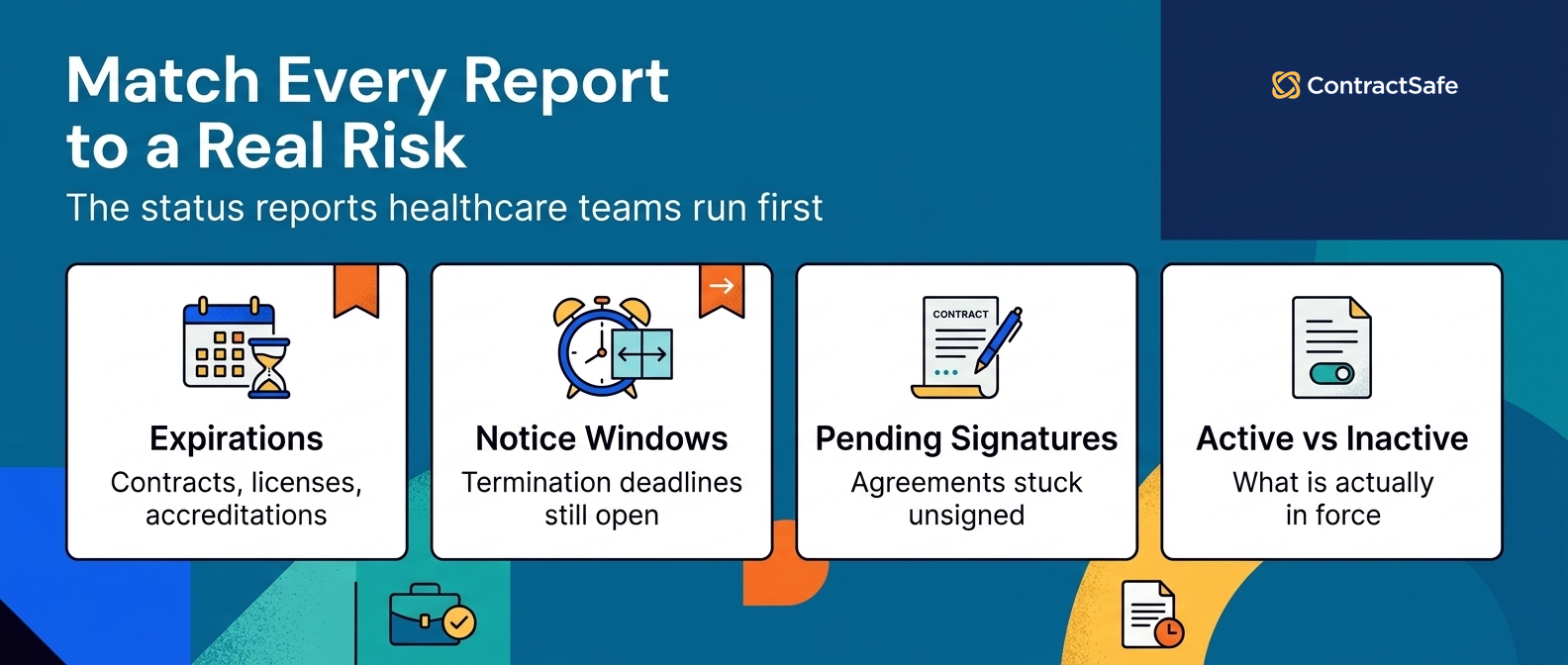
The Status Reports Healthcare Teams Run First
Healthcare contract status reports show where each agreement stands right now: what’s expiring, what needs notice, what’s waiting on a signature, and what’s currently active. They keep daily operations moving and stop small timing problems from turning into expensive ones.
Expiring contracts, licenses, and accreditations
Anything with an end date deserves a warning before it arrives. Contracts, professional licenses, facility accreditations, and vendor agreements all lapse quietly if nobody’s watching. A good expiring-items report shows what ends soon and further out, at the intervals you choose, so the right person has room to act.
That runway is what gives you the upper hand. With enough notice you can evaluate how the last term went, negotiate better rates, start termination paperwork, or kick off a renewal. Without it, you’re signing whatever’s in front of you because the clock ran out.
If you plan to switch vendors, early alerts also spare you the cost of paying two suppliers at once during an overlap. Set custom alerts in ContractSafe on the dates that matter and pick your own lead time, so the warning reaches the owner while there’s still room to negotiate.
Termination notice windows
Renewal dates get the attention, but notice dates are where teams actually get burned. Plenty of healthcare agreements auto-renew unless you give written notice a set number of days before the term ends. Miss that window by a day and you’re committed for another full term, whether the vendor still fits your needs or not.
A notice-window report is different from a renewals report. It surfaces the last day you can act, not the day the contract ends. For a multi-year service agreement, that day can fall well before the contract actually ends. Track the notice date as its own field, put an alert on it, and you turn a silent trap into a routine decision.
Pending signatures
You know the feeling: everything’s ready except the one signature that makes it real. A pending-signature report shows every agreement sitting in that limbo. In healthcare, a stalled contract can hold up a supply order, a locum tenens placement, or a software rollout that clinical teams are waiting on.
Tracking pending signatures lets you see each agreement waiting on a name, sort by how long it’s been stuck, and route it to the person who has to sign. When the same office turns up as the bottleneck again and again, you can move that approval earlier in the process or add a backup signer instead of chasing one name at a time. Over time, this report shows you exactly where your signing process slows down.
Active and inactive contracts
Active contracts deserve attention even when nothing’s on fire. A running view of what’s live, and how it splits across short, medium, and long terms, tells you a lot about your organization. It shows where spend is growing, which categories lean on month-to-month deals, and where responsibilities sit.
Inactive contracts matter for a quieter reason: recordkeeping. Picture a terminated staffing agency that resurfaces a year later disputing a final invoice. If the expired agreement and its rate history are gone, you settle blind. Think of closed agreements like old tax returns: you’re done with them until the day you’re not, and in healthcare that day tends to arrive as a billing dispute, a payer audit, or a malpractice claim tied to a vendor you stopped using.
To make this report earn its place, track each agreement’s status (active, expiring, month-to-month, or terminated), effective and end dates, contract value, department, and assigned owner. Filter on status to pull a live-contracts view for a budget review, then flip to a closed-contracts view when someone needs the paper trail. A cloud contract repository keeps both active and closed agreements in one place, so nothing gets lost when someone leaves or a drive gets wiped.
The Strategic Reports That Protect Margin and Compliance
Status reports keep the trains running. Strategic reports protect your money and your compliance posture. These are the reports your finance, compliance, and legal leads care about most, and the ones that tend to justify the whole system.
Payer and reimbursement terms
Payer contracts are where a lot of healthcare revenue is won or lost. Rates change, fee schedules update, and terms carry effective dates that don’t line up neatly with your calendar. A payer-terms report pulls the reimbursement rates, escalators, and renegotiation dates into one view so revenue cycle and finance can see what’s changing and when.
Government payers make the point plainly. Medicare contracts run on defined contract periods and requirements set out in federal regulation and CMS’s contracting manual, and commercial payer deals carry their own dates and escalators. Without a report that tracks them, you bill against outdated rates or let a renegotiation window slip by. Track each payer agreement’s key rate terms as structured fields, and you can answer “which contracts are we underpaid on” without reading a single PDF.
Business associate agreements
Any vendor that touches protected health information needs a signed, current business associate agreement, a requirement federal HIPAA regulations set out for covered entities. That includes billing companies, cloud providers, shredding services, and plenty of vendors people forget handle PHI at all.
Federal regulations even spell out the required contract provisions for these agreements, so there’s no guessing about what belongs in one. A BAA report answers a question that gets very uncomfortable during an audit: which of our vendors have a valid BAA on file, and which don’t?
Run this report against your full vendor list, not just the obvious ones. The gaps it surfaces, a vendor with no BAA, an agreement that predates a system change, a signature that never came back, are exactly the gaps a regulator or a breach investigation would find first.
Keeping each BAA linked to the parent vendor record in ContractSafe means the evidence sits in one place when someone asks for it, and AI-assisted extraction pulls the signature and effective dates off the document so a person only has to confirm them. For more on this, see our guide to healthcare contract compliance.
Insurance certificates
Certificates of insurance are the vendor’s promise that their risk stays their risk. When a certificate lapses and nobody catches it, that risk quietly moves onto your balance sheet. A COI report tracks each vendor’s coverage dates and flags anything expired or about to expire.
This is one of the highest-value reports a health system can run, because the downside is so lopsided. The report takes minutes. An uninsured incident can cost a fortune. Treat certificate expiration dates like any other tracked date: in ContractSafe, give each one a date field, a named owner, and an alert, so the warning reaches the person responsible before coverage lapses instead of after an incident.
Vendor obligations and work history
Contracts exist so you get the goods and services you paid for. A work-history report keeps a record of what each vendor actually delivered against what the agreement promised. For IT, security, supply, and clinical service vendors alike, that record is how you catch a gap between what you’re billed for and what showed up.
Keeping this history does a few things at once. It surfaces discrepancies between services rendered and paid for. It holds vendors accountable and builds trust on both sides. And it gives your team a clear operating record instead of a shrug when someone asks whether a vendor met its terms. Our guide to contract obligation management goes deeper on tracking duties over the life of an agreement.
Contract violations
Once you track work history well, flagging violations gets easy. Keep a running list of where vendors fell short: who the vendor is, what they provide, which section of the contract they missed, and any detail that protects you later.
A violations report earns its place by catching problems that ripple. It flags issues that affect other parts of the business, curbs repeat negligence, identifies vendors who miss the mark again and again, and gives you the paper trail to switch to someone more reliable. Over time it turns vendor performance from a gut feeling into a record you can act on.
Financial exposure
Every agreement has a dollar figure attached, and the sum of those figures is your exposure. A financial report totals contract value across the portfolio and slices it by vendor, department, and category. It answers the questions finance actually asks: how much are we committed to, where is spend concentrated, and what renews in this budget cycle?
The strategic version goes further. It tracks financial thresholds, spending against contract caps, and where a single vendor holds too much of your total spend. When you can see that one supplier carries an outsized share of a category, you can decide whether that concentration is a convenience or a risk. If you’re weighing what a reporting-capable system costs against that exposure, our breakdown of contract management software cost lays out the trade-offs.
Decision Check
Run each report idea through these five questions before it goes on your list:
Does this report map to a specific risk or decision? If not, skip it.
Who reads it, and what do they do because of it? Name both.
Is the data behind it clean and consistent? If fields are half-empty, fix that first.
How often does it need to run, and who gets it? Set a cadence and a recipient.
Would an alert do the job better than a report? For single dates, often yes.
If a report can’t clear all five, it isn’t ready, and running it anyway just adds noise.
Reports Worth Running Every Month
You don’t need a hundred reports. You need a handful that run on a schedule and land in the right inbox without anyone remembering to pull them. The point of a monthly rhythm is that risks get caught while there’s still time to act, not after the fact. Below is a starting cadence most healthcare teams can adopt and adjust.
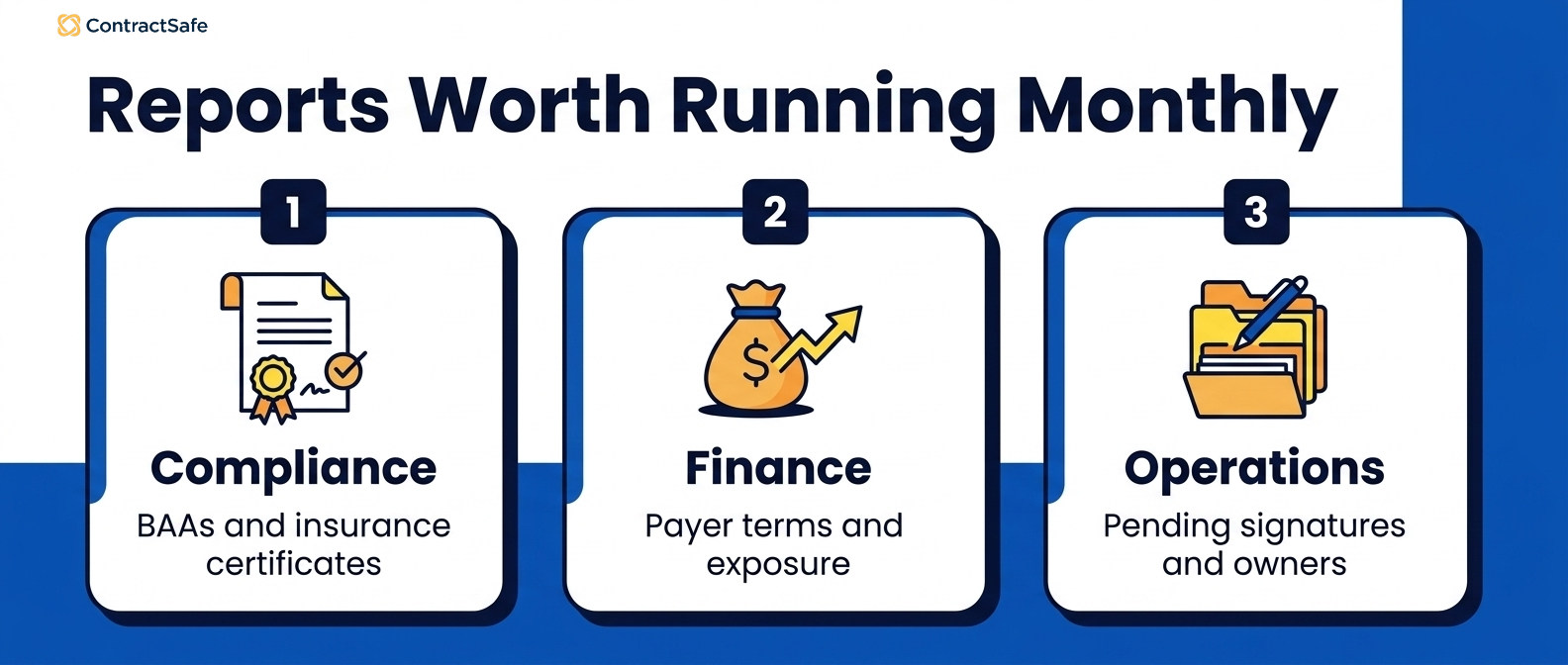
| Report | Suggested cadence | Who it goes to |
|---|---|---|
| Expiring contracts and licenses | Weekly | Contract owners, department heads |
| Termination notice windows | Weekly | Contract owners, legal |
| Pending signatures | Weekly | Contract owners, operations |
| Insurance certificates expiring | Monthly | Risk, procurement |
| BAAs missing or expiring | Monthly | Compliance, privacy |
| Payer term changes | Monthly | Revenue cycle, finance |
| Financial exposure by vendor and department | Monthly | Finance leadership |
| Vendor violations and obligations | Quarterly | Procurement, vendor managers |
Treat this as a template, not gospel. A large system with heavy vendor turnover might run certificate and BAA checks weekly. A smaller clinic might fold several of these into one monthly review. The cadence matters less than the habit: the same reports, on the same schedule, to the same people. When you schedule reports in ContractSafe to run and email themselves out, the work of remembering disappears. And because every plan includes unlimited users, the compliance lead, the finance analyst, and the department owner each get the same report without anyone rationing licenses.
Turn Reports Into a Plan
Turning reports into a plan means tying each one to a risk, giving it an owner and a set schedule, and keeping the data easy for people to pull on their own. Reporting is the part of contract lifecycle management that tells you whether the whole system is working.
Contract lifecycle management is a structured way to handle agreements from first draft through renewal. Revenue growth tops the list of goals for most healthcare organizations, with a better patient experience and technology investment close behind, as Deloitte found in its 2025 US health care outlook. Good reporting connects your contracts to those goals instead of leaving them in a filing cabinet.
A reporting plan pulls from several data sources at once: insurance data, financial data, departments, vendors, and compliance elements. But collecting data isn’t the finish line. The data has to be organized across departments and easy for people to pull without a training course. Custom fields, saved views, and filtering are what let someone answer their own question in a minute instead of emailing legal and waiting two days.
A few habits keep a reporting plan honest.
Name the trouble spots. Find the specific places where renewals stall or money leaks, and build a report aimed at each one. A report with no target is decoration.
Talk in outcomes, not features. When you ask different departments to use reports, explain the goal behind them. People adopt a report they understand and ignore one they don’t.
Give the reporting habit an owner. Someone has to own the schedule, the recipient list, and the “is this still useful” review. Reports without an owner slowly rot.
Plan for the day something breaks. A central data source makes it far easier to respond when a vendor fails, a system goes down, or an auditor shows up. Preparation beats scrambling.
Change management is the quiet part of all this. A simple, well-run reporting habit beats an ambitious one nobody keeps up, which is why it pays to start small. Start with the reports tied to your biggest risks, get them running on a schedule, and expand from there. If you want a broader view of what to measure, our guide to contract management KPIs is a good next stop.
Related Reading
How ContractSafe Helps Healthcare Teams Run These Reports
Every report in this guide depends on two things: clean data and dates you can trust. ContractSafe is built around both, which is why healthcare teams use it to run these reports without a data-science project first.
Start with the repository. ContractSafe centralizes every agreement, payer contracts, BAAs, vendor deals, and equipment leases, in one searchable place, with amendments, certificates, and supporting documents linked to the parent contract. That linking is what makes a BAA or COI report reliable, because the evidence sits with the agreement instead of scattered across drives and inboxes. AI-assisted extraction pulls key terms and dates, shows you where it found each one, and lets a person confirm or correct the field before anyone reports on it.
Dates are the other half. You can set an alert on any date in any contract, a renewal, a notice deadline, an insurance expiration, a payer rate change, and choose your own lead time so the warning arrives while there’s still room to act. Because every plan includes unlimited users, the compliance lead, the finance analyst, and the department owner can all see the same reports without anyone rationing licenses. You can save views, filter by vendor or department, and schedule reports to run and email themselves out on the cadence you set.
The result is the short list this whole guide is about: what’s renewing, whose coverage lapsed, which vendors need a BAA, where the money sits, and what’s stuck. Most teams are up and running in weeks, not months, with a customer success manager on every account. If you’d like to see it against your own contracts, book a demo or take a closer look at healthcare contract management.









.svg)







.svg)




