



Managed care contract management is the ongoing work of tracking and acting on the terms inside your payer agreements after both sides sign. It covers fee schedules, amendment notices, renewal windows, claim filing deadlines, reporting duties, and the dozen other obligations that decide whether you get paid the right amount at the right time.
Signing is not the finish line. It's the starting gun. A managed care agreement keeps making demands on your team long after it lands in a folder, and most of those demands come with a clock attached.
Picture this. A payer sends notice on a short notice window that it's updating the fee schedule on many billing codes. The notice goes to one person's inbox. That person is out of office. By the time someone opens it, the window to push back has closed, the new rates are live, and revenue cycle is posting payments nobody agreed to. Nothing was hidden. The term was right there in the contract. It just wasn't being tracked by anyone.
That's what this guide is about. Not the definition of a managed care contract, which you already know, but the practical work of keeping payer terms visible so they don't quietly cost you money. We'll walk through the terms healthcare teams should track, what breaks when those terms are buried in PDFs and spreadsheets, what a software demo has to actually prove using one of your real agreements, and where a person still needs to check the machine's work.
Key Takeaways
- Managed care contract management is post-signature work. The value is in tracking fee schedules, amendments, notice windows, and deadlines, not in filing the signed document and forgetting it.
- The terms most likely to cost you money are the ones with a clock: claim filing deadlines, payment timelines, amendment notice periods, and renewal windows.
- Payers can often change terms through unilateral amendments inside a set notice period. Miss the notice, and the change becomes your new reality.
- Spreadsheets and shared drives fail quietly. They don't remind anyone, they go stale, and the person who built the tracker eventually leaves.
- Run a software demo against one of your own payer agreements, not a clean sample. Make it find a clause, extract a date, and send a reminder before you're impressed.
- Software is a tool, not a compliance certificate. Ask vendors for proof on security and data handling instead of taking marketing words at face value.
Choose Your Next Step
Pick the path that matches where you are right now:
A specific term already burned you. If a fee schedule change or a renewal slipped past your team, jump to How to Track Fee Schedules, Amendments, and Notice Windows and lock down the three moving terms first.
You're ready to test software. Jump to the Demo Test and bring one of your own contracts, ideally a scanned one with a fee schedule and an amendment attached.
You're still building the internal case. Start with The Payer Agreement Terms Healthcare Teams Should Track, take that list to your next revenue cycle or contracting meeting, and ask where you track each term today and who would notice if it changed.
If you just want the two features that do the most work here, they're the contract repository and renewal and date reminders.
What Is Managed Care Contract Management?
A managed care contract is a binding agreement between a healthcare payer and a provider that sets two things: what the provider gets paid, and what the provider has to do to earn it. Covered services, provider responsibilities, network participation, payment models, utilization rules, and termination terms all live inside it.
Managed care contract management is what happens next. It's the set of habits and tools that keep those terms findable and enforced across the life of the agreement. Done well, it means anyone in revenue cycle, legal, finance, or operations can answer a question like "what's our filing deadline with this payer" or "when does this agreement auto-renew" in under a minute, with the source document to back it up.
Plenty of teams touch these agreements. Contracting and payer relations negotiate them. Revenue cycle lives inside the fee schedules and filing deadlines. Legal reviews amendments and termination language. Finance forecasts against the reimbursement terms. Operations owns credentialing and network requirements. When all of those people are reading from the same set of tracked terms, the contract works for you. When each department keeps its own copy in its own spreadsheet, the contract works against you.
A lot of this sits inside a regulated framework, especially on the government side. Medicaid managed care programs, for example, are authorized through different federal mechanisms, and the rules vary by program authority and the specific managed care arrangement.
MACPAC lays out how states run these programs through state plan amendments, Section 1915(b) waivers, or Section 1115 demonstration waivers, each with its own approval and renewal timelines. Federal rules keep shifting on top of that: CMS's managed care final rule reset standards on access, finance, and quality that flow down into how these agreements are written and reported on.
You don't need to memorize any of it. The point is that a managed care agreement rarely stands alone. It sits on top of program rules, reporting requirements, and approval cycles that shape what your contract can and can't say, which is one more reason the terms deserve real tracking.
The plan types shape the work, too. HMO, PPO, POS, EPO, consumer-directed plans, and Medicare Advantage each come with their own referral rules, network boundaries, and reporting obligations. A single health system can hold dozens of these agreements at once, each with slightly different filing deadlines and quality metrics. That variety is exactly why memory and email don't cut it.
Why Managed Care Contracts Break After Signature
Most managed care contracts don't fail because someone negotiated a bad deal. They fail because the good deal stopped being tracked. Here's how that happens in real life.
The terms get buried. A signed agreement is a long PDF, often scanned, with attached fee schedules and appendices. The filing deadline is buried deep in the agreement. The amendment notice period is in a definitions section. The auto-renewal clause is three lines in the termination article. Nobody reads a scanned PDF looking for those. So they sit there, unenforced, until they bite.
The tracking lives in one person's head. Someone on the team knows the Aetna filing window and the way a particular payer handles disputes. Then that person changes roles or leaves, and the knowledge walks out with them. The contract didn't change. Your ability to manage it did.
Amendments arrive quietly. Many managed care agreements let the payer change terms through a unilateral amendment, as long as they give notice inside an agreed window. That notice shows up as an ordinary email or a letter. If it's not routed to someone who reads the contract and knows the clock is running, the silence gets read as agreement. The rate change or policy change goes live, and you find out when the remittances look wrong.
Fee schedules drift. For example, a payer updates its rates and sends the revised schedule as a fresh attachment. If nobody files it against the right contract, revenue cycle keeps billing last year's numbers, leaving money on the table on some codes and triggering denials on others.
The deadlines are unforgiving. Claim filing windows and appeal deadlines don't care why you were late. Miss the filing window and the claim is simply denied, often with no recourse. These are some of the most expensive terms in the whole agreement, and they're the easiest to miss when tracking lives in a spreadsheet nobody updated.
Spreadsheets go stale. A contract tracker in a shared workbook feels fine on day one. Six months later it has three versions, two owners, and a column everyone stopped filling in. It doesn't remind anyone of anything. It just records what someone remembered to type.
None of these are exotic problems. They're the ordinary result of treating a signed contract as a finished task instead of an active obligation. A fast way to pressure-test your own setup: for each managed care agreement, can your team answer these today?
Where do the signed contract, current fee schedule, and every amendment live, and can you search inside them?
Who reads incoming payer notices, and would they recognize an amendment clock the day it lands?
When a new fee schedule arrives, who files it against the right contract and marks the old one superseded?
Whose departure would take contract knowledge out the door with them?
If any answer is "not sure," that's a term already drifting. Assign each one an owner before it costs you a payment.
The Payer Agreement Terms Healthcare Teams Should Track
Here's the working list. For each term, capture the specific detail, not just that the term exists. "There's a filing deadline" is useless. "Claims must be filed within the contract's filing window, measured from date of service" is trackable.
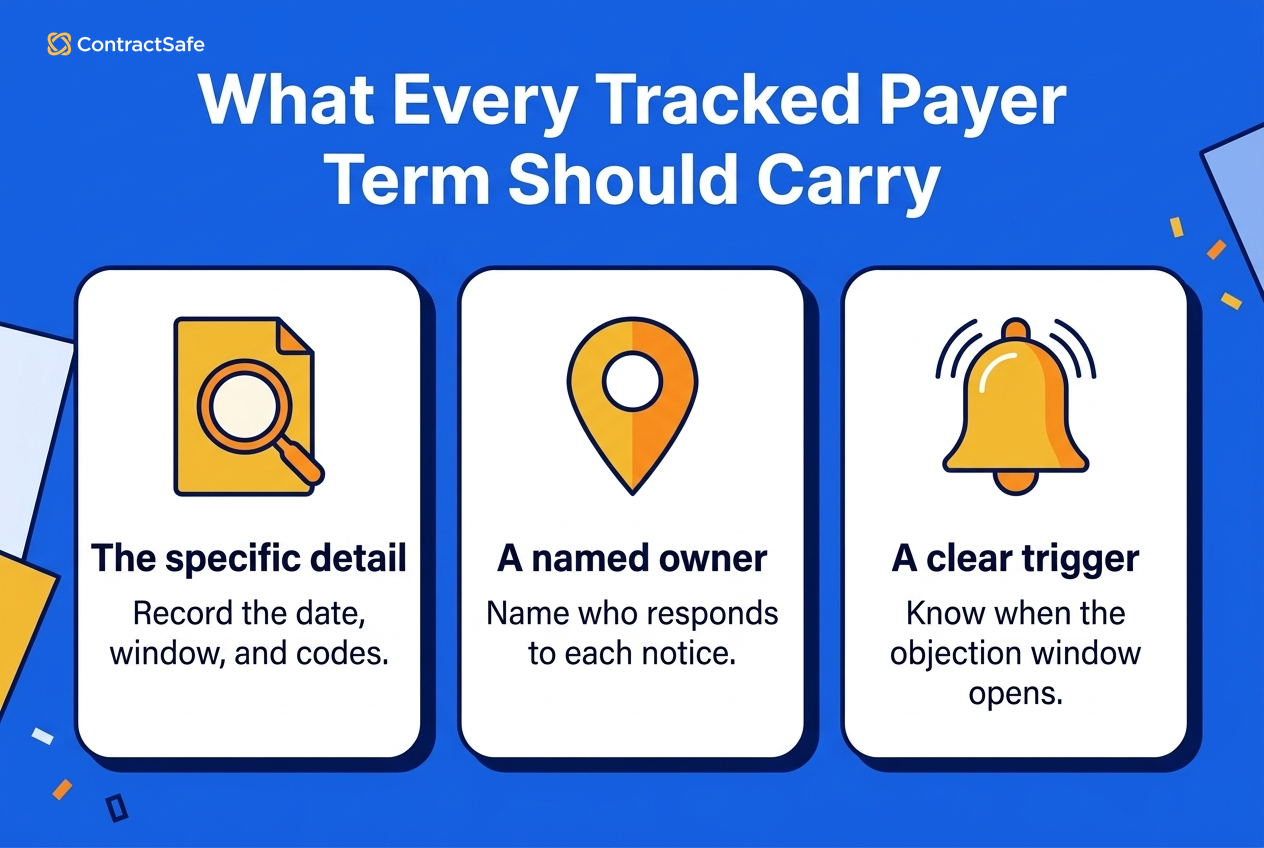
For example, instead of a tracker row that just says "auto-renews," record the renewal date, whether it renews automatically, when the opt-out window opens, and the name of the person who owns that decision. Instead of "has a fee schedule," record the effective date of the current rate table, which codes it covers, and where the file lives. Instead of "unilateral amendments allowed," record the notice you received, the date it arrived, the objection window, and who is responsible for responding. A term you can act on always carries a detail, an owner, and a trigger.
Money terms
| Payer term | What to record | What goes wrong if you miss it |
|---|---|---|
| Fee schedule and rates | The current rate table, effective date, and which codes it covers | Billing against outdated rates, underpayment, denials, revenue leakage |
| Payment and reimbursement timelines | How long the payer has to pay a clean claim | Cash flow gaps, and no basis to escalate slow payment |
Deadlines and changes
| Payer term | What to record | What goes wrong if you miss it |
|---|---|---|
| Amendments (including unilateral) | The change, the notice date, the objection window, and the effective date | A payer-driven change becomes binding because nobody responded in time |
| Notice periods | How much notice each side owes for changes or termination | You lose the right to object or exit because the clock ran out |
| Claim filing deadlines | The filing window per payer, measured from date of service | Automatic claim denials with little or no appeal |
Renewal and exit
| Payer term | What to record | What goes wrong if you miss it |
|---|---|---|
| Renewal and evergreen terms | Renewal date, whether it auto-renews, and the window to opt out | You're locked into another term you meant to renegotiate |
| Termination provisions | Triggers, notice, wind-down obligations, and any penalties | A messy, expensive exit, or a continuity gap for patients |
| Ownership and assignment changes | Rights when a payer merges, sells, or assigns the contract | Terms shifting under a new owner while you assume nothing changed |
Ongoing obligations
| Payer term | What to record | What goes wrong if you miss it |
|---|---|---|
| Reporting obligations | What you owe the payer, in what format, and on what schedule | Breach of contract exposure and strained payer relationships |
| Quality and performance metrics | Targets, measurement periods, and any pay-for-performance triggers | Missed bonuses or penalties you never saw coming |
| Delegation and subcontracting | What functions you can delegate and the oversight required | Compliance gaps when delegated work isn't tracked |
Network and disputes
| Payer term | What to record | What goes wrong if you miss it |
|---|---|---|
| Network and credentialing terms | Participation requirements, credentialing timelines, roster duties | Providers billing out of network, or dropped from a panel |
| Grievance and appeal process | The defined path and deadlines for disputes | Losing a dispute on process rather than merits |
The pattern across all of these is the same. The costly terms have a date, an owner, and a trigger. If your current system can't tell you all three for any given contract, that's the gap to close.
How to Track Fee Schedules, Amendments, and Notice Windows
The three terms that generate the most surprise are fee schedules, amendments, and notice windows, because all three move after signature. Here's a practical way to keep them under control without inventing a new full-time job.
Start with one findable home for every agreement and its attachments. The signed contract, the current fee schedule, every amendment, and the credentialing paperwork should live together, not scattered across email threads and desktops. When those documents are scanned, they need to be searchable, so that a term buried deep in the agreement is something you can find by typing, not by scrolling. A central repository with search across documents does this job. If you can't search inside your contracts today, that's the first thing to fix.
For fee schedules, treat the rate table as a living record, not a buried appendix. When a new schedule arrives, file it against the right contract, note the effective date, and flag the old one as superseded. The goal is that anyone in revenue cycle can pull up the rates that apply today and see when they took effect, without asking around.
For amendments, the whole game is the notice window. When a payer sends a change, you want it logged the day it arrives, with the objection deadline recorded as a date someone is responsible for. This is exactly where automated reminders earn their keep. A reminder set on the objection deadline means the clock isn't sitting in one inbox hoping to be noticed.
For notice windows and renewals, work backward. If an agreement needs advance notice to renegotiate before it auto-renews, the reminder shouldn't fire on the renewal date. It should fire well before the notice window opens, so you have time to actually decide and act. Set the reminder to reach more than one person. The point of tracking is that no single vacation or job change can drop the ball.
If you want to go deeper on how a full contract lifecycle fits together in a healthcare setting, the healthcare CLM overview is a good companion read, and the contract workflow guide covers how to route these steps across a team.
Demo Test: Can the System Follow a Real Payer Agreement?
Vendor demos are designed to look good. Clean sample contracts, tidy dates, a search that always finds the thing. The way to cut through that is simple. Bring one of your own payer agreements, ideally a scanned one with a fee schedule attached and at least one amendment, and make the software do real work on it in front of you.
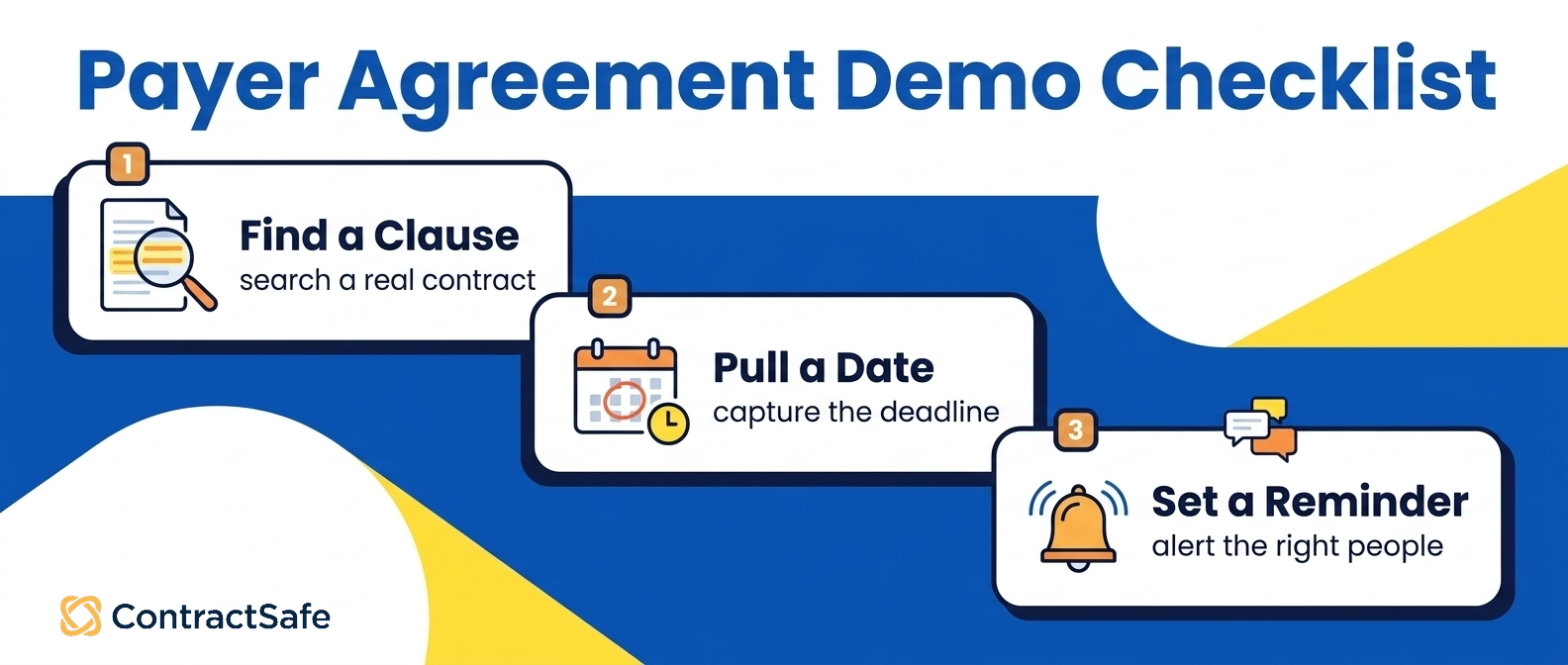
Here's a checklist you can run during the demo itself.
Documents and search
| Task to run in the demo | What a pass looks like |
|---|---|
| Upload a scanned agreement | It uploads without hand-formatting, and scanned text becomes searchable |
| Search for a buried clause | You type a term like "timely filing" and it lands on the clause, page and all |
| Find the fee schedule | The current rate attachment is tied to the right contract and easy to open |
| Locate the amendment | The amendment sits with the original agreement, not in a separate silo |
Dates, access, and audit
| Task to run in the demo | What a pass looks like |
|---|---|
| Pull a key date | You can capture the filing deadline or renewal date as a real field |
| Set a reminder | You schedule an alert for the renewal or notice window and pick who gets it |
| Restrict access | You can control who sees a given contract or folder |
| Show the audit question | Ask how it records who viewed or changed a contract, and get a straight answer you can verify |
Two rules for the demo. First, if the salesperson wants to use their sample contract instead of yours, that's your answer about how it handles messy real documents. Push back and use yours. Second, watch how many manual steps each task takes. A system that technically can do something, but only after ten clicks and a manual retype, will not get used once the demo is over.
Save the reminders test for last and make it concrete. Set an alert on a renewal date that's a few days out, if the demo allows it, and confirm you actually get the notification. The single most valuable thing this software does for managed care work is tell you about a date before it hurts you. Prove that it does.
Managed Care Contract Management vs. a Shared Drive: An Honest Comparison
Plenty of teams run their managed care contracts on a shared drive plus a spreadsheet, and it works right up until it doesn't. Set the two approaches side by side on the jobs that actually decide whether a term gets caught.
Finding and versioning
| Job to be done | Shared drive and spreadsheet | Purpose-built contract management |
|---|---|---|
| Finding a clause in a scanned PDF | Manual scrolling, or it's not searchable at all | Search across documents, including scanned text made searchable by OCR |
| Knowing a renewal is coming | Only if someone remembers to check the sheet | Automated reminders that reach the right people ahead of time |
| Keeping one current version | Multiple copies, unclear which is latest | One record per contract with its amendments attached |
Access, turnover, and reporting
| Job to be done | Shared drive and spreadsheet | Purpose-built contract management |
|---|---|---|
| Controlling who sees what | Folder permissions at best, easy to over-share | Access controlled per contract or folder |
| Surviving turnover | Knowledge leaves with the person | Terms and dates live in the system, not in someone's head |
| Reporting on your book of contracts | Whatever someone hand-maintains | Pull views across contracts by date, payer, or status |
Scenario: a payer emails an updated fee schedule while the person who owns the tracker is on vacation. On a shared drive, that attachment sits unread in an inbox, the spreadsheet still shows the old rates, and revenue cycle keeps billing the old numbers until the remittances look wrong. In a purpose-built system, the new schedule gets filed against the contract, the old one is flagged superseded, and a reminder on the effective date reaches more than one person. Same email, two very different outcomes.
That's the difference in one line: a shared drive is a filing cabinet. It stores things. It doesn't watch dates, it doesn't remind anyone, and it doesn't stop three people from keeping three versions. For a handful of low-stakes agreements, that's fine. For a stack of managed care contracts where a missed filing window turns into denied claims, the filing cabinet is a liability dressed up as a system.
If reporting across your contracts is part of the goal, the contract reporting guide is worth a look for how teams pull views across a whole portfolio instead of one document at a time.
Where AI Helps and Where a Human Still Has to Check
AI is genuinely useful for the grunt work of managed care contracts, and genuinely dangerous if you trust it blindly. Keep both facts in mind.
Where it helps: pointing you to the right clause faster, pulling likely key dates and terms out of a long agreement so you're not typing them by hand, and answering plain-language questions about what a contract seems to say. On a stack of scanned payer agreements, that turns hours of reading into minutes of review. ContractSafe AI can help with smarter search and extracting contract data, which takes a lot of the tedium out of the first pass.
Where a human still has to check: anything that drives a decision or a dollar. If the AI says the filing deadline is a certain number of days, a person opens the contract and confirms it against the actual language before that number goes into your billing rules. If it extracts a renewal date, someone verifies it against the source before a reminder gets set on it. AI output is a draft, not a ruling. Any extracted term or summary should be reviewed by a person against the source contract, every time it matters.
The healthy way to think about it: let AI do the finding and the first-draft extracting, and let a human do the confirming. That combination is fast and safe. Skipping the confirmation step is how a confident-sounding wrong date ends up costing you a stack of denied claims.
What to Ask Before You Choose Managed Care Contract Management Software
This is the part where you protect yourself. A lot of software gets sold on words that sound like guarantees but aren't. Turn those words into proof questions and make the vendor answer.
Ask about security and data handling directly. Healthcare contracts and their attachments can touch sensitive information, so ask the vendor to show you their security documentation, how data is stored and protected, and whether they'll sign a business associate agreement if your use requires one. Don't accept "we're compliant" as an answer. Ask what standards they meet and ask to see the evidence.
Ask how the system records access and changes. If tracking who viewed or edited a contract matters to you, ask the vendor to demonstrate exactly what gets recorded and how you'd retrieve it. Treat this as something to verify in the demo, not something to assume from a feature list.
Ask about the pieces that are easy to assume and easy to get wrong. If you're expecting things like data import from your current system, exports, single sign-on, custom fields, reporting views, or help getting set up, ask specifically whether each one is included, how it works, and what it costs. Get the answers tied to your plan, in writing, before you sign. If a capability matters to your team, make the vendor prove it rather than inferring it from the website.
Ask what it costs at your size. Pricing should be clear before you commit, and it should reflect the plan and the number of people who'll actually use it. Have the pricing conversation early so there are no surprises later.
If your legal team is going to be a heavy user, it's worth checking the legal team fit too, since legal and revenue cycle often want different things from the same system.
Related Reading
Healthcare contract management software for the broader picture of managing healthcare agreements in one place.
Healthcare contract lifecycle management for how the full lifecycle fits together.
Healthcare contract compliance for how compliance obligations show up in these agreements.
Contract management reports for pulling views across your whole book of contracts.
Contract workflow automation for routing contract steps across a team.
Contract repository and search and renewal and date reminders for the two features that do the most work on managed care terms.
How ContractSafe Helps Healthcare Teams Track Managed Care Contracts
Here's where ContractSafe fits, described only in terms of what it actually does.
ContractSafe gives your team a central repository where contracts are easy to find, so your managed care agreements, fee schedules, and amendments live in one place instead of scattered across drives and inboxes. When those documents are scanned, OCR can make them searchable, so a filing deadline buried deep in the agreement becomes something you find by typing rather than scrolling. You can search across documents for keywords, terms, and clauses, which is exactly the job when you need to answer "what does this payer say about timely filing" across a stack of agreements.
For the dates that hurt when you miss them, ContractSafe has customizable email reminders for renewals, expirations, payment dates, and other key dates. Set a reminder on an amendment objection window or a renewal notice period, point it at the right people, and the clock stops depending on one person's memory. And when you're first getting terms out of a long agreement, ContractSafe AI can help with smarter search and extracting contract data, with the understanding that any AI output should be reviewed by a person against the source contract before it drives a billing rule or a deadline.
On cost, ContractSafe pricing starts at $450/month for the Organize plan when billed annually, with options for different business sizes, so you can match the plan to your team.
The best way to judge any of this is to test it against your own work. Bring a real payer agreement, run the demo test from earlier in this guide, and see how it handles a real managed care contract.







.svg)







.svg)




