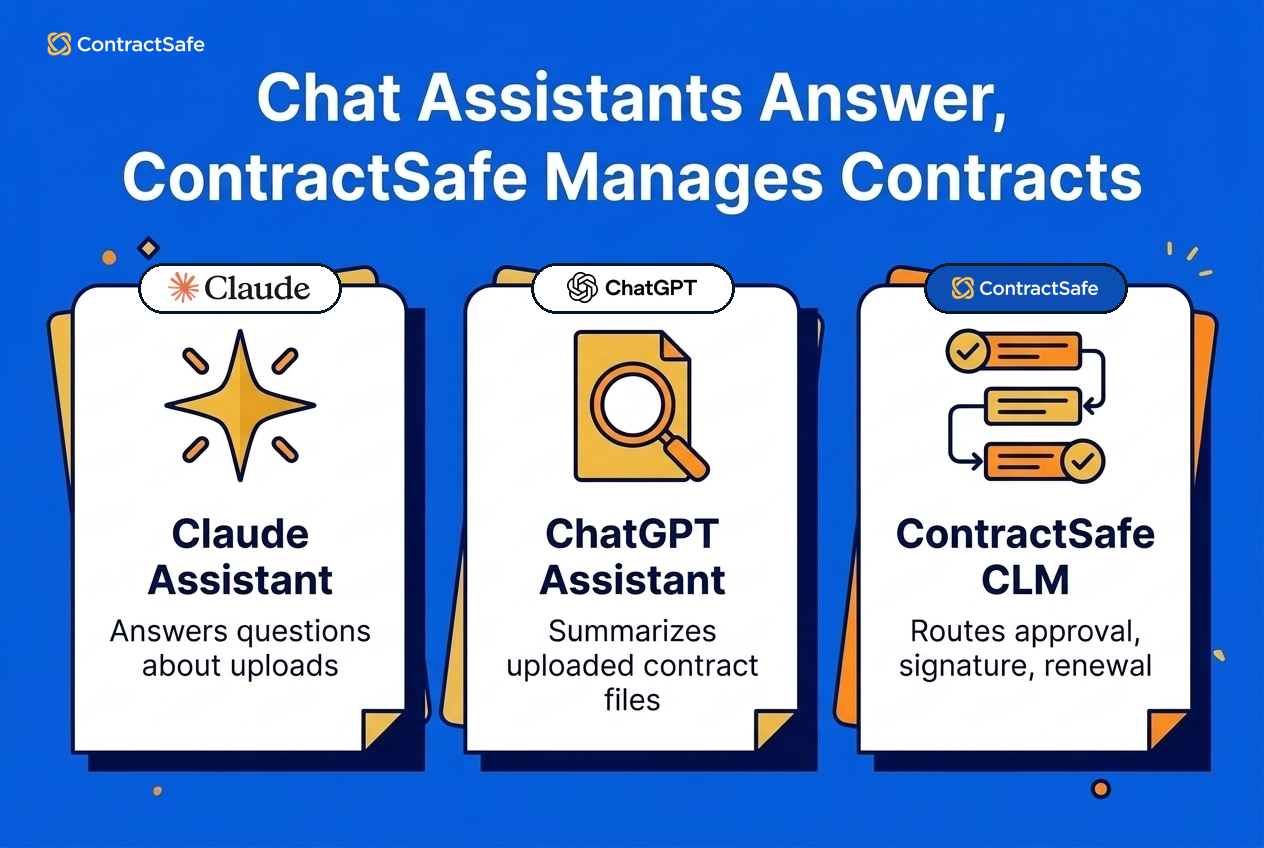
Quick answer: No. Claude and ChatGPT can read a contract you upload and answer questions about it, but they can’t manage your contracts. Managing contracts means getting each one requested, reviewed, approved, signed and renewed by the right people, in order, every time. That takes a contract lifecycle management (CLM) system that covers the full lifecycle. ContractSafe is one, and it has AI built into it.
Smarter AI won’t change that. A chat assistant works for the person typing, on the document in front of it, and what it hands back is text. A contract is something your whole company does. A sales rep asks for it, legal or finance reviews it, a manager approves it, two parties sign it, and someone has to act before it renews. Text doesn’t carry itself from one of those people to the next. A CLM does.
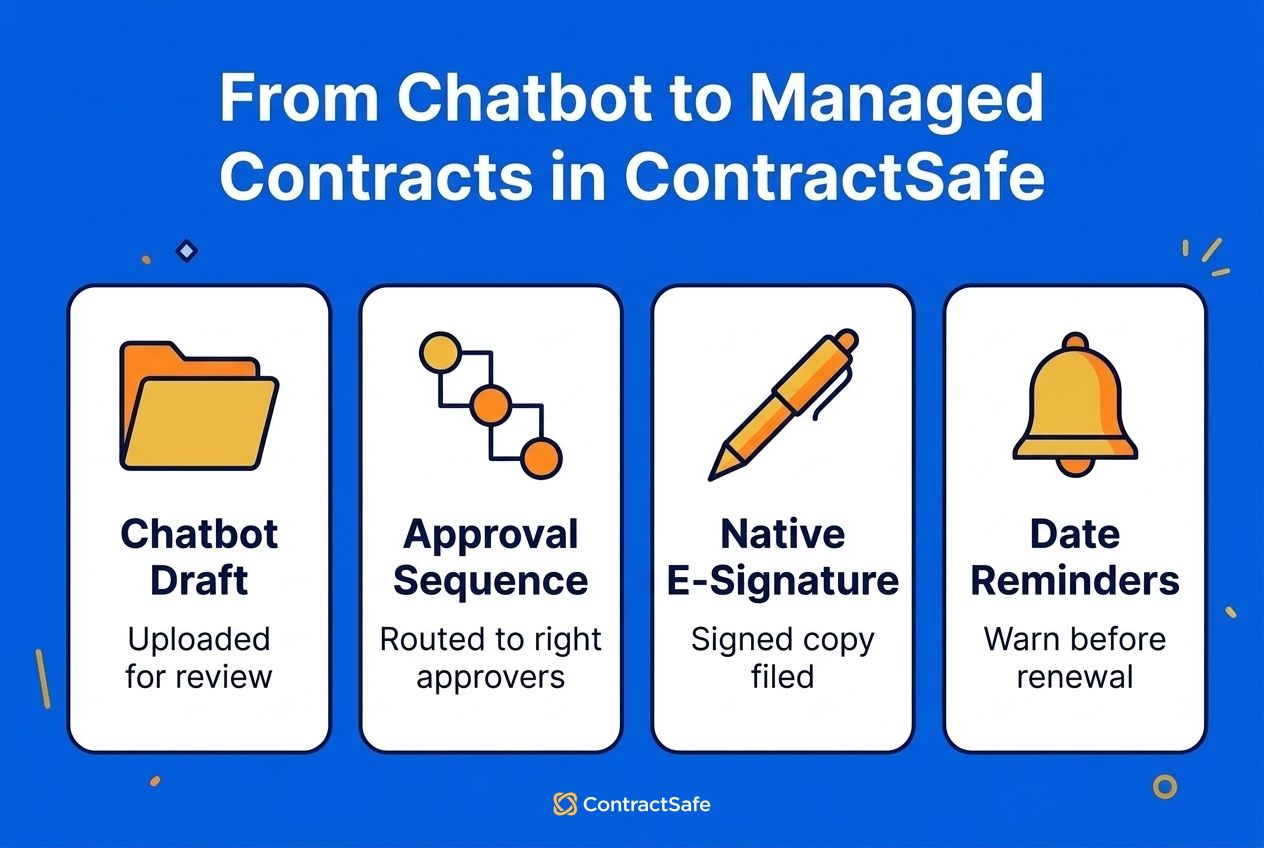
Take a new vendor NDA. Ask ChatGPT to rewrite last year’s NDA for the new vendor and you’ll have a draft in a minute. Then the draft sits in a chat window. Who sends it to the manager who has to approve it? Who gets the vendor’s signature, and who warns finance before it renews? You do. In ContractSafe, that NDA starts from a request form and an approved template, AI checks it against your playbook, it goes to its approver, gets signed and has its renewal watched, all in one system. (The full sequence is on ContractSafe’s Maximize plan.)
Choose your next step:
For contract owners who want AI inside the system that runs their contracts: ContractSafe’s AI contract management features
For teams weighing autonomous AI agents: the agentic AI vs CLM guide
Key Takeaways
- Claude and ChatGPT can’t manage contracts. They help whoever is typing, one conversation at a time, and a contract takes several people and several steps.
- A chat assistant hands back text. On its own it doesn’t send the contract to its approver, collect the signature or tell finance the renewal is coming.
- A full-lifecycle CLM is where each step happens, so each step feeds the next. The contract that was approved is the one that gets signed, and the one that was signed is the one that gets tracked.
- ContractSafe is a full-lifecycle CLM where one person who owns contracts can have everyone else request, approve, sign and track them, with unlimited users on every plan. With approval sequences on the Finalize and Maximize plans, the median one-approver contract is approved in 17 hours.
- ContractSafe has its own AI at the steps where AI helps: it reviews contracts against your playbook on the Maximize plan, pulls key dates and terms for a person to confirm, and answers questions in chat.
Where Claude and ChatGPT Fall Short With Contract Work
Claude and ChatGPT fall short at the handoff. They’re good at the part of contract work one person does alone with one document, and a contract spends most of its life moving between people.
OpenAI’s file upload guide lists summarizing a document and comparing two documents among the things ChatGPT does with an uploaded file, and Claude takes the same kinds of files. Both now have shared projects, scheduled tasks and memory on some plans. All of that helps a person get an answer.
Now look at what happens after the answer. The draft has to reach an approver. The approved version has to reach the other party. The signed version has to be the one everybody works from, and its renewal date has to reach someone who can act on it. Each of those is a handoff from one person to the next, and a handoff is where a chat assistant leaves you on your own.
Why Claude and ChatGPT Can’t Manage Your Contracts
Claude and ChatGPT can’t manage your contracts because a chat assistant helps the one person who’s typing, and a contract gets done by several people in a set order. Three differences follow from that, and none of them is fixed by a smarter model.
A chat assistant responds, and a CLM moves the work. On its own, an assistant doesn’t send a contract to the next person or nudge an approver who’s sitting on it. ContractSafe routes the contract and sends the reminder emails on the Finalize and Maximize plans.
A chat assistant advises, and a CLM carries your rules. An assistant can tell you a clause looks unusual. On its own, it doesn’t make a sales rep start from your approved template or put a contract in front of the right approver. In ContractSafe, the template, the playbook and the approval sequence are part of how a contract gets made, with templates and the playbook on the Maximize plan and approval sequences on the Finalize and Maximize plans.
A chat assistant finishes a task, and a CLM finishes the contract. On its own, an assistant’s job ends when it answers. In ContractSafe, the approved draft is signed in the same system on the Finalize and Maximize plans, and the signed contract is where its renewal reminders are set, with no one carrying it between tools.
That third point is why the full lifecycle matters. ContractSafe isn’t where you put contracts once the work is done. It’s where the work gets done, so no step depends on someone carrying the contract to the next tool. That matters because a contract nobody approved and a renewal nobody saw coming are how contracts cost companies money.
Our guide to agentic AI vs CLM makes the same point about AI agents. The model is the engine, and it needs a harness around it: who can request a contract, who approves it, who signs it and who’s told before it renews. ContractSafe gives you both in one product.
| Stage | What has to happen | With a chat assistant | In ContractSafe |
|---|---|---|---|
| Request | Someone asks for a contract and gives the details | The request arrives by email or chat, in whatever form the requester chose | A custom intake form on the Maximize plan collects the same details every time |
| Draft and review | The contract starts from approved wording, and changes get checked | It rewrites or summarizes the file you give it | Templates and AI Contract Review against your playbook on the Maximize plan |
| Approve | The right people sign off, in order | You forward the draft and chase replies | Approval sequences on the Finalize and Maximize plans route it and send reminders |
| Sign | Both parties sign the approved version | You move the file to a separate signing tool | Native e-signature on the Finalize and Maximize plans, so the contract is signed in the system that approved it |
| Track | The people who have to act on the contract get its dates and terms | It answers about the files and sources in the project | AI pulls key dates and terms, a person confirms them, and access follows roles |
| Renew | Someone decides to renew, renegotiate or cancel in time | A scheduled task in one person’s account | Reminders belong to the contract and go to every recipient |
Here’s each stage in turn.
1. Request
A contract starts when someone needs one, and that person usually isn’t a lawyer. For example, a sales rep needs an NDA before a call on Thursday. With a chat assistant, the rep either writes the NDA alone or emails whoever owns contracts, and the details arrive in whatever form the rep thought of.
With a chat assistant: the request lives in email, and the contract owner re-asks for what’s missing.
In ContractSafe: on the Maximize plan, the rep fills in a custom intake form and the contract starts from an approved template.
Because ContractSafe has unlimited users on every plan, the rep doesn’t need a seat bought for them first. The request is already where the review happens.
2. Draft and Review
This is the stage where a chat assistant is most useful, and it still works alone. OpenAI’s help pages describe summarizing, comparing and rewriting documents. For example, you can paste in a vendor’s paper and ask what’s unusual about the indemnity clause. What comes back is a general reading, since the assistant doesn’t hold your company’s positions unless someone has loaded them into the project.
Accuracy needs a check, too. In ContractEval, a 2025 benchmark of 19 language models on 41 kinds of contract clause, the top score was 0.644 on a 0-to-1 correctness measure (F1), and the authors wrote that the best models still require oversight from senior professionals.
With a chat assistant: each person gets their own reading, checked against whatever was loaded into their chat or project.
In ContractSafe: on the Maximize plan, AI Contract Review checks the contract against your playbook, links to the clauses that need a look and suggests wording. A person decides what changes.
Edits happen in the same place, so the version that was reviewed is the one that goes for approval.
3. Approve
Approval is a handoff, and it’s the first place a chat stops cold. We read both vendors’ help pages on files, projects, scheduled tasks and memory, and routing a contract for approval or collecting a signature isn’t in them. So the draft leaves the chat as an email attachment, and someone chases the reply.
With a chat assistant: approval happens in email, and nothing shows whether the version approved is the version sent out.
In ContractSafe: approval sequences on the Finalize and Maximize plans send the contract to each approver in order.
For example, an NDA might need only the sales manager, while a vendor agreement goes to finance and then legal. A contract with one approver is approved in a median of 17 hours in ContractSafe, and, on the Finalize and Maximize plans, pending approvers get an email reminder every three days, so nobody has to chase them.
4. Sign
A contract isn’t a contract until both parties sign it. A chat assistant hands you a document. Getting it to the other party and collecting signatures are separate jobs in separate tools.
With a chat assistant: you export the file, upload it to a signing tool and save the signed PDF somewhere afterward.
In ContractSafe: native e-signature is included on the Finalize and Maximize plans with unlimited signatures, and the signed copy replaces the draft.
What a shared drive and a chatbot can’t give you is one unbroken path. For example, the draft your approvers cleared on Tuesday goes out for signature on Wednesday from the same system, so nobody re-attaches a file.
5. Track
Once a contract is signed, people across the company have to act on it: pay on its terms, meet its deadlines and decide on its renewal. This is where teams try a chat project, and it comes up short in three ways:
It only knows what someone added. A contract signed over email last week isn’t in the project until somebody puts it there.
Everyone on the project sees every file. OpenAI’s projects page says all members of a ChatGPT project can view and download the files added to it. An employment agreement and a vendor MSA need different audiences.
Each question gets a new reading. Researchers at Thinking Machines Lab note that if you ask ChatGPT the same question multiple times, you get different results.
In ContractSafe, tracking starts the moment the contract is signed on the Finalize and Maximize plans, with no upload step, and contracts you signed elsewhere are migrated in for you on every plan. AI reads each one and suggests the key dates and other terms, up to 29 fields, as the AI features page describes. A person accepts, corrects or skips each value, and the accepted dates are what trigger the reminders and fill the reports people act on.
Roles and sharing settings are set by folder, tag, user and group, and AI search returns only the contracts that user is allowed to see. For example, a department head can ask a question in chat-based Q&A and get an answer from the contracts they’re cleared for.
6. Renew
Renewal is the step that costs money when it’s missed, and it comes months or years after anyone last opened the contract. In ChatGPT, a scheduled task lives in one person’s account. OpenAI’s scheduled tasks page says a task created in a ChatGPT project can’t read that project’s files, and that sharing a task gives the other person a separate copy in their own account.
As the associate general counsel at a national insurance carrier put it in a ContractSafe case study: “We needed a system to get ahead of surprise price escalations and auto-renewals buried in contracts nobody was watching.”
With a chat assistant: the warning depends on one person setting up a task and still being in that role when it fires.
In ContractSafe: the reminder belongs to the contract and its list of recipients, who don’t have to be ContractSafe users. Turn on Autorenew and the dates roll forward each cycle.
With ContractSafe’s contract tracking, 86% of paying accounts have date reminders set. And when the decision is to renegotiate, the new contract starts back at the request stage in the same system.
What About Claude or ChatGPT Plus a Shared Drive?
Connecting an assistant to a shared drive gives it more files to read. It still doesn’t manage a contract, because nothing about the request, the approval or the signature happened there. A drive holds drafts, duplicates and signed copies side by side, and nothing in the folder tells the assistant which is which.
The work around the contract hasn’t moved, either. Approvals still happen in email. Signatures still get chased by hand. The renewal date still lives in one person’s calendar or a spreadsheet. Shared drives and spreadsheets are what many ContractSafe customers were using when renewals started slipping, and a chatbot on top doesn’t change who’s doing the chasing.
The same goes for using a CLM as a filing cabinet and doing the thinking in a chatbot. You’d be pulling contracts out of the system that routes, approves and signs them, to ask a tool that does none of that on its own. ContractSafe’s AI works inside those steps.
ContractSafe Already Has the AI You Wanted From a Chatbot
You don’t have to choose between AI and a system that manages contracts. ContractSafe’s AI starts before signature and keeps working after it, and a person confirms what it finds:
At review: AI Contract Review. On the Maximize plan, AI checks incoming contracts against your playbook, links to the relevant clauses and suggests wording before anyone approves it.
At signing and upload: key dates and terms. AI reads each contract and pulls renewals, terminations, notice periods, expirations and other terms, on every plan.
Any time after: chat-based Q&A. Ask anything about a contract and get an answer right away, on every plan.
Across all your contracts: permission-aware AI search. Results include only the contracts that user is allowed to see.
Your data stays yours. ContractSafe doesn’t use customer data to train AI models.
The difference is what happens to the AI’s work. In a chat, the answer goes to one person and stops. In ContractSafe, the reviewed contract goes on to its approvers on the Maximize plan, and the confirmed dates feed the reminders and reports.
Common Mistakes When Teams Manage Contracts in a Chatbot
Most problems come from treating a good answer as a managed contract. These are the ones contract owners run into most often:
Skipping approval. A contract rewritten in a chat goes out without the right people seeing it. ContractSafe’s approval sequences route it first on the Finalize and Maximize plans.
Signing a different version from the one reviewed. The file passes through email, a chat and a signing tool. In ContractSafe it never leaves, and the signed copy replaces the draft on the Finalize and Maximize plans.
Letting one person’s task guard a company deadline. In ContractSafe the reminder belongs to the contract and its recipients.
Putting every contract in one shared project. Everyone on it can open everything. ContractSafe sets access by folder, tag, user and group.
Acting on the first answer. A date goes into a decision unchecked. ContractSafe’s AI suggestions wait for a person to accept them.
Letting each person pick their own AI account. OpenAI’s data controls page says data sharing for training is on by default for personal Free, Plus and Pro accounts, though it can be switched off. In ContractSafe, one data policy covers everyone.
How to Move From a Chatbot to Managed Contracts
Moving from a chatbot to managed contracts takes six steps, and none of them needs an implementation project.
Start new contracts in ContractSafe. Use intake forms and templates on the Maximize plan so every request begins in the same place.
Review them there. Let AI Contract Review check each one against your playbook on the Maximize plan, then make your edits.
Route them for approval and signature. Approval sequences and native e-signature are on the Finalize and Maximize plans.
Bring in the contracts you already have. Migration is included on every plan with no implementation fee.
Confirm what the AI found. Accept or correct the key dates and terms it suggests for each contract.
Set reminders on the contract. Add the recipients for each renewal and turn on Autorenew where it applies.
Here’s a quick way to tell whether your contracts are managed today. Pick the next contract your company needs and ask who’ll chase the approver, who’ll send it for signature and who’ll be warned before it renews. If the answer is you, by email, a better AI model won’t fix that.
Keep Claude and ChatGPT for the email and the policy outline. Anything that’s a contract, from the first request to the renewal, belongs in ContractSafe, AI included.
Related Reading
How ContractSafe Helps You Manage Contracts With AI Built In
ContractSafe is a full-lifecycle CLM where teams request, approve, sign and track contracts. It’s made for organizations where one person who owns contracts, such as a general counsel, a finance lead or a contracts manager, needs everyone else to handle them without training or an implementation project.
The Maximize plan has the complete sequence: custom intake forms and templates, AI Contract Review, approval sequences, native e-signature, then searchable storage, date reminders and reporting. Approval sequences and e-signature are also on the Finalize plan. AI extraction, chat-based Q&A, AI search, reminders, reporting, custom roles and the audit trail come on every plan.
Every plan includes unlimited users, along with migration, onboarding and a dedicated customer success manager. ContractSafe pricing starts at $450/month on the Organize plan, billed annually, with no implementation fee.
Bring the contract you’d have pasted into a chat, and we’ll show it requested, reviewed, approved, signed and tracked. Book a ContractSafe demo.