Quick answer: A contract management system is software that runs each contract through its whole life in one place: request, drafting, approval, signature, key-date tracking and renewal, all built on a searchable repository. ContractSafe is a full-lifecycle contract management system that builds custom reports from saved views and gives each user a dashboard that follows their role.
Contracts control revenue, vendor spend, employee terms and regulatory obligations. When they sit in shared drives and spreadsheets, a simple request from leadership, such as a list of every vendor agreement that renews next quarter with its value and notice date, turns into an afternoon of opening files one at a time.
With a system in place, that request takes minutes: the person who owns the contracts filters a list and sends it. That's the difference between storing agreements and being able to manage contracts. A well-named folder can store an agreement. It can't route a request, collect a signature or warn you before a notice date passes, and that work is what a system takes over.
Choose your next step:
For teams comparing vendors: Start with our side-by-side software comparison and test each platform on your own next report.
For finance and procurement leads building a process: Read how to set up the contract management process before you pick a tool.
Key Takeaways
-
Contract management software runs every agreement in one system and can report on any slice of them.
-
It manages the full lifecycle, from drafting to renewal.
-
Teams across the business rely on it, from sales to finance.
-
Core benefits include faster cycles, fewer missed dates, and reduced risk.
-
The right system is easy to use, integrates with existing tools, and scales with growth.
What Is Contract Management Software?
Contract management software runs the whole contract lifecycle, from request and drafting through negotiation, approval, signature, key dates and renewal, rather than only storing files.
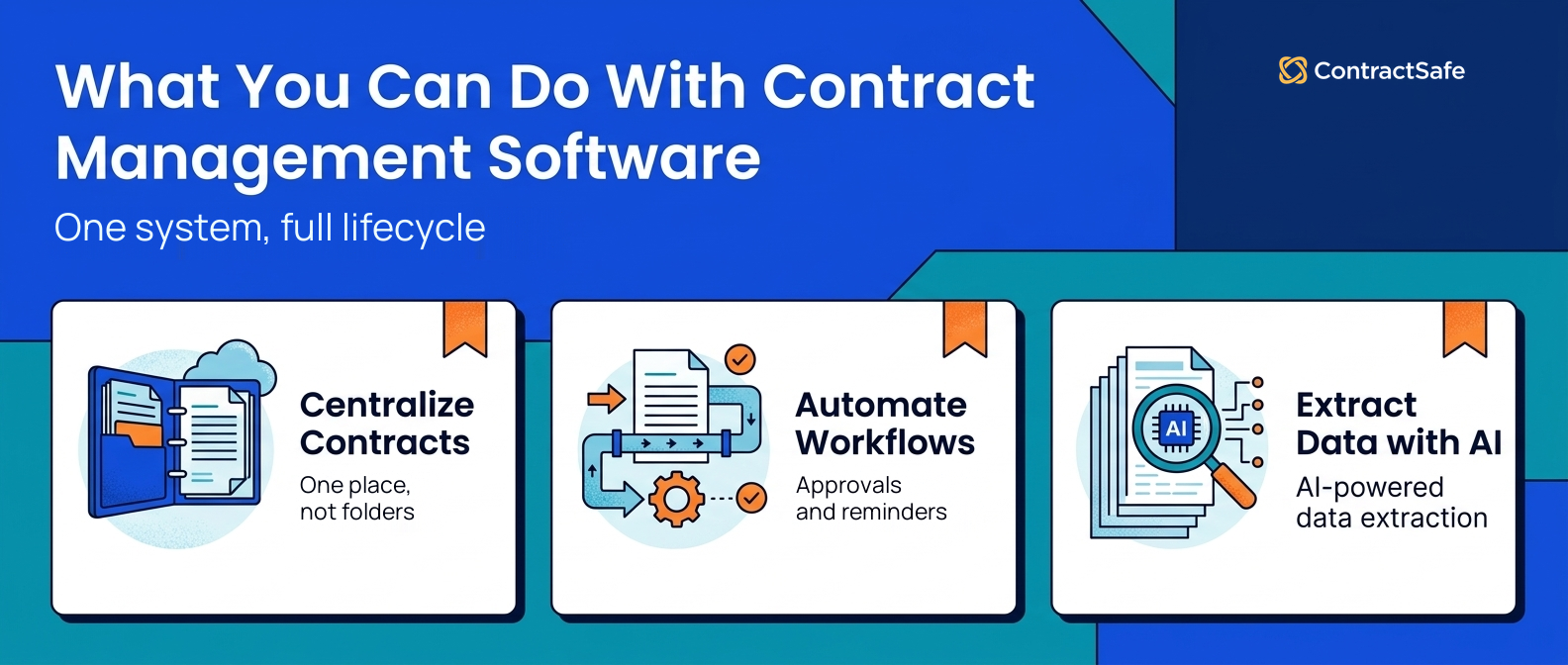
Storing every agreement in one searchable place is the starting point. On top of that, templates, approval workflows, automated reminders and AI-powered data extraction cut manual work, reduce risk and make compliance easier to show.
The difference shows up as volume grows. As Shayne Hussain, Sr. Operations Manager at Covalent, put it: "OneDrive gave us a place to store agreements, but it was not a contract management system. As our volume grew, we needed a better way to track dates, tag agreements, route signatures, and find documents quickly."
You'll also see contract management software called:
Contract lifecycle management (CLM) software
Contract tracking software
Contract repository software
Contract administration software
Who Uses Contract Management Software?
Anyone who creates, approves, tracks or enforces contracts uses it, from sales and procurement to HR and finance. Often that's one person who owns every agreement without a full legal department behind them.
Here's how different departments use it:
- Sales teams: Approval workflows and e-signatures speed up contract negotiations, so reps spend more time selling and less time chasing signatures.
- Procurement departments: Track contract milestones, monitor supplier performance and stay on top of deadlines with automated reminders.
- Legal teams: Standard intake forms, templates and workflows take routine requests off legal's plate, leaving time for negotiating key terms and advising the business.
- Finance teams: See contract value, track payment terms and obligations, spot cost-saving opportunities and stay ahead of renewals.
- HR departments: Keep employee and independent contractor agreements, NDAs and onboarding paperwork in one place. Templates for standard contracts keep wording consistent, user permissions keep sensitive files secure, and version control means everyone works from the latest version.
- Operations: Get central access to key agreements and keep processes on track by following key dates, obligations and contract performance.
- Business owners: Owners who sign most agreements themselves get one place to check what they've committed to and when each agreement renews, without relying on memory or an inbox search.
Contract management software works across a wide range of industries, including:
- Education: Manage vendor contracts, teacher agreements and grants with fast search and easy contract creation. Automated deadline reminders keep renewals and compliance on time and cut administrative work.
- Nonprofits: Give donors the accountability they expect by tracking funding and grant milestones, payments and obligations against donor and grantor requirements.
- Healthcare: Stay compliant and keep documents secure in a central repository with customizable permissions and roles, version control and audit trails. Automated alerts for renewal dates and compliance deadlines help healthcare teams stay on track.
- Hospitality: Keep contracts for every location in one place, with permissions that let a property manager see just that property's agreements.
- Energy: Manage complex long-term agreements and supply chains with contract tracking and automated reminders.
- Small businesses: Grow without adding admin work, using automated contract management that connects with your e-signature and customer relationship management software.
What Are the Benefits of Contract Management Software?
Here's what changes day to day when you move to a contract management solution like ContractSafe:
-
Eliminate bottlenecks: Approval workflows move each contract to the next person automatically, so the contract cycle gets shorter.
-
Find documents in seconds: Search the whole repository instead of sifting through folders and spreadsheets.
-
Never miss another deadline: Automated reminders flag renewals, expirations and other key dates before they pass.
-
Create custom reports: Build a report on contract performance in a few steps and share it with everyone who needs it.
-
Organize and categorize automatically: Contracts are categorized by type automatically, so nobody has to file them by hand.
-
Keep documents secure: Audit trails, user roles and permissions and bank-level encryption control who can see each contract.
-
Work from the latest version: Everyone opens the most up-to-date contract, so fewer mistakes slip through.
Each of these hands back hours that used to go on chasing approvals, hunting for files and checking dates, and it lowers the risk of a missed renewal or a compliance gap. If you're weighing tools on these benefits, start with our comparison of contract management software.
What Key Features Should You Look for in Contract Management Software?
Look for a central repository, AI that organizes contracts, workflows, date alerts, full-text search, solid security, integrations, role permissions and real support.
Centralized Contract Repository
A centralized contract repository is the core of your contract management system: one secure place for all your contracts, amendments and related documents. It replaces scattered files, keeps version control and gives everyone involved the latest version of each contract.
Getting contracts in should be as easy as finding them later. Look for several ways in: upload files, scan paper copies, or email agreements straight into the system (a dedicated intake address you can put on your scanners is a small feature that gets used every day). You should also be able to attach drafts, amendments and other documents mentioned in a contract to the contract itself, so the paper trail stays together instead of spread across three folders.
AI Organization and Categorization
AI-powered features now do much of the sorting that used to be done by hand. They organize and categorize contracts by their content, clauses and key terms, which cuts manual tagging and keeps classification consistent. AI can also flag potential risks and opportunities in a contract before you negotiate.
Automated Workflows
If you've ever had a contract sitting idle while it waits for an approval or signature, you know the value of automated workflows. They guide each contract through approval, make sure every required step happens before signature and send notifications and reminders when someone falls behind.
Alerts and Notifications
Your software should remind you of upcoming renewals, expirations and other key dates. You should be able to set a reminder for any contract-related event and choose its timing and delivery, such as email or in-app notifications. A calendar view shows deadlines and milestones at a glance, so your team can act well before an agreement expires or auto-renews.
Powerful Search Functionality
Not finding a contract when you need it is a real cost, and searching by file name or metadata often isn't enough. You need advanced search functionality with optical character recognition (OCR), so you can find a clause or document quickly whatever its file type. At minimum, your contract management platform should pair OCR with an intuitive keyword search so employees can locate contracts, key clauses or problem language.
Tags, whether applied by AI or by hand, add a second layer on top of full-text search. Tagging documents by type, department or status lets you filter and report on a slice of the repository in one step, and tells a reviewer what kind of document they're looking at (a template, say) before they open it. OCR plus tags turns a search from a fishing expedition into a lookup.
Security and Compliance
Contracts are full of sensitive information, and a leak could do real damage to your business, so check a vendor's security before you upload anything.
Ask specific questions: where is the platform hosted (a reputable cloud environment such as Amazon Web Services), is data encrypted at rest and in transit, is there redundancy and virus detection, and does the vendor complete an annual SOC 2 audit? A SOC 2 report is how you confirm the security is what the vendor claims rather than taking it on faith.
Integrations
Depending on the size of your business, other platforms may be part of your contract lifecycle. Check that the system works with your CRM, e-signature platform and single sign-on, so it fits the software you already run. If you hold agreements in other languages, add a translation tool to that list, since contract search finds a clause but won't translate it.
Sharing & Role Permissions
Not every employee does the same tasks or needs the same access to documents, controls and features. User roles and permissions let you manage risk in a way shared drives and spreadsheets can't, because each person sees only what you want them to see.
Read Only and No Delete permissions mean only people with authority (attorneys, key managers, paralegals) can edit the contract record or remove contracts from the system.
Support
A dedicated support team works with yours through setup, runs training sessions for your staff and helps when issues or bugs come up later, so your team gets up to speed faster on a significant purchase.
Advanced Features for Growing or Complex Teams
Not every organization needs advanced capabilities on day one. Many teams start with a central repository, reminders and basic workflows, then add more as contract volume, risk or compliance requirements grow.
AI contract review: AI review tools scan agreements for key clauses, risks or departures from standard language, so legal reviews contracts faster and spends its time on decisions instead of repetitive checks.
Contract lifecycle tracking: Lifecycle tracking shows where each contract sits, from intake and drafting to review, approval, signature and renewal. You can spot the stage where contracts pile up, field fewer status requests and keep contracts moving.
Automated intake and approval rules: More advanced systems route contracts automatically by value, risk level or contract type, which cuts manual coordination and brings in the right reviewers at the right time.
Obligation and performance tracking: For long-term or high-value agreements, tracking deliverables, milestones and compliance obligations helps you avoid penalties and keep vendor and customer relationships in good shape.
If two or more of these signs sound like your team, price the advanced features now rather than after you've bought:
- Legal flags the same clause problems on most incoming contracts.
- People ask you every week where a contract stands.
- Different contracts need different approvers depending on value or type.
- Long-term agreements carry milestones or deliverables with penalties attached.
For a deeper checklist to hold vendors against, read What to Look for in CLM Software.
Can ContractSafe Build Custom Reports and Dashboards?
Yes. In ContractSafe, you filter the Contracts List, save it as a Saved View, then export it as a custom report in .xls or .csv or schedule it to arrive in people's inboxes. Each user also gets a dashboard that follows their role and access.
This is the request from the top of the article, a list leadership can read, so here's how you'd answer it in ContractSafe, step by step.
A report starts as a filter. Sort and filter the Contracts List by tags, folders, contract type and other fields until it shows the contracts you need, then save it as a Saved View. A saved view is a reusable viewing template, so the same list is ready the next time someone asks. From any view, you can export a custom report as an .xls or .csv file.
To send a report without anyone pulling it by hand, open the saved view and choose Actions > Schedule Report. Set the recipients, the first send date and the frequency, and add a message if you like. ContractSafe then emails the view as an attached CSV on that schedule. Recipients don't need to be ContractSafe users, so a CFO or an outside auditor can get it directly.
When a contract is uploaded, ContractSafe's AI suggests values such as its renewal date, and a person accepts or corrects each one. Suggestions nobody has accepted yet stay out of exported, emailed and scheduled reports, so a report only carries values a person has confirmed. Admins can also download all contract data as a CSV and an all-reminders report as an XLSX or CSV file.
Each user's dashboard shows the Folders, Tags & Counterparties they can access, along with Key Dates and My Pending Approvals & Saved Views. Contract Metrics and Recent Activity appear for admin roles, so two people in the same organization see different dashboards based on their roles and permissions. Contract Metrics lets admins analyze contract data and report on trends right from the dashboard. On the Maximize plan, the Lifecycle dashboard adds a pipeline view of contracts moving through each stage.
As Carrie McClain, Procurement Specialist, Vitality Living, put it: "ContractSafe gives us the complete picture on our full contract lifecycle. Our contracts are current, active, and organized in one place, while alerts, permissions, review routing, and reporting help us manage the work around them."
Take the request from the top of this article: every vendor agreement that renews next quarter. Filter the list to vendor agreements, sort it by renewal date, save the view and schedule it to go to leadership before each quarter starts. Setting that up should take minutes, and after that nobody has to ask.
How to Choose the Right Contract Management Software
Test each vendor on your own contracts, not the demo. The right contract management software is the one where the person who owns your contracts can build the next report, share it and add colleagues without calling the vendor for help.
Before you sign, have every vendor show you these on your own contracts:
Your next report: Build the report leadership will ask for next, such as every agreement renewing next quarter, and export it.
Each role's dashboard: Log in as an admin, a finance user and a sales rep, and check that each one sees the right contracts and dates.
New users: Add three colleagues and find out whether each one needs a new seat.
Going live: Ask how long it takes to get your first contracts in, and whether that needs an implementation project.
For reference, the median new ContractSafe customer has its first contract in the system within a week of buying. Setup rarely turns into a series of sessions either: of new customers who have an onboarding meeting, 70% have just one in their first 90 days.
Beyond those checks, weigh these:
Ease of use: Good contract lifecycle management (CLM) platforms are easy to learn. During the trial, have a colleague who has never seen the platform find a contract and set a renewal reminder without help.
Feature set: Match features to the work your team does today. Use the advanced-feature signs above to decide what you'll need soon, and leave the rest off the bill.
Integration: Confirm the connections to your CRM, e-signature platform and single sign-on work with the way your team already handles contracts.
Scope: Some businesses need heavy automation, from clause libraries to custom data models. Many small and mid-sized teams don't; what they need is one system everyone actually uses to request, approve, sign and track contracts, without a costly implementation project.
Pricing model: CLM software is usually priced per user or per contract. Per-user pricing rises with every person you add, which pushes teams to ration logins. Per-contract or volume pricing ties cost to how many agreements you manage, so adding a colleague doesn't change the bill. ContractSafe includes unlimited users on every plan, and you can pay month-to-month or annually.
Customer support: Ask how quickly support responds and whether your team will have a dedicated success manager for the length of your contract.
Common Mistakes When Managing Contracts
Most contract problems come from process gaps, not from people doing their jobs badly. Here are five common ones, and each is a gap a contract management system can close.
1. Treating contracts like files, not workflows
Without defined stages and ownership, contracts stall between teams.
2. Tracking renewals manually
Spreadsheet-based tracking leads to missed deadlines.
3. Storing contracts in multiple systems
Scattered documents create confusion and audit risk.
4. Relying on email for approvals
Email threads slow down reviews and create version conflicts.
5. Keeping contracts with one team
When only legal sees contracts, the business loses insight into risk and obligations.
Is Contract Management Software Right for Your Business?
If contract volume is growing, deadlines are tracked manually, or teams struggle to find agreements, it may be time to move to a dedicated system.
Signs you’re ready for contract management software:
-
Contracts are stored in multiple places
-
Renewals are tracked in spreadsheets
-
Teams frequently ask for contract status
-
Audits require last-minute contract searches
-
Legal is buried in coordination work
Related Reading
Common contract management mistakes and how to avoid them
Setting up a contract management process from request to renewal
How ContractSafe Helps Teams Manage and Report on Contracts
ContractSafe runs your contracts from request to renewal in one place. A request comes in, the contract is drafted, approved and signed, and then its dates are tracked and its renewal handled, all without leaving the system, so leadership gets its reports without a scramble.
The three plans, Organize, Finalize and Maximize, build on each other. Every plan, starting with Organize, includes AI that reads each contract on upload and can extract up to 29 fields, including renewals, terminations and notice periods, and a person accepts, corrects or skips each suggested value. Date reminders belong to the contract rather than one person's inbox, and anyone can receive them, whether or not they use ContractSafe. The Finalize plan adds approval sequences and unlimited native e-signatures. Maximize, the plan with the complete feature set, adds intake forms, templates, AI Contract Review, lifecycle tracking and the Lifecycle dashboard.
ContractSafe pricing starts at $450/month (Organize plan, billed annually; $540 month-to-month), with unlimited users on every plan.
ContractSafe is built for organizations of roughly 50 to 1,000 people, where a general counsel, finance lead or contracts manager owns hundreds to a few thousand contracts, often as a legal department of one. Three in four ContractSafe customers have between 50 and 1,000 employees, and in 10 of our 14 published case studies, the customer came from shared drives, spreadsheets or no system at all.
Setup is lighter than with traditional enterprise CLM systems, which can take months to set up before anyone uses them: the median new ContractSafe customer has its first contract in the system within a week of buying. If you'd like to see your own next report built, you can schedule a demo.