


Construction contract management software is software for managing owner, subcontractor, vendor, insurance, change order, and closeout agreements.
Think of it like a blueprint for obligations. The project plan shows work; the contract record shows responsibility. In practice, the software means four jobs: one searchable home for agreements, dates with owners, controlled access, and proof for disputes.
A change order, an expired certificate, or a missing lien waiver can each stall a payment when nobody tied the document to its contract record.
Key Takeaways
- Construction companies invest heavily in project management tools but rarely have a system for managing the agreements that govern their relationships. That gap is where disputes, expired insurance, and missed renewals live.
- The average construction dispute in North America is worth $43 million according to Arcadis. HKA's CRUX report found that failing at contract administration is a top-five cause of disputes globally.
- Project management handles the project. Contract management handles the agreements that outlive it: master subcontractor terms, equipment leases, vendor renewals, insurance certificates.
- Industry data suggests 70-90% of certificates of insurance are initially non-compliant when submitted by subcontractors. Most GCs track these manually.
- ContractSafe gives construction teams a searchable place for all their agreements, with automated date tracking, AI extraction, and unlimited users. That way, every project manager and subcontractor can access what they need.
Choose Your Next Step
Construction contract problems get solved faster when you start from the gap that's burning you this quarter. Jump to the part of this guide that matches it.
- Confusing CLM with contract administration? Start with what construction contract management actually covers.
- Wondering what slips past your PM tool? Read what falls through and check the COI dates first.
- Pricing the risk? See what it costs when nobody's watching.
- Evaluating tools? Work through the twelve requirements and the thirty-day rollout.
- Whichever path you take, assign an owner to every master agreement you touch and set alerts on its insurance and renewal dates as you go.
- Building the foundation? Our contract repository requirements guide covers the underlying system, from OCR coverage to audit trails and export terms.
What Is Construction Contract Management?
Construction contract management is the portfolio-level work of tracking every agreement your company holds, across every project, beyond any single job’s timeline.
When construction people hear “contract management,” they think change orders. Payment applications. AIA G702s. They think of the project-level contract administration that happens between notice to proceed and final completion.
That’s contract administration. It’s important. Your PM tool handles it.
Construction contract management is the other half. A general contractor running three simultaneous projects might have 40 subcontractor agreements, 15 equipment leases, a dozen vendor contracts, and insurance certificates for every sub on every job.
Those agreements don’t reset when a project closes out. The master agreement with your concrete sub covers next year’s projects too. The crane lease runs through December regardless of which job it’s parked on.
The insurance certificate your electrician submitted in January expired in July. Nobody checked.
That’s the work that has no home in most construction companies. Contract lifecycle management gives it one.
Count your own portfolio before reading on: master agreements, leases, vendor terms, COIs, bonds. The number that surprises you is the scope of the problem. It’s also the number to bring to any platform comparison.
Construction CLM Tracks What Your PM Tool Doesn’t
A PM tool runs the project; a construction CLM runs the agreements that span projects, and the gap between them is where the expensive surprises live.
Procore is excellent at running a project. It tracks submittals, daily logs, RFIs, and payment applications on a per-project basis.
But when the project closes out, the data stays with the project. The agreements that span multiple projects don’t have a natural home.
Here’s what falls through:
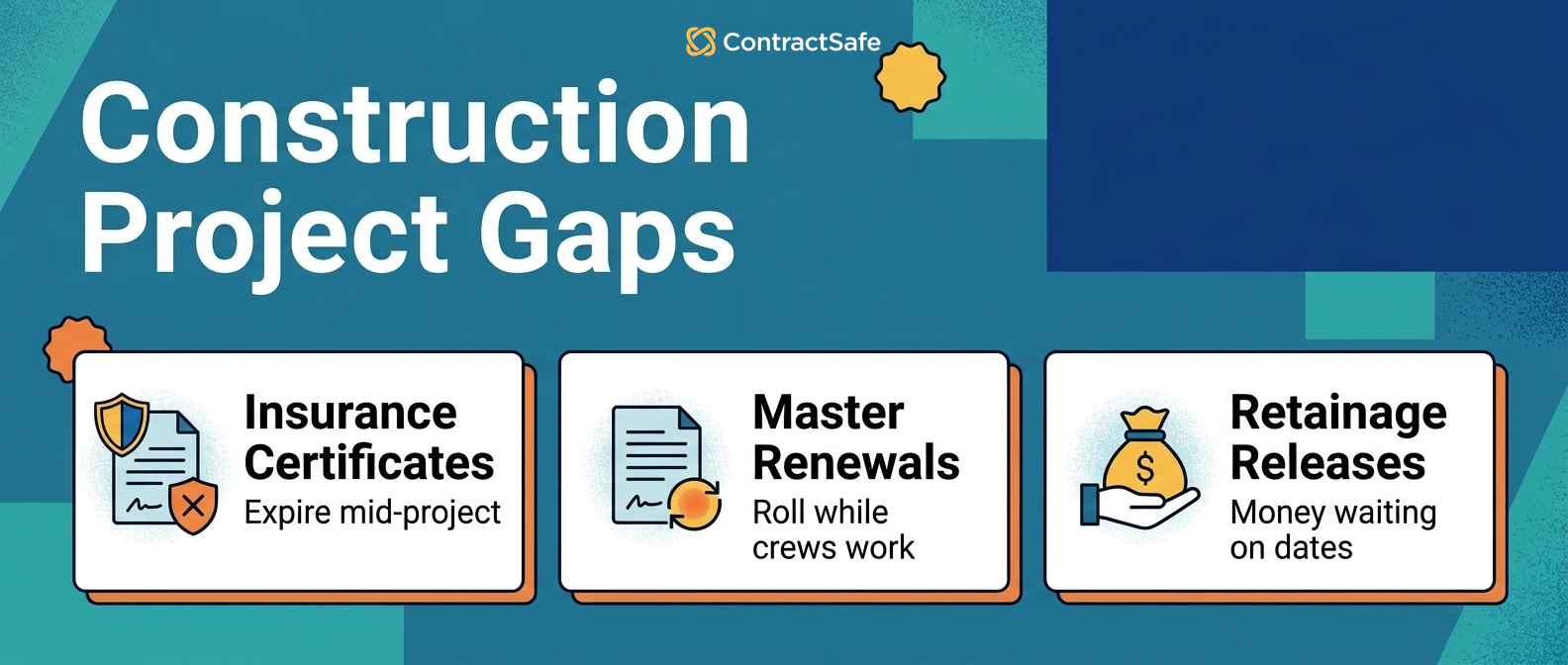
Insurance certificate expirations. Every sub on every job needs current coverage. COIs expire on their own schedule, not the project schedule. Industry data from Jones suggests that 70-90% of certificates of insurance are initially non-compliant when submitted.
Master agreement renewals. Your agreement with a key subcontractor auto-renews annually. The renewal date isn’t tied to any project milestone. If nobody flags it, the contract rolls over at last year’s rates, which may no longer reflect market conditions.
Retainage release deadlines. Retainage typically releases in the quarter following substantial completion. By then, the project team has moved on to the next job. The agreement terms governing retainage release are in a contract that’s been filed and forgotten.
Cross-project vendor terms. You buy concrete from the same supplier on three projects. Each project has its own purchase orders, but the master pricing agreement is somewhere else.
Bonding and licensing requirements. Subcontractor bonds have their own expiration dates and renewal terms. Licenses need to be current before a sub starts work. Tracking these per-project misses the ones that lapse between jobs.
Change order documentation across the portfolio. Individual change orders get processed in the PM tool, but the pattern across projects, which subs generate them, which clauses keep getting amended, only shows up at the portfolio level.
None of these are project management problems. They’re contract management problems. And they’re the ones that show up in disputes.
PM Tool and Contract System Compared
The difference between the PM tool and the contract system is which obligations each one can see, and the comparison settles most build-vs-buy arguments.
| Obligation | PM tool | Contract management system |
|---|---|---|
| Change orders and pay apps | Yes, per project | Patterns surfaced across the portfolio |
| Insurance certificate expirations | Project setup only | Standing workflow with verification and alerts |
| Master agreement renewals | Not tracked | Renewal dates with owners and escalation |
| Retainage release deadlines | Lost at closeout | Computed dates that outlive the project team |
| Cross-project vendor terms | Separate POs per job | One master agreement record, linked |
| Dispute documentation | Project archive | Searchable chain with audit history |
Compared this way, the rule is simple: if the obligation dies with the project, the PM tool owns it; if the obligation outlives the project, the contract system does. Map each item above to a system this week.
What It Costs When Nobody’s Watching
Contract gaps in construction surface as disputes, claims, and damages, and the industry numbers on those are brutal.
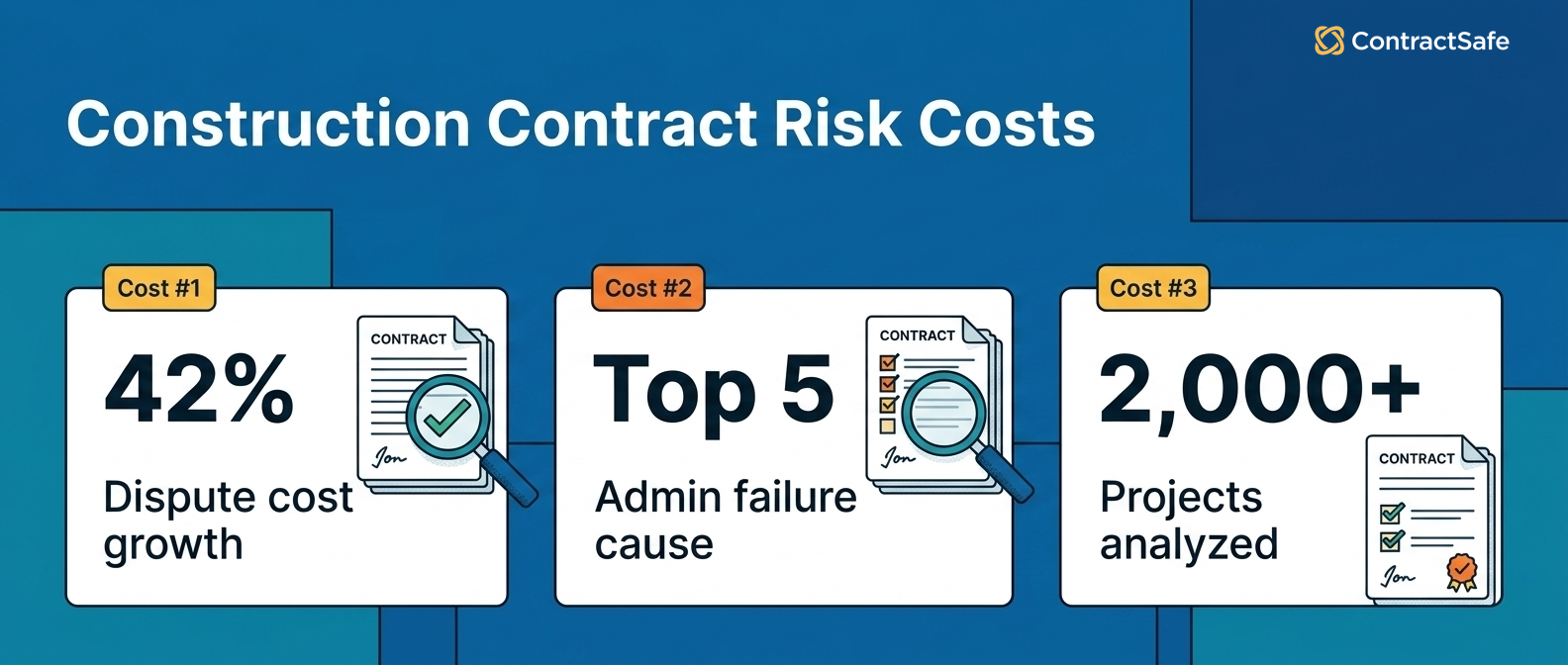
The Arcadis Construction Disputes Report found that the average dispute in North America is worth $43 million. That number has been climbing. Dispute costs rose 42% between 2021 and 2022 alone.
The HKA CRUX report analyzed over 2,000 construction projects worldwide and found that failure in contract management or administration is a top-five cause of disputes globally. Additional costs from claims and disputes averaged 33.2% of budgeted project costs.
The Arcadis 2023 report identified the #1 cause of disputes in North America: errors and omissions in contract documents. The #2 cause: parties failing to understand or comply with their contractual obligations.
Both of those are can-you-find-the-document problems. You can’t comply with terms you can’t find. You can’t catch errors in documents nobody’s reviewed since signing.
For example: a GC finishes a commercial build. Later, a retainage dispute surfaces with a framing subcontractor.
The sub claims retainage should have released after substantial completion, and demands payment with interest as the remedy. The GC thinks it’s a different deadline. The original subcontract would settle this in ten seconds.
But the project office closed three months ago. The contract is in a box somewhere, or in an email chain between the former project manager and someone in accounting.
That’s not a breach of contract case anyone wins. It’s an expensive argument that takes months and a lawyer to resolve because nobody could produce the document, with the legal fees as the real penalty.
A contract audit would have caught it. But you can’t audit what you can’t find. Prevention is the filing system, set up before the dispute needs it.
What Construction Teams Need from a CLM
Construction teams need twelve things from a contract system, and all twelve come from the same fact: the agreements outlive the projects.
Not every construction company needs Procore-level project management tools for their contract portfolio. But they do need somewhere to put the agreements that outlive individual projects.
If you’ve never used a contract lifecycle management platform, the concept is simple: one searchable place for every agreement, with date tracking, access controls, and a way to find what you need without calling three people.
Score every tool against each requirement with your own subcontracts in the demo, and require a written answer for anything the vendor defers.
The first six are general CLM requirements with construction-sized stakes; the next three are the construction-specific workflows that generic checklists skip: COIs, retainage, and document chains. The last three protect the purchase itself.
1. A Searchable Repository That Handles Volume
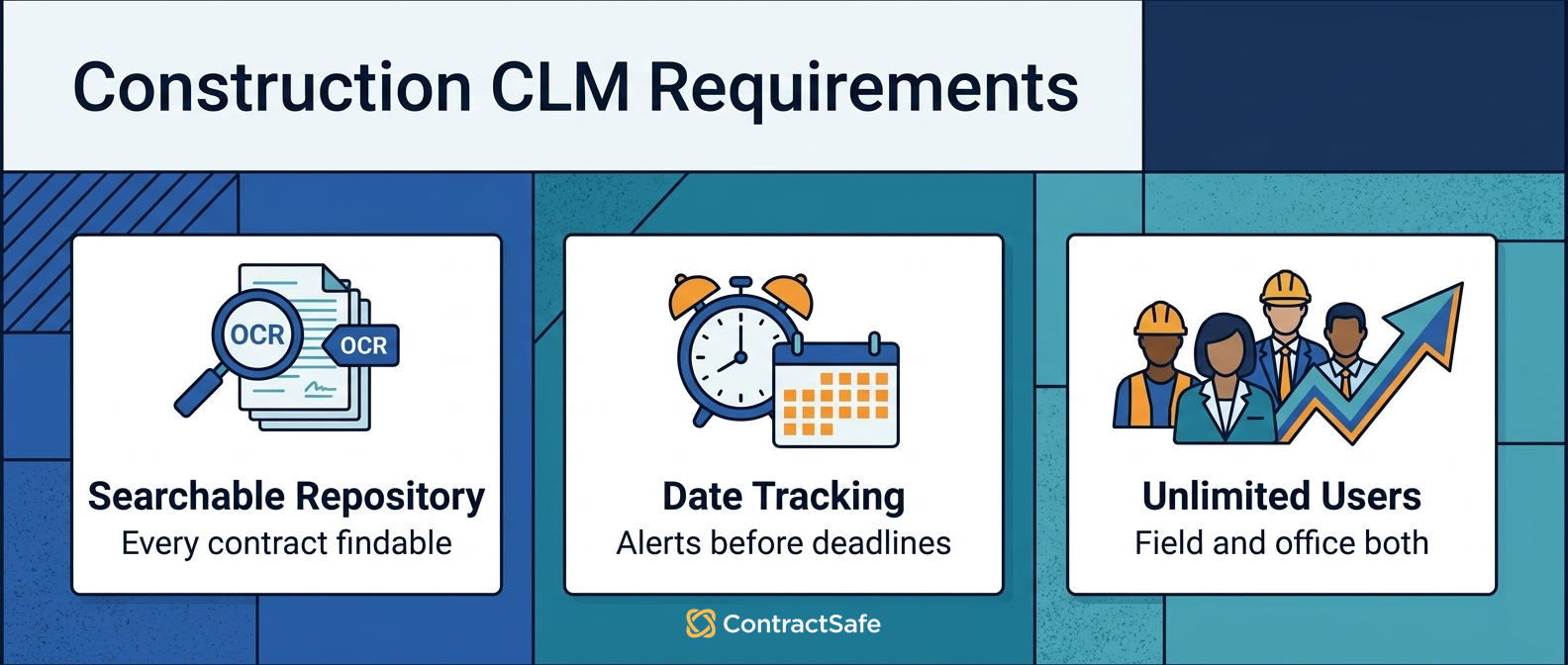
A construction contract repository has to search inside hundreds of documents, not just file names: a mid-sized GC might have 200-500 active agreements at any time.
OCR that reads scanned contracts is mandatory. Subcontracts arrive as scans, faxes, and photographed signature pages, and the repository that can't read them returns confident, wrong empty results.
For example, the lien waiver question always lands on the oldest, worst-scanned agreement in the file. That's the document the search has to read.
Test the search in the demo with a clause phrase from your own messiest scanned subcontract, and check the result links to the clause inside the agreement, not just the file.
- Watch for: search that finds filenames but not clause language.
- Watch for: OCR sold as an add-on that quietly excludes your archive.
2. Automated Date Tracking With Alerts
Construction contract dates don't align with any one project schedule: renewal dates, insurance expirations, retainage release deadlines, bonding renewals, and license expirations each run on their own calendar.
Automated alerts 90, 60, and 30 days out are a must, with escalation when the first notice goes unread.
For example, a COI expiring mid-project needs the alert before the lapse, not a discovery during a claim. Set the escalation path to the project executive, because an unread alert is the same as no alert.
Check the alert windows match construction reality: bond renewals need a longer runway than a vendor contract's notice period.
- Watch for: alerts that fire on the deadline, which is a notification of failure.
- Watch for: date fields without owners, which are alerts to nobody.
3. Unlimited Users
Unlimited users means access for project managers, estimators, office staff, and potentially dozens of subcontractors without per-seat math.
This is where per-seat pricing kills construction companies. The people who need contract answers are spread across job sites, and rationed logins recreate the call-three-people problem the software was bought to end.
For example, a superintendent checking a sub's bond status from the trailer either has a login or makes three calls. The license model decides which.
Count everyone who asked for a contract document last month; that's the real user number to price.
- Watch for: view-only seats that still cost money but can't run reports.
- Watch for: renewal pricing that re-meters users after adoption succeeds.
- Watch for: subcontractor access priced like employee seats.
4. Role-Based Permissions
Role-based permissions in a contract system mean your framing sub sees their subcontract, and only their subcontract.
They should not see your contract with the owner or your agreements with other subs. Custom roles and permissions let everyone access what they need without exposing what they shouldn’t.
Check that a non-technical admin can set up a new sub's access in minutes, because the alternative is nobody setting it up at all.
For example, onboarding a new electrical sub should mean one role assignment, not a permissions project. Review the role list each quarter and retire access for subs no longer on active jobs.
- Watch for: permission models only an administrator understands.
- Watch for: all-or-nothing sharing that forces email attachments back into the workflow.
5. AI Extraction With Review
AI extraction reads the uploaded agreements and pulls the key contract terms automatically, turning a weeks-long data entry project into a review-and-approve workflow.
Manually keying in contract details from 300 subcontracts is a job nobody wants and nobody does well. AI that reads the documents and pulls out key terms makes the backlog searchable in days.
Verify the high-value agreements by hand and spot-check the rest, and require the extraction to link the clause it read. Re-run extraction whenever an amendment lands, or the fields quietly drift from the documents.
- Watch for: extraction that runs only on new uploads, leaving the archive manual.
- Watch for: retainage and payment terms summarized instead of captured exactly.
- Watch for: extracted fields without links to the clause they came from.
6. Audit Trails for Disputes
Audit trails in a contract system show who accessed the agreement, when it was last modified, and what version was in effect on a given date.
When a dispute arises (and in construction, disputes arise), that history is the difference between resolving a claim in a meeting and resolving it in court.
Run one custody test in the demo: change a field, reassign an owner, and ask the system to show who did what and when. Then confirm the history survives an export, because the dispute may outlive the subscription.
- Watch for: histories that cover documents but not metadata changes.
- Watch for: retention windows shorter than your statute-of-limitations exposure.
- Watch for: audit logs that reset when a contract record gets reassigned.
7. COI Tracking as a Workflow
Certificate-of-insurance tracking needs to be a standing workflow in the contract system: collect at onboarding, verify coverage amounts, set the expiration alert, and chase replacements automatically.
With most COIs arriving non-compliant, the verification step is the workflow's whole value. A filed certificate isn't a verified one.
For example, a sub's umbrella policy that quietly dropped below the subcontract's required coverage is invisible until someone compares the two documents.
In ContractSafe, the COI lives on the sub's contract record with coverage fields and an expiration alert, so the comparison happens at upload instead of during a claim.
- Watch for: COIs stored as attachments with no coverage fields to compare.
- Watch for: collection workflows that stop at project setup and never re-request.
8. Retainage and Closeout Fields
Retainage terms belong on the contract record as fields with dates and owners: the percentage, the release trigger, the deadline after substantial completion, and who requests it.
The framing-sub dispute above is a missing field, not a missing lawyer. The release deadline, computed at signing and assigned an owner, settles the question before it becomes one.
Check every active subcontract's retainage terms are captured, starting with the projects closest to completion.
- Watch for: closeout obligations that survive in nobody's calendar after the project team disbands.
- Watch for: retainage percentages that changed by change order but not in the tracker.
- Watch for: lien waiver requirements with no tracking of which waivers actually arrived.
9. Parent-Child Document Linking
Parent-child linking keeps each master agreement connected to its work orders, change orders, amendments, COIs, and bonds, so the current contract truth is one chain.
For example, a master subcontract with three amendments and this year's COI is one legal position spread across five documents. Unlinked, someone prices next year's work from the wrong layer.
Check the chain renders in date order in the demo, because an amendment read out of sequence changes what the subcontract appears to require.
Decide the linking convention before migration and apply it at upload, sub by sub.
- Watch for: relationships stored in folder names instead of real links.
- Watch for: change orders living only in the PM tool, orphaned from the master agreement.
10. Implementation Measured in Days
Implementation measured in days means subcontracts searchable in the first week, not after a services project that outlives the building season.
Ask the vendor what week one looks like with four hundred mixed documents: scans, faxes, and the box from the closed project office. A repository-sized problem should not require a quarter of configuration.
For example, the thirty-day rollout below should be runnable on the vendor's plan, with your dispute drill at the end as the acceptance test.
- Watch for: implementation quoted as a range that only lands at the top.
- Watch for: training sold per session for software that claims to be simple.
11. Reporting for the Office and the Field
Reporting means the office manager can pull renewals by quarter, COI expirations by month, and agreements by sub, without an admin or an export.
For example, the pre-bid question "which subs are current on insurance and bonds?" is a routine report or a day of phone calls, depending on the system.
- Watch for: reports only administrators can build.
- Watch for: report fields that don't match what extraction actually filled.
12. Exportable Data You Still Own
Exportable data means your contract records, fields, owners, and history leave with you if you ever switch systems.
Construction companies outlive software vendors. Confirm in writing that agreements and metadata export in usable form at no fee, and check what the export actually contains during the demo.
- Watch for: exports that return documents but strip the fields and links.
- Watch for: exit fees buried in the order form's renewal terms.
Quick gut check before you shortlist anything. Time how long it takes today to produce one sub's master agreement, current COI, and retainage terms. That number is what the software has to beat.
Building a Shortlist of the Best Construction Contract Tools
A construction contract software shortlist works best with three candidates: one repository-first system, one heavyweight CLM suite, and whatever your PM tool vendor offers as a contracts add-on.
That mix forces the real comparison. The PM add-on wins on integration and loses on the portfolio problem; the suite wins on features and loses on rollout time.
The repository-first system has to prove the twelve requirements above in a demo with your documents.
Run the same test on each: one sub's master agreement, current COI, and a scanned change order, uploaded live.
The best tool for your company is the one that makes those three documents findable, dated, and owned by the end of the demo.
Whichever wins the shortlist, hold it to the dispute drill in week four below before the pilot becomes a purchase.
A Thirty-Day Construction Rollout
A construction contract rollout fits in thirty days when it starts with the subs working your active jobs.
- Week one: upload every master agreement, lease, vendor contract, COI, and bond you can find, scans included. Let OCR and AI extraction make the first pass.
- Week two: verify the extracted terms for every sub on an active project, link documents to their masters, and assign owners.
- Week three: set the alerts: COI expirations, renewals, retainage deadlines, bond and license dates, all with escalation.
- Week four: run the dispute drill. Pick one closed project and produce a sub's full document chain, timed. That number is the acceptance test.
If a vendor's rollout plan can't fit that shape, ask what the extra time buys. The next retainage question won't wait for a services project.
Related Reading
- Auto-renewal clauses, for the renewal traps in master agreements and leases.
- Contract audit checklist, for the portfolio audit that catches the gaps before disputes do.
- Contract repository requirements, for the buying checklist underneath these twelve requirements.
How ContractSafe Helps With Construction Contract Management
ContractSafe helps construction teams manage their agreements with search, alerts, owners, related files, and reporting, all in one system.
Most teams can start quickly. The AI extracts key terms and identifies execution status automatically. You get enterprise-grade security (SOC 2, full audit trails) with everything searchable in one place, and support from real humans on every plan.
The twelve requirements above map directly: the repository reads your scans, the alerts watch the COI and retainage dates, permissions keep each sub inside their own agreements, and the audit trail answers the dispute questions.
Link your construction contracts to your main contract repository, metadata, and obligation management, with effective date hygiene on every record.
Want to dive deeper? You can compare this against WorldCC contract resources and the National Contract Management Association's journal.
The fastest proof is your own job site. Bring one sub's master agreement, COI, and a scanned change order to a free demo and run the dispute drill live.







.svg)







.svg)




