


Digital vs electronic signature is a proof question: an electronic signature shows agreement, while a digital signature adds certificate-backed cryptography to verify signer identity and document integrity.
Think of it like identification at a front desk. A gym card with your photo might satisfy a casual check. A passport is built for stronger verification. Both identify you, but they're not the same level of proof.
Every digital signature is an electronic signature. Not every electronic signature is a digital signature.
Key Takeaways
- An electronic signature is any electronic action that shows a person agrees to sign. Contract eSignature software like ContractSafe's captures that action and files the signed copy with the contract record automatically.
- A digital signature is a more technical kind of electronic signature that uses certificates, encryption, and tamper evidence.
- Most routine business contracts can use electronic signatures.
- Higher-risk or regulated workflows may need stronger identity and integrity controls.
- The signature is only one step. The signed contract still needs storage, search, alerts, and owner tracking.
Choose Your Next Step
Choosing between digital and electronic signatures goes faster when you start from the contract, the renewal dates, and the dispute risk, not from the technology. Jump to the section that matches your question.
- Just need the distinction? Read the at-a-glance comparison.
- Deciding for a specific contract? Use the agreement-type table and the six decision steps.
- Worried about a past choice? Start with what happens when teams pick wrong.
- Whichever it is, assign an owner to every signed agreement, set the renewal alert, and confirm the storage location as you decide. The signature takes one minute; the contract obligations run for years.
- Thinking past signing? Our contract repository software guide covers where signed agreements should live.
- And if a renewal is near, handle the owner and alert first. Signature questions can wait a week; notice windows can’t.
What Is an Electronic Signature?
An electronic signature in a contract workflow is a broad legal category for signing or accepting an agreement electronically. It can be simple or highly controlled.
Common forms: clicking "I agree," a typed name, a drawn signature on a screen, or an e-signature tool that logs signer activity.
The legal idea is not tied to one technology. In the United States, the ESIGN Act recognizes electronic signatures and records for many transactions.
That doesn't mean every electronic signature carries the same evidence. The audit trail, authentication, consent language, and record retention still matter.
Before trusting one for your contracts, check what the signing tool retains, then confirm every executed agreement lands in your repository with its evidence attached.
The vendor agreements and NDAs your team signs weekly are the place to verify this first, because volume multiplies any gap.
What Is a Digital Signature?
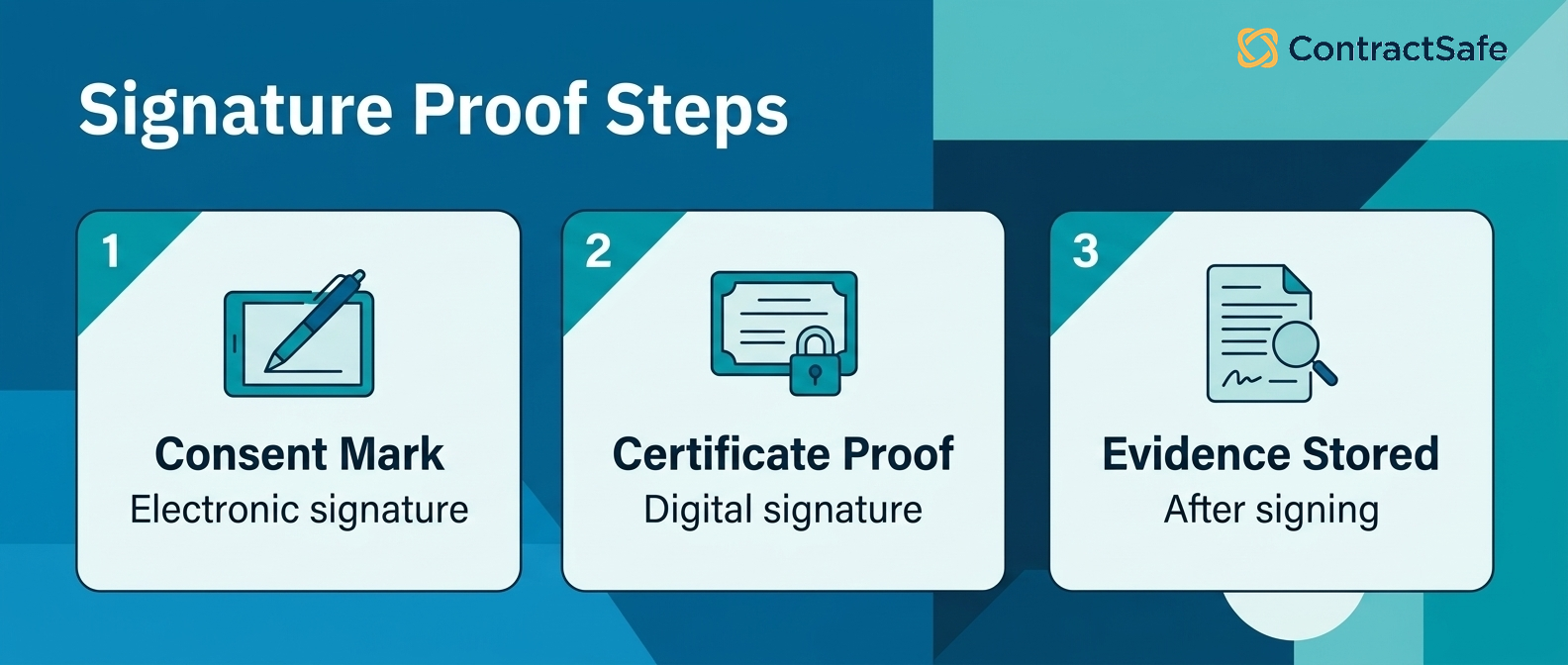
A digital signature is a specific type of electronic signature that uses cryptography to verify identity and show whether a document changed after signing.
Digital signatures often rely on certificates, public-key infrastructure, and tamper-evident controls. The goal is stronger proof: who signed, what they signed, and whether the file stayed intact.
The European eIDAS regulation sorts electronic signatures into trust tiers, each carrying different evidence weight.
For everyday contract teams, the practical question isn't whether the word "digital" sounds more official. The question is what level of proof the contract requires.
If a counterparty or regulator demands one, ask which certificate standard applies, confirm your signing tool supports it, and store the signed contract with its validation data.
Real estate filings, lending documents, and some cross-border customer contracts are where the demand usually appears, so check those agreement types first.
The Legal Frameworks Worth Knowing
Three legal frameworks cover most signature questions a contract team meets: the ESIGN Act, UETA, and eIDAS. Knowing which one applies settles most arguments before they start.
In the United States, the federal ESIGN Act and state-level UETA adoptions recognize electronic signatures for most commercial transactions. The recurring requirements are intent to sign, consent to do business electronically, and a retained record.
In the European Union, eIDAS defines tiers: simple, advanced, and qualified electronic signatures, with qualified signatures carrying the strongest legal presumption.
Two practical implications follow. Cross-border agreements should match the stricter tier. And certain documents, like wills or some real-property filings, sit outside the rules entirely, so check your jurisdiction’s exceptions before assuming.
Map your agreement types once: NDAs and vendor agreements against ESIGN and UETA, EU customer contracts against the eIDAS tier the counterparty requires. Review the map when you enter a new market.
Buyer checklist: before you route an agreement to any signing tool, run it through six quick questions. The answers decide whether an electronic signature is enough or the contract needs digital-signature controls. Work from the contract itself, its dispute risk, and how long the obligations run, not from the tool a vendor is pushing. Each item below turns a vague preference into a decision you can defend later, and it points to the record you will want if the signature is ever questioned.
- Classify the risk. State the contract's dollar value and the odds a counterparty will challenge it in court. A routine vendor NDA or internal approval calls for an electronic signature; a loan agreement, a regulated healthcare or financial contract, or a deal you expect to litigate calls for a digital signature with cryptographic proof of signer identity and tamper detection.
- Match the proof to the stakes. Decide what evidence you would need if a signer denied signing. Routine deals lean on intent and activity logs; sensitive deals need certificate-backed identity and tamper evidence.
- Check the audit trail before you need it. Confirm the tool records who signed, when, from where, and how identity was checked. If you cannot export that trail with the file, treat the proof as thin.
- Confirm identity and consent. Decide how signers prove they are who they claim, and make sure the record captures intent to sign and consent to sign electronically.
- Settle storage and retention. Pick where the signed file and its evidence will live, and for how long, before anyone signs. A signature with no findable record is a gap waiting to surface.
- Assign a post-signature owner. Name the person responsible for the renewal date, obligations, and alerts on that agreement. The signature takes a minute; someone has to watch the contract for years.
Use it as a quick pass, not paperwork. Run a real agreement through all six before you standardize a workflow, then repeat the pass whenever a contract type changes risk or you enter a new market. If any answer is unclear, fix that gap before you sign, not after. The point is simple: pick the lightest signature that still gives you the proof, the record, and the owner you would want on the worst day of that contract's life.
Digital Signature vs Electronic Signature at a Glance
Deciding between digital and electronic signatures comes down to the contract's risk, the evidence you'll need later, and what your team will follow consistently. Don't pay for complexity you won't use.
| Question | Electronic signature | Digital signature |
|---|---|---|
| What is it? | Broad category for electronic consent | Cryptographic subset of electronic signatures |
| Best for | Routine agreements and standard approvals | Higher-assurance signing and tamper evidence |
| Main proof | Intent to sign, audit trail, signer activity | Identity certificate, encryption, document integrity |
| Common examples | Typed name, checkbox, platform signature | Certificate-backed signature |
| Buyer question | Is the audit trail enough? | Do we need stronger identity and integrity proof? |
The table isn't a legal conclusion, it's a buying filter.
If the contract is routine, an electronic signature workflow may be enough. If the contract is sensitive, regulated, or heavily disputed, digital-signature controls may be worth the extra cost.
Use the table in vendor conversations too. Ask which row the vendor’s product serves best, and check the answer against the agreements your team actually signs.
Where Contract Teams Get Confused
Contract teams get confused because vendors and business users often use "digital signature" and "electronic signature" as if they mean the same thing.
That creates two problems. Some teams overbuy a heavyweight workflow for routine agreements. Other teams under-document high-risk agreements because they assume any electronic signature is equally strong.
The right question is: what evidence would you need if the signature were challenged later?
For routine NDAs, order forms, vendor agreements, and amendments, the audit trail may be the key record. For regulated or high-value agreements, stronger identity and integrity controls may matter more.
Three claims to ignore when you hear them: that digital signatures are legally required for everything, that any e-signature is automatically court-proof, and that paper signatures are somehow safer. Each one sells either too much fear or too much comfort.
Settle the vocabulary inside your own team first: agree on which agreements get which signature level, write it down, and review the choices when a contract type changes risk.
Then audit reality against the plan: pull five recently signed agreements, check which signature level each used, and assign fixes where the level doesn’t match the risk.
What Happens When Teams Pick Wrong
Choosing the wrong signature level for a contract rarely fails at signing time. The failure shows up later, when someone needs proof the workflow never captured, or paid for proof nobody needed.
Overbuying looks like this: a sales team routes routine order forms through certificate-backed signing, deals slow down, and reps start collecting signatures by email to escape the process. The heavyweight tool created the workaround it was meant to prevent.
Under-documenting looks worse. Say a terminated contractor disputes a restrictive covenant, and the only signing evidence is a typed name on a form with no audit trail, no authentication record, and no retained consent language.
The agreement may still hold, but the dispute costs more and settles worse because the evidence is thin. Remedies shrink when proof is weak: damages get harder to claim, and penalty clauses get harder to enforce.
Prevention is the same in both directions: classify the agreement first, then choose the proof level, then confirm where the signed record and its evidence will be stored.
Which Signature Fits Which Agreement
Matching signature level to agreement type is a risk decision, not a technology preference. The starting map below covers the common contract cases.
| Agreement type | Typical signature level | Why |
|---|---|---|
| NDAs and routine vendor agreements | Electronic signature with audit trail | Volume is high, dispute risk is low, intent plus audit trail usually suffices. |
| Customer order forms and amendments | Electronic signature via signing tool | Speed matters; the signing tool’s activity log is the evidence. |
| Employment and equity agreements | Electronic, with identity verification | Disputes are personal and years away; authentication records earn their keep. |
| Real estate and lending documents | Digital signature, often required | Regulation and recording requirements may demand certificate-backed proof. |
| Regulated or cross-border filings | Digital signature per the governing rules | Rules like eIDAS set the required trust tier for the filing; match the tier explicitly. |
Check the regulated rows with counsel. The table sets the conversation, not the conclusion.
How to Choose the Right Signing Workflow
Pick your signing workflow by matching the proof you need to the contract's risk. The safest choice is the one your team follows consistently: classify the agreement, match the proof, verify the audit trail, plan identity checks, decide storage, and assign owners.
Each step below ends with the check that proves you did it, so the workflow can be audited later. Assign one owner to run all eight steps; committees stall on step two.
Expect the first pass to take an afternoon for your top agreement types: NDAs, vendor agreements, order forms, and employment contracts. Renewals inherit the parent contract’s level, and amendments inherit it too unless someone reviews the risk again.
Keep the resulting decisions in the contract playbook where intake checks them.
1. Classify the Agreement First
Classify each agreement type before choosing any signature technology: routine, sensitive, or regulated.
Routine means high volume and low dispute risk, like NDAs and standard vendor agreements. Sensitive means personal or high-value, like employment terms. Regulated means the rules name the requirement.
For example, the NDA template that hasn’t changed in three years is routine. The partnership agreement your CEO negotiated personally is not, whatever the dollar value says.
Set a default for unclassified agreements too: treat them as sensitive until someone reviews them, so the unknown contract never gets the weakest signature by accident.
Write the classification into your contract playbook so the decision happens once per agreement type, not once per signature.
- Watch for: agreement types nobody classified, which default to whatever the sender chose.
- Watch for: amendments inheriting a lighter signature level than their parent contract.
2. Match the Proof to the Risk
The proof level should answer one question: what evidence would your team need if the signature on the contract were challenged in two years?
For routine agreements, intent and an audit trail usually carry the day. For sensitive ones, add identity verification. For regulated ones, the governing rules decide, not your preference.
Review the matches annually. A vendor agreement that grew from routine purchases into your largest renewal deserves a stronger record than the one it started with.
For example, a typed name may be fine on a catering order. It’s the wrong choice for a six-figure equipment lease with a personal guarantee.
- Watch for: high-value renewals signed at the routine level because the original was routine.
- Watch for: guarantees and indemnities hiding inside otherwise standard vendor agreements.
3. Verify the Audit Trail Before You Need It
An audit trail only counts as evidence when your team can produce the records on demand. Test the export before the contract workflow goes live.
Pull a completed signature record from your signing tool: signer identity, timestamps, IP activity, consent language, and document version. If assembling that takes a support ticket, fix it now, not mid-dispute.
Repeat the export test once a year, because signing tools change their record formats.
Then check the retention clock on the contract record itself. The audit trail must outlive the agreement’s obligations and the dispute window, not just the renewal subscription.
- Watch for: platforms that store audit trails only while your subscription is active.
- Watch for: signature records separated from the signed document itself.
4. Plan Identity Verification Deliberately
Identity verification is a dial, not a switch: email access, SMS codes, knowledge checks, ID document verification, then certificates.
Each step adds friction and evidence. Choose the lowest setting that satisfies the agreement’s risk, and document why.
A common scenario: a company verifies every signer by SMS for every document, then discovers signers share phones with assistants. The control was friction without proof.
Match the dial to the agreement type from your classification: email checks for routine NDAs, stronger verification for employment contracts and guarantees, certificates where the governing rules require them.
Record which setting each agreement type uses, so audits and renewals can confirm the right control was applied to each contract.
5. Decide Storage and Retention Up Front
A signed agreement needs a searchable home with its evidence attached, for as long as the obligations live, plus the dispute window.
Decide where executed agreements go, who can access them, and how long signature evidence is retained. A signed agreement sitting in an inbox is still easy to lose.
ContractSafe supports e-signature workflows and gives teams a searchable contract repository for the signed contract and its metadata.
- Watch for: signed agreements living in the salesperson’s inbox instead of the repository.
- Watch for: retention rules that delete signature evidence while the contract obligations still run.
Make the repository the workflow’s last step, not a separate chore. Executed agreements should arrive with owner, dates, and counterparty fields set, ready for alerts and reports.
6. Assign Post-Signature Owners
Every signed contract needs a named owner for what comes next: renewal dates, notice periods, payment terms, and obligations.
If the answer to "who owns the renewal?" is "we'll figure it out later," the signing tool isn't the real problem.
Set the owner and the date alerts the same day the agreement is executed, while the context is fresh and the record is open.
- Watch for: renewals owned by the person who signed, not the person who manages the vendor.
- Watch for: notice windows shorter than your team’s usual decision cycle.
Ownership also connects signing to obligation tracking, because every duty in the contract needs the same named-owner treatment.
Review owner assignments quarterly, and reassign agreements the same week someone changes roles.
7. Get the Consent and Intent Language Right
Electronic signature validity leans on two recorded facts: the signer consented to do business electronically, and the action clearly showed intent to sign.
Review the consent language in your signing flow once, with counsel, and reuse it across every contract workflow. Then make the signing action unambiguous: a labeled signature step, not a buried checkbox.
Say your signing page still names the entity you renamed last year. That’s the kind of detail a dispute lawyer finds first, and it costs nothing to fix today.
Keep the approved language in your contract playbook so every new agreement type starts from it, and owners never improvise consent text.
The consent record then travels with the executed contract into the repository, alongside the dates, owners, and alerts that manage it after signature.
- Watch for: consent text that names a different entity after a rebrand or acquisition.
- Watch for: workflows where viewing the document and signing it are the same click.
8. Test the Workflow With a Real Agreement
Before rollout, run one real agreement end to end: send, sign, store, and then try to produce the evidence.
Sign it on a phone, because half your signers will. Export the audit trail. Confirm the executed copy landed in the repository with its dates and owner set.
For example, a test that ends in someone’s downloads folder instead of the contract system has found the exact gap that loses signed agreements in production.
Fix what the test finds before rollout, then repeat the test with a second agreement type.
The Signature Evidence Checklist
A complete signature record answers a challenge years later without relying on anyone’s memory. Keep the following items together for every executed contract:
- The executed document, in its final form, with all exhibits.
- The audit trail: who signed, when, from where, in what order.
- The authentication method used for each signer.
- The consent-to-electronic-business record.
- The document version history, proving what was signed.
- The storage location, retention period, and record owner.
If any line is missing, fix the workflow, not the individual record. Gaps repeat until the process changes.
Quick gut check before you finalize the workflow. Pick three agreements your team signed last quarter. Can you produce the signed file, its audit trail, its owner, and its renewal date in under five minutes each?
That checklist is the real test of the whole process, and it costs nothing to run today.

Moving From Paper to Electronic Signing
A paper-to-electronic signing migration works best one agreement type at a time, starting with the highest-volume routine contract your team signs.
- Pick the agreement type with the most signatures per month, usually NDAs or order forms.
- Set the signature level using the classification above, and write the consent language once.
- Route the executed copies to the contract repository automatically, with owner and date fields required.
- Run paper and electronic in parallel for one month, then compare cycle times and completion rates.
- Expand one agreement type at a time, keeping the same record structure.
The common surprise is that the storage step, not the signing step, takes the work. Signing tools are easy to adopt; record discipline is the part that pays.
Signature Questions for Vendor Demos
Vendor demos for signing tools should prove evidence handling, not just signing convenience. Bring your own agreements and ask:
- Export the full audit trail for a completed signature, right now, in the demo.
- Show where the executed contract and its evidence live after signing.
- What happens to signature records if the subscription ends?
- Sign one document on a phone, including the consent step.
- Route an executed agreement into the contract repository with owner and renewal date set.
A vendor who handles those five live has shown you the workflow. Write the answers into the record you keep from the evaluation.
The Signature Is Not the Whole Contract Process
Signing proves agreement, but signature software doesn't manage the contract after agreement or track what happens next.
After signature, the contract still needs to live somewhere searchable. Someone needs to know the renewal date, notice period, owner, value, counterparty, and obligations.
That's why e-signature should connect to contract management. The signature takes a minute; the obligations run for years.
If your issue is the work after signing, see contract obligation management for how those promises become tracked work.
Related Reading
- Choosing contract repository software, for where signed agreements and their evidence should live.
- Contract effective date rules, for the date that starts every obligation clock after signing.
- Contract renewal best practices, for the decision that follows most signatures a year later.
How ContractSafe Helps After the Signature
ContractSafe helps teams manage what happens after signature by storing signed agreements with searchable text, metadata, alerts, permissions, and reports.
ContractSafe's alerts help teams act before renewal and expiration dates pass. The repository keeps the signed record connected to the data people need later.
The audit question from this guide gets easier too: the signed file, its key dates, its owner, and its related documents sit on one record your team can produce in minutes.
If your team is still choosing software, use the guide to contract management software. The fastest proof is a free demo with a few of your own signed agreements.









.svg)







.svg)




