


Legal contract management is the practice of keeping every signed agreement in one searchable place, tracking the key dates and obligations inside each one, and putting each contract within reach of the people who need it. For in-house counsel, that means scattered paperwork becomes something you can trust and defend.
If you run an in-house function, you know the shape of the problem. A "simple" NDA balloons into a long email thread. A signature that had to happen yesterday goes missing. One renewal clause hides across a shared drive, two inboxes, and a folder someone named "Final_v2_USE_THIS." Think of it as plumbing rather than lawyering: none of it tests your judgment, and all of it quietly taxes the hours you have for the work that does.
The stakes run higher than the plumbing metaphor suggests. In CLOC's 2026 State of the Industry report, drawn from 135 law departments, technology strategy (80%) and financial management (72%) top the list of where legal is expected to add value, so legal is no longer judged on legal output alone. And only 39% of commercial practitioners say their contracts actually deliver the outcomes they were signed to deliver, per WorldCC's August 2025 research.
The six practices below are the ones that earn their keep. Each comes with what to do, what to check when a vendor demos their software, and what bad evidence looks like, so you can catch a weak fit while you still have room to say no.
Key Takeaways
- Contract management pays off in the boring moments, the renewal that doesn't sneak up on you and the clause you find in seconds instead of pinging four people.
- Adoption beats feature count. A tool your whole team opens without being asked wins over a loaded system only legal ever touches.
- AI extraction and search are table stakes now. The real question is whether you trust the output enough to act on it, which means you need to see the source behind every field.
- Tie every practice to a number you'll actually track, like cycle time, renewal capture, and how many teams log in after go-live.
- Test software with your own messy contracts and your own non-legal coworkers, not the vendor's clean demo file.
- If most of what you sign is NDAs, MSAs, and vendor agreements, you don't need a heavy enterprise suite to run this well.
Choose Your Next Step
Not sure where to start? Jump to the piece that matches where you are right now.
Fixing "we can't find anything"? Start with what a contract repository actually needs.
Worried about missed renewals? Go straight to automated date alerts.
Comparing tools head to head? Read the best contract management software guide.
Ready to see it work on your own contracts? Book a demo.
Here's the whole plan in one view before we dig in.
| # | Best practice | Test it in the demo | Bad evidence |
|---|---|---|---|
| 1 | Tie contract work to business goals | Ask them to pull cycle time in a live report | Numbers only exist after a spreadsheet export |
| 2 | One searchable home for every contract | Hand them a crooked scanned PDF and ask for a clause | Search only works on clean, text-native files |
| 3 | Track every date and obligation | Set a reminder on a non-standard date with your own lead time | Only fixed fields and locked reminder windows |
| 4 | Standardize creation and repeatable workflows | Build an approval route yourself, no services call | Every change needs a paid configuration ticket |
| 5 | AI extraction and review you can verify | Correct an extracted field and see the source it came from | The tool won't show where a value came from |
| 6 | Train non-legal teams and measure adoption | Put two non-legal coworkers in the trial and watch | Only legal can file a contract without help |
1. Tie Contract Work to the Goals the Business Is Actually Chasing
Tie contract work to business goals by agreeing with finance, sales, and procurement on the handful of numbers your contract system should move, then reporting those numbers automatically. Do that and legal reads as a value driver instead of a cost center, because every contract holds money, risk, and time you can now show cleanly.
CLOC's 2026 data puts regulatory compliance (63%) and outside counsel and vendor management (62%) near the top of what law departments must own, and both run on contract data you either have at your fingertips or go digging for.
What to do: meet with finance, sales, procurement, and operations on a set cadence and agree on the few numbers contract management should improve. Set a baseline for each one now, before you buy anything, so you can prove movement later. Then set up the system to calculate those numbers automatically, so no one rebuilds a renewal-capture spreadsheet by hand each quarter.
WorldCC pegs the value companies lose over a contract's life at 8.6% on average. You claw that back one renewal at a time: check each vendor MSA against how the business actually buys now, and renegotiate the volume tiers that no longer match your spend before the contract auto-renews on last year's assumptions. That work lands straight in the renewal numbers you report to finance.
Pick a short list of measures and hold yourself to them:
| KPI | What good looks like | How to check it in the software |
|---|---|---|
| Contract cycle time | Trending down quarter over quarter | Can you pull it in a built-in report, or only after an export? |
| Renewal capture | You act before the notice window, not after it closes | Do alerts fire on lead times you set yourself? |
| Value erosion | Trending down, not drifting up | Can you tie contract terms back to actual spend? |
| Compliance rate | Every executed contract has its key dates and terms logged | Does the system flag records missing required fields? |
What to test in the software: ask the vendor to pull one of those numbers live during the demo. Cycle time is a good pick. If they show you a report on screen in under a minute, the data model underneath is sound and you'll be able to answer finance without a fire drill.
What bad evidence looks like: any answer that starts with "we'd export that to Excel and build it for you." A tool that can't report on its own contents leaves you doing the analysis by hand forever, which defeats the point of buying it.
2. Give Every Contract One Searchable Home the Whole Team Can Reach
Give every contract one searchable home by standing up a single repository as the source of truth and putting the whole company on it, not just legal. When everyone trusts one place to find an agreement, the scattered side copies stop multiplying, and "where is that contract" stops being a question you field.
The most common failure in contract management isn't a bad clause. It's that nobody can find the contract when it matters. WorldCC found contract-related data is typically scattered across 24 different systems inside an organization, which means it lives everywhere and therefore nowhere.
What to do: stand up one repository as the single source of truth and put the whole team on it. Finance shouldn't email you for payment terms, and sales shouldn't work off a PDF saved to a laptop back in the spring. For a deeper cut on what to demand, our repository requirements breakdown walks through the details.
One thing to pressure-test early is how your existing contracts get in. A repository is only a source of truth once the back catalog actually lives there, so ask how bulk upload works, whether the tool auto-extracts key terms as it imports, and how long loading a few thousand legacy agreements really takes. If the honest answer is that someone keys in metadata by hand for months, the source of truth stays half-empty and people keep drifting back to the old folders.
What to test in the software: this is the demo trick that separates real tools from pretty ones. Bring one of your own contracts, ideally a scanned, slightly crooked PDF that came back from a counterparty, and ask the vendor to find a specific clause inside it on the spot. A platform with real full-text and AI-powered search surfaces it fast. One that only indexes clean, text-native files stalls the second you feed it the real world, and the real world is most of what you've got.
What bad evidence looks like: the salesperson asks to "take that offline" instead of searching your file live, or the search only works on documents created inside the tool. Watch permissions too. If sharing one folder with an outside auditor hands them the keys to everything, or if adding a user triggers a per-seat cost talk, adoption stalls exactly where you need it to spread. Access should be controlled down to the folder, with every view and edit logged, which is what real role-based security gives you.
3. Track Every Date and Obligation Before It Ambushes You
Track every date and obligation by capturing the notice deadline, renewal trigger, and every deliverable on a clock, then setting alerts with enough lead time to act. Auto-renewals leak money precisely when no one is watching the notice window, so this practice tends to pay for the software before any other.
The failure is familiar: the notice window closes while everyone assumes someone else is watching, and you're locked into another year of a vendor you meant to drop. The fix is a system that watches the dates for you and warns you in time to act.
What to do: for every contract, capture the dates that carry consequences: not just the end date, but the notice deadline, renewal trigger, insurance expiration, price-increase dates, and any deliverable on a clock. Set reminders with enough lead time to act; for a long notice window, that means an alert well before the window opens, not on the expiration date. Assign an owner to each obligation. A reminder in a shared legal inbox is everyone's job and no one's; routed to the procurement lead who signed the deal, it gets acted on.
What to test in the software: ask to set a reminder on a non-standard date, like a price-increase trigger buried in section 9, and check whether you control the lead time or the tool only offers fixed windows. Then ask who gets the alert. Good alerting routes reminders to the person who owns the relationship, not just the legal inbox, because the person who has to act often isn't a lawyer.
What bad evidence looks like: the system tracks only a handful of standard fields, or reminders are locked to preset intervals with no way to change them. That rigidity is how the notice window closes on you anyway. If you can't set a reminder for any date in any contract with your own lead time and your own recipient, you're buying a calendar, not a safeguard.
4. Standardize How Contracts Get Made, Then Let the Workflow Repeat Without You
Standardize contract creation with a library of templates, clean intake forms, and automatic routing so routine agreements move through review without a lawyer touching every step. The point is to reserve your judgment for the deals where it changes the outcome, not the fiftieth identical NDA.
Most in-house teams drown in routine work that never needed a lawyer. Standard NDAs, order forms, and vendor agreements eat hours that belong to the deals where your judgment matters.
What to do: build a library of templates for the contract types you sign over and over, with the protective language already baked in. Add intake forms so details arrive clean the moment a request comes in, instead of as a vague message you have to decode. Then route contracts to the right reviewers and approvers automatically. Our guides on contract approval workflows and workflow automation go deep on designing these to hold up as volume grows.
What to test in the software: try to build or change an approval route yourself during the trial, without calling support. Add a step, reroute a review, and change who signs off above a dollar threshold, all with your own hands, and time it. If those edits take minutes rather than a support ticket, you'll be able to keep the workflow current as your signing authority and headcount change, instead of freezing it at whatever it was the week you bought.
What bad evidence looks like: every workflow tweak needs a paid services engagement or a support ticket with a multi-day turnaround. Ask a direct question: when we change our approval thresholds next quarter, do we make that edit or do you, and what does it cost each time? If the answer is a billable engagement, your workflow will lag every reorg and policy change until you pay to catch it up.
There's a budget angle here too. Heavy enterprise platforms often bill implementation as a separate line that can rival the first year of license fees, and it tends to land as a surprise rather than a planned item. Ask for a written implementation scope before you sign, and ask specifically whether onboarding is included or billed separately. "In the subscription" versus "a separate engagement that lands next quarter" is the difference between the price you agreed to and the price you actually pay.
A Buyer Check Before You Shortlist Anyone
Before you shortlist any vendor, size up your own situation first: what your contract volume actually looks like, who outside legal has to use the tool, how fast you can realistically go live, what it has to integrate with, and how you'll know it worked. Answer those five and you stop chasing feature lists you'll never touch.
What does most of your contract volume look like? If it's mainly NDAs, MSAs, and vendor agreements, you don't need an enterprise suite built for exotic workflows.
Who has to use this besides legal? The more non-legal people involved, the more day-one usability should outweigh deep configurability.
How fast do you need to be live? Be honest about whether you can staff a rollout that runs for months.
What has to connect? List your must-have integrations before you shortlist anyone. For most in-house teams that means e-signature, your CRM, and single sign-on for identity, plus wherever documents already live. Confirm each one is a supported, live integration, not a "we can build that" promise.
How will you know it worked? Decide now what adoption rate and time to first value would make this a good buy, so you're grading against a target instead of a feeling.
5. Trust AI Extraction Only When You Can Verify It
Switch on AI extraction only when the tool shows the exact source clause behind each field it fills. Check the renewal date, notice period, and liability cap against that highlighted text, accept what matches, and fix what doesn't. If a field has no clause behind it, treat it as a guess and read the contract yourself.
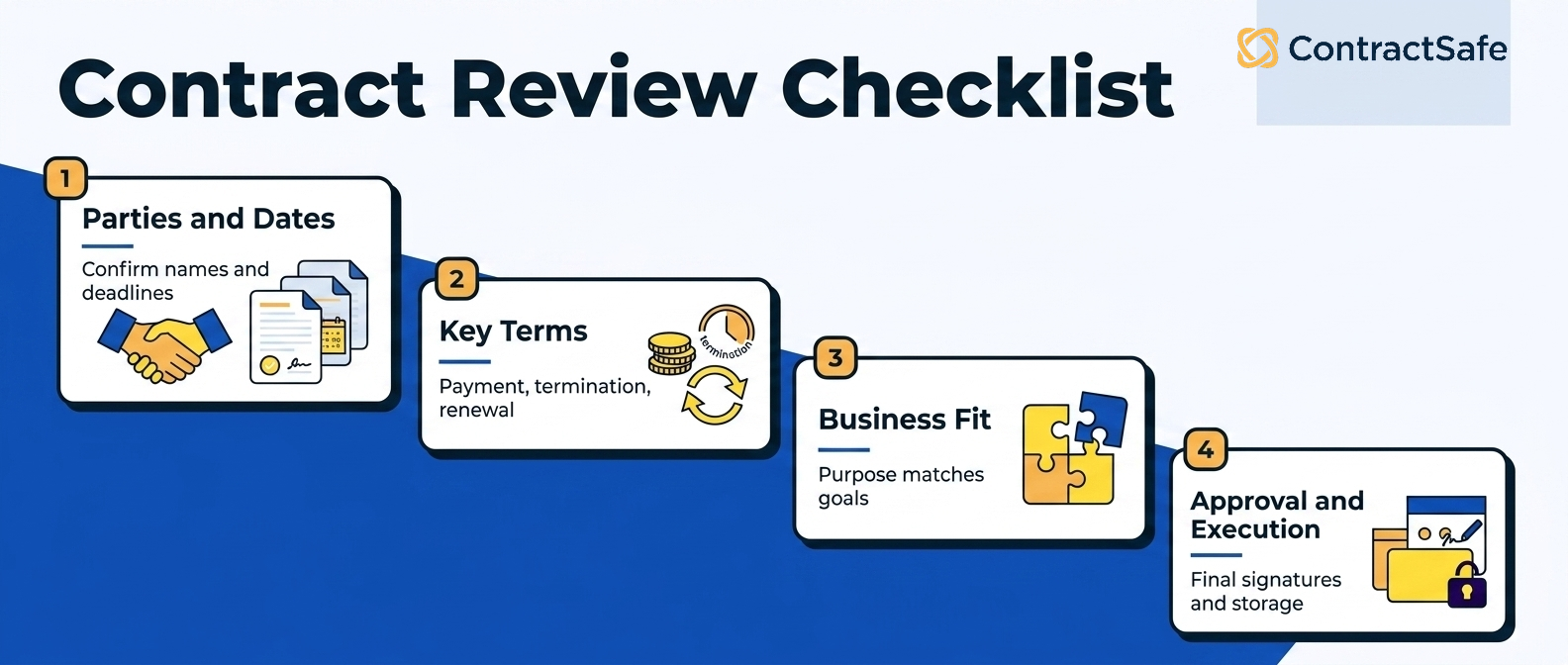
What to do: let AI carry the load it's good at, pulling key terms and dates out of a backlog, answering plain-English questions about your library, and flagging risky clauses on review. But treat every extracted field as a draft until a person confirms it, especially anything that might surface in an audit. Keep a short review checklist for the final pass: names and dates correct, payment terms and penalties spelled out, obligations matched to prior discussions.
What to test in the software: load one of your own contracts, let the AI extract the key terms, then correct a field and watch what happens. Does it show you the source passage it pulled from? Can you accept or override each value one at a time? Ask it a plain-English question about the contract and check whether the answer comes back with a citation to the source document. That citation is the whole ballgame.
What bad evidence looks like: a field filled in with no link to the page it came from, or a search answer with no citation underneath. Run the test directly. Have the AI pull a payment term, then ask it to show you the exact clause it read. If it can't point to the exact contract clause behind an answer, your team must recheck every extraction by hand and should not rely on it.
6. Train the Non-Legal People Who Touch Contracts, and Measure Whether They Actually Use It
Train the non-legal people who touch contracts and measure whether they actually log in, because adoption, not feature count, is what makes or breaks these projects. Procurement, HR, sales, and IT all make decisions with legal weight, and each needs enough training not to create risk.
Contract management projects rarely fail on a missing feature. They fail because people stop logging in. Months after go-live, a few lawyers use the new system and everyone else drifts back to emailing PDFs. Adoption is the risk you're actually managing, and it's a training problem as much as a software one.
What to do: remember that contracts pass through a lot of hands that aren't legal's. Procurement negotiates terms, HR handles employment agreements, sales explains deals to customers, IT owns the software licensing pile, and project managers live inside deliverables and deadlines. Each of those groups makes decisions with legal weight, and each needs enough training to not create risk.
Keep it practical and varied: short workshops with role-play, quick reference guides for the common mistakes, and casual sessions where people can ask the questions they're afraid to raise in a formal setting. This matters more as work moves in-house; Harbor reports 65% of departments making intentional efforts to pull work back inside. More work in-house only pays off if the in-house team, broadly defined, can actually run the tools.
What to test in the software: put two people from sales or finance into the trial and watch them try to file one contract and find one clause, with no hand-holding from you. If they get through it on their own, you've found a tool that will spread. For a broader tool shortlist, use the best contract management software guide to compare fit in more depth.
What bad evidence looks like: your non-legal testers get stuck and need a walkthrough just to upload a document. That's the adoption cliff showing up early, while you can still walk away for free instead of a year from now when you're renewing a system nobody opens. Per-seat pricing is a related warning sign, because the moment access costs money per person, someone starts rationing it, and rationed access is how the silos creep back in.
The Benefits Legal Contract Management Delivers to In-House Counsel
The benefit of these practices is not a tidier drive. It is time and defensibility handed back to counsel who are short on both.
You stop being the search engine. When every agreement lives in one searchable home, finance answers its own payment-term question and sales finds its own signed copy, so counsel is not the bottleneck on routine lookups.
Renewals stop ambushing you. Alerts on the notice date, routed to the person who owns the relationship, mean you renegotiate on purpose instead of waking up locked into another year.
Answers come with proof. Verifiable AI extraction shows the source passage behind every field, so what you tell the board or an auditor traces straight back to the signed document.
Legal reads as a value driver. Cycle time, renewal capture, and compliance become numbers you can pull on demand, which is how counsel shows up in the language the business already uses.
Access is safe to spread. Role-based security lets you open the repository to the whole company without exposing legal language or handing an outside auditor the keys to everything.
Put together, these are the benefits that let a lean legal function cover more contracts without adding headcount.
Legal Contract Management Software Comparison: How to Evaluate Your Options
Most in-house legal teams are choosing between a repository-first platform built to store, find, and track signed agreements and a heavy enterprise suite built to author and negotiate them. The right pick depends on what you actually sign. If most of your volume is NDAs, MSAs, and vendor agreements, the lighter tool usually fits the work better and lands with the team faster.
| What matters to counsel | Repository-first platform | Enterprise CLM suite |
|---|---|---|
| Time to go live | Weeks, onboarding included | Longer, services often billed on their own |
| Who actually uses it | Whole team, controlled by role | Often legal only, priced per seat |
| Search on messy PDFs | Full-text and AI on scanned files | Varies, sometimes clean files only |
| Best fit | NDAs, MSAs, vendor agreements | Complex authoring and heavy negotiation |
When you compare, test each tool against your own messy contracts and your own non-legal coworkers, not the vendor's clean demo file. Confirm the repository searches real scanned PDFs, that alerts fire on any date with your own lead time, and that role-based security scopes access down to the folder.
Check that pricing is published so adoption is never gated per person, then walk the same checklist through the best contract management software guide before you book a demo.
Related Reading
How ContractSafe Helps In-House Counsel Run All Six
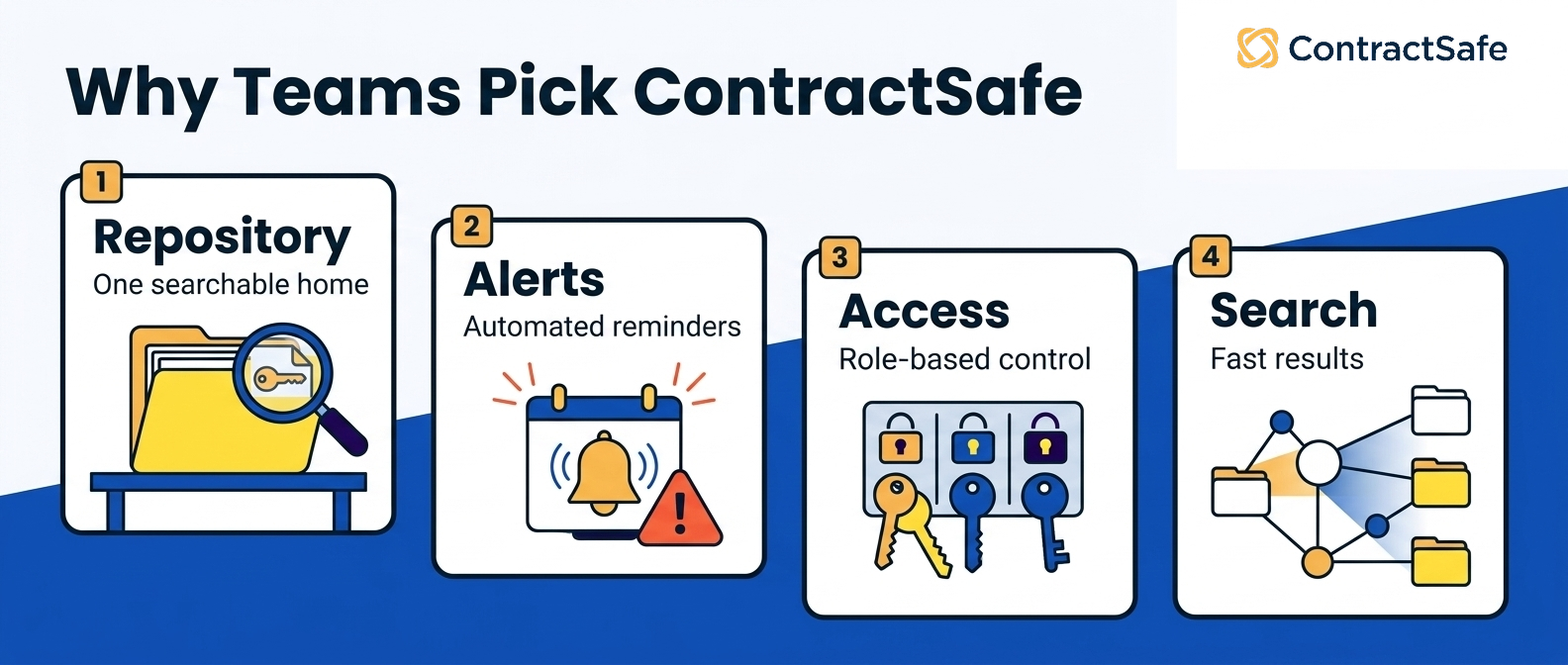
Put the six practices together and you get a short specification for good contract software: one searchable home, alerts on any date, verifiable AI, access controlled by role, and pricing that never gates adoption. ContractSafe was built against exactly that list, with the goal of a tool your whole team opens without being told to.
On repository and search, ContractSafe gives you one home for every contract with full-text and AI-powered search that handles the scanned, crooked, real-world PDFs your counterparties send, not just clean files. Amendments, addenda, SOWs, and supporting documents stay linked to the parent contract, so a vendor MSA amended four times over three years opens as one connected history instead of a scavenger hunt.
For dates and obligations, you can set customizable alerts on any date in any contract, with your own lead time, routed to whoever owns the relationship. That's the direct fix for the auto-renewal that fires because the notice window closed while everyone assumed someone else was watching.
On AI, ContractSafe's AI assistant pulls key terms and dates and shows you exactly where it found them, and lets you accept or correct each field before you rely on it. Ask it a plain-English question and you get an answer with a citation back to the source. That's extraction and search you can verify, which is the only kind worth acting on.
Underneath all of it sits role-based security so finance can see payment terms without touching legal language, and an outside auditor can get read-only access to one folder and nothing else, with every action logged. And because pricing is published and every plan includes unlimited users, adoption is never gated by per-seat math. Most customers are up and running in weeks, not months, with a dedicated success manager on the account.
As one customer, Teresa J. in billing and contracts, put it, "I couldn't believe we were already up and running in just 30 minutes."
If you want to pressure-test all of this against your own contracts, the fastest way is to run a demo and try the crooked-PDF search trick yourself.









.svg)







.svg)




