


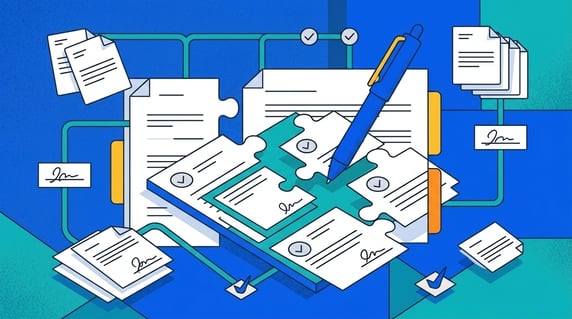
Contract drafting software helps teams create, edit, reuse, and control contract language before an agreement is signed.
That sounds like the whole contract job, but it isn't.
Drafting is the blueprint stage. You decide where the walls go, what the rooms are for, and whether anyone remembered to add a bathroom before the house gets built. Important work, obviously.
But a blueprint doesn’t tell you when the roof needs repair. It doesn’t track who has the keys. It doesn’t remind you that the warranty expires next Tuesday.
Contracts work the same way. A clean draft matters, but it only earns its keep if it becomes a signed agreement your team can find, trust, and act on later.
Key Takeaways
- Contract drafting software belongs before signature: templates, clause libraries, redlines, approvals, and AI-assisted language.
- Contract management software belongs after signature: repository, search, alerts, owners, reports, renewals, and obligations.
- The best buying test isn't "does it write a contract?" It's "does it move the contract into a usable record after signature?"
- Legal should test drafting tools with real templates, messy redlines, unusual clauses, and post-signature handoff. ContractSafe's contract editing works in the Word editor your team already uses, so the redlines never leave the system, and its built-in contract signing then closes the loop.
- If the pain is missed renewals or scattered signed contracts, a drafting-first tool won’t fix the problem by itself.
Choose Your Next Step
If you’re still comparing software categories, start with the difference between drafting and management below.
- Need the bigger picture first? Read what contract management software actually does.
- Building a vendor shortlist? Use our guide to the best contract management software.
- Comparing AI review? Read our guide to AI contract review software.
- Already losing renewal windows? Look at ContractSafe alerts and the ContractSafe repository.
The category question matters because drafting software can make the first draft cleaner while still leaving the signed contract stranded in someone’s inbox.
What Is Contract Drafting Software?
Contract drafting software is any tool that helps teams create, edit, reuse, and approve contract language before signature.
Most tools include some mix of templates, clause libraries, redlining, version history, collaboration, approval routing, and AI-assisted language suggestions.
In house terms, this is the architect’s table.
You’re choosing the layout. You’re deciding which walls are load-bearing. You’re trying to make sure nobody builds the kitchen upstairs by mistake.
That’s a real job. It’s also not the only job.
Once the contract is signed, the questions change.
Where is the final version? Who owns the relationship? When does it renew? What did we promise? Can finance see the payment terms?
That’s where contract management software comes in.
Drafting software helps you create the agreement. Contract management software helps you live with it.
Both matter. Confusing them is how teams buy a beautiful drafting process and still miss the renewal notice hiding in paragraph twelve.
Contract Drafting Software vs. Contract Management Software
Drafting software helps teams prepare agreements before signature. Contract management software helps teams find, track, report on, and act on signed agreements after signature.
| Question | Drafting software | Contract management software |
|---|---|---|
| When is it used? | Before signature | After signature, and across the contract lifecycle |
| What does it protect? | Approved language, versions, review steps | Signed records, dates, owners, obligations, renewals |
| Who uses it? | Legal, sales, procurement, contract authors | Legal, finance, procurement, operations, business owners |
| Failure mode | Wrong clause, slow review, messy redlines | Lost contract, missed date, unclear owner, weak report |
Quick gut check: if your team says, “We can’t get the first draft right,” drafting help may be the answer.
If your team says, “We can’t find the signed contract,” you need a repository.
If your team says, “We missed the cancellation window again,” you need alerts, not a better clause library.
Best Contract Drafting Software Options by Use Case
The right contract drafting software depends on where the work breaks: first draft, clause control, redlines, approvals, AI review, or post-signature handoff.
A few categories usually show up in the shortlist.
| Option | Best fit | Watch-out |
|---|---|---|
| Juro | Teams that want browser-based drafting and workflow | Make sure post-signature reporting fits your team |
| Ironclad | Enterprise teams that want a broader CLM build | Implementation scope matters as much as features |
| Agiloft | Teams that need configurable workflow | Configuration can create its own work |
| Icertis | Large enterprise contract programs | Don’t buy enterprise complexity for a repository problem |
| Document editor plus repository | Teams with simple drafting and painful signed-contract tracking | Template control still needs an owner |
That table isn't a winner's podium. It's a way to keep the buying conversation honest.
If the draft is the problem, compare drafting workflows. If the signed contract is the problem, compare repositories, alerts, and reports.
Buyer checklist: before you sign the order form, walk one real contract through the whole trip, from first draft to renewal notice. A drafting tool can look great on the template screen and still drop the ball once the ink dries. Score each tool on the seven questions below, and treat any weak answer as work your team inherits later, not a detail the vendor will quietly fix after go live.
- Template control: ask who owns the master template, how a retired version leaves the request screen, and whether each finished contract names the template that built it. No owner means the library slowly becomes a nicer shared drive.
- Clause fallback: check that legal can label preferred, fallback, and off limits language, that reaching for fallback logs a reason, and that picking risky wording is harder than picking the approved default.
- Approval trail: confirm the tool records who approved what, in what order, and when, and that the trail stays readable months later without three people reconstructing it from old email.
- Signature handoff: watch the final language move into e-signature without copy and paste, then confirm the signed file returns to the system on its own with signer names and date attached.
- Repository record: make sure the signed contract lands where people look, stays searchable by counterparty and key terms, and never sits stranded in the author's folder or a personal inbox.
- Renewal owner: every signed agreement should carry a named owner, a renewal date, and an alert that fires early enough to act. A date with no owner is a fact nobody watches.
- Reporting: confirm you can pull payment terms, renewal dates, and obligations across many contracts at once. If the only report is opening files one by one, that is not reporting.
Use this as a scorecard, not a wish list. Run one messy, real agreement end to end and mark each line pass, partial, or fail. If a tool nails drafting but stumbles on handoff, repository, renewal owner, or reporting, you are buying a cleaner first draft and keeping the after signature problem. Buy the tool that carries the contract all the way through, or pair drafting with something that does.
10 Buying Tests for Contract Drafting Software
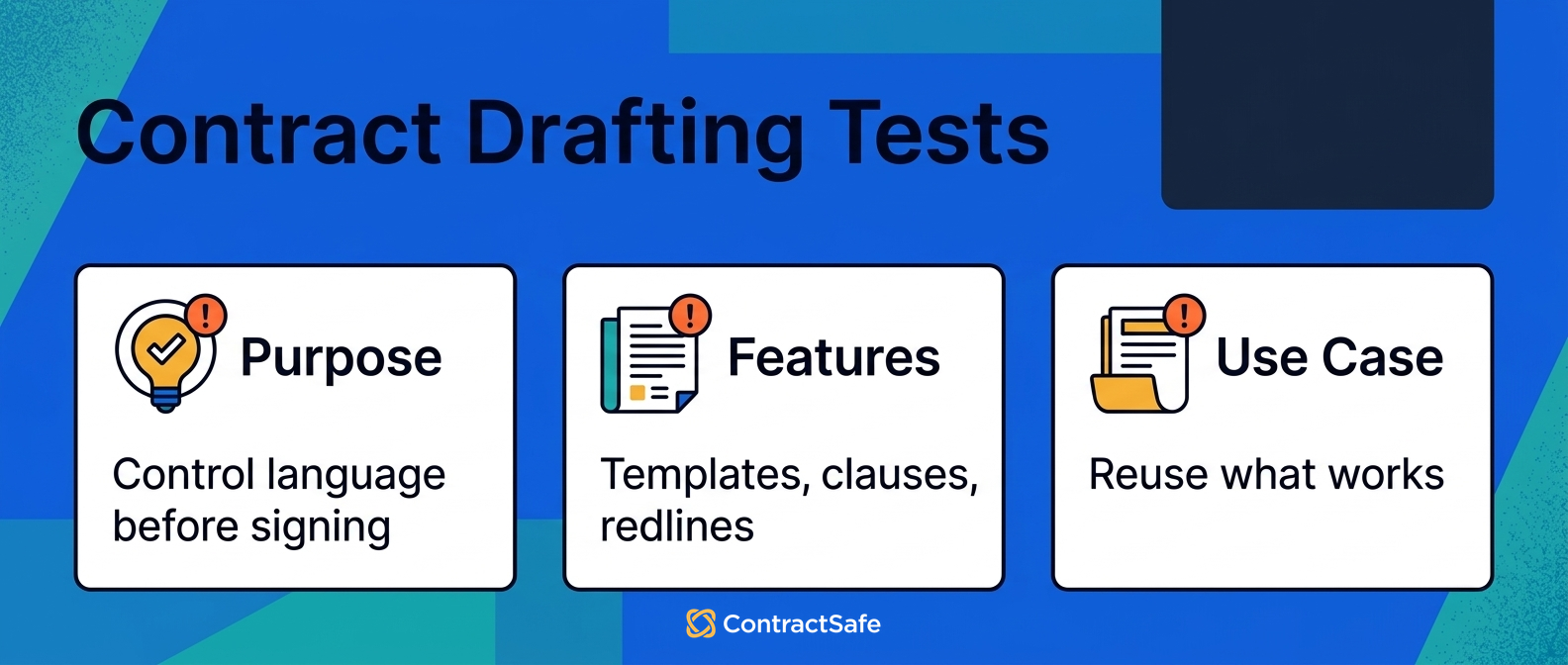
The best contract drafting software should pass ten practical tests before you trust it with live contract work.
Run these tests with real contracts, not polished demo samples. Clean sample files test presentation. Your own documents test whether the tool survives contact with the work.
If that sounds strict, good. WorldCC’s market insights keep coming back to the same practical lesson: contract value depends on how well teams manage the work around the agreement.
1. Can It Start from Approved Templates?
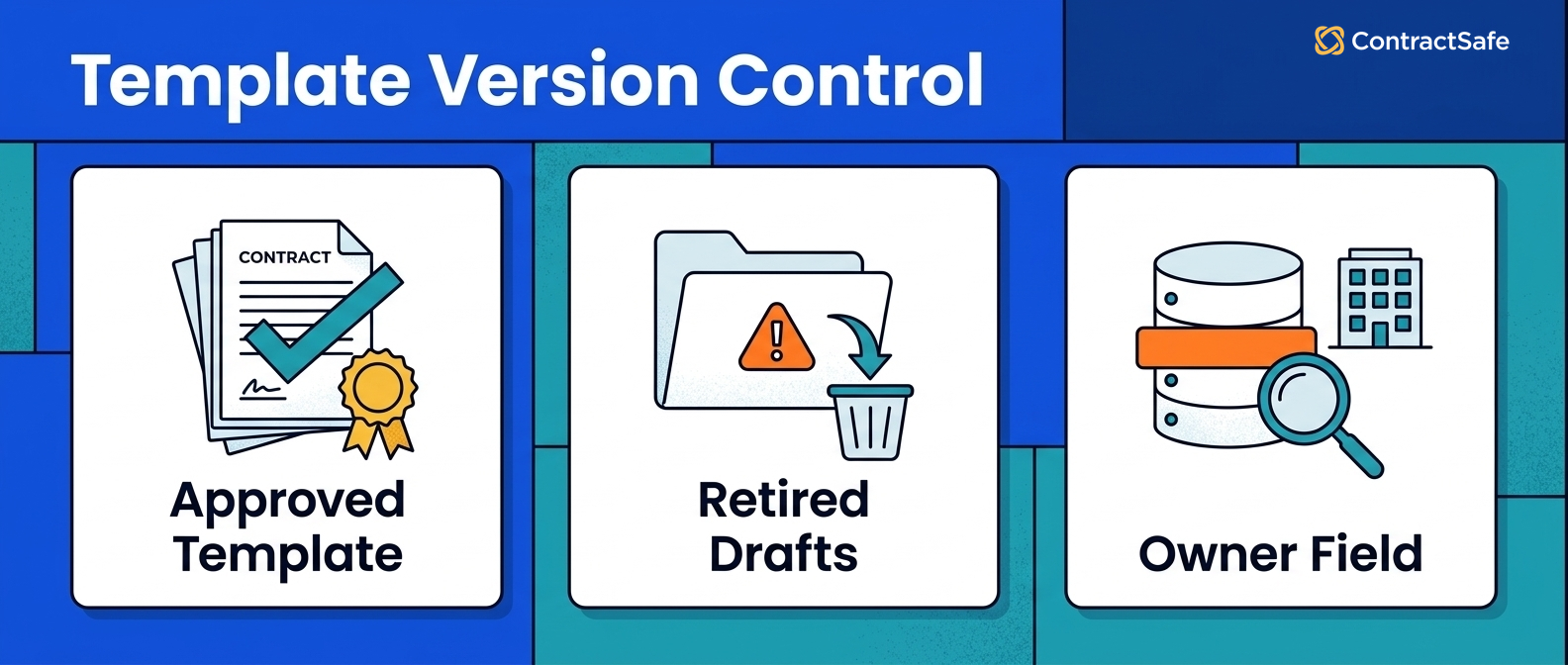
A contract drafting tool should let your team start from templates legal actually approves, not whatever file someone finds in a shared drive.
Ask the vendor to build a routine agreement from your own template during the demo.
Passing evidence looks simple: the template opens cleanly, required fields are visible, and approved language is protected from casual edits.
Say sales needs a standard order form. The tool should help them fill the variables without rewriting liability, renewal, or payment language by accident.
Then ask what happens when legal updates the master template.
Can the tool tell users that a retired version should no longer be used? Can it show which template produced each contract? Can admins remove stale language without breaking old records?
For example, ask the vendor to retire an old NDA template and show what a business user sees the next time they request an NDA.
- Pass: the user sees the current template and the old one is clearly unavailable.
- Partial pass: the old template is hidden, but admins can’t easily prove which version created which agreement.
- Fail: both versions sit side by side and users guess.
Risk to watch: a template library with no owner becomes a nicer-looking shared drive. Name the template owner before launch.
2. Can It Protect Approved Clauses?
Clause control is the reason many teams look for contract drafting software in the first place.
The test isn't whether the tool stores clauses. It's whether people reuse the right clause when the pressure's on.
Give the vendor two versions of an indemnity clause, one approved and one old. Ask how users know which one belongs in a new agreement.
Good systems make approved language easy to find and risky language harder to use quietly.
Push a little harder in the demo. Ask whether legal can label preferred, fallback, and restricted clauses, who's allowed to approve a new one, and whether the system records why someone reached for fallback language.
That evidence matters because clause libraries don’t fail loudly. They fail when the wrong language keeps getting copied because it was convenient.
For example, give the vendor a preferred confidentiality clause and a fallback version for customer paper.
- Pass: the tool shows which clause is approved, who approved it, and when fallback language is allowed.
- Partial pass: the clauses are stored, but users need training to know which one to pick.
- Fail: the library is just a list of text snippets with no governance.
Risk to watch: if every user can edit every clause, the library becomes a group project. That’s not clause control. That’s a potluck.
3. Can It Show What Changed?
Version history should answer the question every contract team eventually asks: what changed, who changed it, and when?
Ask the vendor to compare two messy redlined versions and show the final language, then ask for the audit trail.
This matters because contract disputes rarely start with “please show me the prettiest version.” They start with a practical question about what changed before signature.
Use a hard sample. Send a document where the counterparty edited a defined term, deleted a renewal sentence, and changed an exhibit.
The tool should surface the change without making legal read the entire agreement again.
If it can’t, the team will still need manual comparison for the contracts that matter most.
For example, ask the vendor to show the exact moment a payment term changed from net 30 to net 60.
- Pass: the change is visible, attributable, and easy to explain to a business reviewer.
- Partial pass: the change exists in history, but legal has to dig for it.
- Fail: the tool stores versions but can’t tell the story between them.
Risk to watch: if the tool can’t make version history readable, legal will still export files and rebuild the story manually.
4. Can It Route Review Without Creating a Maze?
Approval routing should help the contract move, not send it on a scenic tour of the company.
Use a real approval rule in the demo.
For example: if the agreement value crosses a finance threshold, finance reviews payment terms. If a nonstandard liability clause appears, legal reviews it.
The tool should show who has the contract, what they need to do, and what happens if they don't respond. Then ask for the exception path.
What happens when an approver is out? What happens when a deal needs executive review? What happens when someone rejects a clause and sends it back?
A good workflow isn't just the happy path. It handles the awkward path without turning into email again.
Risk to watch: too many approval paths make the process feel official while contracts sit still.
5. Can AI Help Without Overstating Confidence?
AI can help with drafting, review, clause comparison, and summarization if the tool keeps humans in control of legal judgment.
It should not turn unsupported suggestions into approved legal language.
Test AI with a real clause that needs judgment.
Ask the tool to summarize the issue, suggest language, and show where the suggestion came from.
AI contract review software can speed up the work, but people still need to decide what risk the business will accept.
Use one routine clause and one weird clause.
The routine clause tests speed. The weird clause tests whether the tool stays honest when the answer is messy.
If the AI sounds certain but can’t point back to source language or approved guidance, don’t let that output become contract language.
Risk to watch: if AI can’t show its work, treat the answer as a prompt, not a decision.
6. Can Business Users Request Contracts Cleanly?
Contract drafting breaks early when business users send legal half a request and three follow-up emails.
Test intake before you test drafting.
Can a business user request the right agreement, add the correct counterparty, select the correct template, and provide the fields legal needs?
Good intake feels almost boring. It collects the information that would otherwise become a Slack thread.
Ask someone outside legal to run the intake test.
If that person can't tell which agreement to request, the intake form isn't finished.
If legal still needs to ask for basic dates, parties, or pricing, the form is collecting activity instead of usable drafting data.
Risk to watch: if intake is too open-ended, legal still has to translate the request before drafting can begin.
7. Can It Hand Off to Signature?
Drafting software should know what happens when review is done. Otherwise, the team finishes the draft and immediately creates a new handoff problem.
Ask the vendor to move a final draft into signature during the demo.
Then check whether the executed file comes back into a managed record, or whether someone has to download and upload it manually.
ContractSafe supports e-signature workflows through tools like DocuSign and Dropbox Sign, then keeps signed contracts searchable after execution.
Watch the handoff carefully. The final file, signature certificate, parties, dates, and owner should all land where the team expects them.
If someone has to rename the file and drag it into a folder, the software has handed the baton to a manual habit.
Risk to watch: a smooth signing workflow is not enough if the signed agreement disappears afterward.
8. Can It Store the Final Agreement Where People Will Look?
The handoff from draft to repository is where a lot of contract systems quietly fail.
Ask one blunt question: where does the signed contract live after signature?
The answer should include search, permissions, key dates, owner fields, and reporting. If it only includes “download,” the post-signature job is still yours.
A contract repository gives the final agreement a searchable home, which is where finance, procurement, and operations can use it later.
Run the search test while you're there. Upload a signed agreement, search for a clause, filter by counterparty, and ask a non-legal user to find it.
If the tool only works for the admin who configured it, adoption will be shaky.
Risk to watch: a beautiful draft can still become a lost contract.
9. Can It Track Dates, Owners, and Obligations?
A signed agreement becomes useful when the team can act on its dates, owners, and obligations.
Ask the vendor to extract or enter a renewal date, notice date, owner, counterparty, and payment term from a signed agreement, then ask for the report.
That's the difference between contract drafting and contract operations. The first gets the agreement signed; the second keeps it from becoming a surprise later.
Use the ugliest agreement you’re comfortable sharing.
Scanned pages, odd formatting, amendments, and weird renewal language are good tests because they reveal whether the system can support the real repository.
Clean demo documents are like model homes. Nice to look at, but nobody lives there.
Risk to watch: if dates and owners don’t survive the handoff, your team will rebuild the tracker in a spreadsheet.
10. Can It Report on the Contract After Signature?
The final test is the one leadership will care about later: can the system answer practical questions without a manual hunt?
Try these in the demo:
- Which vendor agreements renew soon?
- Which contracts are missing owners?
- Which agreements have notice dates this quarter?
- Which signed contracts are missing key fields?
If the tool can’t answer those questions, it may still be a good drafting tool. It just isn’t solving post-signature management.
That distinction is important during buying.
There’s nothing wrong with buying a drafting tool for drafting. The mistake is buying one and assuming it also solves renewal, reporting, permissions, and owner tracking.
Write the missing post-signature jobs into the scorecard before the demo starts.
Risk to watch: reports that look good in a demo but don’t tie back to searchable signed agreements.
Can You Draft a Legally Binding Contract Without a Lawyer?
A contract can be legally binding without a lawyer in many situations. That doesn’t mean every contract should be drafted without one.
Most valid contracts need the basics: offer, acceptance, consideration, intent, and parties who can legally agree.
No rule says an attorney has to bless every ordinary agreement.
Back to the house for a second. Can you build a backyard shed without hiring a contractor?
Sure. People do it every weekend with a borrowed drill and the confidence of someone who hasn’t checked the weather forecast.
Can you build a hospital wing the same way? Please don't.
Contracts have the same common-sense line. A small freelance agreement may be fine with a proven template. A multi-year licensing deal with indemnity, data privacy, and international jurisdiction questions needs legal review.
That middle zone is where drafting tools help.
- Use templates for routine, low-risk agreements.
- Use approved clauses when language should stay consistent.
- Use review workflows when multiple people need to weigh in.
- Use legal review when money, risk, regulation, or unusual terms show up.
Thomson Reuters has written about document automation saving time in legal work. That tracks with the practical pattern here.
Software can remove repeat work. It can’t remove judgment.
How to Build a Contract Template Library Your Team Will Reuse
A reusable contract template isn't a document someone wrote in 2019, saved as "FINAL-final-v3," and quietly abandoned in a shared drive.
A good template has a job. It gives the team a safe starting point without forcing legal to rewrite the same agreement every week.
Start with the bones: parties, scope, payment, term, termination, confidentiality, liability, governing law, and signature blocks.
Then mark the variables. Names, dates, pricing, service descriptions, notice addresses, and renewal terms should be easy to spot.
Approved language should be harder to accidentally change.
That’s the whole trick, really. Make the parts that should change easy to change. Make the parts that shouldn’t change a little harder to wander away from.
Internal notes help too. A short note like "approved by outside counsel in March 2025" can save your future self from a small archaeological dig through email.
Finally, decide where the signed contract goes after signature. A template library that ends in a mystery folder is just a very organized way to lose things later.
What Not to Buy
Don’t buy contract drafting software just because the demo writes a paragraph that sounds impressive.
Buy it because it solves a specific operating problem.
That problem might be slow first drafts, uncontrolled templates, clause drift, messy approvals, or poor handoff after signature.
If the problem is actually “we can’t find signed contracts,” don’t pretend drafting is the fix.
That’s like buying a nicer blueprint table because nobody can find the house keys.
Nice table. Wrong problem.
Related Reading
- Best contract management software, for comparing systems that manage the signed contract after the draft.
- Contract lifecycle stages, for understanding where drafting fits in the full contract process.
- Legal AI tools, for comparing AI tools that support legal research, review, and drafting work.
- CLM software features, for separating useful features from software shelfware.
How ContractSafe Helps From Signature Through Renewal
ContractSafe helps when the draft becomes the signed contract everyone has to live with.
It gives final agreements a searchable home with OCR, permissions, reporting, AI extraction, and automated alerts for renewals, expirations, and key dates.
That matters because contract work doesn't end when someone signs.
Legal may need the final terms. Finance may need payment obligations. Procurement may need the vendor owner. An executive may need to know which contracts renew this quarter.
ContractSafe keeps those answers tied to the signed agreement instead of scattered across inboxes and folders.
Its AI contract management features can help teams extract and search key contract data. Its alerts help teams act before deadlines pass.
The drafting tool helps you build the house.
ContractSafe helps you keep track of the keys, the inspection records, and the maintenance schedule.
If that’s the missing part of your process, book a demo of ContractSafe and test the post-signature side with your own agreements.






.svg)







.svg)




