


ContractWorks pricing is more layered than it looks. The $700 per month Standard plan works out to roughly $8,400 a year with unlimited users, per current 2026 sources, yet that headline rate rarely reflects what a full deployment actually costs.
Picture a five person legal team at a growing SaaS company. They're tracking a few hundred contracts across shared drives and spreadsheets, renewals keep slipping, and finance wants a predictable number before anyone signs off. The team likes that a vendor quotes one flat rate, but they can't see the price until they book a call, and they need to know what happens to that number as their contract volume climbs.
This article walks through the pricing questions that actually protect your budget, from what's genuinely included to how the total holds up over a three year term. You'll leave knowing which questions to ask any vendor, and how the flat rate model stacks up against a full-lifecycle option you can price today without a sales conversation.
Key Takeaways
- ContractWorks starts at $700 per month, about $8,400 a year, for unlimited users, with free implementation, 24/7 support, AI extraction and tagging, alerts, custom reports, e-signature, and named security controls in every plan.
- ContractSafe starts at $450 per month billed annually, also with unlimited users on every plan, and it publishes pricing publicly so you can budget without a sales call.
- The smartest pricing questions focus on what's really included, how costs scale over time, and whether you're buying a repository or full contract lifecycle management.
- ContractSafe is full-lifecycle CLM covering signature through renewals, not just a place to store files.
Choose Your Next Step
Not sure where to start? Match your situation to the right move.
Want a true apples to apples look? Read our ContractSafe vs ContractWorks comparison.
Building a budget case? See how contract management pricing compares across vendors.
Weighing the total cost of ownership? Dig into what contract management software really costs.
Ready to see real numbers? Check ContractSafe pricing, no call required.
Buyer Snapshot
If you're comparing contract management platforms, you want to know what ContractWorks actually costs before you book a demo. This snapshot gives you the short answer and the questions that decide your final price.
| What You're Comparing | ContractWorks | ContractSafe |
|---|---|---|
| Starting price | $700/month | $450/month billed annually |
| Users | Unlimited on all plans | Unlimited on all plans |
| Pricing transparency | Quote by request | Published publicly |
| Included support | Free implementation, 24/7 support | Implementation, migration, and customer success support |
| Scope | Repository with AI, alerts, and e-signature | Full-lifecycle CLM, signature through renewals |
What ContractWorks Pricing Covers
ContractWorks doesn't publish a clear dollar price on its own site; the old pricing page now returns a 404. Third-party sources fill the gap: as of 2026, they put the Standard plan at $700/month, roughly $8,400 a year. Our contract management price comparison shows what that entry tier does and doesn't cover.
Those sources also spell out what comes in the box. Every plan includes free implementation and round-the-clock support, which is a genuine plus if you've ever been handed a login and left to figure out migration on your own. There's proprietary AI that extracts and tags key information from your agreements, and once that data is tagged, you can turn on alerts and build custom reports off it. So a renewal date buried deep in the agreement becomes something the system can actually flag before it sneaks up on you.
On the signing side, ContractWorks includes built-in electronic signature with no APIs to wire up. That's a real convenience. You're not paying a separate vendor or asking IT to connect two systems just to get a contract executed.
Security is where the details get specific, and it's worth reading closely if you're the person who has to answer the vendor-review questionnaire. ContractWorks lists AWS hosting with ISO 27001 and SOC 1, SOC 2, and SOC 3 accredited data centers, encryption in transit and at rest, two-factor authentication, and permission-based user roles. That's a solid, checkable list, and it covers the questions most security teams ask first.
So the picture that comes together is a solid one: $700 a month, unlimited users, implementation and support included, AI extraction and tagging, alerts and reports, native e-signature, and a named security posture. For a category where half the vendors won't tell you anything until you sit through a call, that's a useful amount to know going in, even though you're piecing the price together from third-party sources rather than the vendor's own site.
For a like-for-like read on how the two tools line up feature by feature, the ContractSafe vs. ContractWorks comparison breaks it down side by side.
What The $700 Monthly Starting Point Doesn't Answer
The $700 starting figure answers what you pay to start, not what you pay at scale. It doesn't tell you how many documents, seats, or features that tier includes. Our contract management price comparison maps the gaps that quotes fill in later.
Start with volume. The starting number doesn't say how many contracts or how much storage the entry tier covers, or what happens when you cross whatever line exists. If your repository grows every quarter, you want to know whether that growth changes your bill before you sign, not after. That's a fair question to put directly to their sales team: what are the limits at that rate, and what's the price at the next tier up?
The AI raises a similar question. The plan says extraction and tagging are included, which is great, but it doesn't break down whether every plan gets the full capability or whether the richest version lives on a higher tier. When AI is doing the work of pulling dates and terms out of your documents, "included" and "fully included on the plan I'm buying" aren't always the same sentence. Ask which plan the number in front of you refers to.
Then there's the part the starting figure never covers: renewals. What you pay in year one and what you pay in year three can be different numbers, and the entry price won't tell you the trajectory. Get the renewal terms in writing before you commit, so the number you budgeted doesn't quietly become something else at your first anniversary.
None of this is a knock on ContractWorks. It's just the difference between a headline and a quote. The smart move is to treat that starting rate as the opening line of a conversation and come to it with a short list: volume limits and next-tier pricing, exactly which plan includes which AI features, and how renewals are structured over a multi-year term.
For reference, ContractSafe starts at $450 per month billed annually with unlimited users on every plan, and we publish our pricing openly with implementation, migration, and customer success support built in. If you want to see how starting prices translate into real annual spend across vendors, the pricing comparison is a good next stop.
Why Pricing Scope Matters After You Buy
Pricing scope matters after you buy because the sticker price rarely covers everything your team actually does with contracts. What's included, what's capped, and what costs extra all shape your real spend once the work ramps up and more people start relying on the system.
The gap usually shows up a few months in, not on day one. You signed up for a number, then your legal ops team wanted to store older agreements, your finance group wanted more seats, and suddenly you're rereading the order form to see what you agreed to. That's a frustrating place to be, and it's avoidable if you ask the right questions before you sign.
Think about how different groups actually use the tool. For example, legal ops might need to load thousands of historical contracts and set reminders on every renewal date. If storage or record counts are limited, that migration alone could push you into a higher tier. So ask the vendor plainly: is document count capped, and what happens when I hit the limit?
ContractSafe puts unlimited users on every plan and starts at $450 a month billed annually, so seats aren't the thing that surprises you later. If you're weighing another product, confirm their user math directly rather than assuming it matches.
For example, finance and procurement care about a different corner. They want spend data, export options, and clean audit trails. A missed renewal that auto-renews an unwanted vendor contract can look a lot like a budget breach when the invoice lands. If the reporting you need sits behind a premium add-on, that's a cost worth knowing up front. Ask whether reporting, integrations, and API access are included or billed separately, and get the answer in writing.
For example, sales and operations feel scope in speed. A sales team pushing dozens of agreements a week needs fast search and easy sharing so deals don't stall. Operations needs role based permissions so the wrong person can't edit a signed document, because an accidental change to executed terms can create a real compliance violation depending on your rules. If per user pricing or permission features cost more elsewhere, that changes the comparison. When you look at any competitor, treat their published tiers as questions to confirm, not facts to bank on.
None of this is legal advice, and it isn't about scaring you off a purchase. It's about matching the plan to the way your people work so you don't get boxed in. Before you commit, write down what each group needs, then make the vendor confirm which of those needs is included and which isn't. A short list of pointed questions now saves you a painful renewal conversation later, and it keeps your team using the system instead of fighting it.
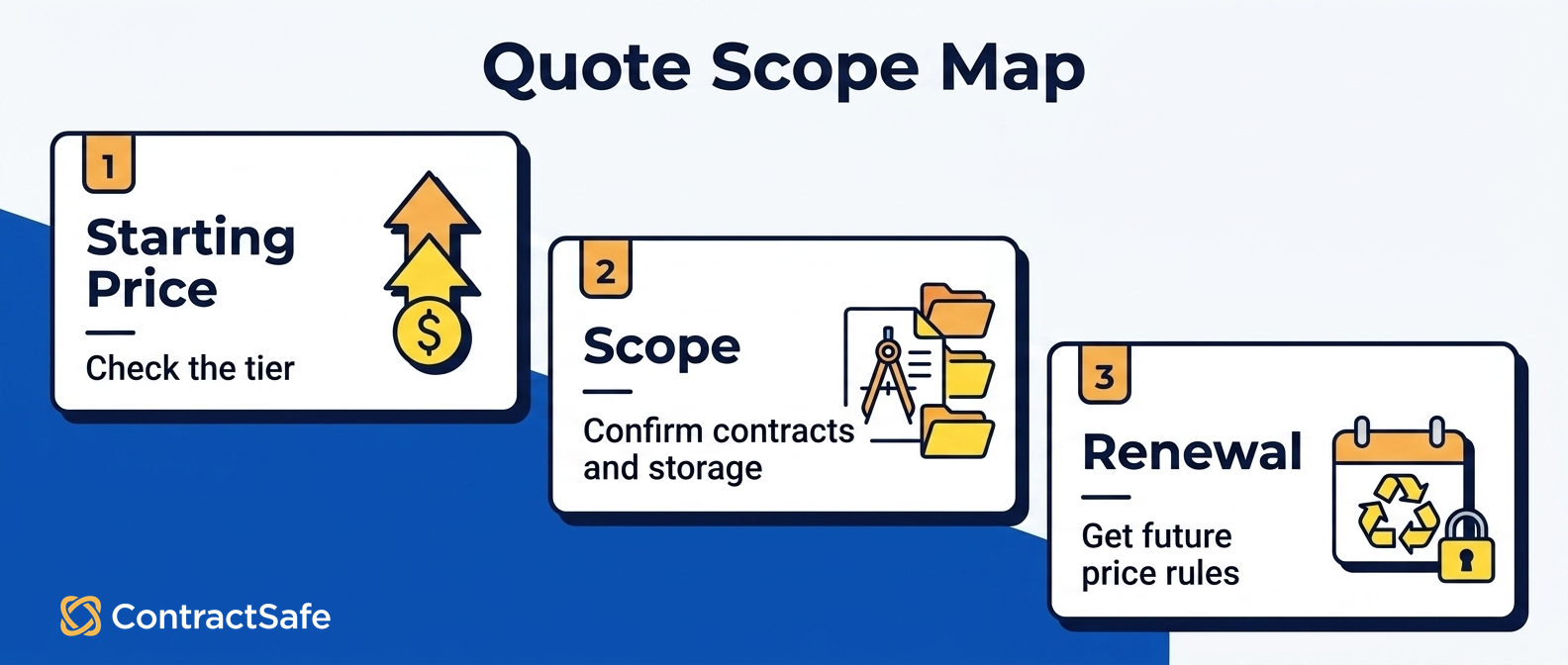
ContractWorks Quote Questions By Cost Category
Once you move past the $700/month starting point, your quote depends on choices grouped into clear cost categories. The questions below help you pin down each one before you sign. Our contract management price comparison shows how those same categories shift totals across vendors.
The fix is boring but it works: before you sign anything, get every cost driver in writing. Don't guess at storage tiers or feature bundles from a demo call, ask the rep to confirm them in the quote, then compare that quote line by line against the alternative you're weighing. A few pointed questions upfront save you from a surprise at renewal.
To its credit, ContractWorks bundles several inclusions into the base plan: free implementation, 24/7 support, AI extraction, and e-signature. That's a helpful start, yet none of it tells you which tier you land in or how much your document and user volume will cost. Our ContractSafe versus ContractWorks comparison lays out the scope answers you still need before the quote.
Use the table below as a checklist. Walk through each category with the rep and write down the answer next to it.
| Cost category | Ask the rep this | Why it matters |
|---|---|---|
| Base subscription | Which plan does the $700/month starting price map to, and what's included at that tier? | Confirms the floor and what you actually get for it |
| Contract volume | Is there a limit on the number of contracts or documents I can store, and what happens when I exceed it? | Volume caps and overages are the most common source of a bigger-than-expected bill |
| Storage | Is storage metered separately, and is there a ceiling on my plan? | Tells you whether a growing archive changes your price |
| Users | The plan says unlimited users, does that hold across every tier, or only above a certain plan? | Confirms whether adding your whole team costs extra |
| AI extraction | Is the proprietary AI tagging included at my tier, or is it a paid add-on? | AI features are sometimes bundled, sometimes not, get it in writing |
| Alerts and reporting | Are custom reports and alerts from auto-tagged data included at my plan level? | ContractWorks describes these as available; confirm they're on your specific tier |
| E-signature | Is built-in electronic signature included with no separate signing fees or per-envelope charges? | The page says no APIs are necessary; confirm there's no metered signing cost |
| Implementation | Implementation is described as free, does that cover data migration from my current system too? | "Free implementation" and "free migration" aren't always the same scope |
| Support | Is 24/7 support included at every tier, or does the response level change by plan? | Confirms the support you're picturing is the support you're buying |
| Security and compliance | Which certifications and controls apply to my account? | ContractWorks lists AWS hosting, ISO 27001, SOC 1/2/3 data centers, encryption in transit and at rest, 2FA, and permission-based roles, confirm all apply to your tier |
| Renewal terms | What's the renewal price and the mechanism for any increase? | The starting rate is year one; the renewal is the number you'll live with |
Anything the rep can't answer on the spot is a follow-up, not a dealbreaker, but don't let it stay unanswered. Storage ceilings, contract limits, module pricing, and renewal increases aren't published, so treat each as a direct quote question and get the answer before you commit budget.
How To Compare ContractWorks Against ContractSafe
Once you've got a real ContractWorks quote in hand, the comparison gets easy, because you're no longer comparing a starting price to a starting price, you're comparing your actual quoted total against a number you can see without a sales call.
ContractSafe publishes its pricing openly: it starts at $450/month billed annually, with unlimited users on every plan. That means you can put a genuine figure next to your ContractWorks quote today, no back-and-forth required. Both tools give you unlimited users, so the real questions are what's included at the tier you need, what scales with volume, and what happens at renewal.
Line the two up across the same categories you just used for your quote. A practical way to do it:
Start with the numbers you can pin down. $450/month annually for ContractSafe versus $700/month for ContractWorks. Then adjust each for the features and volume your team actually needs.
Match feature for feature. Both include AI extraction, alerts, reporting, and permission-based roles. Confirm which of those sit at the tier you'd buy, on both sides.
Check the lifecycle, not just the archive. You're buying a full contract workflow, signature, a searchable home for every agreement, deadline alerts, reporting, permissions, AI extraction, and adoption across your org, so compare the whole span, not one slice of it.
Weigh the support and onboarding. ContractSafe includes implementation and migration support plus customer success support; ContractWorks lists free implementation and 24/7 support. Confirm what each covers for your data.
To pressure-test the comparison, go to the source pages rather than a summary. The ContractSafe vs ContractWorks comparison puts the two side by side, and the ContractSafe pricing page shows the actual tiers and what's in them. To see how the day-to-day features hold up, look at the proof: the contract repository shows how agreements stay organized and searchable, and the AI contract management page shows how extraction and tagging work in practice.
The goal isn't to win an argument, it's to make sure the number you sign for is the number you understood. When one vendor's pricing is public and the other's depends on a quote, your job is to turn that quote into an apples-to-apples line item and decide with both totals in front of you.
Common Mistakes To Avoid Before You Sign
The biggest mistake buyers make is treating the sticker number as the whole story. Before you sign anything, get clear answers on migration, storage, AI features per tier, and renewal terms. A few sharp questions up front will save you from surprises that only surface after the contract is locked in.
Treating $700 a month as the final number. That figure is a starting point, not a guarantee of your total cost. Ask what changes if your team grows, your contract volume climbs, or you add features later. The monthly rate you're quoted today should be tested against where your business will be in a year, not just where it is now.
Assuming free implementation covers your migration. Onboarding help and full data migration aren't always the same thing. If you're moving hundreds of existing agreements, ask exactly what the standard setup includes. Does it cover importing your legacy files, tagging them, and mapping key dates? Or is that on your team? Get the scope in writing before you assume it's handled.
Reading unlimited users as unlimited everything. Unlimited users is a genuinely nice perk, but it doesn't automatically mean unlimited contracts or unlimited storage. Those can be separate limits. Ask directly: is there a cap on how many contracts I can store, and what happens if I hit it? You don't want to find out mid-quarter.
Assuming AI extraction works the same on every plan. Automated data extraction is often the reason people switch tools in the first place, so confirm which tier actually includes it and how much. The version on a lower plan may not match what you saw in the demo. Ask what fields it pulls, how accurate it is, and whether the capability differs as you move up.
Ignoring the renewal terms. The price you sign for is rarely the price forever. Ask how renewals are handled, whether rates can change, and how much notice you get before your term rolls over. Knowing the answer now beats discovering it in an auto-renewal email later.
Pricing scope matters because the tier you choose decides how much of your contract data the system actually tracks. If a renewal alert or key deadline sits outside your plan limits, it can quietly go unwatched. A missed auto renewal can lock you into terms you meant to end, and an overlooked compliance date can put you out of step with an obligation you agreed to honor. When the entry price hides those limits, you learn about the gap only after a contract has already lapsed.
None of this means any one tool is a bad choice. It means you should buy with the same rigor you'd apply to any vendor agreement. Groups like World Commerce and Contracting publish solid contract management resources on evaluating terms, and the Association of Corporate Counsel shares practical guidance on procurement contract terms for pressure-testing a deal.
Ask the questions while you still have negotiating room. Once you've signed, the answers are just facts you have to live with.
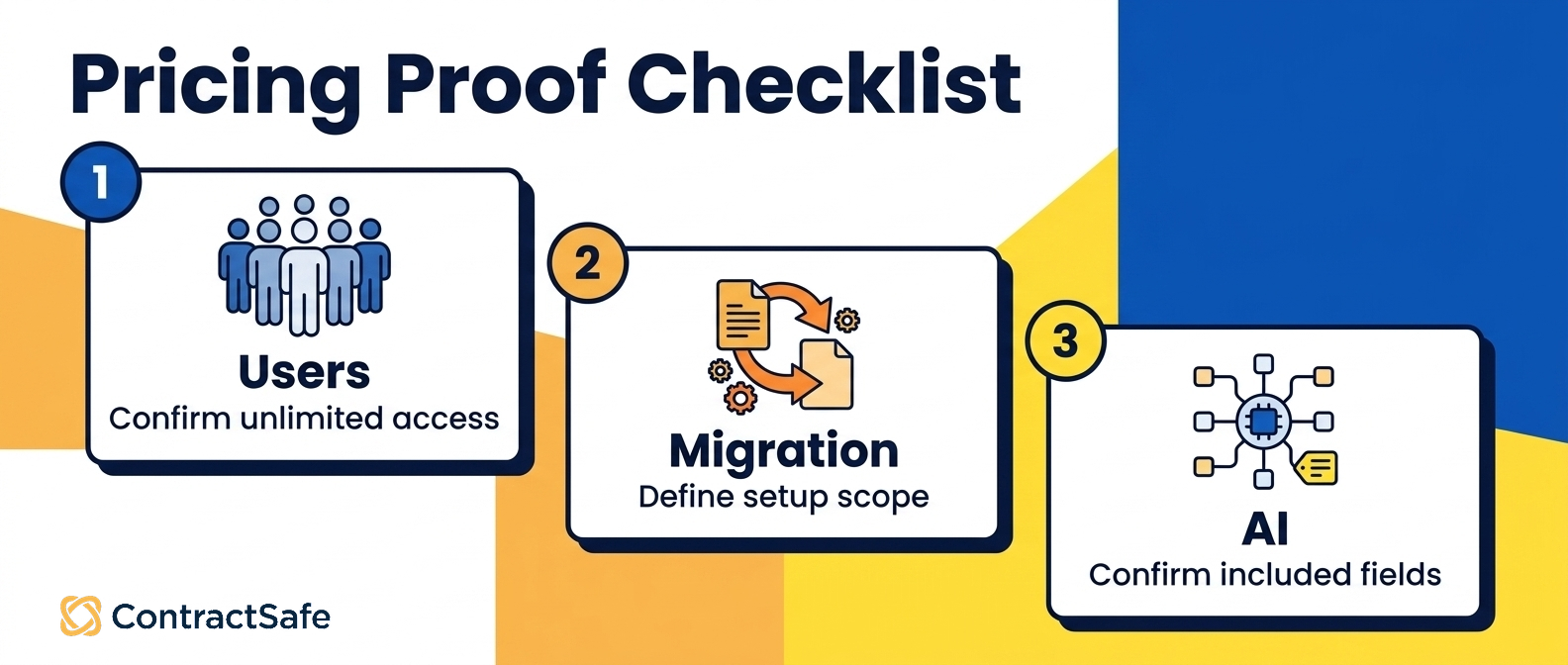
What To Bring To The Buying Meeting
Bring three things to the buying meeting: your real contract count, a list of everyone who needs access, and the renewal dates you keep missing. Those details show whether a plain repository is enough or you need full-lifecycle coverage, and they keep the pricing conversation grounded in your actual work.
Price is the easiest number to pin down, so start there. ContractWorks runs $700 a month and ContractSafe starts at $450 a month billed annually, both with unlimited users, and you can see the two side by side in our ContractSafe vs ContractWorks comparison. Ask each vendor exactly what the starting tier includes, because a low headline can leave storage scope and add-on modules for the quote.
Then walk in with a short checklist so the demo stays about your work instead of a canned tour:
A rough contract count, so you know which storage tier you actually land in
The teams that need access, since unlimited users only pays off when you roll it out org-wide
The lifecycle stages you care about, from signature through renewals
The deadlines and alerts you want automated instead of tracked by hand
Two or three reports leadership asks for every quarter
If budget is the sticking point, do the math before anyone signs. Our contract management price comparison and contract management software cost guides show where the money tends to hide, so the meeting stays about value rather than sticker shock. The goal is simple: leave knowing what you'll pay, who will use it, and which jobs it actually does.
Related Reading
How ContractSafe Helps
ContractSafe is full-lifecycle contract management starting at $450 a month billed annually, with unlimited users on every plan. You get a searchable repository, deadline alerts, reporting, granular permissions, and AI extraction. Book a free demo and watch it handle your own contracts.
The value isn't only a lower starting price. It's what happens once every contract lives in one place. Any teammate can find what they need without pinging legal, alerts fire well before renewals sneak up, and reports pull in seconds instead of a last-minute spreadsheet scramble. That covers the whole lifecycle, from the moment a deal gets signed to the day it comes up for renewal.
Because unlimited users come standard, adoption spreads across sales, finance, and operations without a per-seat penalty. Org-wide use is where the savings really compound, long after the $450 starting price stops being the headline and the time you save becomes the point.
When you're ready, bring the list from your buying meeting and put it to work. Start with a free demo, load a handful of your real contracts, and see how quickly the repository, the alerts, and the reporting earn their keep.








.svg)







.svg)




