


Full-lifecycle CLM is contract lifecycle management software that carries an agreement from request through drafting, review, approval, signature, storage, and every obligation that follows. Evaluating a CLM system means checking that each of those features exists, works with the ones sitting next to it, and holds onto contract data as the work moves between teams. World Commerce & Contracting’s Contract Management Standard provides an independent framework for that lifecycle.
The feature count on a vendor sheet matters far less than whether the handoffs survive real use.
Quick answer: Contract lifecycle management features should test whether legal, finance, procurement, and operations teams can find the right contract, trust its data, and act on it.
ContractSafe is a contract management platform built to keep the baton in hand across all of those exchanges, which is why the evaluation questions below are mostly about testing exchanges rather than admiring runners.
Think about a relay race for a second. Every runner on the team can be fast, and the team can still lose the race on the baton exchange. Contract software fails the same way, and it fails politely. The intake form is fine. The template library is fine. The signature tool is fine.
But the intake data never reaches the draft, the executed PDF lands in a folder with no renewal date attached, and somebody in finance finds out about an auto-renewal six weeks after the notice window closed.
Key Takeaways
- Evaluate contract lifecycle management features as a connected chain, not a checklist. Costly failures often happen at the handoff between two working features.
- Every capability claim needs a proof task. Ask the vendor to run the job live in a demo instead of confirming that the feature exists on the pricing page.
- Data and ownership have to survive stage changes. Intake answers, party names, dates, and approval history should still be attached to the contract after signature.
- AI output needs to be traceable back to the contract text, and automation should route work to humans rather than replace their approval.
- Rollout capacity is part of the feature evaluation. A capability nobody outside legal will actually use isn’t coverage.
Choose your next step:
-
Start with the evaluation rubric if you want a live-demo agenda.
-
Match features to your rollout if implementation capacity is the constraint.
-
See how lifecycle features connect if you need the handoff model first.
How to Score CLM Features During an Evaluation
Demo Proof Tests for a Contract Lifecycle Management System
Demo proof tests are specific tasks you ask a vendor to perform live, in their product, using something close to your own contracts. A proof test replaces “yes, we support that” with a thing you watched happen.
Most buyers sit through a scripted tour instead, which is how a system with every feature on the list can still stall after launch. The scripted demo is designed to show features working alone, in the best light, with clean sample data.
Your job is to force the exchanges: one contract travels the whole route in one sitting, same person driving, while you watch what carries forward and what gets retyped. Here’s the proof-test matrix. Each row pairs the business failure with the feature to test and the proof question a vendor has to answer live.
| Lifecycle job | Failure it prevents | Feature to test | Proof question for the demo |
|---|---|---|---|
| Intake | Requests arriving by email with half the facts missing | Request forms with required fields and routing | “Submit a request as a sales rep. Where does that data end up, and is it still attached after signature?” |
| Creation | Business teams drafting from a stale desktop copy | Template-based first drafts | “Generate a draft from the request I just submitted. Which fields populated automatically?” |
| Editing and versions | Reviewers losing track of which redline is current | Editing, Word workflows, version comparison | “Open two versions and show me exactly what changed and who changed it.” |
| Approval | Contracts signed without the approver who mattered | Routing to people and groups, notifications, status | “Route this to a group, then show me everything waiting on someone right now.” |
| Signature and execution | Executed files detaching from their review history | E-signature integration and execution handoff | “After signature, show me the request, the approvals, and the signed version from one record.” |
| Repository and access | The wrong team seeing sensitive terms | Secure storage, permissions, audit trails | “Log in as a limited user and try to open a contract that user shouldn’t see.” |
| OCR | Scanned contracts being invisible to search | Text recognition on image-based PDFs | “Upload a scanned agreement and search for a phrase buried on page nine.” |
| Data extraction | Renewal dates never getting into the system | AI extraction of dates, parties, terms, clauses | “Extract from this contract, then show me the source page for each field.” |
| Search | Nobody being able to answer a simple question about terms | Full-text and plain-English search | “Ask which agreements expire in the next ninety days, in plain language.” |
| Reporting | Leadership asking for a list nobody can build | Saved reports, scheduling, exports | “Save this report, schedule it monthly, and export it.” |
| Alerts and renewals | Auto-renewals passing the notice window | Alerts, reminders, renewal tracking | “Set a 90-day contract renewal alert before this expiration and route it to two people.” |
| Obligations and compliance | Commitments nobody tracked after signature | Obligation tracking, audit trails, compliance reporting | “Show me the full activity record for this agreement, start to finish.” |
Two scoring rules make the matrix useful. First, separate “claimed” from “usable.” A vendor can truthfully say they support approval routing and still require an admin to hand-build every workflow in a config screen nobody on your team will ever open. So ask who configures it and how long it takes. Second, score the handoffs, not just the boxes.
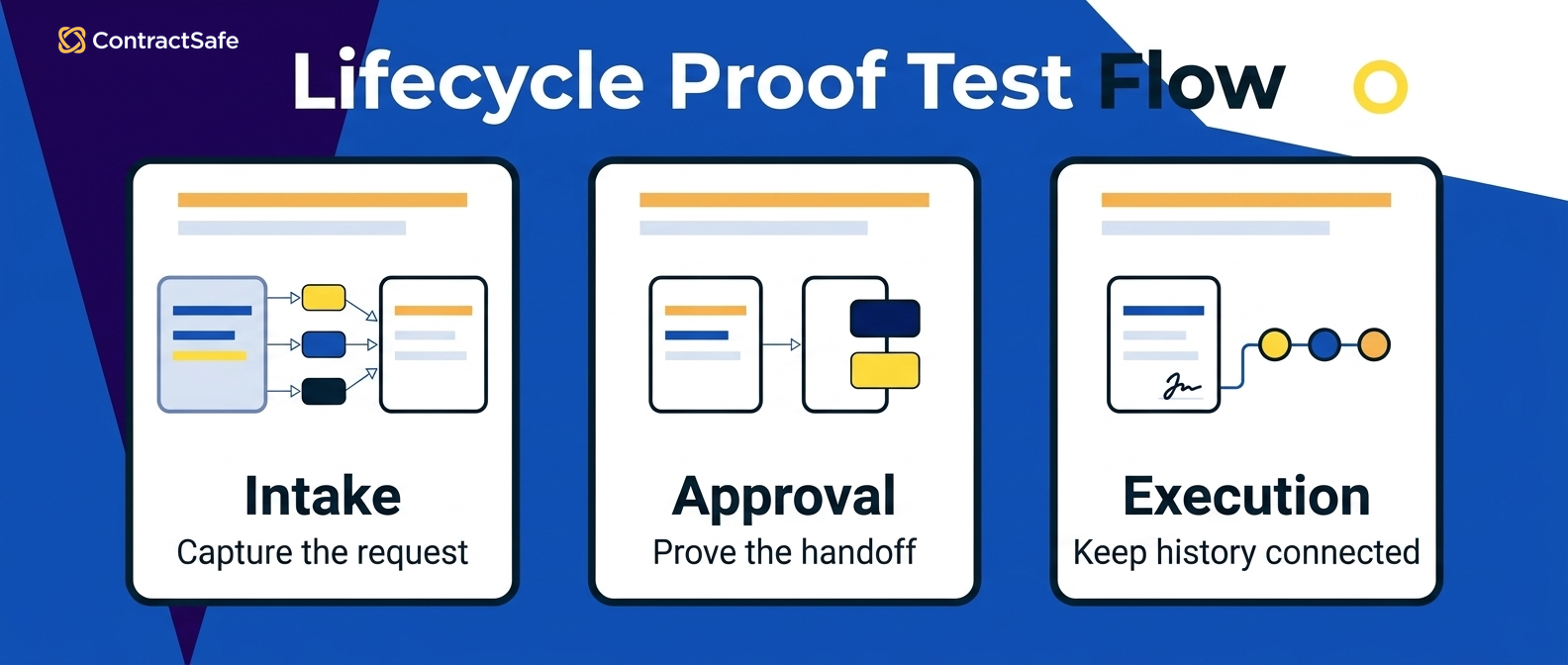
A few things to watch specifically while that single contract travels:
| Handoff proof test | What to watch |
|---|---|
| Does intake data reach the draft | The counterparty name, contract type, and value entered at request time should populate the template. If someone retypes them, every later report inherits the typos. |
| Does the edit history survive | After signature, you should still be able to see which version was signed and who approved it, without opening a separate email thread. |
| Does the signed file land in the record automatically | Watch for a manual upload step. That step is where post-signature tracking quietly dies. |
| Do extracted dates create real alerts | Extraction that produces a display field but not a reminder is a reporting feature dressed up as a control. |
| Can a reviewer trace AI output to the contract | Every extracted term or flagged clause should link to the paragraph it came from. |
That last point deserves its own line. Traceability is what makes AI usable in a regulated process. If every result needs a full manual re-check, the tool’s time savings disappear.
ContractSafe’s approach to AI contract review with human approval keeps a person on the decision and shows where the answer came from. Be direct with vendors here: no robot-lawyer promises, just show me the source text behind the output.
Proof to Ask For
Before you leave a demo, ask for these four artifacts. If a vendor can’t produce them, treat the matching feature as unproven rather than absent.
| Artifact | What it proves |
|---|---|
| One-session lifecycle walkthrough | A screen recording or live walkthrough of one contract moving from intake through signature in a single session. |
| Saved report and export | A saved report you watched get built, exported to a file you can open. |
| Traceable AI extraction | One AI-extracted field shown next to the contract language it came from. |
| Implementation and migration plan | A named plan for implementation and migration, including who does the work and when. |
Thomson Reuters describes a contract management system as one that should automate creation and approval, identify and manage risk, and monitor obligations and compliance in one platform. Read that as a connection requirement rather than a feature count.
Match Lifecycle Coverage to Your Team and Rollout
Lifecycle coverage only counts if your team can turn it on. Match the feature set to the people who’ll run it, the contracts you actually sign, and the amount of implementation work you can absorb this quarter.
A system that covers every stage but needs more configuration than your team can absorb is worse than one that fits your rollout capacity.
So translate lifecycle features into rollout terms:
-
Who submits contracts? If the answer is “anyone in the company,” intake and search have to be usable by people who’ll touch the system only occasionally. Your contract intake playbook should be short enough that nobody needs training to follow it.
-
Who reviews and edits? Legal teams living in Word need editing that respects Word, not a proprietary editor that forces a new habit. Look closely at contract editing workflows and how redlines move in and out.
-
Who approves? Approval design is where governance either becomes real or becomes theater. Simple, visible contract approval workflows beat elaborate conditional logic that only one admin understands.
-
Who searches? Finance and procurement ask questions in plain English. If answering them requires a saved query built by an admin, people stop asking.
-
Who owns renewals? Somebody has to receive the alert and act on it. Name that person during evaluation, not after go-live.
Then look at cost the way your CFO will. ContractSafe publishes pricing and all plans include unlimited users.
Per-seat pricing can push teams to limit access, which is how contracts end up back in email and shared drives, so model the math against your own headcount on the ContractSafe pricing page.
Implementation and migration support and customer success are included, which addresses the exact gap the operations findings point at. The plan-versus-implementation gap usually isn’t a software problem. It’s a nobody-had-time problem, and it closes faster when migration help comes with the system.
Which Full-Lifecycle CLM Features Need to Work Together?
Full-lifecycle CLM features need to work together in three connected groups: pre-signature work (intake, templates, editing, approvals), execution (signature and handoff), and post-signature control (repository, search, extraction, reports, alerts, renewals).
A system covers the lifecycle only when data and ownership survive the handoffs between those groups. Back to the relay for a moment. Most contract systems get evaluated like a tryout for individual runners. Does it have intake forms? Check. Does it do approvals? Check. Does it store signed contracts? Check.
Then the team buys it, rolls it out, and discovers that the request form data lives in one place, the approval history lives in another, and the signed PDF shows up in a folder with no memory of where it came from or who said yes. That baton drop is the actual thing you’re evaluating.
Here’s what surviving the handoff looks like in practice.
If your intake form captures the vendor name, contract type, business owner, and expected value, all four of those fields should still be attached to the agreement later when someone asks whether that vendor auto-renews. If your approval workflow records that the CFO signed off on a specific version, that record should still be traceable after signature, not overwritten when the executed copy replaces the draft.
And if your AI pulls a renewal date out of a scanned agreement, a human should be able to click through and see the exact page that date came from.
There’s a common shortcut worth naming. A lot of teams start by buying storage, because storage is the pain they feel first, and a searchable place to put scattered files feels like the whole answer. It isn’t. Storage solves finding.
It doesn’t solve the drafting and review before the file exists, or the obligations that come due after. The CLM-versus-repository difference is worth reading before you shortlist anything.
Intake, Creation, Editing, and Approval Features
Pre-signature contract lifecycle management features cover four jobs: capturing requests with enough structure to route them, generating first drafts from approved templates, editing and comparing versions without losing the thread, and routing approvals to the right people with a record of who decided what.
Intake is where most contract chaos originates, and it’s also the cheapest place to fix it.
When a sales rep emails legal saying “can you look at this MSA real quick,” there’s no contract type, no counterparty record, no requested date, and no owner. Legal spends the first day of the deal doing archaeology.
A request form fixes this by making the requester supply the context up front, a small tax on them and a large refund for everyone downstream. Our contract intake playbook walks through which fields earn their place. The proof test for intake is simple and slightly rude: ask the vendor to let someone who doesn’t work in legal submit a request during the demo.
If it takes training, it won’t get adopted, and an intake feature nobody uses is worse than none at all, because you now believe you have coverage you don’t have. Creation is next. Templates should turn the request data into a starting agreement instead of making someone copy last quarter’s NDA and find-and-replace the party name. Watch for the field mapping specifically.
If the requester typed the counterparty name into the form, that name should appear in the draft without anyone retyping it, because retyping is where typos enter contracts and never leave. Editing is where evaluations get sloppy, because everybody nods along at “yes, we support editing” without asking what kind. Some changes are small and belong in the platform.
Some are a real negotiation and belong in Word, where the other side’s counsel lives. A system that handles only one forces workarounds, and workarounds mean documents leaving the system and coming back as orphans. Look for contract editing workflows that handle both, keep redline continuity, and hold version history.
Approvals are the last pre-signature job and the one with the most theater around it. Every vendor demos a beautiful flow with three sequential boxes.
Real organizations need groups, because “someone in finance” is the actual rule, not “Dana in finance who is on vacation.” They need notifications that reach people where they work and a status view so the person chasing the deal can see whether it’s sitting with legal or with the business owner.
Look closely at contract approval workflows that support group routing and preserve decision history after execution. For the broader picture of how routing rules fit together, contract workflow automation covers the design patterns. One boundary worth setting during evaluation: automation should route work and remind people, not make decisions for them.
If a vendor implies that AI will draft and negotiate your agreements without a lawyer touching them, ask exactly which output is generated and who is accountable for accepting it. The honest answer is that AI helps a reviewer work faster, and the reviewer stays responsible.
Signature Handoff, Repository, Search, and Extraction Features
Execution and post-signature contract lifecycle management features cover signature, the handoff that keeps executed agreements connected to their pre-signature history, secure storage with permissions, OCR so scanned files are searchable, extraction of key contract data, and search that answers real questions quickly.
The handoff is the whole ballgame. Plenty of systems will happily send a contract out for e-signature and then treat the returned PDF as a brand new object with no parents. Ask the vendor to sign something during the demo and then show you, from the executed record, the original request, the approval decisions, and the version that got signed.
If they have to open a second tool to answer that, you’re looking at two systems, not a lifecycle.
Storage sounds boring right up until an audit. Good contract repository software does three things at once: it centralizes agreements, it controls who can see what, and it keeps an activity record. Permissions deserve a live test rather than a slide.
OCR for contract search is the unglamorous feature that determines whether the rest of the system works on your actual contract set. Older agreements arrive as scans, and a scan is a picture of words, not words.
Without text recognition, that 2015 lease is a black box. Our OCR explainer shows why this matters more than teams expect, and the demo test is easy to remember: bring your own worst scan, not the vendor’s clean sample.
AI extraction and search are separate jobs that get bundled together in marketing. Extraction pulls structured data out of documents, effective dates, expiration dates, renewal deadlines, party names, and clauses, and puts it into fields you can report on.
The evaluation standard is traceability. A reviewer should be able to see where each extracted value came from in the document, then accept or correct it, because data you can’t trace is data you can’t defend. Search is the daily-use feature. Full-text search finds a phrase; plain-English search lets someone ask which vendor agreements sit above a certain value, or which contracts expire soon, without learning a query syntax.
Strong contract search capabilities make the whole system feel fast to people outside legal, and org-wide use is what keeps the data current.
Reporting, Alerts, and Renewal Tracking After Signature
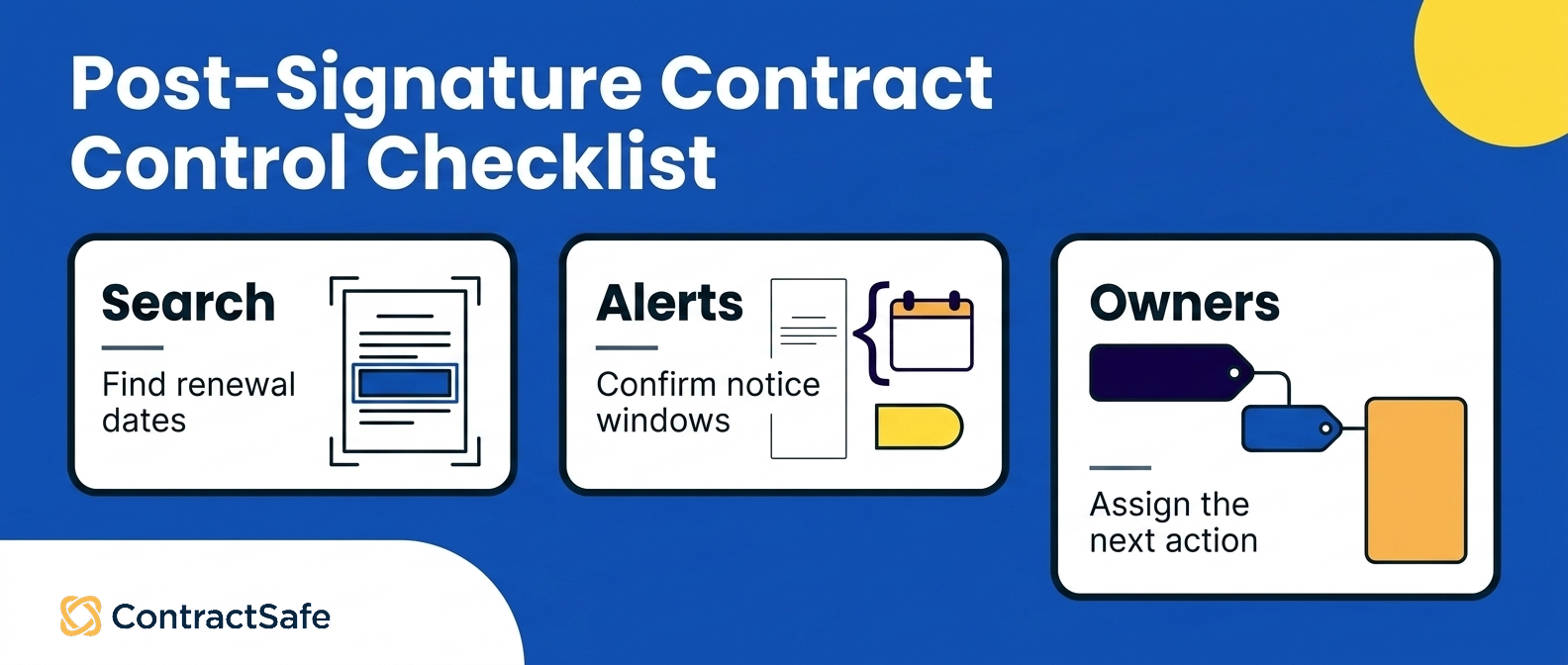
Post-signature contract lifecycle management features cover reporting on contract data, alerts and reminders tied to dates, renewal management before notice windows close, obligation tracking, and the audit trails that let you prove who approved what.
These features turn a signed agreement from a filed document into something the business actively manages. Reporting is where finance and procurement decide whether the system was worth buying. The question isn’t whether reports exist, it’s whether they run without a person rebuilding them every time.
Ask to save a report during the demo, schedule it monthly, and export it. If every quarterly summary requires someone to pull a list and paste it into a spreadsheet, you bought a database, not a system. Alerts are the feature with the clearest dollar value, because missed renewal deadlines cost real money in a way that’s easy to trace.
Contract reminders and tracking should let you set notice-period alerts, route them to named owners rather than a shared inbox nobody reads, and fire early enough to actually do something.
Ninety days before expiration gives you room to renegotiate. Seven days gives you room to panic. The mechanics live on our contract alerts page, and contract renewal best practices covers how to build the calendar around them.
Obligations are the quietly hard part. Contracts don’t just expire, they require things: insurance certificates, quarterly reports, minimum volumes, SLA credits. Most of those sit deep in the document and get remembered only when the other side complains. Ask how a non-date obligation gets tracked and who gets reminded.
Compliance sits underneath all of it. The audit trail, the permission records, the approval history, and the version record are what let you answer a regulator or an auditor without a fire drill. Contract compliance tracking goes deeper on that, and the practical demo ask is short: show me the full activity record for one agreement, start to finish.
Related Reading
How ContractSafe Covers These Contract Lifecycle Stages
ContractSafe connects the lifecycle in one system rather than asking you to bolt a repository onto a drafting tool and hope the handoff holds. Intake and request forms capture the parties, contract type, owner, dates, and business context that start the work.
Templates turn that request data into a consistent first draft. Editing supports both quick in-platform changes and heavier Word-based negotiation, with version history and audit trails so nobody has to guess which redline is current.
Approvals route to people or groups with notifications and status views, and the decision history stays attached to the agreement after execution. ContractSafe supports signing through native e-signature on Finalize and Maximize and through its DocuSign integration, while keeping the executed copy connected to the request and approvals that produced it.
After signature, the repository holds agreements with permissions and access controls, OCR makes scanned files searchable, and AI extraction pulls effective dates, expiration dates, renewal deadlines, party names, and clauses for human review before that data feeds reports. AI-powered search lets someone ask in plain English which contracts expire soon or which vendor agreements sit above a chosen value.
On the Maximize plan, AI contract review compares an uploaded agreement against a playbook and surfaces risky or missing terms, with the reviewer accepting or editing every output.
Reports and dashboards turn recurring contract data into reusable views. Alerts and reminders handle renewals, milestones, obligations, and deadlines, sent to the people who own them. Security supports SOC 2, GDPR, permissions, and audit trails.
Two things make the coverage practical rather than theoretical. Every plan includes unlimited users, so you’re never deciding whether a business owner is worth a seat, and org-wide use is exactly what keeps contract data current. As of 2026, ContractSafe pricing starts at $450 per month billed annually or $540 month-to-month and includes implementation support and migration support.
If you want to run the proof tests from this article against a real system, book a ContractSafe product demo and bring your worst scanned contract.






.svg)







.svg)




