


Quick answer: AI tools for contracts are software that reads agreements and pulls out clauses, dates and obligations, flags risky terms, and summarizes what you signed. They come in three kinds: standalone assistants that work on one document at a time, AI built into a contract management system that works across your whole contract set, and enterprise legal AI platforms. For most teams the second kind is the one that pays off, because AI is only as useful as the contract data it can reach.
Every tool in this space makes the same promise: faster reviews, less risk, smarter contracts. For most teams, though, AI was never the bottleneck. The bottleneck is that the contracts live in inboxes and shared drives, with no record of which version is current, who owns the deal, or what it obligates you to do. Some tools fix that. Others put a chat window on top of the mess.
Choose your next step:
If you're comparing tools that review a document, start with our guide to the best AI contract review software.
If you're building a shortlist for a full system, use the CLM software checklist alongside this page.
If you're ready for AI that works on your whole contract set, see ContractSafe's AI contract management features.
Key Takeaways
- Standalone AI assistants are fast and cheap, but they only see the document in front of them.
- AI built into a contract management system works on your whole contract set, with version history, owners and alerts attached, and it's the right fit for most teams.
- Enterprise legal AI platforms are powerful and expensive, and only make sense at scale or under heavy regulation.
- The common mistake is buying AI to compensate for contracts that aren't organized in the first place.
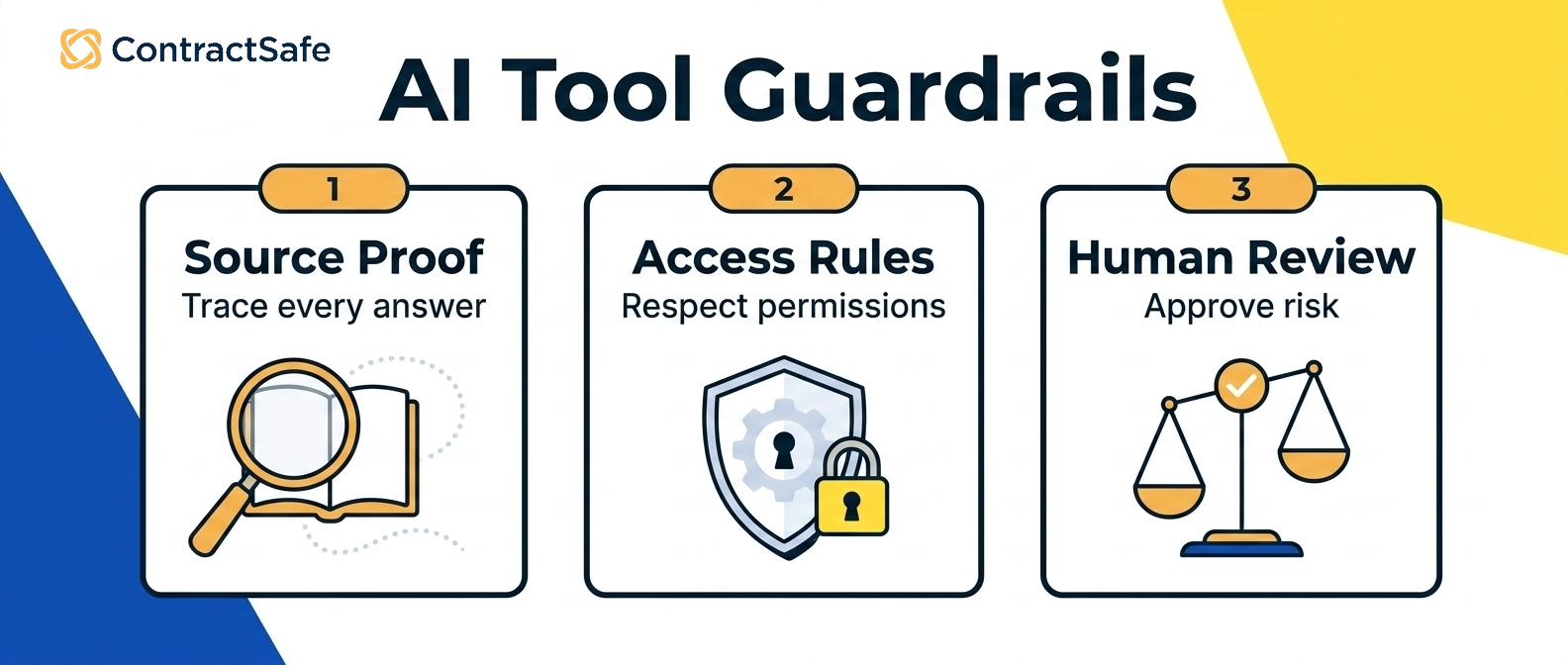
- Judge any of them on accuracy on your own documents, who gets to see what, and whether the people who need answers will open it.
The Three Main Categories of AI Tools for Contracts
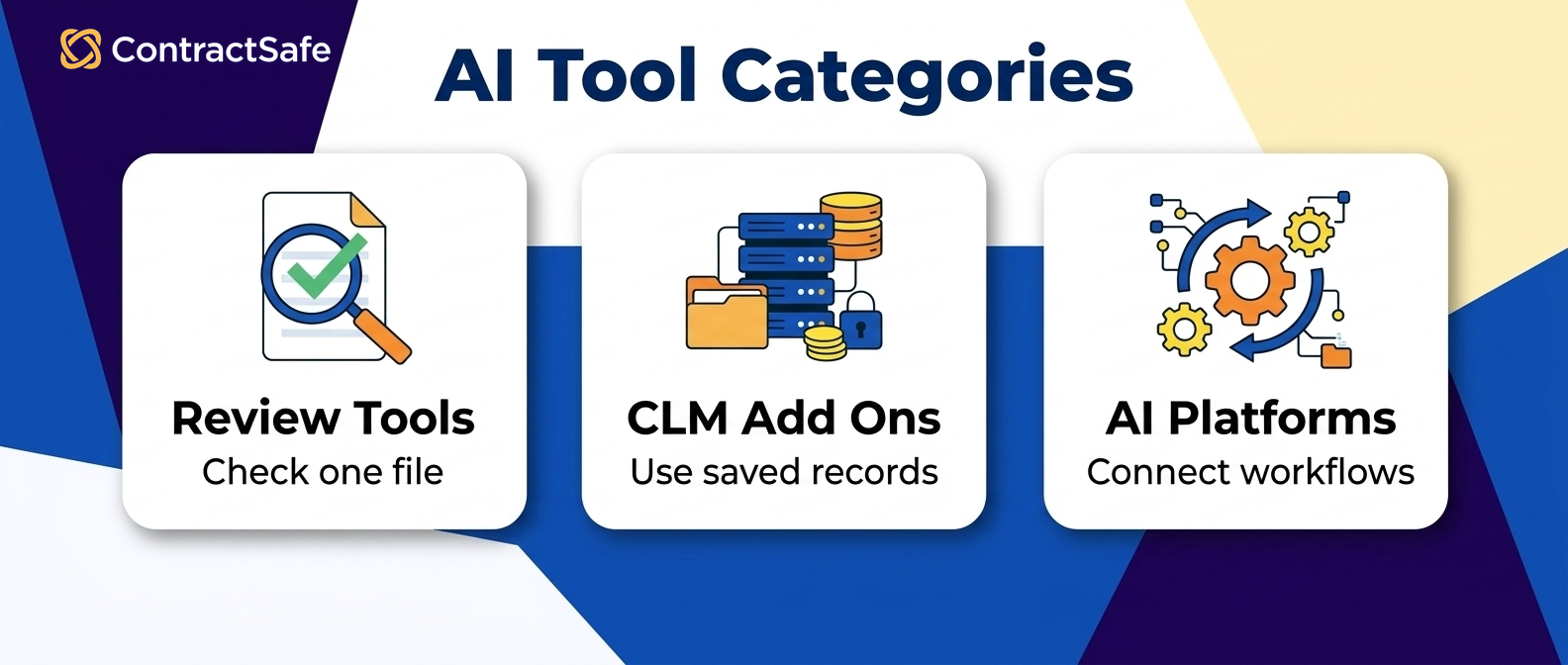
AI tools for contracts fall into three buckets, and the one you need depends on whether the problem is reading one document or managing hundreds of them. Some are plug-and-play; others need an implementation team.
1. Standalone AI assistants
Acrobat AI Assistant, Microsoft Copilot, ChatGPT and Notion AI are lightweight assistants that summarize a contract, pull out clauses and flag redlines. They work inside the tools you already use, so they suit quick reviews and first-pass risk scans. They're not built for the rest of the lifecycle, their accuracy on legal language is uneven, and a public model can be a data-privacy problem.
2. AI-enhanced contract management systems
ContractSafe, Agiloft, ContractWorks and Ironclad are purpose-built platforms with AI woven into search, clause tagging, alerts and reporting. They cover every stage of contract management, from creation and approval through storage and renewal, and because the AI reads structured contract data rather than a loose PDF, its answers are more accurate and easier to check. They need an implementation, some training and a subscription, and for most teams that's the best balance of power and simplicity.
3. Enterprise legal AI platforms
Harvey, Ivo, Luminance and CoCounsel are enterprise tools built on large language models. They handle deep contract analysis, legal research and predictive risk modeling, and they're built for legal operations teams with huge portfolios or complex compliance needs. They're expensive, slow to deploy, and they demand strict data governance.
The Hidden Problem: AI Without a System Creates More Risk, Not Less
Most teams don't struggle with AI because the tools are bad. They struggle because the AI isn't connected to a system. A standalone assistant can summarize a contract or flag a clause, but it doesn't know:
Whether it's looking at the latest version
Who owns the agreement
Whether the contract has already been amended
What obligations are tied to it
That's how a team ends up confident in an answer that's technically correct and operationally wrong. The real gap isn't AI versus no AI. It's AI on documents versus AI on structured contract data, and that gap is where missed renewals, failed audits and compliance lapses still happen.
The three ways teams get this backwards:
Using standalone AI to compensate for missing contract structure
Investing in an enterprise AI platform before they can see their own contracts
Expecting AI to replace a process instead of supporting one
AI Contract Tools Pros and Cons Comparison
Standalone assistants win on cost and speed, AI-enhanced contract management systems win on accuracy and control, and enterprise legal AI platforms win on depth. Side by side, the trade looks like this:
| What you're weighing | Standalone AI assistant | AI-enhanced contract management system | Enterprise legal AI platform |
|---|---|---|---|
| Cost and setup | Low or free, no setup | A subscription, an implementation and some training | High price and a long deployment |
| Accuracy on legal language | Uneven, and it only sees the document in front of it | Higher, because the AI reads structured contract data you've checked | High, with large-model reasoning across thousands of documents |
| Record and history | No repository, no version control, no audit trail | One repository with search across every contract, alerts and an audit trail on each one | Full governance, run by IT and legal operations |
| Data privacy | A consumer model may retain or train on your contracts | Your contracts stay inside your system | Strict controls, and the questions have to be answered before rollout |
| Best for | Quick reviews and small teams | Most legal, finance and procurement teams | Global legal teams with huge portfolios or heavy regulation |
Whichever column you're in, the AI suggests and a person decides; none of the three removes human review on a risk call.
Where AI Helps in the Contract Lifecycle
Before signature a standalone assistant can handle a quick review; after signature only AI that sits on the contract record can track what you agreed to.
Pre-signature: faster reviews and negotiation
Before signature, AI helps legal teams flag risky clauses, suggest alternative language and summarize key terms. Standalone AI assistants can do all three, but they don't track versions or who changed what.
Post-signature: managing what you signed
Once a contract is executed, the work shifts to renewal tracking, obligation management and knowing who owns what. This is where standalone AI breaks down and where an AI-enhanced contract management system earns its keep, because it connects the extracted data to alerts, workflows and contract lifecycle tracking.
Audit and compliance: answering questions fast
When an auditor asks which contracts auto-renew this quarter, who owns a given agreement, or what obligations are active right now, AI is only useful if it's working on structured, reliable contract data rather than scanning PDFs on the day. Compliance reviews need immediate, defensible answers, and those come from the record, not the chat window.
How to Choose the Right AI Approach
The right kind of AI tool depends on how many contracts you have, who needs answers from them, and whether they already live in one record. Three questions settle it:
How many contracts, and who asks about them? A few dozen contracts and one reader can live with a standalone assistant. Hundreds of contracts and questions from sales, finance and procurement need AI that works on a shared record.
Are the contracts already in one place? If not, fix that first. An AI-enhanced contract management system does both jobs: it organizes the contracts and puts the AI on top of them.
Is the problem analysis or operations? Deep multi-document analysis, legal research and predictive risk modeling point at an enterprise legal AI platform, which suits global legal teams and needs IT support, data-security controls and patience. Renewals, obligations and who owns what are operations, and they point back at an AI-enhanced contract management system.
Whatever you choose, judge it on three things: accuracy on your own documents rather than the vendor's samples, who gets to see what, and whether the people who need answers will actually open it. Our right-sized contract management software guide matches the tool to your contract volume and team. Contract management ROI only shows up when the AI is tied to the workflows people already run. The quickest way to run the accuracy test on us is to upload one of your own messier contracts in a ContractSafe demo.
Related Reading
How ContractSafe Helps Teams Use AI on Their Contracts
ContractSafe is an AI-enhanced contract management system, the second of the three kinds above, and the AI runs on the same contract records as the rest of its full feature set. When you upload a contract, its AI reads the parties, key dates and terms and suggests them as fields on the record. You accept or correct each one, so the data your alerts, reports and searches run on has been checked by a person.
From there the AI works on your whole contract set rather than one document: plain-English search across every agreement, renewal and notice alerts tied to the dates it found, and reports that answer the auditor's questions from the record. ContractSafe pricing starts at $450/month (Organize plan, billed annually; $540 month-to-month), with unlimited users on every plan, and AI extraction, search and alerts are included.









.svg)







.svg)




