


A statement of work (SOW) is a project-level contract document that defines the specific deliverables, timeline, acceptance criteria, and cost for an engagement between a client and a service provider.
Every other contract type defines the relationship, the terms, or the obligations. The SOW defines the output.
That distinction matters more than people realize. When a project goes sideways, the SOW is the document everyone reaches for. Because the SOW is where both parties wrote down what they expected to happen, and either it matches reality or it doesn’t.
TL;DR
- A statement of work pins down what a vendor will deliver, when, for how much, and how the client confirms it’s done. It’s the contract that says what “done” looks like.
- PMI’s Pulse of the Profession research found that 52% of all projects experience scope creep, and the number keeps climbing. Vague SOWs are the single biggest contributor.
- Every section of a SOW exists to prevent a specific type of dispute. Scope prevents disagreements about what was included. Acceptance criteria prevent disagreements about quality. Change orders prevent scope creep from going unpriced.
- A SOW works best underneath a master service agreement (MSA) that covers payment terms, IP, and liability. Together, they separate relationship governance from project execution.
- ContractSafe links SOWs to their parent MSAs and tracks milestone dates across your entire portfolio.
What Happens When a Statement of Work Is Too Vague
A marketing director hires a design agency to redesign the company website. The proposal says “full website redesign” and quotes $85,000. Both parties sign.
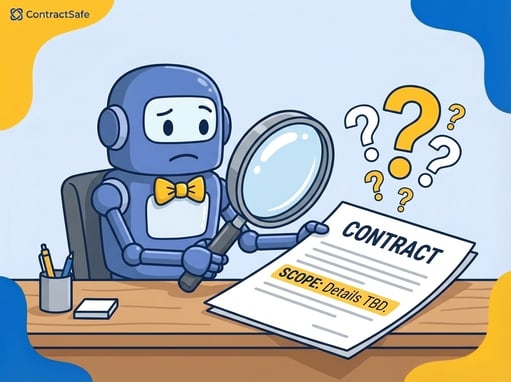
The SOW describes the scope as “redesign of company website including updated branding, improved UX, and mobile optimization.” That’s the entire scope section. One sentence.
Three months in, the agency delivers a homepage, five interior pages, and a blog template. The marketing director expected all forty-seven existing pages redesigned, plus a new customer portal.
The agency says a portal was never discussed. The marketing director says “full website redesign” obviously includes every page. Both are reading the same document. The SOW just never said what “full” meant.
The agency quotes $60,000 for the additional work. The marketing director refuses to pay for pages that should have been in the original scope. The agency refuses to build them for free. The project stalls for two months while both sides argue about a document that took ten minutes to write.
The original timeline is blown. The agency bills for the delay. The marketing director’s boss asks why the website still isn’t live. The answer is a one-sentence scope section that nobody questioned when it was signed.
According to PMI, 52% of all projects experience scope creep. That number was 43% five years earlier and keeps climbing.
In most cases, the root cause is the same: the SOW left room for interpretation where it should have left none.
What a SOW Contains (and What Each Section Prevents)
A SOW is a governing document, not a sales pitch. A proposal sells the project. A SOW holds both parties accountable to it. Every section exists because, at some point, someone got burned by leaving it out.
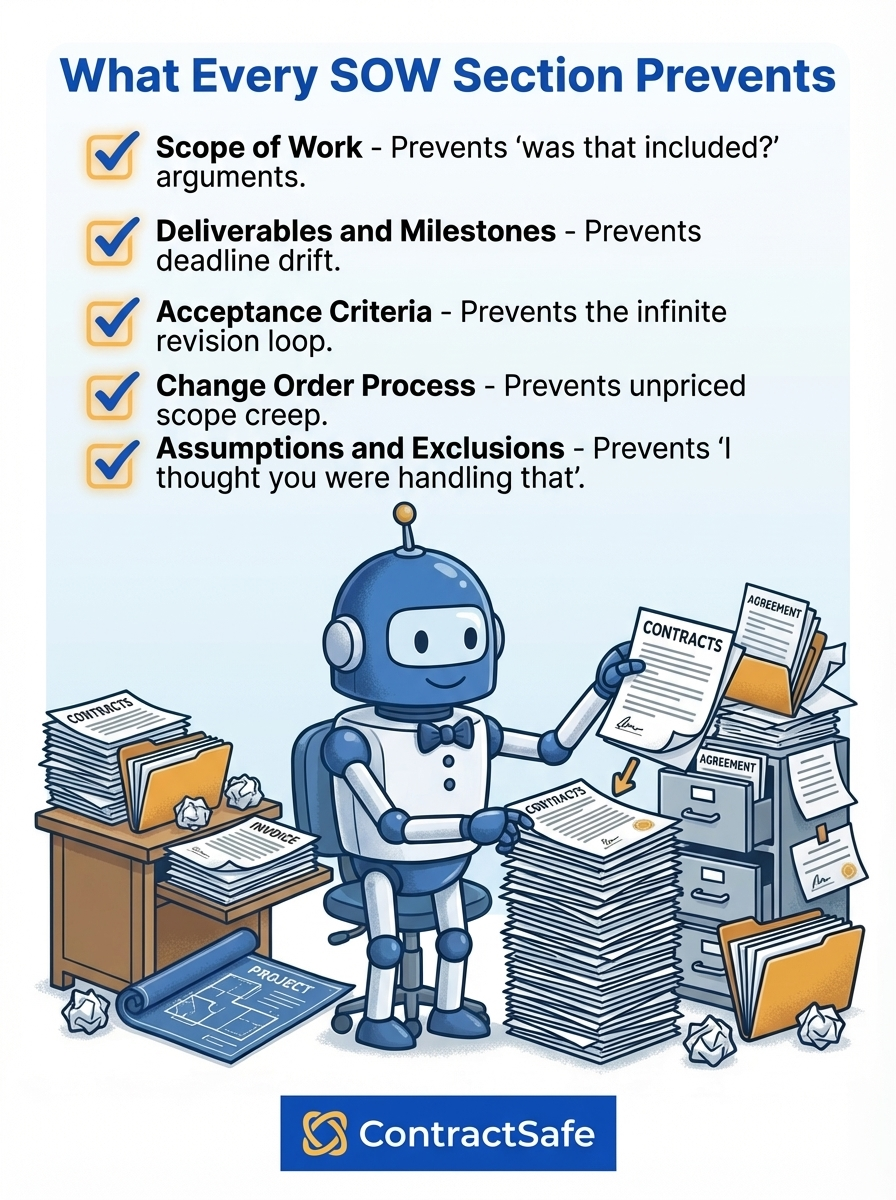
- Scope of work. What is being delivered. Not “what the project is about” but what specific outputs the vendor will produce. If it’s not listed, it’s not included. Prevents: The “I assumed that was included” argument.
- Deliverables and milestones. Concrete outputs with dates. Not “deliver by Q3” but “wireframes by March 15, design round by April 1, development complete by May 30.” Prevents: Slow drift where three weeks late becomes three months late.
- Acceptance criteria. How the client formally approves or rejects each deliverable. What does “done” look like? How many revision rounds are included? Prevents: The infinite revision loop when “acceptable” was never defined.
- Change order process. What happens when scope changes mid-project. Who requests, who approves, how do cost and timeline adjust? Prevents: The $60,000 surprise. A change order clause turns the portal request into a priced line item, not a dispute.
- Payment terms. How and when the vendor gets paid. Milestone-based? Monthly? On completion? Prevents: Cash flow disputes. A vendor unpaid for three months works differently than one paid at each milestone.
- Assumptions and exclusions. What the SOW assumes to be true and what is explicitly not included. Prevents: Every argument that starts with “I thought you were handling that.”
When a Project Goes Wrong, the SOW Is the Only Document That Matters
Most projects run smoothly. The SOW sits in a folder, referenced occasionally, mostly forgotten. Then something goes wrong. A deliverable is late. A feature is missing. The client’s expectations don’t match what arrived.
At that moment, the only thing that matters is what the SOW says. If it’s specific, the answer is clear. If it’s vague, you’re negotiating from scratch with a vendor who reads the same sentence differently.
The SOW Sections Most Teams Skip (and Most Disputes Come From)
Most SOW disputes don’t come from the sections that are present. They come from the sections that aren’t.
- Acceptance criteria. The most commonly omitted and most commonly disputed section. Pixeldust found that 70% of digital transformation failures trace back to requirements issues. When “done” has no definition, the client’s standard and the vendor’s standard never match.
- Change order process. Without one, every scope addition is either absorbed silently by the vendor or rejected outright. A documented process turns arguments into priced line items.
- Assumptions. When a SOW says “the vendor will build a customer portal,” it assumes someone will provide authentication requirements and design specs. Unwritten assumptions produce unintended deliverables.
- Exclusions. “This engagement does not include content migration, SEO optimization, or post-launch maintenance.” That sentence prevents three future arguments. The five minutes it takes to write an exclusions section can save weeks of renegotiation.
How a SOW Fits With Other Contract Types
A SOW sits within a hierarchy of documents. Confusing them is one of the most common mistakes in vendor management.
Each document type serves a different purpose at a different stage. Using the wrong one at the wrong time creates gaps that show up later as disputes.
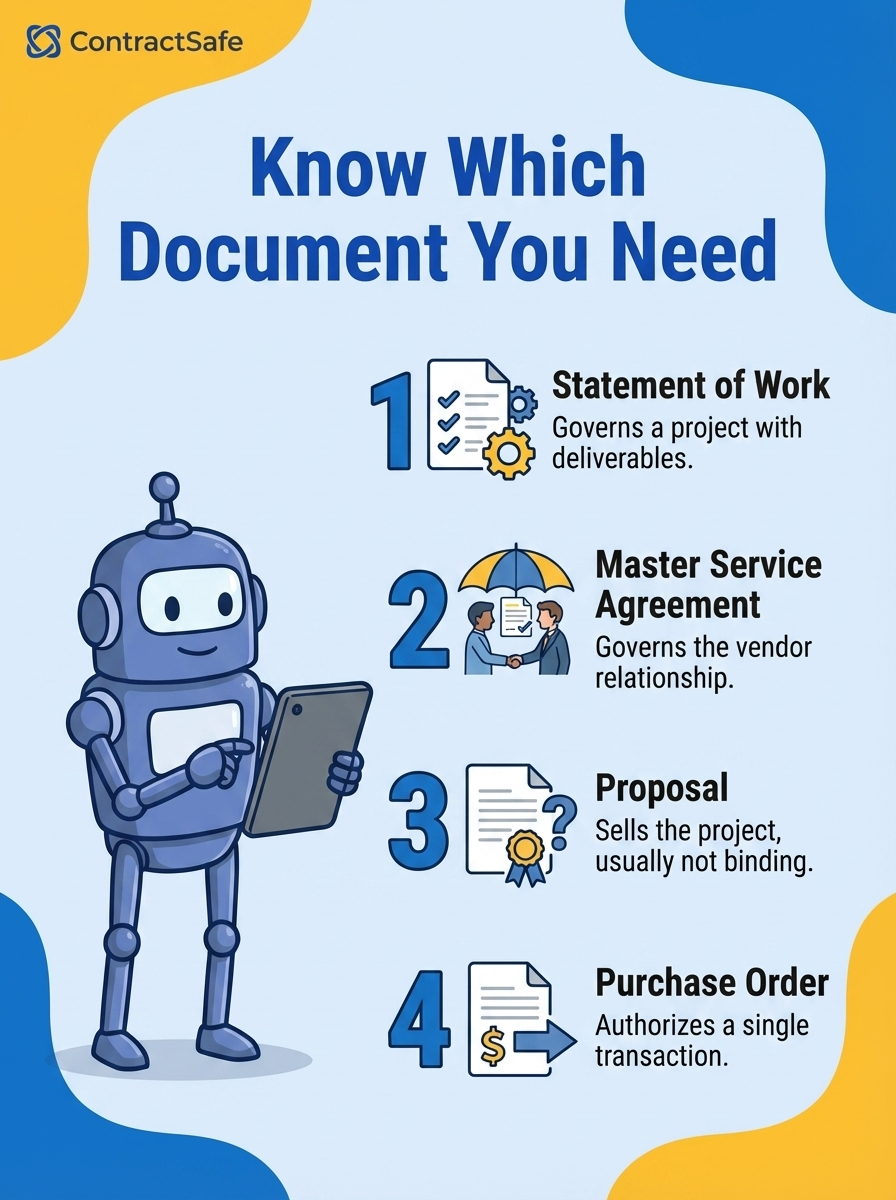
- SOW vs. MSA. The MSA governs the relationship: payment structures, IP ownership, liability caps, dispute resolution. The SOW governs the project: deliverables, scope, timeline, cost. You negotiate the MSA once. You write a new SOW for every project.
- SOW vs. proposal. A proposal is a sales document. It describes the vendor’s qualifications and estimated cost. A SOW is a contract. When a client signs a proposal thinking it’s a SOW, they’re agreeing to a pitch, not a scope.
- SOW vs. purchase order. A PO authorizes a specific purchase: quantity, price, delivery date. A SOW covers an entire project with deliverables, milestones, and acceptance criteria. A PO buys a thing. A SOW manages a process.
| SOW | MSA | Proposal | Purchase Order | |
|---|---|---|---|---|
| Purpose | Governs a project | Governs a relationship | Sells the project | Authorizes a purchase |
| Legally binding? | Yes | Yes | Usually no | Yes |
| Defines deliverables? | Yes, in detail | No | At a high level | Quantity only |
| Includes acceptance criteria? | Should | No | No | No |
| How many per vendor? | One per project | One total | One per pitch | One per transaction |
Managing SOWs as Your Portfolio Grows
One SOW is easy to track. Twenty SOWs across eight vendors under four MSAs is where things get disorganized. The SOW that governs your largest vendor engagement ends up in someone’s downloads folder, disconnected from the MSA it references.
The problem compounds over time. When a vendor dispute surfaces two years after the SOW was signed, can you find the original acceptance criteria? Can a new project manager see what was agreed before they arrived?
When legal needs to review all active SOWs with a vendor whose MSA is up for renewal, can they pull that list in one search?
This is where contract management software earns its value. ContractSafe links each SOW to its parent MSA so the relationship between the two documents is always visible. Open the MSA, see every SOW underneath it. Open any SOW, see the governing agreement.
AI extraction pulls milestone dates, deliverable deadlines, and payment triggers from uploaded SOWs automatically. Automated alerts notify the right person when a milestone is approaching, not after it’s passed.
And when it’s time to write the next SOW with the same vendor, your team can review every previous engagement’s scope and pricing without digging through email. That history lives in the system, not in someone’s memory.
Unlimited users on every plan means the project manager writing the SOW and the attorney reviewing it are working from the same system. No seat-license math to decide who gets access.








.svg)







.svg)




