


Procurement legal collaboration is the shared contract process where buying context, legal review, risk terms, and ownership stay connected.
Think of it like a relay race where the contract is the baton. The handoff matters as much as the sprint.
Procurement knows the vendor story. Legal knows the risk. The contract fails when those facts stay in separate inboxes.
Key Takeaways
- Legal and procurement want to work together; missing context and scattered records are what slow the contract down.
- Most contract friction between the two teams traces to handoffs: intake without context, and review without status.
- Shared records and an agreed workflow let both teams answer their own questions, so deals move without status-chasing emails. ContractSafe's contract roles and sharing controls make that safe: procurement sees the vendor terms it needs without legal exposing everything else.
- ContractSafe gives procurement and legal one contract record for status, dates, approvals, owners, and post-signature obligations.
Choose Your Next Step
Fixing procurement legal collaboration goes faster when you start from the handoff that hurts most: intake, review status, or renewals. Jump to the section that matches.
- Deals stuck in legal review? Start with what procurement needs to see and what legal needs to know about each vendor agreement.
- Building the fix? Use the shared fields list and the seven-step workflow.
- Repeating the same failures? Check the most common mistakes first.
- Whichever it is, choose one vendor contract this week and run the workflow on that single agreement, end to end, before changing any process documents. One real agreement teaches more than three planning meetings.
- Need the vendor-side foundation? Our vendor contract management guide covers the record itself, from required fields through renewal alerts.
Procurement Stalls Without Legal Status
Procurement stalls when nobody can see where an agreement sits in legal review. Deals lose momentum, and procurement leads field growing pressure from higher-ups with nothing concrete to report.
Common friction points for procurement include:
- Unclear status: You cannot predict an "active" date if the contract status is just "with Legal."
- Hidden redlines: If comments are only in email attachments, you don't know which deal points are still being fought over.
- Renewal surprises: If renewal dates aren't surfaced, you might miss a notice period and get stuck with a vendor you wanted to cut.
- Reporting gaps: Without shared reporting, you have to manually build a spreadsheet every Friday just to tell your boss where the top ten contracts stand.
Managing procurement risk becomes a lot harder when you are reacting to expirations instead of planning for them.
Check your own last quarter for these four: count the status-chasing emails, the redline hunts, and the renewal surprises. That count is the case for fixing the process.
Legal Flies Blind Without Procurement Context
Legal review slows down when agreements arrive without the business story: what the vendor does, what already exists, and which deal actually has a deadline.
EY's legal operations research connects data problems with slower legal work.
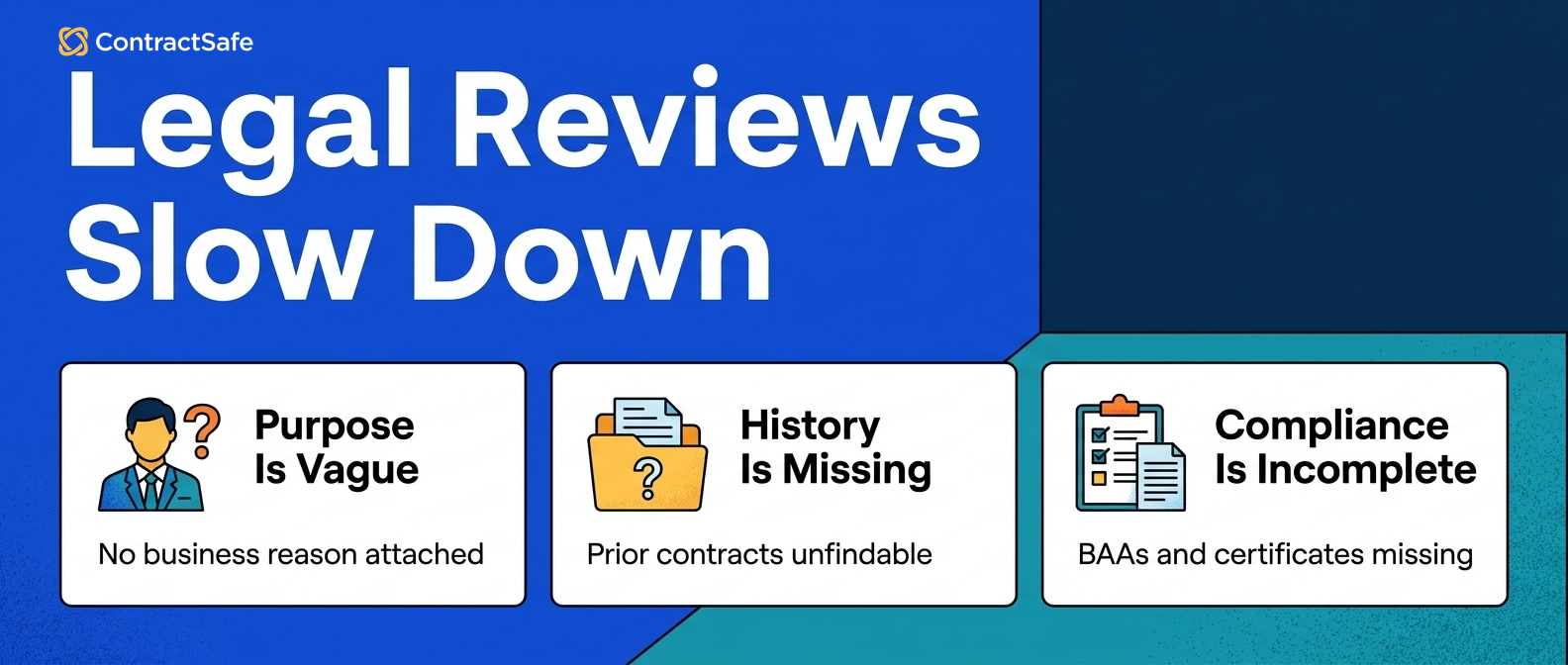
Legal teams often get stuck when:
- Purpose is vague: They don't know what the vendor is actually doing for the company.
- History is missing: They cannot see if a Master Service Agreement (MSA) already exists with this vendor’s parent company.
- Compliance is incomplete: Security or data-handling requirements weren't included in the initial request, so Legal has to go back and ask for them.
- Urgency is unspecified: Everything is labeled High Priority, so Legal doesn't know which deal actually needs to cross the finish line by Friday.
Using AI contract management tools can help Legal quickly extract and surface key terms if they’re present in a document. However, knowing whether those terms are acceptable still depends on the business context Procurement provides upfront.
Shared Data Keeps Vendor Onboarding Moving
Shared contract data means both teams answer their own questions from the same record, instead of asking each other. High-speed vendor onboarding requires everyone to know the renewal notice periods and security requirements without a meeting.
Building structured contract data into your workflow eliminates the back-and-forth emails because both teams look at the same record for answers. Instead of asking "When is the deadline?", both teams just know.
To support vendor contract management across departments, require these fields on every vendor record:
- Contract owner: Who is the business sponsor responsible for this vendor?
- Vendor description: What is the business doing for us, and why is it needed?
- Approval stage: Is the contract In Progress, Approving, Signing, or On Hold?
- Deadline to nonrenew: When is the very last day we can cancel without being charged for another year?
- Contract value: What is the total spend over the life of the agreement?
- Risk tier: Is this vendor handling sensitive customer data or just providing office snacks?
Start with those six and resist adding twenty more. Fields nobody fills are worse than no fields, because they teach both teams to distrust the record. Required-and-few beats optional-and-many.
Mapping the Modern Vendor Contracting Workflow
A shared vendor contracting workflow names every stage, the stage owner, and the exit condition, so procurement and legal can both see where any vendor contract is stuck and who moves the agreement next.
A Workday report on unmanaged contracts shows why agreement ownership cannot stay informal once volume grows.
The seven stages below cover the contract cycle, from vendor selection through renewal. The two handoffs that break most often, intake and review, get their own attention, because the baton drops there.
Map your current process against the stages before changing anything, and check which stage owns each of last quarter’s stuck agreements. The pattern names your problem stage, and the fix usually costs one meeting plus one required field.
1. Vendor Selection
Procurement picks the winning vendor, and the contract work starts before any document moves: the business case, the spend estimate, and the risk tier get written down on the record now.
Capture the decision context while the evaluation is fresh. Six months later, the renewal conversation starts from this record, not from memory.
Check the existing portfolio at this stage too: an MSA with the vendor’s parent company, or a prior agreement that ended badly, changes the negotiation before the first draft moves. Search the repository first; surprises here are free.
- Watch for: vendor selections made in a procurement tool that never reach the contract record.
- Watch for: spend estimates that never get reconciled against the contract value after signature.
2. Contract Intake
Intake is the handoff that decides the speed of every later stage. Procurement submits the vendor agreement with all the business context Legal needs to review the contract terms.
The intake record should answer Legal’s four blockers in one pass: purpose, history, compliance requirements, and the real deadline.
- Watch for: intake forms nobody completes, which means the form asks for too much or routes nowhere.
For example, an intake that names the vendor’s purpose, the spend, the data the vendor touches, and the real deadline lets Legal triage the agreement in minutes instead of starting an interview thread with procurement.
Require the six shared fields at intake, and let everything else stay optional. Required-and-complete beats long-and-empty, and the review queue rewards the agreements that arrive ready.
3. Legal Review
Legal checks the terms and negotiates redlines, with the review status visible to procurement the whole way through.
Status updates belong on the contract record, not in reply-all threads. For example, “in review, two open points, expected Thursday” on the vendor agreement’s record answers the question before procurement asks.
- Watch for: redlines living in email attachments while the record shows nothing happening.
Agree on the review statuses once, with exit conditions: what “approving” means, and who moves the contract out of it. Ambiguous statuses recreate the status-chasing emails inside the new system.
Check the review queue weekly with legal: any vendor agreement in review longer than the agreed window gets discussed by name, not by sentiment, with the blocking point written on the record.
4. Approval
Parties sign off on the final version of the agreement, with the approval evidence attached to the contract record as the sign-offs happen, not reconstructed later.
Approval thresholds belong in the workflow: which contract spend level needs a VP, which risk tier needs security review. Decide the thresholds once, then let the routing do the remembering for every agreement.
Check the evidence lands as the approvals happen: the sign-off attached to the contract record today is the compliance answer two years from now, when an auditor samples this very vendor agreement and asks who said yes.
- Watch for: approvals collected in chat tools that never reach the agreement’s record.
- Watch for: threshold changes that nobody re-papers into the routing rules.
5. Execution
Everyone signs via e-signature, and the executed copy of the vendor contract routes automatically to the repository with the agreement’s fields and owner already populated from the intake record.
Check the post-signature handoff explicitly: the deal team celebrates and moves on, and the contract record has to be ready for the owners who manage the vendor relationship and its renewals next.
For example, the executed vendor agreement should arrive in the repository with the owner, the nonrenew deadline, and the risk tier already populated from intake, not as an empty upload.
Check one recent signature against that standard. The gap you find names the execution handoff’s real shape, and the fix usually costs one routing rule in the e-signature tool plus one required field.
6. Storage
The executed contract lives in one searchable place, findable by vendor name, clause text, or any field, by both procurement and legal without asking anyone for the location or the latest version.
Storage is where collaboration quietly dies when access is rationed. If procurement can’t open the contract record, the status-chasing emails come back within a month, and the shared workflow with them.
Check the search works on both teams’ vocabulary: legal searches clause language, procurement searches vendor names and renewal dates. The same contract record has to answer both teams without translation.
- Watch for: scanned vendor agreements that exist in storage but can’t be found by their contents.
- Watch for: amendments stored apart from their parent agreements, which splits the vendor story.
7. Renewal Management
Automatic alerts fire ahead of the renewal dates, with enough runway to renegotiate or exit the agreement, and each alert reaches the named contract owner with escalation as backup.
Set the alert against the deadline-to-nonrenew field, not the renewal date itself. The decision needs to happen before the notice window closes, not when the renewal arrives.
- Watch for: alerts pointed at whoever uploaded the contract instead of whoever owns the vendor.
Review the renewal queue together, monthly: procurement brings the vendor performance story, legal brings the terms, and the nonrenew decisions get made with time to act on them.
For example, a vendor with two missed SLAs and a nonrenew deadline next quarter is a negotiation this month, or a loss next year.
The status path both teams agree on can stay simple:
Contract Received → In Progress → Approving → Signing → Monitoring → Renewal Evaluation
Status gaps usually happen at intake and review. If procurement tosses the file over the wall, review takes twice as long. If Legal doesn't update the status during review, procurement assumes nothing is happening.
Quick gut check before you redesign anything. Pick your most recent vendor agreement and trace its actual path against the seven stages. The stage where the dates blur in everyone’s memory is the handoff to fix first.
What Changes Compared to the Email Process
The difference between the shared-record workflow and the email process shows up in who answers questions: the record answers them, instead of a person.
Compared to the email version, status questions stop being interruptions. Procurement reads the review stage; legal reads the business context; the boss reads the report. Nobody drafts a “just checking in” message.
Redlines stop forking, because the working version lives in one place. Renewals stop surprising, because the nonrenew deadline carries an alert and an owner.
And the Friday spreadsheet retires, replaced by a report both teams trust because both teams maintain the fields it reads from.
The email process survives on heroics. The shared contract record survives vacations, departures, and quarter-end, which is the real test of a vendor agreement workflow. Choose the version that works when the hero is out.
The Mistakes We See Most Often
The same five mistakes cause most procurement-legal friction on vendor agreements, and all five come from manual tools carrying complex contract work past their capacity.
Check your team against each one honestly, then choose the worst and fix that one first. Every mistake below has a structural cure in the workflow above, and none of them is a people problem, however personal the Friday spreadsheet feels.
8. The Friday Spreadsheet
The Friday spreadsheet is the manual status report someone rebuilds weekly from memory and inbox archaeology, out of date the moment the email sends to leadership.
The spreadsheet exists because the contract record can’t answer leadership’s question directly. The cure is a shared report reading live fields: approval stage, owner, and nonrenew deadline.
For example, the Friday email becomes a saved view: the top vendor agreements by contract value, each with stage and owner, current the moment anyone opens the report, with no rebuild and no stale rows.
- Watch for: the spreadsheet surviving after the system arrives, which means someone doesn’t trust the fields yet.
9. Over-Tagging Priority
Over-tagging priority means marking every vendor contract "Urgent," which forces Legal to guess which agreements actually matter for the quarter and which are urgent out of reflex.
Replace the urgency label with a date and a reason. For example, the vendor agreement that must sign by the 30th for a product launch outranks the renewal that’s urgent by habit.
Check the priority queue monthly for date-less urgencies, and send those agreements back for a deadline. Legal triages vendor contracts well the moment the urgency labels mean something concrete.
- Watch for: priority inflation returning whenever the queue gets long; the date field keeps it honest.
10. Email Redlining
Email redlining loses the "final" version of a vendor contract in a 15-message thread, with three people holding three different attachments and nobody certain which one Legal approved.
Keep the working version on the contract record with its owner, and check the thread habit at signature time: the executed copy must match the version legal last approved.
Say two “final” versions exist at signing. The record’s version history settles the argument in a minute; the email thread settles nothing.
Require the counterparty’s rounds to be filed on the agreement’s record as they arrive, even when the negotiation itself happens in their format.
- Watch for: counterparties who redline by email anyway; the record still wins if your side files each round.
11. Missing Intake
Missing intake sends an agreement to Legal without explaining what the vendor does, how much the company is spending, or which data the vendor will touch.
The cure is the six-field intake above, required, with the contract refused back to procurement when the context is empty. One week of enforcement resets the habit.
For example, an agreement arriving with owner, spend, and risk tier filled gets triaged the same day. The blank one waits behind everything that came prepared.
Check the intake stats monthly: completion rate and time-to-triage tell you whether the contract handoff is actually healing.
- Watch for: intake bypasses through personal relationships, the “can you just look at this” message.
12. Assuming Storage Is Management
Assuming storage is management means treating a shared drive as if it were a searchable contract record with owners, renewal dates, and alerts attached to every agreement.
The drive holds the agreement; the record manages the agreement. Check the difference with one question: did anything remind anyone before the last vendor renewal?
For example, a tidy drive full of vendor contracts still missed the nonrenew window twice last year. The folders were never the problem; the missing alerts and owners were.
- Watch for: tidy folders standing in for working fields; organized storage still misses notice windows.
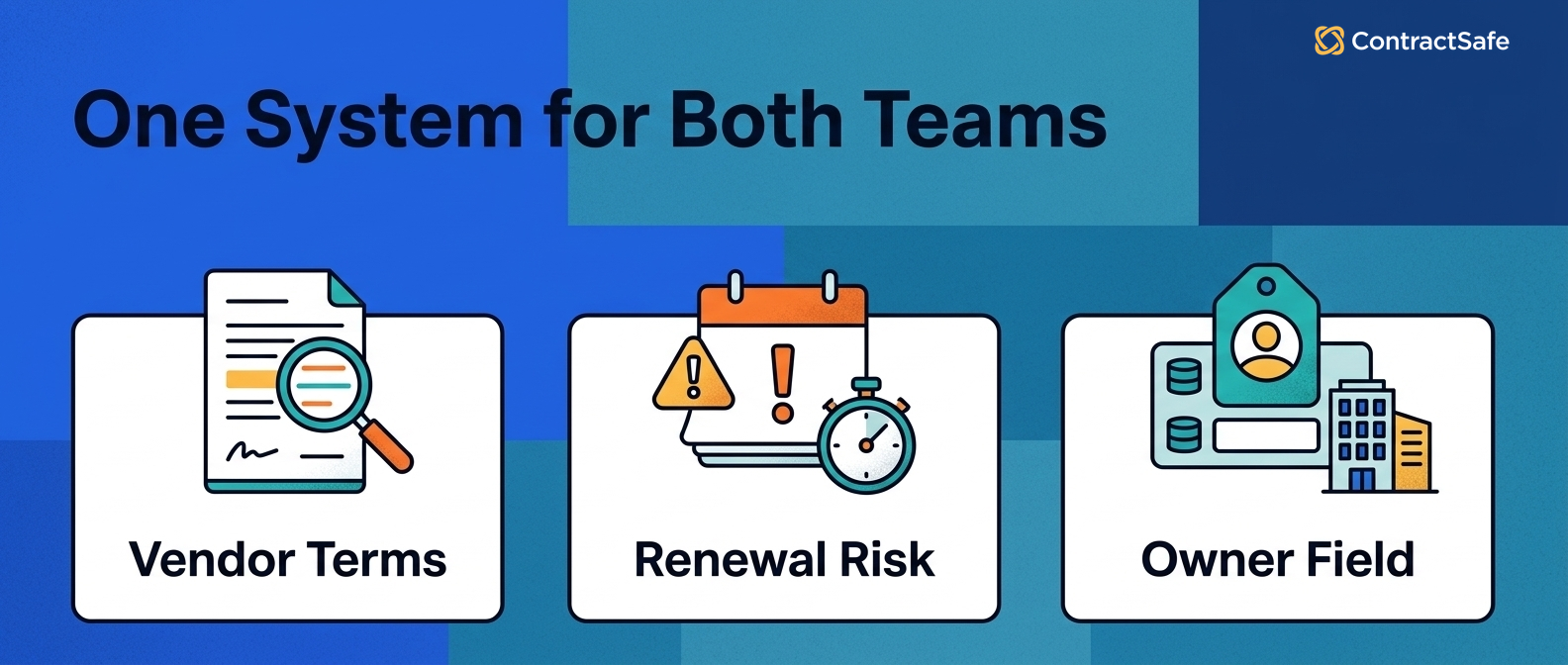
What Shared Status Looks Like With ContractSafe
ContractSafe gives procurement and legal one contract record for status, dates, approvals, and obligations after signature.
From the procurement side: lifecycle tracking shows the legal review stage of a vendor agreement directly in the system, without asking for status updates. You can communicate realistic timelines to your business teams because you see exactly where the bottleneck is.
From the legal side: agreements arrive with templatized, standard data. Legal can see related amendments and prior negotiations in one place, without reconstructing history from old email threads.
And because every plan includes unlimited users, the access question never becomes a budget question. Both teams work from the same record because both teams can actually open it.
Vendor Contracting Should Be a Shared Effort
Procurement and legal are working toward the same goal, so when things aren’t working, the problem is usually the process, not the people.
To onboard vendors effectively, define the responsibilities, the approval thresholds, and the workflow stages explicitly, then let the shared record carry the communication.
Connect the pieces around it too: the contract repository holds the records, clean contract metadata keeps the fields trustworthy, and contract obligation management turns post-signature duties into tracked work.
Date hygiene closes the loop: check your contract effective date rules so renewal math starts from the right day, and fold vendor agreements into your renewal review so the nonrenew deadlines get decisions.
For outside context, WorldCC’s research ties contract discipline like this to commercial results.
Related Reading
- Vendor contract management, for the record structure underneath the shared workflow.
- Managing procurement risk, for the risk side of the same collaboration.
- Contract obligation management, for the post-signature duties both teams share.
How ContractSafe Helps With Procurement Legal Collaboration
ContractSafe removes the handoff friction structurally: one record per vendor agreement, with status both teams can see, fields both teams trust, alerts pointed at named owners, and unlimited users so nobody gets locked out of the answer.
Intake gets faster because the required fields carry the business context. Review gets calmer because the status lives on the record. Renewals get decided because the nonrenew deadline has an alert and an owner.
The relay baton stops getting dropped because both runners can finally see the track.
The fastest proof is one real handoff: bring a vendor agreement that’s currently stuck to a free demo and watch the record carry it.








.svg)







.svg)




