


5 Tips on How to Keep Contracts Organized
A well-organized contract repository sparks joy in the hearts of those responsible for contract management. However, getting to that well-organized repository is another story — one that traditionally sparks pain. But it doesn’t have to! You can store contracts and keep them organized simply by implementing the right contract management software and putting a few best practices into place.
And once you have a well-informed process and an automated contract management system in place, that’s when the benefits start rolling in and your company’s contracts can live happily ever after. But that doesn’t mean your work is done.
Even the best process and software solutions require a bit of effort post-implementation. But with that bit of effort, you can get your process humming and your team singing your praises, thanks to lightened workloads and a tangible return on investment.
With this in mind, we’re excited to share the following five tips.
1. Know Where to (Safely) Store Contracts
Today, most metal cabinet filing systems have been replaced with local or shared drives. While these can be good solutions for businesses operating out of a single physical location, what happens when your company expands to multiple locations? Or if you merge with another business? Or when a global pandemic has your entire workforce working from home for months or even years?
Those local or shared drives quickly become problematic, requiring the deployment of virtual private networks (VPNs) to provide employees with secure remote access to office resources from home.
The solution? Storing your contracts in a cloud-based contract management system.

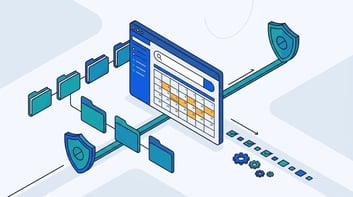
A cloud-based system provides administrators with the ability to grant permissions and restrict access to contracts regardless of where people are located around the world. This makes it possible for everyone on your team to work within the same document while always viewing the most up-to-date version. When it comes to security, modern cloud-based solutions provide bank-level encryption protection — which means your contracts are just as safe as they are accessible.
2. Get into the (Work)flow
Next, you need to establish a workflow for your contract lifecycle and make sure everyone understands their role within it. Your workflow should outline answers to the following questions:
- Who negotiates contracts?
- Where does a contract go after it is drafted?
- Who approves a contract before it is signed?
- How are signatures collected?
- Which team member(s) signs contracts?
- What happens after a contract is signed?
- Who is responsible for keeping up with key dates, compliance, and the enforcement of terms and commitments?
You should also have a timeframe for each step in the contract management process to prevent bottlenecks. When delays do occur, having an established workflow in place can help you quickly identify where bottlenecks are occurring and the factors that are causing them to occur.
Pairing a documented workflow with the right contract management software frees up time spent on administrative tasks (like tracking down updates and sending out reminders.) This means contract managers are able to focus on more important tasks, like making sure contracts are progressing through the lifecycle as they should.

3. Relax Those Naming Conventions (No, Really!)
If you’re like most contract managers, you mind the details. So the thought of loosening up naming conventions can make you feel a tad… uncomfortable. But it doesn’t have to.
Contract naming conventions exist because the contents of most contracts aren’t searchable. There is no metadata to report on, which forces the use of super-detailed naming conventions or no one can find anything.
The good news is that, with the right software in place, you can use your killer attention to detail where it counts. Like helping to draft a complex new agreement or researching an alleged contract breach, instead of striving to enforce naming conventions.
How is this possible?

The right contract management software has version control built-in, which eliminates the need to come up with names for master service agreements like “msa–final.docx” and “msa-final-final.docx.”
The right software also allows users to find contracts — and find verbiage within contracts. Everything stored in a naming convention, from document type, party, and date signed to expiration date, is already there. There’s no need to create 150-character file names that attempt to describe every key detail within a given contract. Version control and Google-like search capabilities (like those of ContractSafe) mean you and your team can find exact-match terms in the blink of an eye.
Best of all? Search features that use high-quality optical character recognition (OCR) technology even work for scanned documents!
4. Stay in Control (with Permissions)
One of the disadvantages of traditional contract storage solutions like shared network drives is the difficulty in setting appropriate permissions. What if you need to restrict some team members from having access to particular sections of a contract, but not others?
With a shared drive, it’s all-or-nothing. But with the right contract management software, you have options!
Our advice? Use these options.

Keeping contracts organized isn’t just about keeping contracts organized. A large part of that organization needs to be focused on ensuring that the right people have access to the right documents (or portion of a document). At ContractSafe, security is about more than our bank-level encryption — it’s about protecting sensitive information through selective sharing.
Maybe your legal team needs the ability to draft and edit contracts, but it’s your CEO who gives final approval before a contract moves forward to signing. Maybe you want certain team members to be able to view contracts from their computers, but not delete them. No matter how granular you need your permissions to be set, you can accomplish it all with good contract management software.
Permissions can be set for different groups or departments, or you can define them for each individual user. ContractSafe gives you the power you need to control who is accessing your files, how they use them, and what they are allowed to do within an individual contract.
5. Don’t Be Late for a Single Date!
One of the most useful features of contract management software is contract alerts.
Along with deciding what types of alerts to set and when they need to be sent (One week before renewal? A month?), you’ll want to refer to your contract workflow to determine how much time each stakeholder needs to execute their portion of the contract.
You’ll also want to compare the types of contract alerts a solution offers. For example, many send automated alerts to a user’s portal — but not their email. So if a successful renewal relies on someone who isn’t regularly logging into the contract management system, that alert is likely to be missed.

Because we kept hearing stories about key contract dates getting missed (even with alerts set using other systems), we decided to approach alerts holistically at ContractSafe. What does that mean? It means that instead of having to log in to see an alert, team members can receive alerts directly in their inboxes.
In addition, ContractSafe allows you to track when those alerted items are completed. That way, you’ll know for sure when a new certificate of insurance is obtained or when a payment is made.
To us, it means never guessing as to whether important items are acted upon — and, more importantly, never having to miss an important contract date again.
How to Realize the Benefits of a Well-Organized Contract Repository
If you’d like to learn more about how ContractSafe makes a well-organized contract repository a joyful reality, request a free demo today.

For more tips and helpful information about contract management, subscribe to our blog now.






.svg)







.svg)




