



AI contract search software lets you find specific language across an entire set of agreements by asking in plain English instead of guessing at exact wording. The good tools combine full-text keyword matching, semantic retrieval, and OCR so scanned PDFs are searchable too, and they show you the source paragraph behind every answer so a person can actually verify it.
Quick answer: AI contract search software helps legal, finance, procurement, and operations teams find relevant language across agreements, inspect the source, and turn a reliable result into the next action.
Think about the last time somebody needed something out of your contract set on short notice. A customer swears their renewal auto-extended. Finance wants to know which vendor agreements cap annual price increases.
Your GC asks whether any master services agreement signed before 2023 has a one-way indemnity. The information exists! It’s sitting in PDFs, some of them scanned from a fax machine that got hauled away years ago.
Searching for it feels like hunting for one specific book in a library where nobody wrote anything on the spines. You know the book is in there somewhere. You just have to open every single one to find out which. A useful search system is what turns that unlabeled library back into a place where you can get answers.
Key Takeaways
- AI contract search finds language across many agreements at once, using both exact-phrase matching and plain-English requests that get translated into filters.
- OCR is the unglamorous prerequisite: scanned contracts are images until text is extracted, and unsearchable documents are invisible to any AI layer sitting above them.
- Contract search, AI contract review, and data extraction are three different jobs. Search finds language, review evaluates it against a standard, extraction pulls structured fields into your record.
- Published research shows retrieval-augmented legal tools can still hallucinate, which is why source-grounded answers and human verification are features, not formalities.
- Test any tool on your own messy contracts, not the vendor’s clean demo set.
Choose your next step:
If scanned contracts are hard to find, start with how OCR makes scans searchable.
If search, review, and extraction sound interchangeable, compare what each capability does.
If you’re evaluating tools, use the five verification tests.
What Is AI Contract Search Software?
AI contract search software is a retrieval tool that finds relevant language across a collection of agreements using exact-text matching and meaning-based retrieval, so you can locate a clause without knowing how it was worded.
The category covers keyword search, semantic contract search, natural language contract search, and clause-level discovery, and it usually sits on top of a searchable contract store. Keyword search is at least honest about what it does. It just can’t read. Semantic search closes part of that gap by matching on meaning rather than characters.
Research in the field frames the problem clearly: the ACORD benchmark treats contract clause retrieval as ranking a whole corpus of clauses against an attorney-written query by predicted relevance. That’s a useful mental model for buyers. You’re not asking the software for a yes or no. You’re asking it to sort every clause you own by how likely it is to be what you meant, and then to show its work.
Map the Search Job Before You Compare Vendors
Buyers get better demos when they define the search job before they compare interfaces. Start with a recurring request, name the agreement set it should cover, write down what a useful result looks like, and decide what someone needs to do next. That turns “show us your AI search” into a test a vendor can pass or fail.
Use a small job map like this:
| Search Job | Known-Answer Set | Result You Need | Next Lifecycle Action |
|---|---|---|---|
| Build a clause census | Ten agreements with a known provision and five without it | Every matching source paragraph plus a defensible no-result response | Confirm a field and add the agreements to a report |
| Find differently worded risk | Contracts that express one concept with several phrases | Ranked passages that include the expected variants without unrelated noise | Route unusual language to legal review |
| Resolve a contract family | A master agreement, amendment, SOW, and renewal notice | The governing language with related documents visible | Update the operative term and its audit trail |
| Inventory dates and obligations | Agreements with known renewal, notice, and payment duties | Search results tied to the agreement and responsible owner | Create alerts, assignments, or a scheduled report |
| Test restricted discovery | The same request run by full-access and limited-access users | Different result sets that respect each user’s permissions | Adjust folder, team, or user access before rollout |
Scope is the first buying decision. “Search all contracts” sounds helpful, but a real request usually belongs to a portfolio: active vendor agreements, customer contracts in one region, or signed documents owned by a business unit. Ask the vendor to show how a user narrows that boundary and how the system communicates which agreements were included. Otherwise, a plausible answer can hide an incomplete search set.
Next, separate discovery from authority. Search can surface candidate language, but the operative answer may depend on a later amendment, a precedence clause, or a document that never made it into the repository. Require the demo to preserve the agreement relationship and source context. A passage without its contract family is only a lead.
Define false negatives before the demo starts. Put several expected matches in the test set and record them in advance. If the system finds four out of five, the missing agreement matters more than how elegantly it summarizes the four it found. Run the same exercise with an expected no-answer case so you can see whether the tool expresses uncertainty or manufactures a result.
Then define the handoff. The result should have somewhere to go: a confirmed field, a review queue, an owner, an alert, or a report. Ask the vendor to complete that handoff during the demo instead of stopping at a highlighted paragraph. This is the difference between a portfolio search feature and a lifecycle workflow.
Keep the evaluation packet after the call. Save the request, expected agreement set, returned set, missed documents, false positives, user role, and follow-up action. Re-run it after implementation and after a large upload. Search quality can change when OCR, metadata, relationships, or permissions change, so the buying test should become an operating control rather than a one-time performance.
How OCR Makes Scanned Contracts Searchable
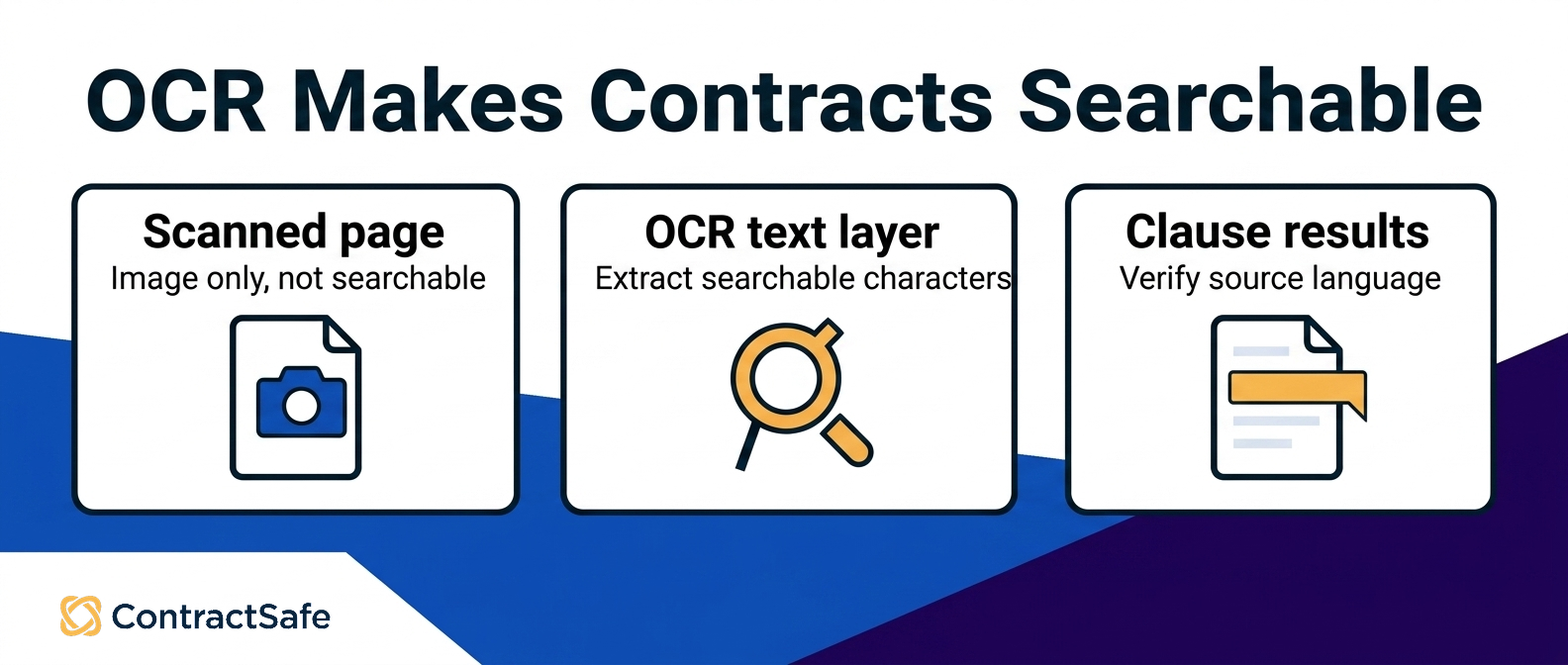
OCR converts the image of text in a scanned contract into actual characters a search engine can index.
Without it, a scanned agreement is just a picture as far as software is concerned, and no amount of AI sitting above the search layer will find a clause inside a document that contains zero searchable text.
When you assess OCR for contracts, check four things: whether it runs automatically on upload, whether scanned and native PDFs share one index, how it handles faint or skewed pages, and whether it includes exhibits and signature pages. Poor scans and handwriting can still limit searchability, so keep a visible exception queue instead of treating OCR as infallible.
Proof to Ask For
Before you believe any vendor’s search demo, ask for these three things using your documents, not theirs:
A bad-scan test. Hand over your worst-quality signed PDF and ask them to find a clause inside it live.
A synonym test. Search for a concept your contracts express three different ways and see whether all three surface.
A source test. For every answer the tool gives, ask where it came from and whether the tool shows you the paragraph.
AI Contract Search vs. AI Review vs. Data Extraction
AI contract search, AI contract review, and AI data extraction solve three different problems, and vendors describing all three as “AI contract management” makes them sound interchangeable when they really aren’t. Search finds language. Review evaluates language against a standard.
Extraction pulls structured values into fields you can filter and report on.
| AI Contract Search | AI Contract Review | AI Data Extraction | |
|---|---|---|---|
| Question it answers | Where does this language appear? | Is this language acceptable? | What are this contract’s key values? |
| Typical input | A phrase or plain-English request | A draft or executed agreement plus your standards | An executed agreement |
| Typical output | Ranked passages with sources | Flags, comparisons, suggested positions | Populated fields like party, term, renewal date |
| Best used | Portfolio-wide clause discovery | Language and risk analysis against standards | Building consistent structured fields |
| Fails quietly when | Documents aren’t OCR’d or indexed | Your standards aren’t written down | Field definitions are inconsistent |
Data extraction makes retrieval sharper by populating consistent fields, and the contract metadata guide explains how those fields support filtering and reporting.
AI contract review software applies standards to language and risk inside a document. That’s a different task from ranking clauses across a portfolio, so test and buy the capability that matches the question your team actually needs answered.
What to Test Before You Trust AI Contract Search Results
Testing AI contract search means running your own difficult questions against your own imperfect documents and checking whether the answers hold up under inspection.
A 2025 preregistered Stanford study found that each of two proprietary retrieval-augmented legal research tools hallucinated more than 17% of the time, even while improving on a general-purpose chatbot. Retrieval reduced hallucination without eliminating it, and the study identified professional supervision as a continuing responsibility. That makes showing the source a real control. Test five behaviors with questions whose answers you already know:
Ask for a known clause set and check recall, not just the first result.
Ask a question with no answer and see whether the tool admits that.
Rephrase the same question and compare the result set.
Open every cited paragraph and read its carve-outs and cross-references.
Repeat the test as users with different permissions.
Turn the Demo Into a Repeatable Pilot
A useful pilot tests retrieval, evidence, and follow-through as separate things. Start with a controlled set of agreements whose answers your team already knows.
Include a native PDF, a poor scan, a master agreement with an amendment, and contracts that express the same idea with different words. Write down the expected result before anyone searches. Otherwise, a polished answer can quietly become the answer key. Use a scorecard that forces the buying team to inspect the work behind every result:
| Test | Evidence to Capture | Failure Signal |
|---|---|---|
| Known-clause recall | Every agreement that should match, not just the first hit | A relevant document never appears |
| No-answer behavior | The exact response when the clause is absent | The tool invents a confident answer or hides uncertainty |
| OCR coverage | The source paragraph from a difficult scan | Native PDFs work, but scanned agreements disappear |
| Amendment context | The governing clause and the later document that changes it | Search returns accurate but outdated language |
| Permission boundaries | Results seen by a full-access user and a restricted user | A restricted user sees a contract, snippet, or field they should not |
| Repeatability | Results from the same request phrased two different ways | Small wording changes produce unrelated agreement sets |
Assign one person to run the query and another to verify the sources. That separation matters because the operator already knows what they hoped to find and can unconsciously grade a near match as a hit. Record false negatives, false positives, missing scans, broken document relationships, and permission leaks as separate defects. They point to different fixes: OCR, indexing, metadata cleanup, document linking, or access configuration.
Finish with an operational test. Take one verified renewal, notice, or pricing clause and turn it into a confirmed field, an owner, an alert, or a report. If the result can’t move into the next contract-management action, you tested a clever search box rather than a lifecycle workflow. The winning tool isn’t the one that produces the most impressive single answer.
It’s the one your team can challenge, verify, correct, and use again without rebuilding the search from scratch.
How Semantic Search Finds Contract Language in Plain English
Semantic search matches meaning instead of spelling, so teams can find conceptually related clauses even when agreements use different words.
You ask for something like “contracts where the other side can walk away without cause,” and the tool looks for language that does that job, even when the drafters called it convenience termination. Or discretionary cancellation, or nothing at all because it’s buried in a numbered subsection with no helpful heading.
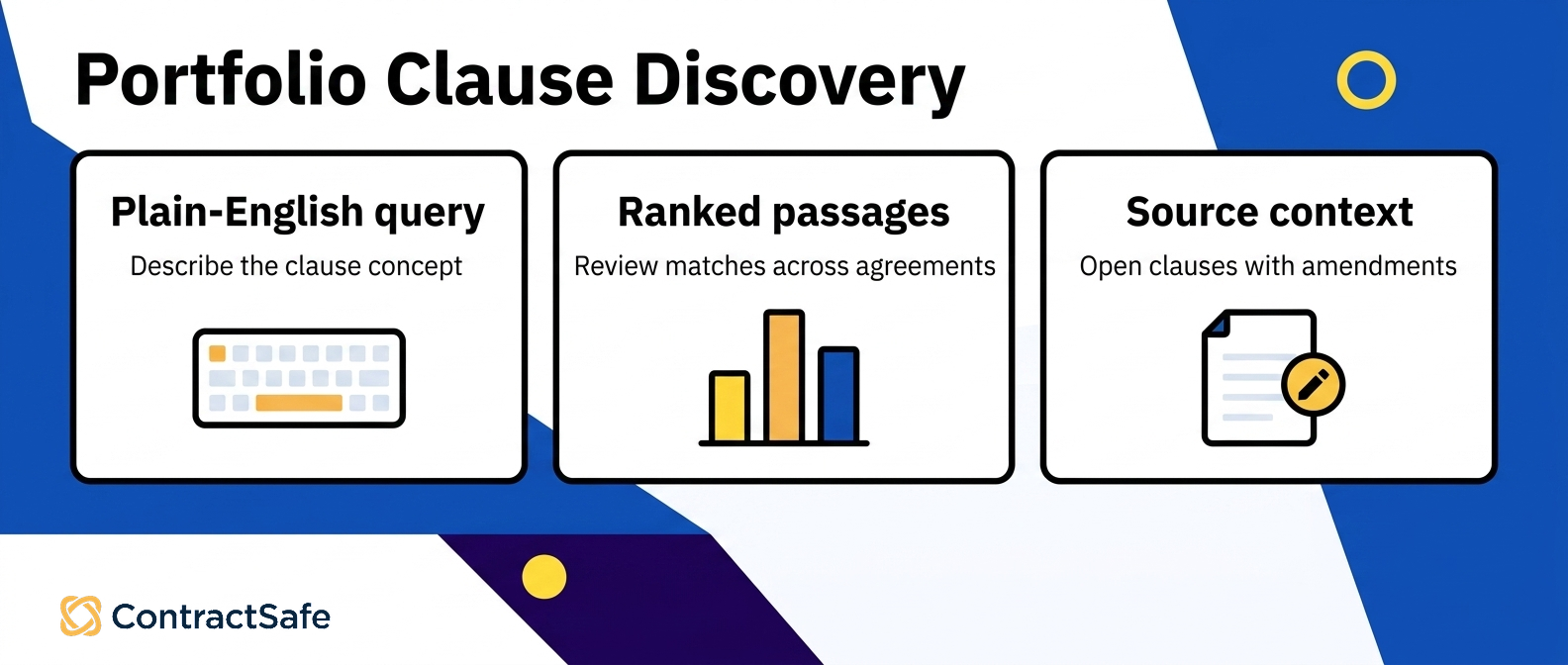
Tools take different approaches to meaning-based retrieval. Some translate a plain-English request into visible filters, some rank passages by embedding similarity, and some generate an answer with a source citation. Those outputs aren’t interchangeable, even though they get marketed as if they were.
ContractSafe separates the layers. Full-text search runs across metadata and document text, including OCR text, within one agreement or across the database. ContractSafe Smart Search translates a plain-English request into visible filters across the contract list. The AI Smart Search documentation also states two current limits: it can’t answer a direct “how many” request, and it can’t filter by date reminders.
Visible filters are what make the interpretation inspectable. If the system turns “expiring next quarter” into criteria you can read and adjust, you get to catch a misunderstanding before you rely on the result set.
ACORD contract clause retrieval benchmark used 114 contract-clause queries written by attorneys across 9 clause categories and more than 126,000 contract-clause relevance judgments on query-clause pairs rated on a 1-to-5 relevance scale. That graded design reflects the real problem: clause relevance isn’t always binary, so a person still needs to inspect the highest-ranked language.
How to Find Clauses Across Agreements Without Losing Context
Finding clauses across agreements means pulling the same provision out of dozens or hundreds of contracts and reading each hit next to the document it came from. Context loss is the failure mode here.
A clause fragment ripped out of its agreement can say the exact opposite of what the full contract does, and you won’t know unless you can open the source. For example, a common failure illustrates the risk nicely: search finds an auto-renewal clause in a master agreement, but a later amendment killed it. The retrieval was accurate. The conclusion was wrong.
Use a repeatable workflow:
Start with the concept. Run the plain-English question across the relevant agreement set.
Cross-check exact terms. Search two or three phrases the clause commonly uses.
Open the source. Read the full provision, including carve-outs and cross-references.
Check the document family. Use contract repository controls to inspect amendments, SOWs, versions, and related files.
Record the result. Correct missing fields and capture the owner or deadline that drives follow-through.
For high-stakes answers, source attribution should be explicit. attributed legal question-answering study treated references to controlling provisions as a required output rather than assuming a fluent answer was self-validating. Image-only PDFs stay a blind spot until OCR extracts the text, which is why it’s worth keeping track of low-quality scans that need manual review.
Otherwise a zero-result search gets mistaken for proof that no clause exists, and that’s a very different thing.
Permissions, Source Evidence, and Human Verification
Permissions and source citations are what make AI contract search safe to use at scale. Permissions decide who can see which contracts in results. Source evidence lets a person confirm the answer came from real contract language.
Human verification is the step where somebody who knows the deal reads the actual clause before anyone acts on it.
Start with access control. ContractSafe provides roles plus folder-, user-, and team-level permissions to govern who can view, edit, export, or manage contract content. ContractSafe supports unlimited users on every plan, so broader adoption doesn’t require weakening access boundaries. Then inspect the evidence. Grounding a response in retrieved text reduces risk, but it doesn’t make the output true. If a tool can’t show you the controlling paragraph, treat the question as unanswered.
A 2025 study tested 12 retrieval-reranking-generation configurations against expert answers for 1,039 civil complaints. The legal AI RAG pipelines study found that better raw retrieval did not automatically produce better generated answers, while stronger reranking correlated with better generation quality.
ContractSafe single-contract Q&A returns an answer with a citation. ContractSafe AI extraction suggests values on upload but leaves them unconfirmed until a person accepts them. In both cases, the human confirmation step is part of the feature, not a workaround for one. Set the expectation with your team plainly: search narrows the pile, a person closes the question.
A tool that narrows hundreds of contracts to a reviewable set still moves the work forward, even when a person reads every result.
How Contract Search Supports the Full Contract Lifecycle
Contract search feeds every other stage of contract work. Finding language is the input, and renewals, obligations, reporting, approvals, and risk analysis are what you do with it.
A search result that doesn’t connect to alerts, reports, or review is basically a screenshot. A search result inside a full-lifecycle CLM turns into a task somebody actually completes.
For instance, you search for auto-renewal language across your vendor set. The clauses you find have notice deadlines. Those deadlines become date alerts, so the ninety-day window doesn’t quietly close while everyone’s busy with something else.
The counterparties and renewal terms become confirmed fields, which feed dashboards and scheduled reports, so finance sees the renewal calendar without asking legal to run the search all over again. The clauses that look off-market go to review. That’s the loop, and search is where it starts.
A digital contract repository supplies organization, permissions, relationships, and version control, and search supplies retrieval. Pre-signature intake, templates, redlining, approvals, and e-signature add structure before execution, so the portfolio is easier to search and report on later.
Related Reading
Full-lifecycle CLM feature evaluation for how search fits alongside review, reporting, alerts, and renewals when you’re comparing systems.
Contract management lifecycle stages for the lifecycle stages that search supports from intake through renewal.
ContractSafe AI capabilities for a first-party overview of how AI-supported search, organization, and review work together.
How ContractSafe Helps With AI Contract Search Software
The clause you need is almost never where you’d expect it.
It’s in an amendment to a 2019 master agreement that somebody scanned upside down and saved as “final_v3_REAL.pdf.” ContractSafe’s approach to that particular problem is layered rather than magical: Full-text search covers metadata and document text including OCR’d scans, OCR turns image-based PDFs into searchable text in the first place, Smart Search translates a plain-English request into criteria you can see, and single-contract Q&A returns an answer with a citation you can open.
Those layers have distinct jobs on purpose. When you know the exact phrase, keyword search across the database finds every instance. When you don’t know the phrase, you describe what you’re after and let Smart Search build the filters. When you’ve narrowed things down to one agreement and need a specific fact out of it, you ask in plain English and check the citation.
Adoption is the quiet part that makes any of this work. Search only finds what somebody put in the system, which is why unlimited users on every plan matters more than it looks on a feature grid. When licensing doesn’t discourage adding the procurement analyst or the regional sales manager, contracts and their fields land in one place instead of scattering across inboxes and shared drives.
Permissions handle who sees what, so opening the system up doesn’t mean opening the sensitive folders up. From there, found language turns into follow-through. Confirmed fields feed dashboards, saved reports, and scheduled reports. Renewal and notice dates feed alerts. Amendments, SOWs, supporting files, and prior versions stay linked to their parent agreements with audit history, so the clause you found in search is the clause that’s actually operative.
If you want to see whether this handles your particular pile of scanned amendments and inconsistently named PDFs, the honest test is running your own real questions against your own documents and checking the sources it shows you. Book a demo and bring the ugliest contract set you have.








.svg)







.svg)




