


Contract management software for in-house counsel is a system that keeps signed agreements in one searchable place, tracks the key dates and obligations, routes approvals, and lets business teams find contract answers on their own.
For a legal department, the point was never the feature list. It’s about clearing out the routine lookups, the renewal chasing, and the endless “where’s that contract” pings that pile up on counsel’s desk every single week.
Quick answer: Judge contract management software for in-house counsel by the work it helps legal, finance, procurement, and operations teams actually finish.
Can they find the right contract, trust the data hanging off it, and turn that data into the next thing they need to do? Think of your contract set like the plumbing in a building. When it works, nobody gives it a second thought. You turn a tap and water comes out, and life goes on.
When it’s broken, though, every floor calls the one person who knows where the shutoff valve is, and that person never gets to fix the actual pipes. They just spend the day running between floors. In a lot of companies, in-house counsel is that person.
Sales wants a renewal date, procurement wants a signed copy, finance wants the liability cap, and every bit of it funnels through one or two lawyers who would honestly rather be doing legal work. This guide walks through choosing contract management software by the legal work it removes, not by how many buttons light up in a demo.
If you’d rather get the wider category first, our rundown of contract management tools and the fundamentals of legal contract management set the table before you shortlist anything.
Key Takeaways
- Judge contract software by the work it lifts off legal’s desk: search, owner questions, approvals, renewals, and reporting.
- Inboxes and shared drives fail quietly, so the cost shows up as missed renewals and repeat lookups instead of one obvious breakage.
- Business users should be able to answer basic contract questions themselves, without routing every request back through counsel.
- Before you shortlist, list the contract questions your business teams ask legal most often, then use that list as your search-and-self-serve test in every demo.
- Full-lifecycle software beats a bare filing cabinet because it covers intake through renewal in one place.
- ContractSafe publishes pricing by plan and active contract volume, includes unlimited users, and bundles implementation help so rollout doesn’t turn into its own project.
Choose your next step:
If you just need a quick definition, read the snapshot first.
If you’re choosing software, use the buyer checklist before you start comparing vendors.
If you’re cleaning up an existing process, skip ahead to records, owners, alerts, and reports.
Buyer Snapshot for In-House Legal Teams
Your checklist should compare the work the system has to support: clean records, trusted answers, clear ownership, and next actions the team can actually take without a lawyer standing over them.
LexisNexis contract management tools can help frame whether the team needs a simple contract-control system or a broader legal-operations platform.
| Reader question | Short answer | What to do next |
|---|---|---|
| What is it? | Contract management software for in-house counsel should create a searchable, governed contract record | Confirm the system stores documents plus metadata, owners, dates, and permissions |
| Who needs it? | Legal, finance, procurement, and operations teams that act on signed agreements | Map which teams need access and which fields they can see |
| What matters most? | Findability, metadata, alerts, reports, permissions, and audit history | Use those capabilities as the core buying checklist |
| Where does AI fit? | AI helps when it extracts and validates contract data inside the governed record | Require source traceability and human review |
| What is the first step? | Inventory contracts and define the minimum metadata model | Start with active and high-risk agreements before historical cleanup |
Decision Check
Can the team find a signed agreement by party, date, owner, and clause?
Can the system show what needs action this month?
Can non-legal users answer basic contract questions without creating a brand-new access problem?
Can the system show who changed a key date, and when, without a support ticket?
Can you export a clean report of what expires in the next quarter?
Evidence Checklist
| Planning claim | Evidence to request |
|---|---|
| Contracts are searchable | Find a scanned agreement by party, clause, date, and business owner |
| Metadata is usable | Show required fields, review status, reporting, and cleanup ownership |
| Alerts reach the right owner | Set a renewal and notice date, then confirm the reminder lands with the business owner, not only legal |
| The rollout is realistic | Show launch-critical work separately from historical cleanup |
What Is Contract Management Software for In-House Counsel?
Contract management software for in-house counsel is a dedicated platform that holds executed agreements, pulls out and tracks their key terms, sends deadline alerts, and controls who can see what.
It’s what replaces the scattered mix of folders, spreadsheets, and email threads that most legal teams lean on to answer contract questions today. That mix works right up until it doesn’t.
And the gap it fills is bigger than tidy filing. The WorldCC report found that only 39% of commercial professionals believe their contracts deliver the outcomes they intended, and that 90% of business users say contracts are difficult or impossible to understand.
Read that second number and sit with it for a second. When the people who signed a deal can’t read their own obligations, they call legal, and legal spends the afternoon translating instead of practicing law. Good software answers four everyday questions without a lawyer in the loop:
Where’s the signed version, and which draft is actually the current one?
What are the key dates: effective, expiration, renewal, and notice?
Who owns this relationship on the business side?
What did we agree to on price, term, and liability?
Fragmented contract data does more than slow down a file search. It delays decisions, hides obligations until they’re already overdue, and keeps business users dependent on counsel for answers they should really own themselves.
Pair a real system with steady legal tech adoption and a few simple contract audit best practices, and the same tool starts to support a genuine contract renewal strategy instead of a monthly scramble to figure out what’s expiring.
Why Legal Teams Outgrow Inboxes and Shared Drives
Inboxes and shared drives break down as a legal team grows because they were never built to track dates, control access, or answer questions at the pace the business keeps asking them.
They feel free and familiar, too, which is the trap. Everything’s fine right up until the day a renewal slips or the wrong person opens a sensitive folder, and suddenly the free option looks expensive. The failure modes are worth naming, because they rarely announce themselves:
No date tracking. Renewal and notice deadlines live in someone’s memory, so they surface late.
Search stops at file names. You can find a document if you named it well, but not a clause buried on page nine.
No real access control. Sensitive deals sit in open folders, or get so locked down that only legal can reach them.
Version confusion. The signed copy and the last redline blur together, and someone relies on the wrong one.
No audit trail. When someone asks who approved a term or when it changed, nobody can prove it.
Obligations get orphaned. A departing owner’s renewal duties vanish along with their inbox access.
Single points of failure. When the one person who knows the folder structure is on vacation, the whole team stalls.
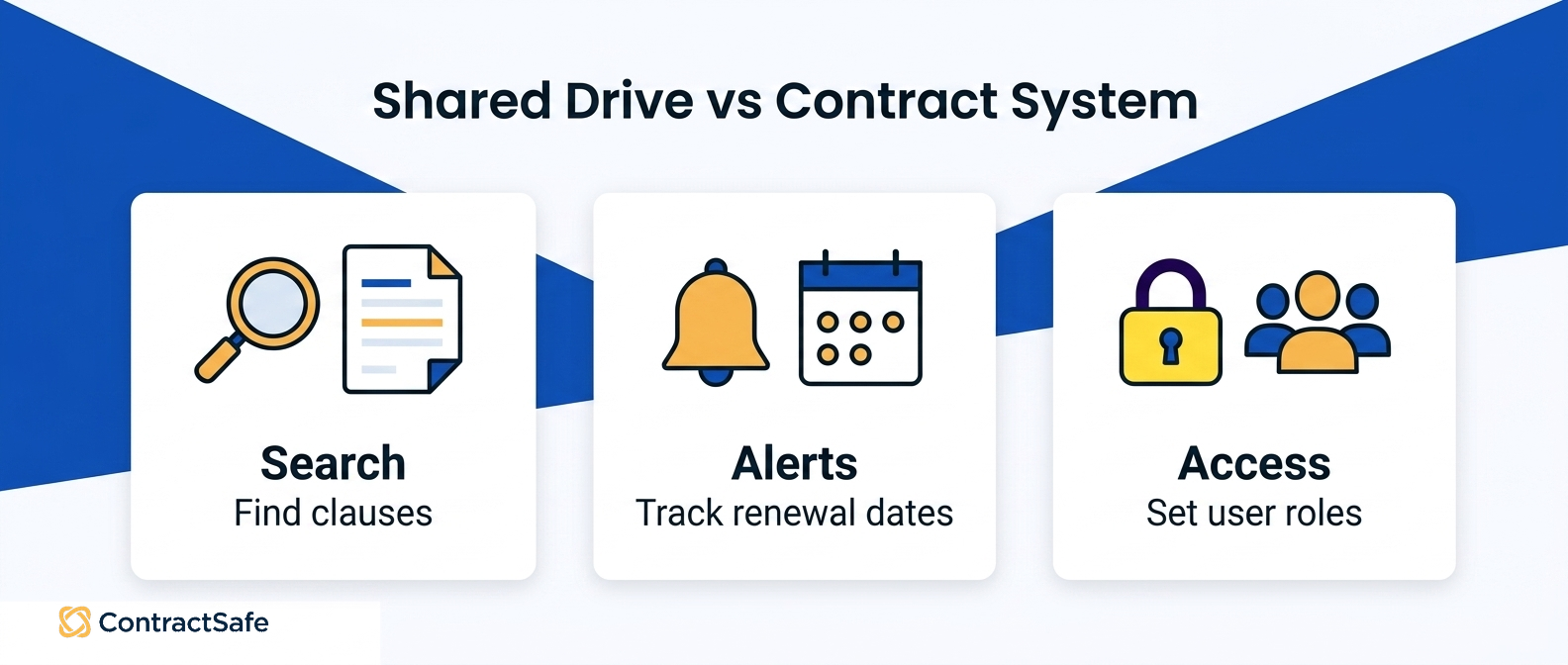
Here’s the same comparison laid out side by side:
| Task | Inbox or shared drive | Dedicated contract system |
|---|---|---|
| Finding a specific clause | Manual, file by file | Full-text and plain-English search |
| Renewal and notice dates | Tracked by memory or spreadsheet | Automatic alerts |
| Access control | Folder-level at best | Role and record permissions |
| Audit history | Rebuilt from email threads | Timestamped change log |
| Obligation ownership | Tied to one inbox | Assigned to a record owner |
| Business self-service | Ask legal | Owners find their own answers |
| Reporting | Copy into a spreadsheet | Dashboards on live data |
The bill for staying on folders shows up slowly, which is exactly why people ignore it. We’ve written before about contract repository hidden costs, the slow tax of a setup that stops keeping up.
And if you’re weighing a light filing tool against a fuller system, a side-by-side like ContractSafe vs ContractWorks shows the difference between storing contracts and actually managing them through their whole life.
Proof to Ask For
Before you shop, write down what you need so the demo stays honest. A contract management requirements checklist turns vague wants into things you can actually test. In any trial, ask the vendor to show you:
A plain-English search that pulls a clause, not just a file name, from a real document.
A renewal alert firing on a date you set, sent to a business owner, not only to legal.
A permission that lets an account manager see their contracts and nothing else.
A one-click report on what’s expiring soon.
Migration of a messy batch of scanned PDFs into searchable records.
If a tool can’t demonstrate those five on your own contracts, it won’t take work off your desk once the shine of a new system wears off.
What Contract Software Should Take Off Legal’s Desk
The contract work worth handing to software is the repetitive lookup-and-remind labor that lands on counsel by default: finding a clause, answering an owner’s question, routing an approval, catching a renewal, and pulling a report.
A good system quietly absorbs those five jobs, and your legal time goes back to judgment calls instead of lookup chores. Picture legal as the front desk of a busy building. Every day people wander up with the same handful of requests. “Where’s the NDA we signed with that vendor?” “Can we cancel the SaaS deal before it auto-renews?” “Who approved this indemnity language?” None of it needs a lawyer’s brain.
What it needs is a lawyer’s filing cabinet and a lawyer’s memory, and here’s the problem: those two things don’t scale. Every one of those walks is legal work that better software should be taking off your desk.
Map it to the five jobs and it gets concrete fast. Search turns “let me dig through the drive” into an instant answer. Owner questions get answered by the record instead of by you. Approvals route themselves down a defined path.
Renewals raise a hand well before the deadline instead of ambushing you, and reporting becomes a filter instead of a fire drill. Handle those five, and the front desk stops being the bottleneck for the whole company. The trap here is treating the whole thing as a filing project. Storing PDFs somewhere tidy feels like progress, but a neat shelf still sends people over to ask you where things are.
The tell is a search that finds the file but not the clause inside it, so you still open the PDF and re-read it yourself. That’s an errand wearing a search result’s clothes. The point isn’t the shelf. The point is that the next person with a question gets the answer without you.
What In-House Counsel Should Test Before Buying
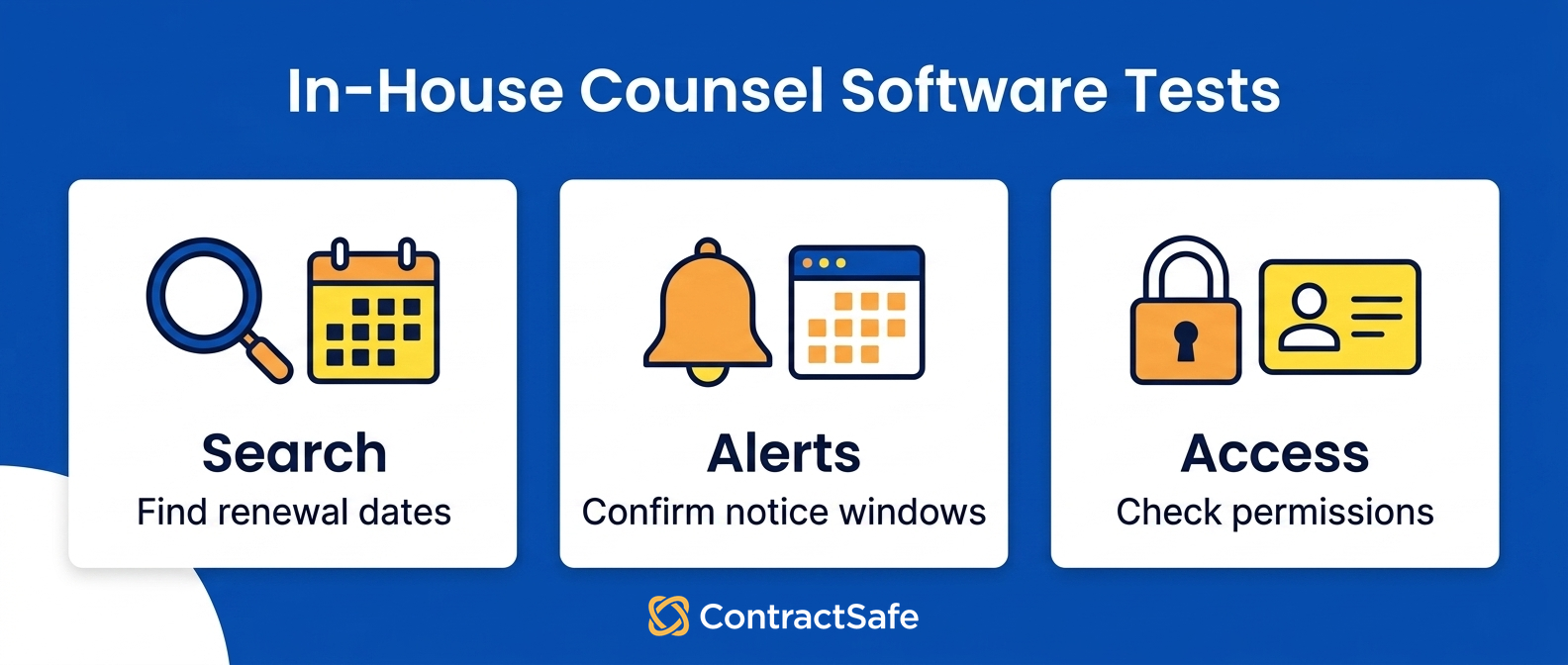
In-house counsel should test contract management software against boring, real tasks before signing anything. Can a non-lawyer find a contract? Does the system pull key terms out of a PDF on its own? Do the reminders actually fire?
And can a business owner answer a question without emailing you? A pretty dashboard proves none of that.
Here’s the thing about demos. Every tool looks capable when the vendor drives and the data is fake. You learn nothing from a smooth click-through of a sample account that was groomed for exactly the click-through you’re watching. So take the wheel yourself. Upload three of your own messiest contracts, the scanned one, the amended-twice one, the one with the weird side letter, and watch what the software does with them.
That’s your test-drive checklist, and it beats any feature grid on the market. Run it against the five jobs. Search: type a counterparty name and a term you half-remember, and see if the right document surfaces. Extraction: does it read the renewal date and the notice period, or does someone still key those in by hand?
Alerts: set a reminder for a date next week and confirm it lands in an inbox rather than a void. Self-service: hand the tool to a colleague in sales and watch whether they find their own answer or wander back to your desk. There’s one test people skip: hand the vendor your worst-quality scan and ask them to run the extraction live on your data, not their demo set.
If the answer is “we’ll set that up later,” that later is exactly where the tool quietly falls apart. It helps to write a plain contract management requirements checklist before you sit through a single call, so the sales team is answering your questions instead of you absorbing theirs.
If the software can’t handle the errand you run over and over, no amount of AI branding on the homepage will fix your Tuesday.
How to Compare Contract Software for Legal Departments
Comparing contract software for legal departments works best when you score each tool on the work it removes, not the features it lists. Rank the jobs that matter most, then price the whole thing honestly, including all the seats you’ll actually need.
Score each finalist on these, weighted toward your worst pain:
Search: paste a vague clause fragment and see if the right contract surfaces.
Extraction: upload your messiest PDFs and check the renewal dates it pulls.
Alerts: set a renewal reminder and confirm who gets pinged, and when.
Approvals: route a live agreement and count the clicks to signature.
Reporting: filter by expiry, owner, and value, not just export a CSV.
Seats: price the plan with sales, finance, and procurement all added in.
Most comparison spreadsheets go wrong in the same way.
They fill up with checkmarks, every vendor claims every row, and the grid tells you nothing, because a checkmark for “reporting” could mean a real filter or a CSV export you have to babysit. Weight the rows instead. If renewals are the thing ambushing you, an unreliable alert is a dealbreaker, full stop. Score against your core jobs and the field narrows fast.
Seat count is the sneaky one. A lot of contract software prices by user, which quietly punishes you for the exact behavior you’re trying to encourage, which is more people helping themselves. If sales, finance, and procurement all have to answer their own questions in the system, the last thing you want is a meter running every time you add a person.
ContractSafe puts unlimited users on every plan for exactly this reason, so self-service never turns into a line item. That’s a big part of why buyers weighing ContractSafe vs ContractWorks end up comparing what happens when the whole company logs in, not just the legal team.
The budget conversation is also easier than it used to be. The Harbor 2025 Law Department Survey put technology strategy near the top of the list at 80%, while contracts showed up as a workload pressure point at 53%.
So leaders want the tech, and the contract pile is one of the loudest sources of the pain. Published pricing based on plan and contract volume gives leaders a concrete starting point instead of a mystery quote.
Implementation Risks That Create More Legal Work
The implementation risks that backfire on legal are the ones that leave you doing the software’s job by hand: a half-loaded repository, extracted data nobody checked, permissions so tight that people email you anyway, and a rollout nobody was trained on.
Each one quietly turns a labor-saving tool into one more chore parked on your desk, which is the opposite of the whole point. The migration is where good intentions go to die. A tool is only as helpful as the contracts sitting inside it. If you load the easy files and leave the awkward ones stranded in the old drive, you’ve built a system that answers half the questions and sends the other half right back to you.
Worse, people learn the tool is unreliable and stop trusting it, which sends everyone back to the front desk for good. This is one of the quieter contract repository hidden costs: the slow bleed of a migration that stalled partway. Ask a vendor point-blank who loads the back catalog and who checks it, so the awkward contracts are someone’s actual job and not an afterthought.
Extraction is the second landmine. AI that reads dates and terms is a real time-saver, right up until nobody confirms the fields and a wrong renewal date sails through unnoticed.
Build a light review step into the rollout, the same discipline you’d bring to contract audit best practices, so the data everyone relies on is data someone actually eyeballed once. It doesn’t need to be heavy. It just needs to happen before people bet decisions on it.
Then there’s the human part, which teams underestimate constantly. Software that legal loves and nobody else opens hasn’t reduced your work, it’s just moved your filing cabinet across the hall.
Real legal tech adoption means the sales rep, the finance analyst, and the procurement lead all find the tool easier than pinging you, and that only happens if setup is quick and someone walked them through it early on.
So pick a vendor that treats onboarding and migration as their job, not a PDF they email you. The whole promise of taking work off legal’s desk falls apart if the rollout quietly puts it right back.
Related Reading
See how a searchable contract repository works
How ContractSafe Helps In-House Legal Teams Reduce Contract Admin
ContractSafe is contract management software for in-house counsel built around the six jobs eating your week: search, owner questions, approvals, renewals, reporting, and self-service.
It supports the full lifecycle from intake through renewal, with approval workflows, a searchable record, AI that pulls key terms out of your documents, deadline alerts, and permissions simple enough that people outside legal will actually open it. And that self-service part is the whole game. ContractSafe handles the front-desk problem first.
When a sales rep needs the signed MSA or finance wants to know what auto-renews next quarter, they search and find it themselves instead of walking over to you. Because every plan comes with unlimited users, you can invite the whole company without a meter running, which is the only way self-service actually replaces the steady drip of “quick question” emails.
Reminders fire well ahead of renewal dates, too, so a missed notice window stops being the thing that ruins your month. ContractSafe also includes implementation and migration support, so the rollout doesn’t quietly hand the work back. You get your contracts in and your fields checked, not a login and a wave goodbye.
Setup is quick, and customer success stays included after go-live, which matters because the value only shows up once the awkward majority of your contracts are loaded and trusted, not just the easy handful up top. ContractSafe pricing starts at $450/month billed annually ($540 month-to-month), with unlimited users on every plan. Published prices by plan and contract volume make the internal budget conversation an easy one.
If you’re deciding whether it truly takes the errands off your desk, run your own messy contracts through it. In a ContractSafe demo, test the tasks you do without thinking:
Search a signed agreement by a clause buried in the body, not just the title.
Ask the AI to pull the renewal date and notice window from a real contract.
Invite a non-legal colleague and see whether they self-serve without training.








.svg)







.svg)




