


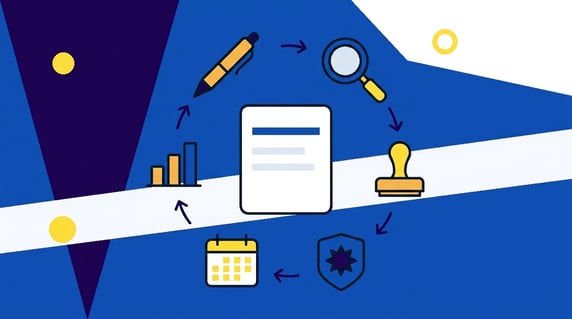
Quick answer: Contract lifecycle management is the practice of guiding an agreement through every stage of its life, from the first request through drafting, negotiation, approval, signature, active tracking, and finally renewal or termination. It connects the work before signature with the work after it.
The seven stages, in order:
- Request and intake. Someone asks for a contract and the details are captured on an intake form, with an owner assigned.
- Drafting and creation. A first draft is assembled from an approved template and pre-approved clauses.
- Negotiation and redlining. Both sides exchange tracked changes until the language is agreed (how negotiation runs).
- Review and approval. Internal reviewers confirm the terms fit policy and the required approvals are recorded.
- Signature and execution. Signatures are collected, usually by e-signature, and the executed copy lands in the repository with its dates captured.
- Obligation and compliance tracking. Deliverables, key dates, amendments, and the audit trail are managed for as long as the contract runs.
- Renewal, termination, or closeout. The renewal decision is made before the notice window, and the file is closed out properly when the agreement ends.
The stages work like markers on a trail. A contract keeps moving past them long after it's signed, so it's a living asset rather than a piece of paper you sign once and forget about. When the process works, your whole team knows which marker each agreement has passed, which one is next and who's carrying it. When it slips, you get a missed renewal date or a signature nobody ever chased down.
Choose your next step:
-
Need the stages? Start with the stage table, including what software does at each one.
-
Measuring the process? Use the four lifecycle KPIs.
-
Fixing a process? Run the approval check.
So before we walk the trail stage by stage, it's worth a quick check of where your team is standing on it right now. Do executed contracts land in one place, or does it depend on who signed them? Would a renewal that's 60 days out surface on its own, or only when someone remembers? The assessment below asks ten questions like those and scores you across five dimensions. Your result shows where your process is weakest, so you'll know which sections below deserve the closest read.
Key Takeaways
- The contract lifecycle divides into two broad phases: pre-signature work such as creation, negotiation, review, and execution, and post-signature work such as tracking obligations and handling renewal or termination.
- Every stage needs an owner and a clear handoff so the agreement does not stall between people or teams.
- Standardized intake and pre-approved templates can reduce drafting friction and help keep language consistent from one agreement to the next.
- Contracts need ongoing attention after signature, not just at the moment of signing.
- The benefit of a central, searchable repository is a visible lifecycle instead of contracts scattered across inboxes and shared drives.
What Is Contract Lifecycle Management?
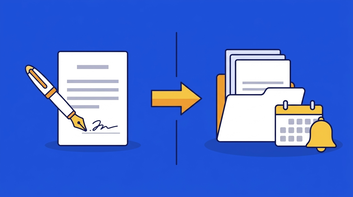
Taken together, the seven stages form one coordinated process that carries a contract from the initial request to its final disposition.
It covers the people, the steps, and the systems that move an agreement forward, and it applies whether you sign a dozen contracts a year or several thousand. CLM is the process view of a broader discipline. If you want the fundamentals first, our guide to contract management covers what it is, why it matters, and where software fits.
Different sources group the lifecycle in different ways. The labels and stage counts vary, but the work still runs from the initial request through active management and final disposition.
Thomson Reuters offers a helpful overview of what contract lifecycle management involves for teams comparing approaches.
The Contract Lifecycle Management Process at a Glance
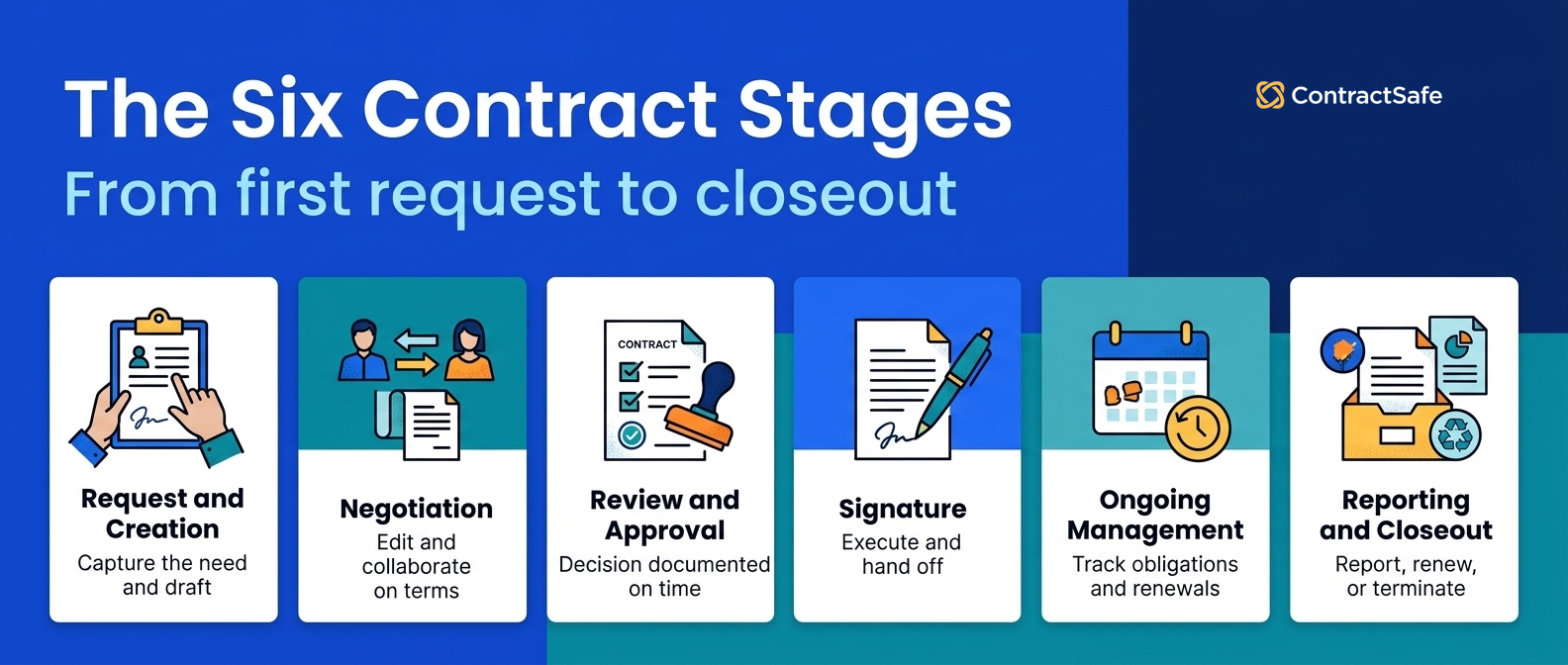
The seven stages run in order: request and intake, drafting and creation, negotiation and redlining, review and approval, signature and execution, obligation and compliance tracking, and renewal, termination, or closeout. The first five happen before signature.
The last two happen after, and they can last far longer than everything that came before them. Here’s how the stages break down in practice: the usual owner, the signal that a stage has genuinely finished rather than just gone quiet, and what changes when the stage runs in contract lifecycle management software instead of by hand.
| Stage | What happens | Typical owner | Ready to hand off when | Done by hand | Done in CLM software |
|---|---|---|---|---|---|
| 1. Request and intake | Request captured with purpose, parties, dates, value, and owner | Business requester with Legal support | Request has every required field and a named owner | Email thread and a chain of clarifying questions | Intake form with required fields; the record is created before the draft |
| 2. Drafting and creation | Template selected, first draft assembled | Contract owner with Legal | Draft exists with required fields complete | Copy the last similar contract and edit it | Template library and clause bank; custom fields prefill from intake |
| 3. Negotiation and redlining | Redlines exchanged, terms discussed, versions tracked | Contract owner and counterparty | Both sides agree on the language | Attachments named final_v3_FINAL | One working document with tracked changes and version comparison |
| 4. Review and approval | Internal reviewers sign off on final terms | Legal, Finance, and relevant department heads | All required approvals recorded | Approval by reply-all; status by asking | Routed approvals by threshold with a status anyone can look up |
| 5. Signature and execution | Signatures collected, executed copy filed with dates | Contract owner and signatories | Fully executed copy stored in the repository | Print, sign, scan, file in someone’s drive | E-signature, then automatic filing with extracted dates and parties |
| 6. Obligation and compliance tracking | Key dates, deliverables, amendments, and access monitored | Contract owner or operations | Dates and obligations captured, alerts set, owner confirmed | Spreadsheet of renewal dates someone updates when they remember | Extracted key dates, automated alerts, linked amendments, audit trail |
| 7. Renewal, termination, or closeout | Decision made to extend, renegotiate, or end; file closed out | Contract owner with Legal input | Decision documented before the notice deadline | Renewal discovered after it auto-renewed | Notice-window alerts, renewal report, status change that closes the record |
Notice how much of that table is really about handoffs. Stage boundaries can become stall points, because that’s the moment a document leaves one person’s attention and has to arrive in someone else’s. The right-hand columns show the pattern: by hand, every handoff depends on someone remembering; in software, the record carries the handoff.
Stage 1: Contract Request and Intake
The lifecycle begins when someone asks for a contract. This stage covers intake: capturing what the agreement is for, who the parties are, what it’s worth, when it runs, and who will own it. Drafting is the next stage, and it goes faster when intake was done properly.
Requests arrive from all sorts of places. For example, a request might begin with a verbal agreement that needs to be papered, a renewal coming due, an amendment to something already signed, an approved proposal, or a cancellation that needs documenting. Each one starts the same way: somebody needs to capture what the agreement is actually for.
That’s what intake is for. A structured contract intake form collects the details up front instead of dragging them out through a chain of clarifying emails. What goods or services is each party providing? When does it start and when does it end? What’s the pricing?
What milestones and expectations apply? What terms and conditions, sometimes called contingencies, need to be spelled out? Answering those questions before drafting begins is the difference between a clean first draft and a draft that comes back with six questions attached to it. The handoff out of intake is a complete request with a named owner, stored where drafting can pick it up.
Stage 2: Contract Drafting and Creation
Drafting turns the captured request into a first version complete enough to negotiate, starting from approved language rather than a blank page. Writing every agreement from scratch can introduce inconsistency. A library of pre-approved language gives the team a more reliable starting point. Some teams also find it helps to present initial terms as an interactive page-flip document rather than a plain PDF, especially when multiple stakeholders need to review it together.
Reusable contract templates let you standardize the clauses your legal team has already blessed, so the wording stays consistent from one deal to the next. Once you have an agreement your counsel is genuinely happy with, save it as a template for the rest of the team. For example, a mutual NDA template with the term, governing law, and non-solicit language already set to your positions turns a two-day drafting request into a ten-minute one.
A template library earns its keep when it holds, for each contract type your team sees more than a few times a year:
-
The approved base template, dated, with the clauses Legal will not negotiate marked as locked
-
Fallback language for the clauses that do get negotiated, so the drafter starts from the second position instead of inventing one
-
The custom fields that intake captured, prefilled, so nobody retypes the counterparty name
-
A retirement date, because a template nobody has reviewed in two years is a liability with a header
Assigning an owner matters just as much as the paperwork does. Every contract needs a named person responsible for moving it forward, because a draft with no owner is a draft that sits.
That owner carries the agreement through negotiation and can stay with it through renewal, which puts them in a position to notice when a date is creeping up. The handoff out of this stage is refreshingly simple: a complete draft, an assigned owner, and a version stored somewhere the next person can actually find it.
A central repository keeps works in progress, approved templates, and later redline versions organized and searchable, so the draft doesn’t disappear into an inbox the moment it leaves the requester’s hands. From here, the agreement moves into editing and negotiation, where the counterparty finally gets their say.
Stage 3: Contract Negotiation and Redlining
Contract negotiation is the stage where both sides shape the draft into terms they can actually sign, using tracked edits and comments rather than scattered email attachments.
Contract editing and version comparison tools let your team make changes to the working document inside the same system that holds it, so the current version stays current and the earlier versions stay available for comparison instead of vanishing into somebody’s downloads folder.
A few habits keep this stage moving:
-
Compare versions side by side before you accept changes, so you can see exactly what shifted between rounds rather than trusting a summary email.
-
Keep comments attached to the clause they refer to, which spares the next reader from reconstructing a conversation out of forwarded threads.
-
Give the counterparty and internal reviewers access to the same current draft, rather than sending each group a separate copy.
-
Preserve the version history as you go, since the record of what changed and when is what you’ll want if a dispute ever surfaces.
-
Let the assigned owner from the intake stage stay the single point of contact, so external parties aren’t fielding edits from four people at once.
The handoff out of negotiation is a draft that both sides have stopped changing, a complete version history sitting behind it, and an owner ready to route it for internal sign-off.
Stage 4: Contract Review and Approval
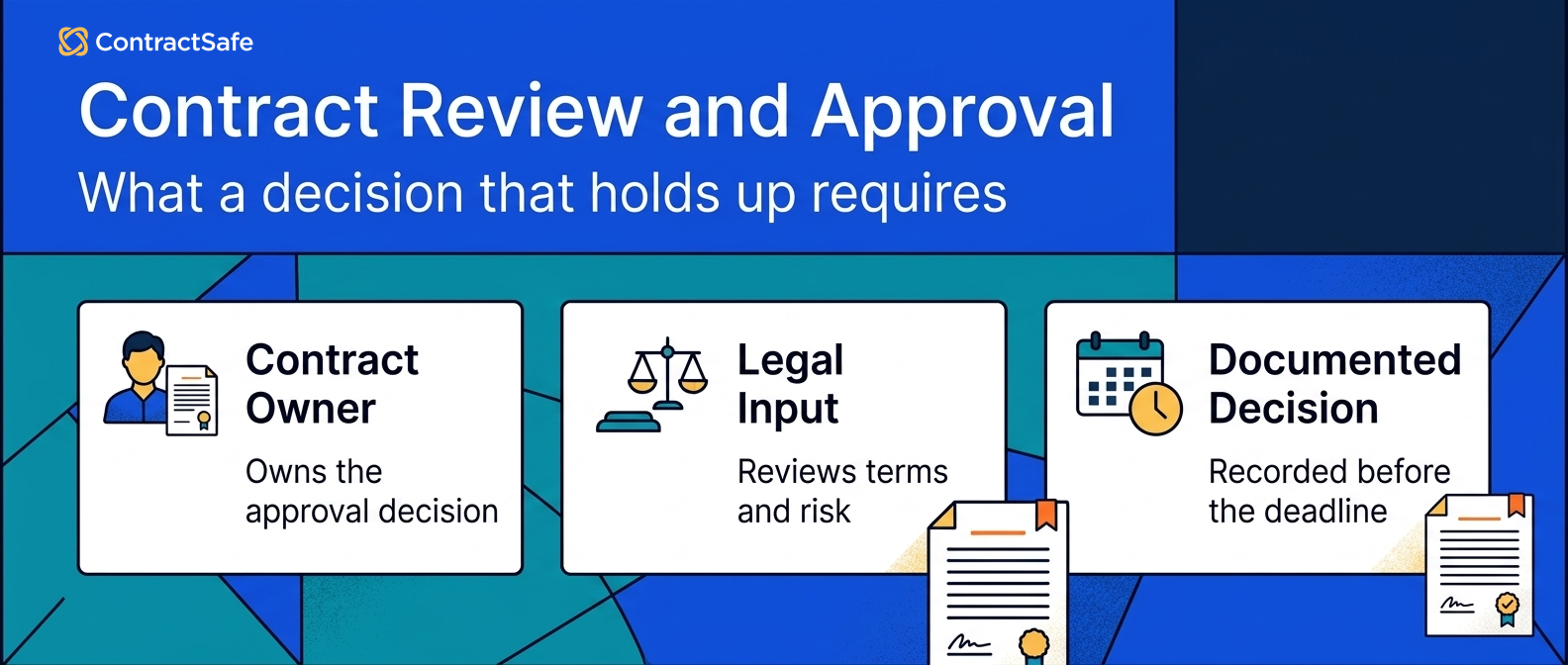
Contract review and approval is the internal check that happens after negotiation settles and before anyone signs.
The right reviewers confirm the terms match company policy and risk tolerance, approvals get routed to the people authorized to give them, and the contract doesn’t move forward until those approvals are recorded somewhere you can point to. Without a visible approval workflow, you can’t tell who opened it, who’s waiting on their own manager, and who filed it under later. The follow-up email asking where things stand becomes its own small job, and then a recurring one.
ContractSafe approval workflows address this by routing the agreement to the right reviewers automatically and tracking where it sits, so status is something you can look up instead of something you have to ask about. AI-assisted extraction helps here too, pulling out effective dates, renewal terms, and party names so approvers can see the key details quickly, with a person confirming the important fields before anything is finalized.
Decision Check
Common mistakes at this handoff include routing the wrong draft, leaving out a required reviewer, or failing to name the post-signature owner. Before you route for approval:
-
Confirm the version you’re sending is the one negotiation ended on, not an earlier round.
-
Know which approvals this contract actually requires, based on your own thresholds, before it goes out rather than discovering a missing signer later.
-
Give each reviewer a reason they’re on the list, since a reviewer who doesn’t know what they’re checking tends to check nothing.
-
Keep the record of who approved and when attached to the contract itself.
Stage 5: Contract Signature and Execution
Contract signature, or execution, is the point where approved terms become a binding agreement.
Signers are identified, signatures are collected in order, and the fully signed document moves into the repository with its key dates and obligations recorded so the rest of the organization can actually act on them. Electronic signature has made the mechanics of this pretty painless, and contract signing can happen inside your contract management system or through an e-signature service you already use.
Either way, the useful part is knowing who has signed and who hasn’t without reconstructing it from your sent folder. Automated reminders take care of the polite nudging, which matters more than it sounds when a contract is waiting on one signature from someone who’s traveling.
What separates a good execution stage from a merely finished one is the handoff. A signed contract that lands in an inbox hasn’t really been executed in any operational sense, because the obligations inside it aren’t visible to anyone who didn’t sign. The handoff worth getting right looks like this:
-
The fully signed document is stored in your central repository rather than an individual’s email or drive.
-
Key dates, including effective date, term, renewal, and notice deadlines, are captured so the contract can be found and acted on later.
-
Access is set appropriately, so the people who need the agreement can reach it and it isn’t sitting somewhere unmanaged.
-
The owner is confirmed for the post-signature period, because obligations and renewals need a name attached just as much as drafts do.
From here the agreement stops being a project and starts being a commitment your organization has to keep track of, which is where the next stage picks up.
Stage 6: Obligation and Compliance Tracking
Stage 6 is the long middle of a contract’s life, the stretch where the signed agreement sits in your repository and somebody actually has to deliver on what it says.
It covers ownership, obligations, key dates, amendments, and the audit trail that proves the company did what the contract says. It’s the part people forget to plan for because signing feels so much like an ending, and it’s where compliance lives: a missed insurance certificate, an unreported service-level breach, or a data-return obligation nobody tracked is a Stage 6 failure, not a signing failure.
The foundation here is a ContractSafe central contract repository where the executed agreement actually lives. Optical character recognition makes scanned PDFs and image files searchable, so an agreement someone faxed in 2019 is just as findable as one signed digitally last week.
Once the contract is findable, the work of this stage comes down to about four things.
Ownership. Every active agreement needs a named person who’s responsible for it, not a department and not a shared inbox. When ownership is vague, obligations quietly become nobody’s job, and nobody’s job is the one that never gets done.
When someone leaves the company, their agreements need to be reassigned rather than orphaned.
Obligations. Signed contracts are full of promises with dates and dollar amounts attached: deliverables, service levels, reporting requirements, insurance certificates, payment schedules.
Pulling those out of the document and putting them somewhere visible is what turns a filed PDF into something an operations team can actually work from. AI-assisted extraction can identify key fields and dates to speed this up, and a person should review the important ones before they become the basis for a decision.
Key dates and alerts. Effective dates, term lengths, renewal windows, and notice deadlines are the numbers that cost real money when they’re missed. Automated alerts configured well in advance give you enough runway to decide something rather than react to it.
Amendments and change. Contracts get amended, extended, and assigned. Keeping amendments linked to the original agreement rather than filed off somewhere separate means the person reading that contract two years from now sees the current terms, not the original ones.
Stage 7: Contract Renewal, Termination, or Closeout
Stage 7 is the decision that ends one agreement or starts the next: renew, renegotiate, or terminate, and then close the file out properly. It’s the stage most teams handle worst, because the deadline that matters is the notice window, not the end date.
The renewal decision is where the tracking in Stage 6 pays off. By the agreed dates you have to decide whether an agreement should renew, be renegotiated, or end. Miss the notice window on an auto-renewing contract and you’ve committed to another term of spending you didn’t want. Miss it on an agreement you valued and you may find it lapsed.
Neither failure is dramatic in the moment, which makes both easy to miss. With alerts in place, you arrive at the renewal conversation prepared. You know what you paid, what you got, whether the service levels were met, and what you want to change.
That’s a very different meeting from the one where you discover the renewal happened last Tuesday.
Reporting isn’t a stage so much as a capability that runs alongside every other one, and it’s what makes the renewal decision possible at portfolio scale.
Contract tracking and reporting is that capability. It’s useful during intake to see what’s in the queue, useful during negotiation to see what’s stalled, and useful at renewal to see what’s coming. Reporting becomes especially useful once you’re managing dozens or hundreds of agreements at once, because nobody can hold that many dates in their head. Useful reporting lets you:
-
Filter contracts by status, department, counterparty, value, or key date
-
See upcoming expirations and renewal windows in a calendar or dashboard view
-
Spot agreements missing signatures, owners, or required metadata
-
Save a report you use regularly and schedule it to reach your team weekly or monthly
-
Support audit requests with a record of who accessed and changed what
Closeout is easy to skip. When an agreement ends, whether by expiration, completion, or termination, a few things are worth doing while the details are still fresh:
-
Confirm final deliverables were received and final payments were made or collected
-
Send or file the termination notice within the window the contract specifies
-
Note any surviving obligations, such as confidentiality, indemnity, or data return terms, which often outlast the agreement itself
-
Update the contract status in your repository so it stops appearing in active reports
-
Capture what you learned about the counterparty, since that’s the input to the next negotiation
Termination specifically deserves care, because contracts usually specify how notice has to be delivered, to whom, and by when. Getting the substance right and the delivery method wrong is a real way to end up still bound to an agreement you thought you’d exited.
And then the loop closes. A renewal is a new negotiation, a replacement vendor is a new intake request, and the lessons from the agreement that just ended are the most useful thing you bring to the one that starts next.
How to Measure the Contract Lifecycle
You can’t tell whether the lifecycle is working from how busy Legal feels. Four numbers, all computable from a repository that captures dates at each handoff, tell you where agreements stall and what the stall costs. Track them monthly; a single week is noise.
| KPI | How to compute it from the repository | What a bad number tells you |
|---|---|---|
| Request-to-signature days | For every contract executed in the period, executed date minus intake date; report the median and the slowest 10% | A rising median means a stage is clogging; the slowest 10% show you which contract types or counterparties need a different template or path |
| Approval wait per reviewer | For each approval step, the time from routing to sign-off, grouped by reviewer | One reviewer carrying most of the wait is a threshold problem (they see contracts they shouldn’t) or a backup problem (nobody covers them) |
| Share of active contracts with a captured renewal date | Active contracts with a non-empty renewal or end date divided by all active contracts | Anything under 100% is the share of your portfolio that can auto-renew without warning; start with the highest-value gaps |
| Missed notice windows | Count of contracts where the notice deadline passed with no recorded renewal decision | Each one is a term of spending or a lapsed agreement you didn’t choose; the target is zero and the fix is alerts set at the notice window minus 60 days |
Two of these need a repository that stores the date each stage finished, not just the executed date. If your system only knows when a contract was signed, the first two KPIs are unmeasurable, which is itself a finding. For the broader set of numbers a contract program can report on, see our guide to contract management KPIs.
Contract Lifecycle Management Best Practices
Every one of these protects a specific stage against a specific failure. If you already do all six, your lifecycle is in better shape than most; if you do none of them, start with the last one, because it’s the one that costs money this quarter.
-
Require an intake form before anyone drafts (Stage 1). A draft started from an email thread is missing something, and the something surfaces in negotiation as a rewrite. Five required fields (parties, purpose, value, term, owner) prevent the six-questions-later draft.
-
Draft from a template library, and retire templates on a schedule (Stage 2). The failure isn’t drafting from scratch; it’s drafting from last year’s version of a template that Legal has since changed. Date every template and review the library twice a year.
-
One named owner per contract, from intake to closeout (Stages 1 through 7). A contract owned by a department is owned by nobody. Reassign every agreement when its owner leaves, the same week, and report on contracts with no owner.
-
Write the approval thresholds down (Stage 4). Which contract value, term, or clause deviation needs Finance, which needs the GC, and which needs neither. Routing rules that live in someone’s head produce both over-approval (everything waits on the GC) and under-approval (a non-standard indemnity that nobody flagged).
-
Capture the dates before the ticket closes (Stage 5). Effective date, end date, renewal term, notice window, and the counterparty’s notice address go into the record when the executed copy is filed, not later. A contract filed without its notice window is the one that auto-renews.
-
Set renewal alerts at the notice window minus 60 days (Stages 6 and 7). An alert on the renewal date itself arrives after the decision was made for you. Sixty days before the notice deadline is enough time to evaluate the vendor, renegotiate, or find a replacement. For the longer list, see CLM process best practices.
Related Reading
-
If you’re building a shortlist, it can help to compare contract lifecycle management software first, then run each system through the stage table above.
-
Contract workflow guide walks through the handoffs between intake, review, and signature, where avoidable delay can build even when drafting moves quickly.
-
What full-lifecycle CLM tools really cover is the one to read if you’re still trying to work out whether you need a repository, a workflow tool, or something that handles both ends of the signature.
-
ContractSafe pricing lays out the plans in plain terms, including what comes standard, so you can size a rollout before you start building a business case for it.
How ContractSafe Helps Connect the Full Contract Lifecycle
ContractSafe is a full-lifecycle platform, and the practical translation of that phrase is this: the repository isn’t a separate destination bolted onto a workflow tool. Intake requests, negotiation versions, approvals, signature, key dates, and post-signature reporting all live in one connected place.
So when someone asks you a Stage 7 question, the answer comes out of the same record you created back in Stage 1. The connective tissue is the metadata, so AI extraction matters despite the dull name.
ContractSafe’s AI contract management reads uploaded agreements and pulls out the fields you rely on constantly: counterparty, effective date, end date, renewal terms, and the notice window that quietly decides whether a renewal is a choice or a surprise.
A person reviews that output before it becomes the record everyone trusts. The AI does the reading and the typing, and a human confirms the fields that carry real consequences. That’s how extracted fields become the consistent metadata that Stage 6 tracking and the lifecycle KPIs rely on.
Search is the other half of the connection.
Once the metadata is clean and the documents are indexed, you can use plain-English contract search instead of trying to remember a file name or folder. For example, you can ask which agreements renew in the next ninety days, which counterparties have a mutual indemnity, or where the governing law is New York.
Optical character recognition means scanned and photographed documents are searchable too, and that’s less of a footnote than it sounds.
Around those two capabilities sit the ordinary, unglamorous things that keep a lifecycle from stalling out. Automated reminders can land in email before a notice window closes, giving the owner time to act.
Version history keeps the negotiation trail intact, so you can see how a piece of language moved from first draft to final. Role-based access controls let you decide who can see and work with which contracts, so legal, finance, and outside collaborators each get a view that fits the job they’re actually doing.
On Finalize and Maximize, native e-signature and the DocuSign integration handle execution; if your world still involves ink and a conference room, an uploaded wet-signature copy lands in the same repository as everything else. Unlimited users come standard on every plan, so you don’t have to ration seats or decide in advance which departments deserve access.
To map these capabilities to your seven stages, walk through your contract process with your own agreements.







.svg)







.svg)




