



Nonprofit contract management for grant-heavy teams means keeping every grant agreement, amendment and related contract in one searchable place, recording each funder's terms and dates, and reminding a named person before every report, renewal or closeout comes due.
Every plot in a community garden needs something different, and every grant award does too. For a nonprofit with lots of grants and a tight budget, we recommend ContractSafe, because unlimited users come on every plan and grant dates and report deadlines trigger reminders to the people who own them.
If your team mostly sends documents for signature and only needs a few seats, look at PandaDoc. Large organizations already standardized on DocuSign should look at DocuSign CLM. Below you'll find a grant setup, a named shortlist and prices.
Key Takeaways
- Nonprofits manage at least seven contract types, and grant agreements carry the most dated obligations: interim reports, the end of the period of performance, closeout and record retention.
- For grant-heavy teams on a tight budget, ContractSafe is the best fit. PandaDoc suits drafting and sending with a few seats, and DocuSign CLM or Juro suit enterprise budgets.
- Federal grant terms are changing. OMB's May 2026 proposed rule would widen discretionary termination, and Congress has paused it only through December 11, 2026, so keep every award and amendment easy to pull up.
- ContractSafe publishes one starting price with unlimited users on every plan, includes implementation and migration support, and offers no nonprofit discount.
Choose your next step:
- Set up grant tracking step by step
- Compare named tools and their prices
- See ContractSafe plans and pricing
Why Contract Management Looks Different at a Nonprofit
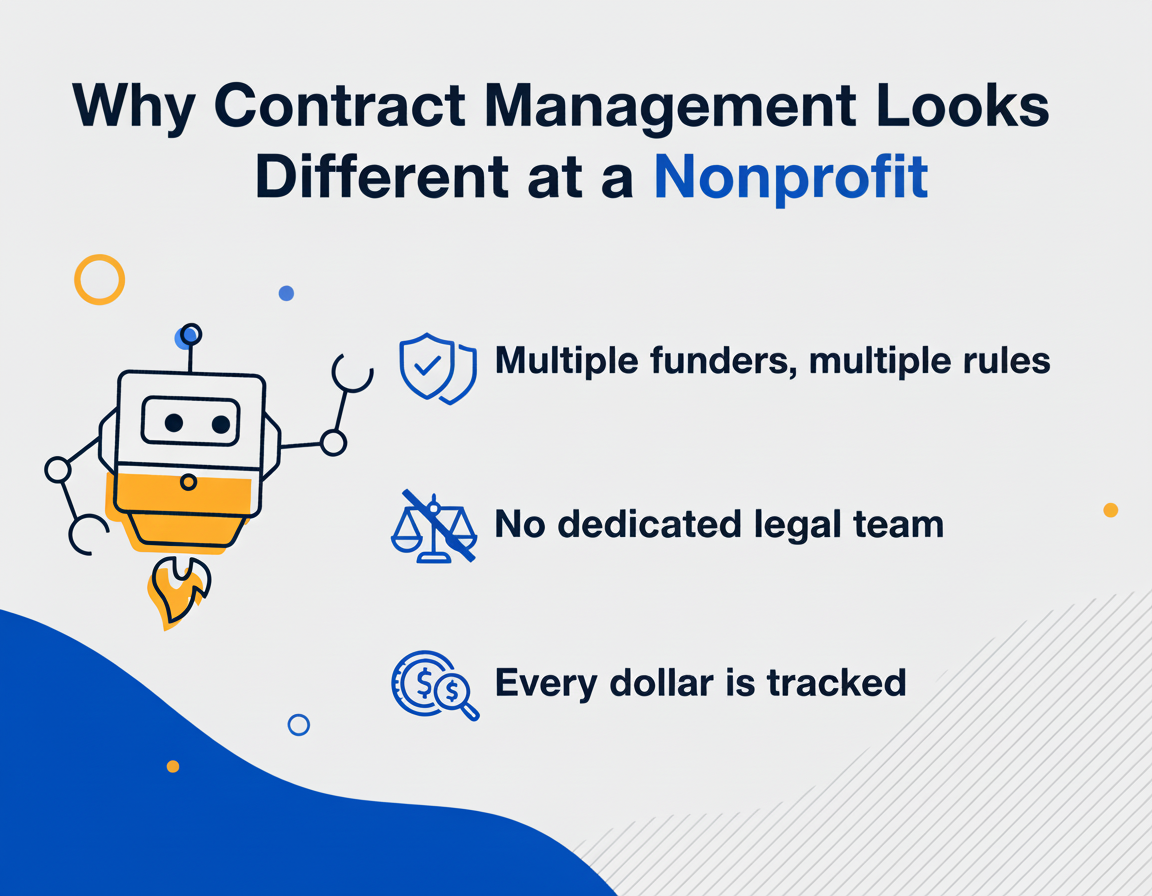
Most contract management software was built for companies with legal departments, procurement teams, and dedicated contract administrators. Nonprofits have a director of operations who also handles HR, facilities, and the annual gala silent auction. That gap between what the tools assume and what your team actually looks like is the whole problem.
When a for-profit company signs a vendor contract, they answer to shareholders. One audience, one question: did this make us money?
When your nonprofit signs a grant agreement, you answer to the funder, the board, the public, the IRS, and probably a state attorney general's office that's been paying closer attention to nonprofit governance every year. Each of them is checking for something different.
And then there's the budget reality. In TechSoup's 2025 AI benchmark, nearly 30% of nonprofits cited financial limitations as a primary barrier to adopting AI. So even when organizations know they need better tools, the path to adoption feels like one more thing on a list that was already impossible three things ago.
The volume is real, too. Two-thirds of U.S. nonprofits received at least one government grant or contract in 2023. That's before counting vendor agreements, lease contracts, or partnership MOUs. Government money has also become less predictable. The Urban Institute's October 2025 national survey reported that a third of nonprofits had at least one government funding disruption in early 2025: 21% lost funding, 27% faced delays or freezes, and 6% received stop-work orders.
And the landscape is shifting fast. BDO's 2025 Nonprofit Standards survey of 250 nonprofit leaders found that 88% of nonprofits plan to meaningfully expand or shift their mission scopes, driven by evolving community needs. More mission means more contracts. More contracts without a system means more risk, which is why the walkthrough further down starts with the agreements that carry the most dates.
The 7 Contract Types Every Nonprofit Needs to Track
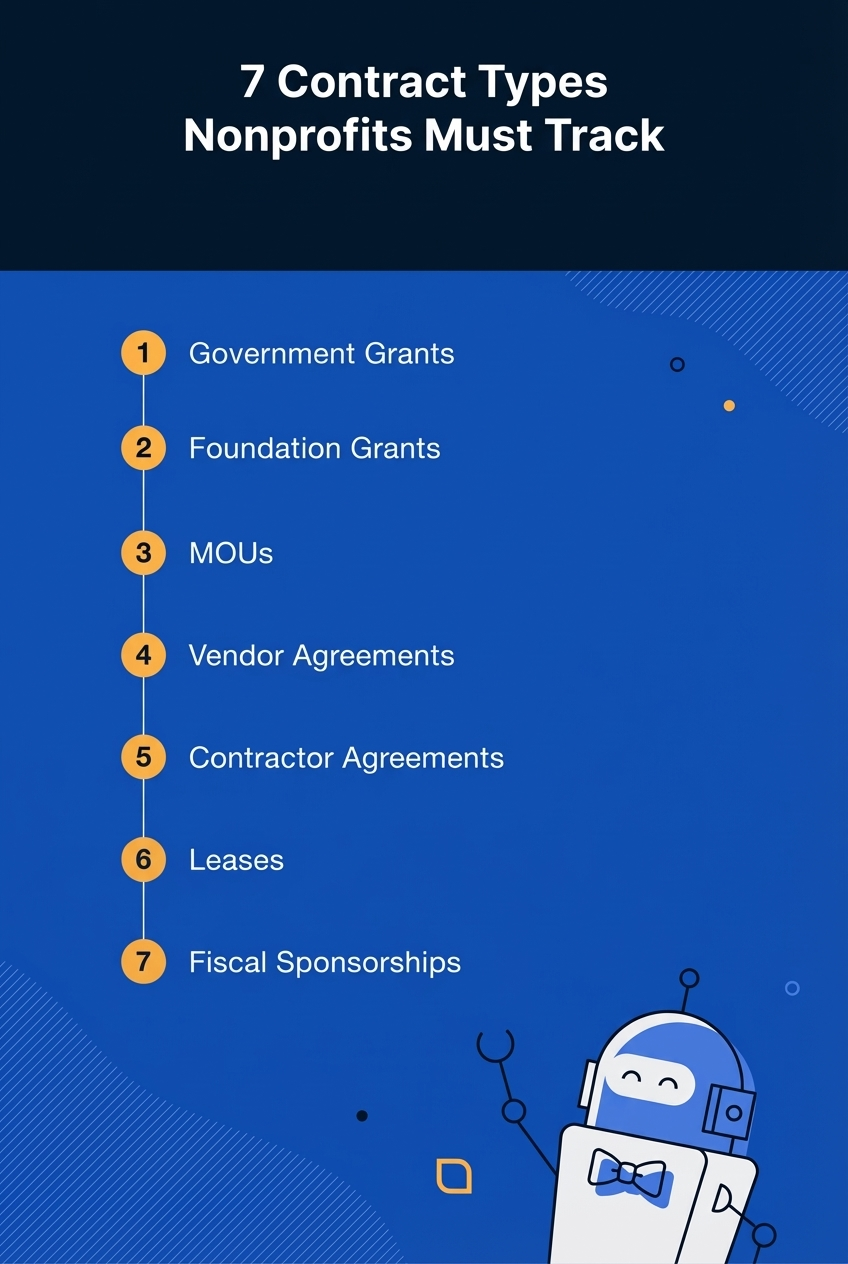
A contract management platform for nonprofits needs to handle at least seven distinct agreement types, and each one has its own compliance obligations, renewal timeline and approvers. If you're only thinking about vendor contracts, you're missing most of what your organization has signed.
- Government grants and contracts. High-maintenance, high-reward, and absolutely unforgiving if you miss a deadline. Federal, state, and local funding each come with different reporting requirements and the highest consequences for getting it wrong. Every award also carries a period of performance, interim and final report due dates, restricted-use terms, and often a match requirement.
- Foundation and private grants. Less bureaucratic than government funding, but foundation grants still carry restricted-use provisions, reporting deadlines, and renewal conditions that slide off the calendar when nobody's watching. They seem low-maintenance until you forget to check on them for two weeks.
- Memoranda of Understanding (MOUs). Partnerships with other organizations, schools, or government agencies. MOUs often lack the enforceability of formal contracts, which ironically makes them easier to lose track of.
-
Vendor and service agreements. Everything from your accounting software subscription to the catering company for your fundraiser. These multiply fast, and before you know it, you have twenty-seven active vendor agreements and can't remember what half of them are for.
-
Employment and independent contractor agreements. Nonprofits rely heavily on contractors for grant writing, consulting, and event coordination. Misclassification is an audit magnet, and these agreements need clear terms and consistent tracking.
-
Lease and facility agreements. Office space, program sites, storage. These tend to auto-renew at the worst possible moment, when you're deep in grant reporting season and nobody's looking at the lease.
-
Fiscal sponsorship agreements. If your organization sponsors (or is sponsored by) another entity, these contracts define who controls what money and how it gets reported. They tend to sit in the back of the filing cabinet until audit season forces them into the light.
Each category lives on a different timeline with different decision-makers. That's why a single searchable repository with automated alerts matters so much. It replaces a system that relies on one person's memory.
How to Track a Grant Agreement in Contract Management Software
To track a grant agreement in contract management software, upload the signed award and capture the funder's terms as fields. Then attach every amendment to the original record, and set dated reminders for each report, the end of the period of performance, closeout and record retention. Each reminder goes to a named person.
Grant compliance is where the stakes get real and the margin for error disappears. Most grant agreements come with reporting deadlines, restricted fund clauses, and deliverable milestones buried somewhere around page fourteen. A proper CLM pulls those obligations out of the contract and turns them into fields with dated reminders. When the program officer emails asking for a status update, you're not excavating your inbox for three hours.
The rules for federal awards are also changing. On May 29, 2026, OMB published a proposed rewrite of the federal grant rules in 2 CFR 200. Wiley's June 2026 analysis notes that agencies could end an award that "no longer advances agency priorities or the national interest," and may try to amend existing grant agreements to add the new rules. Greenberg Traurig's July 2026 alert adds that those terminations would need no advance notice or administrative review.
The September 2026 continuing resolution pauses the rule only through December 11, 2026. BDO's guidance to grantees is to inventory their awards, review the termination and suspension language in current awards, and strengthen their documentation while the current Uniform Guidance still applies.
In 2025, NEA grantees learned by email on Friday, May 2 that their grants were terminated, and the Justice Department ended 373 Office of Justice Programs grants originally worth about $819.7 million. The Council on Criminal Justice estimates that roughly $500 million in remaining balances was rescinded, and that nonprofits absorbed about 94% of the terminated dollars.
When those termination emails arrived, the nonprofits that could immediately pull up their original grant agreements, amendments, budget narratives, and compliance documentation were the ones positioned to challenge, appeal, or at least understand exactly what they were losing. The ones whose grant files were scattered across four people's laptops were already behind before they even opened the email. In an Instrumentl survey of 300+ nonprofit professionals, 85% reported being impacted by federal funding changes, and 92% were adjusting their strategies. The five steps below build that kind of record.
Step 1: Upload the Signed Award
Drag in the executed agreement or send it in by email. ContractSafe's AI suggests key dates, parties and terms, and someone on your team accepts, corrects or skips each value before it's saved. OCR makes scanned PDFs keyword searchable, which matters for older awards that only exist as a signed scan.
Step 2: Capture the Grant Fields
Create a Grant contract type and make these fields mandatory for it. ContractSafe handles them with custom fields, unlimited date fields and category-based required fields:
| Field | Why it matters |
| Funder and program officer | Who to call when a question or amendment arrives |
| Award number and amount | Ties the contract to your books and audit file |
| Period of performance start and end | Sets the window for allowable spending |
| Reporting due dates | Each one gets its own reminder |
| Restricted-use terms | What the money can and can't pay for |
| Match or cost-share requirement | What you owe from other funds, and by when |
| Termination and suspension clause | The language BDO tells grantees to review now |
| Internal owner | The person who answers for the award |
Step 3: Attach Amendments to the Award
Store every amendment, budget revision, no-cost extension and funder letter on the original award record rather than in a separate folder. ContractSafe's amendment tracking and connected documents keep the history together. Add an amendment date field and a one-line note on what changed. If an agency amends your award to add new termination language, you'll see it next to the clause it replaced.
Step 4: Set Reminders and Pick Who Gets Them
- Interim reports: 30 and 14 days before each due date, to the development director and the finance lead. Recurring reminders cover quarterly reports without re-entering them.
- Period of performance end: a milestone reminder 60 to 90 days out, to the executive director and program lead, so there's time to request an extension or plan the wind-down.
- Closeout and retention: under 2 CFR 200.344, final reports are due no later than 120 calendar days after the period of performance ends. The record retention rule then requires you to keep federal award records for three years from the date you submit the final financial report. Send both reminders to finance.
ContractSafe sends alerts with custom messages to any email address, with the contract attached, so a board treasurer or outside accountant gets the reminder without needing a login.
Step 5: Tag Awards So Reporting Is One Filter
Tag each award by funder, program and restricted fund. Pulling a list of every award with a termination-for-priorities clause, or every report due next quarter, then takes one filter and a .csv export. Alexcia Perilloux, Contracts and Compliance Manager at Geospace, does the same thing with a different contract type: "My boss will ask how many rental agreements we signed last quarter. I type the keyword, pull them all up with dates, and send the report. It’s that fast."
And then there's turnover. The development director who understood every nuance of that three-year federal grant left in November. Without a centralized contract repository, her knowledge walked out the door with her. When the award, amendments, fields and reminders all sit on one record, her replacement inherits the whole file on day one.
Decision check: pull your three largest active grants and answer these before you look at any software.
- Can you find the signed award and every amendment without asking anyone?
- Do you know each award's next report date and who owns it?
- Could you list every award whose termination clause lets the funder end it over changed priorities?
- If your development director left tomorrow, would the reminders still reach someone?
- Do finance, program leads and the board treasurer all need to see grant terms?
If you answered no to two or more of the first four, or yes to the last one, your spreadsheet has stopped doing its job. The shortlist below is the next place to look.
Board Approval Workflows: When the Whole Board Needs to Sign Off
Board approval works best when the contract goes to each approver in a set order, everyone reviews the same version, and the system logs who approved what and when. Email can't do that once a full board is involved.
If you've ever tried to get seven board members to review and approve a contract via email, you already know what happens. Someone replies all with questions. Someone else replies just to you with a completely different set of concerns. A third person doesn't see the email until two weeks later because it landed in their promotions tab. And then someone prints it, signs it with a pen, scans it back as a blurry PDF, and emails it to the wrong address.
Nobody planned for this to be the process. It just happened, one workaround at a time, until it became the way things work.
A real approval workflow routes the contract to the right people in the right order. The executive director reviews first, then the board treasurer, then the full board if the amount crosses a certain threshold. Everyone sees the same version. Nobody wonders whether they're looking at the latest draft. On the Finalize and Maximize plans, ContractSafe's approval sequences email pending approvers a reminder every three days, and a rejection stops the process and tells the requester why.
Your board has fiduciary responsibility, and an audit trail showing who approved what, and when, protects it. When your auditor asks for "all contracts executed between July and December," you want to type a date range into a search bar rather than cancel your weekend.
If something goes wrong, you can trace it. If everything goes right, you can prove it. ContractSafe keeps an audit trail of contract views, downloads and changes on every plan. On Finalize and Maximize, built-in e-signature is part of the same workflow: signers sign from an emailed link without creating an account, and the signed copy is filed on the contract record with its signature audit trail attached.
Best Contract Management Software for Grant-Heavy Nonprofits on a Budget
For a grant-heavy nonprofit on a tight budget, ContractSafe is the best fit when many people need access and grant dates drive the work. PandaDoc fits teams that mostly draft and send with a few seats, and ContractWorks fits storage-first teams. DocuSign CLM and Juro fit enterprise budgets.
| Tool | Pricing model | Grant date and field tracking | E-signature | Setup effort | Pick this if |
| ContractSafe | Flat plan price, unlimited users on every plan | Custom fields, unlimited date fields, AI extraction, alerts to any email | Built in and unlimited on Finalize and Maximize | Implementation, migration and a success manager included | You have many grants plus vendor, lease and MOU agreements, and many people need access |
| ContractWorks | About $700/month Standard, billed annually; unlimited users; Premium by quote | Storage with date alerts | Confirm by plan | Light, storage-first | You want storage first with unlimited users and can accept a higher entry price |
| PandaDoc | $228 to $588 per user per year, plus document overages | Limited; built for documents going out | Core feature | Light, template-first | You mostly draft and send documents for signature with a few seats |
| DocuSign CLM | Quote only; about $20,000 to $60,000 a year for small deployments | Configurable by an admin | DocuSign eSignature | Heavy; plan for admin time | You're large, already standardized on DocuSign, and have admin staff |
| Juro | Quote only; about $18,000 to $35,000 a year for small teams | Contract data fields, drafting focus | Built in | Moderate; built around drafting | You do heavy in-house drafting and negotiation with a legal team |
| Contractbook | Quote-based tiers with user caps | Data fields and automations | Built in | Moderate; template setup | You're a small team that wants templated drafting and automation |
| Spreadsheet or shared drive | $0 in software | Columns you maintain by hand | None; needs a separate tool | Immediate, with no structure | You hold fewer than about 25 active agreements and one person owns them |
Here's the annual math for a 10-person grant team made up of the executive director, finance, development, program leads and the board treasurer. PandaDoc Business at $588 per user per year comes to $5,880 a year before document overages, and every added board or program seat raises it. ContractWorks Standard runs about $8,400 a year, Juro typically falls between $18,000 and $35,000, and DocuSign CLM costs $20,000 to $60,000 for small deployments.
A year of ContractSafe's Organize plan billed annually costs less than that PandaDoc figure, and the price stays the same when you add the 11th user or the 40th. The exact number is on our pricing page.
Sometimes another tool is the better choice. If only three or four people need seats and your team mostly drafts and sends proposals for signature, PandaDoc is simpler and may cost less. A large network already standardized on DocuSign, with admins on staff, can stay with one vendor through DocuSign CLM. Juro is built for in-house counsel who draft and negotiate most agreements, and a small team that wants templated drafting should get a Contractbook quote.
A spreadsheet and shared drive can work for now if you hold fewer than about 25 active agreements and one person owns all of them. The risk is that every reminder depends on that one person. Shayne Hussain, Sr. Operations Manager at Covalent, described the point where file storage stopped being enough: "OneDrive gave us a place to store agreements, but it was not a contract management system. As our volume grew, we needed a better way to track dates, tag agreements, route signatures, and find documents quickly."
How to Evaluate Contract Management Software for Your Nonprofit
To evaluate contract management software for your nonprofit, start with the problems you need solved. Then size the tool to your contract volume, and compare the total annual cost at your real user count, including setup and support.
Every dollar in a nonprofit budget has a donor attached to it. So when you're evaluating contract lifecycle management software, ask what you actually need and whether you can afford it without raiding the program budget.
Stop browsing features and start with your problems. Are contracts vanishing into email threads? Are renewal dates sneaking past you? Is audit prep taking days instead of minutes? Write those down before you even search for a vendor.
Then look at total cost of ownership alongside the sticker price. Some platforms charge per user. Others charge per contract. A few charge both, and the bill grows every time a program lead or board member needs a login.
For ContractSafe, the numbers are simple. ContractSafe pricing starts at $450/month (Organize plan, billed annually; $540 month-to-month), with unlimited users on every plan. ContractSafe doesn't offer a nonprofit or 501(c)(3) discount. Every organization pays the published price, with no implementation fee on any plan.
Size the tool to your volume with a rough rule of thumb. If you have under about 25 active agreements and one owner, a spreadsheet can hold. If you have 25 to a few hundred agreements and several people who need dates, a repository with custom fields and reminders is the right size. Once in-house counsel is drafting and negotiating hundreds of contracts a year, look at drafting-heavy or enterprise tools from our wider software roundup.
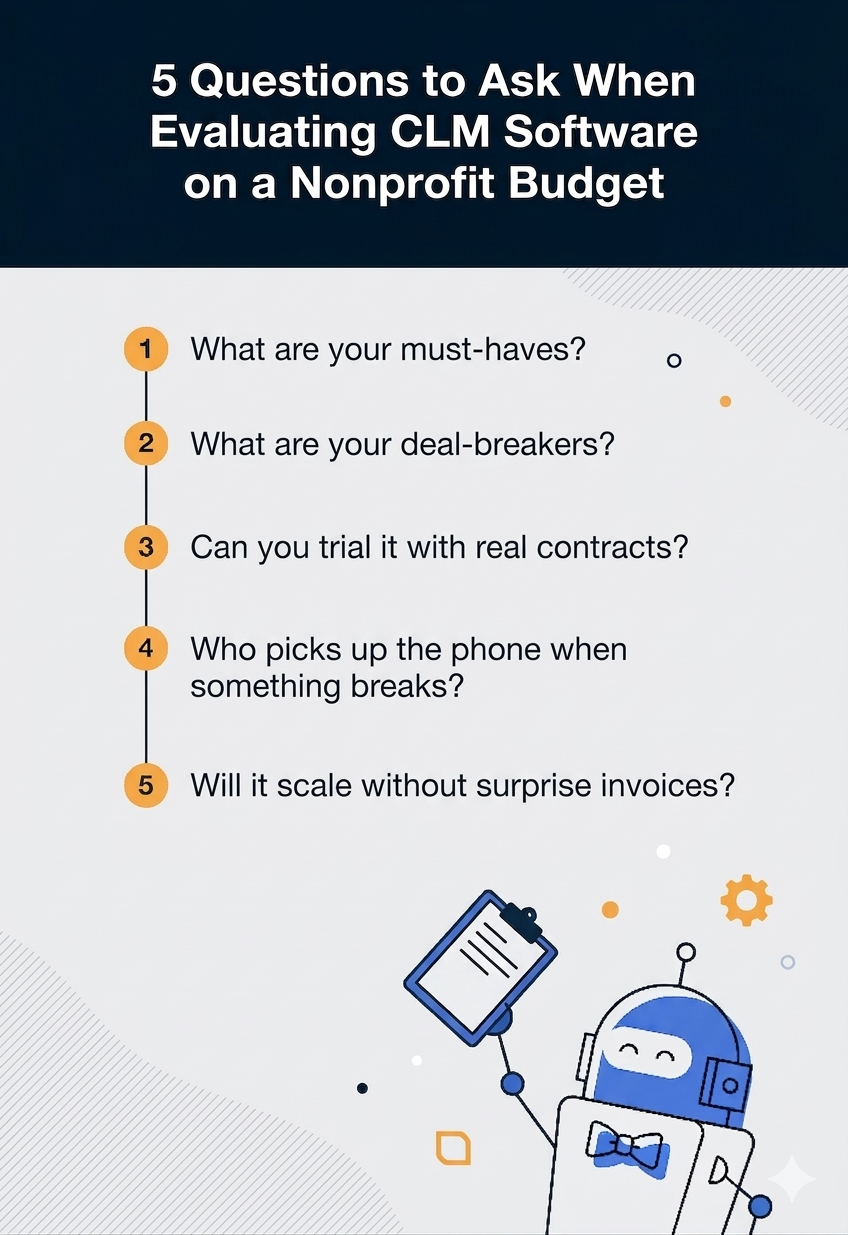
A quick evaluation framework:
-
List your must-haves. Usually that's searchable storage, automated reminders, and some kind of reporting.
-
Identify your deal-breakers. Long implementation timelines and mandatory training sessions can sink adoption before it starts. If a vendor needs a paid consulting project before launch, the tool might be too heavy.
-
Request a trial with real contracts. Demo data is meaningless. Upload your messiest grant agreement and see what happens.
-
Ask about support. When something breaks late on a Thursday afternoon (and it will), who picks up the phone?
-
Check scalability. You're growing. Your software should keep up without surprise invoices.
One number worth keeping in mind: World Commerce & Contracting's August 2025 whitepaper estimates that the average business loses almost 9% of value annually through poor contract management. That research covers commercial contracts, so read it as a general signal for your nonprofit. The causes behind the loss, such as missed deadlines, expired agreements and compliance gaps, look the same in a grant file.
Related Reading
These guides cover what this one doesn't, from general nonprofit software choices to getting a new system live.
- Nonprofit contract management guide, for the broader picture beyond grants
- Best contract management software, a wider shortlist across industries
- CLM software checklist, to score vendors against your own must-haves
- Contract intake playbook, for setting up requests and approvals
How ContractSafe Helps Grant-Heavy Nonprofits
ContractSafe helps grant-heavy nonprofits by putting every award, amendment and related contract in one searchable repository. It tracks any grant date as a field and sends reminders to the named people who own each deadline, with unlimited users on every plan.
Grant files come in through bulk or email upload, and AI extraction suggests dates and parties for your team to accept or correct. Custom fields, tags and saved views turn the repository into a grant register. With roles and folder permissions, a program lead can see her awards without opening payroll contracts.
On Finalize and Maximize, built-in e-signature and approval sequences take board sign-off in order, and you can link your own DocuSign account if you'd rather use it. Maximize adds a Salesforce integration. If your grants live in Blackbaud or Fluxx, ask us how those records would connect before you buy.
Every plan includes SOC 2, ISO 27001 and GDPR compliance, 24/5 support by email, chat and phone from real people, and a dedicated customer success manager. Because the price doesn't rise as program staff and board members join, the contract line in your budget stays predictable.
Ready to Get Your Contracts Into Shape?
Your nonprofit's contracts are what hold your mission in the ground. Grant agreements fund your programs. Vendor contracts keep your operations running. MOUs connect you to the partners who extend your reach. Every one of those agreements needs to be findable and audit-ready, and a desktop folder labeled "contracts_MAYBE_FINAL" won't pass an audit.
Schedule a demo and see how fast your team can get organized. Every plan includes implementation and document migration support, so your team doesn't have to handle the move alone.







.svg)







.svg)




