Quick answer: A shared drive stores files by name and location. A contract repository is built for contracts, so you can search inside them, see what renews next quarter and know who owns each one. You need a repository once your folders can't answer those questions quickly. ContractSafe reads each contract on upload, pulls out its key dates for a person to confirm, and sends reminders to the people you name.
Here's how it usually shows up. Finance asks which vendor agreements auto-renew in October. You own about 500 contracts across two drives and a few inboxes. Many of the signed copies are scans, and the renewal dates live in a spreadsheet you haven't touched since spring. The drive kept every file safe, but it can't tell you what any of them say, so answering takes an afternoon of opening PDFs. If nobody ever asks you a question like that, the folders may still be the right tool.
Choose your next step:
-
If you’re deciding whether folders still fit, start with when a shared drive is still enough.
-
If the team is stuck in shared drives, run the five proof tests.
-
Before evaluating options, use the questions to ask before moving contracts.
Key Takeaways
- A shared drive is a legitimate answer when contract volume is low, one person handles filing, and nobody depends on date-driven follow-up.
- Folder systems break on questions, not on storage. The trouble starts when someone needs to find contracts by term, date, party, or owner instead of by filename.
- Five proof tests reveal whether you’ve outgrown folders: search, dates, owners, sensitive files, and reporting questions.
- ContractSafe is a full-lifecycle CLM you can start with signed contracts: search that reads scans, plus reminders for renewal, expiration, payment and other key dates.
When a Shared Drive Is Still Enough
A shared drive is genuinely enough when contract volume is small, one person does the filing, and no critical dates are buried inside the documents. That’s a legitimate answer.
Legal teams sometimes jump straight to software before folders have actually failed, and that’s a waste of money and attention. Give the shared drive a fair standard before you go replacing it. Here’s the narrow-fit standard. If all of these are true, keep the folders and spend your budget on something else:
-
Volume is low enough to hold in your head. The filing owner can name most active agreements and answer routine questions without launching a portfolio review.
-
One person owns filing. Naming conventions survive when one person applies them. They decay the moment three people file with three different ideas about where the year goes in the filename.
-
Everything is a native PDF or Word file. No scans, no photographed signature pages, no faxed amendments. Your drive’s search can read the text.
-
No date depends on someone remembering. Either the contracts have no renewal or notice dates, or those dates live somewhere reliable, like a calendar a specific human actually maintains.
-
Nobody asks portfolio questions. No one’s walking up and saying “pull every agreement with a liability cap over X” or “which contracts have that indemnity language.”
If you’re nodding along to all five, your shared drive is doing exactly what it was built to do: store files and hand them back by name. It’s inexpensive, it’s familiar, and it’s appropriate for a storage-sized problem. The catch is that teams outgrow that fit quietly. Contract count creeps up, more people start filing, scans arrive, and one day a renewal date nobody saw slides right past.
At that point, renaming folders won’t answer the contract questions the system was never built to handle. The proof tests below are how you catch the change.
The First Contract Problems That Folders Hide
Folders hide four problems until one of them costs you: an agreement renews without a decision, a term can't be found on demand, one person alone knows where files live, or two similar versions quietly disagree.
Renewal by silence comes first. A clause doesn't send an alert, so the notice window can close before the date somebody vaguely remembers, and the only backstop is a personal calendar kept by someone who may have changed roles.
Search comes second. When the signed copy is a scan, drive search on it is unreliable and hard to verify, because a miss looks exactly like no match. The third problem is concentrated knowledge: one person knows which contracts are in the drive, which are in email and which sit in an oddly named archive. That works until they're on vacation. The fourth is version drift. Two similarly named files hold different terms, and a modified date doesn't prove which one governs.
None of these are storage failures. The drive kept exactly what people gave it. They're contract-control failures, and they surface when a question is urgent and the answer depends on what a contract says rather than what it's called. That's also where World Commerce & Contracting's research on the procurement value gap finds value leaking: after signature, when nobody acts on what the contract says.
Five Proof Tests for Search, Dates, Owners, Sensitive Files, and Reporting
Run each test below on your real drive with your real documents. If two or more fail, you need a contract repository.
Each test takes a few minutes and returns a yes or a no, and the pattern of failures shows what a repository would have to fix.
Test 1: Search
Pick a term you know sits inside at least one contract, not in a filename. Try a vendor's legal entity name, or a phrase from a clause you negotiated hard enough to still resent. Search the drive for it and start a timer.
You pass if every contract containing that term comes back quickly. You fail if only filenames come back, or if a scanned agreement you know contains the term isn't in the results.
Test 2: Dates
Ask out loud which contracts expire or auto-renew in the next 90 days. Then answer from the drive alone, without the spreadsheet somebody keeps on the side.
You pass if the answer comes from the system holding the contracts. You fail if it lives in a parallel spreadsheet, a personal calendar or someone's memory. That spreadsheet is the tell: it's only as current as its last manual update, the core problem with managing contracts in spreadsheets.
Test 3: Owners
Pick five contracts at random. For each, name the business owner, the signer and who to call in a dispute, without opening the document.
You pass if the drive carries that information in a form a newcomer could read. You fail if the answer needs the PDF, or needs you because you were in the room at signing. Owner knowledge held in one head fails the first day that person is out.
Test 4: Sensitive files
Look at where your executive, HR and settlement agreements sit, and think about who can open that folder today. You pass if the answer is a short, deliberate list you could recite from memory.
You fail if the answer is "everyone with drive access" or "I'd have to check." Shared drives lean toward openness, which is what makes them useful and what works against contracts that need a smaller circle.
Test 5: Reporting questions
Finance or the executive team asks about the whole set: how many active vendor agreements you have, what you're committed to next year, which agreements renew automatically. You pass if you can answer without opening files one at a time. You fail if answering becomes a manual review project with its own deadline.
This test turns a filing annoyance into a business problem, because portfolio questions keep arriving whether or not they're easy to answer.
Proof-Test Scorecard
Score each area below against your own contracts. Where the drive meets the pass condition, keep it for that area. Volume is there for context and doesn't count. If two or more of the other rows land in the repository column, it's time to compare tools with the proof checks below the table and the contract repository requirements guide.
| Area | Keep the drive when | Move to a repository when |
|---|---|---|
| Volume | Volume is low and ownership is obvious. | Contracts are spread across teams, vendors, and renewal dates. |
| Search | Scans are rare and the drive's search reads the text. | Users need OCR and full-text search across messy files. |
| Dates | Dates are few and manually owned. | Missed renewals or notice windows create business risk. |
| Ownership | A single team manages every folder and naming rule. | Ownership varies by department, vendor, or contract type. |
| Sensitive files | Access needs are simple. | You can't name from memory who can open executive, HR or settlement agreements. |
| Reporting questions | Spreadsheet cleanup is rare and low risk. | Reports depend on fields, dates, owners, and searchable records. |
Proof to Ask For
Whichever repository you're weighing, skip the scripted demo on tidy sample data. Bring your own files to a ContractSafe demo or any other vendor's, and run these three checks:
-
Run the search test on your own files. Bring a scanned contract and a native PDF, search a phrase that appears in the body of both, and write down what comes back.
-
Set a real reminder on a real date. Use a contract with an actual renewal date and configure the follow-up in front of you, including who receives it.
-
Ask a portfolio question live. Try "show me everything expiring in Q1," then note the steps and the data it took to get an answer.
When Does a Company Need a Contract Repository?
You need a contract repository when your folders can't answer questions about what your contracts say, however carefully they're organized. Size usually isn't the trigger; an unanswered question is. Count how many times last quarter someone asked about a contract's terms, dates or owner and waited more than a day for the answer. If that count keeps growing, the folders have stopped scaling.
What Legal Should Verify Before Choosing a Contract Repository
Before choosing a contract repository, verify four things with your own files: search that finds words inside scans, dates pushed to a named person, a structure a newcomer can use without help, and every executed contract in one place.
Start with search, because it's the test most systems fail quietly. Having a search bar proves nothing. What counts is whether a phrase from the body of a signed, scanned agreement returns that agreement, which is what OCR is for. Take five of your ugliest documents, like the faxed one and the phone photo, and search a phrase buried in the middle of each.
Second, dates should come to you. The repository should flag a renewal in advance, to a named person, without anyone going to look. A reminder in a shared inbox nobody owns is decoration. One that reaches the person responsible, early enough to decide, is the feature. Hold every option to that standard, including the drive you already have. Microsoft has added AI building tools to SharePoint, but AI in the folders isn't the same thing as a renewal alert sent to a named contract owner, so check for the alert itself. In ContractSafe, each reminder belongs to the contract and its list of recipients rather than one person's inbox, so it keeps firing when someone changes roles.
Third, hand the system to the newest person on the team and ask them to find the current signed agreement with a specific vendor and tell you when it expires. Then say nothing. If they manage it unaided, the structure lives in the system. If they need you, it lives in your head and followed you into the new tool.
Fourth, completeness. An incomplete repository can be worse than an incomplete folder, because it gives you the confident feeling that you've looked everywhere. If contracts still live elsewhere after the switch, you've added another place instead of consolidating.
Redlining isn't on the list. Storage with reminders fixes the problem folders create, and editing can come later. Our contract repository feature checklist covers what else is worth checking, but get these four right and the rest is preference.
How to Choose Between Contract Storage With Reminders and a Full CLM
If you need storage with reminders, look for a tool whose entry plan covers search that reads scans and date alerts to named owners, and ask how the price changes as more people need access. A file-storage add-on stops short of alerts, and a redlining-first enterprise CLM sells you a project you don't need yet.
Compare the options by the job each one does:
| Tool type | Main job | Date alerts to a named owner | Pricing to check |
|---|---|---|---|
| Shared drive or file storage | Holds files by folder and name | No | A storage plan you may already pay for |
| Document management system | Versions and files of every type | Not built around contract dates | Ask whether the price is per user |
| Redlining-first enterprise CLM | Drafting and negotiation workflows | Yes, often after a long setup | Custom quote; ask for implementation costs in writing |
Questions to Ask Before Moving Contracts Out of Folders
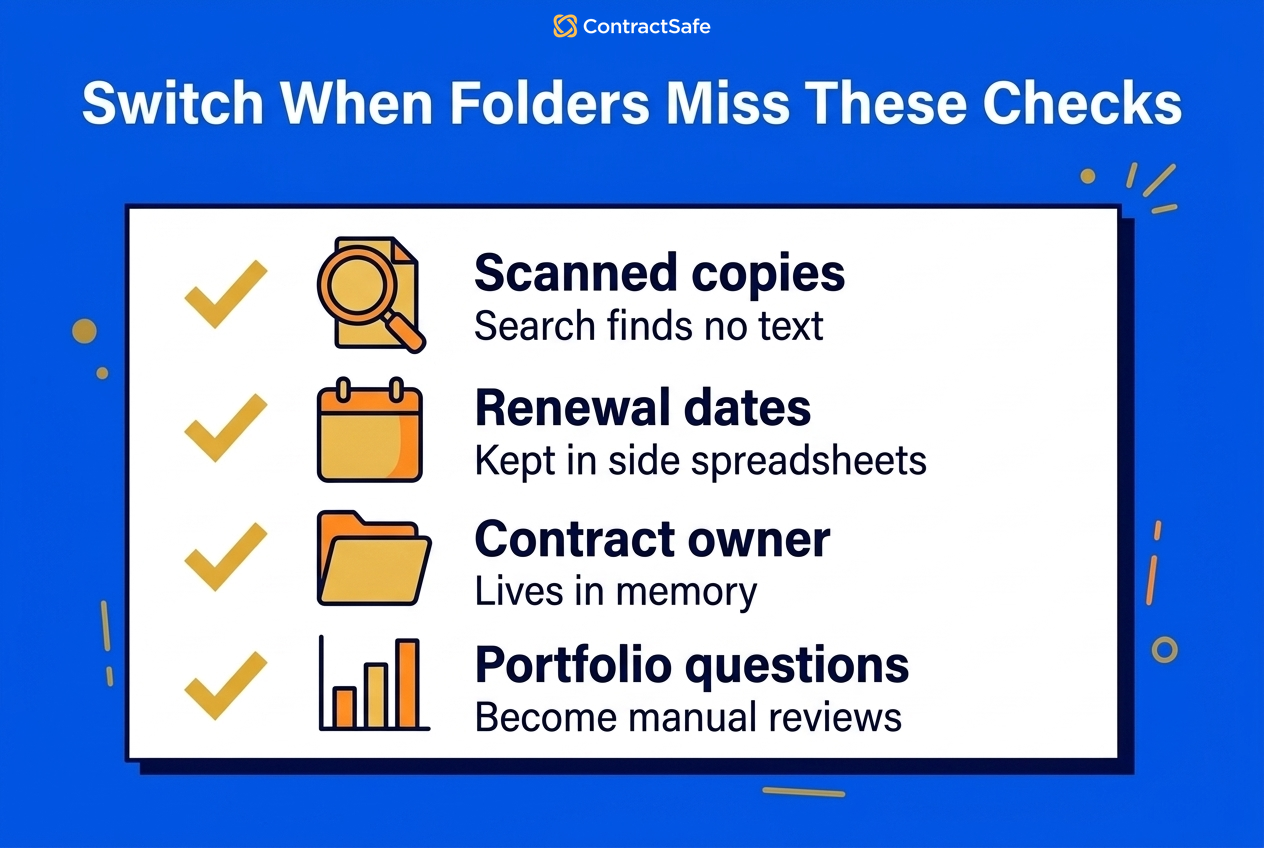
Before you move anything, answer five questions: how many agreements exist, how often people need answers from inside them, what a missed renewal costs, who knows where everything lives, and how many signed files are scans.
Count beyond the drive. Include agreements in inboxes, finance folders, e-signature accounts and regional collections someone set up years ago for good reasons. Then measure demand. Occasional lookups may not justify a new system, but frequent searches followed by a second check on the version are a recurring cost in disguise.
Put consequences next to frequency, because they're different measurements. A cheap monthly subscription and a year-long unwanted renewal carry very different stakes. Then name the person who knows where the contracts are. If exactly one name comes to mind, your process depends on that person's recall. Finally, count the image-only files in a sample of executed agreements, since no folder structure can make their text searchable.
The answers tell you how big the move is and where the risk sits. Once the signed set is in, ContractSafe can take on how people request, approve, sign and track new contracts too.
Write your desired outcomes in plain language, such as "nobody is surprised by a renewal" and "anyone can find the executed contract without asking me." A short CLM checklist keeps vendor conversations anchored to those outcomes instead of a full feature catalog.
The Simplest Way to Get 500 Contracts Under Control
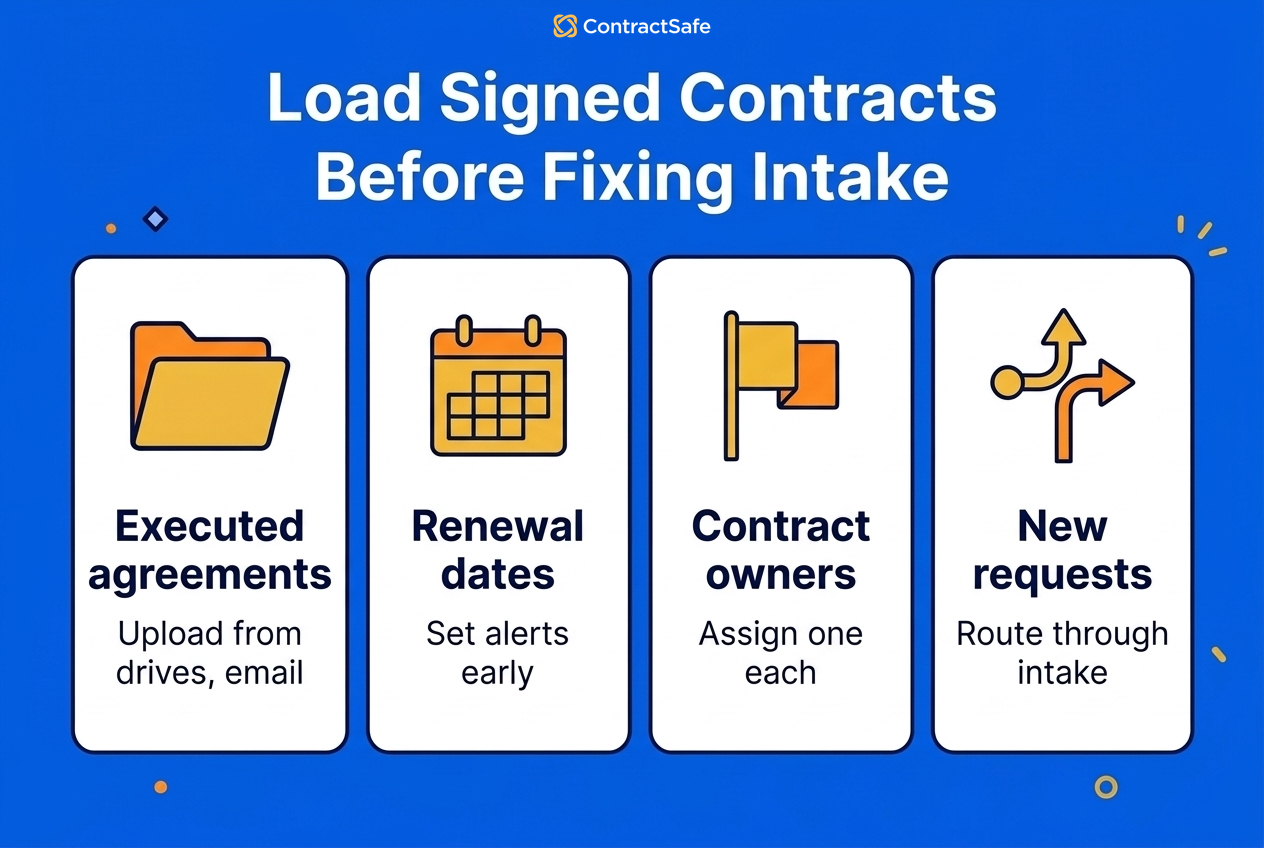
The simplest way to get 500 contracts under control is to load the signed ones first, confirm each one's key dates and owner, then set reminders. Leave templates, intake and redlining until the signed set is complete.
Gather every agreement that still binds you, wherever it sits: both drives, the inboxes, the e-signature account and the oddly named archive. As you upload, confirm the dates ContractSafe's AI pulls out of each contract. For auto-renewing agreements, turn on Autorenew so the renewal date and the deadline to renew roll forward each cycle.
Name the recipients for every reminder. They don't have to be ContractSafe users, so a sales rep or outside counsel can get the notice.
Related Reading
-
The CLM checklist to write down your own outcomes before comparing tools
-
ContractSafe pricing to see the options published for businesses of different sizes
-
ContractSafe alerts for renewal, expiration, payment, and other key-date reminder context
How ContractSafe Helps Legal Teams Move Off Shared Drives
Once the signed contracts are in the central contract repository, the same system takes on new ones. On Finalize and Maximize, contracts open in Word Online or desktop Word for tracked changes and comments, and the updated version saves back to ContractSafe. Those plans also send pending approvers an email reminder every three days and include unlimited native e-signatures, with no per-user charge or envelope limit; the complete feature set comes with Maximize. 86% of paying ContractSafe accounts have date reminders set, and each reminder email attaches the contract it's about.
ContractSafe starts at $450/month for the Organize plan, billed annually, or $540 month-to-month, and the 7-day free trial includes every feature except single sign-on.