Quick answer: No. An autonomous AI CLM is a contract lifecycle management (CLM) system whose AI works with nobody checking it, and it isn’t the better buy. Counting AI features doesn’t settle it either. A CLM doesn’t just show you what its AI found. It acts on it. The renewal date the AI read sets a reminder, and the counterparty and value it pulled decide who approves and who’s asked to sign. So the AI worth paying for is AI whose output a person confirms first. That’s how ContractSafe, a full-lifecycle CLM with its own AI, works.
Vendors call the alternative autonomous AI or agentic AI: AI that does the work for you. We call it non-validated AI, meaning AI whose output goes straight into your dates, approvals and reports with nobody checking it first. In a chatbot, a wrong answer sits on a screen where you can doubt it. In a CLM, a wrong answer becomes something the system does, and nothing marks it as a guess.
Take a three-year software agreement that renews automatically for another year unless you give 90 days’ notice. The AI reads the end date correctly and misses the notice clause, which is where extraction errors cost the most. A CLM that fills in the field by itself sets the reminder 30 days before the end date. It fires right on schedule, two months after your last day to cancel, and you’ve bought another year.
In ContractSafe, AI data extraction puts the end date and the notice deadline in front of a person, each next to the highlighted contract language it came from. That person sees the notice deadline is wrong or missing and corrects it before anything is saved, and the reminder runs on the date they confirmed.
Choose your next step:
For buyers comparing AI features: ContractSafe’s AI contract management features
For teams weighing AI agents that work outside a CLM: the agentic AI vs CLM guide
Key Takeaways
- More AI, or more autonomous AI, doesn’t make a CLM the better buy. What decides it is whether a person confirms the AI’s output before the system acts on it.
- In a CLM, AI output turns into reminders, approval routes, reports and signature requests. An unchecked error becomes a missed renewal or a wrong approver, and nobody sees it until it costs money.
- Validated should mean three things a vendor can show you: where the check happens, who does it, and what the system does with the correction.
- ContractSafe is a full-lifecycle CLM where one person who owns contracts can have everyone else request, approve, sign and track them. Every plan includes unlimited users. Its AI data extraction suggests up to 29 fields, Ask AI answers questions in chat, Smart Search finds contracts from plain English and, on the Maximize plan, AI Contract Review checks contracts against your playbook.
- In ContractSafe, an AI suggestion is a preview until a person accepts or corrects it, and pending suggestions stay out of exported, emailed and scheduled reports.
What Is an Autonomous AI CLM?
An autonomous AI CLM is a CLM whose AI fills in contract data, answers questions or takes a step in the contract process without a person approving its output first. Vendors also call it agentic AI or AI agents.
The pitch is less work for a small team: upload the contracts, and the AI handles the rest. What the pitch leaves out is that the CLM then sets reminders, routes approvals and builds reports on whatever the AI read, right or wrong. ContractSafe’s AI data extraction does the same reading and holds each value as a suggestion until a person confirms it.
Some vendors make the autonomous pitch in so many words. Luminance, a legal AI vendor, described its contract negotiation tool in a March 2026 press release in these words: fully autonomous, with zero human intervention required. It summed up the design in one line: Autonomous by default, human in the loop by choice. The release said the capability was in beta with select customers at the time.
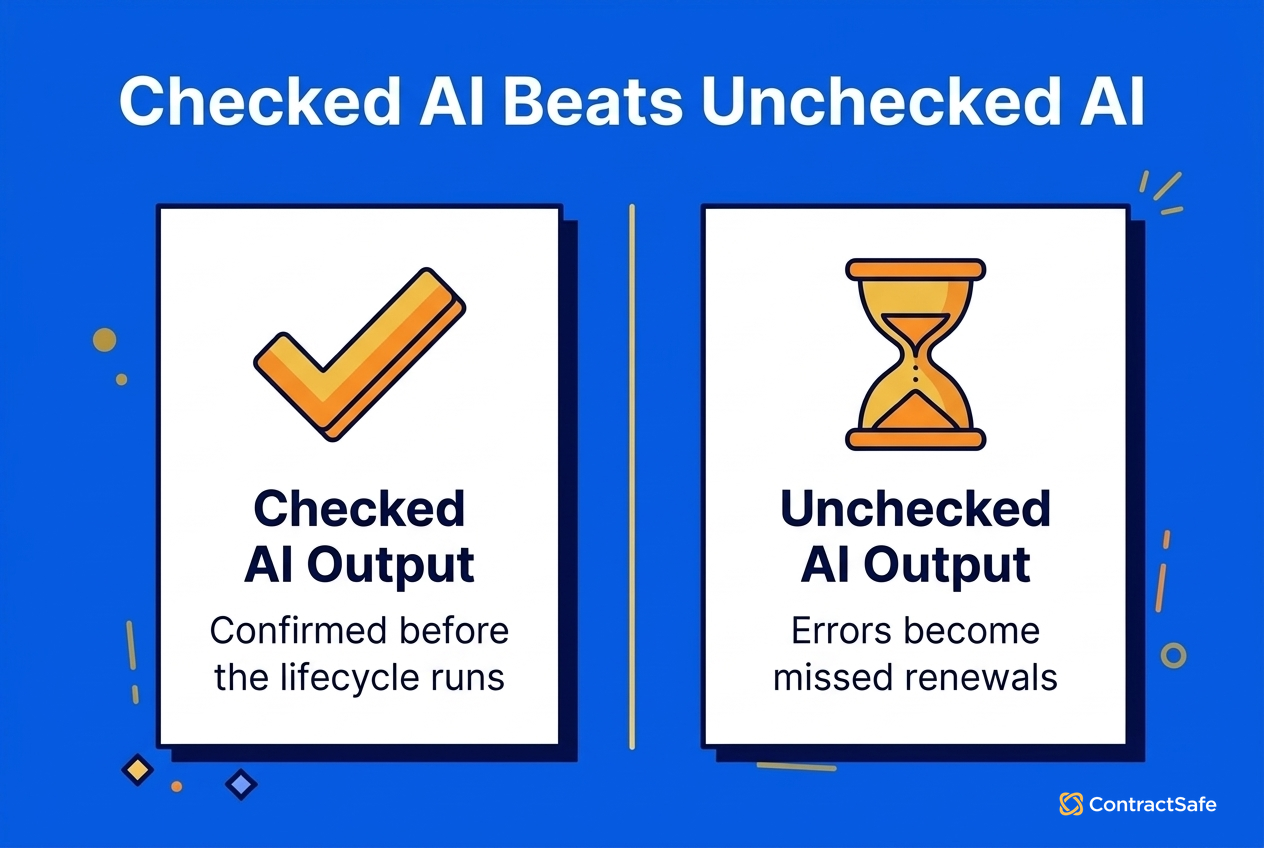
The words to look at are the last two, by choice. A check that’s optional is the check that gets skipped the week things get busy, and a CLM keeps acting on the output either way. The difference between checked AI and unchecked AI isn’t how much AI you get. Both read the contract for you. Only one of them tells you which of its answers a person has stood behind.
Why Unchecked AI Is Worth Less in a CLM
Unchecked AI is worth less in a CLM because a CLM turns AI output into action, and an action taken on a wrong value doesn’t look wrong. Three things follow from that, and each one is about contract work getting done.
The output becomes a step. An extracted date becomes a reminder that fires or doesn’t. An extracted contract type or value becomes an approval route. An extracted party becomes a line in a report or a name on a signature request.
The error is silent. A blank field sends someone to read the contract. A filled-in field tells them the reading is done. For example, a finance lead who sees Net 60 in a payment terms column schedules the payment run around it and has no reason to open the agreement.
The error travels. A wrong value at the request stage follows the contract through approval, signature, reports and renewal. Each stage trusts the one before it.
That’s why ContractSafe’s AI data extraction and AI Contract Review, on the Maximize plan, hand their output to a person before any stage runs on it.
AI reads contracts fast and reads them well, which is why ContractSafe’s AI data extraction reads every contract you upload. No AI reads them right every time, the best tools tested included. In Vals AI’s legal AI report, published in February 2025, the top two of four AI tools scored 75.1% and 73.2% on data extraction. That’s ahead of the 71.1% for a control group of lawyers, and well short of what you’d want before letting it set a renewal reminder unchecked.
On the report’s hardest extraction question, 40 fields across three credit agreements, the best tool got 61.7% of the fields right. The lawyers, reading from scratch, got 39.2%, which is why the check that works is a person confirming a highlighted suggestion, not redoing the read. The report’s own advice is that the output of generative AI tools should be viewed as a starting point for further work by the lawyer.
The clauses AI misses are the ones a CLM acts on. In ContractEval, a 2025 benchmark of 19 language models on finding contract clauses, GPT 4.1 mini, which had the highest overall F1 score (a 0-to-1 accuracy measure), approached or passed 0.9 on parties and governing law and scored near zero on the category Notice Period to Terminate Renewal.
Hand the AI the whole job and the small misses add up. On Vals AI’s leaderboard for HLAB, a benchmark Harvey released to test AI agents on legal work, the top model had passed 96.30% of the individual grading criteria as of November 19, 2026, and fully resolved 27.08% of the tasks. Almost right on every step isn’t the same as a finished job.
What Validated AI Has to Mean
Validated AI means a person confirms the AI’s output before the CLM acts on it. Any vendor can say its AI is accurate or has a human in the loop. Ask for three specifics instead:
Where the check happens. Name the point in the contract’s life where the AI’s output stops and waits, before a reminder, a route or a report uses it.
Who does the check. It should be someone at your company who knows the contract, and they should be looking at the source language. A confidence score isn’t a check.
What happens to the correction. The corrected value should be the one every later step runs on, and you should be able to trace it back to the clause.
Here’s the difference between unchecked and checked AI at each stage of contract work.
| Stage | What the AI produces | What an unchecked error becomes | The check in ContractSafe |
|---|---|---|---|
| Request | Contract type, counterparty and value from a request or uploaded paper | The contract takes the wrong path from the start | The requester answers an intake form, and a person accepts or corrects each field AI data extraction suggests |
| Draft and review | Flags, risk findings and suggested wording | Terms nobody read go forward as reviewed | AI Contract Review flags and suggests against your playbook, and a person decides every edit |
| Approve | A route based on what the AI extracted | The wrong approver, or none | The route follows rules your team set, and each named approver decides with Ask AI answers from the contract in front of them |
| Sign | Signers and the version to send | The wrong person, entity or version gets a binding signature | The approved version goes to the signers a person chose, then AI data extraction reads the signed copy and suggests its dates and terms for confirmation |
| Track | Dates, parties, values and terms for search and reports | A bad report that looks finished | Suggestions are previews until accepted and stay out of exported, emailed and scheduled reports until then |
| Renew | Renewal dates and notice deadlines | A reminder on the wrong day and a renewal you didn’t choose | A person confirms each date AI data extraction suggests before it saves and before reminders run on it |
1. Request
At the request stage, AI reads what came in, often the other side’s paper, and works out what kind of contract it is, who the counterparty is and how much it’s worth. In a CLM, those three values pick the template, the reviewers and the approval path. If the AI labels a vendor master services agreement as an NDA, or reads a $250,000 commitment as $25,000, the contract starts down a path built for something smaller, and every later stage inherits that.
In ContractSafe, the request starts with a person stating the facts. On the Maximize plan, a custom intake form collects the details, required fields have to be filled in before the contract moves forward, and a template builds the draft from those answers with your approved wording locked. When the other side’s paper is uploaded, ContractSafe’s AI data extraction, on every plan, suggests the contract type and counterparty, and the total contract value once an admin turns that field on. A person accepts or corrects each one before it’s saved.
Ask in the demo: Who confirms the contract type and value before they decide where this contract goes?
2. Draft and Review
At review, the autonomous pitch is AI that redlines for you: it reads the counterparty’s changes, accepts or rejects them and sends a new draft back. The trouble comes later. If the AI accepts a change to the liability cap, or drops in wording nobody approved, the draft that reaches your approver carries terms no person has read, and the approver assumes review already happened. Review is also where AI still trails people. In the Vals AI report, redlining was one of two skills where the lawyers outscored the AI tools.
ContractSafe puts AI in review and keeps the decision with a person. On the Maximize plan, AI Contract Review checks an incoming contract against your playbook, shows which rules pass or fail, explains each failure, links to the clause and suggests wording. Your team decides what happens with each finding: leave the language, change it, or copy the suggested wording into a redline. Even the playbook is checked. When AI drafts a rule, a reviewer has to accept it before it’s added.
Ask in the demo: Can the AI change the contract or send it to the other side before a person has read the change?
3. Approve
Approval is where an extraction error puts the decision in front of the wrong person. If a CLM routes on what its AI extracted, a misread value or contract type sends the agreement to the wrong approver, or lets it through with none. For example, a three-year commitment that should’ve gone to the CFO gets a department manager’s sign-off because the AI caught only the first-year amount. The contract is approved, on paper, by someone who was never the right person to approve it, and nobody finds out until the spend shows up.
In ContractSafe, the route follows rules your team set, and the approver has AI on their side. Approval sequences on the Finalize and Maximize plans send the contract to named approvers or saved groups in the order you set, send a reminder every three days to anyone who hasn’t responded, and stop the process and notify the requester when someone rejects.
On the Maximize plan, a template can send its contracts to an approver automatically, following the rules your team wrote. The approver can open the contract and use Ask AI, ContractSafe’s chat-based Q&A on every plan, to ask what the liability cap is and get an answer sourced from the contract. On the Maximize plan, they can also read the AI Contract Review findings before deciding. A contract with one approver is approved in a median of 17 hours in ContractSafe.
Ask in the demo: If the AI misreads the contract value, does the approval route change, and who would catch it?
4. Sign
A signature is the one step you can’t quietly undo. An AI agent that prepares the signature request picks who signs, for which entity and on which version. If it sends the draft from before the last round of changes, or addresses it to someone without authority to bind the counterparty, you can end up with a binding signature on the wrong document, or one that doesn’t hold up.
In ContractSafe, the version your approvers cleared is the version that goes out. Native e-signature on the Finalize and Maximize plans sends the approved contract from the same workflow, with no download or re-upload in between. A person chooses the signers and the signing order. The signed copy replaces the draft, and the audit trail stays attached to it. Then ContractSafe’s AI data extraction goes to work on the signed contract: it reads the final text and suggests the key dates and terms for a person to confirm, so what gets tracked is what was signed.
Ask in the demo: Who picks the signers and the version, and can the AI send anything for signature on its own?
5. Track
After signature, AI fills in the dates, parties, values, payment terms and governing law that reports and searches run on. This is where unchecked AI does its quietest damage, because a report built on unconfirmed fields looks exactly like a report built on confirmed ones. For example, a general counsel reports total vendor commitments to the board from a contract value column the AI filled in, and one misread pricing table puts the number off by six figures.
In ContractSafe, tracking is where the AI does the most reading and where its work is easiest to check:
AI data extraction suggests up to 29 fields on every plan. Each suggestion appears with the source text highlighted in the document, so checking it takes a glance.
A person accepts, corrects or rejects each one. When the contract holds more than one possible value, they can look at the alternatives the AI found.
Pending suggestions are marked and held back. They don’t appear in exported, emailed or scheduled reports until someone accepts them.
Corrections are what the work runs on. The accepted or corrected value is the one that fills the report, sets the reminder and shows up in search filters, and its highlight links back to the clause it came from.
Search results and answers go to a person. Smart Search finds contracts from a plain-English request and returns only the ones that user is allowed to see, and Ask AI answers from the contract’s text. Both hand their answer to a person, and no AI suggestion is saved to the contract until someone approves it.
Teams with a backlog can filter for contracts with pending AI results and work through them from the contracts list.
Ask in the demo: Can an AI-extracted value appear in a report before a person has confirmed it?
6. Renew
Renewal is where an unchecked date costs real money, and it happens months or years after anyone last opened the contract. The AI has to get several things right at once: the end date, whether the contract renews automatically, the renewal term and the deadline to give notice. If any of them is wrong, an autonomous CLM sets a reminder on the wrong day, and the reminder firing on schedule makes everyone feel covered. An AI agent that goes one step further and sends the renewal or the notice itself turns a misread clause into a commitment.
In ContractSafe, AI data extraction pulls the renewal dates, notice periods and expirations from each contract on upload, and every date is a suggestion a person confirms or edits before it saves. Reminders then run on confirmed dates. They belong to the contract and its list of recipients, who don’t have to be ContractSafe users, so they keep firing when someone changes roles. Turn on Autorenew and ContractSafe rolls the renewal date and the deadline to renew forward each cycle and resets the reminders for the next one. 86% of paying ContractSafe accounts have date reminders set.
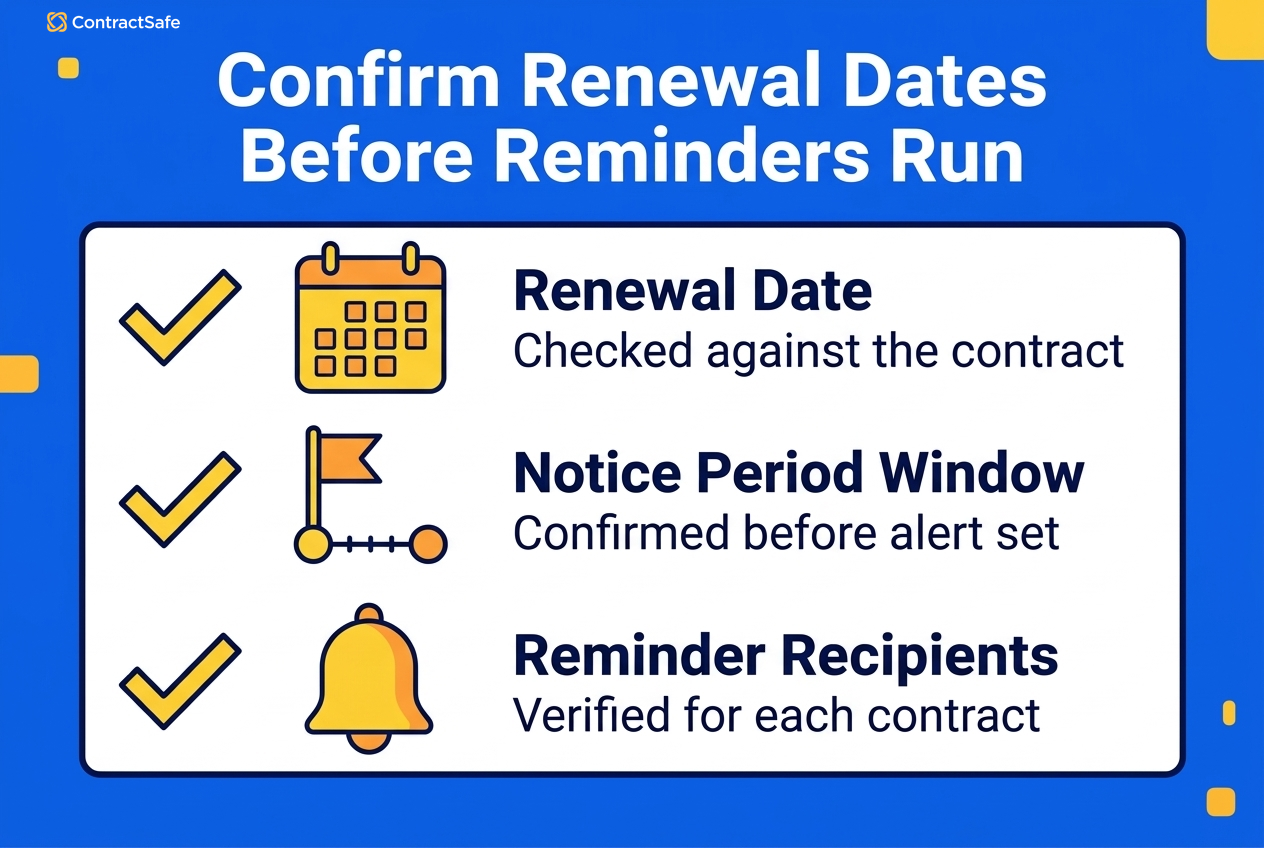
Ask in the demo: Who confirms an extracted renewal date and notice deadline before they set a reminder?
Doesn’t Checking the AI Cancel Out the Time It Saves?
No. The AI still does the slow part, which is reading every page and finding the values. The person does the fast part, which is looking at a suggested value next to its highlighted source and accepting or fixing it. That’s a look and a click per field, once, when the contract comes in.
Unchecked AI doesn’t remove that work. It moves it to a worse time. With unchecked AI, someone still finds the wrong notice deadline. They find it after the renewal, with a signed commitment and no room to negotiate. A CLM that skips the check has only put the review off until the day it’s most expensive.
ContractSafe keeps the check small. Once you’ve looked at a contract’s suggestions beside their highlighted clauses, you can accept the correct ones in one click, work through pending results across many contracts from the contracts list, and choose which of the 29 fields ContractSafe’s AI data extraction looks for so your team reviews only what it uses.
How to Test AI in a CLM Demo
Testing AI in a CLM demo takes five steps and one contract from your own files.
Bring a hard contract. Pick one with an auto-renewal clause, a notice period and at least one amendment, not the vendor’s sample file.
Watch where the AI’s output lands. See whether extracted values go straight into the contract’s fields or wait as suggestions.
Find the person. Ask who confirms each value and what they see when they do: the source clause, or a confidence score.
Correct something. Change one extracted date and follow it to the reminder and the report. The corrected value should be the one that shows up.
Pull a report before confirming anything. Unconfirmed AI values shouldn’t be in it.
ContractSafe shows all five in a few minutes: AI data extraction suggests the values, a person confirms them beside the highlighted clause, and the reminder and the report run on the confirmed value. A vendor selling autonomy will tell you step 3 isn’t needed.
Common Mistakes When Buying an AI CLM
The most common mistake when buying an AI CLM is scoring the AI by how much it does alone. Five more follow from it:
Counting AI features. A list of agents tells you nothing about whether your reminders fire on the right day or your approvals reach the right person. Ask what each feature’s output triggers and who confirms it.
Accepting optional review as review. If the system acts on AI output whether or not anyone looked at it, plan on nobody looking.
Trusting a confidence score. A score is the AI grading itself. A person looking at the clause is a check.
Testing on clean contracts. Clean, standard agreements usually extract fine. Amendments, scanned pages and negotiated renewal terms are where the differences show.
Treating checked AI as less AI. ContractSafe’s AI data extraction reads every contract and suggests up to 29 fields, Ask AI answers questions, Smart Search finds contracts from plain English, and AI Contract Review checks them against your playbook on the Maximize plan. The check is what lets ContractSafe act on that output: route it, report it and send the reminder.
Which CLM Should You Buy?
Buy ContractSafe. Its AI data extraction, Ask AI, Smart Search and AI Contract Review on the Maximize plan do the reading, and a person confirms the output before a reminder, a route, a report or a signature request runs on it. A vendor selling autonomy is selling the absence of that step.
That matters most for a general counsel, finance lead or contracts manager who owns hundreds of contracts without a team to clean up after a tool. An autonomous CLM asks that one person to trust thousands of values they never saw. ContractSafe puts each value in front of the person who knows the contract, at the moment it matters, and then does the work on it: routes the approval, collects the signature, runs the report and sends the reminder.
Related Reading
How accurate AI contract data extraction is, and how to correct it
AI contract review against your own playbook on the Maximize plan
How ContractSafe Helps You Get AI You Can Act On
ContractSafe is a full-lifecycle CLM where teams request, approve, sign and track contracts, with its own AI doing the reading from request through renewal and a person confirming the output before anything runs on it. It’s made for organizations where one person who owns contracts, such as a general counsel, a finance lead or a contracts manager, needs everyone else to handle them without training or an implementation project.
The Maximize plan has the complete sequence: custom intake forms and templates, AI Contract Review, approval sequences, native e-signature, date reminders and reporting. Approval sequences and e-signature are also on the Finalize plan. AI data extraction for up to 29 fields, Ask AI, Smart Search, reminders, reporting and the audit trail come on every plan, and ContractSafe doesn’t use customer data to train AI models.
Every plan includes unlimited users, along with migration, onboarding and a dedicated customer success manager. ContractSafe pricing starts at $450/month on the Organize plan, billed annually, with no implementation fee.
Bring the contract with the renewal clause you’re least sure about, and we’ll show you the AI reading it, a person confirming it and the reminder that follows. Book a ContractSafe demo.