



Contract lifecycle management software (CLM) should make your life easier, not harder. The right tool can save you time, reduce risk, and help your business grow. Looking at ContractSafe vs. LinkSquares it can be hard to spot the differences. Which one matches your team’s needs?
Both platforms offer AI-powered contract lifecycle management. The fundamental difference is how quickly your organization can use that AI. ContractSafe provides sophisticated, high-value features that your entire organization can adopt immediately with affordable, predictable pricing. LinkSquares delivers deeper analytics and specialized AI outputs that require more internal support, configuration, and long-term administration to fully unlock.
Key Takeaways
Choosing between ContractSafe and LinkSquares for contract lifecycle management comes down to how much complexity your team actually needs. Both platforms offer AI-powered contract management, but they’re built for very different operating models. ContractSafe prioritizes fast adoption, predictable pricing, and day-one usability across the business, while LinkSquares is designed for organizations that can support deeper configuration and ongoing administration. The “right” choice depends less on feature count—and more on team size, internal bandwidth, and how quickly you need value.
ContractSafe vs. LinkSquares: What’s the Real Difference
There’s no shortage of CLM solutions, but choosing the right-sized one is the real challenge. Legal, operations, and compliance teams need clarity, not complexity. They need to know which platform aligns with their workflows, budgets, and bandwidth.
ContractSafe stands out as an AI-enabled contract lifecycle management solution that’s easy to roll out and easy for everyone to use. It includes a centralized repository, AI-powered chat, search and extraction, templates, approval workflow, e-signature, and data reminders, all in a single product. And while the product is intentionally simple, admins still have plenty of room to configure what matters: user roles + permissions, dashboards, approval paths, workflows and more.
LinkSquares is well known for its AI Smart Values, advanced post-signature analytics, intelligent agents, and risk-modeling features. They present their features across four separate products (Analyze, Finalize, Sign, and Prioritize) which gives teams the option to add more advanced capabilities over time. For some organizations, that flexibility may be a strong fit but typically requires dedicated resources, time, and budget to manage.
Recent CLM buyer’s guides show a consistent theme: highly configurable, enterprise-grade platforms can be impressive, but most lean teams struggle with long setup cycles, heavier maintenance and lower adoption outside legal.
Simpler, thoughtfully-designed CLMs, like ContractSafe, tend to gain traction faster and keep teams using them long-term. This comparison gives your team the clarity needed to choose with confidence.
Quick Snapshot: Who Each Tool Is Built For
Choosing the right CLM starts with understanding who each platform is actually built for. Not every organization has legal-ops resources or months to configure workflows, and not every team needs autonomous AI agents. This snapshot grounds the comparison in real-world team structures, budgets, and operational capacity, so you can see where each platform naturally fits before diving into features.
Who Each Tool Is Best For (At a Glance)
| Team Fit/Scenario | ContractSafe | LinkSquares |
| Team Size | Small to mid-sized teams across all departments | Legal teams with dedicated legal ops resources |
| Primary Goal | Easy-to-use CLM for fast company-wide adoption | Deep post-signature analysis & AI intelligence |
| Implementation Bandwidth | Limited (fast onboarding) | Moderate to high (more configuration) |
| Pricing | Transparent + Predictable | Call-for-Quote + Modular |
| Number of Users | Unlimited users included | User-based licensing/module-based |
| Best For | Teams wanting sophisticated capabilities without complexity | Teams needing advanced analytics using AI and agentic AI |
| Change Management Tolerance | Low | Higher (more complex workflows) |
What This Means for Your Team
ContractSafe is ideal for teams that need sophisticated CLM capabilities with:
-
Fast deployment without lengthy configuration
-
Company-wide adoption; not just legal team adoption
-
Affordable pricing that doesn't penalize growth
-
One unified platform instead of managing multiple modules
-
Accurate AI that requires less manual cleanup
LinkSquares is ideal for teams that:
-
Can dedicate resources to ongoing AI accuracy maintenance
-
Need comprehensive post-signature data extraction (120+ Smart Values)
-
Can invest 90+ days in implementation
-
Have a budget for modular pricing and professional services
How Do ContractSafe and LinkSquares Compare by Features?
AI is central to both platforms, but the approach is fundamentally different.
ContractSafe focuses on practical, reliable AI that enhances daily workflows without adding complexity.
LinkSquares emphasizes autonomous agents, predictive intelligence, risk scoring, and deeper analytical layers that require greater configuration and operational support.
This table breaks down how each platform applies AI so you can understand not just what the tools do, but how they’ll impact your workflow, accuracy, and oversight.
AI & Contract Intelligence Comparison
|
Feature |
ContractSafe |
LinkSquares |
|
AI Philosophy |
Practical, human-in-the-loop AI that supports your daily workflows |
Advanced, autonomous AI agents & risk scoring |
|
Search |
Natural-language search, keyword search, AI-powered clause and term discovery |
Conversational Q&A, clause intelligence |
|
Metadata Extraction |
Accurate field extraction with human oversight |
Advanced semantic extraction; “Smart Values” |
|
AI Chat/Conversational Contract Queries |
AI-assisted natural-language responses and chat that answers questions about your contract |
Conversational agents that answer questions, summarize content, and interpret multi-document portfolios |
|
AI Contract Review |
AI-assisted clause identification and term extraction that speeds review while keeping humans in control of accuracy |
Advanced AI review with semantic analysis, red-flag detection, and automated risk scoring via autonomous agents |
|
Usability |
Built for Accessibility |
Built for Analytical Depth |
What This Means for Your AI Strategy
LinkSquares positions AI as its core differentiator, especially with recent launches like its Risk Scoring Agent and autonomous contract agents. These represent cutting-edge applications of AI in contract management and are designed to automate deeper analysis across your portfolio. However, these capabilities rely on a high degree of autonomy, and there is still limited real-world user feedback on how consistently they perform in production environments.
Because agentic AI actively interprets contract language and generates recommendations, organizations must apply significant trust and ongoing manual validation to ensure accuracy, nuance, and regulatory compliance. Most legal teams will still need to review AI-generated insights carefully — especially in high-risk industries like healthcare, finance, and regulated operations.
If your organization is pursuing advanced, high-volume contract intelligence and has the resources to govern, validate, and monitor autonomous AI outputs, LinkSquares may be a strong fit.
If your priority is speed, control, usability, and trusted AI outputs that support (rather than replace) human judgment, ContractSafe offers a safer, more accessible, and more scalable path for broad team adoption.
RELATED READ: 16 Best Contract Management Software: Ultimate 2026 Buyer's Guide
Implementation & Time to Value
Implementation is often where CLM projects succeed or stall. Some platforms deliver value in days; others require extensive configuration, multiple modules, and dedicated legal-ops support before you see ROI.
This comparison shows how quickly each system becomes usable, how much configuration is required, and what your team should expect during onboarding.
Implementation Comparison
|
Area |
ContractSafe |
LinkSquares |
|
Time to Value |
Minutes to days |
More like 90 days |
|
IT Requirements |
None–web-based & no installation |
Moderate (workflows, fields, tagging) |
|
Learning Curve |
Low |
Steeper–potentially 4 separate modules to learn |
|
Free Trial |
Yes |
No |
|
Configuration Burden |
Low |
Higher, often legal-ops-driven |
|
Integration Complexity |
Light |
Moderate to heavy |
|
Dedicated Customer Success Manager |
Yes |
Yes |
What This Means for Your Timeline
ContractSafe is built for teams that want value immediately. With no installation, minimal configuration, and an interface your team can learn in a single working session, organizations replacing shared drives or spreadsheets typically see same-day adoption.
LinkSquares, by contrast, delivers deeper customization, but that depth comes with more setup, planning, testing, and ongoing oversight. For teams with the bandwidth to configure workflows, map fields, and manage multi-step onboarding, LinkSquares offers a more extensible system — but that also means a longer runway before the organization sees ROI.
If speed, simplicity, and quick time-to-value matter, ContractSafe provides a far shorter implementation path.
Ease of Use: Where Teams Often Feel the Difference
Even the most powerful CLM won’t help if your team avoids using it. Ease of use is where many organizations feel the biggest day-to-day differences between platforms: how intuitive the interface is, how much training people need, and how much admin time gets spent maintaining the system.
This table highlights the usability gaps that matter most for fast adoption and long-term success.
Ease of Use Comparison
|
Category |
ContractSafe |
LinkSquares |
|
UI/UX |
Clean, simple, intuitive |
Powerful but more complex |
|
Search Behavior |
Google-like search that just works; no tuning required |
Requires search tuning (fuzzy logic, proximity settings, filters) |
|
Data Accuracy |
High accuracy with human-in-the-loop validation |
“Smart Values” sometimes require manual correction |
|
Workflows |
Light, easy automation |
More notifications, steeper learning curve |
|
Admin Overhead |
Low |
Higher |
What This Means for Day-to-Day Use
ContractSafe’s simplicity-first design lowers friction across every stage of contract management. Teams can search, upload, categorize, and manage contracts without training or ongoing admin support, making it ideal for organizations that want broad, cross-functional adoption.
LinkSquares provides powerful capabilities, but its interface and workflow structure assume a dedicated legal operations function — someone who can tune search logic, maintain notification frameworks, and manage ongoing configuration. That makes it strong for teams seeking advanced control, but less accessible for organizations that need fast, intuitive usage across legal, operations, finance, and compliance.
With ContractSafe, teams spend less time learning the system and more time working in it.
RELATED READ: Your 2026 Guide to the Best Contract Lifecycle Management Software Features
Pricing & Total Cost of Ownership
CLM pricing models vary widely, and the structure — not just the sticker price — can dramatically affect total cost of ownership. Some vendors charge per user, per module, and for premium support. Others include everything in one predictable price.
This breakdown helps you understand how each platform approaches pricing, where hidden costs may appear, and what budget fit looks like for SMB, mid-market, and enterprise teams.
Pricing Comparison
|
Category |
ContractSafe |
LinkSquares |
|
Annual Pricing |
Plans start at $5,400/year for unlimited users |
Plans start at $10,000/year and increase with modules and user count |
|
User Licensing |
Unlimited users |
Per-user / per-module |
|
Add-On Costs |
No add-on fees for user seats or core features; pricing is all-inclusive |
Higher: premium support (15% extra), paid workshops, and additional module costs (Finalize, Analyze, Sign, Prioritize) |
|
Budget Fit |
SMB & Mid-Market |
Mid-Market & Enterprise |
What This Means for Your Budget
ContractSafe is intentionally designed to be predictable and accessible, with unlimited users included in every plan and pricing that fits SMB and mid-market budgets. For teams that want enterprise-grade features without enterprise-level cost, this structure provides meaningful financial stability.
LinkSquares buyer reviews indicate that packages typically start around $10K–$15K annually and increase based on modules, user tiers, storage volume, and workflow complexity. As organizations add components like Finalize, Analyze, Sign, and Prioritize, total cost can rise significantly. For teams with enterprise-scale needs and dedicated legal ops resources, this modular structure may make sense. But for SMB and mid-market organizations seeking predictable, all-inclusive pricing, ContractSafe offers a clearer and more budget-friendly total cost of ownership.
Support & Partnership
Support isn’t just a feature; it’s part of the long-term relationship you build with your CLM provider. How easy is it to get help? Is guidance included or billed as professional services? Does the software require frequent tuning that increases support needs?
This section gives you a clear view of what an ongoing partnership looks like with each platform.
|
Experience |
ContractSafe |
LinkSquares |
|
Support Model |
Dedicated support included |
Strong support, but more complex |
|
Implementation Assistance |
Included: light lift |
Required; configuration-heavy |
|
Ease of Getting Help |
Straightforward |
Good support, but heavier product |
What This Means for Long-Term Success
ContractSafe is designed so teams rarely need support, but when they do, assistance is fast, direct, and included at no extra cost. Because the platform is lightweight and intuitive, administrators spend far less time troubleshooting or maintaining the system.
LinkSquares provides robust support as well, but its multi-module environment and higher configuration load mean teams often require more ongoing guidance. That’s not inherently negative—complex platforms naturally demand more support—but it’s an important consideration for organizations without legal ops capacity.
If you want a partner who keeps things simple and minimizes administrative burden, ContractSafe aligns better with long-term ease and sustainability.
RELATED READ: How to Choose the Right Contract Lifecycle Management (CLM) Software: The Ultimate Checklist
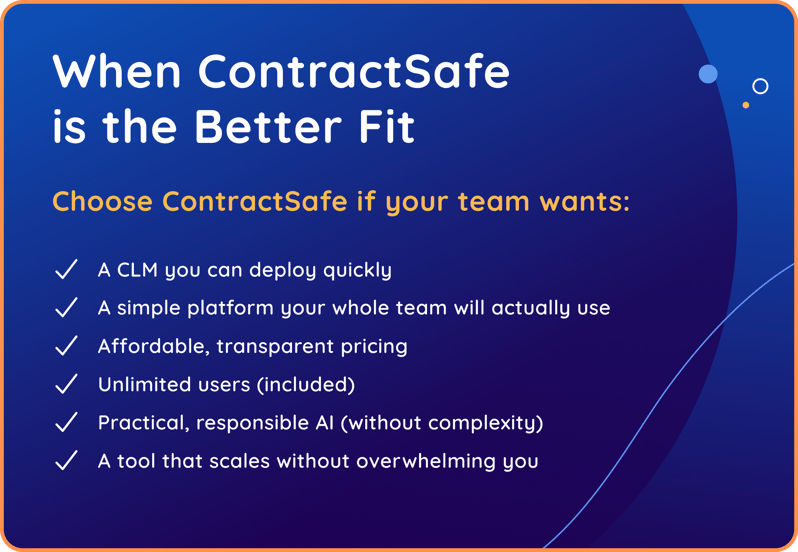
When ContractSafe Is the Better Fit
Choose ContractSafe if your team wants:
-
A CLM you can deploy quickly
-
A simple platform your whole team will actually use
-
Affordable, transparent pricing
-
Unlimited users (included)
-
Practical, responsible AI (without complexity)
-
A tool that scales without overwhelming you
Best for: Organizations that need a powerful, easy-to-administer CLM with fast onboarding, broad team adoption, and immediate ROI, especially teams moving off spreadsheets, growing legal functions, and mid-sized organizations seeking modern AI features without enterprise-level complexity.
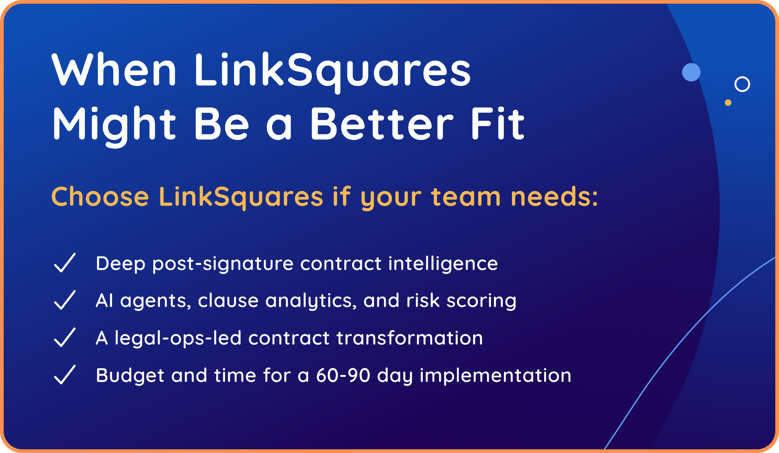
When LinkSquares Might Be a Better Fit
Choose LinkSquares if your team needs:
-
Deep post-signature contract intelligence
-
AI agents, clause analytics, and risk scoring
-
A legal-ops-led contract transformation
-
Budget and time for a 60–90 day implementation
Best for: Mid-market to enterprise teams with legal ops support.
Choosing the CLM That Fits Your Needs
Both platforms have strengths, and the right choice depends on your workflow maturity, budget, and internal capacity.
Recent CLM buyer’s guides show a clear pattern: heavy, highly configurable systems work best for teams with legal ops resources and time to tune workflows. Lighter, right-sized CLMs deliver faster adoption and better long-term usage across departments.
🌟 If you want powerful analytics and have the operational capacity to support more complexity, LinkSquares is a strong choice.
🌟 If you want a simple, affordable, highly adoptable CLM that works well out of the box, ContractSafe is the right-sized solution.
Key Takeaways
-
ContractSafe is designed for teams that want full contract lifecycle management without enterprise-level complexity or cost.
-
LinkSquares is best suited for organizations with the resources to support deeper AI configuration and long-term system administration.
-
ContractSafe emphasizes fast implementation, unlimited users, and immediate adoption across Legal, Finance, Procurement, and Operations.
-
LinkSquares delivers advanced analytics and specialized AI outputs that typically require more internal ownership to fully realize.
-
For most growing teams, scalability depends on usability and pricing predictability—not feature depth alone.
See how ContractSafe simplifies contract lifecycle management.
Book a demo to explore AI-powered search, automated workflows, unlimited users, and fast implementation — all in one easy-to-use platform.
👉 Request a Demo






.svg)







.svg)




