


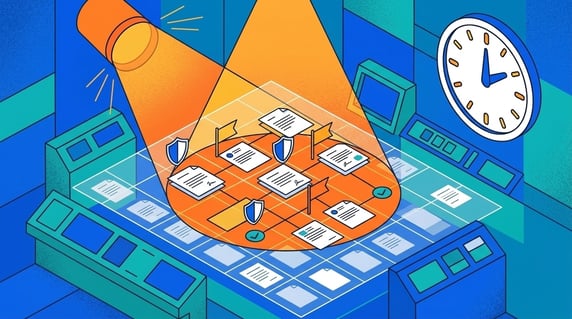
Contract compliance reviews are audits or internal checks that test whether contracts are approved, current, documented, searchable, and managed according to policy.
Think of a compliance review like a fire drill. You want the record ready before someone asks for it, and you want people to find the exit when it matters.
That means the review is not only about whether the signed PDF exists. Auditors may also ask who approved the agreement, which version is current, when it renews, and whether obligations are being tracked.
If your team has to reconstruct that story during the review, you are already doing the hard work late.
Key Takeaways
- Contract compliance reviews test records, approvals, dates, owners, and follow-up work.
- Signed contracts are not enough if supporting approvals, amendments, and renewal data are scattered.
- Auditors usually care about consistency, documentation, access control, and evidence.
- The best preparation is clean metadata, owner coverage, alerts, and audit history.
- ContractSafe helps teams keep contracts searchable and tied to the records auditors ask for.
Choose Your Next Step
Contract compliance review preparation goes faster when you start from your nearest deadline: an audit on the calendar, a gap you already know about, or a process you want fixed for good. Jump to what matches.
- Audit scheduled? Go straight to the preparation checklist and work the contract records in priority order.
- Building controls? Start with the seven controls auditors test.
- Failed one before? Read what happens when reviews find gaps first, then map each old finding to a control below.
- Whichever it is, choose an owner for the audit-readiness queue today, and check progress weekly until the contract record gaps close.
- Fixing the foundation? Our contract repository software guide covers the repository the evidence lives in, with the buying tests to run.
What Contract Compliance Reviews Check
Contract compliance reviews check whether contract records support the company's policies, financial controls, legal duties, and audit needs.
A reviewer may ask for signed agreements, approval history, amendments, renewal dates, vendor terms, owner assignments, or proof that sensitive contracts are permissioned correctly.
The hard part is often not the contract itself. The hard part is the surrounding evidence.
You need the contract record to answer the next question before the reviewer asks it.
The legal foundation matters here too: contracts are enforceable obligations, as Cornell’s legal overview of contracts lays out, which is exactly why reviewers treat the records around them as controls, not paperwork.
And the operating stakes are bigger than the audit itself. WorldCC keeps connecting contract management practices to commercial outcomes, so the same record discipline that satisfies reviewers also protects the business between reviews.
Where Contract Records Break Down
Contract records break down when the agreement, approval history, owner, renewal date, and amendments live in different places.
That makes audits a real headache. Legal may have the signed PDF. Finance may have the invoice. Procurement may have the vendor owner. The latest amendment may live in email.
When the reviewer asks for the full record, the team has to reconstruct the story by hand.
That is exactly what contract management software should prevent.
Check the scatter at intake first: confirm every signed agreement, its approvals, and its amendments reach one contract record the day they’re executed, and require an owner on the record before filing counts as done.
For example, a reviewer asks for the current version of one vendor MSA with its approvals. The signed copy takes five minutes, the amendment takes a day, and the approval thread takes a week of inbox archaeology.
The review clock runs the whole time, and every reconstructed record teaches the reviewer to sample deeper.
Audit-Ready vs Audit-Scramble: The Difference
The difference between an audit-ready team and an audit-scramble team is when the evidence gets assembled: continuously on the record, or frantically after the request.
Audit-ready looks calm. The request arrives, the reports run, the sampled records carry their approvals and amendments, and the review finishes on schedule.
Audit-scramble looks like overtime. The same request triggers a documents hunt, an inbox dig for approvals, and a spreadsheet built at midnight to reconstruct renewal dates.
The work is identical in both stories; only the timing and the stress differ. Continuous record-keeping spreads the effort across normal weeks. Scrambles concentrate the effort exactly when the team also has to look composed.
Decide which story your next review tells by what you do this quarter, not that week. Start the record-keeping habits now, confirm the owners, and let the audit find a system instead of a scramble.
What Happens When a Review Finds Gaps
A failed contract compliance review produces findings, and findings produce work: remediation plans, follow-up audits, and sometimes real penalties.
Common gap examples look ordinary. A sample of vendor agreements turns up two with no approval evidence. An amendment changes payment terms, but the record still shows the original.
A departed employee still owns forty contracts. Sensitive employment agreements sit in a folder everyone can open.
The consequences scale with the context. Internal findings cost remediation hours and credibility. Regulated-industry findings can mean fines, damages exposure in disputes, or conditions attached to certifications the business needs.
There are reasonable exceptions, and reviewers know them: a documented exception with an approval beats a silent gap every time.
Prevention is cheaper in every version of the story: controls built into the contract record, not assembled for the audit.
If a finding lands anyway, respond like an operator: agree the facts, fix the records, document the new control, and schedule the re-check before the reviewer asks for one.
The Seven Controls Auditors Test
Contract compliance reviews keep testing the same seven controls, whatever the industry. Build them into the record and the review becomes a report instead of a project.
Here’s each control, what the reviewer asks, and the evidence that answers it:
| Control | What the reviewer asks | The evidence that answers it |
|---|---|---|
| Central storage | Where is the signed agreement? | One repository, searchable, with the executed copy |
| Approval history | Who approved this, and when? | Approval evidence linked to the contract record |
| Version control | Which version governs today? | Current version marked; amendments linked to the parent |
| Key dates | When does this renew or expire? | Date fields populated, with alerts attached |
| Ownership | Who is responsible for this agreement? | Named business owner on every active record |
| Access control | Who can see sensitive terms? | Role-based permissions, documented and current |
| Audit trail | Who changed what, and when? | System history on the record, not reconstructed memory |
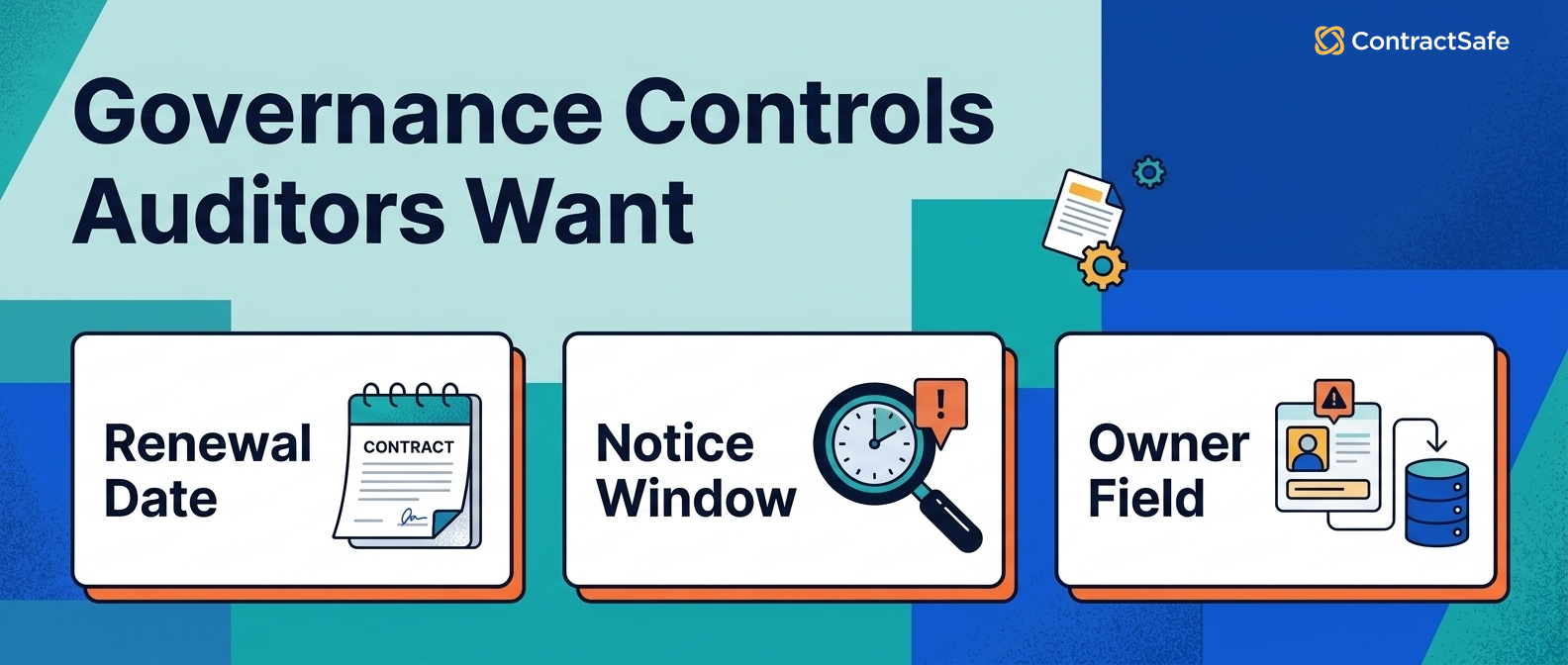
These controls are not just for auditors. They also help legal, finance, procurement, and operations answer routine contract questions.
You get audit readiness and a cleaner weekly operating process at the same time.
1. Central Storage
Central storage means one searchable repository holds every executed agreement, including the scanned ones, with no side archives in inboxes or personal drives.
Test it the way a reviewer would: pick five agreements from the finance ledger and time how long each takes to produce.
- Watch for: signed copies that live only in the e-signature tool’s account of whoever sent them.
- Watch for: scanned agreements that exist but can’t be found by their contents.
Check for side archives quarterly, and close the habit at the source: require the repository as the final step of every signature workflow, so executed copies land with owners and dates already set.
Central also means complete. An agreement missing its exhibits or statements of work is centrally stored and still fails the request.
2. Approval Evidence
Approval evidence ties each agreement to who approved it, under what authority, and when, on the contract record itself.
Say your policy requires VP approval above a spend threshold. The reviewer will sample agreements above that threshold and ask for the approvals. Email threads count, but only if they’re attached to the record before the question arrives.
- Watch for: approval policies that changed without anyone re-papering the active contracts.
Attach the evidence at approval time, not audit time, and confirm the attachment landed. The approver’s email forwarded to the record today is five minutes; the same email found two years later is an afternoon.
Map your approval thresholds to the contract fields too, so the reviewer can check the rule and the evidence in the same place.
3. Version and Amendment Control
Version control means the current governing version is marked and every amendment is linked to its parent agreement.
The classic finding: payment terms changed by amendment, while finance still pays on the original schedule. The amendment existed; the link didn’t.
- Watch for: amendments filed by date instead of by parent agreement.
- Watch for: side letters that never reached the repository at all.
Check for loose amendments quarterly: look for executed changes in recent emails and the e-signature tool, and confirm anything found gets linked to its parent agreement before the quarter closes.
For example, a renegotiated pricing amendment that never reached the record is the finding reviewers remember, because it touches the financial statements and the vendor relationship at once.
4. Key Date Coverage
Key date coverage means renewal, expiration, and notice dates are captured as fields, with alerts and owners attached.
Reviewers test this one with the calendar: which agreements renew in the next quarter, and who is watching them? A report from the contract system answers in minutes; a folder structure answers in days.
- Watch for: date fields filled at upload and never updated after amendments.
Require an alert with an owner and escalation on every date field. A populated field that notifies nobody is decoration, and reviewers increasingly ask to see the alert, not just the date.
Check the dates against amendments during the quarterly sweep, since amended renewal terms are where stale fields hide on otherwise healthy contract records. Notice windows deserve their own pass.
5. Owner Coverage
Owner coverage means every active agreement has a named business owner who can answer for its duties and dates.
For example, a reviewer samples ten vendor contracts and asks who owns each agreement. “The procurement team” is a finding; a named person with a reassignment process is a pass.
- Watch for: owners who left the company months ago and still hold their portfolios.
Require reassignment in offboarding, and check the orphan report monthly. Owner coverage is the control that decays fastest, because every departure erodes it silently.
For example, an owner field that still names someone two reorganizations ago tells the reviewer exactly how current the rest of the record is, and invites the deeper sample of your vendor agreements.
6. Access Control
Access control means sensitive agreements are permissioned by role, the permissions are documented, and exceptions expire.
Test the boundary cases: can procurement see executive employment terms? Can a departed contractor still open any contract records? The reviewer will try both questions, so try them first, on the live permission settings.
- Watch for: permission schemes managed by folder sprawl instead of roles.
Check the role map twice a year and after every reorganization. Confirm who approved each sensitive-access grant, and let time-boxed exceptions expire on their own.
Watch the leavers list especially: access that survives departure is the cheapest finding a reviewer will ever write, and the easiest one to prevent with an offboarding checkbox.
7. Audit Trail
An audit trail means the system records who uploaded, changed, or accessed contract records, so the history is evidence instead of memory.
This control closes the loop on all the others: when a contract record looks wrong, the trail shows what happened and when, without depending on anyone’s recollection of the agreement.
- Watch for: bulk edits with no record of what changed, which can poison an otherwise clean history.
Check your own audit trail before the reviewer does: choose one contract record, pull the full history, and confirm the story reads cleanly from upload through the latest amendment and owner change.
The trail also protects the team: when a question turns into a dispute, the recorded history answers it without anyone having to remember.
How Often to Check Each Control
Audit readiness runs on a cadence, not a calendar invite before the audit. Each control has a natural rhythm.
- Weekly: renewal alerts due, new agreements routed to the repository with owners and dates.
- Monthly: orphan report for owner coverage, missing-field report for key dates.
- Quarterly: amendment sweep, side-archive check, and the reviewer-style dry run on sampled records.
- Twice yearly: role map and permission review, plus expired-exception cleanup.
Confirm each cadence has an owner, and record the completions on the contract records. The cadence history is itself the strongest evidence that controls operate between audits, which is precisely what reviewers are paid to doubt.
Building the Evidence Packet Once
An evidence packet is everything a reviewer requests about one agreement: the executed copy, amendments, approvals, dates, owner, permissions, and history.
Build the packet shape once, as fields and attachments on the contract record, and every future request becomes an export instead of a hunt.
Test the shape on your hardest agreement: the multi-amendment vendor MSA with the renegotiated pricing. If the record tells that story cleanly, the easy records are already covered.
Then keep the packet honest with the quarterly dry run from the mistakes list above, sampling a few records the way a reviewer would.
Quick gut check before the next review. Pick three contracts a reviewer would plausibly sample: your largest vendor agreement, a recently amended customer contract, and one employment agreement.
Time how long the full evidence packet takes for each. Under ten minutes each is audit-ready; anything longer names your gap.
Common Audit-Prep Mistakes
Most compliance-review pain comes from five preparation mistakes, and every one of them is avoidable with the controls above.
- Starting at the request. Evidence assembled under the audit clock is slower, sloppier, and more visible to the reviewer.
- Cleaning everything equally. The reviewer samples high-value and high-risk records first; preparation should too.
- Fixing documents but not fields. A complete PDF with an empty owner field still produces a finding.
- Treating exceptions as secrets. An undocumented workaround is a finding; a documented exception with an approval is a control.
- Skipping the dry run. One internal sample, run like a reviewer, finds the gaps while they’re still cheap.
Run the dry run quarterly and log the results on the contract records. The history itself becomes evidence of a functioning control environment.
How to Prepare Before the Review
Prepare for contract compliance reviews by cleaning the records that are most likely to be requested. Do not wait for the audit request.
Start with active vendor agreements, customer contracts, leases, employment agreements, and high-value contracts.
For each record, confirm:
- The signed version is stored.
- Amendments are linked.
- The owner is clearly named.
- All key dates are captured.
- Renewal alerts are active.
- Access permissions are correct.
- Approval evidence is attached or easy to trace.
That checklist gives the team a practical audit-readiness queue.
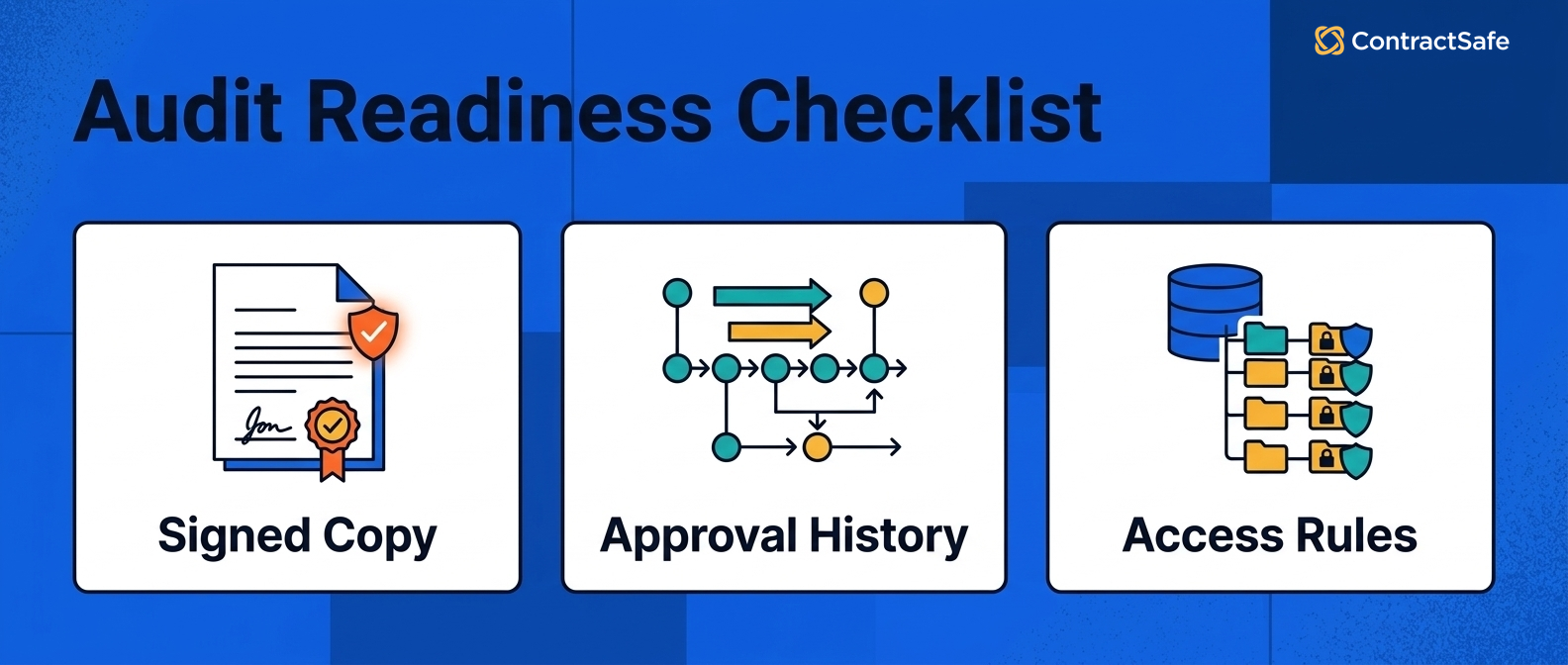
You can work through it before the request arrives instead of during the audit clock.
Run the queue by risk: highest contract value first, soonest renewal second, regulated categories third. Choose an owner for the queue, check progress in a weekly review, and record completions on the contract record so next year starts from evidence.
Time-box the first pass to a month. A readiness queue that runs forever loses its owner; one with a deadline produces a clean sample and a known backlog.
Turning Findings Into a Better Operation
Audit findings, handled well, are a free consulting report on your contract operation. The reviewer just sampled your records harder than anyone internal ever will.
Map each finding to the control it exposes, then fix the control rather than the sampled record. One missing approval means an intake gap; one orphaned contract means an offboarding gap.
Check for the same defect across the whole archive while the finding is fresh. Reviewers respect a remediation that says “we found nine more and fixed the producer” far more than one that quietly patches the sampled record.
Then put the fix on the cadence above, with an owner, so next year’s review samples a control that has been operating, not one that was installed last week.
Close the loop with leadership too: a one-page summary of findings, fixes, and the cadence that now prevents them turns audit pain into the budget case for better contract operations.
Where ContractSafe Fits
ContractSafe helps your team get ready for compliance reviews by keeping all your contracts, key details, owners, alerts, and reports in one easy-to-find place.
ContractSafe's central hub means you can actually find your agreements when you need them. And our alerts help your team act before renewal and expiration dates pass.
That means you are not rebuilding the same evidence packet from scratch each time.
The seven controls map to the record directly: executed copies with full-text search, linked amendments, owner fields, date alerts, role-based permissions, and audit history on every contract.
Related Reading
- Choosing contract repository software, for the system the audit evidence lives in.
- Contract obligation management, for the follow-through reviewers increasingly sample.
- Contract management metrics, for the owner-coverage and date-coverage numbers worth tracking between audits.
How ContractSafe Helps With Contract Compliance Reviews
ContractSafe turns audit readiness into the default state of the record: searchable executed agreements, linked amendments, named owners, populated date fields with alerts, role-based permissions, and a system audit trail.
The evidence packet stops being a project. When the reviewer asks for an agreement, its approvals, and its history, the answer is one record, produced in minutes.
The gut check above is the honest test. Bring your three sample contracts to a free demo and time the evidence packet on a working record.






.svg)







.svg)




