


You're not buying features. You're running a process. Here's the whole thing: figure out what your contracts actually cost you today, write down what you need, cut the market to three to five vendors, run demos on your own paper, call references, then negotiate.
Budget six to twelve weeks for a mid-market purchase, and plan on five figures a year once you're past a couple dozen users. The rest of this guide is each of those steps, with the questions to ask and the numbers to expect.
Key Takeaways
- AI is now table stakes, not a differentiator: By 2026, every serious CLM ships AI search, extraction, and chat. The competitive edge has moved to delivery model, pricing, and human-oversight design.
- Agentic AI is the new battleground: Three vendors (Concord, DocuSign, SpotDraft) have shipped MCP servers. Ironclad's Jurist Redlining Agent went GA in April. LinkSquares ships autonomous agents over email. By H2 2026, every enterprise CLM will have always-on agents.
- Mid-market needs simpler AI, not more AI: Most mid-market buyers will get more value from getting extraction, search, and review right than from buying agentic features still in Beta. The white space is AI built for finance and ops, not just legal.
- Watch the pricing model, not the feature list: Several vendors sell AI as a paid add-on, meter extractions, or cap users. The headline price is rarely the all-in cost.
Step 1: Count What's Broken Before You Look at Software
Pull four numbers this week: how many contracts you signed last year, how many you can't locate right now, how many renewals fired that you didn't want, and how many days pass between "we need a contract" and "it's signed."
Those four numbers are your baseline, your business case, and your demo script. A team that can't find anything needs a different tool than a team that can find everything but keeps missing notice windows — and you won't know which one you are until you count.
Source: ContractSafe primary research across CLM vendors, May 2026.
What Features Should I Look for in a CLM?
Non-negotiable: OCR search across scanned files, alerts you can set on any date with your own lead time, extraction that links back to the source clause and can be corrected, amendments linked to the parent contract, and role-based permissions with audit logging.
Add if you draft: templates, a clause library, playbook-based review, and approval routing. Nice to have, but rarely decisive: autonomous agents and MCP support.
Then check two things no feature list shows you — will non-legal users actually log in, and is the AI bundled or a paid add-on?
What Is AI Contract Lifecycle Management?
AI contract lifecycle management (AI CLM) is contract software where artificial intelligence does real work across the lifecycle — extracting structured data from contracts, enabling natural-language search and chat, reviewing third-party paper against playbooks, and increasingly, taking autonomous action through agents. It is not keyword search with a chat bubble bolted on, and it is not a generic LLM wrapper. The category covers everything from automatically pulling key dates out of a PDF to autonomous agents that flag a risky clause before you even ask.
What changed recently is that foundation models — the LLMs behind ChatGPT, Claude, and Gemini — got good enough to handle legal language reliably. That opened the door for vendors to ship features that work in production, not just demo well. By 2026, AI features are no longer a nice-to-have differentiator in CLM. They're the floor. The real differences now are in how the AI is delivered, who's allowed to use it, how much you have to pay extra to turn it on, and how much human oversight stays in the workflow.
Look for seven things, in this order: a searchable repository with OCR that handles scanned paper; date alerts you can set on any date, with your own lead time; AI extraction that shows its source and lets you correct it; amendments and attachments linked to the parent contract; permissions and audit logs granular enough for your policies; approval routing and intake that doesn't run on email; and drafting or playbook review, if your team writes contracts rather than just files them.
Everything else — agents, MCP, autonomous redlining — is layered on top of those seven. If a platform is weak on the seven, the rest won't save it.
The Three Layers of AI in CLM
In practice, AI in CLM shows up in three layers, each more autonomous than the last.
Layer 1: Extraction and search
AI reads every contract you upload, identifies key fields like parties, dates, values, and renewal terms, and makes the whole repository searchable in plain English. This is the most mature layer. Most modern CLMs do it well, and accuracy on standard fields typically lands above 90% on common contract types.
Layer 2: AI copilots
You ask a question, the system answers. Things like "what's our termination notice on the Acme MSA?" or "summarize the indemnification differences across all vendor contracts signed this year." It's interactive and works on demand. Copilots dominated 2024 and 2025 — every credible vendor has one.
Layer 3: Agentic AI
Software that takes action without you prompting it. Drafting a renewal brief before a contract expires, flagging an out-of-policy clause during review, or routing an obligation to the right owner. This is the newest layer, and it's where most of the 2025 and 2026 vendor competition is happening.
The Rise of Agentic AI: What Shipped in 2026
Agentic AI is the most-hyped and most-uneven layer of the CLM market today. Some features are GA and working in production. Others have been "coming soon" for over a year. Based on primary research across 14 vendors, here is what actually shipped between January and May 2026.
Shipped and live (GA)
- Ironclad Jurist Redlining Agent (April 30, 2026): Upload a playbook, one click, sourced first-pass redlines in seconds. Covers NDAs, MSAs, and third-party paper. The first GA playbook-driven redlining agent in the CLM market.
- Gatekeeper LuminIQ Agent Library (Feb–Mar 2026): 12 GA agents covering clause review, obligation extraction, renewal, amendment, DDQ approval, DORA compliance, SOC 2, and security policy. Unlimited AI agents bundled on every plan.
- DocuSign AI Contract Review Assistant (April 9, 2026): Conversational chat assistant inside Agreement Desk. Ask questions about any contract, get in-workflow edit suggestions without leaving the platform.
- SpotDraft Sidebar (December 2025): Six-capability agentic layer including bulk analysis of 100+ contracts via natural language, legal research, standards-based contract review, checklist creation, policy updates, and agentic DOCX editing.
- Concord Horizon MCP Server (December 2025): First GA MCP server in CLM. Lets external AI agents (Claude, ChatGPT) query live Concord contract data and use it in external agentic workflows.
- Agiloft Astra + Free Tier (April 21, 2026): Enterprise AI now available on a credit-based free tier. "Astra Clean Data Promise": customer data never used to train models. Enterprise-grade data protection on all plans, including free.
In Early Access, Beta, or Alpha
- Ironclad "Act" Mode (Early Access, April 15, 2026): A single natural-language prompt triggers and orchestrates all Ironclad agents — multi-step autonomous workflows from one query. The highest autonomy level shipped in CLM to date.
- Ironclad Jurist in Word (Closed EAP, April 2026): AI drafting and playbook-based redlining natively inside Microsoft Word.
- LinkSquares Autonomous Agents (Beta since April 2025): Always-on email-native agents for renewals, obligations, and alerts. Zero setup, no prompts required. The only CLM claiming fully autonomous no-config operation.
- SpotDraft MCP Server (Alpha, April 2026): Third CLM vendor to enter MCP, after Concord GA and DocuSign Beta.
- DocuSign MCP Server (Beta, February 2026): Second MCP entrant. Part of a broader push toward agreement infrastructure for any AI.
Still pending
- DocuSign AI Contract Agents: Promised for Q4 2025, then April 2026, still "Coming Soon" as of May 2026. Watch the Momentum NYC conference on May 20–21.
- Concord Custom AI Agents: In development. Will let users build their own AI agents via natural-language configuration. First accessible-pricing CLM vendor approaching this.
- Ironclad Renewal Agent + Cost Savings Agent: H2 2026 GA planned. Agents will autonomously initiate renewal workflows, not just draft briefs.
- Gatekeeper MCP Integration: Listed as "Coming Soon" on all plan tiers. Will be the fourth CLM in the MCP ecosystem.
Best AI CLM Software Compared (2026)
Six platforms worth evaluating if AI capability is your top buying criterion. We skipped the marketing language and focused on what each one actually does well, where it falls short, and what kind of buyer it fits.
| Vendor | Starting price | Best for | Key AI differentiators | Limitations |
|---|---|---|---|---|
| ContractSafe | From $450/mo, unlimited users | Mid-market legal, finance, and ops teams that want practical AI without enterprise complexity or per-seat fees | AI search, Ask AI chat, 30+ field auto-extraction, AI contract review with playbooks, native Word integration; all AI bundled, no add-on fees, no extraction caps, no per-user charges | Intake forms not currently AI-built, no MCP server yet, no custom agent builder, no autonomous always-on agents |
| Concord (Horizon) | From $499/mo (5 users) | SMB to mid-market teams wanting an AI-first, conversational CLM at accessible pricing | First CLM with GA MCP server, Agent Builder in Early Access, AI Copilot with 96.9% reported success rate on 7,491 user queries, full platform rebuilt around AI | Only 5 users on entry plan, custom agents and AI extraction still in Early Access, no Gartner/Forrester recognition, limited enterprise heritage |
| SpotDraft (Sidebar / VerifAI) | Quote only | Mid-market legal teams that want AI deeply embedded in Microsoft Word | DraftMate turns Word docs into templates in under 5 minutes, Smart Fields auto-populate intake on upload, Sidebar analyzes 100+ contracts at once via natural language, MCP Server in Alpha | AI module appears to be a paid add-on, MCP still Alpha, no custom agent builder, no public pricing, setup complexity at scale |
| DocuSign IAM | Quote only; enterprise pricing | Enterprises already on DocuSign eSign that want to extend into AI-powered agreement management | Largest agentic ecosystem in CLM (MCP Beta, Claude Cowork Beta, Salesforce Agentforce GA, ChatGPT and Slack integrations coming), Iris AI engine trained on 20+ years of agreement data, FedRAMP-Moderate | AI Contract Agents repeatedly delayed (Q4 2025 → April 2026 → still pending), long implementations, high cost, heavy admin overhead, AI features split across multiple products |
| CobbleStone (VISDOM® / VISDOM+) | Quote only; VISDOM+ is a paid AI add-on | Regulated industries needing AI with tight data isolation and source-to-contract scope | Inference-only architecture (client data never trains public models), multi-agent VISDOM+ orchestrates extraction, risk, drafting, sentiment, and compliance, Word and Outlook add-ins, 7+ languages | VISDOM+ is a separate paid add-on, legacy UI, steep learning curve, no public MCP, no custom agent builder, admin-heavy |
| LinkSquares (LinkAI) | Quote only; enterprise SaaS | Mid-market and enterprise legal teams wanting autonomous email-delivered AI insights and zero-training intake | Business User Intake via voice or text (May 2026), Risk Scoring Agent generates 0–100 score with custom criteria, Autonomous Agents (Beta) run continuously and deliver insights via email | Autonomous Agents still Beta with no public GA date, no MCP server announced, Ramp integration is a premium add-on, no custom agent builder |
ContractSafe
At a glance: ContractSafe is a full-featured AI CLM built around adoption, not configuration. Every AI capability is bundled into every plan with unlimited users, which removes the per-seat math that suppresses cross-functional adoption at most competitors. The trade-off is that ContractSafe doesn't try to compete on the enterprise agentic frontier — there's no autonomous orchestration layer and no MCP server yet.
Price range: From $450/month with unlimited users; transparent published pricing.
What you'll get with ContractSafe AI:
- AI search and Ask AI chat: Natural-language queries across the full contract repository with answers linked to source clauses.
- 30+ field auto-extraction: Parties, dates, values, renewal terms, and custom fields pulled automatically with sample-validation review.
- AI contract review with playbooks: Apply your standards to incoming third-party paper, with human accept/reject on each suggestion.
- Native Word integration: Review and edit in the lawyer's native environment without context switching.
- Unlimited users on every plan: Finance, ops, and HR get access without per-seat fees that block adoption.
- No AI add-ons or extraction caps: Every AI feature is included; no metered queries, no premium tiers gating AI access.
- Fast self-implementation: Most customers are operational in hours to days, not months.
Where it fits in the agentic landscape: ContractSafe is deliberately positioned in Tiers 1–3 of the AI risk framework (see below). It does not currently ship Tier 4 features — no MCP server, no autonomous always-on agents, no custom agent builder. For mid-market teams, this is usually a feature, not a bug: those Tier 4 capabilities mostly remain in Beta at competitors, and they're priced for enterprise budgets.
Pros
- All AI features bundled on every plan
- Unlimited users — no per-seat AI fees
- No extraction caps or metered queries
- Transparent published pricing from $450/mo
- Fast onboarding (hours to days)
- Native Word integration
- 30+ extraction fields
Cons
- No MCP server (yet)
- No custom agent builder
- No autonomous always-on agents
- Intake forms and templates not currently AI-built
Concord (Horizon / AI Copilot)
At a glance: Concord rebuilt its entire platform around AI in late 2025. Horizon is the result — a fully AI-native CLM with the first GA MCP server in the category and a Custom Agent Builder in Early Access. It's the most ambitious AI play from a mid-market-priced vendor.
Price range: Starts at $499/month for 5 users (Essentials), with tiered upgrades; additional users $49–89/month.
What you'll get with Concord:
- MCP server (GA December 2025): First in CLM. Query live Concord data from ChatGPT or Claude with permissions and audit logging.
- AI Copilot: Conversational chat with reported 96.9% success rate across 7,491 real user queries.
- Custom Agent Builder (Early Access): Build your own AI agents via natural-language configuration. First mid-market vendor approaching this.
- Natural-language search with citations: Plain-English queries return answers with clause-level source links.
- Light and dark mode UX: Refreshed interface, smoother navigation.
- External AI integrations: Concord MCP lets you query contract data inside Claude, ChatGPT, and Copilot workflows.
Where it fits: Concord is the most aggressive mid-market bet on Tier 4 capabilities. If MCP support is on your near-term roadmap and you don't need enterprise workflow orchestration, this is the strongest accessible-pricing option.
Pros
- First GA MCP server in CLM
- AI Copilot with high published success rate
- Custom Agent Builder in development
- Published mid-market pricing
- Modern AI-native UX
Cons
- Only 5 users on entry plan
- Custom agents still in Early Access
- No analyst (Gartner/Forrester) recognition
- Limited enterprise workflow depth
- AI extraction still in Beta
SpotDraft (Sidebar / VerifAI)
At a glance: SpotDraft has built one of the most versatile mid-market AI layers in CLM. Sidebar bundles six agentic capabilities (bulk contract analysis, legal research, standards-based review, checklist creation, policy updates, and agentic DOCX editing) into a single product. The MCP server entered Alpha in April 2026, making SpotDraft the third CLM in the ecosystem.
Price range: Quote-based; no public pricing.
What you'll get with SpotDraft AI:
- Sidebar (6-capability agentic layer): Bulk analyze 100+ contracts at once via natural-language tables, run legal research, perform standards-based review.
- DraftMate AI: Turns Word docs into templates with auto-generated variables and intake questionnaires in under 5 minutes.
- Smart Fields: Auto-populate intake forms when a contract is uploaded.
- VerifAI Redlining: Playbook-driven redline suggestions inside Sidebar — removes Word add-in dependency.
- MCP Server (Alpha): External AI agents query live contract data for use in external workflows.
- Multi-model architecture: Uses GPT-4, Gemini 1.5 Flash, and o1-mini per task, selected for fit rather than locked to one provider.
Where it fits: The strongest Word-native AI play in mid-market. If your legal team lives in Word and you want deeply embedded AI without leaving the editor, SpotDraft is the best fit. The catch is opaque pricing and the AI module appears to be a paid add-on rather than bundled.
Pros
- Six-capability agentic Sidebar
- DraftMate template creation in minutes
- MCP server in Alpha
- Multi-model AI architecture
- Strong Word integration
Cons
- AI module appears to be a paid add-on
- No public pricing
- MCP still in Alpha
- No custom agent builder
- Setup complexity at scale
DocuSign Intelligent Agreement Management (IAM)
At a glance: DocuSign is building an ecosystem moat, not a feature moat. IAM bundles AI-powered agreement management with the broadest agentic ecosystem in the category: MCP Server in Beta, Claude Cowork Beta, Salesforce Agentforce GA, ChatGPT and Slack integrations announced. The Iris AI engine is trained on 20+ years of DocuSign's agreement data. The catch: the headline AI Contract Agents have been delayed twice and are still pending as of May 2026.
Price range: Quote-based; enterprise pricing.
What you'll get with DocuSign IAM:
- AI Contract Review Assistant (GA April 2026): Conversational chat inside Agreement Desk with in-workflow edit suggestions.
- MCP Server (Beta February 2026): Second MCP entrant. Lets external AI tools query agreement data.
- Claude Cowork integration (Beta): First-class integration with Anthropic's agentic platform.
- Salesforce Agentforce (GA): Tight integration with Salesforce's agent platform.
- Iris AI engine: Trained on 20+ years of DocuSign's proprietary agreement data.
- FedRAMP-Moderate authorization: Strong fit for regulated industries and government.
Where it fits: The right pick if you're already standardized on DocuSign eSign and want to extend into AI-powered agreement management at enterprise scale. Not the right pick if speed-to-value matters — the AI features are split across multiple products and implementations are long.
"People and agents can work together in a single workflow ecosystem."— Larry Jin, VP Product, DocuSign
Pros
- Largest agentic ecosystem in CLM
- MCP server in Beta
- Claude Cowork + Salesforce Agentforce integrations
- Iris AI engine on 20+ years of data
- FedRAMP-Moderate authorized
Cons
- AI Contract Agents repeatedly delayed
- Long enterprise implementations
- High cost; quote-only
- Heavy admin overhead
- AI features split across products
CobbleStone (VISDOM® / VISDOM+)
At a glance: CobbleStone targets regulated industries — government, healthcare, pharma, financial services — with an inference-only AI architecture that ensures client data never trains public models. VISDOM+ is a multi-agent generative AI system covering extraction, risk, drafting, sentiment, and compliance. The trade-off is that VISDOM+ is a paid add-on rather than bundled into the base plan.
Price range: Quote-based; VISDOM+ is a separate paid AI add-on on top of the base CLM subscription.
What you'll get with CobbleStone AI:
- Inference-only architecture: Client data is never used to train public models. Standard for regulated industries.
- VISDOM+ multi-agent system: Orchestrates extraction, risk analysis, drafting, sentiment, and compliance work.
- Word and Outlook native add-ins: AI in the tools your legal team already uses.
- 7+ language support: Multilingual contract analysis with strong accuracy on major business languages.
- Source-to-contract suite: Procurement, sourcing, vendor management, and contract management in one platform.
- Regulated-industry compliance: Strong posture for government, healthcare, pharma, and financial services.
Where it fits: The right pick if you're in a regulated industry and data isolation is a hard requirement, or if you need source-to-contract scope (procurement + contracting) in one platform. Not the right pick if you want bundled AI pricing or a modern UX.
Pros
- Inference-only AI architecture
- Multi-agent VISDOM+ system
- Word and Outlook add-ins
- 7+ language support
- Source-to-contract scope
- Strong regulated-industry posture
Cons
- VISDOM+ is a paid add-on
- Legacy UI
- Steep learning curve
- No public MCP
- No custom agent builder
- Admin-heavy
LinkSquares (LinkAI Platform)
At a glance: LinkSquares launched the LinkAI Platform in May 2026, rebuilt around autonomous, email-delivered AI. The Business User Intake flow lets business users drop a contract into chat (or speak the request), and LinkAI fills the intake form, summarizes, assesses risk, and routes to legal in one click. Autonomous Agents (Beta) run continuously and deliver insights to email — the only CLM doing this in production.
Price range: Quote-based; enterprise SaaS.
What you'll get with LinkSquares:
- Business User Intake: Voice or text intake from business users with zero training. LinkAI auto-fills the form and routes to legal.
- Risk Scoring Agent: Generates 0–100 risk score per contract with custom criteria.
- Autonomous Agents (Beta): Always-on agents for renewals, obligations, and alerts. Zero setup, no prompts required.
- Email-native delivery: AI insights delivered to inbox; no login required to consume value.
- Prompt Library: Saved, categorized prompts (including a dedicated Redlining section) that any attorney can reuse.
- Multi-step agentic redlining: Three sequential AI actions — analyze, edit, comment — with a preview step before changes are saved.
Where it fits: The strongest play for legal teams that want AI insights delivered without anyone logging in. If your finance and ops users don't live in CLM dashboards, LinkSquares' email-native model is the differentiator. The constraint is enterprise pricing and Autonomous Agents are still Beta.
Pros
- Email-native AI insight delivery
- Zero-training Business User Intake
- Risk Scoring Agent
- Autonomous Agents (Beta) running continuously
- Saved Prompt Library
- G2 #1 Mid-Market CLM Winter 2026
Cons
- Autonomous Agents still Beta — no GA date
- No MCP server announced
- Ramp integration is a premium add-on
- No custom agent builder
- No public pricing
How to Choose AI CLM
Most "AI CLM" buying guides assume you need every feature the vendor offers. You probably don't. Mid-market legal, finance, and ops teams tend to get the most value from a few well-built AI capabilities, not a buffet of half-used features they paid extra for. The smarter way to evaluate AI CLM is by how much judgment you're handing over to the software.
1. Decide which AI risk tier you actually need
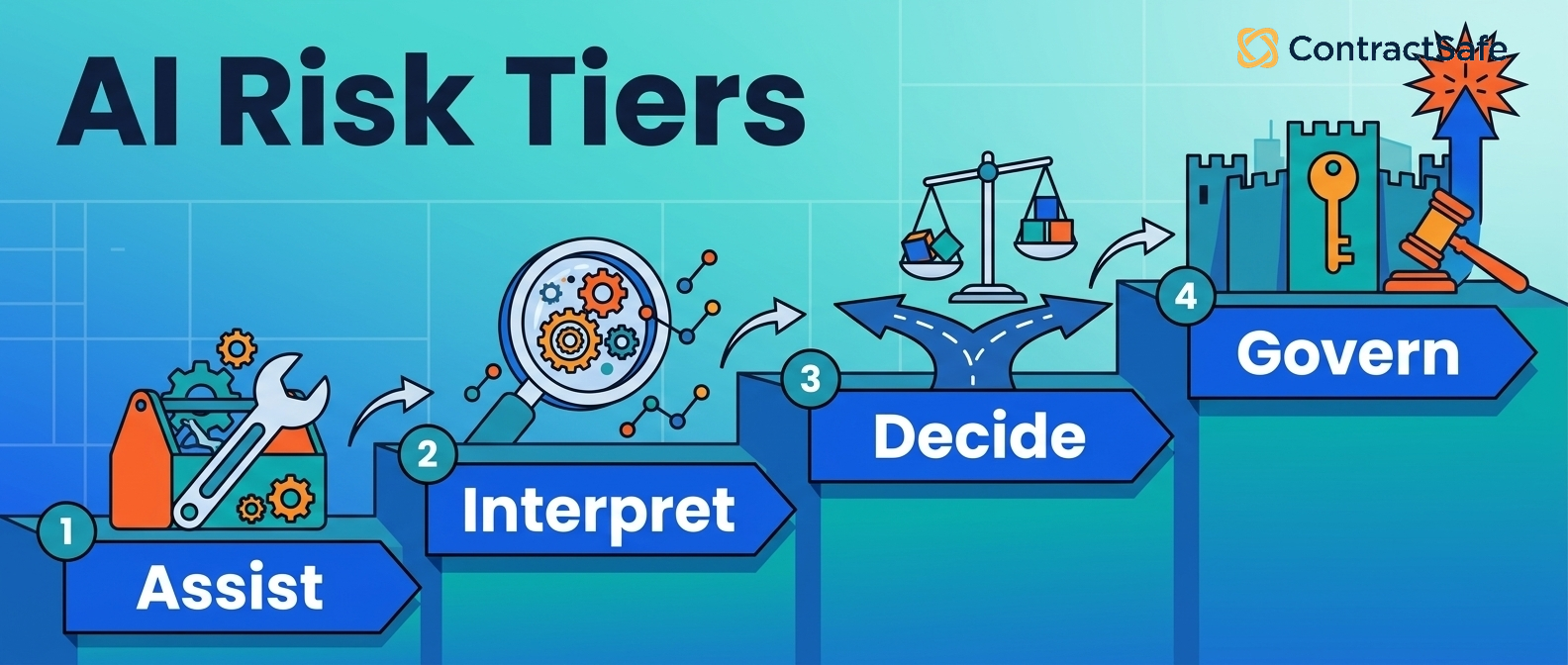
Not all AI is created equal. A natural-language search bar and an autonomous agent that drafts and routes contracts on its own are wildly different commitments and carry wildly different risk profiles. Use the four-tier framework below to decide which capabilities matter for your team — most mid-market deployments land in Tiers 1–2, with selective Tier 3 use.
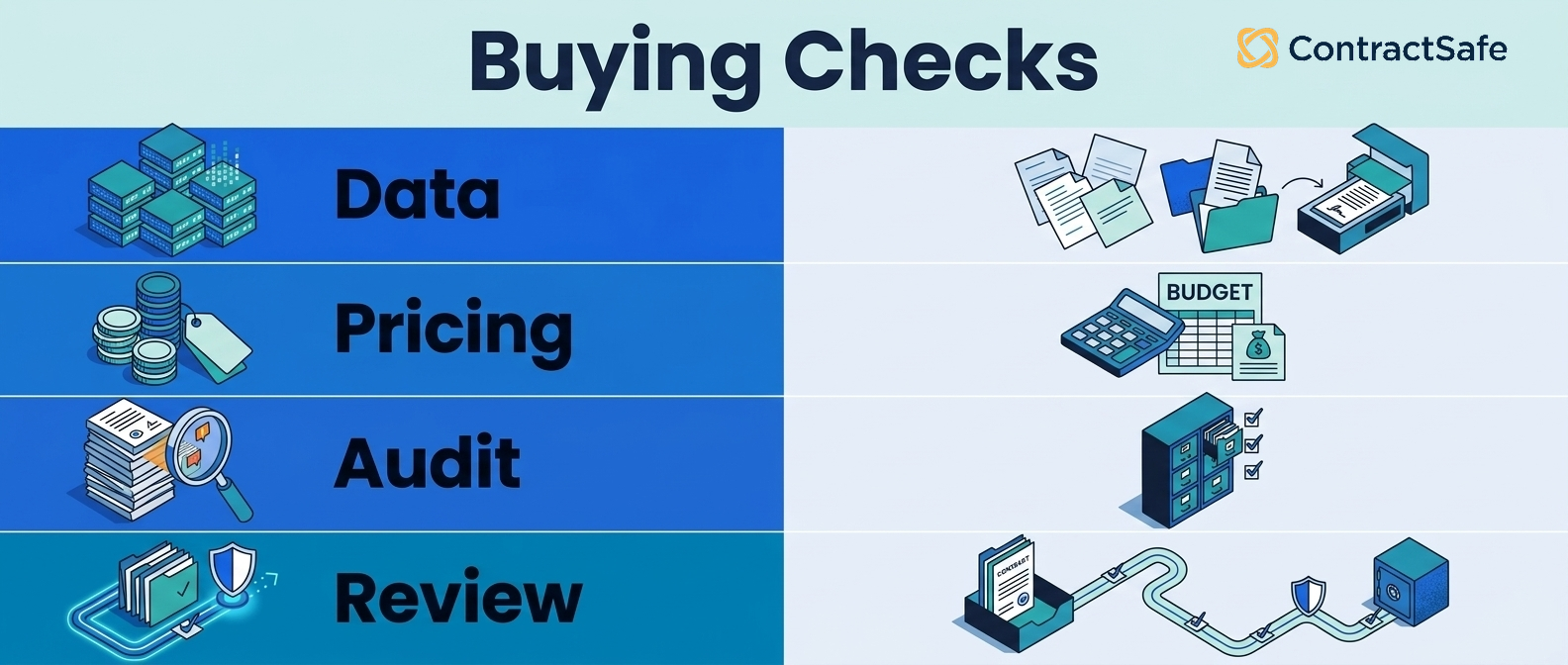
2. Ask three pricing questions in every demo
- Is AI bundled or a paid add-on? CobbleStone's VISDOM+ is sold separately. SpotDraft's AI module appears to be an upgrade. ContractSafe and Gatekeeper bundle everything.
- Are users capped or per-seat? Concord's entry plan is 5 users. Per-seat AI pricing kills adoption fast — finance and ops never get access.
- Are extractions or AI queries metered? Some vendors charge by extraction volume or chat turn. Ask for the math at your expected usage.
3. Verify the data-handling story in writing
- Inference-only architecture: Your contract data is never used to train public models.
- Tenant isolation: Your data is logically separated from every other customer.
- SOC 2 Type II at minimum: HIPAA, FedRAMP, or GDPR depending on your industry.
- Audit logging of AI queries: Every AI decision is traceable.
- Source-linked outputs: AI answers link back to the exact clause they came from, so you can verify quickly.
4. Match the platform to your dominant use case
- Repository-first AI: ContractSafe and LinkSquares lead on extraction quality and natural-language search.
- Drafting and intake automation: SpotDraft DraftMate and LinkSquares Business User Intake are the strongest entries.
- External AI integration via MCP: Concord (GA), DocuSign (Beta), SpotDraft (Alpha).
- Regulated industries: CobbleStone (inference-only) and DocuSign (FedRAMP) lead.
- Autonomous always-on agents: LinkSquares is the most production-ready; Ironclad is the enterprise leader.
5. Weigh adoption risk over feature breadth
The most common reason AI CLM projects fail is non-adoption, not missing features. A platform with 80% of the features and 95% adoption beats one with 100% of the features and 30% adoption every time. Ask each vendor for time-to-first-value benchmarks and the percentage of customers with full-team rollouts versus legal-only rollouts.
The Four-Tier AI Risk Framework
Here's a practical way to evaluate AI features: by how much judgment you're handing over to the software, and how much human oversight stays in the workflow.
AI assists, you decide
At a glance: AI surfaces information and suggestions. A human makes every decision. The AI is a research assistant, not a co-signer.
What you'll get:
- Automatic data extraction: Parties, dates, values, renewal terms, custom fields — you review and accept.
- Natural-language search: Plain-English queries across your repository.
- Copilot Q&A on individual contracts: The answer lives in the document.
- AI-built templates from your contracts: Word docs converted to templates with auto-generated variables and intake questions.
- AI-populated intake forms: Fields auto-filled on upload or request.
- Auto-categorization and tagging: Suggestions you confirm.
- Redline suggestions: Accepted or rejected one at a time.
Human's role: Reviewer on every output. You see the suggestion, accept, edit, or reject.
Do mid-market teams need this? Yes. This is the floor. If your AI CLM doesn't do this well, nothing else matters.
AI interprets, you verify
At a glance: AI does interpretation work — pulling data out of contracts, summarizing terms. A human spot-checks before the output gets used downstream.
What you'll get:
- Contract summarization: Multi-paragraph summaries of long contracts.
- Cross-portfolio analysis: "Compare indemnification across our top 20 vendor contracts."
- AI-suggested clause generation: Drafting help against your standards.
- AI-generated playbooks: Built from your historical contracts with human review before activation.
- Auto-flagging of unusual clauses: Non-standard language surfaced for legal review.
Human's role: Verifier of AI interpretation, especially on first runs, new contract types, and edge cases.
Do mid-market teams need this? Usually yes — especially if your team produces, drafts, or analyzes contracts regularly, not just stores them.
AI decides, you govern
At a glance: AI applies your standards on its own and flags exceptions. Humans set the rules and review flagged items, not every contract.
What you'll get:
- AI contract review against your playbook: Standards enforcement on incoming third-party paper.
- Automated risk scoring: Some platforms produce a 0–100 score per contract.
- Full contract drafting from a prompt: Generate full agreements from natural-language briefs.
- Playbook execution on incoming paper: Apply your standard positions automatically.
- Bulk review across hundreds of contracts: Run a playbook over a portfolio.
Human's role: Governor. You set playbooks, define risk, review AI-raised exceptions, audit outcomes.
Do mid-market teams need this? Depends. If you review 30+ contracts a month and have clear standards, the time savings are significant. If your standards aren't written down anywhere, start with Tier 2 first.
AI orchestrates, you trust (and audit)
At a glance: One natural-language instruction triggers a chain of AI agents — intake, review, redline, route, send. Or always-on agents monitor your portfolio and act without being asked. Humans set boundaries and audit after the fact.
What you'll get:
- Multi-step agentic workflows from one prompt: Ironclad's "Act" mode is the clearest production example.
- Always-on autonomous agents: LinkSquares Autonomous Agents (Beta) for renewals, obligations, anomalies.
- Email or Slack delivery without login: AI insights pushed to where users already work.
- MCP server support: External tools (ChatGPT, Claude, Copilot) query your contract data with audit logging.
- Custom agent builders: Build your own agent via plain-language configuration.
Human's role: Trust and audit. Set boundaries upfront, replace real-time review with after-the-fact audit logs and exception handling.
Do mid-market teams need this? Not yet, in most cases. Most Tier 4 features are still in Beta or Early Access at every vendor. The exception is MCP support if your company is committing to AI-everywhere workflows in the next 12–18 months.
Step 6: Decide, Then Prove It Small
Score your finalists on a simple matrix: the three problems you named in Step 1, total three-year cost, and how fast a non-legal colleague got productive in the trial. Then answer the one-platform question honestly — does a single system cover everything you need, or are you better off pairing a repository with a drafting tool your team already likes?
Get the people who'll live in it every day to agree before you sign, not after. Then pilot with one team and a real contract backlog for 30 days. If adoption sticks there, roll it out department by department. If it doesn't, you've learned that for the price of a month instead of a three-year commitment.
What This Will Cost You
AI CLM pricing in 2026 is more fragmented than the rest of the CLM market. The same platform can look cheap or expensive depending on whether AI features are bundled, capped, or metered. Before you compare models, it helps to know roughly what a team your size should expect to spend.
What to Budget, by Headcount
These are observed market ranges, not quotes. Small teams buying their first system typically land in the mid four figures to low five figures a year, license only — ContractSafe starts at $450 a month, unlimited users. Fifty to two hundred people usually runs roughly $15,000 to $55,000 a year once implementation and training are in. Two hundred to five hundred, $30,000 to $100,000. Above five hundred, $65,000 and up, occasionally well past $200,000 once professional services land.
Four Questions That Turn a Quote into a Real Number
- What's the all-in cost for our team size over three years?
- What's not in the base price?
- What does implementation cost separately, in writing?
- What happens at renewal?
With those answers in hand, the pricing model itself tells you most of what you need to know. Three patterns dominate.
AI bundled into every plan
Used by ContractSafe and Gatekeeper. Every AI feature is included on every tier with no add-on fees, no per-user charges, and no extraction caps. Predictable monthly cost regardless of usage; tends to correlate with higher adoption because finance and ops aren't priced out.
AI as a paid add-on
Used by CobbleStone (VISDOM+) and apparently SpotDraft. The base CLM subscription is one line item; the AI capabilities are a separate paid module. Be especially careful here — the headline price often excludes the feature you're actually buying for.
Per-user or tier-capped AI
Used by Concord Horizon. The entry plan caps users; additional seats are $49–89/month. Per-seat pricing creates a hard ceiling on adoption — teams limit who gets a license, and the AI never reaches the cross-functional usage that drives ROI.
Quote-only enterprise AI
Used by DocuSign IAM, LinkSquares, and Ironclad. Negotiated per-customer, typically with multi-year commitments. AI features may be split across multiple SKUs (DocuSign especially). Total cost is hard to compare; the headline number is rarely the all-in cost.
Hidden costs to budget for
- Implementation services: Enterprise AI CLM rollouts often add 50–100% of year-one license cost in services.
- Premium integrations: Some integrations (LinkSquares + Ramp, DocuSign + Salesforce) are priced separately.
- AI module add-ons: Especially at CobbleStone and SpotDraft, the AI itself is an upsell.
- Extraction or query metering: A few vendors charge by extraction count or chat turn at the high end.
- Per-user AI seats: Adoption-blocking when applied to finance and ops users.
- Renewal escalation: Quote-only vendors typically escalate 5–15% annually unless capped upfront.
Implementation and Rollout
The number one misconception about AI CLM implementation is "we'll need to train our own AI model on our contracts." You won't. Modern AI CLMs use foundation models that already understand legal language. Your job isn't to train an LLM — it's to set up the system so the AI knows what your organization cares about.
What implementation actually involves
- Import your contracts: Bulk upload, with OCR for scanned PDFs. Usually the longest part of the project if you have years of paper or scattered drives.
- Validate extracted fields: Spot-check a sample to confirm accuracy. Not optional — this is where teams catch quality issues early.
- Set up playbooks: Three options — manual, AI-built from your signed contracts, or hybrid (AI generates, lawyer tunes). Most teams should use the hybrid path.
- Configure custom fields: Beyond standard data, add what your team needs to track: renewal owner, discount tier, vendor risk category.
- Set permissions: Decide who sees what by team, role, or contract type. Matters more with AI because chat and search only return results a user has permission to see.
- Plan your human-in-the-loop process: Decide where humans approve and where they audit. A practical default: humans review AI suggestions on contracts above a dollar threshold; audit in monthly batches below it.
- Train your team, not the AI: 30 minutes for casual users, an hour for power users. The number one reason AI CLM fails is that nobody outside legal ever logs in.
Typical timelines by platform tier
- Mid-market-friendly platforms (ContractSafe, Concord): Hours to a few days to be operational; 2–4 weeks to feel fully settled.
- SpotDraft and LinkSquares: Weeks to a few months depending on Word/intake configuration depth.
- Enterprise platforms (DocuSign IAM, Ironclad, full CobbleStone): 3–6 months minimum with a dedicated admin during and after rollout.
Common Misconceptions About AI in CLM
"We need to train our own AI on our contracts"
Almost no mid-market CLM works this way anymore. The AI is already trained on legal language. What you configure is playbooks and extraction fields, not the model itself.
"My contracts will be used to train someone else's AI"
Reputable vendors don't use your data to train public models. Look for explicit language in the contract: inference-only architecture, no training on customer data, tenant isolation. Agiloft's Astra Clean Data Promise and CobbleStone's inference-only architecture make this explicit. If a vendor can't show this in writing, that's a flag.
"AI replaces lawyers"
It doesn't. It removes the repetitive parts (finding contracts, pulling terms, flagging deviations) so lawyers spend their time on judgment calls. Every credible vendor will tell you a human still needs to approve anything material.
"Agentic AI means we can take humans out of the loop entirely"
No, and any vendor pitching this is selling you risk. The right framing is human-in-the-loop versus human-on-the-loop. Lower-risk tasks need a human validating outputs as they happen. Higher-risk autonomous tasks need a human setting boundaries upfront and auditing afterward. Either way, humans don't disappear — they shift where they spend attention.
"AI extraction is perfect out of the box"
It's good, not perfect. Expect 90%+ accuracy on standard fields like parties, dates, and value, and lower on custom or unusual fields. Plan for validation, not blind trust.
"Every team needs agentic AI"
Most don't. Autonomous agents are useful when you have high contract volume and need proactive monitoring. If your team handles 50 contracts a quarter, a well-implemented Tier 1 and Tier 2 setup will outperform a half-adopted agentic platform.
"AI Is the Differentiator"
It isn't anymore. Extraction, search, and review ship with nearly everyone. But that doesn't mean features stopped mattering — it means the features that decide the purchase moved. Can search find a clause buried in a bad scan? Can you set an alert on a price-increase date? Does extraction cite its source well enough that someone will actually act on it? Compare those. Ignore agent counts.
"More AI features means a better tool"
It usually means a more expensive tool. Adoption is the actual measure. A CLM with two AI features your whole team uses beats one with twelve features only your admin touches.
"AI CLM is just ChatGPT with a contracts wrapper"
Some are. The ones worth paying for aren't. They have purpose-built extraction models, legal-trained classifiers, and in some cases proprietary AI engines trained on millions of agreements (DocuSign's Iris). Ask the vendor to explain their architecture. If they can't, that tells you something.
What 2026 Is Signaling About Where AI CLM Is Heading
Five directional bets the CLM category is collectively making in 2026, based on primary research across 14 vendors.
1. The copilot era is over — autonomous execution is here
Concord, Ironclad, and DocuSign are explicitly pivoting from prompted copilots to background autonomous agents. Ironclad's "Act" mode, LinkSquares' always-on email agents, and DocuSign's AI Contract Agents (delayed but coming) confirm this. Expect every vendor to ship always-on execution by Q4 2026.
2. MCP becomes the universal contract API
Concord (GA) → DocuSign (Beta) → SpotDraft (Alpha). MCP lets ChatGPT, Claude, and Copilot query live contract data. Within 12–18 months this will be a standard RFP line item. CLMs without MCP will be blocked from enterprise AI ecosystem deals.
3. Microsoft Word becomes a CLM battleground
Ironclad Jurist in Word (EAP), Icertis surgical redlines in Word (GA), SpotDraft VerifAI in Word, Juro working from Word. Legal teams live in Word. The next 12 months will determine who owns the Word add-in relationship in mid-market.
4. Custom agent builders go mid-market
Today: Sirion, Icertis, Leah, Harvey (enterprise-only). Concord's Custom Agents (in development) signal this capability is moving down-market. Within 18 months, expect to see plain-language agent builders at mid-market price points.
5. Contract AI expands beyond Legal
Workday (formerly Evisort) routes contract intelligence into HR, Finance, and Procurement natively. Icertis chains across SAP and Microsoft Copilot. Ironclad's Cost Savings Agent targets Finance. The destination is cross-functional commercial intelligence — but no mid-market vendor has cracked this yet. Significant white space remains.
Frequently Asked Questions About AI Contract Lifecycle Management
What is AI contract lifecycle management?
AI contract lifecycle management (AI CLM) is contract software where AI does real work across the lifecycle — extracting data from contracts, enabling natural-language search and chat, reviewing third-party paper against playbooks, and increasingly, taking autonomous action through agents. The category spans three layers: extraction and search (mature), copilots that answer questions on demand, and agentic AI that acts without being prompted.
Will my contract data be used to train AI models?
Not with reputable vendors. Look for inference-only architecture, no training on customer data, and tenant isolation in their security documentation. If you can't find it, ask directly and get it in writing. Vendors like Agiloft (Astra Clean Data Promise) and CobbleStone (inference-only) make this explicit; verify that any vendor you evaluate does too.
Is AI included in the base plan or charged separately?
It varies dramatically between vendors, and it's one of the most important questions to ask in a demo. Some CLMs (ContractSafe, Gatekeeper) bundle every AI feature into every plan with no add-on fees, no per-user charges, and no extraction limits. Others sell AI as a separate paid upgrade (CobbleStone's VISDOM+). Others meter extraction or AI review queries, so heavy users pay more. Others cap users on lower plans, which means adoption pushes you into a higher tier. Ask for total cost at your expected user count and contract volume, not just the headline price.
What's the difference between an AI copilot and an AI agent?
A copilot waits for you to ask. An agent runs in the background. A copilot answers "what's our notice period on this contract?" An agent emails you 60 days before that notice period kicks in, without being asked. Copilots dominated 2024–2025. Agents are the 2026 frontier — Ironclad's Jurist Redlining Agent (GA April 2026), LinkSquares Autonomous Agents (Beta), and Concord's Custom AI Agents (in development) all signal this shift.
What is MCP and do I need it for contract management?
MCP (Model Context Protocol) is a standard that lets external AI tools like ChatGPT, Claude, and Microsoft Copilot query your contract data directly, with permissions and audit logging. As of May 2026, only three CLMs have shipped MCP support: Concord (GA), DocuSign (Beta), and SpotDraft (Alpha). Gatekeeper has it listed as Coming Soon. You probably don't need it today, but if your company is heading toward AI-everywhere workflows, expect MCP support to become a standard RFP question within 12–18 months.
How accurate is AI contract extraction?
For standard fields (parties, dates, values, renewal terms), expect 90%+ accuracy on common contract types. Accuracy drops on unusual contract structures, scanned-and-rescanned documents, or industry-specific terms the AI hasn't seen often. Always validate a sample during rollout, and look for vendors whose AI outputs link back to the source clause so you can verify quickly.
How long does AI CLM implementation take?
For mid-market-focused platforms like ContractSafe, expect hours to a few days to be operational and 2–4 weeks to feel fully settled. For enterprise platforms like Ironclad, Agiloft, or full DocuSign IAM, expect 3–6 months minimum with a dedicated admin during and after rollout. The biggest variable is how clean your existing contract data is and whether you have written playbooks the AI can reference.
Can finance, ops, and HR use AI CLM, or is it just for legal?
Yes, and this is one of the strongest cases for AI CLM. Natural-language search and chat lower the barrier so a finance manager can pull renewal data without filing a ticket with legal. Make sure the vendor supports unlimited users (or near it). Paying per seat kills adoption fast. Mid-market AI CLM is increasingly built around finance, ops, and procurement as primary personas, not just legal.
Do humans review AI output before it is applied to my contracts?
Yes, and this should be a hard requirement, not an option. Look for AI suggestions you accept or reject one at a time (not bulk-applied), playbook reviews before activation, audit logs of every AI decision, and the ability to override or roll back AI changes. The right framing is human-in-the-loop versus human-on-the-loop: lower-risk tasks need a human validating outputs as they happen; higher-risk autonomous tasks need a human setting boundaries upfront and auditing after the fact.
Is AI CLM secure for regulated industries?
It can be, but you have to check. The bar to look for: SOC 2 Type II at minimum, data encryption at rest and in transit, role-based access controls, audit logging of all AI queries, and explicit no-training language. For regulated industries, add HIPAA, FedRAMP (DocuSign and CobbleStone are FedRAMP-authorized), or GDPR depending on your context. Inference-only architectures are increasingly the standard.
Do I really need agentic AI to keep up with the market?
Not yet. Through end of 2026, most mid-market teams will be better served by getting AI search, extraction, and review right, and adding agentic capabilities when the category matures and prices come down. Buying the most advanced agentic tier today often means paying for features still in Beta. The exception is integration with external AI tools — MCP support starts to matter if your company is committing to AI-everywhere workflows.
Does AI CLM handle non-English contracts?
Most do, to varying degrees. The major foundation models handle Spanish, French, German, Portuguese, and Japanese reasonably well. CobbleStone supports 7+ languages explicitly. Less common languages and region-specific legal terms are still hit-or-miss. Ask the vendor for accuracy data on the specific languages you need.
Additional Resources
- 16 Best Contract Management Software of 2026: Buyer's Guide
- What is contract management software? A complete guide
- How to choose the right CLM software: the ultimate checklist
- How to build a rock-solid business case for CLM software
- Contract management best practices for 2026
- ContractSafe vs Concord comparison
- ContractSafe vs SpotDraft comparison
- ContractSafe vs LinkSquares comparison
- ContractSafe vs Ironclad comparison
- Agentic AI contract management explained for lean legal teams
Sources: ContractSafe primary research across 14 CLM vendors and 113+ AI agents (May 2026), vendor product documentation, and public pricing pages. Competitive intelligence updated May 7, 2026.






.svg)







.svg)




