



When legal documents move across uncontrolled email threads, sensitive details leak, deadlines slip past unnoticed, and unapproved terms get signed. Managing company agreements inside employee inboxes opens organizations to extra work, at best, and serious financial risks and penalties at worst.
After weeks of budget discussions, negotiations, and ongoing approvals, you get ready to close a major purchase order. Right before signing, you discover that the PDF on your screen came from a thread two weeks out of date. Any negotiations or changes made since your finance manager didn’t hit “send” before leaving for vacation are now moot and the clock is restarting.
Most companies rely on email because it feels safe, familiar, and protected by password logins. But that familiarity hides the danger. Every time you send a contract as an attachment, you lose the ability to check which version is final, which changes have been made, who has access, what steps need to be taken next, and it becomes impossible to search for.
Storing agreements in an inbox is a lot like putting a cafe wifi password on a chalkboard. Standard login rules technically exist, but four signs in the room declare BEANWIFI as the code while nobody checks who logs onto the network. Keeping contracts over email provides slightly more security than posting them on an open bulletin board.
This article covers the specific contract management risks created by inbox workflows, the financial liabilities created when those gaps surface, and how a dedicated platform fixes these issues.
Key Takeaways
- Sending contracts as standard email attachments makes them hard to track and impossible to search outside of document name or an email subject line. It also strips away document control and leaves no audit trail of who views or forwards sensitive terms while exposing networks to malware and credential-phishing threats.
- Managing redlines across disconnected inbox threads breeds version confusion, raising the risk of executing outdated drafts, accepting unapproved changes, or missing costly auto-renewal deadlines.
- Spreading agreements across private employee folders creates severe audit and M&A compliance vulnerabilities, where missing signature pages or missing amendment histories stall deals and lower company valuations.
- Centralizing agreements in a dedicated platform like ContractSafe replaces fragile inbox workflows with role-based access permissions, automated obligation alerts, SOC 2/ISO 27001 security, and searchable OCR text.
Why Email Feels Safe But Isn't Built for Contract Management
Once an attachment leaves your outbox, you lose control over who opens the file, who forwards it to an external partner, or which draft someone reads three months later. Deleting a message from your sent folder leaves the file intact in someone else's archive, and email offers no record showing who opened the document. Storing files in an inbox or a shared drive creates permanent control gaps across every department.
Security threats multiply when agreements sit in standard inbox folders. According to the 2024 Verizon DBIR, 94% of malware arrives through email attachments. Employees open attached PDFs without hesitation, especially when those files appear to be vendor agreements or updated terms. In 2025, PDF files accounted for 23.7% of all malicious email attachments. When contracts live in standard message threads, opening a file from a familiar counterparty can introduce malicious code directly onto your network.
Even operating through digital portals is still a risk. Around 80% of phishing campaigns target login credentials for cloud services like Microsoft 365 and Google Workspace. If your email account is compromised or your shared drive is now shared with a bad actor, they gain access to every contract, financial schedule, and amendment in the system. Attackers routinely exploit this trust to target legal and finance teams. In 2025, Check Point tracked more than 40,000 phishing emails sent over a two-week period, all masquerading as document links from signature platforms like Docusign or file-sharing sites like SharePoint.
It's Hard to Find Contracts When You Need Them Over Email
If your VP asked which contracts auto-renew in Q2, could you answer in minutes? Or would you need days? Finding an executed contract inside an inbox folder puts every other business decision on pause unless teams are willing to guess which terms apply.
An agreement stored as an email attachment remains hidden unless someone remembers who sent it, when it arrived, and what phrase appeared in the subject line. Standard inbox search tools can’t search contract text directly, filter files by vendor name, or verify if a document represents the final signed version. When employees change roles or leave the company, institutional knowledge of where files live disappears.
Search is a core benefit of a dedicated contract lifecycle management (CLM) tool. Because the contracts are housed in one repository and have been digitized, they can be speed-searched using Google-like keyword searches. You can search through thousands of contracts and find a specific agreement (or even a clause) in a few seconds.
The Specific Risks of Managing Contracts Over Email
Relying on email creates overlapping contract management security risks that build up across your organization and create real-world consequences that affect your bottom line.
| Risk | Why Email Creates This Risk | Real-World Consequence |
|---|---|---|
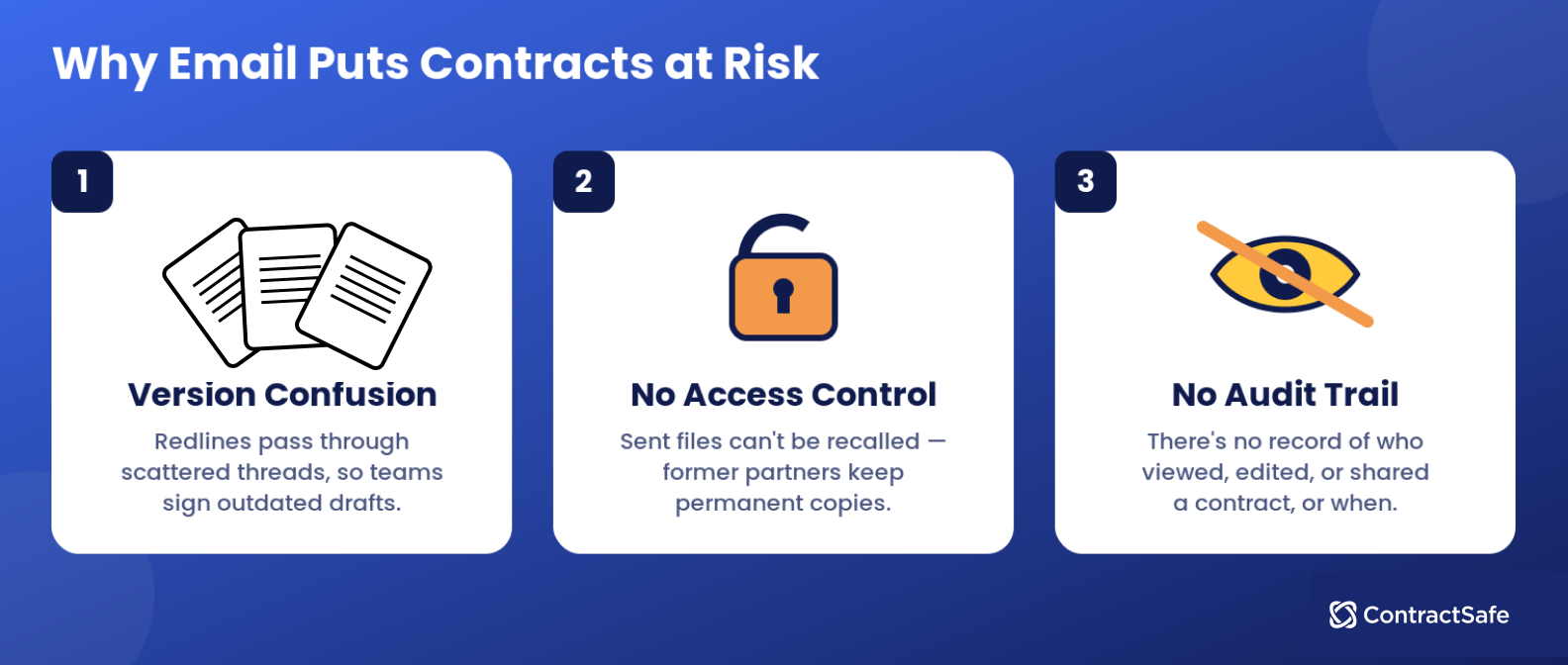
| Version Confusion | Multiple redlines get emailed back and forth with no real answer for which version is current. | Teams execute an outdated version of a contract, or discover after signing that a critical term was changed in a draft that never made it into the final file. |
| No Access Control | Once an attachment is sent, the sender cannot remove it from the recipient's inbox, forwarded threads, or downloaded copies. | A departed employee, terminated vendor, or former business partner retains a permanent copy of a confidential agreement with no way to revoke it. |
| No Audit Trail | Email provides no reliable record of who viewed, edited, or downloaded a contract, or when. | During an audit or dispute, the company cannot prove who had access to a document or when a specific version was shared. |
| Unsecured Attachments | Standard email attachments are not encrypted at the level required for sensitive contract terms, and forwarding removes any password protection applied to the original file. | Sensitive compensation, pricing, or settlement terms are exposed if an inbox is compromised or an email is forwarded to the wrong recipient. |
| Buried Obligations | Key dates, renewal terms, and compliance obligations live inside attachment text with no structured way to surface them. | Renewal deadlines and reporting obligations are missed because nothing outside the document itself is tracking them. |
| Poor Searchability | Contracts can only be found through searching email threads by people looped into the conversation, not information inside the agreements. |
Issues aren’t relegated to malicious intent or external cyberattacks. Sometimes it’s just an everyday occurrence, like pointing to the BEANWIFI sign. An employee forwards a vendor agreement to an outside advisor, a team member resigns with contracts saved in private folders, or a manager approves an older draft by mistake. You operate like that’s just the cost of contracts stored in multiple places, but it doesn’t have to be.
How Poor Contract Management Creates Audit Risk
An auditor asks for every active vendor agreement over $50,000 alongside every signed amendment from the past three years, and you have 48 hours to deliver the list. When those documents live across separate inboxes and desktop folders, your afternoon turns into a manual wild-goose chase through old email threads, sent folders, and archived accounts of former employees.
External reviewers expect immediate access to complete contract records, including every attached addendum, fee schedule, and side letter. Pulling three different versions of an agreement from three separate people raises immediate compliance concerns. Missing signature pages or untracked amendments register as compliance failures, even when your team followed every operational term to the letter.
During M&A due diligence or investment rounds, poor contract tracking carries immediate financial consequences. Buyers set strict deadlines to review your ongoing liabilities, auto-renewal windows, and payment obligations. When you cannot produce a complete contract history, deal timelines stall. Buyers lower valuation estimates or walk away from negotiations because unorganized files signal weak internal management.
What ContractSafe Solves That Email Cannot
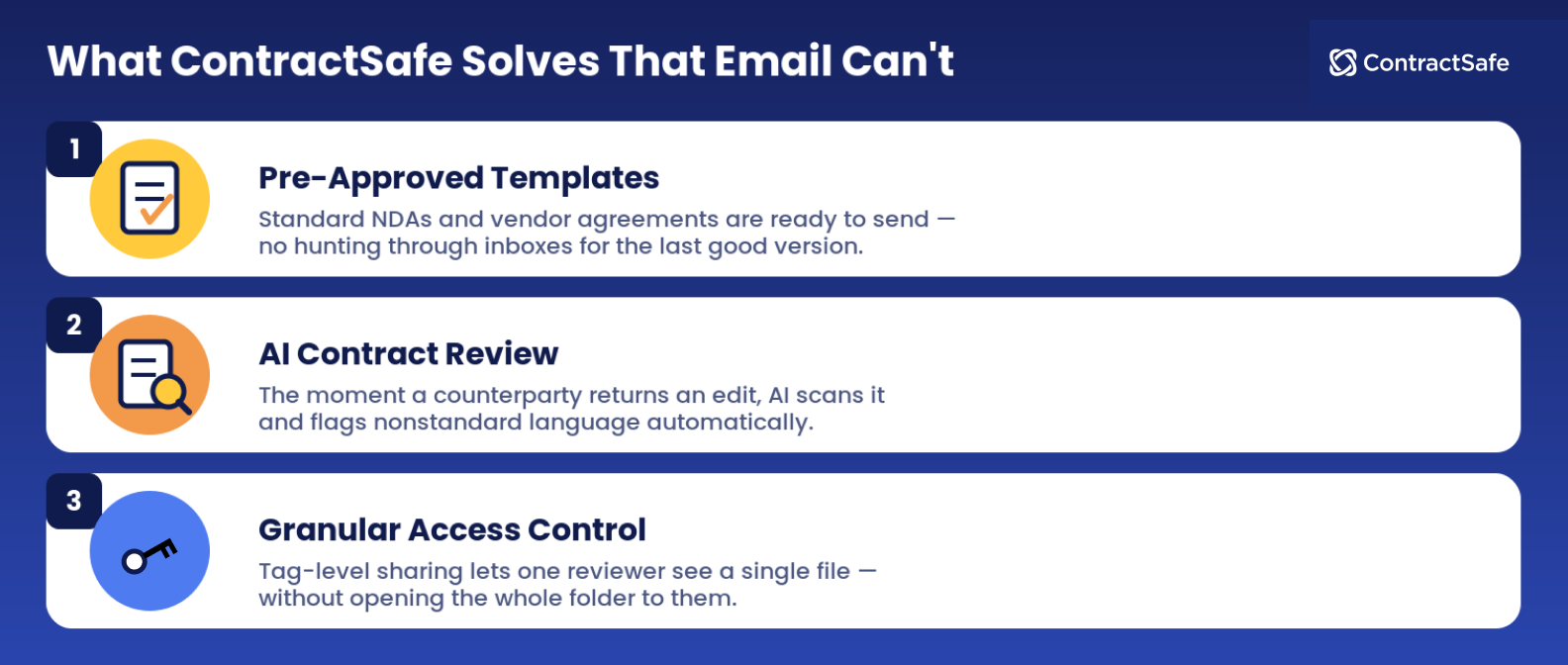
Moving contracts out of email into a dedicated CLM like ContractSafe lets you take back control of your security and your standards. When sales reps or department managers need a standard NDA or vendor agreement, they can use a pre-approved template instead of hunting through inbox folders or shared drives for old versions. When a counterparty returns an edited agreement, AI contract review scans the document, flagging nonstandard language.
And when you need three people to look at an agreement before signing, approval workflows let you send a contract to the right people, in the order you choose or all at once, and everyone sees what's waiting on them the moment they log in.
To keep your contracts secure, granular access controls keep permissions tight throughout the review process. Tag-level sharing overrides folder settings, allowing an account manager tagged on Smith Account to review that specific document without access to the parent folder. ContractSafe also maintains SOC 2 and ISO 27001 certifications, providing formal security protections that email attachments cannot match.
And when your team starts asking “what agreements renew in August,” AI-powered search can parse through your entire data base, including old paper agreements. Optical character recognition turns scanned PDFs and legacy paper documents into searchable text, so you can simply type in a renewal date question and see all agreements that match your query.
How ContractSafe Helps You Track Your Contract Value
The vulnerabilities of inbox contract management stay hidden until an expensive vendor contract auto-renews, an audit exposes missing signature pages, or a legal dispute centers on conflicting drafts. Fixing these failures after they happen costs far more than fixing content management practices upfront. ContractSafe becomes one master version for every contract, logs user activity, and sends automated alerts before critical dates arrive. Ready to see how ContractSafe can keep you safer?
Request a demo with ContractSafe today to secure your contract management workflows.







.svg)







.svg)




