



Quick answer: A service agreement, or service contract, is a legally binding contract between a client and a provider. It sets out the work, the price, the timeline, who owns the results and how either side can end it. If a dealer offered you a "service contract" on a car or appliance, that's something else: a repair plan you buy separately, often sold as an extended warranty, which the FTC says isn't a warranty under federal law.
Your IT support agreement renewed itself last month for another two years, because the 60-day notice window closed while everyone was busy. Then the email server went down on a Monday morning, and the vendor's four-hour response time turned out to be a "goal" with no credit attached. Nobody on your side read the payment clause either, so finance has been paying the vendor's invoices within 15 days when the agreement gives you 60 days to pay. None of this is unusual. All of it was in the agreement, and checking a few numbers before signing would have caught it.
Choose your next step:
- If you're doing repeat work with one provider, read our master service agreement guide.
- If you're hiring an individual rather than a firm, start from our independent contractor agreement template.
- If you're tracking agreements that are already signed, see how ContractSafe's contract tracking features keep renewal and notice dates in view.
Key Takeaways
- A service agreement is a signed, enforceable contract that sets out the services, payment, term and exit rules between a provider and a client.
- A consumer service contract, often sold as an extended warranty, is bought separately and isn't a warranty under federal law, so check that it doesn't duplicate coverage you already have.
- Write an exact net payment term and a late-interest rate into every agreement, and remember that a longer term helps the client and costs the provider, so neither side should accept one by accident.
- IT support agreements need response times, uptime commitments and service credits: in Uptime Institute's 2026 outage analysis, 57% of operators said their most recent major outage cost more than $100,000.
- Auto-renewal clauses cause trouble when nobody tracks the notice date, so put every renewal and termination deadline on a calendar the day you sign.
What Is a Service Agreement Contract?
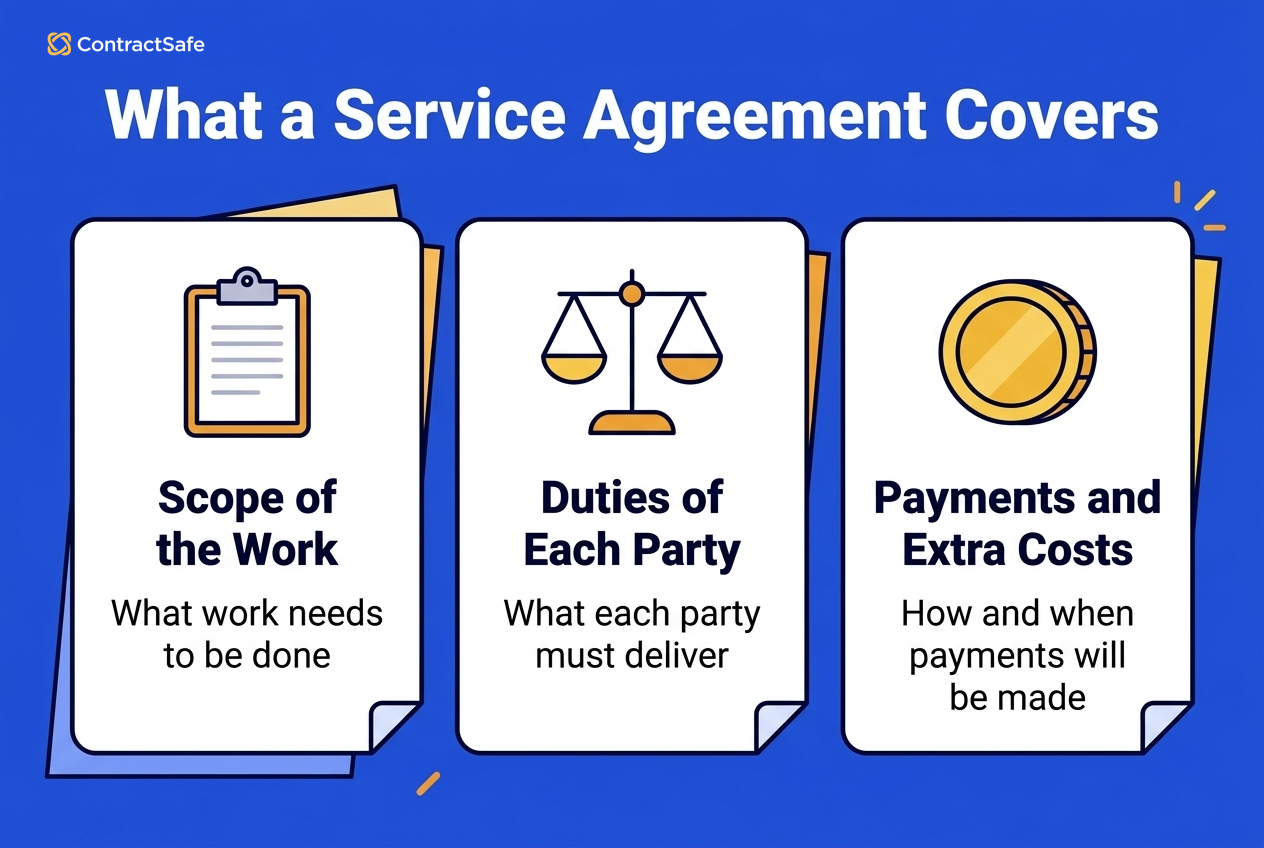
A service agreement is the contract a client and a provider sign before the work starts, and once both sides sign, it's enforceable. The provider might be a freelancer, a small business, a large consulting firm or a multinational. Either way, the agreement puts in writing what you're buying and what happens when something goes wrong, so it should answer:
- Who the parties are, by legal name
- What the provider delivers, by when, and how you accept each deliverable
- What you pay, how it's invoiced, and exactly how many days you have to pay
- How long the agreement runs, whether it renews and how either side can end it
- Who owns the work product and what stays confidential
- How much liability each side carries, and how disputes get settled
The next section is for readers a dealer offered a "service contract" on a car, appliance or electronic product, which is a different kind of contract. If you're writing an agreement between a client and a provider, skip ahead to the template.
How Consumer Service Contracts Differ From Warranties
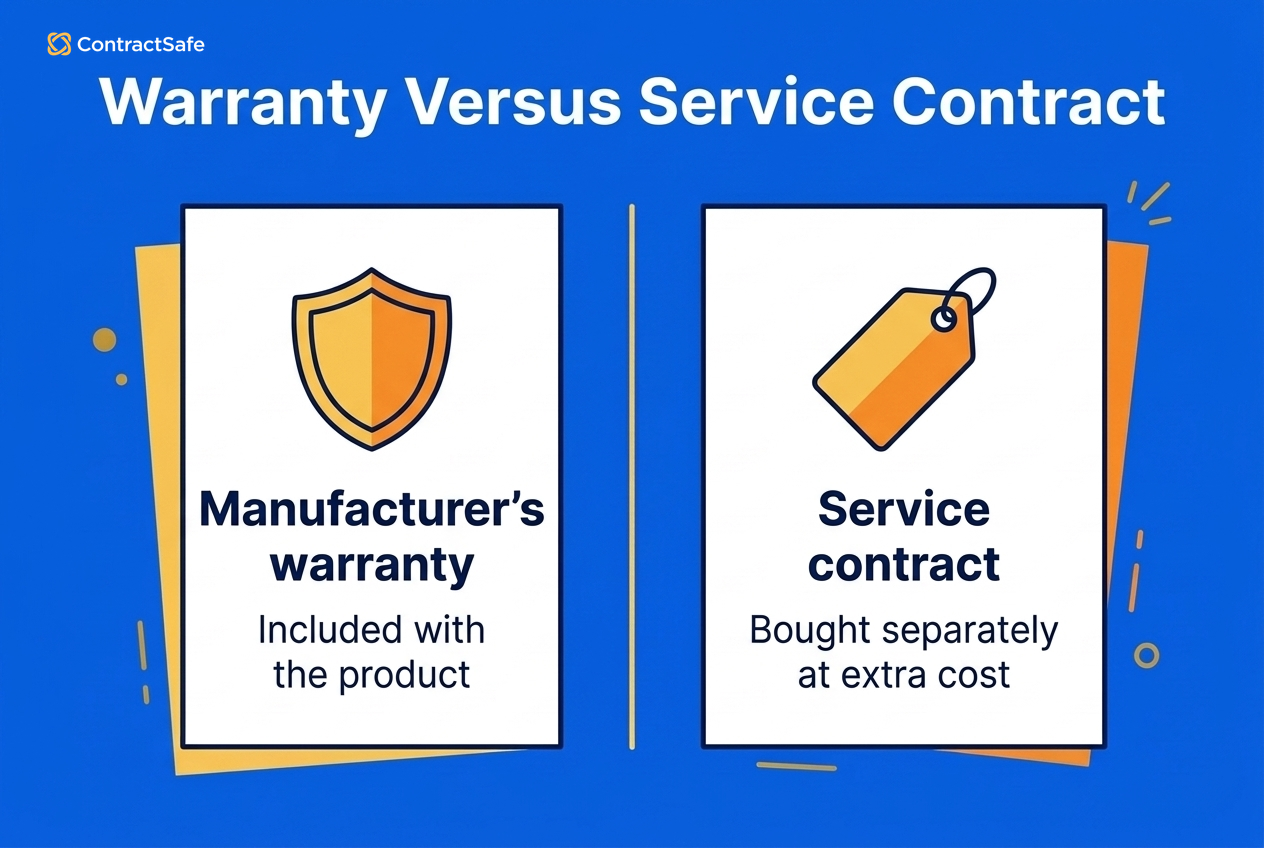
A consumer service contract is a repair plan you buy separately from a car, appliance or electronic product. It's usually sold as an extended warranty, but it isn't a warranty in the legal sense: a warranty comes with the product, while a service contract costs extra and is often sold by a dealer or an independent company.
The FTC's auto service contract guidance puts it plainly: an auto service contract or extended warranty "is not a warranty as defined by federal law, because you buy it separately; it's not included when you buy a car." The Magnuson-Moss Warranty Act, at 15 U.S.C. 2301(8), defines a service contract as "a contract in writing to perform, over a fixed period of time or for a specified duration, services relating to the maintenance or repair (or both) of a consumer product." The FTC's guidance on extended warranties adds that a service contract "costs extra and might cover different issues than a manufacturer's warranty."
| Question | Manufacturer's warranty | Service contract |
|---|---|---|
| How you get it | Comes with the product | Bought separately, and optional |
| Cost | Included in the price | Extra; for cars, several hundred to several thousand dollars |
| Who offers it | The manufacturer | A manufacturer, dealer or independent company |
| Who decides claims | The manufacturer | Often an independent administrator |
| Cost at repair time | Set by the warranty terms | May include a deductible per repair |
The cost row comes from the FTC's auto guidance, which also warns that you may pay a deductible each time the vehicle is repaired and that many dealer-sold contracts are run by independent administrators who decide which claims get paid.
Before you buy one, add up what it really costs, including deductibles and transfer fees. Find out who backs the contract and how claims work, and check whether the early years of coverage overlap a warranty you already have.
Then read how the coverage is written. A stated-component contract lists the parts it covers, so anything it doesn't name isn't covered. An exclusionary contract lists only what's left out, which usually leaves you with more.
Many contracts require routine maintenance. Keep your service records, because a claim can be refused if you can't show the work was done.
Finally, make sure the offer is real. The FTC warns that scammers sell fake extended warranties by phone and by mailers dressed up as official notices that your coverage is running out, and push for a down payment before sharing the contract details. Hang up on unsolicited robocalls, and report an offer to your state attorney general or at ReportFraud.ftc.gov.
Service Agreement Template You Can Copy
This skeleton covers every part of a client-provider service agreement in order, so you start by editing instead of facing a blank page. Fill in the brackets, cut what doesn't apply, and have counsel review anything with real money or data at stake.
- Parties. [Client legal name, address] and [Provider legal name, address].
- Services and deliverables. [Services], [deliverables], [due dates] and [how the client accepts each one].
- Term. Starts [start date]; ends [end date / on completion / on termination].
- Fees and expenses. [Hourly rate or fixed fee], invoiced [monthly / at milestones], payable net [number] days, with [late interest rate] on overdue amounts and [reimbursable expenses].
- Independent contractor status. Provider is an independent contractor, controls how the work is done, and handles its own taxes, benefits and tools.
- Intellectual property. Client owns [deliverables] on [full payment]; provider keeps [pre-existing tools and know-how] and licenses them for use in the deliverables.
- Confidentiality and data protection. Each party protects the other's confidential information for [period]; provider uses [client data] only for the services and reports any breach within [time frame].
- Warranties, indemnification and limitation of liability. Provider warrants [professional, workmanlike performance]; each party indemnifies the other for [third-party claims]; liability is capped at [fees paid in the prior number of months].
- Termination. Either party may end the agreement on [number] days' written notice, or at once for a material breach not cured within [number] days; client pays for work done to the termination date.
- Dispute resolution and governing law. [Negotiation, then mediation or arbitration]; laws of [state]; venue in [county, state].
- Entire agreement and amendments. This document is the whole agreement, and changes count only in a writing signed by both parties.
- Signatures. [Names, titles and dates] for both parties.
For repeat work, put the legal terms in a master service agreement and each project's scope, price and dates in a statement of work (SOW).
Types of Service Agreements
Service agreements come in seven common types: project-based, fixed-term, ongoing maintenance and support, retainer, consulting, MSA plus SOW, and freelance. The right one depends on how the work is scoped, priced and renewed, and it shapes how you fill in the template's term, fees and termination parts.
1. Project-Based
Use it when the work has a defined end product. Say you're outsourcing a new software application. In custom software development, the agreement should set out the scope, development milestones, functionality, testing procedures and security protocols. It should also settle who owns the source code and who provides support after launch, since those are the points most likely to end in a dispute. Name an owner on your side to track each milestone and the support obligations that outlast launch.
2. Fixed-Term
Use it when you need a service for a set period with a clear end date, such as a property manager hiring a snow-removal company for the winter season. Decide up front whether the agreement expires quietly, renews automatically or needs a fresh signature. If it renews, put the deadline to non-renew on a calendar so it doesn't slip past.
3. Ongoing Maintenance and Support
Use it when the provider keeps something running, usually with an SLA attached. A manufacturing company contracting with a maintenance provider to service its production equipment would set out how often inspections happen, the preventative maintenance tasks, emergency repair procedures and response times. Assign someone to track missed response times, because service credits and termination rights depend on that record.
4. Retainer
Use it when you want a provider on call for a recurring fee. A marketing agency on retainer would work under an agreement that defines the campaign's objectives, target audience, marketing channels, budget and performance metrics. It should also say what the fee buys each month and whether unused hours roll over.
5. Consulting
Use it when you're buying expertise and advice. When a financial consulting firm provides investment portfolio analysis, the agreement should cover the scope of analysis, the deliverables (reports, presentations, recommendations), the timeline, access to client information and resources, and confidentiality. Confidentiality obligations usually survive the engagement, so note the date they end. If you're drafting one, our consulting agreement template gives you a head start.
6. MSA Plus SOW
Use it when you'll buy repeat projects from the same provider. The MSA sets the legal terms once, and each SOW adds one project's details, so you don't renegotiate liability and IP every time.
7. Freelance or Contract Work
Use it when you hire an individual for a defined piece of work, such as a writer hired to create and publish website content for a client. The agreement would set the number of articles, word count, topics, deadlines and payment. Those numbers protect the writer from scope creep, because a fifth article or a longer piece is plainly extra work at an extra price. They also give the client its content on time and within budget. Because the writer publishes the pages too, the agreement should settle who controls the publishing setup: the website builder the site runs on, who holds the login and who pays for the subscription.
IT Support Agreements and SLAs
An IT support agreement is an ongoing service agreement with a service level agreement (SLA) attached: the provider supports your systems and users, and the SLA sets measurable targets for how fast it responds and fixes problems. The heart of the SLA is a severity table. The figures below are ContractSafe's sample starting points to adjust for your systems and budget, not an industry standard.
| Severity | What it means | Response | Resolution target |
|---|---|---|---|
| P1 (critical) | A system is down or unusable for everyone, with no workaround | 30 minutes, around the clock | 4 hours |
| P2 (high) | Service is degraded or a key function is failing, but a workaround exists | 2 business hours | 1 business day |
| P3 (normal) | A single user is affected, or it's a how-to question | 1 business day | 5 business days |
A table like that only works if the agreement also says who assigns the severity and how a ticket gets escalated if the provider disagrees. Write down the support hours and their time zone, for example 8 a.m. to 6 p.m. Eastern, Monday to Friday, and the after-hours rule: which severities get round-the-clock response (usually P1 only), how you reach the on-call engineer, and whether after-hours work costs more.
Every vendor excludes something, so keep the exclusions list short and specific: third-party software the provider doesn't manage, problems caused by changes your own team makes, and power or telecom outages outside the provider's control. Anything not on the list stays covered.
The fee model should state the monthly fee, the hours or tickets it includes, the rate for work beyond that, how much written notice the provider must give before a price change, and a price lock for the initial term.
Around the severity table, a solid IT support agreement also spells out:
- Covered systems, locations and users
- Support channels, such as phone, email or a ticket portal
- An uptime commitment and how it's measured
- Service credits when targets are missed, plus a termination right if misses keep happening
- Security duties, including how fast the provider must report a breach
- Backup and recovery responsibilities
- Exit help: returning your data and handing over to the next provider
Outages are expensive. In its 2026 report, Uptime Institute found that 57% of operators said their most recent major outage cost more than $100,000, and for the second year running 1 in 5 put the cost above $1 million. The same research found that third-party IT and data center providers account for about two-thirds of publicly reported outages, so a lot of failures start outside the affected company's own walls. When that happens, you may not be able to see the cause, let alone prove what it cost you. That's why credits and exit rights should hang on the measured service levels, not on an argument about blame: a missed target earns a credit, and repeated misses give you a way out. The SLA sets those service levels, while the service agreement around it covers scope, payment, liability and exit.
Red Flags in a Vendor's IT Support Draft
Vendor-written drafts often contain wording that looks like an SLA but commits the provider to very little. Watch for these patterns, and ask for the fix before you sign:
- Response times called "goals" or "best effort." Ask for response and resolution times stated as commitments, with a service credit for each miss.
- Termination as the "sole and exclusive remedy." That wording wipes out credits and damages, so your only answer to bad service is walking away. Ask for credits and a termination right, with neither replacing the other.
- A liability cap of one month's fees. One month of a support fee rarely covers what a P1 outage costs. Ask for a cap tied to fees paid over a longer prior period, with carve-outs for data breaches and confidentiality.
- Broad exclusions. Language such as "any issue caused by third-party products or the customer's environment" can swallow most tickets. Ask for a short, named list.
- Price changes with no initial-term lock. Ask for fixed pricing through the initial term and written notice before any increase at renewal.
Buyer Checklist Before You Sign a Service Agreement
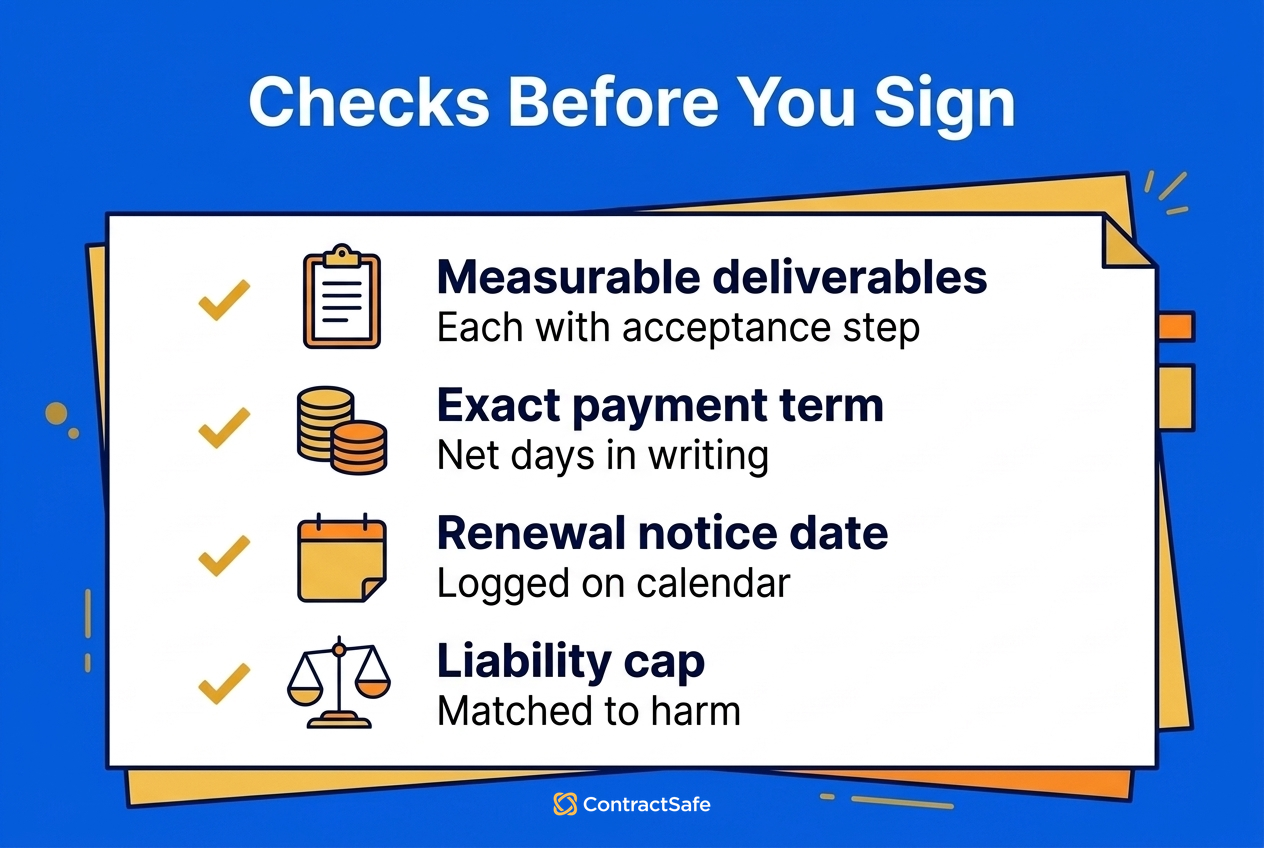
Before you sign any service agreement, IT support or otherwise, confirm that deliverables are measurable, the payment term is exact, renewal deadlines are on a calendar, ownership and liability are clear, and every sales promise is in writing. Each test below catches a problem that's cheap to fix now and expensive to fix after the first invoice arrives.
- Is every deliverable measurable, with an acceptance step?
- Is the payment term an exact number of days, with late interest spelled out?
- Does the agreement renew automatically, and what's the notice deadline? Put it on a calendar today.
- Who owns the work product, and when does ownership pass?
- Is the liability cap in proportion to the harm a failure could cause?
- Can the provider subcontract, and will it handle your data?
- What happens to your data and files when the agreement ends?
- Is every promise from the sales process written into the agreement? The entire-agreement clause wipes out anything that isn't.
Clauses Every Service Agreement Needs (and the Ones That Depend on the Deal)
The must-haves below belong in every service agreement and follow the same order as the template above. The second group earns its place only when the deal calls for it.
Must-Haves
- Parties: Legal names, addresses and any business identifiers for both sides.
- Scope of work: The services, deliverables, milestones and how the client accepts each one.
- Payment terms: The fee, the schedule and an exact net term, such as net 30, rather than "upon receipt" or "promptly." Atradius's US 2026 payment practices report, published in September 2026, found that about three in five US suppliers give up to 30 days from invoice to pay. Only about half that share give one to two months. So net 60 is a long time to wait for payment. It helps the client, who keeps the cash longer, and costs the provider, who waits for it. A client who wins net 60 should make sure finance actually pays on day 60 rather than early, or the concession is wasted. A provider should grant it only as a concession it chose to make, with late interest running from the same due date.
- Late interest: A rate on overdue amounts, which also fixes the date a payment becomes late. That date matters: Atradius found that on average 22% of B2B receivables are paid late. If you want a published rate to point to when picking yours, federal agencies owe the Treasury Prompt Payment rate on their own late payments: 4.75% for July to December 2026, reset every six months. It isn't a private-sector standard, and on a $10,000 invoice paid 30 days late it comes to about $39, so the clause earns its place by fixing the due date more than by the money it collects. Check state limits on interest with counsel.
- Term and termination: Start and end dates, notice periods and the exit for an uncured breach. If it renews automatically, state the non-renewal deadline and how notice must be given.
- Independent contractor status: The provider controls how the work gets done and handles its own taxes, benefits and tools.
- Intellectual property: Who owns the deliverables, from when, and what the provider keeps.
- Confidentiality: What's confidential, how it's handled and how long the duty lasts.
- Warranties and indemnification: The quality promise, and who pays for third-party claims.
- Limitation of liability: A cap on each side's exposure. A common drafting choice ties the cap to fees paid over a set prior period, such as the previous 12 months. Size it to the harm a failure could cause, and carve out confidentiality and data breaches, where the stakes run higher.
- Dispute resolution and governing law: The steps before court, which state's law applies and where any case is heard.
- Entire agreement and amendments: The signed document replaces earlier promises, and changes only count in a signed writing.
- Signatures: Authorized signers for both parties, with names, titles and dates.
Add When the Deal Calls for It
- Data protection: Add it when the provider touches personal data. It sets handling rules, security duties and breach notice.
- Insurance requirements: Add it when work happens on-site or a professional error could be costly. It sets the coverage the provider must carry.
- Force majeure: Add it when performance depends on outside supply or infrastructure. It excuses delays caused by events like natural disasters.
- Assignment and subcontracting: Add it when the provider may hand work to others. It says whether either party can assign rights or delegate duties.
- Non-solicitation: Add it when the provider's staff work alongside yours and neither side wants to lose people to the other.
- SLA and service credits: Add them whenever you're buying ongoing support, as covered in the IT support section.
Of all these, the contractor-status clause is the one people skip, and the label alone settles nothing. A provider you call an independent contractor on paper isn't one if you control how they work day to day, and control is what the federal test looks at. The Department of Labor's February 2026 proposed rule, which isn't final, would center it on "the nature and degree of the worker's control over the work" and "the worker's opportunity for profit or loss based on initiative and/or investment." So write the clause, make sure the way you work with the provider matches it, and run the finished draft back through the buyer checklist.
Who Manages Service Agreements?
Managing service agreements usually involves several teams, and the split depends on the services and the size of the organization. What matters is that every duty the agreement creates after signature has a named owner:
- Legal: Makes sure every promise from the sales process is in the signed document before signature, because the entire-agreement clause wipes out anything that isn't, and that later changes go through a signed amendment. Legal also notes when confidentiality obligations that survive the engagement finally end.
- Procurement or vendor management: Negotiates the terms, including the price lock and liability cap, and owns the renewal calendar. The non-renewal deadline goes on that calendar the day the agreement is signed, so a 60-day notice window can't close while everyone's busy.
- Project managers: Check deliverables against their acceptance steps, log every missed response time, since service credits and termination rights depend on that record, and allow no new work without a signed change order.
- Finance: Pays to the net term you negotiated, so net 60 means paying on day 60, not day 15, and on agreements where you're the provider, charges late interest from the due date.
The Challenges of Managing Service Agreements
Most trouble with a signed service agreement comes from six places, and each one has a fix that belongs in the agreement itself.
Ambiguous Terms
"Reasonable efforts" or a response time called a "goal" reads fine at signing and commits nobody to anything in a dispute. Replace soft words with numbers: a response time in hours, a payment term in days, a deliverable with an acceptance step. If you can't say what a phrase would require the provider to do, ask before you sign.
Unrealistic Expectations
A client expects a website redesign almost overnight when the provider needs far longer, or a provider promises round-the-clock support it can only staff during business hours. Both gaps close once the expectation is written down: due dates in the services section, and support hours, time zone and the after-hours rule in the SLA.
Performance Issues
Missed deadlines and slow fixes can add up to a breach of contract. By the time they do, you've usually lived with poor service for months. Use the remedies the SLA gives you at the first misses, rather than waiting until a breach is your only argument.
Payment Disputes
Most payment disputes start with "upon receipt" or "promptly." An exact net term, with late interest running from that same due date, leaves nothing to argue about.
Scope Creep
Scope creep is the gradual growth of the work beyond what was agreed, and it brings higher costs, missed deadlines and frustration on both sides. Start with a well-defined scope of work, and require a written change order, signed by both sides, before any new work begins.
Updating Agreements
Business needs change, and the rules on renewals and cancellations are still moving too. A federal appeals court vacated the FTC's 2024 click-to-cancel amendments, and in a March 2026 release the agency asked for public comment on a new rulemaking. Rather than counting on any rule to protect you, check the notice terms in each auto-renewing agreement, and review it before its non-renewal deadline, while you can still renegotiate or leave.
Related Reading
If you're working on a service agreement right now, these guides pick up where this one leaves off:
- How to Audit Contracts for 5 Critical Clauses
- How to handle contract renewals before the deadline
- The main types of business contracts
How ContractSafe Helps You Manage Service Agreements
ContractSafe is contract management software that keeps every signed service agreement in one searchable place and tracks the renewal and notice dates that tend to slip. It supports creation, review, approval, signature, storage and date management, with the full lifecycle set on the Maximize plan.
Search matters most when someone asks what a vendor's termination or renewal clause says and the answer is buried in dozens of files. Rebecca Dockum, Trade Contract Manager at Synergie, says: "People’s minds were blown the first time I showed them they could search every contract at once. That moment alone has saved me from being the answer key every time someone has a question about an agreement."
Here's how it helps with service agreements:
- Centralized repository: Store every service agreement, SOW and amendment in one secure, cloud-based repository, with each MSA connected to its SOWs. Security includes SOC 2 audit certification, 256-bit AES encryption, folder and tag permissions, and audit trails.
- AI organization and categorization: ContractSafe's AI extracts key data, categorizes contracts by type and answers plain-language questions about a contract, and you can accept, correct or skip suggested values.
- Renewal and notice alerts: Set automated reminders for payment dates, milestones, renewals and the deadline to non-renew, with the contract attached to the email.
- E-signature integrations: The Finalize and Maximize plans include unlimited native e-signatures, signers don't need a ContractSafe account, and you can connect your own DocuSign account if you'd rather use it. With native signing, the signed copy replaces the draft and the signature audit trail is attached.
- Advanced search: Full-text search with OCR makes even scanned agreements keyword searchable, so you can find a particular termination clause in any contract.
- Collaboration tools: Version tracking comes on every plan, and Finalize and Maximize add redlining to compare drafts and highlight differences.
ContractSafe pricing starts at $450/month (Organize plan, billed annually; $540 month-to-month), with unlimited users on every plan.








.svg)







.svg)




