



Quick answer: Organizing contracts for a small business means deciding where every agreement lives, how it's named and categorized, how long it's kept and who can open it. To organize contracts, gather every agreement, set a retention rule, give them one home, name them one way, record six fields, attach amendments to the parent, give access by role and set alerts on the renewal notice date.
Picture a 15-person business with contracts in three places. Some are attachments in the founder's Gmail, some sit in a shared drive folder called "Legal stuff," and a few live only on the founder's laptop. In March, the bookkeeper notices a $14,000 charge for a software subscription nobody uses anymore. It renewed for another year because the contract needed 60 days' written notice to cancel, and nobody knew the date. Nobody needed fancy software to prevent that. Someone just needed to make eight decisions once and stick to them.
Choose your next step:
If you're ready to see the difference software makes, start with ContractSafe's small business contract management software.
If you're building the process first, read our guide to small business contract management.
If you're holding the pile and want the steps, skip to how to organize contracts step by step.
Key Takeaways
Getting contracts organized starts with eight decisions you make once, from rounding up every agreement to setting alerts on the notice date.
Use one top-level folder grouping and record everything else as fields, because a file can only sit in one folder.
Keep one executed version and attach amendments and SOWs to the parent contract.
Set alerts on the renewal notice date, not the end date, because once the notice date passes the contract renews, and no federal rule makes the vendor warn you.
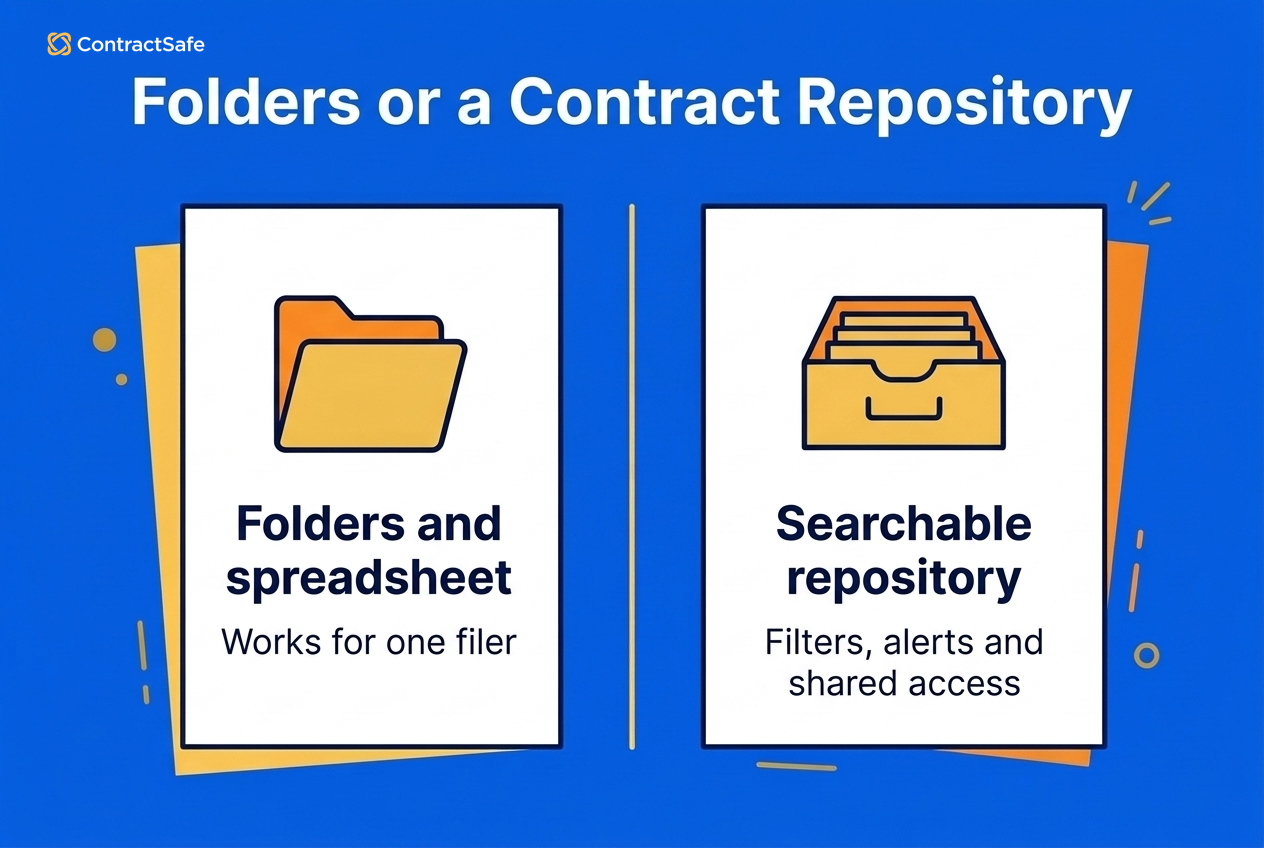
Folders and a spreadsheet hold up while one person does the filing, and break once a second team signs agreements or a renewal gets missed.
What Does It Mean to Organize Contracts?
Organizing contracts is the filing side of contract management, and everything else depends on it. You can't track a renewal date you can't find, and you can't use an old agreement in your next contract negotiation if it's buried on someone's laptop. Making the eight decisions below is the easy part. The real work is applying them the same way to every agreement.
When contracts aren't organized, you pay for it in missed notice deadlines and obligations nobody's tracking. You also pay for it in a scramble when a lender, a buyer or an auditor asks for every agreement you've signed.
Problems like these stick around when no one is responsible for them, which is why every contract in the steps below gets a named owner.
How to Organize Contracts Step by Step
Organize contracts in eight steps: round them up, set retention, pick one home, name them one way, record six fields, attach amendments, give access by role and alert on notice dates. For a small business the order matters, because you gather your contracts and decide what to keep before you build anything, so the system fits the agreements you actually have.
1. Round Up Every Contract
Start by finding everything, because you can't organize what you don't know you have. Check email attachments (search for "agreement," "MSA," "SOW," "terms" and "signed"), shared drives, desk drawers, filing cabinets, personal laptops and every e-signature account anyone at the company has used.
For example, an office manager might spend one afternoon searching the founder's inbox and the sales lead's e-signature account and turn up 40 agreements nobody had listed, including two equipment leases and a staffing agreement that's still active. Scan the paper ones as searchable PDFs while you're at it. Don't sort anything yet. Just get every contract into one pile, because the next step decides which ones stay in it.
2. Decide What You Keep and for How Long
Archive each contract when it ends, and keep it for the longest retention period that applies. Two clocks usually matter: your state's deadline for suing over a written contract, counted from the end date, and the period the IRS expects you to keep tax records. For contracts, the state clock usually runs longer.
In California the deadline to sue is four years under Code of Civil Procedure §337, and in New York it's six years under CPLR §213. A breach can happen right up to a contract's last day, so count from when the contract ends, not from when it was signed.
IRS guidance on how long to keep records says to keep records that support income, deductions or credits until the limitation period for that return runs out. That's generally three years, and longer for employment tax records and a few other cases. Before you throw anything out, check whether an insurer or creditor needs it kept longer.
Say you sign a two-year vendor MSA on January 1, 2026, and it ends December 31, 2027. A California business would keep it until about December 2031, and a New York business until about December 2033. Rules vary by state and contract type, so have counsel confirm your periods. Then write the rule down and archive contracts when their active life ends instead of deleting them.
3. Pick One Home
Choose a single place where every signed contract lives, and make it the only place. That could be one shared drive folder or a dedicated contract repository; if you go the repository route, our guide to building a centralized contract repository walks through the setup. What matters is that everyone knows where to look and nobody keeps a private copy that's "the real one."
Whatever you pick, make sure it can search inside documents. A search tool with optical character recognition reads scanned PDFs and images, so you can find a clause in a contract from 2019 that was never anything more than a photocopy.
4. Name Files the Same Way Every Time
Use one naming pattern for every contract so you can tell what a file is without opening it. A pattern that works well is Counterparty_, for example Acme_MSA_2026-03-01_v2. Compare that with a file called final_FINAL_v3.docx, which tells you nothing about who it's with or whether it's the signed copy.
Write dates as year-month-day so files sort in date order. Name amendments so they sit next to their parent, like Acme_MSA-Amend1_2027-01-15. Once the pattern is written down, rename the pile you gathered in Step 1 before anything else goes in.
5. Choose One Top-Level Grouping and Record the Rest as Fields
Pick one way to group your folders, such as by counterparty, contract type or department, and record everything else as fields. A file can only sit in one folder, so if you group by counterparty you can't also browse by renewal date. Fields solve that, because you can sort and filter on any of them.
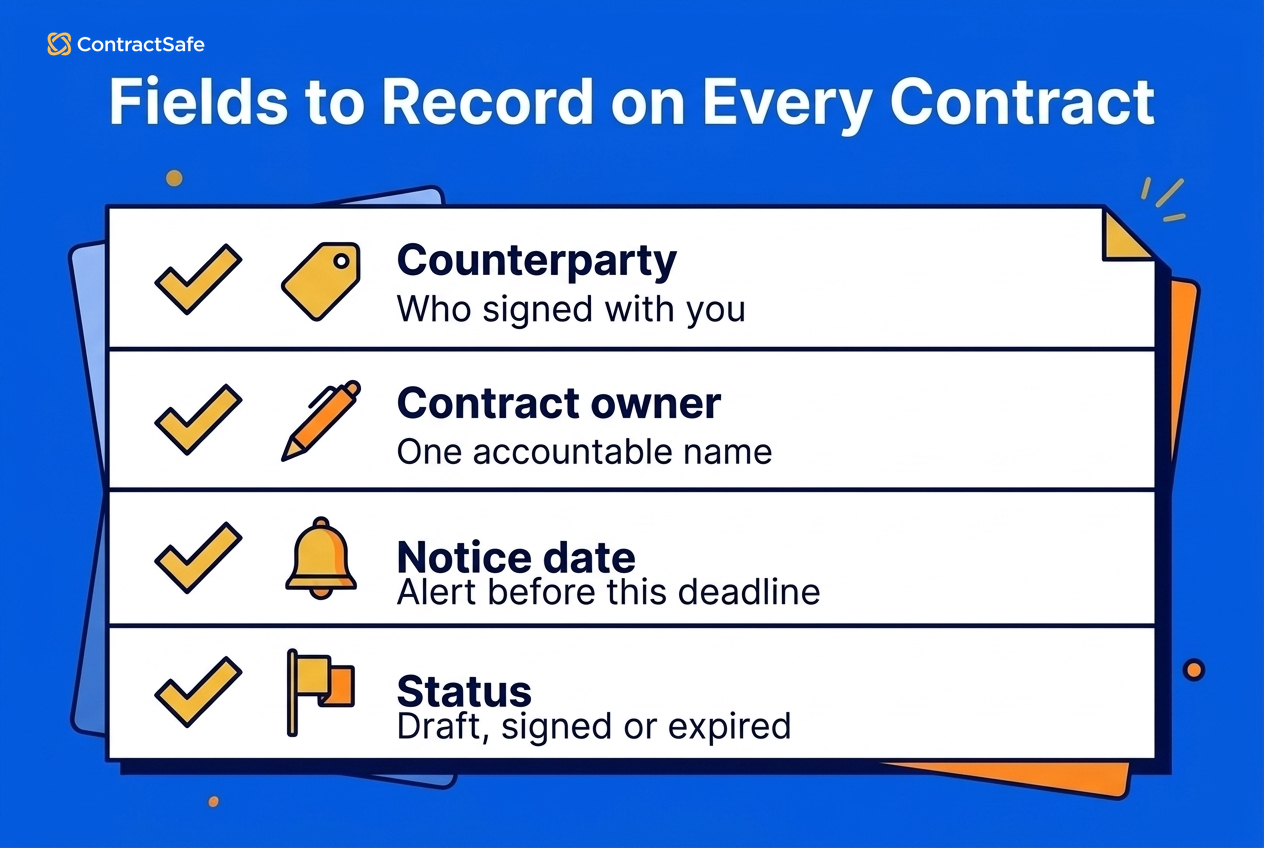
Record the same six fields on every contract: counterparty, contract type, owner, start date, end date and renewal notice date. Add a status field too (more on that in Step 8). If it's useful, add optional fields like contract value, payment terms or governing law. In a spreadsheet, each field is a column. In a repository, each one is a field on the contract record itself.
For example, a small marketing agency might put folders by client at the top level, then use a "type" field to pull up every NDA in seconds and an "end date" field to see what's expiring this quarter. Don't skip the owner field. It's the name of the person who answers for that contract when a date comes up.
6. Control Versions and Attach Amendments
Keep one executed version of every contract and attach every amendment and SOW to it. When drafts move back and forth in Word and email, you end up with three files called "final" and a real risk of signing the wrong one.
The manual fix is to delete every superseded draft as soon as a contract is signed, which works but throws away the negotiation history. The better fix is a version history that keeps old drafts and marks one copy as executed. Either way, an amendment never lives on its own. If Acme's MSA gets a price change in 2027, that amendment goes with the MSA, so whoever opens the contract sees the current terms.
Signing in a tool that's connected to your contract library helps here, because the executed copy gets filed with its name and fields instead of waiting in someone's inbox.
7. Give Access by Role
Decide who can see which contracts based on their job, and set access per contract or per folder. For example, finance can see vendor contracts tagged Finance, and an outside auditor gets read-only access to just the folders under review. Access works at the contract level. If someone can open a contract, they can see the whole thing, so don't plan around hiding individual fields like payment terms from someone who has access.
Done well, this is what gets people to actually use the system, whether it's a folder tree or a CLM (contract lifecycle management) tool. As Matt, associate general counsel at an insurance company, put it in his case study: "ContractSafe lets us give each department access to only the contracts relevant to their work. Our marketing team sees their 50 vendor agreements instead of all 800. They actually engage with it. That's what makes a CLM work across a company."
8. Track Status and Alert on Notice Dates
Give every contract a status (draft, in review, signed or expired) and set an alert on the renewal notice deadline, not the end date. Back to the $14,000 subscription: if it ends December 31 with 60 days' notice to cancel, the date that matters is about November 1, so set your reminder for early October. That gives you time to decide whether to keep it.
When you're the business buying the service, no law outside a few narrow state rules will remind you, so tracking that date is your job. California's Business and Professions Code §17601 protects consumers, not a business buying services, and the FTC's click-to-cancel rule was vacated by the Eighth Circuit in July 2025. New York's General Obligations Law §5-903 is one of the narrow exceptions: in a contract for service, maintenance or repair of property, an auto-renewal clause can't be enforced against you unless the provider sent written notice 15 to 30 days before your deadline to cancel.
This is where contract automation earns its keep. A calendar reminder works for ten contracts. Once you're past that, automated alerts tied to the notice-date field mean nobody has to remember to set them.
Do You Need Software to Organize Contracts?
Not always, but sooner than most teams expect. With a handful of contracts and one person doing the filing, the eight steps hold up with one folder tree and a spreadsheet that has owner and notice-date columns. Some teams move before they have to, though, because one missed auto-renewal, like the $14,000 subscription above, can cost more than a year of software starting at $450/month.
Growth is what breaks it. You've outgrown folders and a spreadsheet once any of these is true:
A second team, like sales or operations, starts signing agreements.
A renewal or notice date was missed.
You can't answer "what do we have with this vendor?" without opening files.
Amendments are tracked in a separate spreadsheet from the contracts they change.
That last one is a common breaking point. As Rebecca Dockum, Trade Contract Manager at Synergie, described the setup she replaced: "We were a small organization using SharePoint folders and a spreadsheet to track every amendment."
If you're at that point, our roundup of the best contract management software compares the options. Ask any vendor how long implementation takes and who moves your existing files over, because the work you did in the eight steps should carry straight across.
What You Can Ask an Organized Contract Library
Once every contract carries the same fields, you can ask your library plain-English questions instead of opening files one by one. For example:
"Which vendor contracts auto-renew in the next 90 days?"
"Show me every agreement with Acme, including amendments."
"Which contracts over $50,000 have no owner?"
The answers are only as good as the fields behind them. AI contract management can't tell you what renews next quarter if half your contracts have no end date recorded and the other half are named "final." You'll get half an answer.
The same fields power simple reports that change how you manage contracts. How often do your contracts renew? Which contracts does each owner answer for? Filter by the fields, export the result to a spreadsheet, or schedule it to land in your inbox each month.
Related Reading
How ContractSafe Helps Small Businesses Organize Contracts
ContractSafe is a full-lifecycle contract management system, and every job in the eight steps runs inside it, from the first upload to the notice-date alert. Everything in the table comes with every plan except signing, which is on the Finalize and Maximize plans. The AI row covers suggested values for standard fields and contract Q&A; AI extraction for custom fields and AI contract review are on Maximize.
| Job | What ContractSafe does |
|---|---|
| One home | One repository for every signed agreement, with bulk and email upload, duplicate flagging, unlimited archive and data migration support |
| Search and OCR | OCR makes any file keyword-searchable, even scans, and smart search takes plain-English questions |
| Grouping and fields | Custom fields, tags, folders and contract types, with mandatory fields set by contract type, plus custom dashboards and saved views |
| Versions and amendments | Version tracking, amendment tracking and unlimited attachments connected to the parent contract |
| Access by role | Folder and tag permissions, permission groups and unlimited users, with access controlled per contract, not per field |
| Notice-date alerts | Unlimited date fields, automated reminders for renewals and deadlines to cancel, and an upcoming-date calendar |
| Signing and integrations | Built-in e-signature or a connection to your own DocuSign account, with the signed copy filed automatically (Finalize and Maximize plans) |
| AI | Suggested values for standard fields that you accept, correct or skip, plus chat-based Q&A on any contract (AI features are optional) |
ContractSafe pricing starts at $450/month (Organize plan, billed annually; $540 month-to-month), with unlimited users on every plan. That matters for small businesses, because the person who signs the occasional vendor agreement can have access without adding a seat.
Carrie McClain, Procurement Specialist at Vitality Living, described what they were after: "We needed one system that could keep every community's contracts organized, give each user the right level of access, and help us get ahead of renewals instead of reacting to them."








.svg)







.svg)




