


Provider contract lifecycle management software (CLM) is a solution healthcare organizations use to review, store, track, and act on the agreements that run their operations: payer contracts, physician and provider employment deals, vendor and supplier arrangements, and the compliance paperwork stapled to all of them.
A CLM helps teams manage contracts from the first request all the way through renewal. In practice, it offers one searchable home for every agreement, alerts that fire before renewal and notice dates, and workflows that move approval and signatures along. Review and compliance live here too: checking terms before anyone signs, controlling who can see what, and proving to an auditor that the right agreement exists and was executed. These are the jobs a shared drive and aging spreadsheets were never built to do.
Picture the crash cart every hospital keeps in the hallway. It sits there looking unremarkable until the moment somebody needs it, and in that moment the whole point of the cart reveals itself. Somebody checked it last Tuesday. Somebody dated the medications, restocked the drawers, and signed the little tag on the side. Nobody thinks about that work until the code is called, and then it’s the only work that matters.
Your contracts are that same kind of quiet infrastructure.
The payer agreement setting your reimbursement rates. The physician deal with its own renewal clock. The vendor contract for the imaging equipment. The business associate agreement (BAA) that keeps a data incident from becoming a federal problem. None of them announce themselves. They sit there governing money and risk right up until the day one expires and nobody noticed.
The difference between a hospital that runs smoothly and one that lurches from surprise to surprise usually isn’t talent. It’s whether somebody restocked the cart.
Key Takeaways
- Provider contract management software covers the full lifecycle: intake, templates, AI review, approvals, e-signature, a searchable repository, and deadline alerts.
- The pre-signature stage carries real compliance weight because physician compensation arrangements and business associate agreements need reliable review, approval, and signature records.
- The money at stake is documented. The American Hospital Association, Hospitals spent $43 billion in 2025 trying to collect payments insurers already owed, including nearly $18 billion on overturning denied claims. Winning those appeals start with producing the payer agreement and the amendment currently in force.
- ContractSafe is contract lifecycle management software that covers every stage of an agreement, from the first request to renewal: intake forms, templates, AI review, redlining, approvals, eSign, a searchable repository, and deadline alerts. Every plan includes unlimited users.
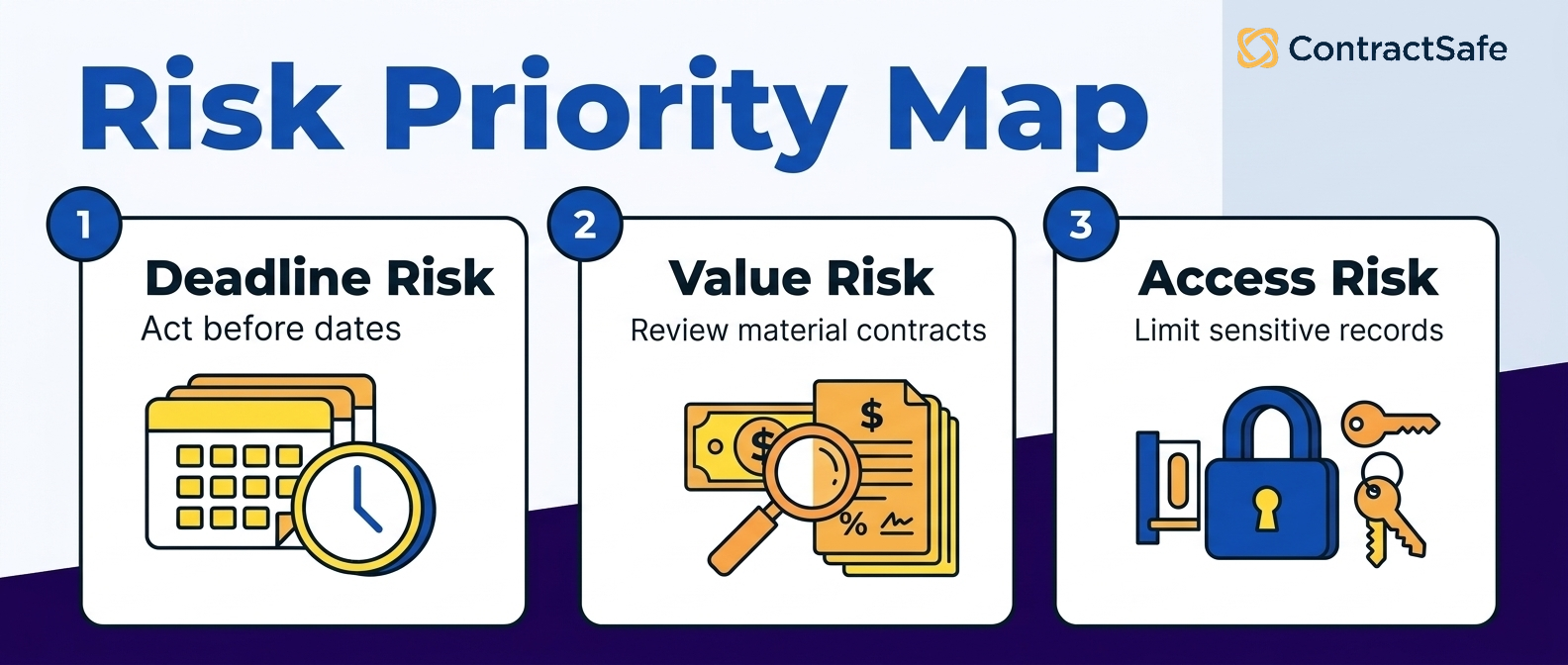
- The fastest wins come from three things done well: a clean repository, renewal alerts tied to real dates, and permissions that match who should see what.
Choose your next step:
-
New to this? Start with the category definition, then use the readiness check.
- Want to understand the workflow side? Jump to How Does Provider Contract Software Help Before you Sign?
-
If you already feel the pain and want the argument you can take to legal and finance, skip ahead to why it matters for legal teams.
- Ready to compare vendors? Jump to the healthcare buyer scorecard.
-
Managing software licenses and insurance policies? We have separate guides on it contract management and insurance contract management.
What Is Provider Contract Management Software?
Provider contract management software is a solution healthcare organizations use to manage all stages of a contract's lifecycle, from the first request through renewal.
Think of it as the digital version of a well-kept crash cart for every agreement your organization signs.
At its simplest, in the pre-signature phase, it gives you a front door for new contract requests, templates holding language your compliance team already approved, AI review that reads the other side's paper and flags what departs from your standards, approval routing and eSign.
After signature, it becomes a searchable place to keep contracts, a layer of alerts that warns you before a renewal or notice date arrives, and a permission system that decides who gets to access which contract folder. Good healthcare contract software also reads your documents and pulls out the parts that matter, so the renewal date buried on page nine of a scanned PDF becomes something you can filter and report on instead of something you rediscover by accident.
What makes healthcare contracting hard is the range of paper. A retailer signs vendor deals and leases. A hospital signs those, plus payer agreements, provider employment contracts, referral arrangements living under Stark and Anti-Kickback rules, and a compliance agreement for every outside party that touches protected health information,
Each one carries its own clock and its own consequence for missing it.
| Contract type | What it governs | The date that bites you |
|---|---|---|
| Payer agreements | Reimbursement rates and terms | Rate renegotiation and auto-renewal |
| Physician and provider employment | Compensation, term, notice windows | Renewal and non-renewal deadlines |
| Vendor and supplier deals | Equipment, supplies, IT services | Price escalators and cancellation dates |
| Business associate agreements | HIPAA-covered data handling | A missing or outdated BAA at audit |
The paperwork discipline isn't optional, and in places it is written into federal regulation. Under 42 CFR 489.11, a provider that wants to participate in Medicare has to return both copies of the provider agreement, signed by an authorized official, to the Centers for Medicare & Medicaid Services, the federal agency that runs both programs. There's no version of that requirement you can satisfy from memory.
None of this is glamorous, which is exactly why it gets neglected until it costs something.
WorldCC contract management research puts the cross-industry cost of poor contract management at close to 9% of annual business value. That benchmark spans every industry, so the useful exercise is finding your own version of it: a payer rate that renewed flat, a lease that auto renewed at the escalated price, a credential that lapsed mid-quarter.
If you want the fuller picture, our broader look at contract lifecycle management for healthcare teams goes deeper than one table can.
Do You Need Contract Management Software? A Seven-Question Check
A healthcare team needs contract management software when agreements, deadlines, and ownership cannot be answered reliably from one system. Use these questions to test the process your team follows today.
- Someone asks for an agreement signed in 2023. Can anyone produce it in five minutes, including if it only exists as a scan?
-
A contract requires notice well before renewal. Does anything alert you before the notice window closes, and does the warning reach someone who can act on it?
- A payer disputes a claim on rates. How long does it take to produce the agreement and the amendment currently in force?
-
A physician's employment agreement has three amendments. Can you say which terms are in force right now without opening all four documents?
-
A department head wants to check a contract they own. Can they do it without going through you?
-
An auditor asks for every agreement tied to one facility. How long does assembling that take?
-
Do your contract dates live in a spreadsheet? When was it last checked for accuracy?
If more than one person on your team quietly keeps a private list of important dates, you already know the answer. That list exists because the system doesn't.
Why Healthcare Legal Teams Need Contract Software
Healthcare legal teams handle payer amendments, data agreements, provider employment terms, and leases in the same workday. Contract software keeps the controlling documents, owners, and dates together so the team can answer questions before a deadline becomes a loss.
The scale of the payer side alone makes the case. The American Hospital Association reports that the average hospital employed about 64 administrative and billing staff in 2024, roughly 6.5% of total hospital employment, largely dedicated to getting paid. Medicare Advantage plans denied about 17% of initial claims, and 57% of those denials were eventually overturned. Read that second number again: more than half of denied claims were payable all along. What stood between the hospital and the money was the work of proving what the agreement said.
That's a contract retrieval problem wearing a revenue cycle costume.
Software earns its keep for lawyers in five specific ways:
- Templates with pre-approved language keep physician compensation terms consistent from the first draft. Catching a Stark problem at drafting costs a conversation. Catching it at audit costs considerably more.
- Approval routing enforces the rules you already have, so an equipment lease with a built-in price escalator reaches finance before signature rather than after the first increase lands.
- A searchable repository produces the payer agreement behind a disputed claim in seconds, even when the only copy is a scan.
- Deadline alerts convert renewal dates into scheduled decisions instead of ambushes.
- Saved contract management reports answer the quarterly board question without a fire drill.
When it’s time to make the internal argument, a CLM business case writes itself once you can show exactly how many agreements are sitting unmanaged today.
There's a version of this that goes wrong, and it's worth naming plainly. Teams buy a heavy enterprise platform, spend months configuring it, and train almost nobody. The software becomes one more drawer that goes unrestocked. For most mid-market healthcare operations, the smarter move is contract lifecycle management software a real person can adopt in a week, covering all the types of healthcare contracts without needing a consulting engagement just to switch it on.
How Does Healthcare Contract Management Help Before Signature?
Contract software gives healthcare teams one path for intake, drafting, review, approval, and signature. That keeps required reviewers involved and preserves the version the organization may later need to defend.
1. Collects Contract Requests Through an Intake Form
A department head signs a new imaging vendor and needs a BAA. Without an intake process, that request arrives as a forwarded email thread with no counterparty details, no dates, and no indication of what patient data is involved. An intake form captures those fields up front and routes the request to the right reviewer, so legal starts with a complete picture.
- Standard fields on every request: counterparty, contract types, dates, dollar value, and whether protected health information is involved.
- Automatic routing: A BAA goes to privacy, a physician agreement goes to compliance, a software license goes to IT.
- A queue you can see: you know what's pending and how long it's been sitting.
2. Draft from Templates With Pre-Approved language
Templates with pre-approved language keep one-off deals from becoming compliance problems later. For physician employment especially, a template built on compensation structures that already cleared fair market value review means every new agreement starts from ground your team has already covered. The same goes for your standard BAA, which should be a form your vendors sign rather than a document you negotiate every time.
3. Review Incoming Contracts with AI
Payers and vendors send their own contracts, and the risk is in how it compares to your standards. When a payer sends an amendment, the question is rarely "what does this say" and almost always "what's different from the version we signed." AI contract review reads the incoming document, and flags where language departs from you standards on items such as indemnification, termination, data handling, audit rights and more. You create the playbook based on your rules.
4. Route Approvals and eSign
Approvals in a contract system replace the forwarded email thread. You send the agreement to a named approver or an approval group, add a message explaining what you need, and the request arrives with the contract attached.
The part that saves the most time is what happens next. Approvers get periodic reminders until they act, so chasing sign-offs stops being somebody's job. And because the approval lives on the contract record, the history travels with the agreement. Six months later, when someone asks who signed off on the imaging lease, the answer is on the record instead of in a departed employee's inbox.
Then e-signature closes the loop while preserving the executed version. Mobile access matters when a physician or department leader is away from a desk, and the record should show who signed and when.
How Does Provider Contract Software Help After You Sign?
Once an agreement is executed, the software does three jobs on an ordinary week: it finds the agreement someone needs, it flags the dates coming due, and it proves to an auditor that the right paperwork exists and was signed.
1. Find a Signed Agreement in Seconds
Someone in revenue cycle needs the reimbursement schedule from a payer amendment signed three renewals ago. Instead of emailing four people, they access the contract repository and pull it in twenty seconds. That one habit quietly pays for itself, and it works the same way for every search your team runs:
-
By Party and date: pull any agreement by counterparty and effective date.
-
By Clause: search the indemnification language across every payer deal at once.
-
By Owner: check who owns the renewal before you email anyone.
2. Track Every Deadline That Matters
If a date sits in a document, you can track it. That covers the ones everybody thinks of, like auto-renewals and notice periods, and the ones that quietly live in a spreadsheet only Linda understands: certificate of insurance expirations, rate escalation dates, payment milestones, license and credentialing windows when privileges or payer enrollment have to be re-verified, and termination-for-convenience deadlines.
What separates a useful alert from one people learn to ignore is who receives it and when:
-
Set the lead time to the work, not the date: A rate escalation you plan to absorb may need a week's notice. A payer renegotiation may need a quarter.
-
Send it to a named person: A reminder that reaches someone who can act beats one that lands in a shared inbox.
-
Repeat the reminder until somebody acts: one email reminder isn't a system.
3. Prove Compliance When an Auditor Asks
The auditor wants to know whether a given vendor signed its business associate agreement. You want to point at a record, not reconstruct a story from memory and email.
- Audit ask: show the signed BAA and its effective date in one click
- Board ask: run the renewals-next-quarter report
- Finance ask: list every active agreement with a price escalator before budgeting
This isn't hypothetical exposure. HHS Office for Civil Rights settled with North Memorial Health Care for $1.55 million in 2016 over, among other findings, sharing protected health information with a major contractor without a business associate agreement in place. Your compliance officer asks the same question at every audit for a reason: can you produce the current, executed BAA for every vendor touching patient data?
Five Habits That Keep A Contract Management System Trustworthy
Software gets your contracts in one place. These are the habits that make the repository worth relying on six months later, when the person who set it up has moved on and somebody needs an answer fast.
1. Agree on Your Contract Types Before You Load Anything
AI extraction reads the counterparty, the dates, and the terms off the page, so nobody is typing metadata by hand. What the software can't decide for you is how your organization wants to categorize its own agreements. Is a locum tenens arrangement a physician agreement or a staffing contract? Does a software license that touches patient data filed under IT or compliance
Settle those questions with a short list of contract types before the first upload, and your filters, forms and fields, and permissions all line up. Settle them afterward and somebody spends a week reclassifying. Our contract management requirements checklist has a starting structure worth stealing.
The one thing still worth a person's attention is confirming what extraction pulled on your agreements. Spot-check the payer contracts and the provider employment deals.
2. Assign One Named Owner to Every Agreement
Not a department. A person. When a payer contract has a named person attached, the renewal conversation starts eight weeks early instead of the morning it lapses. Volume is the reason this matters. Departments don't get calendar reminders, people do,
3. Set Alerts on Notice Dates
A reminder that fires the day a contract expires is a smoke detector that beeps after the fire. Work backward from the notice window and add the time the review actually takes. 90 days may be a useful planning lead time only after the agreement’s notice window and the work required are verified.
4. Keep permissions tight but not paranoid
Compliance should see the whole portfolio. The dietary vendor’s account manager should see exactly one contract. Physician compensation records should be visible to a short, deliberate list. The alternative is a shared drive where everyone can see everyone's salary bands.
5. Send New Requests Through the CLM Every Time
The fastest way to undo a good repository is to let new agreements arrive the old way. One forwarded email thread becomes a contract nobody logged, and within a year, your reports are describing a smaller organization than the one you actually run. Use intake forms for every new request, upload every new agreement into the repository.
Provider Contract Management Software Buyer Snapshot
A provider-software demo should prove that teams can find signed agreements, catch notice dates, produce audit evidence, and identify current payer terms. Use the table to guide the demo, then repeat the tests with your own contracts.
| Question | Short answer | What to ask |
|---|---|---|
| Who will use it? | Legal, finance, procurement, IT and the department and credentialing staff who touch a contract a few times a year | Ask them to search for one specific contract and count the steps. Then ask whether pricing is per user, because a per-seat license quietly decides who never gets access |
| How do date alerts work? | Look for alerts on the notice deadline, with flexibility to set lead time to decide, repeating until someone acts | Ask them to walk through setting a reminder for an auto-renewal, and show who gets told when and what happens if no action is taken |
| Can it help with payer disputes | Can you find an agreement, its amendment and rate exhibit? | Ask how amendments link back to the parent agreement, and whether the terms currently in force are obvious |
| What matters most? | Finding a signed agreement fast, catching notice deadlines, and tracking obligations that start after signing | Ask to see all three during the demo. Use those capabilities as the core buying checklist |
| Where does AI fit? | AI helps when it extracts and validates contract data, answers questions about a contract, and checking incoming third-party paper against your standards | Check if extracted data and answers link back to the source text, whether your contracts train outside models, how to turn AI off, and whether AI review can be limited to certain users. |
| What is the first step? | Inventory contracts that carry value or a deadline first. Most team don't know their full contract count, and waiting to find out stalls the project | Ask how contract migration works and if you receive support to upload and categorize contracts |
| Who has to approve the purchase? | Often security, privacy, and finance are involved | Ask for security packet and SOC2 report on the initial call |
Evidence Checklist
| What the vendor says | What to ask before you believe it |
|---|---|
| "Everything is searchable" | Ask them to run a live search on a scanned, faxed document, rather than a clean PDF and see what is returned. |
| "Our AI extracts your key dates" | Ask to see the source text behind each extracted field, what accuracy looks like on a scan versus a clean file. |
| "You'll never miss a renewal" | Ask what the alert fires on, expiration date or the deadline to give notice. Then ask about customization options and email deliverability |
| "We'll help you with implementation" | Ask who does the contract upload, how long it takes, whether support is included during implementation and whether training costs extra |
A Four-Week Implementation Plan
Here’s where good intentions drown. A team decides to fix its contracts, buys a tool, and then tries to migrate eleven years of paper in one heroic weekend. Do it in phases instead.
In ContractSafe, start with the active payer, provider-employment, business associate, and vendor agreements that carry live deadlines. Confirm the extracted dates, assign owners, and turn on the first alerts before historical cleanup expands the project.
Phase one: Load the contracts that can hurt you. Start where a missed date costs real money or creates a compliance problem.
-
Payer agreements with their rate schedules and amendment history
-
Physician and provider employment deals with live notice windows.
-
Every BAA for a vendor that still touches patient data.
-
Equipment leases carrying a price escalator
AI extraction pulls the parties, dates, renewal terms, value, execution status and more off each contract upon upload. Spend time confirming what it found on this first batch, since these are the agreements you can least afford to have wrong. Every extracted field should link back to the source text so a reviewer can check it in one click. A partial repository holding your riskiest twenty percent beats a perfect one you finish next year.
Phase two: Wire up alerts and reporting. If your CFO wants a quarterly renewal list, build that view now, while people still remember why they signed up. Be specific about the recipients too: the renewal alert for a payer agreement should reach the contract owner and the revenue cycle lead, not a shared inbox nobody owns. An alert that lands with the person who can act on it is a decision; an alert that lands in a group folder is future archaeology.
Phase three: Set up intake, templates, playbooks and approvers. With the repository trustworthy and the alerts running, move upstream to pre-signature work. Publish an intake form so new requests arrive complete. Load your standard BAA and physician employment templates. Turn on AI review for incoming contracts. Set up your approval groups so sign-offs occur on the contract records instead of in an email thread
Phase four: Train your team. Ten minutes on how to search, how to upload, how to read an alert and how to send a request through intake. That’s genuinely most of it. The teams who skip training are the ones who, six months later, still keep the “real” contract in someone’s inbox.
Then keep uploading the older contracts, a folder a week, until the shared drive is finally empty and nobody misses it.
Healthcare Buyer Scorecard: Must-Have Versus Optional Capabilities
A healthcare buyer scorecard should weight the capabilities that protect provider records and require every vendor to prove them on the same documents. Use the requirements-based evaluation method below to compare evidence, not feature-list promises.
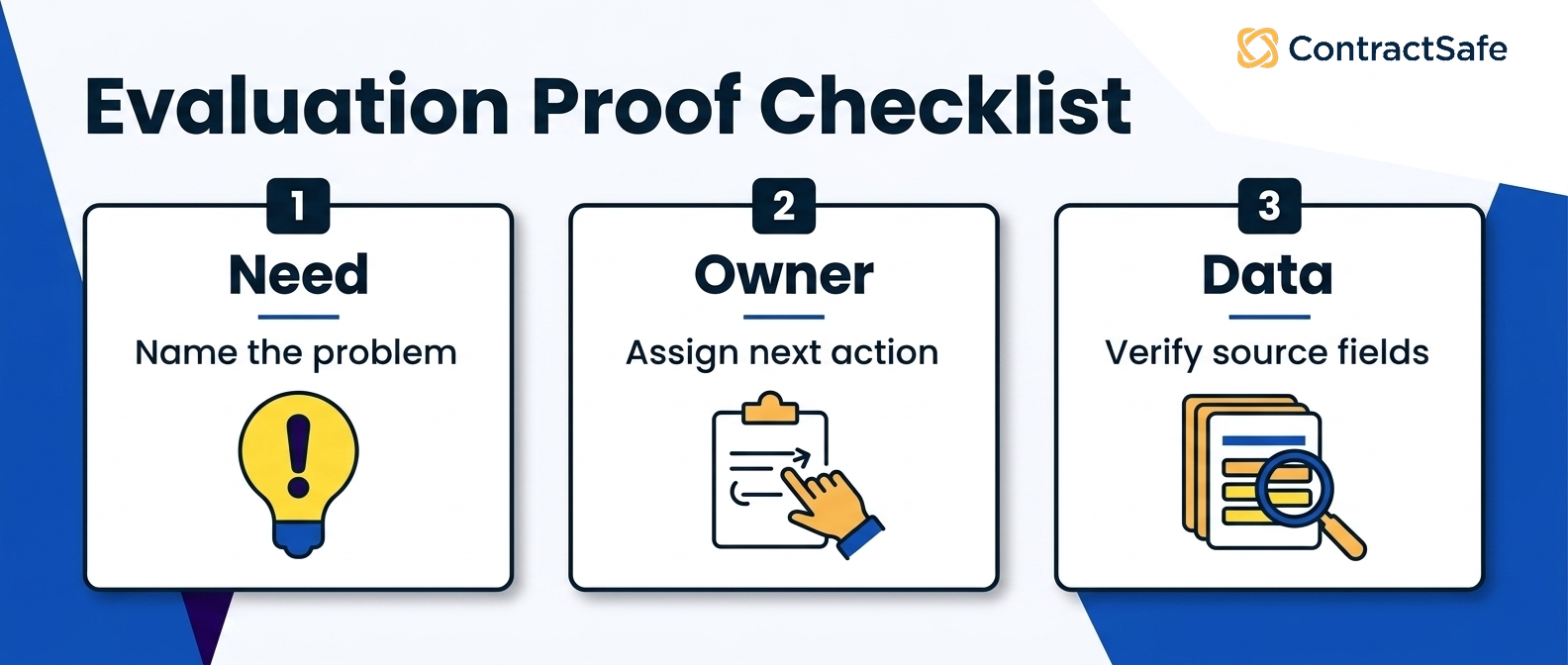
Score each row from zero to five, multiply by the weight, and attach the demo evidence behind the score. Zero means the vendor couldn’t demonstrate the requirement; five means it passed with source, owner, and export proof.
| Criterion | Weight | Evidence to request | Pass-fail method |
|---|---|---|---|
| Full lifecycle scope | Highest | Run intake, approval, signature, governed record, alert, report, and renewal handoff. | Pass only if the same test agreement reaches every required stage with history. |
| Provider record and amendments | Highest | Load an executed provider agreement and an amendment that changes a term. | Pass only if the current controlling language and owner are clear. |
| Rate and fee-schedule handling | High | Connect a payer rate exhibit or fee schedule to its governing agreement and amendment. | Pass only if the reviewer can identify the current schedule from the source record. |
| Credentialing-date proof | High | Show the contract clause, credentialing date, owner, reminder, and acknowledged handoff. | Pass only if every date traces to a source and named action. |
| Access controls | High | Test a restricted compensation record using the document-access controls the vendor claims to support. | Pass only if unauthorized users can’t open the record. |
| Deadline and renewal action | High | Create a verified notice alert, change its owner, and inspect reminder history. | Pass only if the next action and handoff remain traceable. |
| Reporting and export | High | Build a provider-renewal report and export its documents and reviewed data. | Pass only if each row traces back to the source agreement. |
| Pricing and first-year scope | Medium | Request the subscription and first-year cost components, including users, migration, modules, integrations, support, and renewal terms, in writing. | Pass only if finance can reproduce the first-year and renewal totals. |
| Implementation and migration | Supporting | Ask who uploads the contracts, if there's a cap on how many contracts they help migrate, how long it takes, and what implementation and training costs | Pass only if the vendor names the work, timing, owner, and gap process. |
| Support and administration | Supporting | Test the support path, admin change, response target, and post-launch owner. | Pass only if the team can resolve a live issue without an undefined escalation. |
The weights total 100% under this requirements-based evaluation. Keep the raw score, weighted score, evidence link, and pass-fail note for every row. A long feature list can’t compensate for a failure to find the controlling amendment, protect a restricted record, prove a credentialing date, or produce a defensible first-year price.
Related Reading
- Healthcare contract lifecycle management connects provider, payer, vendor, and compliance agreements across the full lifecycle.
- The CLM business case helps legal and operations document the cost of the current process.
- Contract management costs gives buyers a framework for subscriptions, implementation, migration, support, and renewal terms.
How ContractSafe Helps With Provider Contract Management Software
ContractSafe is full-lifecycle provider contract management software, supporting intake, approvals, e-signature, governed records, reporting, alerts, and renewals. Review the full ContractSafe feature set, then run the healthcare buyer scorecard with live documents in a ContractSafe demo.
A practical ContractSafe evaluation should ask whether finance, procurement, and business owners can safely answer routine contract questions without sending every request back to legal.
Everything above describes a maintenance schedule for the plumbing. ContractSafe is built to be the plumbing itself: load the payer agreements first, let AI extraction pull the dates, and have alerts watching your renewal calendar in the first week, not after a year of configuration meetings.
At the center is a searchable contract repository where every payer deal, provider employment agreement, and vendor contract lives in one place, findable by counterparty, date, or a phrase buried on page nine.
AI extraction reads the documents as you load them, so your team confirms renewal dates instead of typing them, and alerts watch those dates with the lead time you set.
That combination is what turns a leaning pile of paper into a system people trust.
It’s also priced for how healthcare teams actually work. Every plan includes unlimited users, so credentialing staff, finance reviewers, and compliance can all get in without a per-seat penalty that punishes you for collaborating.
Implementation and migration support come included, which is exactly why the phased rollout described above is realistic rather than aspirational.
If you’re comparing options, the broader contract management overview shows how intake, signature, approvals, records, alerts, reporting, and renewals fit together for legal, procurement, and operations.
For provider work specifically, that means one shelf for the whole stack, one owner per agreement, and no more reconstructing a story when an auditor asks a simple question.








.svg)







.svg)




